Best 120Hz TVs in 2026 (Top 9: IFFALCON, Roku, and More)

Last Updated on February 25, 2026
Looking for the best 120hz tvs for movies and next-gen gaming? Discover the top-rated models with native 120Hz refresh rates, low input lag, and stunning picture quality.
SMOOTH MOTION CHANGES EVERYTHING. Movies, sports, and games feel sharper and more immediate at 120Hz.
You want less blur, tighter input lag, and punchier HDR highlights. These picks give you speed, great picture, and real-world value so your next TV actually keeps up with you.
Contents
- The Best 120Hz TVs
- iFFALCON 55-inch U85 Mini-LED 4K
- Samsung 65-inch Q8F QLED 4K
- Samsung 75-inch Q80D QLED 4K
- Roku 75-inch Pro Series QLED TV
- Samsung 55-inch Q8F QLED 4K
- VIZIO 50-inch Quantum Pro 4K
- TCL 55-inch Q7 QLED 4K
- VIZIO 43-inch Quantum 4K QLED
- Hisense 40-inch Motion Rate 120 TV
- Final Thoughts on the Best 120Hz TVs
- How to Choose the Best 120Hz TVs
- Check Out the Best 120Hz TVs
- Also Check Out Other Helpful Articles
- Video About the Best 120Hz TVs
The Best 120Hz TVs


iFFALCON 55-inch U85 Mini-LED 4K
You’ll notice exceptional highlight punch and deep blacks from Mini‑LED local dimming combined with a high refresh rate that supports competitive gaming. For buyers seeking a feature‑dense Mini‑LED with Dolby Vision and high HDR peak brightness, this one delivers strong bang for the buck.
Pros
- Mini‑LED with many dimming zones for strong HDR contrast
- High native refresh (144Hz/120Hz modes) ideal for gaming
- Dolby Vision IQ and Dolby Atmos support for immersive media
- High peak brightness (~1000 nits) for bright room viewing
Cons
- VA panel viewing angles are narrower than IPS/OLED alternatives
- Brand may have limited aftercare compared with major manufacturers
- Wide legs or large stand required for some room setups
Who this is for
If you want near‑flagship HDR performance and a high refresh rate for gaming without paying top OLED prices, the Mini‑LED U85 is aimed at that buyer. It blends powerful local dimming, Dolby Vision support and fast refresh rates suited to both movies and competitive play.
What makes it stand out
Mini‑LED backlighting with many local dimming zones increases contrast and highlight control, letting specular highlights shimmer without flooding the rest of the image. The high native refresh rate (up to 144Hz in some modes) and low input lag also mean you can prioritize frame‑rate and responsiveness.
- Mini‑LED local dimming for better HDR contrast than standard LEDs
- 144Hz/120Hz support for very smooth gaming at high frame rates
- Dolby Vision IQ and Dolby Atmos for enhanced cinematic presentation
Things to be mindful of
The panel is likely a VA‑type, which typically sacrifices viewing angles for contrast; sit centrally for the best image. Also, iFFALCON as a brand may not offer the same service breadth as larger incumbents, so confirm warranty and support availability in your region.
Practical usage note
Gamers should enable the TV’s game mode and VRR features for the smoothest experience. Movie fans will appreciate turning on Dolby Vision IQ in brighter rooms to keep HDR highlights under control while preserving accurate color.
Samsung 65-inch Q8F QLED 4K
The 65‑inch version scales up the same strong picture and AI features while giving you a more cinematic field of view. If you want a big living‑room screen with modern smart features, this size is a practical sweet spot.
Pros
- Bigger screen for immersive viewing without flagship price
- AI Picture and audio optimization for varied content
- 100% Color Volume and strong color performance
- Rechargeable remote and robust smart features
Cons
- Heavier than smaller models—requires robust support or mount
- Some units have reported pixel issues on delivery
- Still not as dark‑room friendly as OLED
Who this is for
This 65‑inch Q8F is for buyers who want a larger, theater‑style experience without jumping to ultra‑premium models. It aims to deliver a pleasing balance of brightness, color and smart features for typical living‑room use.
What it does well
You’ll notice the extra immersive feel from a 65‑inch panel paired with Samsung’s AI enhancements. The set maintains color saturation at higher brightness levels, which is particularly useful in bright rooms or daytime viewing.
- Large 65‑inch display for cinematic presence
- AI scene analysis that improves perceived contrast and clarity
- Good suite of smart apps and connectivity options
Practical limitations
The larger chassis increases weight and may require a wider stand or wall bracket. Like other QLEDs, this TV won’t match OLED for pixel‑level blacks, but it does well in bright living spaces where OLED highlights are less necessary.
Buying tip
Confirm return and inspection policies at delivery so you can check for pixel defects before finalizing—this helps avoid the occasional dud unit reported by users.
Samsung 75-inch Q80D QLED 4K
This large QLED combines Direct Full Array with Samsung’s Quantum Dot color for an impressively bright and detailed picture in well‑lit rooms. It’s a solid choice if you want a big, showroom‑style TV that handles HDR with punch and controlled highlights.
Pros
- Direct Full Array for adaptive brightness and contrast
- Quantum Dot color with high color volume
- Large 75‑inch canvas for cinematic viewing
- Good HDR handling and adaptive brightness
Cons
- Typically priced higher than midrange competitors
- Still not an OLED for perfect black levels
- Very large footprint and heavy—requires appropriate furniture or wall mount
Who this is for
Choose this if you want a large, bright QLED that performs well in a living room with windows or ambient light. The set aims to combine scale with color accuracy and contrast control so you can enjoy movies and sports at full size.
What it brings to the room
Samsung’s Direct Full Array system dynamically adjusts zones to match scene brightness, and Quantum Dot tech preserves color at higher brightness levels. The TV also uses advanced processing to upscale content and reduce noise, making non‑4K sources look cleaner.
- Direct Full Array for finer local contrast control
- 100% Color Volume with Quantum Dot for vivid hues at higher brightness
- Adaptive brightness that adjusts to room lighting and content
Practical considerations
While excellent for bright rooms and large viewing areas, a big QLED still won’t deliver the pixel‑level black of OLED. Expect a premium price and plan for a proper mount or wide console. If you prioritize absolute black levels for dark‑room cinema, consider OLED alternatives.
Use case
This is a good pick for families who watch a mix of HDR streaming, live sports and gaming on a big screen where punchy highlights and wide color gamut make a visible difference.
Roku 75-inch Pro Series QLED TV
You’ll appreciate an uncluttered and responsive Roku OS on a very large, bright QLED panel that supports Dolby Vision IQ and gaming at 120Hz. The Pro remote and integration with Roku’s ecosystem make setup and daily use easy and friendly for most households.
Pros
- Roku OS for fast, simple streaming and universal search
- Large QLED panel with Dolby Vision IQ for bright content
- Backlit Roku Voice Remote Pro with solid ergonomics
- Good out‑of‑box performance and sound quality for size
Cons
- Legs/stand placement require a wide console or wall mount
- Some advanced picture settings can be buried in menus
- Big size means significant weight—plan two people for installation
Who this is for
If streaming simplicity and a large cinematic screen are your priorities, the Roku Pro Series gives you a straightforward, polished smart TV experience. It’s aimed at users who value an intuitive interface over tinkering with advanced settings.
What stands out
Roku’s platform is one of the cleanest and most reliable streaming ecosystems, and pairing it with a 75‑inch QLED panel gives you both scale and image punch. Dolby Vision IQ helps tune HDR to room lighting while the remote and Roku app make control flexible.
- Roku OS for consistent app performance and easy navigation
- Dolby Vision IQ and broad HDR support for punchy highlights
- Backlit Pro remote improves usability in low light
Practical caveats
Footprint and weight are the main practical concerns: the TV’s legs are wide and you’ll likely want a wall mount. For power users who want extensive calibration control, Roku’s simplified approach may feel limiting compared with some manufacturer UIs.
Setup suggestion
If you have a multi‑speaker setup, take advantage of Roku’s audio pairing and ease of connecting external sound systems to get the most cinematic results.
Samsung 55-inch Q8F QLED 4K
You’ll see AI‑assisted color and upscaling that improve everyday viewing and streaming while the QLED panel provides vivid hues. The form factor and features make this a versatile primary TV for most living rooms.
Pros
- Q4 AI Processor for content‑aware picture and audio optimization
- 100% Color Volume with Quantum Dot for rich colors
- AirSlim design and rechargeable remote for convenience
Cons
- Isolated reports of dead pixels from some buyers
- Not as deep black as OLED in dark scenes
- Higher price than entry‑level alternatives
Who this is for
If you want a 55‑inch TV that looks modern, performs well on streaming content and uses AI to optimize picture and sound, this Samsung Q8F model targets that sweet spot. It’s intended as a daily‑driver living room TV with a feature set that’s accessible to most users.
Performance highlights
The Q4 AI Processor analyzes scenes to improve color, contrast and clarity while Samsung’s Quantum Dot layer preserves saturation at higher brightness. The result is lively HDR images and good upscaling for HD sources.
- AI optimization for picture and audio based on content type
- Thin AirSlim design that fits naturally on walls or stands
- Rechargeable remote reduces battery waste and simplifies setup
Limitations and practical advice
A few buyers have reported dead pixels on arrival—this is uncommon but worth checking during delivery. While colors and brightness are excellent, pure black levels and infinite contrast remain the realm of OLED.
Day‑to‑day usage tip
Use the AI picture presets as a starting point, then tweak sharpness and backlight to suit your room lighting. For movie nights in a dark room, lower the backlight to avoid crushed shadows while maintaining color accuracy.
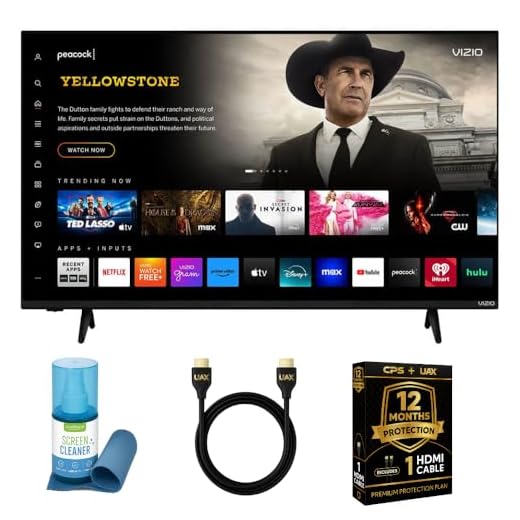
VIZIO 50-inch Quantum Pro 4K
You get a lot of gaming-capable hardware for the price, including native 4K@120Hz and low-latency VRR support. The panel’s QLED color, local dimming and high peak brightness deliver punchy HDR without the OLED price tag.
Pros
- Native 4K at 120Hz with VRR and low input lag
- QLED quantum color and local dimming for strong HDR
- Wi‑Fi 6E and features useful for PC and console gamers
- Excellent value for performance
Cons
- Remote and some smart‑OS quirks reported by users
- Not true OLED-level black uniformity in every scene
- Requires some calibration out of the box for best image
Who this is for
If you want a 4K TV that actually supports native 120Hz gaming without spending top‑tier money, this model is built around that idea. You’ll appreciate the speedy inputs and gaming modes if your primary use is console or PC gaming.
Key strengths and what you’ll notice
The TV combines Quantum Color (QLED) with Active Full Array local dimming and a high peak brightness, which helps HDR content pop. It also includes connectivity conveniences such as Wi‑Fi 6E and a wide feature set tailored to modern gaming.
- Native 4K @ 120Hz and VRR support for smoother gameplay
- QLED quantum dot color for richer hues and stronger saturation
- Active full array local dimming that improves contrast in many scenes
Practical considerations and limitations
You’ll get excellent value, but expect a few tradeoffs compared with pricier models. The remote and smart TV experience can be fiddly, and the set isn’t an OLED, so absolute black levels and infinite contrast aren’t possible.
- Out of the box the picture modes may prioritize low latency over color accuracy; plan on spending a little time in picture settings
- Local dimming is good but can still show blooming in very high contrast scenes
Real‑world example
If you play competitive shooters on a PS5 or Xbox Series X, you’ll notice smoother frame pacing and reduced motion blur at 120Hz. If you also stream HDR movies, the higher peak brightness and QLED color will make highlights and color grading look lively without breaking the bank.
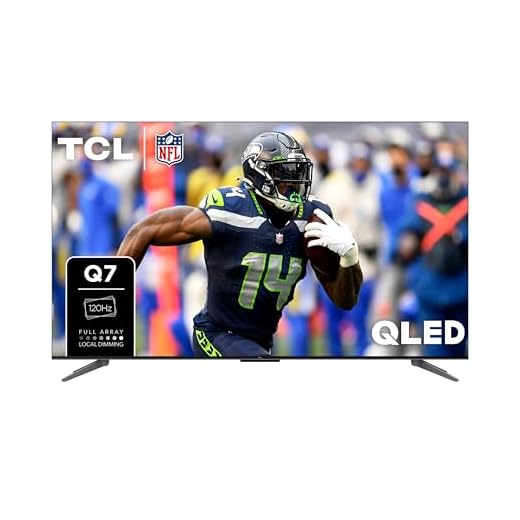
TCL 55-inch Q7 QLED 4K
You get a balanced mix of picture quality, motion handling and gaming features thanks to full‑array local dimming and a 120Hz native panel. It’s a strong pick if you want both cinematic HDR and responsive gameplay without stepping up to the very priciest models.
Pros
- Full Array PRO local dimming with many zones
- Dolby Vision IQ and HDR Ultra support
- Native 120Hz panel with Game Accelerator up to 240Hz
- Good value for picture and motion performance
Cons
- Motion smoothing/processing can be inconsistent for some content
- Not the absolute brightest panel in the market
- Unit is relatively heavy compared with similar sizes
Who this is for
If you want a TV that handles movies, sports and gaming well, this TCL Q7 offers a compelling mix of features. It’s aimed at buyers who want strong HDR handling and native 120Hz performance without paying premium flagship prices.
Standout features
TCL’s QLED quantum dot color and Full Array PRO backlight with many local dimming zones give you better contrast than basic LED sets. Dolby Vision IQ and HDR Ultra ensure HDR content is rendered with good fidelity, while the AIPQ engine applies scene‑by‑scene tuning.
- QLED quantum dot color for rich, saturated hues
- Full Array PRO local dimming to reduce bloom and deepen blacks
- Native 120Hz refresh with Game Accelerator for low latency gaming
Things to be aware of
While quite capable, the TV can show occasional motion smoothing artifacts depending on settings, and it’s not the brightest option compared with flagship mini‑LEDs. Calibration choices matter: disabling unwanted processing will improve film watching.
- If you dislike the “soap opera effect,” turn off motion smoothing and experiment with the preset modes
- The TV benefits from a short calibration session to balance brightness and color for your room
Real‑world note
Gamers will appreciate the low input lag and the ability to prioritize frame‑rate, while movie fans will like the richer colors and the improved black handling versus entry‑level LCDs.
VIZIO 43-inch Quantum 4K QLED
This compact QLED gives you native 120fps support and Dolby Vision in a very affordable package, making it a solid choice for bedrooms or smaller living rooms. Expect good color and gaming responsiveness for the size and price point.
Pros
- Affordable entry to 120Hz 4K QLED TVs
- Supports Dolby Vision and multiple HDR formats
- Small footprint ideal for bedrooms or desks
Cons
- Speakers are rear‑firing and underwhelming per some users
- Limited peak brightness compared to premium models
- Smaller screen limits immersion for large living rooms
Who this is for
If you want a small, modern 4K TV with gaming chops for a bedroom, dorm or secondary TV, this 43‑inch Quantum set offers an attractive balance of features and price. You get QLED color and HDR formats without the bulk or expense of larger models.
What it does well
For its size it delivers surprisingly vibrant color, Dolby Vision support and a 120Hz refresh rate that benefits next‑gen console gaming and fast TV sports. Setup is straightforward and the bundle items (cables, cleaner on some kits) add immediate value.
- QLED quantum dot color for richer color gamut
- Native 120Hz support for smoother gameplay and motion handling
- Dolby Vision and HDR10+ compatibility for broader HDR content support
Practical caveats
Because it’s an entry‑level compact model you should expect modest speakers and lower peak brightness versus flagship TVs. If you plan to sit far away or want deep cinematic blacks, a larger or higher‑end display may be preferable.
- Rear speakers may make you want a soundbar for better audio clarity
- Limited brightness and contrast when compared to mini‑LED/OLED TVs
Usage tip
Place it in a room where you sit relatively close (6–10 feet) to fully benefit from the screen detail, and pair it with a compact soundbar if you watch a lot of movies.
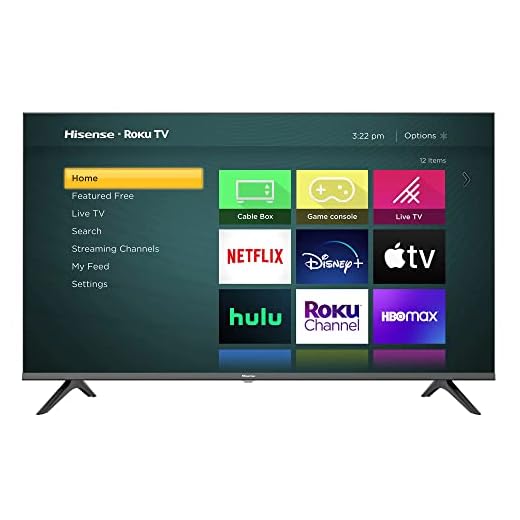
Hisense 40-inch Motion Rate 120 TV
This renewed 40‑inch model gives you Motion Rate 120 for smoother motion in sports and games at a low price, making it a logical choice for secondary rooms. Expect basic smart features and compact size rather than flagship picture performance.
Pros
- Very affordable and compact for tight spaces
- Motion Rate 120 helps with fast moving content
- Voice assistant compatibility with Alexa and Google Assistant
Cons
- 2K FHD resolution—not native 4K for futureproofing
- Renewed units have reported reliability issues like broken screens
- Smaller screen limits immersion for living rooms
Who should consider it
Choose this if you need a budget secondary TV for a bedroom, kitchen or dorm where space and cost matter more than flagship image fidelity. It’s especially useful for gamers on a budget who still want improved motion handling.
Strengths in its category
The set’s motion processing and smart assistant compatibility make it a practical, inexpensive option. If you primarily stream or use a console at shorter viewing distances, the smaller panel size is not a disadvantage.
- Motion Rate 120 for smoother sports and gaming visuals
- Voice assistant integration for hands‑free control
- Compact footprint that fits small rooms and desks
Limitations to remember
This is a 2K FHD panel rather than 4K, so it isn’t the best choice if you want maximum resolution or futureproofing. As a renewed product, reliability is mixed in user reports—inspect on delivery and verify return options.
Practical tip
If you plan to game on modern consoles and want sharper imagery, consider stepping up to a 4K 120Hz model; otherwise this is a sensible, low‑cost option for secondary uses.
Final Thoughts on the Best 120Hz TVs
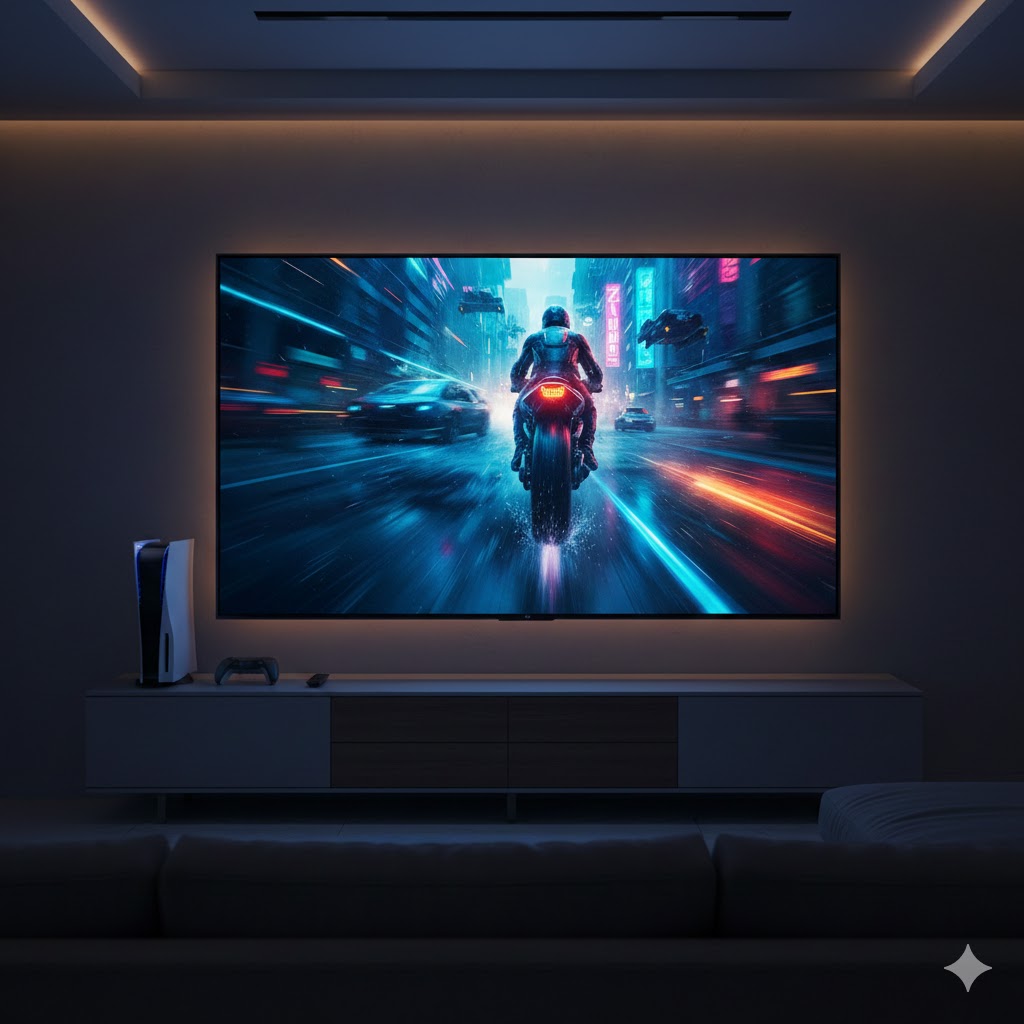
Go with the iFFALCON 55-inch U85 Mini-LED 4K if you prioritize gaming and HDR impact. Its Mini‑LED local dimming delivers deep blacks and strong highlight punch, Dolby Vision boosts HDR content, and the high refresh support plus low latency make it the best choice for competitive or cinematic gaming. Ideal use: sitting ~6–9 feet away for high-frame-rate console/PC play and HDR-heavy movies.
Choose the Samsung 75-inch Q80D QLED 4K if you want a big, bright living-room centerpiece. It pairs Direct Full Array and Quantum Dot color for vivid, controlled highlights in well-lit rooms and gives you a true cinematic field of view for family movie nights and sports. Ideal use: bright family rooms where screen size and peak brightness matter most.
How to Choose the Best 120Hz TVs
A 120Hz TV can completely upgrade the way you watch movies, play games, or stream sports. With smoother motion, sharper detail, and better responsiveness, these models stand out from standard 60Hz screens. If you're looking for the best 120Hz TVs, here’s everything you should consider before buying.
Understand How a 120Hz Refresh Rate Improves Your Experience
A TV’s refresh rate describes how many times per second the image on the screen updates. A 120Hz refresh rate means the TV refreshes the picture 120 times per second, offering a noticeable improvement in clarity and motion.
This makes a big difference in:
- Sports, reducing blur in fast scenes
- Gaming, providing smoother camera movement and quicker response
- Action movies, making rapid sequences appear more natural
If fluid motion is important to you, a 120Hz panel is a must-have.
Choose Between LED, QLED, and OLED Panel Technologies
The type of screen panel dramatically affects color quality, brightness, and contrast. When shopping for the best 120Hz TVs, here’s what you should look for:
- LED: Affordable, good brightness, ideal for well-lit rooms
- QLED: Enhanced color and brightness using quantum dots
- OLED: Each pixel lights individually, giving perfect blacks and incredible contrast
If you prioritize cinematic picture quality, OLED is typically the top choice. For bright living rooms or gaming setups, QLED offers excellent performance.
Check for HDMI 2.1 for Full 120Hz Performance
Not every TV that supports 120Hz can display it through all devices. To ensure your console or PC takes full advantage of 120Hz, look for HDMI 2.1 ports. This standard supports:
- True 4K at 120Hz
- Low-latency gaming
- Variable Refresh Rate (VRR)
- Auto Low Latency Mode (ALLM)
If you own or plan to buy a PlayStation 5, Xbox Series X, or a high-end gaming PC, HDMI 2.1 is essential.
Prioritize Low Input Lag for Gaming
Gamers looking for the best 120Hz TVs should pay attention to input lag, which measures how quickly the TV reacts to your commands. Lower numbers mean faster responses.
A great gaming TV typically offers:
- 10ms or less in Game Mode
- VRR support (to eliminate screen tearing)
- ALLM that automatically switches to low-lag settings
These features ensure smoother gameplay and more precise control.
Consider HDR Support for Better Brightness and Detail
High Dynamic Range (HDR) improves contrast and color accuracy, making movies and shows look more realistic. The most common HDR formats include:
- HDR10 – the basic and widely supported format
- HDR10+ – dynamic metadata for improved color
- Dolby Vision – advanced scene-by-scene brightness and contrast adjustment
If you love cinematic quality, prioritize a TV with Dolby Vision or HDR10+.
Choose the Screen Size That Fits Your Space
A 120Hz refresh rate looks great at any size, but screen dimensions impact immersion. Common recommendations include:
- 50"–55": Good for smaller rooms
- 65": Best all-around size for most living rooms
- 75" or larger: Ideal for home theaters
If you’re upgrading for movies or next-gen gaming, bigger screens amplify the 120Hz effect.
Smart TV Systems: Pick What Works Best for You
Most 120Hz TVs come with built-in smart platforms. The most popular include:
- Google TV or Android TV – customizable with broad app support
- webOS – simple, clean, and fast
- Tizen – smooth and intuitive for streaming
All offer the major apps, but the interface and control options vary, so choose one you find easy to navigate.
Don’t Forget Audio Features
While the picture quality is the star, audio matters too. Look for:
- Dolby Atmos support
- eARC compatibility for soundbars
- Multi-speaker setups with strong dialogue clarity
Even if you plan to use an external sound system, built-in audio still enhances your everyday viewing.
Check Out the Best 120Hz TVs
Still not sure which one to choose? Click the link below to see the best-selling products.
Also Check Out Other Helpful Articles
Take a look at more useful articles that can help you make more informed decisions.
- Best 8K TVs in 2026 (Top 6: Sony, Samsung and More)
- Best 75-Inch TVs in 2026 (Top 10: Roku, Panasonic and More)
- Best TVs for PS5 in 2026 (Top 7: Sony, LG and More)
Video About the Best 120Hz TVs
We created a video on the topic. Just click to watch.
Related Articles

About the Author

Matthew King has a keen interest in digital media and content writing. He approaches each project with attention to detail and a goal to make content accessible.