Best 17-Inch Laptops in 2026 (Top 10: NIMO, HP and More)

Last Updated on February 17, 2026
Looking for a powerful desktop replacement? Discover the best 17-inch laptops for work, content creation, and gaming. Find your perfect large screen notebook now!
BIGGER IS BETTER — most of the time. You want a laptop that feels like a mini desktop but still moves when you do. A roomy 17.3″ screen makes reading, spreadsheets, and streaming so much easier.
Contents
- The Best 17-Inch Laptops
- HP 17.3" FHD Intel Core i5 Laptop
- HP 17 FHD Business Laptop 32GB RAM
- HP Pavilion 17 with 10‑Core i5
- ASUS Vivobook 17 FHD, 16GB RAM
- HP 17 with 32GB RAM and i3 13th
- NIMO 17.3" Large-Screen Budget Workhorse
- HP 17.3" Ryzen 5 with 16GB RAM
- ASUS Vivobook 17 2024 Quiet Blue
- HP 17 Basic HD+ Everyday Laptop
- Soulgenix 17.3" HD+ Student Laptop
- Final Thoughts on the Best 17-Inch Laptops
- How to Choose the Best 17-Inch Laptops
- Check Out the Best 17-Inch Laptops
- Also Check Out Other Helpful Articles
- Video About the Best 17-Inch Laptops
The Best 17-Inch Laptops


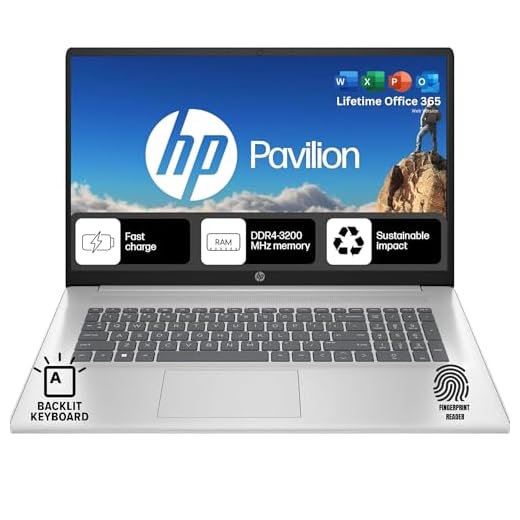


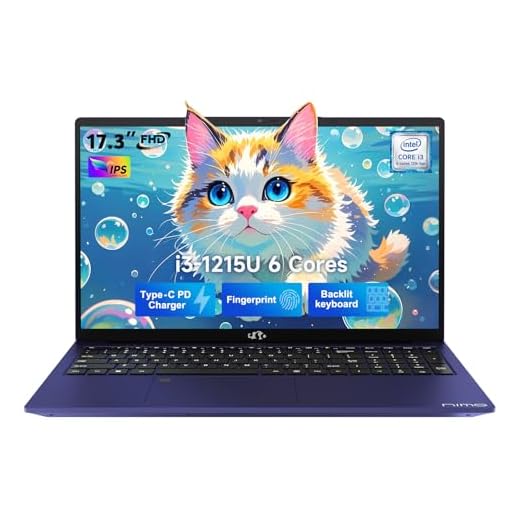


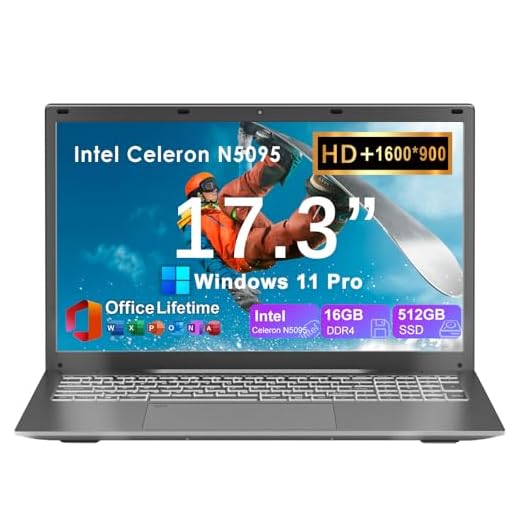
HP 17.3" FHD Intel Core i5 Laptop
You’ll appreciate the true FHD IPS 17.3" screen for reading, multitasking and media playback, plus a capable Intel Core i5 and ample RAM for responsive day‑to‑day use. It’s a strong mainstream option if you want a larger, sharper display and reliable performance.
Pros
- 17.3" FHD IPS display with wide viewing angles
- Recent Intel Core i5 with fast turbo clocks
- Good memory and storage options for productivity
- Comfortable lift‑hinge keyboard and relatively lightweight
Cons
- Integrated graphics limit heavier creative workloads
- Build uses more plastic than higher‑end models
Who should consider this laptop
Choose this HP if you value a larger, true Full HD screen for work and media and you need dependable everyday performance. The 17.3" FHD IPS panel reduces eye strain and gives you room for split‑screen workflows.
Notable features
- 17.3" Full HD IPS display (1920×1080) with narrow bezels
- Intel Core i5 (13th‑gen family spec on listing), 16–32GB RAM options and speedy NVMe storage
- Lift hinge design for improved typing comfort and airflow
In practice, the display is the standout: text, spreadsheets and videos look noticeably better than on HD‑resolution 17‑inch laptops. The processor and memory configuration keep everyday responsiveness high, while fast charging helps if you need quick top‑ups between sessions.
Limitations to be aware of
The GPU is integrated, so while lightweight photo edits and video streaming are fine, you shouldn’t expect fluid performance in demanding GPU rendering or gaming. The chassis prioritizes affordability, so if you need a premium metal build or advanced cooling for heavy loads, you’ll want to look higher up the range.
HP 17 FHD Business Laptop 32GB RAM
You get a 17.3" FHD IPS anti‑glare display and a Ryzen 5 that performs well in business and productivity scenarios, backed by generous storage and memory. It’s suited to power users who want a big screen laptop for serious multitasking and productivity workflows.
Pros
- 17.3" Full HD IPS anti‑glare display with vivid color
- Strong Ryzen 5 7430U CPU and big 32GB memory option
- 1TB SSD and full port selection for peripherals
Cons
- Listed weight and dimensions vary — can be heavier than expected
- Large chassis is less convenient for frequent travel
Who will benefit
This model is targeted at professionals and power users who prefer a large workspace and need high memory and storage capacity for heavy tabbing, large spreadsheets, databases or multiple concurrent apps. It’s a practical business laptop rather than a compact travel companion.
Key features for productivity
- 17.3" FHD (1920×1080) IPS anti‑glare panel for accurate visuals
- AMD Ryzen 5 7430U, up to 32GB RAM and 1TB SSD for large projects
- Windows 11 Pro availability and broad port selection including HDMI and multiple USBs
Those features translate to fewer slowdowns when switching apps, smoother multitasking and plenty of onboard storage for local files. The FHD IPS screen is especially helpful if you frequently compare documents, work on large spreadsheets or do light photo editing.
Practical tradeoffs
The bigger chassis and higher spec mean more weight — it’s best for desk‑centric use or occasional moves between offices. If you travel daily by public transport, a lighter 14–15" model might be more comfortable. Otherwise, for desk productivity this is a powerful, sensible choice.
HP Pavilion 17 with 10‑Core i5
You get a roomy 17.3" panel paired with a 10‑core Intel i5 and 1TB NVMe storage that handle daily multitasking and light content work smoothly. The Pavilion balances solid performance, useful ports and fingerprint security in a mainstream, affordable package.
Pros
- 10‑core Intel Core i5 with strong single‑threaded turbo
- 1TB NVMe storage plus responsive 16GB RAM
- Full‑size backlit keyboard with fingerprint reader
- Lightweight for its screen size and plenty of ports
Cons
- 1600×900 resolution on some SKUs is less sharp than FHD
- Battery life is modest around 5–6 hours in mixed use
Overview
This Pavilion 17 model is aimed at users who want a full‑size display without stepping up to a heavy, premium workstation. With an Intel Core i5 (10 cores) and a large NVMe SSD, it’s a practical choice for multitasking, office work, media playback and casual photo editing.
What stands out
- 17.3" display (1600×900) that expands workspace for spreadsheets and split screens
- Intel Core i5‑1334U (up to 4.6GHz) and 16GB DDR4 for smooth responsiveness
- 1TB PCIe NVMe SSD and Wi‑Fi 6 connectivity
The Pavilion’s strengths are its balanced hardware and everyday reliability: you can run many browser tabs, Office apps and streamed media without feeling constrained. The fingerprint reader and backlit keyboard add convenience and security, and there’s a reasonable selection of ports including Type‑C.
Things to keep in mind
If you care about screen sharpness for photo work, the 1600×900 panel is a compromise compared with FHD panels. Battery life is acceptable but not outstanding, so expect to carry the charger for longer sessions away from a plug. For most users who prioritize value and usability, this is a sensible, well‑rounded pick.
ASUS Vivobook 17 FHD, 16GB RAM
You get a Full HD 17.3" IPS panel and 16GB RAM paired with a 12th‑Gen i3 that makes daily multitasking feel more responsive than base models. The Vivobook is a practical upgrade if you want a larger, sharper screen and more memory for heavy tab use.
Pros
- 17.3" FHD IPS anti‑glare screen for comfortable long sessions
- 16GB RAM and 512GB SSD for responsive multitasking
- Lifetime Microsoft 365 for The Web included (selected SKUs)
Cons
- Integrated graphics limit serious photo/video rendering
- Not targeted at gamers or high‑end creators
Summary
This Vivobook 17 configuration emphasizes a great display and ample memory for users who juggle many browser tabs, office apps and streaming. It hits a sweet spot between budget machines and more expensive 17‑inch workstations.
Key features
- 17.3" Full HD IPS anti‑glare display with wide viewing angles
- 12th‑Gen Intel Core i3‑1215U, 16GB RAM and 512GB SSD
- Wi‑Fi 6, Windows 11 and modern connectivity for peripherals
In practice, the combination of FHD resolution and 16GB RAM feels noticeably smoother when switching between heavy browser sessions, spreadsheets and conference calls. The extra memory reduces swapping and keeps background tasks responsive.
What to expect
If your work includes light photo editing or casual video trimming it will handle that, but for sustained rendering or GPU‑accelerated tasks you’ll want a dedicated GPU model. For everyday productivity and media consumption, this Vivobook is a very sensible, balanced choice.
HP 17 with 32GB RAM and i3 13th
You get an unusual combination: an efficient 13th‑Gen i3 with an unusually large 32GB of RAM, which makes multitasking and many browser tabs feel smooth. The 17.3" display and business‑oriented features (numpad, fingerprint) suit students and remote workers who prioritize memory and screen space.
Pros
- Large 32GB RAM ideal for heavy multitasking
- Fingerpring reader and full numeric keypad
- 17.3" display and lightweight chassis for its size
Cons
- 1600×900 resolution may disappoint image‑focused users
- i3 CPU is efficient but not for sustained heavy compute
Why this configuration exists
This HP variant targets users who prioritize memory and screen space over raw CPU or GPU performance. If you routinely keep dozens of browser tabs, virtual machines or large spreadsheets open, the 32GB RAM will make a noticeable difference in day‑to‑day smoothness.
Feature highlights
- 17.3" display (1600×900) with lift‑hinge typing comfort
- 13th‑Gen Intel Core i3 (8 cores) with boost to 4.4–4.5GHz in burst scenarios
- 32GB DDR4 RAM and 512GB SSD for responsive storage and multitasking
In real use, this setup feels snappy for office workflows, remote meetings and browser‑heavy sessions. The numeric keypad and Windows security features like fingerprint login are handy for data entry and secure access.
Tradeoffs to consider
The resolution is on the lower side for a 17.3" screen — if you do color work or need pixel‑dense displays, this is a compromise. The CPU is designed for efficiency and bursts rather than sustained heavy compute, so for long renders or complex simulations you’ll see limits.
NIMO 17.3" Large-Screen Budget Workhorse
You get a large 17.3" display and a 12th‑Gen Intel i3 that punches above its weight for everyday productivity and media. Build quality, battery life and included conveniences like fingerprint login make this a smart budget pick if you need screen real estate without a high price.
Pros
- Excellent price-to-performance with 12th‑Gen Intel i3
- Large, crisp 17.3" FHD IPS display
- Good RAM (16GB) and SSD (256GB) for general multitasking
- Fingerpring sensor and backlit keyboard included
Cons
- Speakers are weak and tinny
- Brand is lesser-known — long-term support uncertain
Who this is for
If you want a large 17.3‑inch laptop for home, school, or light business use without spending a lot, this model is tailored to you. It focuses on core productivity — browsing, video calls, document work and streaming — while offering better specs than many low‑end contenders.
Key features and everyday benefits
- 12th‑Gen Intel Core i3 (6 cores, turbo up to 4.4GHz)
- 17.3" FHD IPS display for comfortable viewing
- 16GB DDR4 RAM and 256GB SSD for responsive multitasking
- Fingerprint reader, backlit keyboard, and Type‑C 65W charging
These features mean smoother multitasking compared with basic Celeron or older i3 machines, and the large screen makes long editing or spreadsheet sessions more comfortable. You’ll also appreciate that the laptop stays relatively cool and quiet in normal use.
Practical limitations and real-world use
The speakers are noticeably weak, so you’ll likely want external speakers or headphones for better audio. Also, while the processor is quick for most day‑to‑day tasks, it isn’t targeted at heavy content creation or gaming; you may see slowerdowns under sustained, CPU‑intensive loads. Finally, because the brand is smaller, you should consider extended warranty or confirm local support options if long‑term service matters to you.
HP 17.3" Ryzen 5 with 16GB RAM
You get AMD efficiency and responsiveness for daily multitasking, video calls and light content work thanks to the Ryzen 5 platform and 16GB of RAM. The anti‑glare large display and quick charging make it a comfortable machine for long home or office sessions.
Pros
- AMD Ryzen 5 offers strong everyday performance
- 16GB LPDDR5 memory and 512GB NVMe SSD
- Anti‑glare 17.3" panel and lift‑hinge typing comfort
Cons
- Fan noise can rise under load
- Smaller keyboard lettering may bother some users
Overview
This HP 17 model pairs an AMD Ryzen 5 processor with modern LPDDR5 memory to deliver a snappy, efficient experience for common workflows. The configuration targets users who want a large display and smooth everyday performance without stepping into premium pricing.
Highlights and real benefits
- 17.3" HD+ anti‑glare display for reduced reflections
- AMD Ryzen 5 7520U, 16GB LPDDR5 and 512GB NVMe SSD for fast responsiveness
- Fast charging to 50% in ~45 minutes with included adapter
In practice, the system handles multi‑tab browsing, video conferencing and office suites comfortably. The anti‑glare screen is useful if you work near windows or under bright lights, while the lift‑hinge improves typing angle for longer sessions.
Considerations
The cooling system can become audible under sustained heavy loads, so if you routinely push CPU‑heavy tasks you may want a cooling pad or a model with a more aggressive cooling solution. Also check keyboard legibility if you prefer larger, high‑contrast key legends.
ASUS Vivobook 17 2024 Quiet Blue
You’ll like the Vivobook for its attractive finish, 17.3" FHD IPS panel and a competent 12th‑Gen Intel i3 for everyday tasks. It’s a stylish, budget‑friendly alternative when you want a large display and modern connectivity like Wi‑Fi 6E.
Pros
- 17.3" FHD IPS display with anti‑glare coating
- Lightweight feel and modern aesthetic
- Good connectivity including Wi‑Fi 6E and multiple USB ports
Cons
- Base 8GB RAM may limit heavier multitasking
- Battery life is average and performance is entry‑level
Design and audience
The Vivobook 17 balances a youthful design (Quiet Blue) with a large 17.3" Full HD display and everyday performance. It’s well‑suited to students and home users who want a pleasing look and a comfortable workspace without breaking the bank.
Notable elements
- 17.3" 1920×1080 IPS display with anti‑glare surface
- Intel 6‑core i3 (1215U), 8GB DDR4 and 512GB SSD on the base SKU
- Wi‑Fi 6E, Bluetooth 5.1 and a 720p HD webcam for remote calls
In real use you’ll enjoy crisp visuals for reading, streaming and typical productivity. The modern wireless stack helps with stable Wi‑Fi in crowded environments like dorms or shared homes.
Practical limitations
If you open many browser tabs, run multiple virtual machines or edit large media files, consider upgrading RAM or choosing a 16GB configuration. Battery life and sustained heavy‑load performance are not class‑leading, so expect to plan for occasional recharges during extended sessions.
HP 17 Basic HD+ Everyday Laptop
You’ll find this unit works well for basic tasks like web browsing, online bill pay, bookkeeping and light office work. It’s an affordable 17.3" laptop that covers essentials without extras for specialized workloads.
Pros
- Very affordable price for a 17.3" machine
- Adequate performance for basic productivity and browsing
- Lightweight and easy setup for non‑technical users
Cons
- Older 11th‑Gen i3 limits future‑proofing
- Low resolution (1600×900) and modest RAM (8GB) on base SKU
Who should buy this
If you only need a large screen for everyday tasks and want the lowest possible cost, this HP 17 is aimed at you. It’s a pain‑free machine for basic computing — paying bills, streaming, and document work — rather than a performance device.
What you get
- 17.3" HD+ display (1600×900)
- 11th‑Gen Intel Core i3 processor, 8GB RAM, 256GB SSD options
- Standard ports and webcam for video calls
This configuration is straightforward: fast enough for web apps and light multitasking and easy to maintain. The simplicity can be an advantage if you want something that “just works” without configuration headaches.
Limitations and expectations
Performance is adequate but not strong for heavy multitasking or modern creative apps. You’ll notice the difference if you try to run many browser extensions, video editing or virtualization. If you expect to keep the laptop several years and expand usage, consider spending a bit more for a newer CPU or higher resolution panel.
Soulgenix 17.3" HD+ Student Laptop
You get a large 17.3" HD+ display and basic Windows 11 Pro functionality at a very low price point, which works well for students and simple office tasks. Performance is modest with a Celeron N5095, so keep expectations realistic for heavier workloads.
Pros
- Very affordable price with large 17.3" screen
- Included fingerprint sensor and Type‑C port
- 512GB SSD and 16GB RAM on paper for snappy storage
Cons
- Celeron N5095 CPU limits heavy multitasking
- Build quality and long‑term reliability can vary
Who this serves best
This Soulgenix 17 is designed for students and users who need a big screen and basic Windows capability without spending much. It’s useful for note‑taking, web research, streaming and light document work.
Main specs and benefits
- 17.3" HD+ (1600×900) anti‑glare display for easier viewing
- Intel Celeron N5095 quad‑core CPU, 16GB RAM and 512GB SSD
- Backlit keyboard, fingerprint reader and Type‑C connectivity
On paper the RAM and SSD look generous for the price, which helps general responsiveness for day‑to‑day tasks. Its large screen is a clear advantage if you prefer not to squint at smaller laptops during study or reading sessions.
Important tradeoffs
The Celeron processor is entry‑level; you will notice slowdowns with many heavy browser tabs, multitasking with large files, or demanding apps. Also, build and long‑term support will likely be more variable than established mainstream brands, so consider warranty or protection plans if you plan to keep the laptop for several years.
Final Thoughts on the Best 17-Inch Laptops
Pick the HP 17.3" FHD Intel Core i5 if you want the best all‑around 17" experience. Its true FHD IPS panel delivers sharp text and roomy screen real estate for reading, media, and everyday multitasking, while the Core i5 and ample RAM keep day‑to‑day performance snappy. This is the best pick if you value display quality first and smooth everyday performance.
Choose the HP 17 FHD Business Laptop 32GB RAM if you need serious multitasking power. The Ryzen 5 platform plus 32GB of RAM makes this the go‑to for heavy productivity: lots of browser tabs, large Excel files, multiple virtual machines, or long work sessions. It’s ideal for power users, business workflows, and anyone who treats a laptop like their primary workstation.
How to Choose the Best 17-Inch Laptops
If you need a device with a large display, extra space for multitasking, and performance that can replace a desktop, a 17-inch laptop is one of the best choices available. These models deliver broader screens, bigger batteries, and more room for powerful internal components. Below, you’ll find a complete guide to help you choose the best 17-inch laptops for work, gaming, creativity, and everyday use.
Consider the Purpose: Work, Gaming, or Everyday Use
Before choosing a 17-inch laptop, identify how you plan to use it. Larger laptops come in different categories with unique strengths:
- For productivity and office use: Look for lightweight 17-inch models with efficient processors and long battery life.
- For gaming: Prioritize dedicated GPUs, advanced cooling systems, and high-refresh-rate displays.
- For creative work: Choose a laptop with color-accurate screens, powerful CPUs, and plenty of RAM for editing photos, videos, and 3D content.
Once you know your purpose, the rest of the decision becomes much easier.
Check the Processor: Performance Starts Here
The processor determines how fast and responsive your laptop will feel. For 17-inch models, you’ll typically find high-performance chips that support heavy workloads.
- For everyday browsing and office tasks: Mid-range CPUs deliver a smooth experience.
- For gaming and creative applications: Choose high-end multicore processors capable of handling demanding software and multitasking.
A strong CPU ensures long-term usability, especially with larger laptops that are often bought as desktop alternatives.
RAM Makes Multitasking Easier
A spacious screen encourages multiple windows and applications open at once—meaning RAM is especially important in 17-inch laptops.
- 8GB: Works for basic daily use.
- 16GB: Ideal for professionals, gamers, and advanced multitasking.
- 32GB or more: Best for video editing, 3D software, and other memory-intensive workloads.
With more memory available, the system runs smoother and handles heavy tasks without slowing down.
Display Quality Matters Even More on 17 Inches
A large screen makes visual quality a top priority. When comparing displays, focus on:
- Resolution:
- Full HD (1080p) is standard.
- QHD or higher offers sharper details for gaming and content creation.
- Panel Type:
- IPS provides excellent color accuracy and viewing angles.
- OLED — when available — delivers vivid colors and deep contrast.
- Refresh Rate:
- 60Hz is enough for everyday use.
- 120Hz or more is ideal for gamers who want ultra-smooth motion.
The better the display, the more enjoyable productivity, movies, and gaming will be.
Storage: Choose Speed and Capacity
Most 17-inch laptops include SSDs, which significantly reduce load times and improve system responsiveness.
- 512GB: Ideal for general users.
- 1TB or more: Recommended for gamers, video editors, and those storing large files.
Some models offer dual-storage setups, combining SSD speed with HDD capacity—handy if you need room for massive media libraries.
Don’t Overlook the Graphics Card
If you plan to play games, edit videos, or use design software, the GPU is crucial. Many 17-inch laptops include dedicated graphics cards for better visual performance.
A strong GPU enables:
- Faster rendering
- Smoother gameplay
- Better performance in editing tools
- Support for external 4K monitors
This is especially important since many people choose 17-inch models as replacements for desktop computers.
Battery Life: Bigger Laptops Need Bigger Power
Because of their size, 17-inch laptops generally consume more power. Even so, many models offer good battery performance thanks to larger internal cells.
- Standard models: Should provide at least 6–8 hours of mixed use.
- High-performance or gaming laptops: Expect 4–6 hours due to powerful hardware.
If you travel often or work away from outlets, prioritize efficiency-focused models.
Best Laptop For Music Production
Ports and Connectivity: Essential for Productivity
Large laptops often come with more ports than smaller ones, which is great if you use multiple peripherals. Look for:
- USB-A and USB-C
- HDMI or DisplayPort
- SD card reader (useful for photographers)
- Ethernet port for stable high-speed internet
More ports mean fewer adapters—and an easier workflow.
Build Quality and Cooling Are Key
A 17-inch laptop should be sturdy enough to support its internal hardware and large frame. Strong hinges, solid materials, and efficient cooling are non-negotiable.
Better cooling results in:
- Higher sustained performance
- Quieter operation
- Improved hardware lifespan
This is especially important for gaming and creative laptops, which generate more heat.
Check Out the Best 17-Inch Laptops
Still not sure which one to choose? Click the link below to see the best-selling products.
Also Check Out Other Helpful Articles
Take a look at more useful articles that can help you make more informed decisions.
- Best Laptops that Runs GTA V in 2026 (Top 9: Acer Predator, Razer Blade 14 and More)
- Best Samsung Chromebooks in 2026 (Top 6: Galaxy Chromebook 2, Plus and More)
- Best Samsung Laptops for Students in 2026 (Top 8: Galaxy Book, Chromebook and More)
Video About the Best 17-Inch Laptops
We created a video on the topic. Just click to watch.
Related Articles
About the Author

Lauren Baker finds joy in turning ideas into written content. She values clarity, relevance, and keeping readers engaged from start to finish.