Best 32-Inch Smart TVs in 2026 (Top 9: Vizio, Amazon Fire TV, and More)

Last Updated on March 8, 2026
Discover the best 32-inch smart tvs for your bedroom or kitchen. Find out which models offer the best features, picture quality, and value in our comprehensive review.
Big TVs aren’t always better. You might only have room for a 32-inch — and that’s perfectly fine.
These compact sets now deliver SHARP picture, fast apps, and decent sound. Read on to find the 32-inch that matches your space and streaming habits.
Contents
- The Best 32-Inch Smart TVs
- Samsung 32" Full HD F6000 Smart TV
- Sony 32" HD HDR Google TV (W830K)
- TCL 32" 1080p Roku Smart TV
- VIZIO 32" Full HD 1080p Smart TV
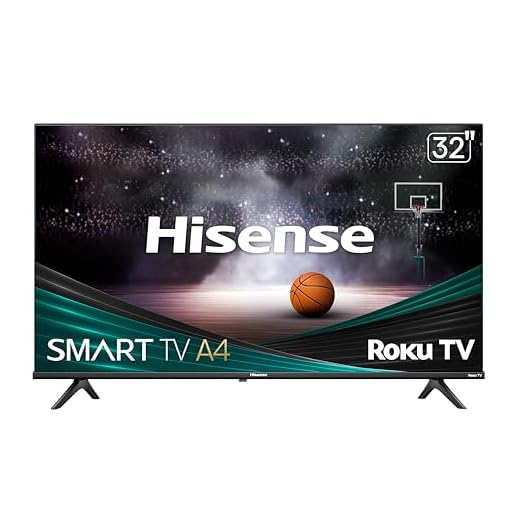
- Hisense 32" A4 Roku HD Smart TV
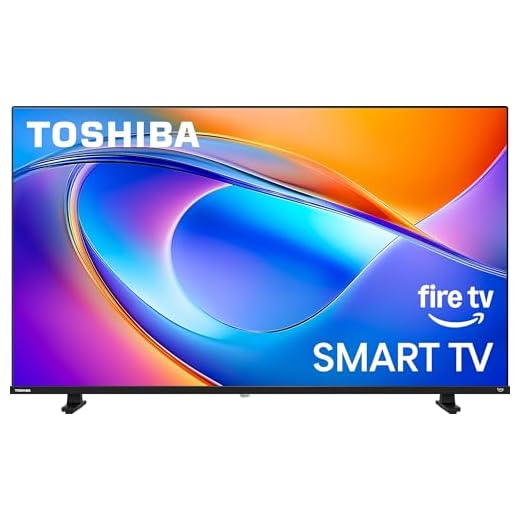
- Toshiba 32" FHD Fire TV Smart Display
- Amazon Fire TV 32" 2‑Series HD Smart TV
- Insignia 32" F20 Fire TV Smart LED
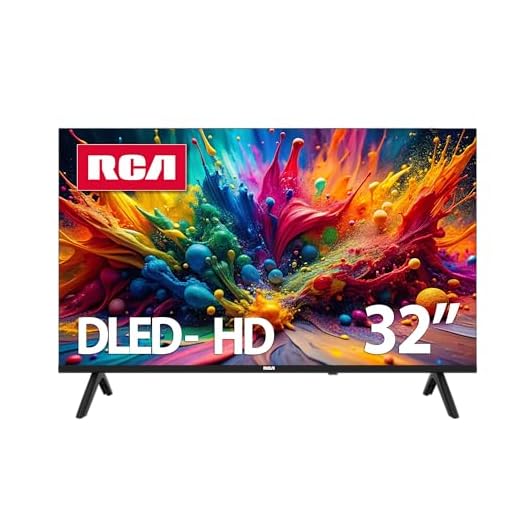
- RCA 32" HD Google TV Smart Display
- Final Thoughts on the Best 32-Inch Smart TVs
- How to Choose the Best 32-Inch Smart TVs
- Check Out the Best 32-Inch Smart TVs
- Also Check Out Other Helpful Articles
- Video About the Best 32-Inch Smart TVs
The Best 32-Inch Smart TVs




Samsung 32" Full HD F6000 Smart TV
You’ll get excellent picture processing, HDR support, and Object Tracking Sound Lite for a more immersive small‑screen experience. The Tizen platform is polished and fast, making this a standout 32‑inch choice for most buyers.
Pros
- Strong picture quality with HDR support
- Polished Tizen smart platform and app ecosystem
- Object Tracking Sound Lite improves perceived audio immersion
Cons
- Speakers are good but still benefit from a soundbar for movies
- Slightly higher price than the cheapest budget models
Why choose this Samsung 32‑inch
If you want the best overall experience in a compact TV, this Samsung model blends picture quality, software polish, and decent onboard audio. It’s a great all‑rounder for bedrooms, small living rooms, or a home office.
Key strengths and real‑world benefits
Samsung’s F6000 includes HDR processing and Object Tracking Sound Lite to make scenes feel more alive. In everyday viewing you’ll notice:
- Brighter highlights, deeper contrast, and accurate colors on supported HDR content
- A fast, responsive Tizen interface with a robust selection of apps and smart features
- Ease of pairing with phones and headphones for private listening
The set’s built‑in speakers outperform many competitors in this size class, though a compact soundbar still improves movie dialogue and bass.
Practical suggestions and tradeoffs
For best results:
- Use the preset picture modes (Movie/Cinema for nighttime viewing) and adjust backlight/contrast for your room lighting
- If you want greater audio impact for films or gaming, add a small soundbar or a Bluetooth speaker
Overall, this Samsung gives you a premium small‑screen experience that balances picture, software, and practical connectivity—an excellent choice if you want the most capable 32‑inch TV on this list.
Sony 32" HD HDR Google TV (W830K)
You benefit from Sony’s X‑Reality PRO image processing and HDR contrast handling, which elevate perceived detail and color on a compact screen. The build quality, user interface, and sound performance are better than most rivals in this size class.
Pros
- Excellent image processing and HDR handling
- High‑quality speakers for a 32‑inch set
- Google TV with strong content discovery
Cons
- 720p native resolution on some SKUs (check model specifics)
- Higher price than typical budget 32‑inch TVs
Why pick this Sony 32‑inch
Sony applies higher‑end processing tech to small screens, and that shows in more natural images and preserved detail in tough scenes. If you want the cleanest picture and best built‑in audio in a 32‑inch frame, this model stands out.
Standout features and benefits
The W830K includes X‑Reality PRO to upscale and sharpen content, plus HDR support to improve contrast and color depth. In practical terms you’ll see:
- Cleaner upscaling of streaming and local video sources compared with typical entry‑level sets
- Robust onboard audio that reduces immediate need for a soundbar in small rooms
- Google TV for easy content aggregation and voice control with Google Assistant
Note that some Sony 32‑inch models target 720p native resolution, so verify the specific SKU if 1080p is a must. The model here emphasizes image refinement over raw pixel count, which benefits streaming and broadcast content.
Practical usage and tradeoffs
If you want the best small‑screen experience without stepping up to a large TV, this Sony is an excellent choice. Expect a slightly higher price, but also a noticeably better UI, sound and image handling. For ideal results:
- Use the Vivid or Custom picture modes and tweak contrast for bright rooms
- Consider mounting or a narrow stand to make the most of the slim profile
Overall, this Sony gives you a premium feel and noticeably better picture refinement than many competitors at this size.
TCL 32" 1080p Roku Smart TV
You get a true 1080p panel, Roku’s simple smart platform, and a near‑bezelless look at an unusually low price. Picture quality punches above typical 32‑inch budget sets, making it a versatile pick for bedrooms, kitchens, or a PC monitor.
Pros
- 1080p Full HD panel for sharper image
- Roku OS with wide app compatibility
- Attractive bezel‑less design and compact footprint
- Very competitive price for the feature set
Cons
- VA panel limits viewing angles
- Basic internal speakers—better with a soundbar
Who this is for
If you want a compact TV that doubles as a desktop monitor or a bright bedroom set without paying more, this model hits a sweet spot. You’ll appreciate the extra pixel density of 1080p on a 32‑inch screen compared with standard 720p alternatives.
Key features and what they mean for you
The TCL 32S350R combines a Full HD panel with Roku’s mature smart platform and a slim, nearly bezel‑less design. In practice you’ll notice:
- Crisp text and clearer desktop use when connected to a laptop or streaming at 1080p
- Roku’s simple interface, fast app access, and frequent software updates
- Built‑in voice compatibility with Alexa, Google Assistant, and HomeKit for smart home control
The TV’s VA panel delivers deeper blacks and good contrast for streaming movies, but it also means viewing angles are narrower than IPS panels. In everyday use you’ll likely be satisfied if you watch from typical seating positions rather than far off‑axis.
Practical insights and limitations
For the price you get a strong value proposition, but balance expectations: the built‑in audio is serviceable for casual viewing, and many buyers add a compact soundbar for a fuller experience. A few customer notes that might help you:
- If you plan to use the TV as a PC monitor, disable any image‑enhancement presets and set sharpness to a neutral level for best text clarity
- The standby LED can be turned off in settings if it bothers you at night
Overall, this TCL is one of the best all‑around 32‑inch 1080p smart TVs you can buy if you want modern smart features and sharper resolution on a modest budget.
VIZIO 32" Full HD 1080p Smart TV
You’ll appreciate the Full HD panel combined with VIZIO OS and Chromecast built‑in, offering both sharper images and flexible streaming. It’s a sensible step up if you want clearer detail without moving to a much larger screen.
Pros
- Full HD 1080p resolution for finer detail
- VIZIO OS with Chromecast and many apps
- Bluetooth headphone support and good connectivity
Cons
- Requires a VIZIO account to enable smart features
- Sound quality can be inconsistent across units
Who benefits most
If you want a 32‑inch TV with better pixel density for sharper visuals (news, sports, and desktop use), this VIZIO model is a strong candidate. It bridges the gap between basic 720p sets and larger 1080p displays.
Core features and user impact
VIZIO packs Full Array LED backlight, Active Pixel Tuning, and a Full HD panel into a slim package with VIZIO OS and Chromecast. In practice this gives you:
- Clearer text and improved detail when streaming or using the TV as a monitor
- Built‑in casting and access to hundreds of free channels via VIZIO account
- Bluetooth headphone compatibility for private listening
There’s a tradeoff: you must create a VIZIO account to unlock smart functionality and updates, which some users find annoying but is typical for modern smart TV ecosystems.
Practical tips
For the best experience:
- Keep the TV’s firmware updated via the VIZIO account dashboard
- Pair a Bluetooth headset for late‑night viewing and better clarity
Overall, this VIZIO is a great middle ground if you want an affordable Full HD 32‑inch set with modern streaming and casting options.
Hisense 32" A4 Roku HD Smart TV
You’ll get one of the most straightforward smart experiences with Roku inside and a clear, easy‑to‑use interface. The set balances price and performance well, making it ideal for bedrooms, kids’ rooms, or as a secondary TV.
Pros
- Roku platform with straightforward navigation
- Slim bezel and compact design
- Very affordable with solid picture for price
Cons
- 720p on many SKUs limits fine detail
- Requires a Roku account and occasional updates
Ideal use cases
Pick the Hisense A4 series if you want a no‑fuss Roku TV that’s quick to set up and simple to operate. It’s aimed at viewers who value ease of use over advanced picture processing.
What it delivers
This model features Roku TV built into a slim, lightweight chassis with Dolby Audio support for better sound clarity. In everyday viewing you’ll notice:
- Fast access to streaming apps and free channels via Roku’s home screen
- Balanced sound and picture for casual viewing at close distances
While it doesn’t compete with higher‑end panels in color accuracy or brightness, most users find the overall package excellent for the price. Setup is typically painless, and you can lock down content or simplify the Home screen for less tech‑savvy household members.
Owner tips and limitations
If you want sharper detail for PC use or gaming, consider a 1080p or dedicated monitor instead. For typical TV watching, however, this Hisense covers the bases:
- Use the Roku mobile app as a backup remote and for private listening
- Add a small soundbar if you watch late‑night movies and want fuller sound
In short, the Hisense A4 is a dependable, budget‑friendly Roku TV that’s especially well suited to secondary rooms and users who want minimal fuss.
Toshiba 32" FHD Fire TV Smart Display
You get Full HD image processing and the Fire TV interface that’s tuned for ease of use and app availability. It’s a solid, streaming‑centric pick for bedrooms and small living rooms with reliable performance for everyday viewing.
Pros
- Full HD picture with REGZA engine enhancements
- Fire TV platform with Alexa voice remote
- Good balance of performance and price
Cons
- Menu and remote may feel slightly slow to some users
- Speakers are adequate but not exceptional
Who should consider this TV
If you prefer Amazon’s Fire TV experience and want a 32‑inch screen with Full HD clarity, this Toshiba model is built around streaming convenience. It’s especially useful in rooms where you want a plug‑and‑play streaming hub without extra devices.
Notable features and benefits
The set uses Toshiba’s REGZA engine for picture optimization and a Direct LED backlight to boost contrast. For everyday streaming you’ll notice:
- Smooth access to Fire TV apps, live channels, and Alexa voice control via the remote
- Improved detail and color handling from FHD processing compared with 720p sets
The interface and remote make finding content fast, but some users note occasional sluggishness in menus—something you’ll likely see if many apps are installed or background updates occur.
Practical considerations and usage tips
If you plan to mount the TV or use it as a secondary screen, keep in mind the soundstage is fine for casual viewing but benefits from a compact soundbar for movies or gaming. A few hands‑on tips:
- Allow initial software updates after setup to improve responsiveness
- Use picture presets (Cinema, Standard) and tweak contrast/brightness for movies vs. daytime TV
Overall, it’s a dependable, streaming‑focused 32‑inch that pairs FHD performance with Fire TV’s ecosystem at a reasonable price.
Amazon Fire TV 32" 2‑Series HD Smart TV
You’ll get tight integration with Amazon services, Alexa, and Fire TV apps built in, which makes navigation familiar if you already use Fire devices. Performance is generally good for casual viewing, though some apps can be sluggish on occasion.
Pros
- Built‑in Fire TV with Alexa voice remote
- Good value and extensive app ecosystem
- Accessible features and Bluetooth support
Cons
- Some reported sluggish app performance or loading issues
- Ads and Amazon‑centric recommendations can be prominent
Who this suits
This Amazon Fire TV is a natural fit if you’re embedded in Amazon’s ecosystem or want seamless access to Prime Video, streaming apps, and Alexa control. It’s an economical choice for everyday streaming and live TV aggregation.
Everyday performance and features
The set delivers HD resolution with HDR10 support on some content, the familiar Fire TV home screen, and Bluetooth audio options. Users typically notice:
- Fast access to Amazon apps and Alexa voice search via the remote
- Simple setup and easy cross‑device parity if you own other Fire devices
However, some users report that certain third‑party apps can be slow to load or may require software updates to run smoothly. Amazon customer support has resolved many such cases through firmware updates.
Practical recommendations
To maximize your experience:
- Check for and install any system updates immediately after setup
- If you run into slow app load times, consider a temporary cache clear or a restart; in persistent cases, an inexpensive external streaming stick can be an effective workaround
For Amazon users seeking convenience and strong integration, this Fire TV model provides a sensible, affordable option.
Insignia 32" F20 Fire TV Smart LED
You’ll get a functional Fire TV experience at a very low cost, making it an excellent spare‑room or kitchen set. Expect basic picture quality and occasional interface sluggishness in exchange for the unbeatable price.
Pros
- Extremely affordable and widely available
- Built‑in Fire TV with Alexa voice remote
- Lightweight and easy to mount or move
Cons
- 720p resolution with limited picture processing
- Performance can feel sluggish compared to midrange TVs
Where this TV shines
This Insignia is the go‑to option when budget is the overriding concern and you need a compact, functional smart TV for a bedroom, kitchen, or office. It’s especially attractive if you already like Fire TV’s interface.
Features and limitations
It provides 720p resolution, Alexa voice control, and access to Fire TV’s catalog of apps and free channels. In daily use expect:
- Clean, crisp UI navigation for basic streaming and live channels
- A very light build that’s simple to reposition or wall‑mount
The tradeoffs include thinner build quality and a less responsive OS when loaded with many apps, but many buyers find those acceptable at this price point.
Practical buying tips
If you purchase this Insignia:
- Keep expectations realistic for picture fidelity—720p is fine at 32 inches but won’t match Full HD detail
- Use the Fire TV app as a backup remote, and consider a small soundbar if you want fuller audio
For value‑minded shoppers who need a capable streaming display without frills, this Insignia F20 series is a sensible pick.
RCA 32" HD Google TV Smart Display
You’ll get the Google TV interface and common streaming apps at a very low price point, ideal for secondary rooms. Expect compromises in responsiveness and limited voice remote functionality compared with higher‑end sets.
Pros
- Runs Google TV with access to major streaming apps
- Frameless design looks modern for the price
- Very affordable—good for spare rooms
Cons
- Reportedly slow startup and occasional sluggishness
- Limited or inconsistent voice/assistant support and remote features
Who this is for
Choose this RCA if you want a low‑cost 32‑inch smart TV with the Google TV experience for a bedroom, dorm, kitchen, or a child’s room. It’s a practical way to get app access without spending much.
What to expect day‑to‑day
The set provides a clear HD picture and has built‑in Wi‑Fi and Bluetooth for streaming and audio accessories. In real‑world use you’ll notice:
- Google TV’s recommendation row and the Play Store for installing apps like Netflix and YouTube
- A lightweight chassis and a frameless look that fits small spaces
That said, several users report slow boot times and that the included remote lacks a microphone, which limits hands‑free Google Assistant use. If you rely heavily on voice control or want instant power‑on, plan for potential workarounds such as an external streaming stick.
Practical tips
If you buy this RCA, consider these quick fixes:
- Use a separate streaming stick (Roku/Fire/Chromecast) if you need faster app performance or Alexa integration
- Keep expectations modest for advanced picture processing—this is primarily a value device for straightforward streaming and TV viewing
It’s a workable, wallet‑friendly option when price and Google TV familiarity matter more than top‑tier performance.
Final Thoughts on the Best 32-Inch Smart TVs
Pick the Samsung 32" Full HD F6000 as your go-to 32-inch. You get the best overall experience: top-tier picture processing, HDR support, and Object Tracking Sound Lite, all on a polished, speedy Tizen platform. Ideal for a main bedroom or small living room when you want near-premium image quality and better built-in audio.
If you want the smartest value, choose the TCL 32" 1080p Roku Smart TV. It gives a true 1080p panel, Roku's simple interface, and a near-bezelless look at a much lower price. Perfect for bedrooms, kitchens, or as a compact PC monitor where clarity and ease of use matter most.
How to Choose the Best 32-Inch Smart TVs
A 32-inch smart TV is the perfect size for bedrooms, kitchens, small living rooms, dorms, or offices. Even though it’s more compact than larger screens, it can still deliver excellent picture quality, streaming performance, and smart features. If you want to make the right purchase, it’s essential to know what truly matters. Here’s a complete guide to help you pick the best 32-inch smart TVs for your space and lifestyle.
Check the Resolution: HD, HD+, or Full HD
Most 32-inch models come in HD (720p) resolution, which is usually enough for smaller screens. However, if you want sharper details — especially when streaming movies or playing games — consider going for Full HD (1080p) when available.
While HD is the most common option, Full HD delivers noticeably better clarity, especially when you sit closer to the TV. If you prioritize image sharpness, Full HD is the ideal choice.
Choose a Smart Platform That Fits Your Needs
The operating system determines your streaming experience, available apps, and ease of navigation. The most common smart TV platforms in this size range include:
- Roku TV – Simple interface, tons of apps, and easy navigation.
- Fire TV – Great for Amazon users and voice control through Alexa.
- Google TV / Android TV – Ideal if you like Google Assistant and personalized content recommendations.
- WebOS or Tizen – Smooth and intuitive platforms found in LG and Samsung TVs.
All of them support major streaming apps, but choose the ecosystem that feels most comfortable and convenient for you.
Consider HDR Support for Better Color and Contrast
While not all 32-inch TVs include HDR, models that do can deliver better brightness, richer colors, and improved contrast. Look for formats like HDR10 or HLG.
Keep in mind that HDR performance on smaller TVs is often modest, but it still enhances picture quality during streaming and gaming sessions.
Look at Refresh Rate for Smoother Motion
Most 32-inch TVs have a 60Hz refresh rate, which is suitable for everyday use, streaming, and casual gaming. If you’re a console gamer or watch a lot of fast-action content, a TV with enhanced motion features or faster processing will help reduce blur and maintain smoother movement on screen.
Choose a TV with Strong Connectivity Options
A good set of ports ensures you can connect all your devices without hassle. When comparing the best 32-inch smart TVs, check for:
- At least 2 HDMI ports – for consoles, streaming sticks, or soundbars
- USB port – to play local media or power accessories
- Wi-Fi and Bluetooth – for wireless audio and stable streaming
- Optical or HDMI ARC/eARC – for connecting advanced audio systems
The more connection options, the more flexible your setup becomes.
Sound Quality Matters More Than You Think
Compact TVs usually come with small speakers, so sound quality can vary. If audio performance is important to you, look for:
- DTS or Dolby Audio support
- Enhanced sound modes for movies or sports
- Bluetooth for wireless speakers
- HDMI ARC to connect a soundbar easily
A simple soundbar upgrade can significantly improve your viewing experience, especially in larger rooms.
Check the Design and Installation Options
One of the biggest advantages of a 32-inch smart TV is versatility. Choose a model that fits your space by paying attention to:
- Slim bezels for a more modern look
- Lightweight build for easier wall mounting
- VESA mount compatibility if you want it on a wall
- Stable stand if you prefer placing it on a table or shelf
These details make a difference when setting up the TV in smaller spaces.
Assess Storage and Processing Power for Faster Apps
A good smart TV should run apps smoothly and switch between menus without lag. Look for models with:
- Quad-core processors
- Adequate internal storage for apps and system updates
- Fast response times
This ensures your streaming platforms load quickly and your TV feels responsive.
Consider Energy Efficiency and Long-Term Performance
If you plan to use your TV frequently, choose a model with good energy efficiency ratings. This not only helps reduce electricity consumption but also ensures the TV runs cooler and lasts longer.
Check Out the Best 32-Inch Smart TVs
Still not sure which one to choose? Click the link below to see the best-selling products.
Also Check Out Other Helpful Articles
Take a look at more useful articles that can help you make more informed decisions.
- Best 8K TVs in 2026 (Top 6: Sony, Samsung and More)
- Best 75-Inch TVs in 2026 (Top 10: Roku, Panasonic and More)
- Best TVs for PS5 in 2026 (Top 7: Sony, LG and More)
Video About the Best 32-Inch Smart TVs
We created a video on the topic. Just click to watch.
Related Articles
About the Author

Matthew King has a keen interest in digital media and content writing. He approaches each project with attention to detail and a goal to make content accessible.