Best Android Tablets in 2026 (Top 6: Samsung, Amazon and More)

Looking for the perfect device? Discover the best android tablets available on the market today. Compare performance, display quality, and value to find your match.
Tablets aren’t just for Netflix anymore.
You can sketch, edit, multitask, or hand it to a kid and not panic. Size, stylus support, and battery now matter as much as apps and price.
Contents
- The Best Android Tablets
- Samsung Galaxy Tab S11 Ultra 14.6-inch Powerhouse
- Samsung Galaxy Tab S10 FE+ 13-inch Tablet
- Samsung Galaxy Tab A9+ 11-inch Tablet
- Amazon Fire HD 10 Full HD Tablet
- Amazon Fire HD 8 Kids Edition Tablet
- Amazon Fire HD 8 Portable 8-inch Tablet
- Final Thoughts on the Best Android Tablets
- How to Choose the Best Android Tablets
- Check Out the Best Tablets
- Also Check Out Other Helpful Articles
- Video About the Best Tablets
The Best Android Tablets


Samsung Galaxy Tab S11 Ultra 14.6-inch Powerhouse
You get one of the largest, brightest AMOLED displays and a very powerful chipset built for serious multitasking, creative work, and media. The long battery life, S Pen capabilities, and premium build make it a true laptop-replacement option for many users.
Pros
- Huge 14.6" Dynamic AMOLED 2X display with 120Hz
- Very powerful MediaTek Dimensity 9400+ chipset
- Massive 11,600 mAh battery for long sessions
- S Pen support and advanced Galaxy AI features
Cons
- High price and heavier than smaller tablets
- Wi‑Fi only variants lack cellular modem and may have regional availability limitations
Overview
This is Samsung’s no-compromise tablet for people who want maximum screen real estate, speed, and creative flexibility. The 14.6" Dynamic AMOLED 2X display is bright, color-accurate, and smooth at 120Hz, which makes editing photos, watching UHD content, and multitasking a joy.
Why it’s a premium choice
- 14.6" 2960 x 1848 WQXGA+ display with 120Hz refresh
- MediaTek Dimensity 9400+ high-performance chipset and generous RAM/storage options
- Large 11,600 mAh battery and S Pen included for precise input
This combination makes the tablet a capable laptop alternative for many users: you can edit large documents, run multiple apps side-by-side, sketch and annotate with near-latency-free pen input, and consume high-resolution media with excellent color and contrast.
Considerations and real-world usage
The trade-offs are price and portability — you’re carrying a device that leans toward being laptop-like in size and weight. Also, some SKUs are Wi‑Fi only and don’t include cellular connectivity; verify the model’s region and warranty terms if that matters to you. If you prize screen size, battery life, and peak performance for multitasking or creative work, this tablet is one of the best you can buy.
Samsung Galaxy Tab S10 FE+ 13-inch Tablet
You get a spacious 13.1" high-resolution canvas with S Pen support and solid performance for sketching, note-taking, and media consumption. It hits a sweet spot for creatives who want a large display without paying flagship-level prices.
Pros
- Large 13.1" 2560 x 1600 display great for drawing
- S Pen support enhances note-taking and sketching
- Strong everyday performance and good battery life
- Slim design with optional keyboard cover support
Cons
- Not as powerful as Samsung's top-tier S-series
- Higher price than basic midrange tablets
Overview
This 13.1" S10 FE+ is aimed at people who want a larger canvas for creativity, media, and productivity without paying flagship prices. The high-resolution screen gives you room to work, and S Pen support makes it practical for sketches, handwritten notes, and marking up documents.
Features that matter in daily use
- 13.1" 2560 x 1600 display with ample screen real estate
- S Pen included for low-latency drawing and writing
- Sleek build, solid battery life, and keyboard cover compatibility
If you draw, annotate, or consume a lot of media, the bigger screen noticeably improves comfort and productivity. The tablet handles multitasking well for web, video, and document editing, and the included S Pen removes the need for a separate stylus purchase.
Benefits, limitations, and usage tips
The device is excellent for students, casual artists, and anyone who prefers a tablet as a laptop alternative for on-the-go creative work. It’s not positioned as a full pro workstation — if you need the absolute fastest GPU/CPU for professional 3D work, a true flagship will beat it. For most creators, however, you’ll find the responsiveness and S Pen experience very satisfying. Consider pairing it with a keyboard cover to get near-laptop productivity when editing documents or working in split-screen modes.
Samsung Galaxy Tab A9+ 11-inch Tablet
You get an 11" display with a smooth refresh rate and quad speakers that make media and games more immersive. The balance of features, expandability, and Android familiarity makes it a strong everyday tablet for families and students.
Pros
- Bright 11" display with up to 90Hz refresh
- Quad speakers deliver good stereo sound
- Expandable storage via microSD card
- Solid battery life and lightweight design
Cons
- Not a flagship for heavy gaming or pro work
- Widevine/DRM levels may limit some streaming resolutions
Overview
This 11" Galaxy Tab sits squarely in the midrange: it gives you a large, smooth screen and good audio for movies and games while keeping the price reasonable. Samsung’s software polish and Android familiarity make setup and daily use straightforward, especially if you already use other Galaxy devices.
What stands out and why it matters
- 11" 1920 x 1200 display with up to 90Hz refresh
- Quad speakers tuned for clear, room-filling sound
- Qualcomm-based chipset with options for higher RAM configurations
The screen and speakers work together to make streaming, video calls, and casual gaming feel better than many budget tablets. If you choose a higher-RAM variant (8GB or 12GB), you’ll noticeably improve multitasking and app responsiveness.
Practical considerations
This tablet is ideal if you want a family device: the large display is great for kids’ videos, and the microSD slot lets you stash movies for travel. Keep in mind that it’s not intended to replace a laptop for creative or compute-heavy tasks; heavy 3D games at ultra settings may tax the hardware. Also, check DRM/ Widevine level if high-resolution streaming from some apps is critical for you.
Amazon Fire HD 10 Full HD Tablet
You get a big 10.1" 1080p display and a snappier octa-core experience for streaming, reading, and light gaming. The combination of sharp visuals, long battery life, and a low price makes it an easy buy if you want a capable media tablet without breaking the bank.
Pros
- Bright 10.1" 1080p Full HD display
- Good performance for everyday tasks (25% faster gen)
- Long battery life and lightweight design
- Very affordable price point
Cons
- Fire OS restricts access to Google Play and apps
- Limited 3 GB RAM for heavy multitasking
- Optional ads and Amazon ecosystem bloat
Overview
This 10.1" tablet is aimed at people who want a comfortable, affordable device for streaming, reading, browsing, and casual games. The 1080p IPS-like screen produces vivid color and reasonable sharpness for movies and shows, while the octa-core processor and 3 GB of RAM help keep everyday use smooth.
Key features and what they mean for you
- 10.1" 1080p Full HD display (224 ppi) with strengthened glass
- Octa-core CPU and 3 GB RAM for responsive navigation
- 32 GB storage with microSD expansion and long battery life
These specs translate into a pleasant media experience: videos look bright, apps open quickly most of the time, and you can expand storage for offline video and music. If your priorities are watching shows, reading, and lightweight gaming, this model delivers strong value.
Benefits, limitations, and practical tips
You benefit from one of the most affordable 10-inch tablets with a true 1080p display — great for shared family viewing or a bedside device. However, Fire OS is tailored to Amazon services, so you’ll see Amazon apps and storefront integration. If you rely on Google Play-exclusive apps, be prepared to sideload or accept a limited catalog.
If you want longer-term smoothness, avoid forcing heavy multitasking or pro-level creative work on this device; the 3 GB of RAM is modest. For best results, keep fewer background apps running and use a microSD card for media storage. Users often report the tablet lasting through long streaming sessions comfortably, and the price makes it easy to recommend for a second family device or a media-focused purchase.
Amazon Fire HD 8 Kids Edition Tablet
You get a kid-oriented package with a rugged case, parental controls, and curated content that makes screen time safer and simpler to manage. The two-year worry-free guarantee and included Kids+ trial add strong value for families.
Pros
- Durable kid-proof case and easy-to-hold design
- Robust parental controls and content curation
- Includes 1-year Kids+ and 2-year worry-free guarantee
Cons
- Higher price than the standard Fire HD 8
- Limited performance for older kids who want advanced apps
Overview
This Kids Edition packages the same 8" hardware into a child-friendly bundle with a robust case, parental controls, and a year of Amazon Kids+ content. It’s designed so that you can hand it to young children and feel confident about age-appropriate apps and time limits.
Why families like it
- 8" HD screen with protective kid-proof case and handle
- Preloaded parental controls and a year of ad-free Kids+ content
- 2-year worry-free guarantee (Amazon replaces broken units)
For parents, the biggest wins are peace of mind and durability. The tablet survives drops, you can lock purchases and downloads, and you control screen time. The included Kids+ subscription delivers educational shows, books, and games that are ready to use without additional setup.
Practical notes and limitations
It’s not aimed at older kids who will want higher performance, game compatibility, or creative apps; the hardware and software are optimized for younger children. If you need a device that will serve a tween or teen longer term, consider a standard tablet with stronger specs. For preschool and early elementary ages, however, the Kids Edition is an excellent, worry-reducing choice that many parents find worth the modest premium.
Amazon Fire HD 8 Portable 8-inch Tablet
You get an inexpensive, compact tablet that’s easy to carry and fine for reading, video playback, and basic apps. Performance and software limitations mean it’s best suited for casual users and children rather than power users.
Pros
- Very affordable and lightweight
- Good battery life for day-to-day use
- Simple interface suitable for casual users
Cons
- Performance can feel slow and glitchy at times
- Fire OS limits Google Play access; ads can appear
- Lower-resolution display compared to larger models
Overview
This 8" model is Amazon’s smallest mainstream tablet, aimed at portability and low cost. It’s a sensible choice if you want an extra device for reading, watching shows on the go, or handing to someone who doesn’t need a high-end device.
What to expect in daily life
- 8" 1280 x 800 HD display (189 ppi)
- 3 GB RAM and 32 GB storage (expandable)
- 2 MP front and 5 MP rear cameras with HD video recording
The tablet handles web browsing, streaming, and light games well enough for casual scenarios. However, some users report occasional sluggishness and frustration with the preinstalled Amazon ecosystem and screensaver ads — you can pay to remove ads or use the device as-is.
Tips and limitations
If you need a second cheap tablet for travel or a kid’s occasional use, this is a reasonable pick. If you expect fast app switching, heavy multitasking, or access to Google Play apps right out of the box, you may find it limiting. For light, everyday entertainment and reading, it’s a solid budget option.
Final Thoughts on the Best Android Tablets
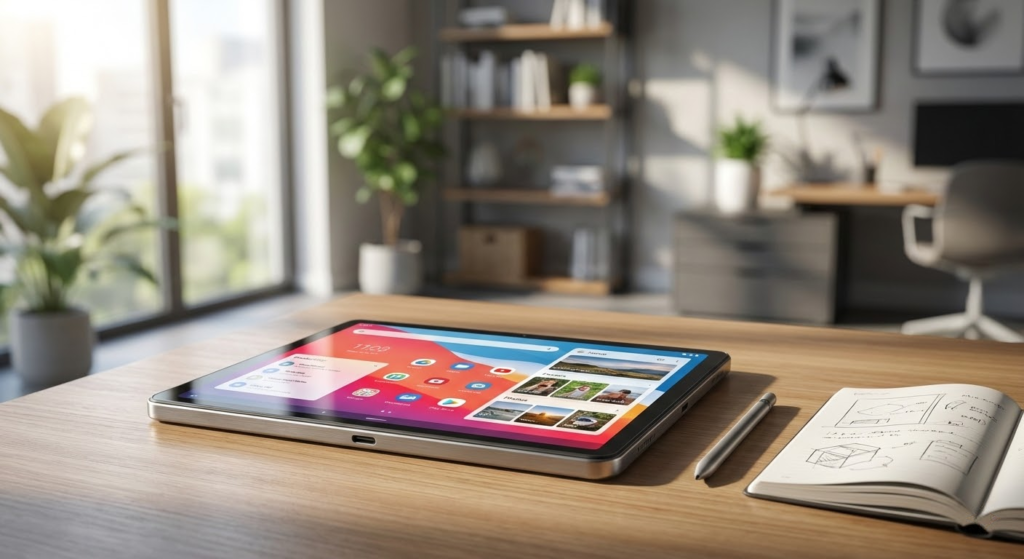
Pick the Samsung Galaxy Tab S11 Ultra 14.6-inch Powerhouse if you want a true laptop replacement. It delivers the brightest AMOLED display, top-tier performance, S Pen support, long battery life, and the screen real estate you need for heavy multitasking, creative work, and pro-level media editing. Buy this if you do serious productivity, digital art, or want the best display for watching and editing content.
Choose the Samsung Galaxy Tab S10 FE+ 13-inch Tablet if you want a large canvas for drawing and note-taking without paying flagship prices. It keeps the S Pen experience and a roomy 13.1" display while being easier on the wallet — ideal for creatives, students, and anyone who wants a roomy tablet for productivity and media.
How to Choose the Best Android Tablets
Android tablets are incredibly versatile devices, great for entertainment, productivity, study, and even creative work. With so many models available, choosing the best Android tablets depends on understanding which features truly matter for your daily use. Below, we break down the key points you should evaluate before making your decision.
Android Version and Software Experience Matter
The Android operating system is one of the biggest advantages of choosing an Android tablet. It offers flexibility, customization, and access to a massive app ecosystem through the Google Play Store.
When comparing tablets, check the Android version they run and whether the manufacturer provides regular updates. Newer versions of Android usually mean better performance, improved security, and enhanced multitasking features—especially important on larger screens.
Processor Performance Defines How Smooth the Tablet Feels
The processor plays a central role in how responsive an Android tablet is. From streaming videos to editing documents or playing games, the chipset determines how well the device handles tasks.
For basic activities like browsing, reading, and watching videos, mid-range processors are usually sufficient. However, if you plan to multitask, use demanding apps, or play graphics-heavy games, it’s worth choosing a tablet with a more powerful processor and higher clock speeds for smoother performance.
RAM Is Essential for Multitasking on Android Tablets
Screen size encourages multitasking, and RAM is what makes it possible. Tablets with limited RAM may struggle when switching between apps or running multiple processes at once.
For casual use, 4GB of RAM can work well. But if productivity is a priority—such as using split-screen mode, note-taking apps, or work tools—6GB or more of RAM will significantly improve speed and responsiveness.
Storage Capacity and Expandability Make a Difference
Storage determines how many apps, games, videos, and files you can keep on your tablet. Many of the best Android tablets start with 64GB or 128GB of internal storage, which is ideal for most users.
Another advantage of Android tablets is expandable storage. If the model supports microSD cards, you can easily increase storage later, which is especially useful for media-heavy use like offline videos, music, and large documents.
Display Size, Resolution, and Panel Type Impact the Experience
The display is one of the most important features of any tablet. Larger screens are excellent for watching movies, gaming, and multitasking, while smaller tablets are easier to carry and use with one hand.
Resolution also matters. Full HD displays offer sharp visuals and good value, while higher resolutions provide more detail for reading and creative work. Panel technology is worth checking too—IPS screens deliver consistent colors and viewing angles, while AMOLED displays offer deeper contrast and more vibrant visuals.
Battery Life Should Match Your Daily Routine
A good tablet should last several hours without needing a recharge. Battery capacity, measured in mAh, gives a general idea of how long the device can run, but efficiency also depends on the processor and display.
For all-day use, look for Android tablets with large batteries and optimized power management. This is especially important if you plan to use the tablet for travel, work, or extended entertainment sessions.
Cameras and Audio Enhance Entertainment and Video Calls
While cameras aren’t the main focus of tablets, they still matter for video calls, online classes, and occasional photos. A decent front-facing camera is especially important for clear video conferencing.
Audio quality is another factor to consider. Tablets with stereo speakers provide a more immersive experience for movies, games, and music, making a noticeable difference in everyday use.
Connectivity and Extra Features Add Value
Before choosing, check connectivity options such as Wi-Fi standards, Bluetooth versions, and whether the tablet supports cellular networks. Some models also support accessories like keyboards and styluses, which can transform a tablet into a productivity tool.
Features like USB-C charging, fast charging, and biometric security can further enhance convenience and usability.
By evaluating these aspects together, you’ll be able to confidently choose among the best Android tablets, finding a model that fits your lifestyle, budget, and performance expectations.
Check Out the Best Tablets
Still not sure which one to choose? Click the link below to see the best-selling products.
Also Check Out Other Helpful Articles
Take a look at more useful articles that can help you make more informed decisions.
- Best Cost-Benefit Tablets in 2026 (Top 10: Xiaomi, Samsung and More)
- Best Tablets for Reading in 2026 (Top 6: Kindle, iPad and More)
- Best Tablets for Heavy Gaming in 2026 (Top 7: iPad Pro, ASUS ROG Flow and More)
Video About the Best Tablets
We created a video on the topic. Just click to watch.
Related Articles

About the Author

Sara Taylor has always loved storytelling. With a natural curiosity, she brings fresh perspectives to every article she works on.