Best Budget Tablets for Heavy Gaming in 2026 (Top 8: Xiaomi Pad, Lenovo Idea Tab Pro and More)

Discover the best budget tablets for heavy gaming. We have selected powerful yet affordable devices that handle high-performance games smoothly.
You don’t need a $1,000 tablet to crush your matches. Lag and low refresh ruin games fast. You want smooth motion and long sessions without breaking the bank.
Here’s the short version: look for high refresh rates, solid chips, and big batteries. I’ll point out the tablets that actually deliver those things — and tell you which to pick for fast FPS play or marathon open-world runs.
Contents
- The Best Budget Tablets for Heavy Gaming
- Xiaomi Pad 7 Ai 11.2-inch 144Hz Display
- Poco Pad M1 12.1-inch 12,000mAh Tablet
- Lenovo Idea Tab Pro 12.7-inch 3K Tablet
- Xiaomi Redmi Pad Pro 12.1-inch 120Hz
- Apple iPad 10th Generation 256GB Wi‑Fi
- Samsung Galaxy Tab S9 FE 10.9-inch Renewed
- Lenovo Idea Tab 11-inch 2.5K 90Hz
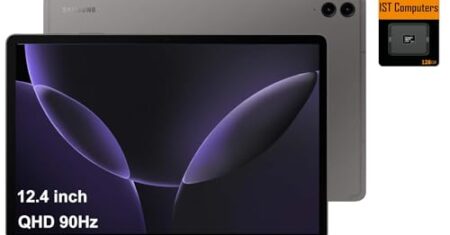
- DOOGEE T30 MAX 12.4-inch Gaming Tablet
- Final Thoughts on the Best Budget Tablets for Heavy Gaming
- How to Choose the Best Budget Tablets for Heavy Gaming
- Check Out the Best Budget Tablets for Heavy Gaming
- Also Check Out Other Helpful Articles
- Video About the Best Budget Tablets for Heavy Gaming
The Best Budget Tablets for Heavy Gaming
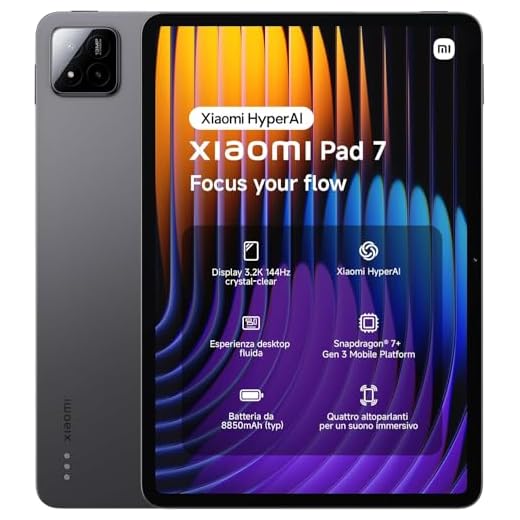




Xiaomi Pad 7 Ai 11.2-inch 144Hz Display
You’ll get a class-leading 3.2K panel that runs up to 144Hz, which directly improves motion clarity and input responsiveness in supported games. Combined with a strong Snapdragon platform and four speakers, it’s one of the most gamer-focused tablets at this price point.
Pros
- 3.2K display with up to 144Hz refresh rate
- Strong Snapdragon performance for high frame rates
- Four-speaker setup and solid battery for immersive play
- Fast charging and generous storage/RAM options
Cons
- Wi‑Fi only; no cellular or expandable storage
- Xiaomi software may include preinstalled services you might want to clean up
Overview
The Xiaomi Pad 7 Ai brings a premium gaming sensibility to a relatively affordable package: a 3.2K panel, ultra-high 144Hz refresh capability, and a competent Snapdragon chipset. If high frame rates and visual fidelity are your priority, this tablet delivers one of the clearest and smoothest mobile gaming experiences in its class.
Gaming-focused hardware highlights
- A high resolution (3200 x 2136) display combined with 144Hz refresh reduces motion blur and makes fast-paced shooters and racing games feel more precise
- Four speakers provide wide stereo staging and improve situational audio cues during multiplayer games
- Large RAM and fast storage options ensure short load times and smooth app switching
Trade-offs and practical notes
Because this is a Wi‑Fi model with no SD slot, you’ll need to manage storage or rely on cloud options if you keep a large installed library. Also, Xiaomi’s HyperOS flavor can include system apps you may want to disable for a leaner experience.
Tips for best results
- Use the 144Hz mode selectively — enable it for supported games and disable for casual browsing to save battery.
- Pair with a quality controller and lower-latency Bluetooth peripherals for competitive play.
- Keep a fast USB‑C PD charger nearby for quick top-ups between long sessions.
Poco Pad M1 12.1-inch 12,000mAh Tablet
You’ll get one of the largest batteries in this roundup and a large display tuned for sustained play. The combination of a powerful SoC and high-capacity cell makes it an excellent choice when extended session time is critical.
Pros
- Huge 12,000mAh battery for long continuous play
- Large 12.1" 2.5K display for immersive gaming
- Strong storage and RAM for large game libraries
- Wi‑Fi 6 and high-bandwidth connectivity
Cons
- Wi‑Fi only — no cellular option for on‑the‑go multiplayer
- Larger battery increases device bulk and weight
- Future software updates and long-term support unclear
Overview
The Poco Pad M1 is designed around endurance: an oversized 12,000mAh battery paired with a roomy 12.1‑inch 2.5K display. If you value uninterrupted playtime — long car trips, all‑day events, or evenings of couch gaming — this tablet is tailored for that workload while still delivering competent performance for modern mobile titles.
What stands out for gamers
- Extraordinary battery capacity that minimizes charging interruptions during long raids or streaming sessions
- Large, detailed screen that enhances immersion in open‑world and strategy games
- Fast wireless standards and healthy onboard storage to hold many AAA mobile ports
Considerations for heavy users
The battery and screen size come at the cost of added weight and thickness; you’ll want a stand or folio case for comfortable lap or desk play. Also, because this is a Wi‑Fi model, you’ll depend on hotspots or local networks for online multiplayer when away from home.
Tips and practical notes
- Use adaptive brightness and refresh-rate controls to balance endurance and smoothness when you don’t need maximum FPS.
- Keep a quality USB‑C PD charger handy for quick top-ups between sessions.
- Consider a controller clip or folio stand for longer handheld sessions to reduce fatigue.
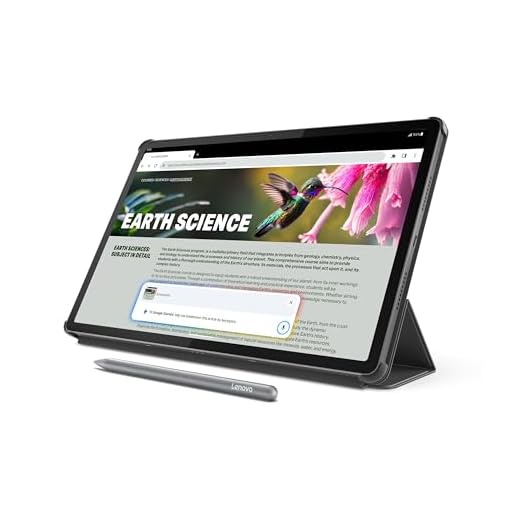
Lenovo Idea Tab Pro 12.7-inch 3K Tablet
You’ll benefit from a powerful MediaTek Dimensity chipset and included pen/folio that make this a flexible device for gaming, productivity, and creative tasks. Built‑in AI features add convenience but don’t replace raw GPU horsepower for the very highest graphics settings.
Pros
- Powerful Dimensity 8300 processor for demanding tasks
- High-resolution 12.7" 3K display with Low Blue Light hardware
- Included Tab Pen Plus and folio case
- Integrated AI features (Google Gemini) for productivity
Cons
- Battery life is good but not class-leading under sustained gaming
- Fast charging may require Lenovo-branded charger for best results
- Bulky folio case increases carry weight
Overview
The Lenovo Idea Tab Pro aims to be a do‑it‑all device: a high‑resolution 12.7" display, a strong MediaTek Dimensity 8300 chipset, and bundled accessories like the Tab Pen Plus and folio case. If you want a tablet that can handle heavier Android titles while also serving as a digital notepad and media center, this model strikes a well-balanced compromise.
Strengths for gaming and productivity
- The Dimensity 8300 gives you sustained multi‑core performance that translates to smooth play in demanding mobile titles
- The included stylus is a clear plus if you switch between gaming, sketching, or annotating guides and walkthroughs
- Dolby‑tuned quad JBL speakers make multiplayer streams and voice chats sound better
Limitations to weigh
Under very long, maxed‑out gaming sessions the battery will drain faster than lower-power midrange tablets. Also, users have reported that some third‑party fast chargers don’t negotiate the fastest charging speeds — Lenovo’s charger is the safest bet for maximum PD performance.
Practical advice
- If you plan to game for hours, keep power-saving options handy and consider a compact external charger for top-ups.
- Use the Tab Pen for strategy mapping or note-taking during cooperative sessions; it doubles as a productivity tool off the battlefield.
- If you’re sensitive to weight, try the tablet without the folio for transport and attach the case only during stationary play.
Xiaomi Redmi Pad Pro 12.1-inch 120Hz
You get an outstanding 2.5K 120Hz display and a Snapdragon-powered platform that handle modern mobile games smoothly. The balance of screen, refresh rate, and battery life makes it a versatile choice for both gaming and media consumption.
Pros
- Sharp 2.5K panel with 120Hz AdaptiveSync
- Efficient Snapdragon 7s Gen 2-class performance
- Bright panel with Dolby Vision support
- Solid battery life with quick charging
Cons
- Wi‑Fi only — no cellular connectivity
- Some users report preinstalled OEM services and privacy concerns
- Not as premium-feeling as flagship metal/glass designs
Overview
The Redmi Pad Pro focuses on the sweet spot between performance and price: a high-resolution 2.5K display running up to 120Hz, a capable mid/high‑tier chipset, and a chassis built for everyday use. If you want a snappy, smooth display for fast action titles and crisp visuals for single‑player games, this tablet delivers that experience at a competitive price.
Key features that matter for gaming
- 12.1" 2.5K display at 120Hz gives you smoother animations, reduced input latency, and clearer detail at medium-to-high settings
- Snapdragon-class performance that sustains good frame rates on most mobile and Android ports
- Brightness and Dolby Vision support make HDR-capable games and streaming look more vivid
Practical considerations
In real use you'll appreciate quick UI responsiveness and consistent frame pacing in most games, but you should be mindful of a couple of caveats. The unit ships as a Wi‑Fi model only, so multiplayer on the go requires a phone hotspot. Also, if you’re privacy‑sensitive, plan a setup sweep to disable or remove unneeded preinstalled services.
Tips for gamers
- Enable the adaptive refresh mode for battery savings when you're not in action-heavy gameplay.
- Use a good USB‑C PD charger for faster top-ups between sessions.
- If you plan to tinker, clean installs and minimal app lists will keep the chipset focused on gaming instead of background processes.
Apple iPad 10th Generation 256GB Wi‑Fi
You benefit from iPadOS-optimized games and a mature app ecosystem that often runs smoother than equivalent Android titles. The A14 Bionic continues to deliver reliable performance, though it isn’t the absolutely latest silicon Apple offers.
Pros
- A14 Bionic delivers consistent, optimized performance
- Access to iPadOS-exclusive and well-optimized games
- High-quality app store and developer support
- Lightweight build and all-day battery life
Cons
- Accessories like keyboards and controllers are expensive
- Storage is not expandable
- A14 is capable but older than current flagship chips
Overview
The 10th‑generation iPad remains a compelling choice if you value a mature gaming and app ecosystem. Apple’s optimization often results in better real-world performance than raw spec comparisons suggest, and you’ll experience few compatibility headaches when installing major titles and game streaming apps.
What helps your gaming experience
- A14 Bionic is still powerful enough for most high-graphics mobile titles and cloud gaming services, delivering stable framerates and responsive controls
- iPadOS has many tablet‑first or well-optimized ports that take advantage of Apple’s APIs for smoother performance
- Lightweight chassis and good battery life make it comfortable for extended handheld play
Caveats and practical points
If you’re chasing the highest possible mobile GPU performance, the iPad Air or Pro with newer silicon will outpace this model. You should also budget for accessories if you want a gamepad or keyboard — they enhance comfort but add cost.
Tips for maximizing value
- Use cloud save and streaming services to extend storage efficiency for large libraries.
- Pair with a low-latency controller for competitive games to reduce input lag.
- Keep background apps closed to ensure the A14 focuses on gaming performance.
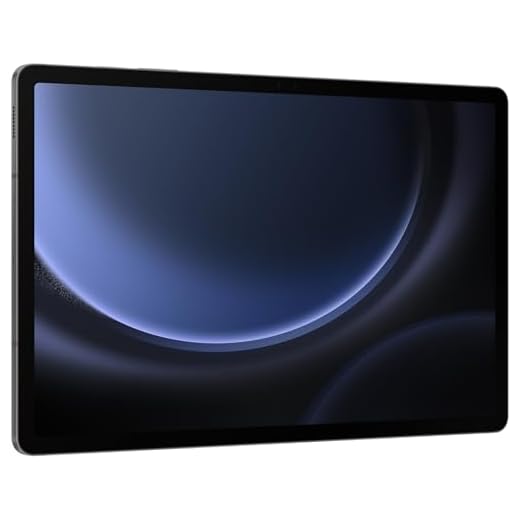
Samsung Galaxy Tab S9 FE 10.9-inch Renewed
You’ll appreciate the S Pen support and solid multimedia chops for gaming, streaming, and productivity. The renewed pricing gives you flagship‑inspired experience without the full flagship cost, but performance is tuned toward balanced everyday use rather than absolute gaming supremacy.
Pros
- S Pen support adds precision for controls and creative tools
- Good-quality display and loud dual speakers
- IP68‑level durability on some variants
- Attractive renewed pricing boosts value
Cons
- Renewed units vary in condition and battery health
- Not as powerful as current flagship tablets for raw GPU-bound gaming
Overview
The Galaxy Tab S9 FE (renewed) is an attractive option if you want Samsung's tablet ecosystem — S Pen support, clean software features, and reliable media playback — at a reduced price. It’s a versatile device that handles a wide range of games comfortably and excels when you want to mix play with notes or drawing.
Gaming and multitasking strengths
- S Pen support can help in precision-centric games and makes annotating strategy guides or stream clips easy
- Dual speakers and a 10.9" screen produce a satisfying audiovisual experience for single‑player titles and local co‑op
- Software optimizations and Samsung’s multitasking tools let you run chat, walkthroughs, and gameplay simultaneously
Limitations you should know
If you’re chasing absolute maximum frame rates in the newest ports, a higher-tier Snapdragon tablet will outperform this FE variant. Also, buying renewed means you should check battery capacity and any seller warranty carefully before relying on it for long traveling gaming sessions.
Practical tips
- Test S Pen latency and battery condition immediately after receipt; a good renewed seller will accept returns if something is off.
- Keep storage management in mind — use cloud backups for save files if you plan to install many large titles.
- Pair with Bluetooth controllers for extended play comfort; the speakers make couch sessions enjoyable without headphones.
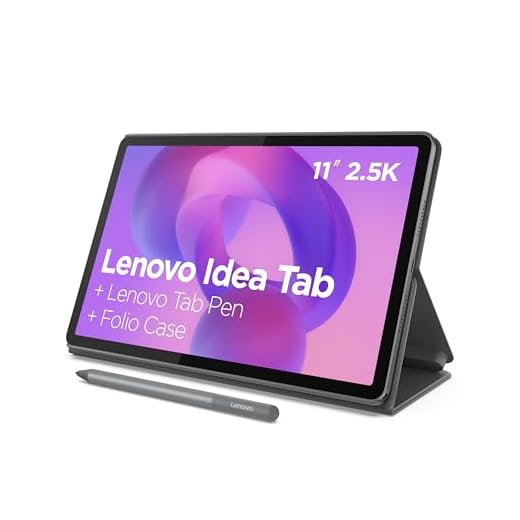
Lenovo Idea Tab 11-inch 2.5K 90Hz
You’ll find a lot to like if your gaming is mostly casual or mobile-first: a bright 2.5K 90Hz display, decent battery life, and an included pen and folio. For very graphics-heavy AAA ports, expect to step down settings compared with flagship tablets.
Pros
- Sharp 2.5K 90Hz display at an affordable price
- Included Tab Pen and folio case add value
- Solid battery life for daytime use
- Clean software with AI tools for study and productivity
Cons
- Not optimized for sustained maximum-GPU gaming
- Folio case feels flimsy in some units
- Charger may not be included in all packages
Overview
The Lenovo Idea Tab 11 is the pragmatic pick when you want a capable gaming tablet without stretching your budget. It covers the essentials: an above-average 2.5K panel at 90Hz, a decent chipset for mainstream mobile titles, and bundled accessories that keep your out‑of‑box experience complete.
Why it’s a smart budget choice
- The 90Hz refresh rate makes menus and motion feel smoother than standard 60Hz displays, improving perceived responsiveness in action games
- The included pen and case are useful extras if you mix study or creativity with play
- Battery life is solid for day‑to‑day use and most gaming sessions
Where it falls short
If you’re focused on professional-level competitive play or the newest GPU-intensive Android ports, you’ll see limits in thermal headroom and rendering settings. The included case can be serviceable but not rugged; consider an upgrade if you travel a lot.
Practical suggestions
- For longer sessions, prop the tablet in the folio or use a stand to reduce hand fatigue.
- Keep game graphics settings moderate to preserve battery and avoid throttling.
- Use the built-in AI tools to summarize strategies or record notes while you play cooperative games.
DOOGEE T30 MAX 12.4-inch Gaming Tablet
You get an enormous battery and huge local storage that make long play sessions and large game libraries practical. Performance is solid for many mobile titles, but the chipset limits peak framerates on the most demanding AAA-style ports.
Pros
- Massive 10,800mAh battery for long sessions
- Generous 20GB RAM and 512GB storage configuration
- Large 12.4" high-resolution display for immersive visuals
- Quad Hi‑Res speakers improve in-game audio
Cons
- Helio G99 chipset is mid-range and throttles under sustained heavy load
- IPS panel lacks OLED contrast and high refresh rate
- Device can feel bulky for long handheld play
Overview
The DOOGEE T30 MAX leans into endurance and capacity: a very large battery, expansive RAM and storage, and a big 12.4‑inch display. If you prioritize long play sessions, large installed game libraries, and loud on‑device audio, this tablet is purpose-built for those needs. You should expect reliable day‑to‑day performance for many popular mobile titles, but not flagship‑level peak framerates.
What you’ll notice first
- Large 12.4" display with high pixel density that improves immersion for open-world or racing titles
- Enormous 10,800mAh battery that extends playtime across multiple sessions
- Very large local storage and RAM options that let you install many big games and keep background apps open
Real-world gaming and limitations
The hardware combination favors longevity over raw single‑thread performance. For games that scale well across cores you’ll see smooth gameplay, but for the most demanding ports you’ll need to accept reduced settings to sustain higher frame rates. Thermal management is reasonable, but extended maximum load will trigger some throttling.
Practical tips
- If you install many large titles, use the abundant onboard storage rather than relying on cloud installs to avoid performance hiccups.
- Pair with a Bluetooth controller for comfortable long sessions; the quad speakers make controller‑played games feel more cinematic.
- If you care about top‑end competitive frame rates, consider models with higher-tier Snapdragon chips instead.
Final Thoughts on the Best Budget Tablets for Heavy Gaming
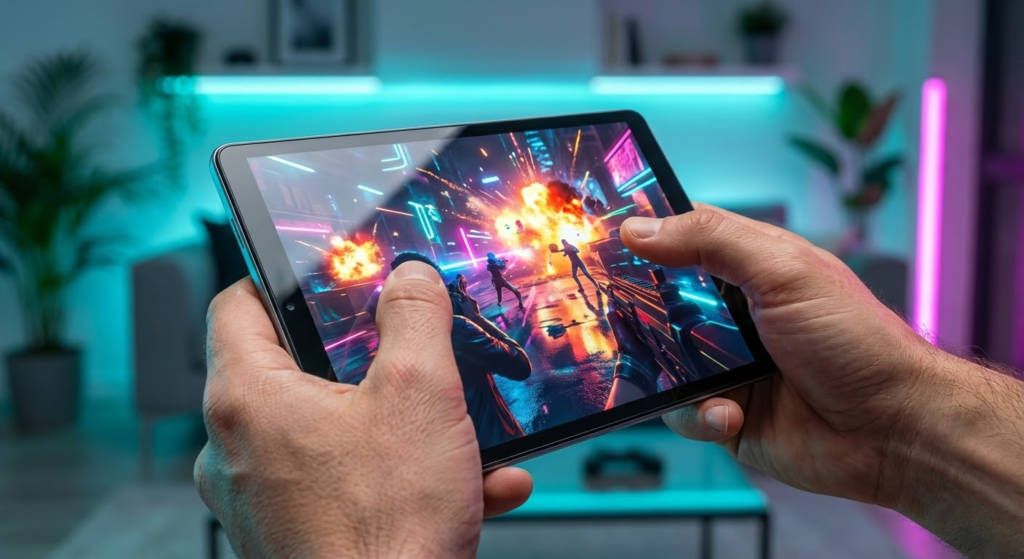
Pick the Xiaomi Pad 7 Ai 11.2-inch 144Hz Display if you value raw gaming feel. Its 3.2K 144Hz panel and Snapdragon platform prioritize motion clarity and input responsiveness. That makes it the best choice for fast-paced FPS, MOBAs, and any game where framerates and touch latency matter most. Use this one when you want the sharpest visuals and the most responsive gameplay.
Choose the Poco Pad M1 12.1-inch 12,000mAh Tablet if you mostly play long sessions away from outlets. Its huge battery and large screen are built for marathon gaming and multi-hour streaming. This is the go-to when uninterrupted play time matters more than squeezing every frame out of the highest settings.
How to Choose the Best Budget Tablets for Heavy Gaming
Finding powerful performance without overspending can feel tricky, especially if you’re looking for the best budget tablets for heavy gaming. The good news is that you don’t need a flagship device to enjoy smooth gameplay, fast load times, and immersive visuals. By focusing on the right features, you can get excellent gaming performance at a reasonable price.
Below are the key factors you should consider before choosing a budget tablet designed to handle demanding games.
Prioritize a Powerful Processor and GPU
For gaming, the processor and graphics unit matter more than almost anything else. Even on a budget, you should look for tablets equipped with modern multi-core processors paired with capable GPUs. These components determine how well the tablet can handle complex graphics, open-world environments, and high frame rates.
Avoid entry-level chipsets meant only for browsing or streaming. Instead, focus on mid-range processors known for balancing performance and efficiency, as they tend to deliver stable gameplay without overheating or throttling.
Choose at Least 6GB of RAM for Demanding Games
RAM directly affects how smoothly games run, especially when switching between apps or playing titles with large maps and detailed textures. While some budget tablets offer 4GB of RAM, this may limit performance in heavier games.
For a better experience, aim for at least 6GB of RAM. This helps reduce stuttering, improves load times, and allows games to run more consistently during long sessions.
Storage Space Matters More Than You Think
Heavy games can take up a lot of space, often requiring several gigabytes per title. When looking at the best budget tablets for heavy gaming, storage capacity should not be overlooked.
A minimum of 128GB is ideal, especially if you plan to install multiple games. Expandable storage support is a big plus, as it gives you flexibility without increasing the cost upfront.
Look for a High-Quality Display with Smooth Refresh Rate
A good display can completely change your gaming experience. Screen size, resolution, and refresh rate all play important roles. A larger screen makes controls more comfortable and visuals more immersive, especially for action and racing games.
Full HD resolution or higher ensures sharp graphics, while a higher refresh rate (such as 90Hz or more) can make gameplay feel smoother and more responsive. Even on a budget, some tablets now offer refresh rates above the standard 60Hz.
Battery Life Should Support Long Gaming Sessions
Gaming is demanding on battery life, so a tablet with a large battery capacity is essential. Look for models with at least 7,000 mAh to avoid constant recharging.
Fast charging support is another valuable feature, allowing you to get back into the game quickly when the battery runs low. A good balance between performance and power efficiency will help the tablet last longer during extended play.
Cooling and Thermal Performance Are Often Overlooked
Heavy gaming can cause tablets to heat up, which may reduce performance over time. While budget tablets rarely advertise advanced cooling systems, user reviews and performance tests often reveal which models manage heat better.
Efficient thermal management helps maintain stable frame rates and prevents sudden performance drops during longer gaming sessions.
Software Optimization and Gaming Features
The operating system and built-in software can enhance gaming performance. Some tablets include gaming modes that prioritize system resources, reduce background activity, and block notifications during gameplay.
Regular software updates are also important, as they can improve performance, compatibility with new games, and overall stability.
Audio Quality Adds to the Immersion
Sound plays a big role in gaming immersion. Dual speakers with good stereo separation can make a noticeable difference, especially for action and competitive games. While premium audio isn’t common in budget tablets, models with well-tuned speakers offer a more engaging experience without extra accessories.
By focusing on these features, you can confidently narrow down the best budget tablets for heavy gaming and enjoy high-performance gameplay without paying flagship prices.
Check Out the Best Budget Tablets for Heavy Gaming
Still not sure which one to choose? Click the link below to see the best-selling products.
Also Check Out Other Helpful Articles
Take a look at more useful articles that can help you make more informed decisions.
- Best Budget Tablets for Heavy Gaming in 2026 (Top 8: Xiaomi Pad, Lenovo Idea Tab Pro and More)
- Best Tablets for Work in 2026 (Top 9: iPad Air, OnePlus Pad and More)
- Best Tablets to Play Free Fire in 2026 (Top 7: iPad, Samsung and More)
Video About the Best Budget Tablets for Heavy Gaming
We created a video on the topic. Just click to watch.
Related Articles



About the Author

Emily Clark is passionate about writing and enjoys exploring different topics through content creation. She believes in the power of words to connect and inform people.