Best Cheap Tablets in 2026 (Top 6: Lenovo Idea Tab, Amazon Fire and More)

Looking for a budget-friendly device? Discover the best cheap tablets that offer great performance, battery life, and screen quality without breaking the bank.
You don’t need to empty your wallet for a useful tablet. Some budget models now offer Full HD screens, multi-hour battery life, and acceptable performance for everyday tasks.
Shopping cheap doesn’t mean settling. You can get a great video-and-reading device, a student-friendly note-taker, or a family media tablet without paying flagship prices. Think practical, not perfect.
Contents
- The Best Cheap Tablets
- iPad 11-inch with A16 Chip
- Lenovo Idea Tab 11-inch Study Tablet
- Galaxy Tab A9+ 11-inch Tablet
- Amazon Fire HD 10 — Full HD Tablet
- Amazon Fire HD 8 — Compact Budget Tablet
- IWEGGO 10-inch Android 15 Tablet
- Final Thoughts on the Best Cheap Tablets
- How to Choose the Best Cheap Tablets
- Check Out the Best Cheap Tablets
- Also Check Out Other Helpful Articles
- Video About the Best Cheap Tablets
The Best Cheap Tablets

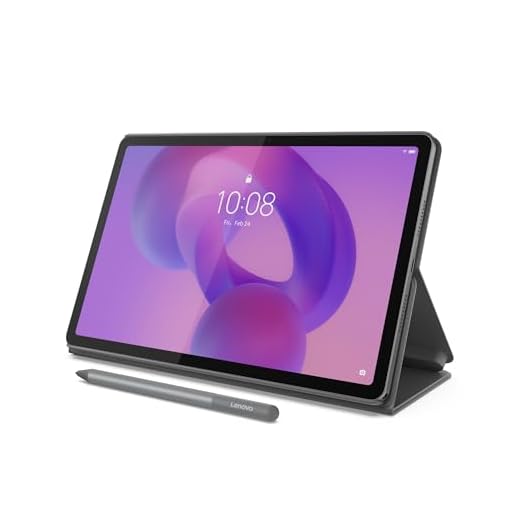


iPad 11-inch with A16 Chip
You get flagship-level performance in a mid-size, highly portable package—great for creative work, multitasking, and pro apps. The Liquid Retina display and A16 chip deliver smooth editing, streaming, and responsive touch experiences.
Pros
- Very fast A16 chip for heavy multitasking and creative apps
- High-quality Liquid Retina display with accurate color
- Strong ecosystem with Apple Pencil and accessory support
Cons
- Higher price point compared with other cheap tablets
- Accessories like Pencil and keyboard sold separately
Who should consider this iPad
This iPad is for people who want near-flagship performance in a portable 11" format—students, creators, and professionals who need a tablet that can handle note-taking, photo and video editing, and multi-window workflows.
Standout capabilities and practical benefits
- A16 chip provides desktop-class performance for demanding apps
- Liquid Retina display with excellent color accuracy and brightness
- Wi‑Fi 6 and USB‑C for faster transfers and better connectivity
You’ll appreciate how responsive the device feels under load: switching between multiple apps, rendering video previews, or using multitouch gestures remains fluid. The cameras and microphones are also tuned for video calls and content creation, so you can use the tablet as a lightweight production tool.
Limitations and real-world advice
- The base cost is higher than entry-level tablets, and useful accessories (keyboard, Pencil) add to the total spend. Consider which accessories you truly need before purchasing.
If you rely on professional apps or want the smoothest long-term software support, this is a strong choice. For pure media consumption on a tight budget, lower-cost tablets will suffice, but this model delivers longevity and performance headroom.
Lenovo Idea Tab 11-inch Study Tablet
You get a sharp 2.5K 11" display, responsive 90Hz refresh, and AI-enhanced note features that make studying and productivity smoother. The included pen and folio case add immediate value for note-taking and presentations.
Pros
- High-resolution 2.5K display with 90Hz refresh
- Includes Tab Pen and folio case for note-taking
- Good multitasking performance and AI study features
Cons
- Battery life and software optimization vary by usage
- Accessories improve value but also indicate extra cost if lost
Who it's built for
The Lenovo Idea Tab is targeted at students and anyone who values handwriting input, AI assistance for notes, and a high-resolution screen for reading and long study sessions. You’ll appreciate the included pen and folio case if you frequently take notes or sketch diagrams.
Key features that matter day-to-day
- 11" 2560 x 1600 2.5K IPS display with 90Hz refresh for sharp text and smooth scrolling
- MediaTek Dimensity 6300 chipset that handles multiple apps and basic content creation
- Lenovo AI Notes, Circle to Search, and included Tab Pen for faster study workflows
In practice, the display makes long reading, document markup, and video lectures easier on the eyes than typical budget tablets. The pen’s palm rejection and reduced latency create a near natural writing feel—useful for handwritten notes, annotating PDFs, or sketching.
Practical considerations
- While overall performance is strong for its class, sustained heavy workloads (like long video renders) will push the chipset. Battery life is generally good, but your mileage varies with screen brightness and active apps.
User tip: Use the included folio as a stand for video calls or presentations and enable the AI note features to summarize long lectures quickly when you need study highlights.
Galaxy Tab A9+ 11-inch Tablet
You get an 11" display with up to 90Hz refresh and quad speakers, making it ideal for shared video, gaming, and multi-user households. It balances screen size and audio quality for group viewing and casual productivity.
Pros
- Large 11" screen with up to 90Hz refresh
- Quad speakers for immersive audio
- Generous storage and multitasking features
Cons
- Not as powerful as premium Android or iPad alternatives
- Software updates may lag behind flagship models
Who it's aimed at
This tablet is a solid pick for families and shared-device households that want a large, enjoyable display for videos, games, and homework. Its design and sound are tuned for group consumption rather than single-person pro work.
Notable specs and everyday use cases
- 11" display with a smooth refresh rate up to 90Hz for fluid animations
- Quad-speaker setup that improves stereo separation and volume
- Multi-window and durable, kid-friendly modes for family use
In daily use you’ll find the screen comfortable for streaming and the speakers loud enough for living-room listening. The tablet’s chipset and Android ecosystem support common apps and split-screen multitasking—handy for homework plus a side-by-side video chat or notes app.
Trade-offs and tips
- If you plan heavy photo/video editing or demanding 3D games, a higher-tier tablet will handle those tasks better. For typical household tasks and media, this model is balanced and cost-effective.
Tip: Set up separate user profiles or the kids mode to control content and screen time when handing the tablet to younger users.
Amazon Fire HD 10 — Full HD Tablet
You get a roomy 10.1" 1080p screen and improved octa-core performance for streaming, browsing, and light gaming without breaking the bank. Battery life and the simple Amazon ecosystem make it a low-hassle choice for casual users and families.
Pros
- Bright 10.1" 1080p display with good color
- Improved octa-core performance and 3 GB RAM
- Very affordable price for a full-size tablet
Cons
- Amazon's software ecosystem limits app choices and defaults
- Not ideal for power users or pro-level multitasking
What this tablet is for
The Fire HD 10 is aimed at people who want a large-screen, no-frills tablet for media, browsing, reading, and casual gaming. If your priorities are video streaming, e-books, and a straightforward, low-cost device, this is designed to fit that need.
Key features and everyday benefits
- 10.1" 1080p Full HD display (1920 x 1200) for clearer video and reading
- Octa-core processor and 3 GB RAM for smoother navigation and light multitasking
- Long battery life suitable for travel and extended streaming sessions
You’ll notice the screen first: colors are punchy and text reads clearly at normal viewing distances. Performance has been improved over older Fire models, so launching apps and streaming HD video feels snappier. The device also uses aluminosilicate glass to help with durability.
Practical limitations and tips
- The OS favors Amazon apps and services; if you rely heavily on Google Play apps, expect some extra setup or workarounds.
- Storage is limited compared with premium tablets, so plan to use cloud storage or a microSD (if supported) for large media libraries.
Tip: If you primarily use streaming services, pair the tablet with Bluetooth headphones and enable low-power modes for the longest playback time. For kids or a living-room media device, the Fire HD 10 gives an excellent mix of screen size and affordability.
Amazon Fire HD 8 — Compact Budget Tablet
You get a very low-cost, lightweight 8" tablet that works well for reading, basic web browsing, and light streaming. It’s an economical companion device, but you may notice sluggishness under heavier loads and software limitations tied to Amazon's ecosystem.
Pros
- Very affordable and highly portable
- Decent battery life for daily casual use
- Improved 3 GB RAM over older 8" models
Cons
- Performance can feel slow with heavier apps
- Amazon software and lockscreen ads may be intrusive unless removed
Ideal use cases
This compact Fire HD 8 is made for people who want the cheapest practical tablet for reading, kids' apps, and light media. If you need a secondary device for travel or a simple entertainment tablet, it fits that role well.
Strengths in daily life
- 8" HD display that's comfortable for reading and casual viewing
- 3 GB RAM and 32 GB storage for basic app use and media
- Lightweight and easy to hold for long reading sessions
Real users often praise the convenience and price point, but some report hiccups with performance and the preloaded software experience. If you keep expectations aligned with the price, the tablet is a convenient, pocketable media device.
What to watch out for
- Ads on the lock screen and default Amazon apps may push you toward a subscription or paid ad-free option.
- The browser and app availability differ from stock Android; if you need native Google services, plan for additional setup.
Practical tip: For kids or short trips, include a cheap protective case and consider pairing with a microSD card (if supported) to expand storage for offline media.
IWEGGO 10-inch Android 15 Tablet
You get a very low price with a large accessory bundle (keyboard, mouse, stylus) and modern Android 15, making it useful for basic schoolwork and media. Expect compromises in build quality, screen resolution, and sustained performance compared with mainstream brands.
Pros
- Very low price with keyboard, mouse, and stylus included
- Runs Android 15 for up-to-date app compatibility
- Expandable storage and generous RAM/ROM spec on paper
Cons
- Lower-resolution 1280 x 800 screen and mixed build quality
- Inconsistent accessory performance (user reports of mouse issues)
Who might buy this tablet
This model appeals if your top priority is getting the most accessories for the least money. You’ll find it useful for basic school tasks, web browsing, and streaming when you can’t or won’t spend much on a name-brand tablet.
What you actually get and how it performs
- Android 15 out of the box for broad app access and recent security features
- 10.1" 1280 x 800 display and included keyboard, mouse, and stylus for laptop-like use
- Expandable storage options and advertised high RAM/ROM combinations
In real-world use the tablet covers standard chores—email, web research, video playback—reasonably well. However, the screen clarity and responsiveness won’t match more expensive devices, and accessory quality can vary; some users report peripherals working inconsistently.
Limitations and practical advice
- Don’t expect high-end gaming performance or professional-grade photo/video editing. Heavy multitasking may cause slowdown.
- If you accept trade-offs in screen and build quality for the bundled accessories and modern OS, it’s a pragmatic short-term solution.
Tip: Test included peripherals right away and keep receipts; if the mouse or keyboard proves unreliable, replacement Bluetooth accessories are affordable and can extend the tablet’s usefulness.
Final Thoughts on the Best Cheap Tablets
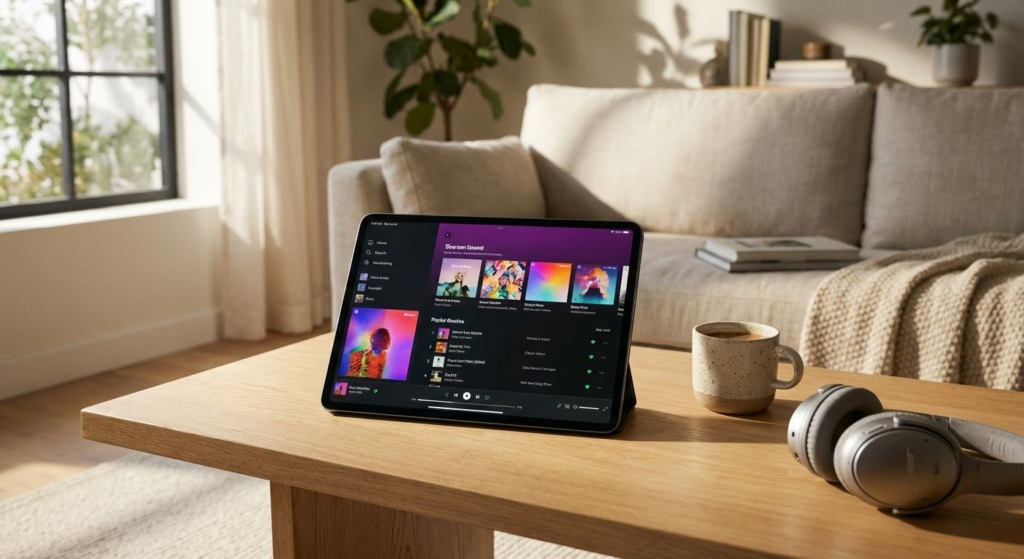
Best budget pick: Amazon Fire HD 10 — Full HD Tablet
- Strengths: Large 10.1" 1080p screen, solid battery life, and the smoothest low-cost streaming experience in this roundup. It’s the easiest, lowest-hassle pick for families and casual users who want a roomy display for video, browsing, and basic apps.
- Ideal use case: If you mainly stream, read, browse, or want a second household device under $150–$200, pick the Fire HD 10.
Best student/productivity pick: Lenovo Idea Tab 11-inch Study Tablet
- Strengths: Sharp 2.5K 11" display, 90Hz refresh, and a bundled pen and folio case plus AI note features. It gives the best balance of productivity tools for the money.
- Ideal use case: If you take notes, edit documents, or want a compact tablet for class and light creative work, choose the Lenovo Idea Tab.
Quick upgrade note: If you can stretch your budget and need real creative horsepower, the iPad 11-inch with the A16 chip outclasses every cheap tablet here for editing, pro apps, and fluid multitasking.
How to Choose the Best Cheap Tablets
Finding a tablet that fits your budget without sacrificing too much performance can feel like a challenge—but it doesn’t have to be. The best cheap tablets balance price, usability, and essential features, making them great for studying, entertainment, and everyday tasks. Knowing what really matters helps you avoid overpaying and choose a device that meets your needs.
Decide Which Operating System Works Best for You
The operating system directly impacts how you use your tablet, from available apps to interface design. Budget tablets usually come with either Android or a simplified operating system designed for affordability.
Android tablets are popular in the low-cost segment because they offer flexibility, access to a wide app ecosystem, and compatibility with many services. They also come in a wide range of prices, making it easier to find a model that fits your budget.
Some inexpensive tablets use lighter systems focused on basic tasks like streaming, reading, and browsing. These can be a good choice if you don’t need advanced features or demanding apps.
Check the Processor for Everyday Performance
Even among the best cheap tablets, performance can vary significantly. The processor determines how smoothly the tablet runs apps, loads pages, and handles multitasking.
For basic use—such as watching videos, attending online classes, or browsing social media—entry-level processors are usually enough. If you plan to multitask or use productivity apps, look for models with more modern chipsets, as they tend to be faster and more energy-efficient.
A newer processor often makes a bigger difference than extra features you may rarely use.
RAM Makes a Big Difference in Low-Cost Tablets
RAM is especially important in affordable tablets, as limited memory can quickly lead to slowdowns. It affects how many apps can stay open at once and how responsive the system feels.
Tablets with 3GB or 4GB of RAM are a solid choice for everyday use and light multitasking. Models with only 2GB may still work for simple tasks, but performance can suffer when switching between apps.
If possible, prioritize more RAM over cosmetic features—it directly improves the user experience.
Storage Space: Don’t Overlook Expandability
Internal storage on cheap tablets is often limited, so it’s important to check how much space you’ll actually get. Many budget models start at 32GB or 64GB, which can fill up quickly with apps, downloads, and media.
One advantage of many affordable tablets is support for microSD cards. Expandable storage allows you to add more space later, which is a big plus when trying to get the most value for your money.
For smoother long-term use, expandable storage is a key feature among the best cheap tablets.
Display Size and Resolution Matter More Than You Think
The screen is one of the most noticeable aspects of any tablet. Larger displays—around 10 inches—are better for watching videos, reading, and multitasking. Smaller tablets are easier to carry and often cheaper.
Resolution also plays a role in comfort. HD screens are common in budget tablets and work well for casual use. Full HD displays offer sharper text and images, which is especially helpful for reading or streaming.
Good brightness and viewing angles can be just as important as resolution, especially if you plan to use the tablet for long periods.
Battery Life Should Match Your Routine
A cheap tablet isn’t very practical if it needs constant charging. Battery capacity gives a general idea of how long the device can last, but real-world usage depends on screen size, processor efficiency, and brightness.
For daily use, a tablet that lasts 7 to 10 hours on a single charge is ideal. This is especially important for students or anyone who uses the tablet away from a power outlet.
Long battery life is one of the most valuable features you can find in the best cheap tablets.
Connectivity and Extras Can Add Value
Even on a budget, it’s worth checking basic connectivity options. Wi-Fi performance, Bluetooth support, and USB charging type can all impact usability.
Some cheap tablets also include features like headphone jacks, front cameras for video calls, or compatibility with accessories such as keyboards. While these aren’t essential for everyone, they can significantly improve the experience depending on how you plan to use the device.
By focusing on the essentials—performance, display, battery life, and storage—you can confidently choose among the best cheap tablets and get excellent value without overspending.
Check Out the Best Cheap Tablets
Still not sure which one to choose? Click the link below to see the best-selling products.
Also Check Out Other Helpful Articles
Take a look at more useful articles that can help you make more informed decisions.
- Best Cost-Benefit Tablets in 2026 (Top 10: Xiaomi, Samsung and More)
- Best Tablets for Reading in 2026 (Top 6: Kindle, iPad and More)
- Best Tablets for Heavy Gaming in 2026 (Top 7: iPad Pro, ASUS ROG Flow and More)
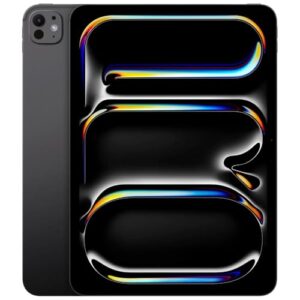
Video About the Best Cheap Tablets
We created a video on the topic. Just click to watch.
Related Articles

About the Author

Sara Taylor has always loved storytelling. With a natural curiosity, she brings fresh perspectives to every article she works on.