Best Chinese Tablets in 2026 (Top 6: Xiaomi, Teclast and More)

Discover the best chinese tablets currently on the market. We review performance, battery life, and display quality to help you find the perfect device.
Chinese tablets can surprise you. You might expect compromises, but some pack stunning screens, solid performance, and long battery life — often for less than the usual suspects.
Whether you want a jaw-dropping display for streaming, a compact Windows workhorse, or a cheap device for email and kids, there’s a clear pick for each job. Short on cash or hungry for specs? You’ll find both here.
Contents
- The Best Chinese Tablets
- Xiaomi Pad 7 11.2-inch 3.2K 144Hz Tablet
- CHUWI Hi10 X2 10.1-inch Windows Tablet
- Xiaomi Redmi Pad 2 11-inch 2.5K Tablet
- TECLAST Artpad Pro 12.7-inch Android Tablet
- Jumper EZpad V12 Pro 12-inch 2-in-1
- RCA Viking Pro 10-inch 2-in-1 Tablet
- Final Thoughts on the Best Chinese Tablets
- How to Choose the Best Chinese Tablets
- Check Out the Best Chinese Tablets
- Also Check Out Other Helpful Articles
- Video About the Best Chinese Tablets
The Best Chinese Tablets


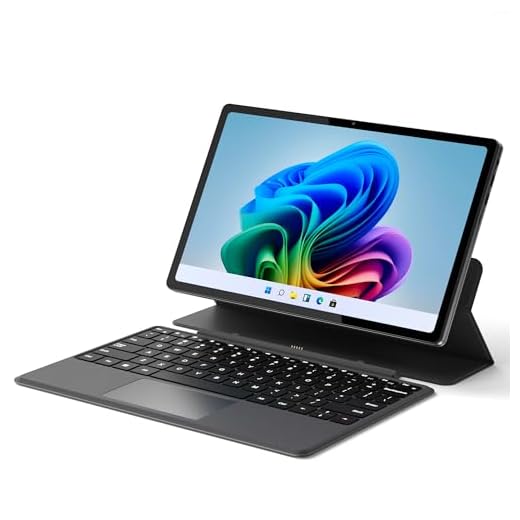

Xiaomi Pad 7 11.2-inch 3.2K 144Hz Tablet
You’ll notice the 3.2K 144Hz display and four-speaker setup immediately — it’s one of the best screens in this price bracket for streaming and gaming. The combination of a Snapdragon chipset, long battery life and fast charging makes it an excellent all-around tablet.
Pros
- Stunning 3.2K 144Hz display with high peak brightness and hardware low-blue-light
- Strong performance from a capable Snapdragon platform
- Four speakers tuned for immersive audio and good media playback
- Large battery with fast charging; polished HyperOS (Android 14)
Cons
- Wi‑Fi-only model — no calls, no SIM support and no SD slot
- Higher price than basic tablets — premium features justify cost for many
- Accessory support (keyboard/pen) may be sold separately
Who this is best for
You should consider the Xiaomi Pad 7 if you prioritize display quality, smooth UI performance and a premium media experience. Gamers who value high refresh rates, streamers and creatives who want a crisp screen will find it especially satisfying.
Standout features that matter
- 11.2" 3200 x 2136, up to 144Hz display: delivers high refresh for scrolling and gaming and excellent resolution for reading and drawing.
- Snapdragon-grade performance: smooth daily use and capable of handling graphically demanding apps at moderate settings.
- Four speakers and 45W fast charging (included charger in some bundles): great for extended media sessions and quick top-ups.
- Android 14 HyperOS: modern software with performance and feature optimizations.
Practical observations and limitations
Because this is a Wi‑Fi-only model, you won’t be making cellular calls or inserting a SIM; for tablet-first workflows that isn’t a drawback, but it’s worth noting. The device feels premium and responsive; battery life tends to be strong in real-world mixed use. Accessories such as an official keyboard or stylus may need to be purchased separately if you want a laptop-like workflow.
Tips for getting the most from it
- Use the high refresh-rate mode for gaming and scrolling; switch to a lower rate to conserve battery for long reading sessions.
- Take advantage of the four-speaker layout for landscape video watching — audio staging improves immersion.
- If you want pen input, check compatibility and latency of third-party styli if an official Xiaomi pen isn’t available in your market.
The Xiaomi Pad 7 is a premium, modern Android tablet that competes strongly on display and media performance — a top pick if you want a high-quality experience without stepping up to flagship prices.
CHUWI Hi10 X2 10.1-inch Windows Tablet
You get a surprisingly capable x86 Windows tablet with an Intel Core i3, useful I/O and the ability to drive external displays. It’s well suited for students, remote workers and anyone who needs full Windows compatibility in a compact form factor.
Pros
- Intel Core i3 up to 3.9GHz — good single-thread and productivity performance
- Wi‑Fi 6 and USB 3.2 provide modern connectivity and fast peripherals
- 4K Micro HDMI out makes it handy as a lightweight desktop replacement
- Reasonably priced for the performance offered
Cons
- Battery life is modest — expect around 4–6 hours with demanding tasks
- Minor screen backlight unevenness reported on some units
- Not designed for heavy gaming or prolonged CPU-bound workloads
Why you’d pick this tablet
You want full Windows 11 capability in a small, portable package without paying flagship prices. The CHUWI Hi10 X2 pairs an Intel Core i3 with 8GB RAM and a 256GB SSD, delivering much better compatibility with desktop applications than ARM/Android tablets.
Standout hardware and ports
- 10.1-inch 1280 x 800 touchscreen: compact and responsive for productivity and reading.
- Intel Core i3 (turbo to 3.9GHz), 8GB RAM, 256GB SSD: a solid combo for office suites, web work and light photo editing.
- USB 3.2, Type-C, Wi‑Fi 6, BT 5.3, and 4K Micro HDMI: plenty of ports for external displays, storage and accessories.
Practical usage and limitations
In daily use you’ll find the tablet snappy for documents, multi-tab browsing and streaming. If you plan to attach an external monitor and use a keyboard/mouse, it can function as a compact desktop substitute. Heavy video rendering or serious gaming will push the chip beyond comfortable thermal or battery limits; plan for shorter battery endurance during intensive tasks.
Tips and real-world notes
- Use the Micro HDMI or a USB-C dock to connect an external monitor for improved productivity.
- If portability and full Windows compatibility are your priorities, this is one of the better budget x86 tablets available.
- Expect small variances in display uniformity between units; check returns if you see severe backlight bleed.
This tablet is an excellent bridge between cheap Chromebooks/Android slates and expensive Windows convertibles — you trade some battery life for genuine Windows power.
Xiaomi Redmi Pad 2 11-inch 2.5K Tablet
You’ll find a well-balanced mix of display, speakers and battery life for a very reasonable price. The 2.5K screen, quad speakers and capable MediaTek chip make it a great daily driver for media, light gaming and productivity.
Pros
- 11-inch 2560 x 1600 display with adaptive 90Hz refresh
- Quad speaker setup and Hi-Res audio for immersive media
- Long battery life (9000mAh) and solid build quality
- Good value with a modern Android 15 build and long update window
Cons
- Screen brightness may lag behind premium flagships for outdoor use
- Occasional minor software quirks reported by some users
- Lacks certain high-end extras like IR blaster on some units
Who should pick this tablet
If you want a practical tablet for streaming, reading and casual gaming without paying flagship prices, the Redmi Pad 2 is a strong contender. It balances display quality, audio and battery life to deliver a satisfying everyday experience.
Key hardware highlights
- 11" 2560 x 1600 90Hz AdaptiveSync display: sharp visuals with smoother motion when supported by apps.
- MediaTek processor and 8GB RAM / 256GB storage options: solid for multitasking and media playback.
- 9000mAh battery and quad speakers: long runtime and good audio for movies and music.
- Android 15 with ongoing updates: modern OS and security patches projected through supported timelines.
Practical usage and limitations
In normal daily use you’ll enjoy long playback times, comfortable reading and a premium-feeling metal unibody. Performance is good for the price range but not aimed at demanding 3D gaming at top settings. Brightness can be a limitation outdoors, so you may need shade for comfortable viewing in strong sunlight.
Tips for daily use
- Use adaptive refresh to preserve battery when you don’t need the full 90Hz.
- Pair with Bluetooth headphones for better voice call quality and privacy when needed.
- Check system settings for display and performance modes if you want to squeeze extra responsiveness for games.
For a midrange tablet that focuses on the essentials — screen, speakers and battery — the Redmi Pad 2 offers strong value and a refined everyday experience.
TECLAST Artpad Pro 12.7-inch Android Tablet
You get a roomy 12.7-inch 2K display, bundled pen and fast charging that make this tablet a solid choice for media consumption and light creative work. The combination of Gemini AI features and Widevine L1 support is useful if you stream high-quality content.
Pros
- Large 12.7" 2176 x 1600 TDDI IPS screen — excellent for movies and reading
- Pen included for note-taking and sketching
- Fast 30W charging and 10,000mAh battery for long sessions
- Android 15 with Gemini AI features and Widevine L1 for streaming
Cons
- Microphone quality may be weak for some video calls
- Heavier than smaller tablets — less pocketable
- Battery life can be below expectations with heavy use
Ideal uses and audience
If you primarily watch videos, browse and take handwritten notes, the TECLAST Artpad Pro is tailored to those needs. The big 12.7-inch, high-resolution display and bundled pen mean you can comfortably sketch, annotate PDFs or enjoy long streaming sessions with vivid colors.
Notable specs and practical benefits
- 12.7" 2176 x 1600 IPS touchscreen with TDDI: crisp visuals and improved sunlight readability compared with lower-end panels.
- 20GB RAM + 256GB storage: generous memory configuration for Android multitasking and larger app storage.
- 10,000mAh battery and 30W fast charge: quick top-ups and decent endurance for a large display device.
- Widevine L1: lets you stream HD content from major services.
Real-world performance and limitations
You’ll find the tablet comfortable for long reading sessions and media playback; reviewers praise the screen quality and pen responsiveness. The mic has been flagged in some user reports as not great for video calls, so you may want a headset or external mic for frequent conferencing. The device’s near-3-pound weight is a trade-off for the large display and battery capacity.
Practical tips
- Use the pen’s note-taking mode or dedicated ink mode for comfortable reading and annotation.
- If you rely on video conferencing, test the microphone and consider headphones with a built-in mic for clearer voice capture.
- Pair with Bluetooth keyboards when you want a lightweight workstation for emailing or document editing.
For a large Android tablet that punches above its price with display quality and included pen, this is a compelling option — especially if media and note-taking are your priorities.
Jumper EZpad V12 Pro 12-inch 2-in-1
You get a true 2-in-1 Windows experience that balances portability with practical performance for everyday school and light office tasks. The combination of a 2K touchscreen, DDR5 RAM, and a compact metal body makes it easy to carry and use all day.
Pros
- Good value for a Windows 2-in-1 with DDR5 RAM and SSD
- Sharp 12-inch 2000x1200 touch display for reading and note-taking
- Detachable magnetic keyboard and multi-angle case for flexible use
- Solid build quality and stereo speakers for video calls and streaming
Cons
- Intel N95 is modest — not for heavy creative workloads or gaming
- Keyboard stand can be fiddly and not sturdy on all surfaces
- Battery life and volume might be underwhelming for some users
What this device is for
You’re looking at a compact Windows 2-in-1 designed primarily for students, travellers, and office users who need a lightweight device for web browsing, documents, media and light multitasking. The metal chassis and detachable magnetic case keyboard make it easy to switch between tablet and laptop modes while the 12GB DDR5 + 512GB SSD configuration keeps everyday apps responsive.
Key features and what they mean for you
- 12-inch 2000 x 1200 IPS touchscreen: great for reading, streaming and light photo work.
- Intel N95 CPU with 12GB DDR5 RAM + 512GB SSD: smooth for productivity apps, browser tabs and document editing.
- Detachable magnetic keyboard and multi-angle stand: flexible for typing, presentations and tablet use.
- Windows 11 Home: full desktop apps and familiar Windows workflow.
Real-world benefits and limitations
You’ll appreciate the tactile keyboard, the brighter-than-expected screen and the general responsiveness for office suites and web tasks. If you’re transferring files or running multiple heavy apps (video editing or large datasets), you’ll notice the N95’s limits. Users in reviews report solid build quality and satisfaction when the device is priced competitively, but there are occasional reports of setup hiccups or case stand frustration.
Practical insights and tips
- If you plan to use the device for extended typing sessions, test the keyboard stand on your typical surfaces because it works best on firm, flat tables.
- For better audio during video calls, pair the tablet with portable Bluetooth speakers or a smart speaker if you need higher volume.
- Expect around 6–8 hours of mixed use in real life; carry a charger for long study days or travel.
This is a sensible choice if you want a true Windows tablet that behaves like a laptop when you need it, without paying flagship prices.
RCA Viking Pro 10-inch 2-in-1 Tablet
You get a very low-cost, straightforward Android 2-in-1 that’s fine for email, web browsing and light media playback. Performance and build quality reflect the low price, so expectations should be modest for demanding apps or multitasking.
Pros
- Extremely affordable and widely available as a refurbished unit
- Detachable keyboard adds laptop-like convenience for typing
- Simple Android interface — easy for first-time tablet users
Cons
- Slow processor and only 1GB RAM limit multitasking and responsiveness
- Aged Android version and modest cameras/speakers
- Refurbished units may exhibit visible wear or inconsistencies
Who should consider this tablet
If your priority is a very low-cost device for web browsing, email, streaming and light app use, this RCA Viking Pro delivers basic functionality. It’s often sold refurbished, which keeps the price low but can lead to visible blemishes or mixed-condition units.
What it offers
- 10.1-inch IPS display: adequate for reading, email and video at modest resolutions.
- Detachable keyboard with trackpad: useful if you want occasional laptop-style typing.
- Quad-core entry-level processor and 32GB storage: fine for simple tasks and expandable storage in some setups.
Real-world expectations and trade-offs
You should expect slower app launches and occasional stuttering when switching between apps or after long idle periods. Many buyers pair the tablet with simple cloud-based apps (email, light office suites, streaming) and find it acceptable for basic daily use. Several user reports praise the value-for-money when purchased at deep discounts, while others note sluggishness and shortfalls in sound and camera quality.
Practical advice
- If you buy refurbished, inspect return policies and seller ratings; cosmetic imperfections are common but functionality should be tested promptly.
- Avoid heavy games or multitasking workloads; stick to lightweight apps, streaming and reading.
- Consider an external Bluetooth speaker or headphones for better audio during media playback.
This tablet is a pragmatic pick if you need a cheap, simple device or a starter tablet for a first-time user, but it’s not recommended for power users.
Final Thoughts on the Best Chinese Tablets
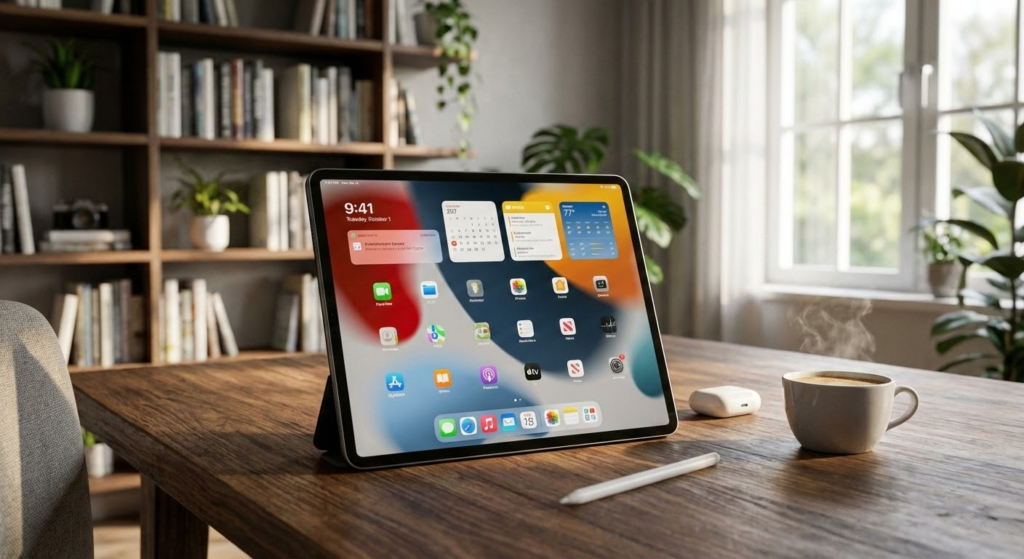
Pick the Xiaomi Pad 7 if your priority is media and gaming. Its 11.2-inch 3.2K 144Hz display, four speakers, Snapdragon power, long battery life and fast charging make it the best all-around entertainment tablet. Choose it when you want the smoothest visuals, loud, balanced audio, and solid performance for streaming and light gaming.
Choose the CHUWI Hi10 X2 if you need a compact Windows tablet that actually runs full desktop apps. The Intel Core i3, useful I/O and external display support make it the smart option for students, remote workers, or anyone who needs Windows compatibility on the go. It’s the go-to when productivity and app compatibility matter more than the flashiest screen.
How to Choose the Best Chinese Tablets
Chinese tablets have evolved a lot in recent years and now offer impressive performance, modern design, and competitive prices. If you’re searching for the best Chinese tablets, it’s important to look at more than just the cost. Hardware quality, software support, display, and battery life all make a big difference in the overall experience.
Below are the key points to help you make a smart choice.
Android or Custom Systems: What to Expect from the Software
Most Chinese tablets run on Android, often with a customized interface developed by the manufacturer. These custom systems usually focus on visual tweaks, multitasking features, and productivity tools.
One advantage is flexibility: Android tablets allow app downloads from official stores and support a wide range of apps for work, study, and entertainment. However, software updates may vary depending on the brand, so it’s important to consider how often updates are released and how stable the system is over time.
Processor and Performance: Find the Right Balance
The processor determines how fast and responsive the tablet will feel. Many of the best Chinese tablets use octa-core processors that handle everyday tasks like streaming, browsing, and document editing with ease.
For light use, mid-range processors are more than enough. If you plan to multitask, use creative apps, or play demanding games, look for higher-performance chipsets with clock speeds above 2.0 GHz. A well-matched processor ensures smoother animations and faster app launches.
RAM and Storage: Essential for Multitasking
RAM is crucial for performance, especially if you use multiple apps at the same time. Tablets with 4GB of RAM can handle basic tasks comfortably, but 6GB or 8GB is ideal for users who want a smoother experience and better multitasking.
Internal storage is equally important. Many Chinese tablets offer generous storage options, and some support expandable storage via microSD cards. This is especially useful if you plan to store videos, documents, or offline content.
Best Samsung Laptops for Students
Display Quality: Size, Resolution, and Panel Type
The display is one of the most important features when choosing among the best Chinese tablets. Screen sizes usually range from compact 8-inch models to larger 11-inch or 12-inch displays, which are better for productivity and media consumption.
Resolution plays a big role in image clarity. Full HD is a solid standard, offering sharp text and vibrant visuals. Higher resolutions provide even more detail, especially for reading and watching videos. Display technology also matters—IPS panels offer good color accuracy and viewing angles, while more advanced panels deliver better contrast and deeper blacks.
Battery Life: Power That Lasts All Day
A good tablet should last several hours without needing to recharge. Battery capacity is measured in milliampere-hours (mAh), and higher numbers generally mean longer usage time.
For casual use, batteries around 6,000 mAh are usually sufficient. If you plan to use the tablet for long study sessions, streaming, or travel, models with larger batteries provide more peace of mind. Fast charging support is also a plus, reducing downtime between charges.
Cameras and Audio: Often Overlooked but Still Important
While tablets aren’t primarily designed for photography, cameras still matter for video calls, online classes, and scanning documents. A decent front camera ensures clearer video calls, while a basic rear camera can be useful for quick captures.
Audio quality is another factor to consider. Tablets with stereo speakers offer a better experience for watching videos, gaming, and listening to music. Support for Bluetooth accessories like headphones and keyboards can also enhance usability.
Build Quality and Extra Features
Many Chinese tablets now feature metal bodies, slim profiles, and modern designs that feel premium. Build quality affects durability and comfort, especially if you plan to carry the tablet daily.
Additional features like keyboard support, stylus compatibility, and split-screen multitasking can greatly improve productivity. If you plan to use the tablet for work or study, these extras can make a big difference.
By focusing on performance, display quality, battery life, and software experience, you’ll be able to confidently choose one of the best Chinese tablets that fits your needs and budget.
Check Out the Best Chinese Tablets
Still not sure which one to choose? Click the link below to see the best-selling products.
Also Check Out Other Helpful Articles
Take a look at more useful articles that can help you make more informed decisions.
- Best Cost-Benefit Tablets in 2026 (Top 10: Xiaomi, Samsung and More)
- Best Tablets for Reading in 2026 (Top 6: Kindle, iPad and More)
- Best Tablets for Heavy Gaming in 2026 (Top 7: iPad Pro, ASUS ROG Flow and More)
Video About the Best Chinese Tablets
We created a video on the topic. Just click to watch.
Related Articles


About the Author

Sara Taylor has always loved storytelling. With a natural curiosity, she brings fresh perspectives to every article she works on.