Best Cost-Benefit Tablets in 2026 (Top 10: Xiaomi, Samsung and More)

Looking for the best cost-benefit tablets? Check out our selection of devices that offer excellent performance and premium features at an affordable price.
You don’t need to break the bank to own a great tablet. Ever wish your tablet could do more without costing more?
This roundup cuts through specs and sticker shock. You’ll get clear picks so you can pick a tablet that fits your work, play, or family life — fast.
Contents
- The Best Cost-Benefit Tablets
- Apple iPad 11-inch A16 Chip Tablet
- OnePlus Pad 3 13.2-inch Flagship Tablet
- Xiaomi Pad 7 AI 11.2-inch High-Refresh Tablet
- Samsung Galaxy Tab S9 FE+ 12.4-inch Tablet
- Samsung Galaxy Tab A9+ 11-inch Family Tablet
- Amazon Fire Max 11 Refurbished 11-inch Tablet
- Xiaomi Redmi Pad SE 11-inch Tablet
- Amazon Fire HD 10 10.1-inch Tablet
- Lenovo Tab M11 11-inch Android Tablet
- Lenovo Tab P11 2nd Gen 11.5-inch Tablet
- Final Thoughts on the Best Cost-Benefit Tablets
- How to Choose the Best Cost-Benefit Tablets
- Check Out the Best Cost-Benefit Tablets
- Also Check Out Other Helpful Articles
- Video About the Best Cost-Benefit Tablets
The Best Cost-Benefit Tablets




Apple iPad 11-inch A16 Chip Tablet
You’ll enjoy A16-level performance, a vivid Liquid Retina display, and the smooth iPadOS experience that supports pro apps and great accessories. It’s an excellent all-around tablet for students, creators, and anyone who values a refined app ecosystem.
Pros
- Powerful A16 chip for fast, fluid performance
- Liquid Retina display with accurate colors and brightness
- Wi‑Fi 6, USB‑C, and excellent accessory ecosystem
- Strong battery life and refined iPadOS multitasking
Cons
- Accessories like keyboards and pens add to total cost
- No Face ID on some models (Touch ID instead)
- Higher price than many Android alternatives
Why you might pick this iPad
The 11-inch iPad with the A16 chip delivers responsive performance, a gorgeous Liquid Retina display, and access to the breadth of iPadOS apps optimized for tablets. You’ll find it reliably fast for everything from multitasking to photo editing and creative work.
- 11" Liquid Retina display, A16 Bionic chip
- 128GB base storage, Wi‑Fi 6, USB‑C connector
- 12MP front and rear cameras, Touch ID, all‑day battery life
Everyday advantages and workflow tips
If you rely on productivity apps, creative suites, or want industry‑leading app support, this model is a sweet spot for power and portability. Pair it with an external keyboard or Apple Pencil for note-taking, sketching, and desktop-class productivity. The stable software support means you’ll get updates and app improvements for years.
Drawbacks and practical considerations
Accessories are sold separately, so plan for additional cost if you want a keyboard or pencil. Also, some users who prefer Face ID or more physical ports may see those as minor downsides. Overall, if you want a premium, future-proof tablet experience, this iPad is one of the strongest options.
OnePlus Pad 3 13.2-inch Flagship Tablet
You get a top-tier Snapdragon 8 Elite chipset, a vivid 3.4K 144Hz display, and a massive battery with very fast charging. It’s a great choice if you want near-flagship performance for creative work, streaming, and multitasking.
Pros
- High-resolution 3.4K 13.2" LCD at 144Hz
- Snapdragon 8 Elite performance for demanding tasks
- 12,140mAh battery with 80W fast charging
- 8-speaker Dolby Atmos setup for excellent audio
Cons
- Price is substantially higher than budget models
- Larger footprint and weight may be less portable
- Accessories and ecosystem may be more limited in some regions
Who should consider it
If you need a powerful tablet for creative work, high-refresh gaming, or seamless multitasking, the Pad 3 competes with the best. You’ll notice buttery-smooth animations at 144Hz, strong thermal management, and a display that’s bright and detailed enough for photo and video work.
- 13.2" 3392 x 2400 LCD, 144Hz refresh
- Snapdragon 8 Elite chipset, up to 12GB RAM, 256GB storage
- 12,140mAh battery with 80W charging, 8-speaker Dolby Atmos system
Practical benefits and everyday experience
You’ll appreciate long battery life paired with very fast top-up charging — useful when you’re moving between meetings or travel. Multitasking feels fluid: split-screen workflows, note-taking with stylus (where supported), and high-bitrate video streaming all run smoothly.
Real-world trade-offs
This is not a bargain device; it’s targeted at users who need premium speed and display quality. If you primarily want a small, lightweight tablet for casual reading, the extra power may be unnecessary. Also check region compatibility and accessory availability before you buy.
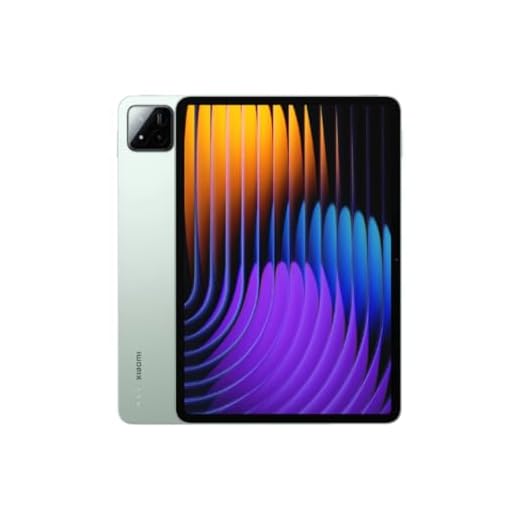
Xiaomi Pad 7 AI 11.2-inch High-Refresh Tablet
You’ll get a sharp 3.2K display with up to 144Hz refresh, solid Snapdragon performance, and an appealing feature set for the price. It’s a strong pick if you want a desktop-like visual experience and responsive touch for drawing or gaming.
Pros
- 3.2K 11.2" display with up to 144Hz refresh
- 8GB RAM and generous storage for multitasking
- Strong battery life and 45W fast charging included
- High perceived build quality at a competitive price
Cons
- Wi‑Fi version only; no cellular or SD expansion
- Some region-specific charger/adapters included
- Software updates can vary by market
Why it stands out
The Pad 7 AI brings a near-flagship visual experience to a mid-premium price bracket. The 3200 x 2136 panel at high refresh rates makes scrolling, gaming, and stylus work feel snappy and precise. You’ll notice crisp text and smooth animations when moving between apps.
- 11.2" 3200 x 2136, up to 144Hz refresh (pen modes up to 240Hz)
- Snapdragon-class CPU, up to 8GB RAM, 128GB storage
- Four speakers, 13MP rear camera, HyperOS (Android 14)
Everyday benefits and use cases
You can comfortably use this tablet for drawing, photo editing, watching high-resolution video, and multi-app workflows. The fast charging and robust battery mean you won’t spend long tethered to a wall outlet, and the high-refresh screen makes games and UI movement feel fluid.
Things to consider
It’s a Wi‑Fi-only device, so if you need mobile data you’ll need a different model. Also check the plug type in the box — some buyers receive a region-specific charger and may need an adapter. Otherwise, you’re getting an excellent display and performance package for the money.
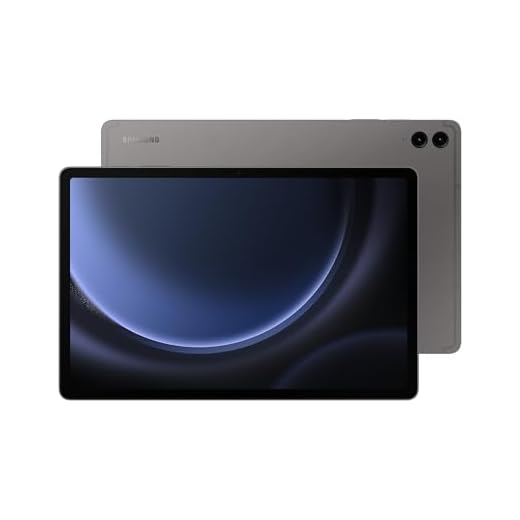
Samsung Galaxy Tab S9 FE+ 12.4-inch Tablet
You’ll benefit from a large 12.4" screen, included S Pen, IP68 durability, and expandable storage — features that make it versatile for note-taking, creative work, and media. It’s especially appealing if you want a near-flagship experience without the top-tier price.
Pros
- 12.4" 2304 x 1440 display with smooth 90Hz refresh
- S Pen included for drawing and note-taking
- IP68 water and dust resistance for durability
- Expandable storage up to 1TB via microSD
Cons
- International versions may need region-specific checks
- Heavier than smaller tablets and carries a mid‑to‑high price
- Battery life depends on heavy multitasking and display brightness
A large canvas for creativity and study
The S9 FE+ gives you a roomy 12.4" screen and an S Pen in the box, making it a compelling choice for students, note-takers, and creative hobbyists. The display is sharp and supports split-screen workflows so you can reference notes while watching lectures or editing documents.
- 12.4" TFT LCD, 2304 x 1440, 90Hz
- S Pen included, 8GB RAM, 128GB storage (expandable)
- IP68 rating, dual speakers, robust Samsung ecosystem
Practical benefits and how you’ll use it
You can use it as a notebook replacement for annotated PDFs, quick sketches, and detailed notes. The IP68 rating gives you extra peace of mind in kitchens, outdoors, or accidental splashes, while expandable storage lets you carry a large media library.
Trade-offs to consider
Check region compatibility and warranty specifics if you’re buying an international model. It’s also bulkier than smaller tablets, which may affect one-handed use. For many users, though, the S Pen and large display are decisive advantages.
Samsung Galaxy Tab A9+ 11-inch Family Tablet
You’ll get a bright 11" display, quad speakers, and a family/kids-friendly design that balances price and performance. It’s a practical pick for households who want a durable, capable tablet for media, schoolwork, and casual gaming.
Pros
- Large 11" display with up to 90Hz refresh for smoother visuals
- Quad speakers deliver impressive sound for the price
- Expandable storage via microSD card
- Durable, kid-friendly software features and parental controls
Cons
- Mid-range chipset limits heavy graphical performance
- Battery life varies by usage and model
- Some variants require careful checking for Widevine levels for streaming
Family-friendly with a large screen
The Galaxy Tab A9+ is built for families and everyday use: an 11" 1920 x 1200 screen, quad speakers, and a design that won’t intimidate less technical users. You’ll find it useful for shared streaming sessions, homework, and app-based learning for kids.
- 11" 1920 x 1200 display, up to 90Hz refresh
- Quad speakers, microSD expansion, multiple RAM options
- Kid-friendly modes and Samsung’s ecosystem for device management
Everyday experience and suggestions
If you want a tablet the whole household can use, this hits a nice balance of screen size, audio quality, and software features. Adding a case and a kid-safe profile will make it a robust living-room or bedside device.
Limitations to be aware of
Don’t expect flagship-level gaming performance; the chipset is adequate for casual titles and multimedia. If you plan to stream high-definition content, verify the Widevine DRM level if that matters to you. Otherwise, it’s a reliable family-centric tablet.
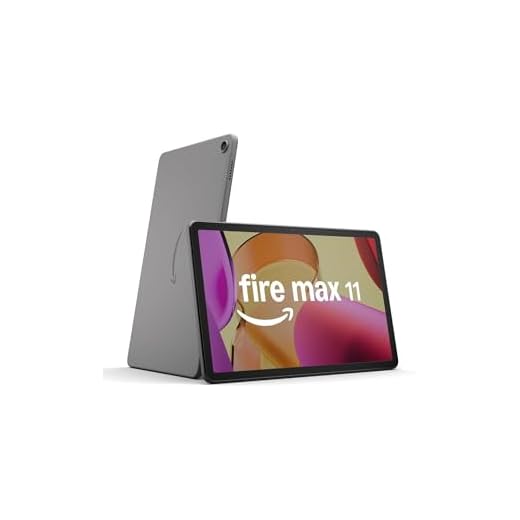
Amazon Fire Max 11 Refurbished 11-inch Tablet
You’ll get a bright 11" 2K screen, long battery life, and generous storage in a compact package — often at a lower price when refurbished. It’s an excellent choice if you want a larger Fire tablet for media and everyday use.
Pros
- Vivid 11" 2K display with good color accuracy
- Long battery life (around 14 hours in light use)
- Large internal storage options (e.g., 128GB)
- Refurbished units offer value with warranty coverage
Cons
- Amazon ecosystem and Appstore limit some app choices
- Refurbished packaging may be generic
- Heavier than smaller Fire models
Why buy the Max 11 (refurbished)
The Fire Max 11 gives you a larger, higher-resolution canvas for reading, streaming, and light gaming. Choosing a Like-New refurbished unit is a way to get that larger screen and storage at a discount while retaining warranty protection and Amazon-certified refurbishment.
- 11" 2000 x 1200 2K display, octa-core CPU, up to 128GB storage
- Certified refurbished with limited warranty (model dependent)
- Up to ~14 hours of mixed-use battery life
Everyday strengths and typical workflows
You’ll appreciate the sharp display for movies and digital magazines, and the storage lets you download content for offline use on trips. The device handles multitasking for browsing, streaming, and light productivity with ease.
Considerations before buying
Remember the Fire OS environment has different app availability than stock Android, so check that your key apps are supported. Refurbished units often ship in generic packaging and may include only standard accessories, but they’re usually a smart way to get more screen and storage for your money.
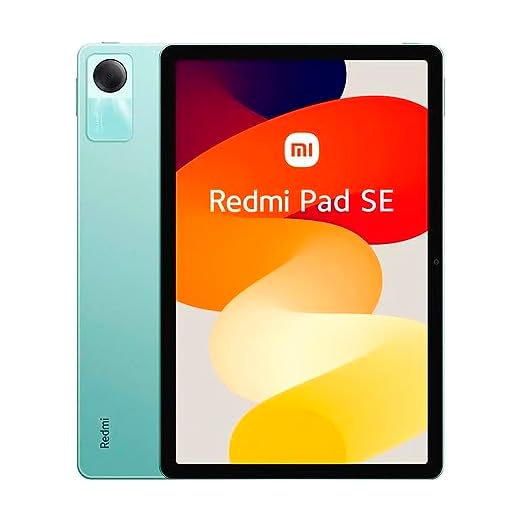
Xiaomi Redmi Pad SE 11-inch Tablet
You get a surprisingly capable 11" FHD screen, Dolby Atmos quad speakers, and long battery life for a very low price. It’s an excellent pick if your priority is media, reading, and light multitasking rather than heavy gaming.
Pros
- Sharp 11" FHD display with 90Hz refresh
- Quad speakers with Dolby Atmos for immersive audio
- Long 8000mAh battery for extended use
- Affordable price with expandable storage
Cons
- Mid-range Snapdragon 680 limits heavy gaming
- Charger plug and adapter can be awkward for some regions
- Wi‑Fi only (no cellular)
What you’ll get
The Redmi Pad SE is aimed squarely at people who want a large, comfortable screen for streaming, reading, and schoolwork without paying flagship prices. You’ll notice a bright 11" 1900 x 1200 display, four speakers tuned for Dolby Atmos, and a large battery that keeps you watching and browsing all day.
- 11" FHD (1900 x 1200) IPS display, 90Hz refresh
- Qualcomm Snapdragon 680 chipset with 4GB RAM and 128GB storage
- Quad speakers with Dolby Atmos and 8000mAh battery
Key strengths and everyday use
If you spend most of your time on video apps, e-books, web browsing, or split-screen productivity, this tablet gives you excellent bang for your buck. You’ll appreciate the clear audio for shows and the screen’s color reproduction for photos and video calls. Users who pair it with a Bluetooth keyboard can easily handle light document work and note-taking.
Limitations and practical tips
The processor is competent for everyday tasks but won’t hold up for sustained, demanding gaming or heavy video editing. Also, the unit ships as Wi‑Fi only and often includes a region-specific charger plug — you may need a local adapter or spare USB-C charger. If you want the most power for gaming, look higher up the range; if you want an affordable media tablet, this one delivers.
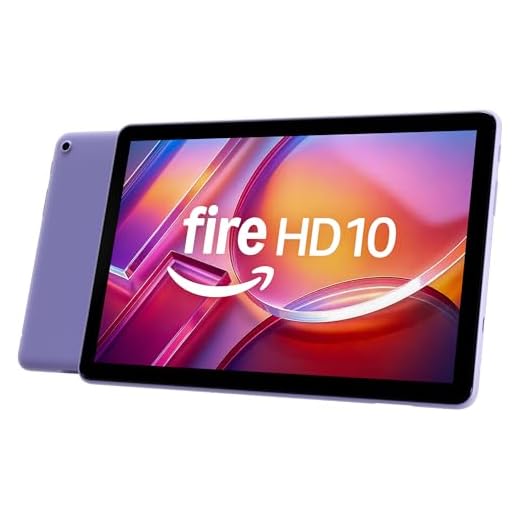
Amazon Fire HD 10 10.1-inch Tablet
You’ll enjoy a bright 1080p display, improved performance over prior generations, and long battery life at a very accessible price. It’s best if you’re comfortable with Amazon’s app ecosystem and want a dependable media and reading device.
Pros
- 1080p 10.1" display with solid color and clarity
- Improved octa-core performance and 3GB RAM
- Long battery life and light weight
- Excellent value for streaming and reading
Cons
- Amazon Appstore limits access to some Google Play apps
- Lower RAM and storage options versus premium tablets
- Some models include lockscreen ads unless you pay extra
What to expect
The Fire HD 10 is focused on delivering a no-nonsense media and reading experience at a low price. With its 10.1" 1080p display, stereo speakers, and snappier processor than older Fire models, you’ll find it well-suited for streaming, ebooks, and browsing.
- 10.1" 1920 x 1200 Full HD display (224 ppi)
- Octa-core processor, 3GB RAM, 32GB or 64GB storage options
- Tight integration with Amazon apps and services
Where it shines and how you’ll use it
If your primary tasks are watching movies, reading Kindle books, and casual apps, this tablet gives you a lightweight and long-lasting device that’s easy to carry. The screen and speakers make binge-watching and video calls comfortable, and the overall software is designed to keep things simple.
Limitations and practical tips
If you rely on Google Play apps or want the widest app compatibility, be prepared for occasional workarounds. Also, choose the ad-free option if lockscreen ads will bother you. For the money, though, this is a very competitive and practical daily driver.
Lenovo Tab M11 11-inch Android Tablet
You get a dependable 11" WUXGA screen, decent battery life, and a package that often includes a folio case and stylus. It’s a sensible pick for students, seniors, and anyone who needs a reliable everyday tablet without premium price tags.
Pros
- 11" 1920x1200 display with good color and brightness
- Includes folio case and stylus for extra value
- Solid battery life (around 10 hours)
- Clean Android 13 experience with useful updates
Cons
- 4GB RAM is modest for heavy multitasking
- Not ideal for GPU-heavy gaming
- Wi‑Fi only; no high-end connectivity like Wi‑Fi 6
Who this is for
The Tab M11 is aimed at everyday users who need a balanced mix of multimedia and light productivity. If you want a tablet for reading, streaming, video calls, and casual app use, this model covers those bases without overwhelming complexity.
- 11" 1920 x 1200 WUXGA display
- MediaTek Helio G88 octa-core processor, 4GB RAM, 128GB storage
- Includes folio case and stylus in many bundles, runs Android 13
Practical strengths and day-to-day use
You’ll notice a responsive screen for reading and video playback and appreciate the included accessories that save you extra purchases. The battery life and clean software make it easy to hand off to less tech-savvy family members, and the display is bright enough for casual work and entertainment.
Trade-offs to expect
Don’t expect flagship performance — the Tab M11 isn’t meant for intense gaming or professional creative work. If you frequently switch between dozens of heavy apps, the 4GB RAM will feel limiting. For most users though, it’s a reliable, affordable companion.
Lenovo Tab P11 2nd Gen 11.5-inch Tablet
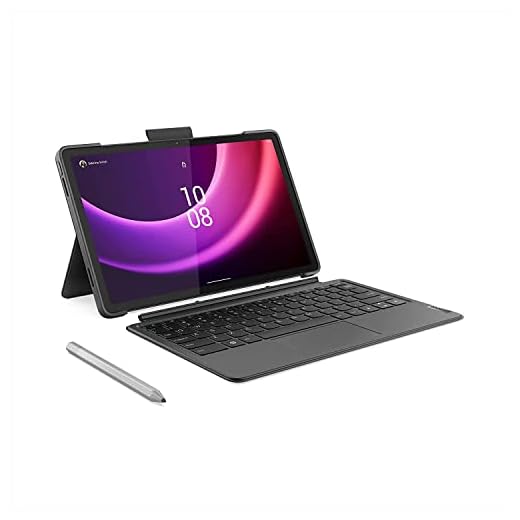
You’ll benefit from an 11.5" 2K display, included keyboard and pen, and a battery that handles long sessions. It’s a practical choice if you want a work-friendly tablet on a mid-range budget.
Pros
- 11.5" 2K display for comfortable reading and editing
- Keyboard and pen included for immediate productivity
- Good battery life and Xbox Cloud Gaming support
- Balanced price-to-features for students and remote workers
Cons
- Runs Android 12L (updates depend on region)
- Performance is mid-tier for demanding creative apps
- Accessories included may be basic compared to premium options
Built for getting things done
The Tab P11 (2nd Gen) focuses on productivity and value: you get a sizable 11.5" 2K display, keyboard and pen in the box, and software features that make multitasking straightforward. If your routine includes note-taking, light document editing, and streaming, this tablet fits well.
- 11.5" 2K (approx) display, octa-core processor
- 4GB RAM, 128GB storage, keyboard and pen bundled
- Android 12L or later with split-screen support and productivity tweaks
How you’ll use it day-to-day
You’ll likely use the keyboard and pen for lectures, meetings, or creative sketches — everything from slide edits to note-taking benefits. Battery life is tuned for all-day classroom or meeting use, and cloud gaming compatibility gives you casual gaming options.
Where it falls short
If you rely on the very latest OS features or do heavy 3D work, this model can feel limited. Performance is fine for typical productivity and media, but power users should look at higher-end tablets with stronger processors and more RAM.
Final Thoughts on the Best Cost-Benefit Tablets
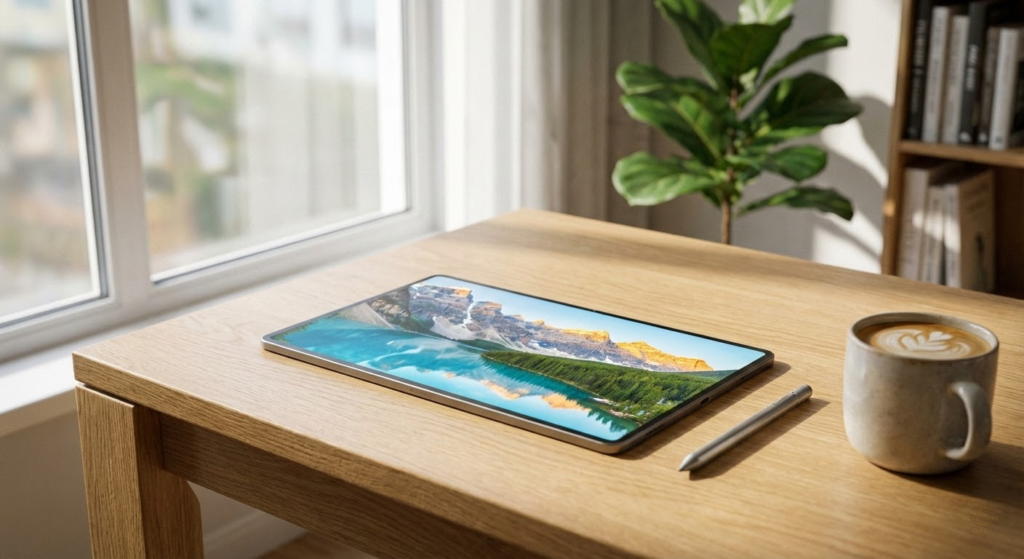
If you want the best overall value that balances performance, longevity, and app support, go with the Apple iPad 11-inch (A16). It delivers A16-level speed, a vivid Liquid Retina display, and a smooth iPadOS experience with strong app and accessory support — ideal for students, creators, and anyone who wants a reliable, future-proof tablet for productivity and creative work.
If you prefer an Android option that gives near-flagship performance and a spectacular screen for the price, pick the OnePlus Pad 3 13.2-inch. Its Snapdragon 8 Elite chipset, 3.4K 144Hz display, and huge battery with very fast charging make it the best pick for power users who prioritize multitasking, streaming, and high-refresh creative or gaming experiences.
How to Choose the Best Cost-Benefit Tablets
Finding a tablet that balances price and performance can feel tricky, but the good news is that there are plenty of great options available today. The best cost-benefit tablets are those that deliver solid performance, good displays, and long battery life without pushing the price too high. To make the right choice, it’s important to focus on the features that really matter for your daily use.
Define Your Main Use Case First
Before comparing specs, think about how you plan to use your tablet. For reading, streaming videos, browsing the web, and casual gaming, entry-level and mid-range tablets are usually more than enough. If you plan to work, study, or multitask with several apps at once, you’ll benefit from models with stronger processors and more RAM.
Knowing your priorities helps avoid paying extra for features you won’t actually use, which is key when looking for the best cost-benefit tablets.
Operating System: Android, iPadOS, or Windows
The operating system strongly influences the overall experience. Android tablets are widely available in different price ranges and offer good customization, making them popular for budget-friendly options.
iPadOS is known for its smooth performance, long-term updates, and strong app ecosystem, especially for productivity and creativity. While some models are more expensive, older or entry-level versions can still offer excellent value.
Windows tablets are ideal for users who want a device closer to a laptop experience. They usually cost more but can replace a traditional computer for certain tasks.
Processor and Performance: Enough Power for Daily Tasks
A good processor ensures that your tablet runs smoothly without lag. For basic tasks like streaming, reading, and social media, mid-range processors provide reliable performance. For productivity, drawing, or light gaming, choosing a slightly more powerful chipset can significantly improve responsiveness.
When evaluating cost-benefit, the goal is not to get the most powerful processor on the market, but one that matches your needs without inflating the price.
RAM and Storage: Balance Is Key
RAM directly affects multitasking. Tablets with 4GB of RAM are usually sufficient for everyday use, while 6GB or more is recommended for heavier multitasking and productivity apps.
Storage is equally important. Models with at least 64GB are ideal for most users, especially if the tablet doesn’t support expandable storage. For media-heavy use, more internal space can prevent future headaches.
Display Quality Makes a Big Difference
The screen is one of the most important features of any tablet. A Full HD resolution offers sharp images and a comfortable viewing experience without raising costs too much. Screen size is also a personal choice—smaller tablets are more portable, while larger ones are better for movies, reading, and multitasking.
Display technology matters too. IPS panels offer good color accuracy and viewing angles, while higher-end displays provide better contrast and brightness, enhancing overall value.
Battery Life: Essential for Mobility
One of the biggest advantages of a tablet is portability, and battery life plays a huge role here. A good cost-benefit tablet should easily last a full day of moderate use, including streaming, browsing, and note-taking.
Larger batteries and efficient processors help extend usage time, reducing the need to constantly recharge throughout the day.
Connectivity and Extra Features
Features like Wi-Fi standards, Bluetooth versions, and optional cellular connectivity can affect both usability and price. If you plan to use your tablet mainly at home or work, Wi-Fi-only models usually offer better value.
Extras such as stylus support, keyboard compatibility, and good-quality speakers can also enhance the experience, especially for students and professionals looking for versatility without paying premium prices.
Build Quality and Long-Term Value
Finally, consider durability and software support. A well-built tablet with regular updates tends to last longer, offering better value over time. Even if the upfront cost is slightly higher, long-term reliability often makes it a smarter investment.
By focusing on real-world performance, essential features, and your personal needs, you can confidently choose among the best cost-benefit tablets and get the most value for your money.
Check Out the Best Cost-Benefit Tablets
Still not sure which one to choose? Click the link below to see the best-selling products.
Also Check Out Other Helpful Articles
Take a look at more useful articles that can help you make more informed decisions.
- Best Cost-Benefit Tablets in 2026 (Top 10: Xiaomi, Samsung and More)
- Best Tablets for Reading in 2026 (Top 6: Kindle, iPad and More)
- Best Tablets for Heavy Gaming in 2026 (Top 7: iPad Pro, ASUS ROG Flow and More)
Video About the Best Cost-Benefit Tablets
We created a video on the topic. Just click to watch.
Related Articles




About the Author

Emily Clark is passionate about writing and enjoys exploring different topics through content creation. She believes in the power of words to connect and inform people.