Best E-Readers in 2026 (Top 9: Kindle, Kobo and More)

Choose the best e-readers available for your digital library with our comprehensive guide. We analyze screen quality, battery life, and portability.
You will forget you’re holding a screen. Imagine sinking into a couch with no glare, no blue-light sting, and pages that feel calm. Reading becomes about words again.
From distraction-free paper tablets to color Android slabs, there’s an e-reader built for your habits. Want to annotate like it’s paper? Or carry a whole library in one hand? There’s a clear winner for each need.
Contents
- The Best E-Readers
- reMarkable Paper Pro 11.8" Paper Tablet
- BOOX Note Air 4C Color E Ink Tablet
- Amazon Kindle Scribe 64GB with Premium Pen
- Kindle Paperwhite Signature 7" 32GB
- BOOX Palma 2 Compact Android E-Reader
- PocketBook Era 7" Glare-Free E-Reader
- Kobo Clara BW 6" Glare-Free Reader
- Meebook M7 6.8" Android E-Reader
- Barnes & Noble Nook GlowLight 4
- Final Thoughts on the Best E-Readers
- How to Choose the Best E-Readers for Your Reading Style
- Check Out the Best E-Readers
- Also Check Out Other Helpful Articles
- Video About the Best E-Readers
The Best E-Readers
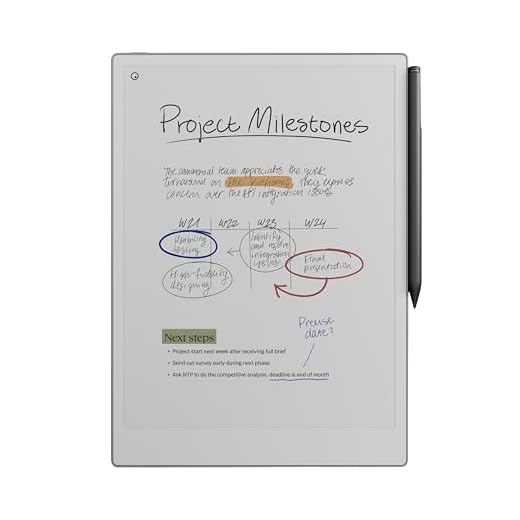

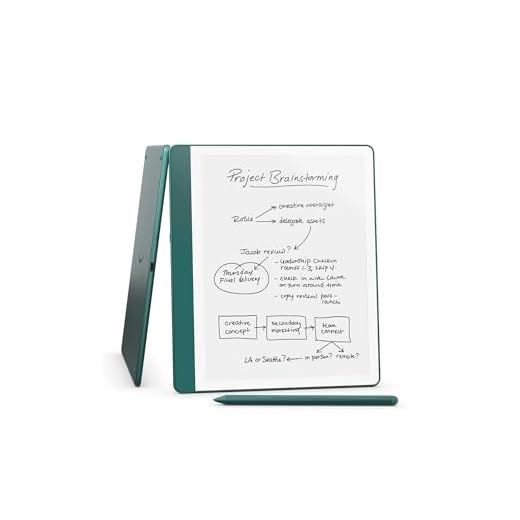
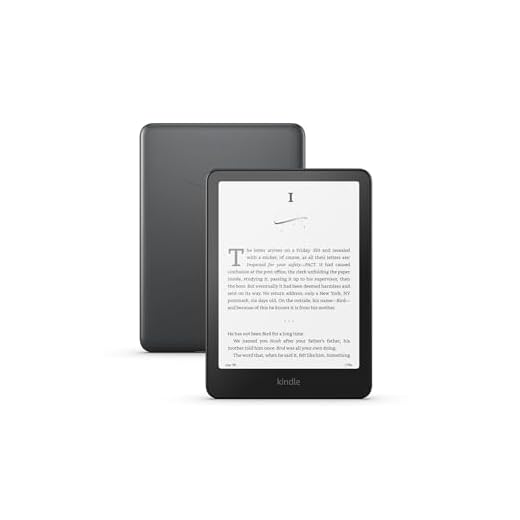

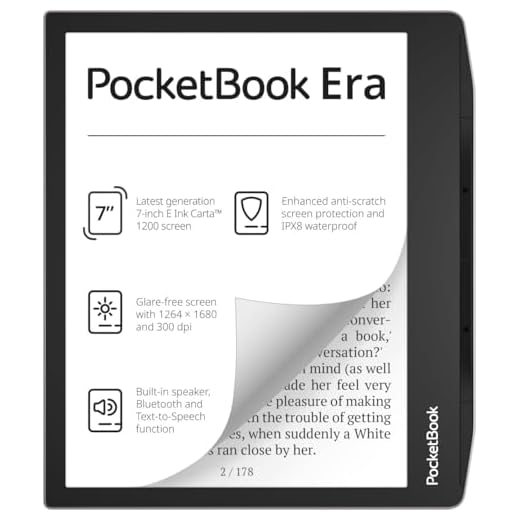


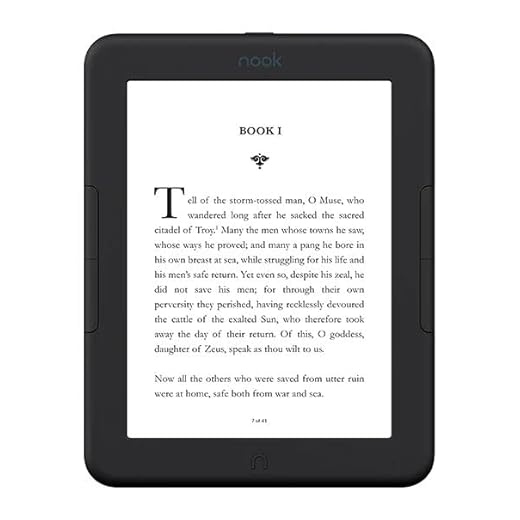
reMarkable Paper Pro 11.8" Paper Tablet
You get a near-paper writing feel and a large 11.8" color-capable display focused on notes and documents, which makes it excellent for heavy note-takers and creatives. The device prioritizes focused workflows over general-purpose apps.
Pros
- Exceptionally paper-like writing experience
- Large 11.8" display optimized for notes and PDFs
- Handwriting-to-text and cloud sync features
- Lightweight design with long battery life for note use
Cons
- Premium price with subscription-dependent features
- Not meant to replace full-featured tablets or Android readers
Built for writing, not apps
If your primary goal is handwriting, sketching, and managing document workflows without distractions, this reMarkable model delivers a delightful writing surface and clean, focused software. The 11.8" display gives you lots of room to sketch, annotate PDFs, or lay out long notes.
What you’ll appreciate every day
- Paper-like friction and low-latency pen input that closely mimics physical pen on paper.
- Templates, checklists, and the ability to convert handwriting to typed text (subscription may be required for some cloud features).
- Lightweight chassis and long battery life that keeps the device ready when you are.
Many users report it replaced multiple paper notebooks: "It has transformed how I manage work and personal notes, and handwriting conversion is a real game-changer." You’ll also find features like eraser, selection, and move tools that make reorganization straightforward.
Realistic expectations and workflow tips
This device is intentionally narrow in scope: it’s not a general Android tablet, and advanced multimedia or app ecosystems won’t be part of the experience. If you want a distraction-free digital notebook and can justify the premium, it’s one of the best in that niche. Back up notes regularly and consider the subscription for cloud sync if you rely on cross-device access.
BOOX Note Air 4C Color E Ink Tablet
You get a large 10.3" Kaleido color e-ink display with Android flexibility and excellent note-taking tools, which makes it ideal for heavy readers, students, and professionals. Expect trade-offs in color vibrancy and battery life compared with monochrome readers.
Pros
- Large 10.3" high-resolution BW and color Kaleido display
- Runs Android with Play Store — install reading and productivity apps
- Excellent stylus support with pressure sensitivity for notes
- Powerful hardware and many display/customization options
Cons
- Color mode and backlight reduce battery life
- Screen feels slightly dull compared with some monochrome displays
A productivity-first e-ink tablet
This BOOX model targets readers who also need a digital notebook: a 10.3" screen comfortable for PDFs and long documents, a capable stylus, and Android app support let you combine deep reading with note-taking and cloud workflows. The Kaleido color layer opens possibilities for comics and lightly colored diagrams.
What makes it useful day-to-day
- 10.3" Kaleido 3 color + high-res black-and-white modes, enabling either immersive reading or color-aware notes.
- Stylus support (4,096 pressure levels) and native note apps plus the ability to install third-party apps from Google Play.
- Fine-grained screen and refresh controls so you can balance ghosting versus speed for different apps.
You can annotate PDFs for work, keep searchable handwritten notes, and use Android apps like Kindle, KOReader, or your preferred cloud drives. Users report a major shift from paper: "I finally got rid of paper notebooks; the handwriting feels natural and the search is a game-changer." Keep in mind that heavy app use and color rendering will shorten battery life compared with simple ebook reading.
Practical trade-offs and tips
If you rely on long battery endurance and the crispest black-and-white contrast, consider when you’ll use color. For most productivity users, the feature set outweighs battery trade-offs. Turn off Wi-Fi when not needed and tweak per-app refresh settings to stretch a charge.
Amazon Kindle Scribe 64GB with Premium Pen
You’ll enjoy a high-resolution 10.2" Paperwhite display combined with robust note-taking tools and AI-assisted summaries that make document review and annotation faster. The device is large and less comfortable for one-handed reading, but excels as a reading-plus-writing hub.
Pros
- Large 10.2" Paperwhite display with excellent text clarity
- Built-in AI notebook tools and handwriting-to-text conversion
- Premium Pen with natural writing feel and extra tips
- Generous 64GB storage for books and notebooks
Cons
- Large size can be awkward for long single-handed reading sessions
- Pen tips wear over time and need replacement
Read, write, and organize in one device
If you want to combine deep reading with active note-taking, the Kindle Scribe is built for that workflow. The 10.2" Paperwhite display renders text crisply while the included Premium Pen lets you annotate, sketch, and maintain multiple notebooks that sync to the cloud.
Practical features that matter
- 10.2" high-resolution Paperwhite display optimized for reading and handwriting.
- AI notebook summarization and handwriting-to-text features that speed review and sharing.
- 64GB storage to keep years of books and notebooks on board.
You’ll find it excellent for workshops, research, and study: write directly on PDFs, export notes, or ask the device to summarize long notes. Many users switched from paper because the writing feel, templates, and seamless export made digital note workflows genuinely usable.
Considerations and usage tips
It’s heavier and bigger than a pocket reader, so consider how you’ll hold it for long reading sessions. If you plan to write a lot, order a few extra pen tips and keep the device on a flat surface for the best handwriting experience.
Kindle Paperwhite Signature 7" 32GB
You’ll get the fastest Paperwhite experience with a 7" high-contrast display, auto-adjusting front light, and wireless charging — a solid choice for dedicated readers who value speed and convenience. The build quality and battery life hold up for long reading sessions.
Pros
- Faster page turns and high-contrast 7" Paperwhite display
- Auto-adjusting front light and wireless charging
- 32GB storage for a large library and audiobook support
- Weeks-long battery life under normal use
Cons
- Higher price than basic Paperwhite models
- Back panel feel can be slightly plasticky to some users
Dedicated reading experience with modern refinements
This Signature Edition of the Paperwhite is focused on giving you a fast, dependable reading experience: improved page-turn responsiveness, a crisper 7" display, and conveniences like auto-brightness and wireless charging. If most of your time is spent just reading, it’s optimized for that.
Why it works in daily use
- 7" 300 ppi Paperwhite display with a higher contrast ratio and faster rendering.
- Auto-adjusting front light that adapts to your environment and wireless charging support for convenience.
- Audible support for audiobooks and a roomy 32GB of storage.
You’ll notice shorter page-turn latency compared with older Kindles and a comfortable hand feel for long sessions. It’s a user-friendly choice if you already invest in Amazon’s ecosystem and want minimal fuss in managing books and downloads.
Trade-offs and practical notes
The Signature Edition commands a premium over basic Paperwhite models. If you don’t need wireless charging or the absolute fastest page turns, the standard Paperwhite might offer better value. For many heavy readers, however, the refinements justify the price.
BOOX Palma 2 Compact Android E-Reader
You’ll get an Android-based 6.13" e-reader that fits in your pocket but still runs full apps and plays audiobooks. It’s ideal if you want a truly portable device with expandable storage and long standby battery life.
Pros
- True Android device — install apps from Play Store
- Compact 6.13" HD display that’s great for one-handed reading
- Strong battery life with Bluetooth audio support
- Large internal storage (128GB) for lots of content
Cons
- Fingerprint reader can be inconsistent for some users
- Battery drains faster with Wi-Fi/Bluetooth enabled
Pocketable but capable
This BOOX model packs Android into a compact 6.13" e-ink device so you can carry a full-featured reader plus apps in your pocket. It’s lightweight and easy to hold, and because it supports Google Play you can install audiobook apps, music, or alternative reading apps as you like.
Everyday strengths
- 6.13" 300 PPI-equivalent HD screen with front light and good outdoor readability.
- 6GB RAM + 128GB storage gives you room for a huge offline library and many apps.
- Bluetooth and audio support let you listen to audiobooks or music without another device.
Users praise its portability and versatility: "Fits in the palm of my hand, and I can install any Android ebook or audiobook app I want." Keep in mind that leaving Wi-Fi and Bluetooth on reduces battery life, so turn them off when not needed.
Tips and caveats
If you prioritize longer battery life, disable wireless radios when idle and avoid running heavy background services. If fingerprint unlocking is important, test it in-store or early and rely on a PIN if you encounter recognition issues.
PocketBook Era 7" Glare-Free E-Reader
You can open many ebook formats natively and use text-to-speech or audio playback, making it a very flexible reader for diverse libraries. The 7" Carta 1200 display offers sharp text and fast page turns, though the software interface can feel a touch slow in places.
Pros
- Excellent file-format compatibility and Koreader-ready
- 7" Carta 1200 display with high contrast and fast page turns
- Waterproof and includes audio / text-to-speech support
- Large onboard storage (16GB) and light, one-handed ergonomics
Cons
- Some software navigation can feel sluggish
- Occasional orientation sensitivity and dimmer area by buttons
A reader for open libraries
If you maintain a varied collection of EPUBs, PDFs, and less common formats, this PocketBook model is designed to let you use them without conversion. It supports audio and text-to-speech, so you can switch between reading and listening as needed.
Standout hardware and real-world benefits
- 7" E Ink Carta 1200 screen that improves contrast and touch response for sharper text.
- SMARTlight, built-in speaker, and waterproofing for poolside or bath reading.
- Good battery life and a comfortable size that balances screen area with portability.
Several users note that installing Koreader improves layout control and typography. If you like tweaking fonts and spacing, this device rewards you. For day-to-day use you’ll benefit from the fast page turns and large-format support, but be prepared for occasional UI slowdowns when browsing the library.
Limitations and practical tips
The user experience can be uneven: orientation may flip unexpectedly and some lighting modes can leave one side slightly dimmer. For best results, update firmware when available and try alternative reader apps (KOReader) if you want snappier library navigation.
Kobo Clara BW 6" Glare-Free Reader
You’ll find a snappy 6" Carta 1300 display with ComfortLight PRO and Dark Mode that makes reading at night much easier on your eyes. It’s lightweight, waterproof, and a practical alternative if you want a fast, no-nonsense e-reader outside of Amazon’s ecosystem.
Pros
- Glare-free 6" Carta 1300 display with ComfortLight PRO
- Dark Mode option for low-light reading
- Lightweight and well-constructed; good battery life
- Waterproof and easy file sideloading
Cons
- No direct access to Amazon ebook store
- Limited onboard storage compared with premium models
A compact daily driver
The Kobo Clara BW is built for straightforward reading: a clean interface, a fast page turn experience, and adjustable warm/cool front light with a Dark Mode option. If you borrow from library services or prefer EPUB, Kobo’s ecosystem and sideloading are convenient.
Daily experience and features
- 6" E Ink Carta 1300 with fast page turns and crisp typography.
- ComfortLight PRO to shift color temperature as you read later into the evening.
- Waterproofing and solid battery life make it reliable for travel and poolside reading.
You’ll enjoy a lightweight device that fades into the background while you read; many users praise it for being faster and more responsive than older generation readers. If you use library apps a lot, this device supports your workflow well — just be aware that Kindle-exclusive purchases won’t sync automatically here.
Limitations and practical advice
If you have a massive Amazon Kindle library, switching will require managing files. For most readers who want a comfortable screen, good battery life, and EPUB support, this is a very practical everyday choice.
Meebook M7 6.8" Android E-Reader
You get Android 11 and Google Play compatibility on a compact 6.8" e-ink display, which makes the device versatile for apps and sideloaded files. Expect great battery life and paper-like reading with occasional lag when switching apps or using heavier services.
Pros
- Runs Android 11 with Google Play support
- High-resolution 300 PPI 6.8" E Ink Carta display
- Good battery life for long trips
- Expandable storage via microSD and 32GB internal
Cons
- Occasional sluggishness when running heavy apps
- App compatibility and performance can vary
Who this is for
You want an affordable e-ink device that behaves more like a closed e-reader and less like a tablet — but still lets you install Android apps. The Meebook M7 gives you that hybrid: a 6.8" 300 PPI Carta display, Google Play support, and physical speakers in a lightweight package.
Key features and day-to-day benefits
- 6.8" E Ink Carta HD 300 PPI screen that reads like paper and handles sunlight well.
- Android 11 with Google Play gives you flexibility to install reading apps, library apps, and note tools.
- 3GB RAM + 32GB storage plus a micro-SD slot for a large offline library.
You’ll appreciate the large storage and app freedom if you like sideloading files or using non-Amazon bookstores. Battery life is excellent for typical reading (days to weeks depending on app use), and the adjustable color temperature helps for night reading.
Practical limitations and tips
Performance is best when you use the device primarily for reading; running many apps or library services like Hoopla may show sluggishness or occasional compatibility issues. For a smoother experience, keep background apps closed and sideload large libraries via micro-SD when possible. A reader in the wild summarized it well: "Battery life is phenomenal, but heavy app use can get slow."
Barnes & Noble Nook GlowLight 4
You get a 6" 300-dpi screen with an evenly dispersed ambient GlowLight that's easy on the eyes for night reading. It's a straightforward, affordable choice if you prefer physical page-turn buttons and a simple reading experience.
Pros
- 300-dpi high-resolution 6" screen with even GlowLight
- Physical page-turn buttons and comfortable design
- 32GB storage to carry a large library
- Scratch- and fingerprint-resistant lens
Cons
- Less app/ecosystem flexibility than Android-based devices
- Renewed units may vary in condition
Designed around comfort
If you prioritize a comfortable, simple reading experience, this Nook model emphasizes ergonomics: physical page-turn buttons, a soft-touch finish, and Barnes & Noble’s GlowLight system that provides warm, even illumination. The screen is optimized for low-reflection reading and is well suited to bedtime or outdoor use.
What you’ll notice using it daily
- 6" 300-dpi display with an anti-reflective, fingerprint-resistant lens.
- Ambient Always-On GlowLight that adjusts evenly across the display.
- Large storage (32GB) so you don’t have to juggle files.
You’ll find the buttons especially useful if you often read while lying on your side or have fumbly fingers — they solve a frequent touchscreen frustration. If you’re embedded in another ecosystem (for example, Amazon/Kindle), you’ll need to manage files manually or accept that some library conveniences may be missing.
Practical downside and advice
This is a focused reader rather than a multifunction device. If you want Android apps or advanced note-taking, look elsewhere. For most readers who want reliable, comfortable reading with tactile controls, it’s a solid, easy-to-use option.
Final Thoughts on the Best E-Readers
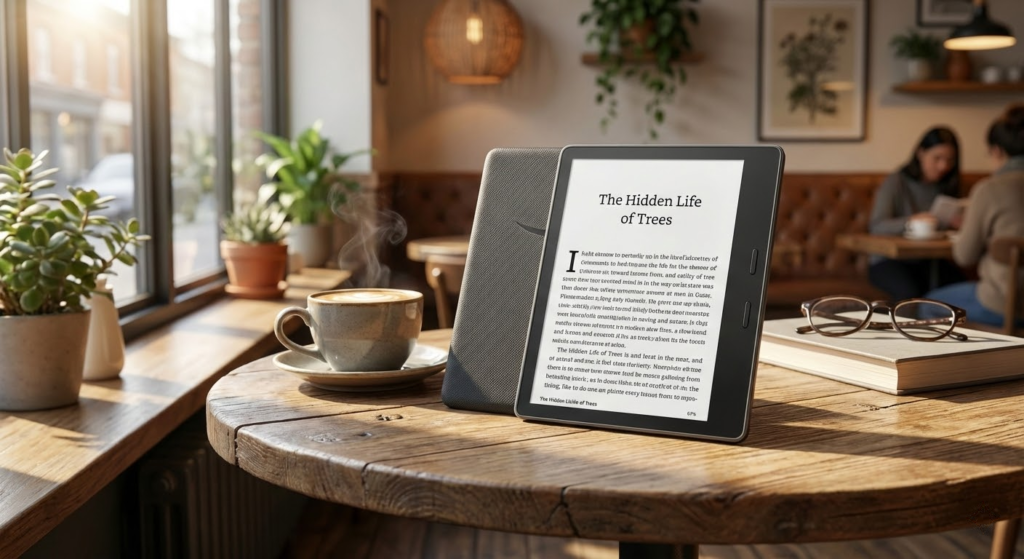
Choose the reMarkable Paper Pro 11.8" Paper Tablet if your main goal is writing, sketching, and deep focus. Its near-paper writing feel and large 11.8" display make it the best option for heavy note-takers, creatives, and anyone who wants a distraction-free canvas for documents and ideas.
Choose the Kindle Paperwhite Signature 7" 32GB if you want the fastest, most comfortable pure-reading experience. Its high-contrast 7" display, auto-adjusting front light, excellent battery life, and wireless charging make it the top pick for dedicated readers who want a compact, reliable device for long sessions.
How to Choose the Best E-Readers for Your Reading Style
If you love reading and want a device that’s easy on the eyes and practical to carry anywhere, e-readers are a great choice. With so many models available, finding the best e-readers means understanding which features actually matter for your habits, whether you read occasionally or for hours every day.
Below are the key points to consider before choosing the ideal e-reader.
Screen Technology: E Ink Makes All the Difference
One of the main advantages of e-readers is their screen technology. Most of the best e-readers use E Ink displays, which mimic the look of real paper and reduce eye strain compared to tablets or smartphones.
These screens don’t reflect light like traditional displays, making them comfortable to read even under direct sunlight. They also consume very little power, which directly impacts battery life.
Screen Size and Resolution Matter for Comfort
Screen size affects how immersive and comfortable reading feels. Smaller screens are lightweight and easy to hold with one hand, while larger screens are ideal for readers who enjoy PDFs, textbooks, or technical content.
Resolution is just as important. Higher pixel density results in sharper text and smoother fonts, which is especially noticeable during long reading sessions. If you value crisp typography, choosing an e-reader with a higher resolution is a smart move.
Built-In Lighting for Day and Night Reading
Many modern e-readers come with built-in front lighting, allowing you to read comfortably in low-light environments. Unlike traditional backlit screens, this lighting is directed onto the page rather than into your eyes.
Some of the best e-readers also offer adjustable brightness and color temperature, making it easier to read at night without disturbing sleep or causing eye fatigue.
Storage Capacity: How Many Books Do You Need?
E-books don’t take up much space, but storage still matters. Even entry-level e-readers can hold thousands of books, which is more than enough for most readers.
If you plan to store audiobooks, graphic novels, or large PDF files, opting for a model with higher internal storage will give you more flexibility and reduce the need to manage files frequently.
Battery Life That Lasts Weeks, Not Hours
One of the biggest advantages of e-readers over tablets is battery life. Instead of charging daily, many e-readers can last weeks on a single charge, depending on usage and lighting settings.
If you travel often or prefer devices with minimal maintenance, long battery life is a key feature to look for when comparing the best e-readers.
Supported File Formats and Ecosystem
Not all e-readers support the same file formats. Some are more flexible and allow you to read books from multiple sources, while others work best within a specific digital bookstore ecosystem.
Before choosing, consider where you usually buy or download your e-books and make sure the device supports those formats without complicated conversions.
Extra Features That Enhance the Reading Experience
Beyond the basics, some e-readers include features like waterproofing, audiobook support via Bluetooth, note-taking capabilities, and compatibility with a stylus.
These extras may not be essential for everyone, but they can significantly improve the experience for users who read near water, listen to audiobooks, or use e-readers for study and work.
Design, Weight, and Ergonomics
Comfort is key for long reading sessions. Lightweight designs, slim bezels, and textured backs can make a big difference in how the device feels in your hand.
The best e-readers balance durability with portability, making them easy to carry in a bag while still feeling sturdy enough for everyday use.
Finding the Best E-Readers for You
Choosing among the best e-readers isn’t about picking the most expensive model—it’s about finding the one that fits your reading habits, preferred formats, and lifestyle. By focusing on screen quality, lighting, battery life, and usability, you’ll end up with an e-reader that makes reading more enjoyable and effortless wherever you are.
Check Out the Best E-Readers
Still not sure which one to choose? Click the link below to see the best-selling products.
Also Check Out Other Helpful Articles
Take a look at more useful articles that can help you make more informed decisions.
- Best E-Readers in 2026 (Top 9: Kindle, Kobo and More)
- Best iPads for Drawing in 2026 (Top 6: Pro, Air and More)
- Best Kindle Cases in 2026 (Top 7: Waterproof, Fabric and More)
Video About the Best E-Readers
We created a video on the topic. Just click to watch.
Related Articles

About the Author

Emily Clark is passionate about writing and enjoys exploring different topics through content creation. She believes in the power of words to connect and inform people.