Best i9 Laptops in 2026 (Top 9: ASUS ROG Strix, MSI Katana, and More)

Last Updated on February 10, 2026
Looking for extreme performance? Discover the best i9 laptops for gaming, video editing, and demanding professional work. Get maximum power for your tasks.
You don’t need a desktop — just the right laptop. Modern Core i9 machines squeeze serious multi-core power into portable bodies.
Whether you’re gaming, rendering, or juggling hundreds of browser tabs, you want sustained performance and sensible thermals. Expect raw speed, but remember: battery life and weight are part of the trade-off.
Contents
- The Best i9 Laptops
- ASUS ROG Strix G16 High-End Gaming
- MSI Katana 15 HX Gaming Laptop
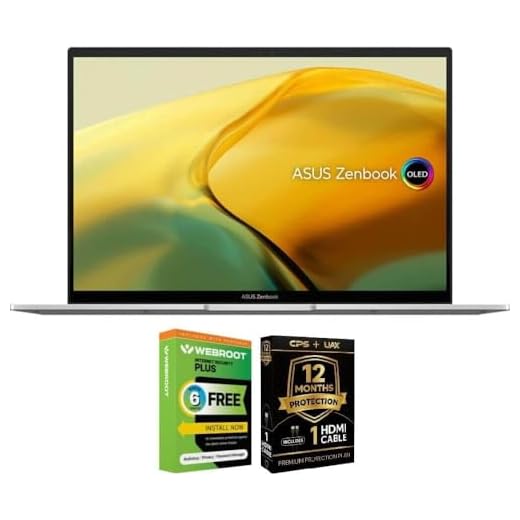
- ASUS Zenbook 14 2K OLED Laptop
- Acer Nitro V 15 High-Performance Laptop
- Acer Nitro V 15 (RTX 4060)
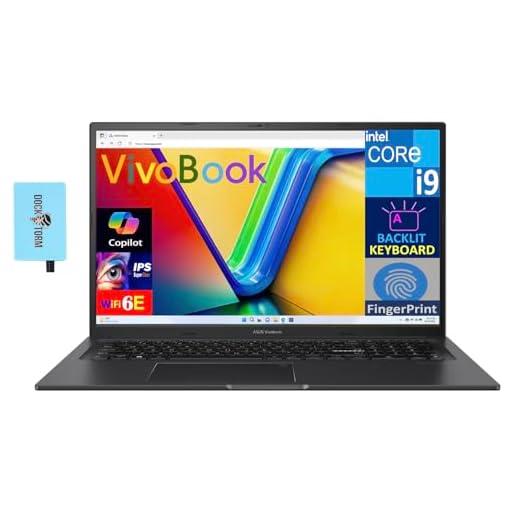
- ASUS Vivobook K3704VA 17.3-inch Workhorse
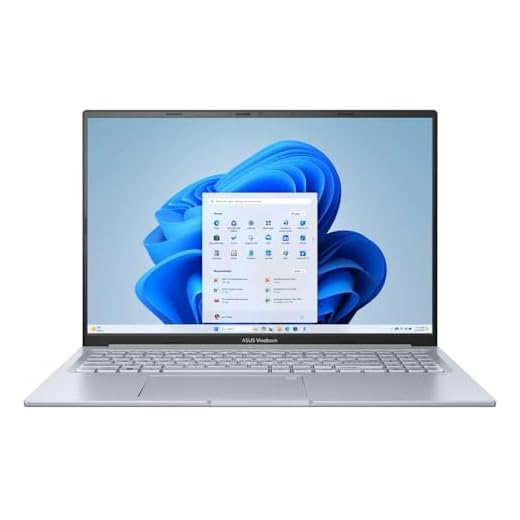
- ASUS Vivobook Pro 16 (Renewed)
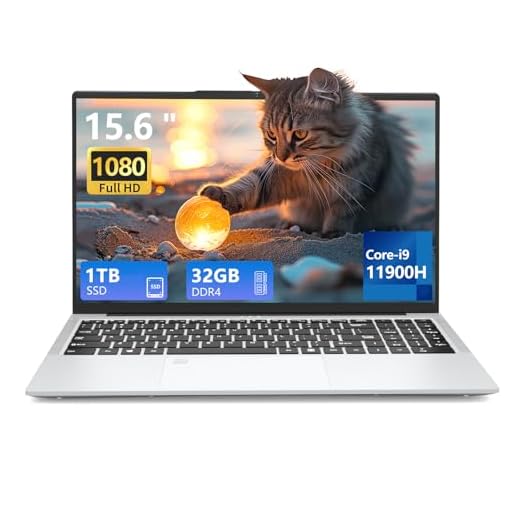
- AVENKA 15.6-inch i9 Performance Laptop
- MITUNTUN 15.6-inch Budget i9 Laptop
- Final Thoughts on the Best i9 Laptops
- How to Choose the Best i9 Laptops
- Check Out the Best i9 Laptops
- Also Check Out Other Helpful Articles
- Video About the Best i9 Laptops
The Best i9 Laptops




ASUS ROG Strix G16 High-End Gaming
You get an extremely capable platform for AAA gaming and content creation thanks to a high‑end Core i9 and an RTX 4070 with a high power budget. Advanced cooling, liquid metal on the CPU, and a 240Hz QHD Nebula display make this a top pick for power users who need sustained performance.
Pros
- High-performance i9-14900HX paired with RTX 4070 (high TGP)
- ROG Intelligent Cooling with liquid metal and tri-fan setup
- Nebula QHD 240Hz display — great for competitive and cinematic use
- MUX Switch and Advanced Optimus for optimized GPU performance
Cons
- Premium price point compared to mid-range options
- Heavier and larger chassis — less portable for daily commuting
- Some users report inconsistent software/hardware quirks
Who this is for
This machine is aimed at serious gamers and creators who demand sustained, high-power performance from a laptop. If you stream, edit video, run virtual machines, or play modern AAA titles at high settings, this model keeps frame rates stable thanks to its robust cooling and power delivery.
Performance and thermal engineering
ASUS puts a lot of emphasis on thermal headroom here: liquid metal on the CPU, enlarged heat pipes, and a tri-fan architecture give you more consistent clocks under prolonged load. The RTX 4070 at a high TGP delivers strong results in both raster and ray‑traced workloads.
- 16-inch 16:10 QHD Nebula display with 240Hz refresh for responsiveness and visual fidelity
- 32GB DDR5-5600 and PCIe 4x4 1TB SSD for fast multitasking and storage
- MUX Switch & Advanced Optimus improve battery/runtime tradeoffs and raw gaming performance
Practical notes and limitations
Expect a premium cost and a larger, heavier package that’s best used on a desk or in a backpack occasionally. A few users report software glitches or service friction; factor in the potential need for firmware/driver updates and occasional vendor support.
Final takeaway
If you prioritize performance and thermal consistency over ultra-portability, this is one of the best Windows gaming laptops you can buy. It’s a strong choice for power users who want desktop-class gaming and content-creation ability in a single machine.
MSI Katana 15 HX Gaming Laptop
You get class-leading CPU and GPU performance for the price, with a sharp QHD 165Hz panel that benefits both competitive and single-player gaming. Thermals and I/O are strong for extended sessions, though battery life is short if you unplug frequently.
Pros
- Powerful Intel Core i9-14900HX and RTX 5070 combination
- QHD 165Hz display with wide color (100% DCI-P3)
- Generous 32GB DDR5 and 1TB NVMe storage
- Robust cooling (Cooler Boost 5) and flexible I/O
Cons
- Very short battery life under load (~2–3 hours)
- Fans can get loud during heavy use
- Relatively heavy for a 15.6-inch laptop
Who this is for
If you're after high frame rates, sharp visuals, and a laptop that feels like a desktop replacement without the desktop price, this is a solid choice. You’ll appreciate the hybrid 24-core HX CPU and NVIDIA Blackwell RTX 5070 when running modern AAA titles or streaming while gaming.
Key strengths and what you’ll notice
The system pairs a top-tier mobile Core i9 with an RTX 5070 to deliver fast load times and strong rasterization and ray-tracing performance. The QHD 165Hz screen keeps motion crisp and colors vibrant, which is noticeable in fast shooters and immersive single-player experiences.
- 24-core Intel Core i9-14900HX offering heavy multitasking and content-creation headroom
- NVIDIA GeForce RTX 5070 with DLSS/DLRT features for boosted frame rates
- 32GB DDR5 and 1TB NVMe for responsive workflows
Practical considerations and limitations
You’ll get excellent performance, but battery life is limited and thermals are managed by assertive fans — expect noise during intense sessions. The laptop is well suited to a desk setup where you can use mains power and plug in peripherals.
"For the price you’re getting a machine that punches well above its weight in gaming and productivity, but plan to keep it plugged in for long sessions."
Final takeaway
If you want the most gaming horsepower for a mid‑range price and don’t mind carrying a slightly heavier machine with a short battery life, this delivers exceptional value. The display, memory, and storage make it a great pick for gamers who also do content work on the side.
ASUS Zenbook 14 2K OLED Laptop
The 2.8K OLED panel with Pantone validation gives you vivid, color-accurate visuals ideal for photo and video work on the go. Combined with a 13th-gen i9 and a compact chassis, it’s excellent for creators who need portability without sacrificing display quality.
Pros
- Stunning 14" 2.8K OLED HDR display with 100% DCI-P3
- Compact, lightweight chassis with strong build quality
- Thunderbolt 4 ports and good connectivity
- Fast i9 performance for creative workflows
Cons
- Integrated Intel Iris Xe limits high-end GPU workloads
- Potential thermal limits under long, sustained heavy loads
Who this is for
If you frequently travel and need a laptop that doubles as both a color‑accurate creative tool and a responsive workstation, this Zenbook is aimed squarely at you. The OLED screen is where it truly shines for image-critical work.
Display and real-world use
A 2.8K OLED panel with Pantone validation and 100% DCI‑P3 color coverage gives you excellent contrast, deep blacks, and accurate hues. You’ll notice improved color grading precision and sharper text when working with images or video.
- 14" WQXGA+ 2880 x 1800 OLED with 90Hz refresh
- Intel Core i9-13900H for fast rendering and multitasking
- 1TB PCIe Gen4 SSD and 16GB LPDDR5 for snappy performance
Practical considerations
Because it’s a thin and light Zenbook, expect some thermal and power trade-offs when you push the CPU hard for extended periods. The integrated GPU is fine for light creative acceleration but won’t replace a discrete GPU for heavy rendering or high‑end gaming.
Final takeaway
This Zenbook is one of the best portable options if display quality and travel-friendly design matter most. It’s a top pick for content creators who move between locations and need dependable color accuracy and responsiveness.
Acer Nitro V 15 High-Performance Laptop
This model gives you a strong i9-13900H and RTX 5060 pairing at a competitive price, making it a great all-round gaming laptop. The 165Hz IPS panel and solid thermals make it a dependable daily driver for gaming and streaming.
Pros
- Strong 13th-gen Intel i9 CPU performance
- RTX 5060 provides good 1440p/1080p frame rates
- 165Hz FHD IPS display for smooth gameplay
- Good port selection and Wi-Fi 6 connectivity
Cons
- DDR4 memory rather than DDR5
- Build quality and battery life are average
Who this is for
Choose this if you want a no‑nonsense gaming laptop that gives you modern CPU and GPU performance without an exorbitant price tag. It's well suited for gamers who play competitive and single-player titles and want a responsive display.
What you’ll get in everyday use
The i9-13900H handles streaming, recording, and gaming simultaneously with ease, while the RTX 5060 provides consistently good frame rates at 1080p and respectable results at higher detail levels. The 165Hz IPS panel helps you spot motion more clearly in competitive games.
- 15.6-inch FHD 165Hz IPS — smoother motion during fast gameplay
- Intel Core i9-13900H with multithreaded headroom for streaming and productivity
- 1TB Gen4 SSD for fast boot and load times
Practical notes and limitations
You’ll notice the trade-off of DDR4 memory and a chassis that prioritizes cost-efficiency over premium materials. Battery and thermals are typical for mid-range gaming laptops — capable but not exceptional.
Final takeaway
This Nitro V is a solid pick if you value raw performance per dollar and a high refresh display, but if you want the absolute lightest, longest‑lasting, or most premium-feeling option you might look higher in the price range.
Acer Nitro V 15 (RTX 4060)
This variant trades the 5060 for an RTX 4060 but keeps the fast Core i9 and DDR5 memory, giving a strong balance of performance and battery life. The 144Hz FHD screen and lighter storage footprint make it a good portable option for gamers and creators on a budget.
Pros
- Intel Core i9-13900H with fast single- and multi-core performance
- RTX 4060 handles modern games well at 1080p
- DDR5 memory for better bandwidth than DDR4
- Decent battery life listed (up to ~8 hours in light use)
Cons
- 512GB SSD might fill up quickly for large game libraries
- Still a mid-range chassis—thermals and noise under load
Who this is for
If you want a fast CPU and the benefits of DDR5 memory while keeping costs reasonable, this Nitro V configuration is appealing. You’ll be able to handle demanding tasks, edit video, and play AAA titles at 1080p without constant compromise.
Everyday performance and display
The 15.6-inch FHD 144Hz IPS panel provides fluid visuals for both gaming and desktop tasks. The combination of i9-13900H and an RTX 4060 launches games quickly and supports creative workloads such as video editing or compiling code.
- 13th-gen Core i9 for strong multicore performance
- NVIDIA RTX 4060 with 8GB VRAM — solid 1080p gaming performance
- 16GB DDR5 and Gen4 SSD provide responsive system behavior
Practical considerations
You’ll likely want to add more storage if you keep many AAA titles installed, and under very heavy load expect fan noise and higher surface temperatures. For general gaming and productivity the package is sensible and balanced.
Final takeaway
This configuration is a good middle-ground: more modern memory and a competent GPU make it a reliable pick for gamers who want high frame rates at 1080p and creators who need a responsive system on a budget.
ASUS Vivobook K3704VA 17.3-inch Workhorse
You get a roomy 17.3-inch display and an unusually large 40GB RAM configuration that makes multitasking and heavy productivity painless. Integrated graphics limit gaming potential, but for coding, spreadsheets, virtual machines, and large datasets this is a compelling portable workstation.
Pros
- Massive 40GB RAM for intensive multitasking and VMs
- Large 17.3" FHD display for comfortable productivity
- 1TB PCIe SSD and Windows 11 Pro for business use
- Quiet operation and solid build per user reports
Cons
- Integrated Intel Iris Xe limits gaming and GPU-heavy tasks
- Bulkier and less portable than 15-inch alternatives
Who this is for
This Vivobook is built for users who need a spacious screen and large memory footprint — think developers running many containers, analysts juggling large spreadsheets, or anyone who keeps dozens of memory-hungry apps open at once.
Daily experience and features
The 17.3-inch FHD panel gives you more vertical and horizontal space for windows and documents, and with 40GB of RAM you'll experience fewer slowdowns when switching between heavy workloads. The system ships with Windows 11 Pro and is configured by a reseller to include enhancements and tested upgrades.
- 13th Gen Intel Core i9-13900H for strong CPU throughput
- 40GB DDR4 RAM for serious multitasking and caching
- 1TB PCIe SSD for fast boot and file access
Practical considerations
Don’t buy this if you need strong GPU acceleration — it relies on integrated graphics. The laptop is larger and will weigh more in a bag, but the trade-off is a more desktop-like workspace that increases productivity.
Final takeaway
If you prioritize screen real estate and memory over gaming performance, this Vivobook is a great portable workstation. It’s especially useful for professionals who need many apps and documents open concurrently.
ASUS Vivobook Pro 16 (Renewed)
This renewed Vivobook Pro gives you a 13th-gen i9 and an RTX 4050 for content creation and light gaming at a lower price point. The 16-inch WUXGA panel and Thunderbolt 4 connectivity make it versatile, but renewed status and DDR4 memory are trade-offs to consider.
Pros
- 13th-gen Core i9 with good single-core performance
- 16-inch WUXGA screen suitable for editing and productivity
- Thunderbolt 4 and 1TB SSD for fast I/O and storage
- Affordable price when renewed
Cons
- Renewed condition may mean variable warranty/condition
- DDR4 RAM and RTX 4050 limit future‑proofing compared to DDR5 options
Who this is for
This is a solid fit if you want higher CPU performance for creative work (photo/video editing, encoding, compiling) but need to keep costs down. Being a renewed unit, you’ll save money but should verify seller warranty and inspection details.
What to expect in daily use
You’ll enjoy responsive editing and decent GPU-accelerated effects thanks to the RTX 4050. The 16-inch WUXGA screen provides usable workspace and comfortable viewing for long sessions. The Thunderbolt 4 port gives you easy expansion options for fast external drives or docks.
- 13th Gen i9-13900H for heavy multitasking and content creation
- NVIDIA GeForce RTX 4050 for hardware-accelerated creative workflows
- 1TB SSD and Thunderbolt 4 for speedy storage and peripherals
Practical considerations
Because this is a renewed machine, condition can vary — check the seller’s refurbishing process and return policy. The use of DDR4 rather than DDR5 means bandwidth is less future-proof than newer designs.
Final takeaway
If you want i9 performance on a budget and are comfortable buying renewed hardware with appropriate protections, this Vivobook Pro is a pragmatic choice for creators who need CPU muscle and modern I/O without a brand-new price tag.
AVENKA 15.6-inch i9 Performance Laptop
This model delivers a surprisingly capable everyday experience with abundant RAM and solid battery life for the class. It’s a reasonable pick for students and mobile professionals who need snappy multitasking and portability at a modest price, but GPU-heavy workloads are limited.
Pros
- Good multitasking with 32GB RAM and 1TB SSD
- Comfortable 15.6" FHD display and lightweight build
- Longer battery life reported in real-world use
- Fingerprint sensor and quiet operation enhance usability
Cons
- Uses older i9-11900H — not as efficient as modern i9s
- Integrated graphics limit gaming and heavy GPU tasks
- Battery life claims vary between reviews
Who this is for
This AVENKA model suits students, office workers, and anyone who prioritizes portability and general productivity over high-end gaming. With 32GB of RAM and a 1TB SSD you’ll rarely feel memory-constrained during typical workloads.
Everyday experience and strengths
You’ll notice quick app switching, fast boot times, and comfortable typing sessions. Reviews mention impressively long battery life for the price class and a quiet, fanless-feeling experience under moderate use, which makes it excellent for libraries and classrooms.
- 32GB RAM and 1TB SSD for multitasking and storage-heavy workflows
- 15.6" FHD screen and lightweight chassis for mobility
- Fingerprint reader and solid keyboard for secure, comfortable use
Practical considerations
While battery performance is often cited as a positive, results vary by workload and unit — don’t rely on extreme runtimes for sustained heavy use. The i9-11900H is an older architecture and integrated graphics won’t replace a discrete GPU for gaming or heavy GPU-accelerated tasks.
Final takeaway
If you want a highly capable, portable machine for productivity and light creative work at a modest price, this laptop represents a pragmatic choice. For serious gaming or future-proof GPU performance, consider a model with a dedicated GPU and more recent CPU architecture.
MITUNTUN 15.6-inch Budget i9 Laptop
You get a very compelling spec sheet on paper — 32GB RAM and 1TB SSD at a low price — which makes this attractive for light gaming, office work, and media. However, it uses an older 11th‑gen i9 and reports of heat and short battery life mean you should manage expectations for sustained heavy workloads.
Pros
- Large 32GB RAM and 1TB SSD at an entry-level price
- Thin and lightweight chassis suitable for travel
- Good basic performance for web, office, and light gaming
Cons
- Older 11th-gen i9 (i9-11900H) lags modern i9 generations
- Notable heating under load and short battery life
- Brand and support are less established
Who this is for
This laptop targets budget-conscious buyers who want lots of RAM and storage without spending on premium brands. If you primarily do office work, browsing, streaming, and occasional light gaming, it’s a tempting proposition.
Real-world performance and trade-offs
The 11th-gen i9 handles everyday tasks and some CPU‑bound workloads, and the large RAM/SSD combo makes multitasking smooth. But expect thermal throttling and reduced performance during prolonged heavy loads, and plan to use a cooling pad for gaming sessions.
- 32GB RAM and 1TB SSD for responsive multitasking and ample storage
- 15.6" FHD IPS display for general productivity and media
- Wi-Fi 6 and Bluetooth 5.2 for modern connectivity
Practical considerations
Battery capacity is modest and users report run times under heavy use; the unit can heat up, so don’t expect desktop-level sustained performance. Warranty, driver updates, and after-sales support will vary by seller — check return policies and support options.
Final takeaway
If your budget is tight and you need big RAM and storage now, this offers strong value. For heavy gaming, long rendering sessions, or buyers who want long-term platform support, a newer-generation model from a mainstream vendor is a safer bet.
Final Thoughts on the Best i9 Laptops
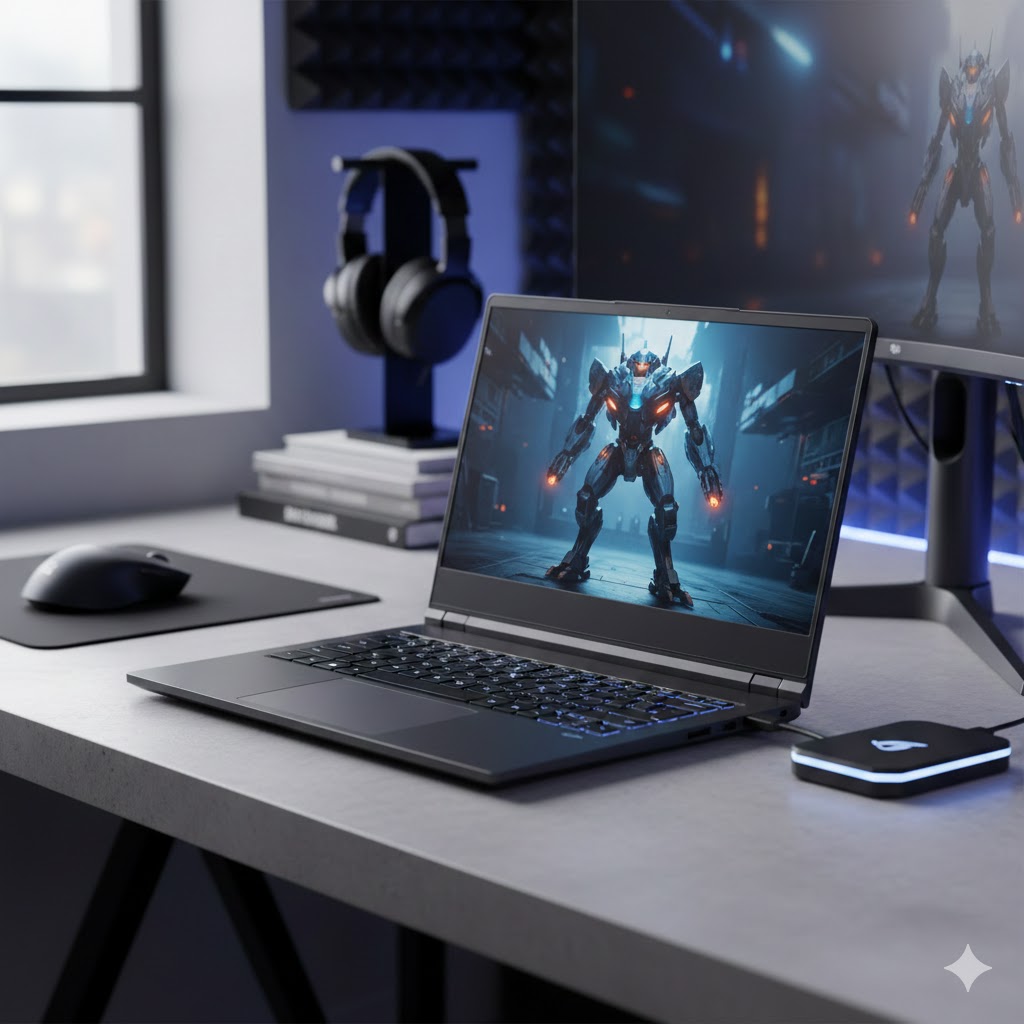
If you want the absolute best balance of sustained gaming performance and content-creation power, go for the ASUS ROG Strix G16 High-End Gaming. It combines a high-end Core i9 with an RTX 4070 on a generous power budget, advanced cooling (including liquid metal on the CPU), and a 240Hz QHD Nebula display — ideal for AAA gaming at high settings, live streaming, and long video exports. Buy this if you need top-tier, sustained frame rates and heavy rendering capability and can accept shorter battery life and a heavier chassis.
If your priority is color-accurate work and portability, choose the ASUS Zenbook 14 2K OLED Laptop. Its 2.8K OLED panel with Pantone validation and a 13th-gen i9 make it perfect for photographers, video editors, and designers who travel. Pick this one when display fidelity and a light, travel-ready machine matter more than peak GPU performance.
How to Choose the Best i9 Laptops
If you want workstation-level speed in a portable device, Intel Core i9 laptops are the way to go. They’re built for power users who need exceptional performance for gaming, editing, rendering, data science, engineering software, and multitasking. Below is a complete, original guide to help you choose the best i9 laptops for your workflow.
Understand the Core i9 Lineup and Performance Levels
Not all Core i9 processors deliver the same level of performance. Depending on the generation and series, you can expect different strengths in speed, thermals, and battery efficiency.
Modern i9 CPUs generally fall into two groups:
- H-series (High Performance): Designed for gaming laptops and creative workstations. These chips offer higher frequencies and more cores, making them ideal for heavy workloads like 4K editing or 3D modeling.
- HX-series (Extreme Performance): The closest you’ll get to desktop performance in a laptop, featuring even more cores, higher power limits, and better multitasking capability.
If you run demanding software or rely on sustained high performance, choosing an i9 H-series or HX-series laptop is essential.
Make Sure the Cooling System Can Handle the Power
Core i9 laptops generate more heat than mid-range CPUs. For peak performance, the cooling system is just as important as the processor itself.
Look for features such as:
- Dual-fan cooling or tri-fan setups
- Vapor chamber systems
- Multiple heat pipes
- Larger ventilation areas
A well-designed cooling solution helps prevent thermal throttling, meaning the CPU won’t slow down under load. This ensures your best i9 laptop maintains top performance even during long gaming sessions or continuous rendering.
Aim for At Least 16GB RAM for Heavy Multitasking
An i9 laptop with limited RAM holds back performance. To match the power of the processor, consider the following:
- 16GB RAM: Suitable for gaming and moderate multitasking
- 32GB RAM: Ideal for professionals working with large project files, virtual machines, or high-resolution media
- 64GB or more: Recommended for advanced workloads like scientific computing, architecture software, and large datasets
Whenever possible, choose laptops with upgradeable RAM for long-term flexibility.
Choose the Right GPU to Complement the i9 Processor
Even the fastest CPU needs a strong GPU when handling graphics-intensive tasks. The best i9 laptops typically pair the processor with high-performance graphics.
Common pairings include:
- NVIDIA GeForce RTX (4060, 4070, 4080, 4090) for gaming and creative work
- NVIDIA RTX Studio GPUs for content creators and 3D professionals
- Intel Arc or entry-level GPUs for users who primarily need CPU power over graphics power
If you do gaming, animation, rendering, CAD, or AI workloads, make sure your i9 laptop includes a powerful dedicated GPU.
Pick the Right Display Size, Resolution, and Refresh Rate
Your display plays a huge role in productivity and comfort. Think about your daily workload:
- 15–16 inches: Best balance between portability and screen space
- 17 inches: Ideal for creators, gamers, and professionals who want a desktop feel
- 1080p (FHD): Sufficient for gaming, with high refresh rates
- 1440p (QHD): A sweet spot for clarity and performance
- 4K UHD: Best for photo/video editing or users who prioritize sharpness
Gamers should consider 120Hz to 240Hz refresh rates, while creators benefit more from calibrated color accuracy and high brightness levels.
Check Battery Capacity and Power Management Features
Core i9 laptops are performance machines, meaning they consume more energy than ultrabooks. Battery life varies widely depending on the design.
If long-lasting portability matters to you, look for:
- Larger batteries (80Wh or more)
- Hybrid CPU modes for better efficiency
- Optimized power settings for switching between performance and battery saving
Keep in mind that high-performance laptops prioritize speed over battery life, so a power adapter will often be needed for maximum performance.
Storage Matters: Prefer NVMe SSDs and Upgradeable Slots
Fast storage improves system responsiveness, app loading, and file transfers. Always prefer:
- NVMe PCIe SSDs (Gen 3 or Gen 4)
- At least 512GB, though 1TB is recommended for creators and gamers
- Laptops with dual SSD slots for expansion
A high-quality SSD ensures your best i9 laptop stays fast for years.
Keyboard, Build Quality, and Ports Are Also Important
Since i9 laptops are often used for long work sessions, comfort and durability matter. Look for:
- Solid build quality with metal or reinforced chassis
- Comfortable key travel and responsive typing
- RGB or backlit keyboards (especially for gaming or low-light work)
- A good selection of ports, like USB-C, Thunderbolt, HDMI, and SD card readers
Ports are crucial if you use multiple monitors, external drives, or professional equipment.
Check Out the Best i9 Laptops
Still not sure which one to choose? Click the link below to see the best-selling products.
Also Check Out Other Helpful Articles
Take a look at more useful articles that can help you make more informed decisions.
- Best Laptops that Runs GTA V in 2026 (Top 9: Acer Predator, Razer Blade 14 and More)
- Best Samsung Chromebooks in 2026 (Top 6: Galaxy Chromebook 2, Plus and More)
- Best Samsung Laptops for Students in 2026 (Top 8: Galaxy Book, Chromebook and More)
Video About the Best i9 Laptops
We created a video on the topic. Just click to watch.
Related Articles


About the Author

Lauren Baker finds joy in turning ideas into written content. She values clarity, relevance, and keeping readers engaged from start to finish.