Best Ideapads in 2026 (Top 9: Slim 3X, 3i and More)

Last Updated on January 19, 2026
Looking for the best Lenovo Ideapads? Discover the top laptops in this series, analyzing performance, battery life, and cost-benefit to help you choose.
You don’t need a pocket superhero — you need a laptop that actually lasts.Imagine finishing a full workday without hunting for a charger. Short commute, long meetings, and no battery anxiety.
From clever Copilot+ features to plain‑spoken value, these IdeaPads cover real needs. Quick specs matter less than how the machine fits your routine. Let’s cut to the picks that make your day easier.
Contents
- The Best Ideapads
- IdeaPad Slim 3X 15.3" Copilot+ AI Laptop
- IdeaPad 1i 15.6" i5 FHD Touchscreen
- IdeaPad Slim 3 15.6" Ryzen 5 Laptop
- IdeaPad 15.6" Business i5 Touchscreen
- IdeaPad 15.6" Ryzen 5 Business Laptop
- IdeaPad 3i 15.6" Chromebook FHD
- IdeaPad Slim 3i 15.6" Core i3 Laptop
- IdeaPad 1 Student 15.6" Dual Core
- IdeaPad 15.6" Everyday Celeron Laptop
- Final Thoughts on the Best Ideapads
- How to Choose the Best IdeaPads
- Check Out the Best Ideapads
- Also Check Out Other Helpful Articles
- Video About the Best Ideapads
The Best Ideapads


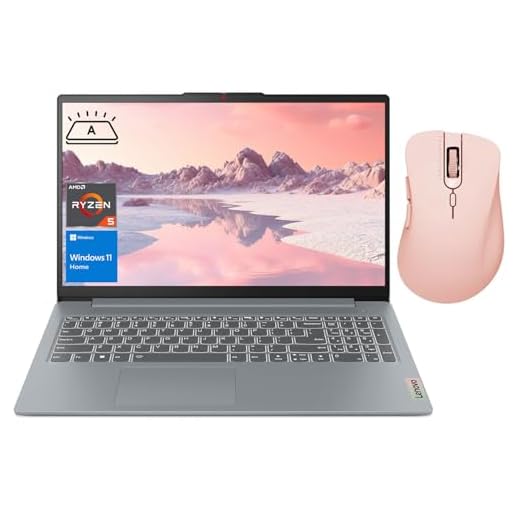
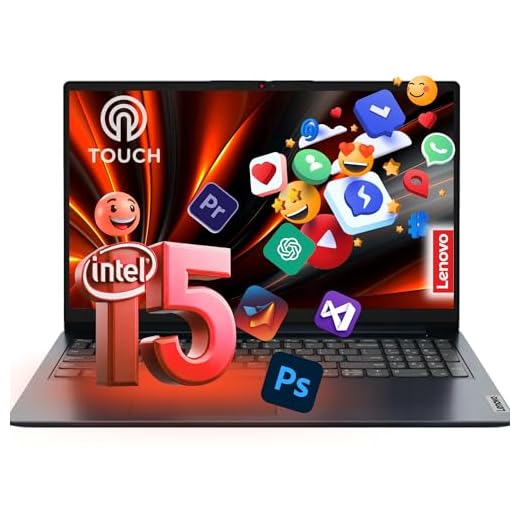
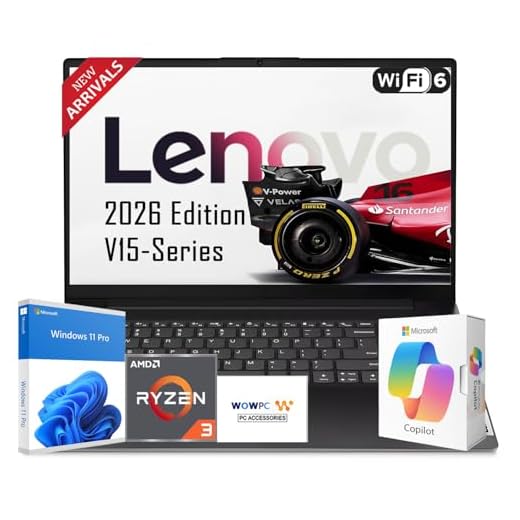

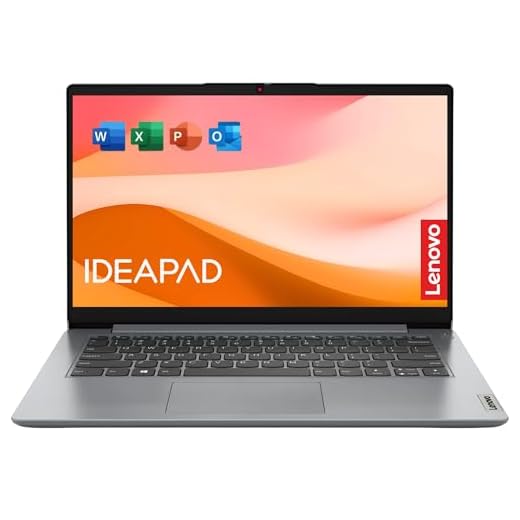

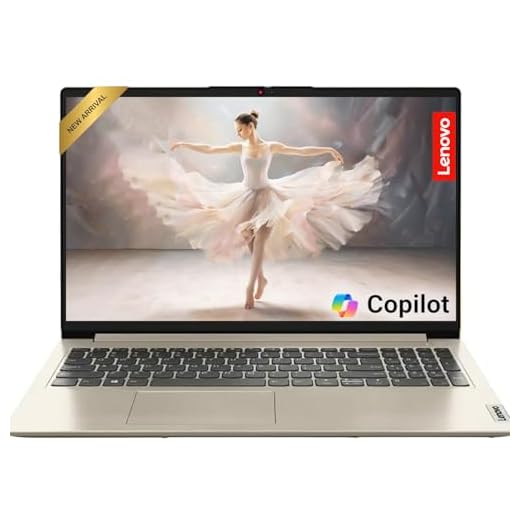
IdeaPad Slim 3X 15.3" Copilot+ AI Laptop
You’ll benefit from the Snapdragon X platform’s efficiency and Copilot+ AI features, which extend battery life and offer intelligent assistance during your workflows. Its 16:10 WUXGA panel and metal chassis make it a great portable creative and productivity device.
Pros
- Excellent battery life thanks to Snapdragon efficiency
- 16:10 WUXGA display with slim bezels and TUV certification
- AI Copilot+ features and strong NPU for on‑device tasks
Cons
- ARM‑class CPU can show compatibility differences with x86 apps
- Less raw CPU/GPU power than high‑end Intel/AMD laptops
Who this is for
If long battery life, on‑device AI acceleration, and ultraportable metal build are priorities, this Snapdragon‑based IdeaPad Slim 3X is aimed at you. It’s particularly attractive if you want a balance of mobility and smart features for content consumption and office work.
What sets it apart
The Snapdragon X platform includes an NPU capable of accelerated AI tasks and delivers remarkable efficiency compared with many x86 chips — meaning you’ll likely get a full work‑day on a single charge in typical use. The 16:10 WUXGA screen gives extra vertical space for documents and web pages.
- Qualcomm Snapdragon X chipset with strong NPU (45 TOPS)
- 15.3" WUXGA 16:10 display, metal chassis, military‑grade durability
- 16GB LPDDR5 and 512GB SSD; Copilot+ PC AI features
Practical tradeoffs
Some legacy x86 desktop apps and certain drivers may behave differently on ARM‑based Windows devices, so confirm compatibility for niche professional software. For general productivity, web development, media editing at moderate scale, and everyday multitasking, it’s an excellent, energy‑efficient choice.
IdeaPad 1i 15.6" i5 FHD Touchscreen
You’ll get a responsive Intel Core i5 platform paired with 16GB of RAM and a 512GB SSD, which makes everyday tasks and moderate content creation smooth. The FHD touchscreen and improved audio make it a versatile pick for students and professionals alike.
Pros
- Powerful Intel i5 with plenty of RAM for multitasking
- Fast 512GB PCIe NVMe SSD improves responsiveness
- Good speakers and webcam for remote collaboration
Cons
- Slightly heavier than ultraportable alternatives
- Battery life is decent but not class‑leading under heavy loads
Who this is for
You should consider this if you want a reliable everyday machine that handles office suites, browser‑heavy workflows, video conferencing, and even light creative tasks. The 16GB RAM configuration removes many common slowdowns for power users on a budget.
Notable features and benefits
The combination of a 12th/13th‑generation Intel i5 family CPU, FHD touchscreen, and 512GB of fast NVMe storage will make routine tasks feel quick and fluid. Users who value a comfortable keyboard and good onboard speakers for multimedia will find this model satisfying.
- Intel Core i5‑1235U class responsiveness
- 16GB DDR4 RAM and 512GB PCIe NVMe SSD
- FHD touchscreen display and full port selection
Practical insights and limitations
If you travel light, note that this unit is not the thinnest or lightest in Lenovo’s lineup, but it provides better performance-per-dollar than many ultra‑thin rivals. If you frequently edit high‑resolution media or play demanding games, consider a model with a discrete GPU.
IdeaPad Slim 3 15.6" Ryzen 5 Laptop
You’ll get a strong AMD Ryzen 5 CPU, fast NVMe storage, and 16GB of RAM that together handle multitasking, light creative work, and casual gaming quite well. The Slim 3 balances performance and portability for most users.
Pros
- AMD Ryzen 5 5625U provides strong multithreaded performance
- 16GB RAM and 512GB NVMe SSD for responsive use
- Backlit keyboard and good port selection
Cons
- Integrated GPU limits modern gaming at high settings
- Battery life is good but not exceptional under heavy loads
Who this is for
Choose this if you want a well‑rounded laptop that can handle productivity, creative tasks like photo editing, and some light gaming. The Ryzen 5 offers a strong performance uplift over entry‑level CPUs in day‑to‑day scenarios.
Features that matter in real use
The backlit keyboard and SD card reader are nice touches for creators and students. The 512GB NVMe SSD reduces application and boot times, and 16GB RAM gives you breathing room when you have many browser tabs or apps open.
- AMD Ryzen 5 5625U (6 cores, 12 threads)
- 16GB DDR4 RAM and 512GB PCIe M.2 SSD
- 15.6" FHD display, backlit keyboard, SD card reader
Limitations and practical tips
If you edit large video projects or run demanding 3D applications, performance will be limited by the integrated GPU. For extended battery life, tune power settings in Lenovo Vantage and reduce background apps.
IdeaPad 15.6" Business i5 Touchscreen
You get a strong 13th‑Gen Intel CPU, roomy storage, and a full‑size 15.6" touchscreen in a surprisingly affordable package. It balances performance and practicality for everyday office work, light content creation, and multitasking.
Pros
- 13th‑Gen i5 with good multi‑core responsiveness
- Large 1TB SSD and 16GB RAM for multitasking
- 15.6" FHD touchscreen adds flexibility
- Plenty of ports including HDMI and Ethernet
Cons
- TN touchscreen limits viewing angles and color accuracy
- Battery life is average under heavy use
Who this is for
If you need a no‑frills business laptop that still feels responsive, this model is built for you. It packs a 10‑core Intel i5 (13th Gen) and a large 1TB PCIe SSD so you can store large file sets and switch between apps without bottlenecks.
Key features and daily benefits
You’ll appreciate the physical connectivity that business users often require, like RJ‑45 Ethernet and a full‑size HDMI port, plus a numeric keypad for spreadsheets. The touchscreen makes navigation quicker for web apps and light content editing.
- 13th Gen Intel Core i5 (up to 4.6 GHz)
- 15.6" FHD touchscreen, 300 nits (TN panel)
- 16GB RAM and 1TB PCIe NVMe SSD
Practical insights and limitations
This is a practical workhorse rather than a color‑critical creative machine. If you do photo or color‑sensitive work you’ll notice the TN panel’s narrower viewing angles and muted colors. For everyday office tasks, presentations, spreadsheets, and web conferencing, it performs very well.
Final take
You’ll get strong value: modern CPU performance, fast storage, and a usable touchscreen at a competitive price. If display quality and long battery autonomy under heavy loads are priorities, consider upgrading the panel or choosing a non‑touch model with an IPS screen.
IdeaPad 15.6" Ryzen 5 Business Laptop
You get a reliable Ryzen 5 platform that competes with higher‑tier Intel parts in multitasking and office workloads. It ships with useful software like Microsoft Office and a backlit keyboard, making it a strong pick for students and professionals.
Pros
- AMD Ryzen 5 offers solid multi‑threaded performance
- Backlit keyboard and Microsoft Office included
- Generous 16GB RAM and 1TB SSD configuration
Cons
- Limited user reviews make long‑term reliability less certain
- Battery life and display specifics are not clearly documented
Who this is for
If you split time between study and light professional duties, this Ryzen‑based IdeaPad aims to give you the best of both worlds: multicore performance for multitasking and the software you need out of the box.
What you’ll notice day to day
The backlit keyboard is convenient for late‑night work, and the included Microsoft Office suite removes the friction of immediate productivity after setup. The Ryzen 5 processor is good for spreadsheets, browser tabs, video streaming, and light content creation.
- AMD Ryzen 5 5625U class performance
- 16GB RAM and 1TB PCIe SSD for everyday speed
- Backlit full keyboard and Windows 11 Pro
Practical considerations and tradeoffs
While the hardware list looks competitive, verify the exact display, battery specifications, and warranty terms before purchase because listings sometimes vary between sellers. If you need sustained heavy CPU/GPU workloads, consider stepping up to a dedicated‑GPU model.
IdeaPad 3i 15.6" Chromebook FHD
You’ll enjoy a quick, clean Chrome OS experience that boots fast and stays secure with automatic updates. It’s ideal if your work is browser‑centric or you want a low‑maintenance second machine for home, school, or travel.
Pros
- Very affordable with fast Chrome OS responsiveness
- Large 15.6" FHD display and lightweight chassis
- Good battery life and quick boot times
Cons
- Limited local storage (64GB eMMC) for heavy offline use
- Celeron processor struggles with intensive Android apps or heavy multitasking
Who this is for
If your workflow lives in the browser — Gmail, Docs, Sheets, Drive, and streaming services — the Chromebook OS model gives you a secure, low‑maintenance laptop that’s fast to boot and easy to manage. It’s an attractive choice for students, casual users, and families.
Everyday experience and features
The 15.6" FHD screen and 8GB of RAM make multitasking across many browser tabs comfortable. Chrome OS keeps background maintenance minimal, and Google Play support allows many Android apps when you need them.
- Intel Celeron N4500 and 8GB RAM for basic responsiveness
- 15.6" Full HD display; 64GB eMMC storage and Chrome OS
- Privacy shutter on webcam and up to ~10 hours battery life
Practical limitations and tips
If you need lots of local files, consider pairing the Chromebook with a large SD card or cloud storage. Heavy Android apps, Windows‑only software, or extensive local media editing will expose the hardware limits. For typical web‑based tasks, however, you’ll get a reliable, inexpensive daily driver.
IdeaPad Slim 3i 15.6" Core i3 Laptop
You’ll appreciate the slim profile and military‑grade durability claims, plus a Full HD display that’s good for streaming and productivity. It’s a dependable choice if you want portability without paying a premium for ultrabooks.
Pros
- Thin and lightweight design for portability
- 16GB RAM and SSD storage for smooth daily use
- Full HD touchscreen (or large FHD display) for media
Cons
- Core i3 limits heavy CPU workloads
- Some listings show mixed storage configurations that can be confusing
Who this is for
If you regularly work from cafés, libraries, or travel for short trips, this Slim 3i model is designed to be portable and resilient while still giving you enough power for standard productivity tasks and streaming.
Day‑to‑day performance and build
The Core i3 processor is energy‑efficient and paired with 16GB RAM in many SKUs, which helps keep multitasking snappy in browser‑centric workflows and office applications. The chassis aims for a balance between build quality and weight.
- 15.6" Full HD display with slim bezels
- Intel Core i3 with 16GB RAM and mixed SSD storage
- Full‑function Type‑C port and military‑grade durability claims
Practical considerations
Don’t expect gaming or heavy media rendering performance; this is tailored for students, remote workers, and casual users. Check the exact SSD capacity and whether the listing includes any external/expanded storage options to ensure it meets your needs.
IdeaPad 1 Student 15.6" Dual Core
You’ll find ample storage and RAM in this student‑focused build, which is great for document work, media streaming, and classroom apps. The Celeron CPU suits light workloads and keeps the cost down while offering a solid feature set for school use.
Pros
- Large 1TB SSD plus 128GB eMMC gives lots of local storage
- 20GB RAM helps with multitasking uncommon at this price
- Features like SD card reader and webcam privacy shutter
Cons
- Celeron processor limits performance for demanding tasks
- Some specifications appear unusually generous and may vary by seller
Who this is for
This configuration is targeted at students or families who want big local storage and just‑good‑enough performance for homework, video streaming, and light multitasking. If you mostly use cloud‑based apps and media, you’ll appreciate the roomy drive.
Practical features worth noting
The unusually large RAM and storage figures translate to fewer upgrade needs and fast file access for multimedia and school projects. The SD card slot and webcam privacy shutter are small conveniences that matter in daily use.
- 1TB PCIe SSD + 128GB eMMC for large local storage
- 20GB RAM (helps with many browser tabs and apps)
- 15.6" FHD display, Wi‑Fi 6, and Windows 11 Home
Realistic expectations
The Celeron processor will bottle‑neck CPU‑intensive workflows like video encoding, large dataset work, or heavy multitasking. Confirm exact seller specs and warranty terms before purchasing because configurations can differ across listings.
IdeaPad 15.6" Everyday Celeron Laptop
You’ll find this model adequate for web browsing, document editing, and streaming thanks to its basic efficiency‑focused Celeron processor. It’s an economical way to get a full‑size laptop with essential features for casual users.
Pros
- Very affordable price point
- Large 15.6" display suitable for media and productivity
- Long advertised battery life for light usage
Cons
- Celeron CPU limits heavy multitasking and demanding apps
- Lower display brightness and color range compared with premium panels
Who this is for
This is aimed at users who need a full‑sized laptop for light tasks: browsing, email, video calls, and basic office work. If your routine is primarily cloud apps and streaming, this keeps costs low while covering the essentials.
Key features and real‑world behavior
The efficient Celeron N4500 sits in the entry‑level segment; it’s optimized for battery life and low power consumption rather than raw speed. You’ll get acceptable responsiveness for a few browser tabs and standard office apps.
- 15.6" anti‑glare display (FHD) suitable for day‑to‑day work
- Intel Celeron N4500 and integrated Intel UHD graphics
- Included Microsoft 365 and 1TB cloud storage options in many bundles
Considerations before buying
If you’re a multitasker who keeps many browser tabs and background apps open, this model will feel constrained. Upgrading RAM and choosing a higher‑spec CPU will deliver a noticeably snappier experience for power users.
Final Thoughts on the Best Ideapads
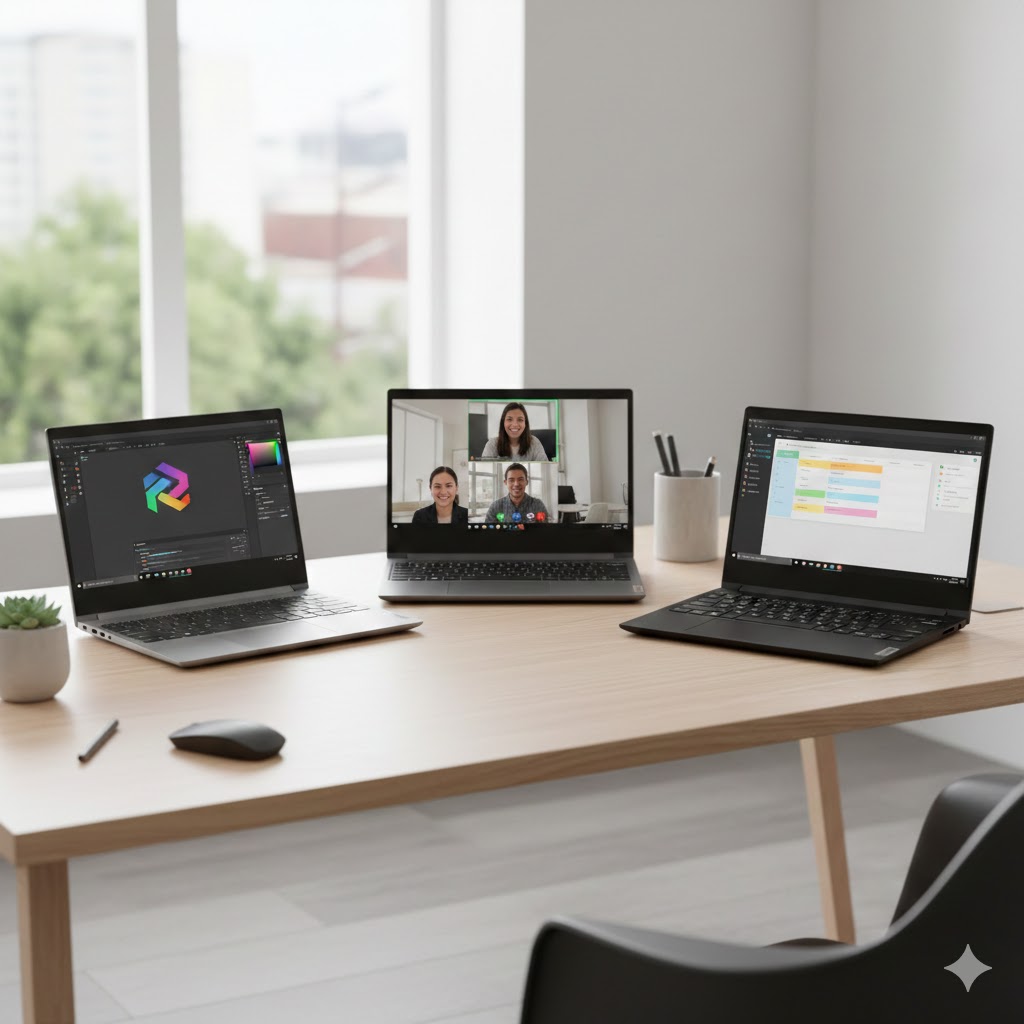
Best overall — IdeaPad Slim 3X 15.3" Copilot+ AI Laptop (8.9/10): Choose this one if you work on the go and value battery life, AI productivity helpers, and a lightweight metal chassis. It’s ideal for creatives and power users who want longer runtimes, a roomy 16:10 WUXGA display, and smart Copilot+ features that speed up everyday workflows.
Best all‑round value — IdeaPad 1i 15.6" i5 FHD Touchscreen (8.7/10): Pick this if you need a responsive, well‑rounded machine for work or school. The Core i5 platform, 16GB RAM, and 512GB SSD make multitasking smooth, while the FHD touchscreen and improved audio give you extra flexibility for presentations, note‑taking, and media.
How to Choose the Best IdeaPads
Choosing the best IdeaPads can feel overwhelming with so many models, sizes, and performance levels available. Whether you need a laptop for school, work, travel, or creative projects, it helps to know which features matter most. Below is a clear, original guide to help you pick the perfect IdeaPad for your daily routine.
Decide Which Operating System Fits Your Workflow
Most IdeaPads run on Windows, but some models are available with ChromeOS. Windows offers greater flexibility with apps, multitasking, and desktop software. It’s ideal for office tools, editing programs, and gaming.
ChromeOS, on the other hand, focuses on cloud-based apps and simplicity. It’s perfect for browsing, streaming, and school assignments. Your choice depends on how much computing power and software compatibility you need.
Look for the Right Processor for Your Productivity Level
Performance starts with the processor. The most common options in IdeaPads include Intel Core and AMD Ryzen chips.
- For everyday tasks like browsing and document editing, Intel Core i3 or Ryzen 3 is enough.
- For multitasking and professional work, consider Core i5 or Ryzen 5.
- If you run heavy apps, design software, or virtual machines, go for Core i7 or Ryzen 7.
Higher-generation processors provide better efficiency, so always check the version number.
Choose Enough RAM for Smooth Multitasking
RAM determines how fast your laptop feels when juggling multiple tabs and apps.
- 8GB RAM is ideal for students and casual use.
- 16GB RAM is recommended for heavy multitasking, office work, coding, and creative tasks.
- Some IdeaPads allow upgrades, which is great if you want to boost performance later.
More RAM means fewer slowdowns and a smoother experience overall.
Storage Matters: SSDs Make a Big Difference
Most modern IdeaPads come with SSD storage, which loads apps and files much faster than traditional HDDs.
- 256GB SSD works well for basic use.
- 512GB or more is ideal for large apps, work projects, and media files.
If you handle big documents or store photos and videos, a larger SSD or dual-drive option offers better convenience and speed.
Check the Display Size, Resolution, and Quality
Your screen heavily impacts both comfort and productivity. IdeaPads are available in several sizes:
- 14-inch models balance portability and usability.
- 15.6-inch models provide larger workspaces for multitasking.
Also look at the resolution:
- Full HD (1080p) delivers crisp visuals and is the best value.
- Some premium IdeaPads offer higher brightness and color accuracy, ideal for creative work or media consumption.
IPS displays are preferable for better viewing angles and more accurate colors.
Battery Life Can Make or Break Convenience
If you travel, attend classes, or work away from an outlet, battery life becomes essential. Many IdeaPads offer up to 8–12 hours depending on usage and model.
Look for features like:
- Rapid charging
- Energy-efficient processors
- Optimized power modes
Longer battery endurance means fewer interruptions during your day.
Consider Portability and Build Quality
IdeaPads come in lightweight models that are easy to carry around. If mobility is a priority, look for:
- Slim profiles
- Lightweight materials
- Durable hinges
- Comfortable keyboards
A backlit keyboard and precision touchpad also improve usability, especially for students and professionals.
Ports and Connectivity Are Key for Daily Use
Before choosing, check if the laptop has all the ports you need. Useful connections include:
- USB-A and USB-C
- HDMI
- SD card slot
- Headphone jack
Many IdeaPads also feature Wi-Fi 6 and Bluetooth 5.0 for reliable wireless connectivity.
Need Extra Flexibility? Consider 2-in-1 IdeaPads
Some IdeaPads convert into tablets, giving you touch controls, stylus support, and multiple usage modes. These 2-in-1 models are great for taking notes, drawing, presenting, or using your laptop in tight spaces.
Check Out the Best Ideapads
Still not sure which one to choose? Click the link below to see the best-selling products.
Also Check Out Other Helpful Articles
Take a look at more useful articles that can help you make more informed decisions.
- Best Laptops that Runs GTA V in 2026 (Top 9: Acer Predator, Razer Blade 14 and More)
- Best Samsung Chromebooks in 2026 (Top 6: Galaxy Chromebook 2, Plus and More)
- Best Samsung Laptops for Students in 2026 (Top 8: Galaxy Book, Chromebook and More)
Video About the Best Ideapads
We created a video on the topic. Just click to watch.
https://youtu.be/MfWTS23uP4w
Related Articles



About the Author

Lauren Baker finds joy in turning ideas into written content. She values clarity, relevance, and keeping readers engaged from start to finish.