Best iPads for Studying in 2026 (Top 7: Pro M4, mini A17 and More)

Discover the best ipads for studying designed to boost your academic performance. Compare models for note-taking, battery life, and portability to find your match.
You don’t need a laptop for every assignment. An iPad can be lighter, faster to wake, and less annoying to carry between classes. It can also be your note pad, sketchbook, and study hub all in one.
Picture this: you’re in a lecture, battery at 80%, notes synced, and your PDF is already split-screen with your reference. That smooth feeling? That’s what the right iPad gets you. No fuss. Just study.
Contents
- The Best iPads for Studying
- 13-inch iPad Pro (M4) Ultimate Workhorse
- 11-inch iPad Pro (M4) Renewed
- 12.9-inch iPad Pro (M2) Renewed
- 13-inch iPad Air (M2) — Large Display
- 11-inch iPad Air (M2) Renewed Premium
- iPad mini (A17 Pro) Ultra-Portable
- iPad (10th Gen) — Everyday Study Tablet
- Final Thoughts on the Best iPads for Studying
- How to Choose the Best iPads for Studying
- Check Out the Best iPads for Studying
- Also Check Out Other Helpful Articles
- Video About the Best iPads for Studying
The Best iPads for Studying

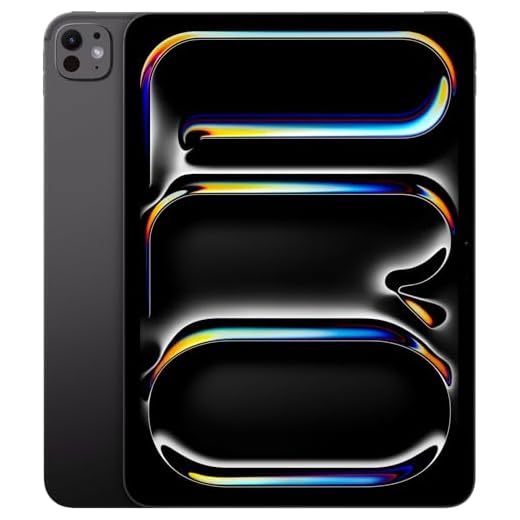

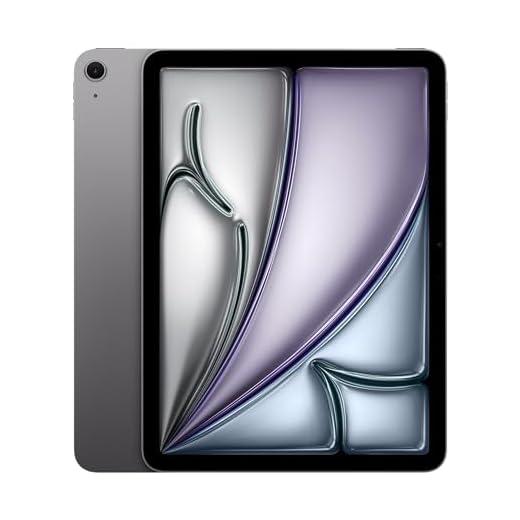


13-inch iPad Pro (M4) Ultimate Workhorse
You’ll get the largest, fastest iPad experience available with the M4 and Ultra Retina XDR display — ideal for heavy multitasking, high-resolution media work, and long research sessions. It’s the most capable choice if you want a tablet that can replace a laptop in almost every class of work.
Pros
- Huge 13-inch Ultra Retina XDR display ideal for split-screen study and media
- M4 chip provides top-of-the-line performance for any app
- Face ID, Thunderbolt/USB‑C, and Pro accessory support for a full workstation
- Excellent for creative workflows, video editing, and multitasking
Cons
- Most expensive option — significant investment even for students
- Large size makes it less convenient to carry everywhere
Who this model is for
You should consider the 13-inch M4 Pro if you want a tablet that can truly replace a laptop for demanding coursework and creative projects. The expansive display and leading-edge performance make it the best fit when you need to run multiple pro apps, edit video, or keep numerous windows open for research.
Top features that benefit studying
- Ultra Retina XDR 13" display that makes long reading, editing, and split-screen work comfortable
- M4 chip for unmatched speed and responsiveness across productivity and creative applications
- Pro-level connectivity (Thunderbolt/USB‑C) and accessory compatibility for a complete workstation
Realistic trade-offs and recommendations
The hardware excellence comes with a premium price and larger size — plan to use a proper case and backpack for transport. For many students the 13" model is overkill, but if your courses involve multimedia production, large datasets, or heavy multitasking, it will pay off by significantly reducing waiting time and friction.
Practical setup tips
To maximize productivity, pair it with the Magic Keyboard and Apple Pencil Pro, and use cloud sync for large files. If budget is a concern, consider buying a renewed or certified pre-owned unit while checking battery cycle count and warranty coverage.
11-inch iPad Pro (M4) Renewed
You’ll experience a fast, responsive tablet platform powered by the M4 chip that handles heavy multitasking and demanding study apps with ease. Its compact 11-inch size keeps it portable while still supporting pro accessories like the Pencil and Magic Keyboard.
Pros
- M4 chip delivers top-tier performance for multitasking and pro apps
- 11-inch size is highly portable while offering a usable canvas
- Supports Pencil Pro and Magic Keyboard for full productivity setups
- Renewed units can be found in excellent condition with reduced cost
Cons
- Smaller than 12.9/13" options for extensive split-screen work
- High performance may be overkill for simple note-taking needs
Why the 11-inch M4 is great for study
If you want near-laptop power in a tablet you can carry everywhere, the 11-inch M4 strikes a great balance. You’ll be able to run demanding apps, handle multiple video windows, and keep dozens of tabs open without slowdowns — useful for intensive research or media coursework.
Notable features for student workflows
- Breakthrough M4 performance for demanding apps, simulations, and heavier multitasking
- Compact 11" Ultra Retina XDR display in a lightweight chassis
- Full accessory support (Apple Pencil Pro, Magic Keyboard) for a laptop-like experience
Considerations and real-world use
The smaller footprint makes it ideal when you value portability, but you’ll sacrifice some screen space versus the 12.9" or 13" models for heavy split-screen use. Renewed units often arrive in excellent condition; verify battery health and return policy if possible.
Practical tips
For coursework that mixes writing and creative work, add a keyboard and a protective folio. If you do heavy long-form drawing or multi-window research, consider the larger Pro or Air 13" alternatives instead.
12.9-inch iPad Pro (M2) Renewed
You get a large, color-accurate XDR display and Mac-class M2 performance in a tablet form factor. For study workflows that mix heavy multitasking, detailed note-taking, and media work, it delivers consistently smooth performance.
Pros
- Huge 12.9-inch Liquid Retina XDR with ProMotion for crisp text and video
- M2 chip delivers laptop-class speed for multitasking and heavy apps
- Excellent compatibility with Apple Pencil and Magic Keyboard for study productivity
- Renewed price offers high-end specs at a lower cost
Cons
- Larger size can be cumbersome to hold for long reading sessions
- Renewed units may show minor cosmetic wear and battery performance varies
Why this fits serious study setups
You’ll appreciate the 12.9-inch Liquid Retina XDR for reading PDFs, annotating slides, and watching lecture videos — the high brightness and wide color gamut make text, charts, and videos exceptionally clear. The M2 chip keeps multiple apps, split views, and demanding note-taking or drawing apps responsive.
Key features that matter for studying
- Large 12.9" XDR display with ProMotion (adaptive refresh) for smooth scrolling and accurate rendering
- Apple M2 chip with strong CPU/GPU performance for multitasking and creative apps
- Works with Apple Pencil and keyboard accessories for handwriting, annotations, and long-form typing
Practical benefits and limitations
You can replace a laptop for many study tasks: virtual classes, note-taking, PDF markup, and light video editing. Because this unit is renewed, you may save substantially versus new while still getting near-flagship performance. Keep in mind that the larger display makes it less pocketable and you should plan for a protective case — several users report minor surface marks on renewed units and battery life that can vary with heavy use.
Tips for students
If you plan to use lots of storage-heavy files (video, large lecture recordings), consider higher-capacity models where possible and pair the iPad with a keyboard folio to turn it into a true study workstation. For extended reading sessions, use a stand and an appropriate case to reduce fatigue.
13-inch iPad Air (M2) — Large Display
You’ll benefit from a larger 13-inch display that makes split-screen study workflows and multi-window research easier. The M2 chip ensures smooth app performance while the bigger screen gives you more real estate for documents and note apps.
Pros
- Large 13-inch Liquid Retina makes textbooks and split-screen work easier
- M2 chip enables smooth multitasking and apps performance
- Good speakers and camera for remote classes and presentations
- Renewed price reduces cost compared to new flagship tablets
Cons
- Heavier and less pocketable than smaller iPads
- Higher price even for renewed models compared with smaller Air options
Who should consider the 13-inch Air
If your study routine relies on split-view workflows (notes on one side, slides or browser on the other), the 13-inch Air offers a comfortable desktop-like tablet experience without moving to the Pro line. You’ll find it especially useful for research, long document editing, and reference-heavy tasks.
Key capabilities for students
- 13" Liquid Retina display with high brightness and accurate colors for long study sessions
- M2 chip for smooth performance across productivity and creative apps
- Landscape-friendly front camera for better video-class framing and presentations
Practical trade-offs
You gain screen real estate at the cost of portability — it’s best carried in a backpack rather than a handbag. Battery life and thermal behavior are excellent for classroom and home use, but you should plan for a larger protective case and possibly a keyboard for longer typing tasks.
Tips for getting the most value
Use cloud storage and external drives if you regularly work with large media files. If you like the large-screen experience but need ultra-portability sometimes, consider pairing this with a smaller device for on-the-go reading.
11-inch iPad Air (M2) Renewed Premium
You’ll get near‑Pro performance in a lighter, more affordable Air chassis thanks to the M2 chip. It’s well suited for note-taking, drawing, and multitasking without the extra bulk of larger Pro models.
Pros
- M2 performance for demanding apps without Pro pricing
- 11-inch Liquid Retina display balances size and portability
- Great for drawing and annotation with Apple Pencil
- Renewed premium condition can offer strong savings
Cons
- Smaller screen than 12.9- or 13-inch models for split‑screen work
- Renewed units may vary in cosmetic condition and battery cycles
Why the M2 Air appeals to students
The 11-inch Air with the M2 chip gives you a powerful, portable tablet that feels close to Pro performance for most student needs. You can edit photos, run multiple productivity apps, and use the Apple Pencil for handwritten notes and diagrams without major slowdowns.
Useful features for study workflows
- M2 chip for speedy multitasking and app responsiveness
- 11" Liquid Retina display that’s large enough for comfortable reading yet easy to carry
- Support for Apple Pencil and Magic Keyboard for flexible study setups
Limitations and practical advice
If you frequently run the most demanding creative apps or prefer a larger canvas for drawing and split-screen multitasking, the Air’s 11" display may feel limiting. As a renewed premium model, it’s a strong value — just check battery health and cosmetic condition on arrival.
How to use it effectively
Pair it with a keyboard folio for long typing sessions and a matte screen protector if you take handwritten notes with the Pencil. For cloud-first students, the 128GB base will be sufficient, but consider higher storage if you keep local media or large project files.
iPad mini (A17 Pro) Ultra-Portable
You’ll get a pocketable iPad that still packs a powerful A17 Pro chip and a bright Liquid Retina display. It’s ideal when you need a lightweight device for reading, note review, or quick study sessions away from your desk.
Pros
- Extremely portable and lightweight for commuting or study breaks
- A17 Pro provides snappy performance for apps and multitasking
- Great for reading, streaming lectures, and light gaming
- Supports Apple Pencil for quick handwritten notes and markups
Cons
- Smaller screen limits split-screen multitasking and long-form typing
- Less comfortable for heavy drawing or extended video editing
Why you’d pick the mini for studying
If your study routine involves a lot of moving between classes, cafes, and home, the mini is hard to beat. The 8.3-inch Liquid Retina display strikes a balance between readability and portability, and its weight makes it effortless to hold for long reading sessions.
Key features relevant to students
- Compact 8.3" Liquid Retina display with True Tone and vivid color
- Ultrafast A17 Pro chip for fluid app performance and responsive UI
- USB-C connectivity and Wi‑Fi 6E for fast transfers and online classes
Practical considerations
You can use it as a dedicated reading device, a digital textbook replacement, or a quick note-taking tablet. Because the screen is smaller, you’ll likely prefer it for consuming lecture materials, flashcards, and light annotation rather than heavy multitasking. Pair it with a compact keyboard or use Apple Pencil when you need handwritten notes.
Usage tips
If you often need two apps side-by-side (notes and lecture slides), test whether the smaller display fits your workflow — some students prefer a larger iPad for split-screen study sessions. For portability, add a slim protective sleeve and a good screen protector to preserve resale value.
iPad (10th Gen) — Everyday Study Tablet
You’ll find a well-rounded device with a 10.9-inch display and A14 Bionic chip that covers most study needs without breaking the bank. It’s a solid daily driver for note-taking, research, and media consumption.
Pros
- Good 10.9-inch display for reading and note-taking
- A14 Bionic chip offers reliable everyday performance
- More affordable option with solid battery life
- Lightweight and easy to carry between classes
Cons
- Not as powerful as M-series iPads for demanding creative apps
- Base storage can feel limiting if you store lots of media locally
Where this fits in a student toolkit
This 10th-generation model is designed for students who need a dependable iPad for daily tasks — browsing, document editing, video lectures, and light media editing. You’ll get a larger all-screen design that’s comfortable for typing and reading without the premium cost of Pro models.
Standout features for studying
- 10.9" Liquid Retina display with an all-screen design for more immersive viewing
- A14 Bionic chip that handles typical study apps and multiple open tabs with ease
- Compatible with keyboards and Apple Pencil (adapter or compatible accessories may be required)
Practical insights and limitations
You can expect dependable battery life and a responsive experience for most schoolwork. If your coursework involves heavier tasks (3D rendering, high-res video editing), you’ll notice the difference against M-series iPads. For typical note-taking, PDFs, and cloud-synced documents, it’s a cost-effective choice.
Tips for getting the most out of it
Upgrade storage if you plan to keep many offline files or large media. A keyboard case and a screen protector will turn it into a compact workstation for lectures and assignments.
Final Thoughts on the Best iPads for Studying
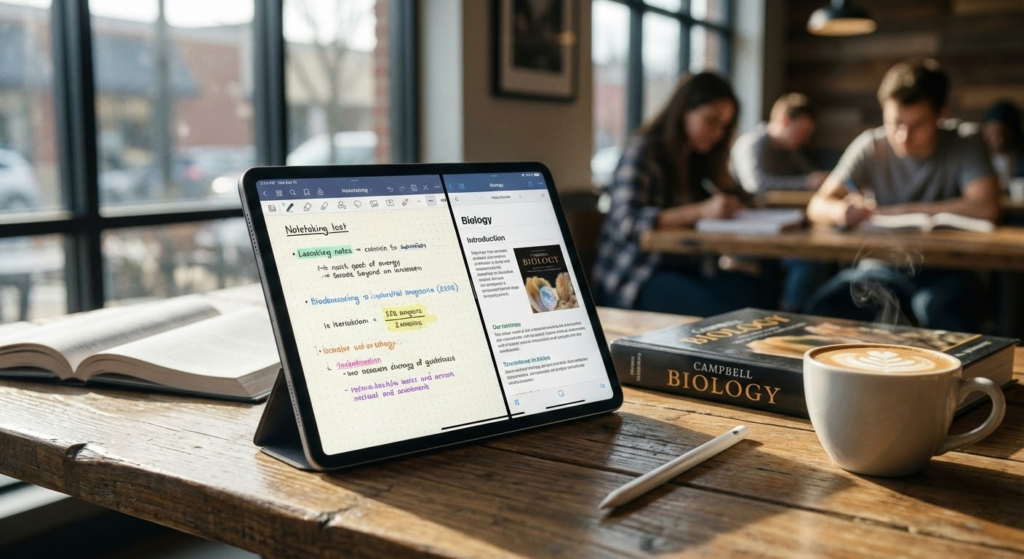
Pick the 13-inch iPad Pro (M4) Ultimate Workhorse if you want the most capable study machine. Its HUGE, color-accurate Ultra Retina XDR display and M4 chip make heavy multitasking, video work, and long research sessions painless. Buy it if you do media-heavy projects, run virtual labs, or want to replace a laptop with a tablet.
Choose the 11-inch iPad Pro (M4) Renewed if you need pro-level speed but want something truly portable. It gives the same M4 performance in a lighter frame and is ideal for note-taking, fast app switching between lectures, and carrying around campus. The renewed option saves money while keeping pro power and accessory support (Apple Pencil, Magic Keyboard).
How to Choose the Best iPads for Studying
Tablets have become powerful study tools, and iPads stand out for their performance, app ecosystem, and long-term support. But not every model is ideal for academic use. To find the best iPads for studying, it’s important to evaluate factors like performance, screen quality, battery life, and compatibility with accessories that boost productivity.
Best Nintendo Switch Controllers
Performance Matters: Pick an iPad That Can Handle Your Workflow
When studying, performance directly impacts how smooth your daily tasks feel. Opening PDFs, running note-taking apps, multitasking with split screen, and attending video classes all require a capable processor.
For basic study needs—such as reading, watching lectures, and writing notes—entry-level iPads are usually enough. However, students who work with heavier apps, large files, or creative tools will benefit from more advanced chips, which ensure faster response times and better multitasking.
Storage: Avoid Running Out of Space Mid-Semester
Storage is often overlooked, but it’s critical for studying. Course materials, downloaded videos, presentations, and apps can quickly take up space.
If you mainly use cloud storage and lightweight apps, lower storage options may work. Still, for most students, choosing an iPad with ample internal storage provides peace of mind and reduces reliance on constant internet access.
Best Gaming Headsets Under 60 dollars
Display Quality Makes Long Study Sessions Easier
A good screen is essential, especially if you spend hours reading articles, textbooks, or lecture slides. Screen size and resolution both influence comfort and focus.
Larger displays are better for multitasking and digital note-taking, while smaller screens are easier to carry in a backpack. High-resolution displays reduce eye strain and make text sharper, which is especially helpful during long reading sessions.
Display technologies with better brightness and color accuracy also improve visibility in different lighting environments, such as classrooms, libraries, or outdoor spaces.
Apple Pencil Support Is a Game Changer for Notes
One of the biggest advantages of iPads for students is Apple Pencil compatibility. Writing notes by hand, annotating PDFs, and drawing diagrams can significantly improve learning and retention.
Not all iPads support the same Pencil models, so it’s important to check compatibility. If handwritten notes or sketching are part of your study routine, Pencil support should be a top priority when choosing among the best iPads for studying.
Keyboard Compatibility Boosts Productivity
For students who write essays, reports, or emails regularly, using an external keyboard can make a huge difference. Many iPads support official and third-party keyboards, transforming the tablet into a lightweight laptop alternative.
Look for models that work well with keyboard accessories and offer solid multitasking features, such as split view and floating windows, to improve efficiency when researching and writing at the same time.
Battery Life That Lasts Through Classes and Study Sessions
A reliable battery is essential for a full day of classes. The best iPads for studying are those that can handle hours of browsing, note-taking, and video playback without constantly needing a charger.
Long battery life is especially important for students who move between classrooms, libraries, and study groups. Fast charging support can also be a bonus for quick top-ups between sessions.
Software and Apps Designed for Education
iPads benefit from a wide range of educational apps, including note-taking tools, document scanners, planners, and learning platforms. iPadOS is optimized for multitasking and touch interaction, making it easier to switch between apps while studying.
Regular software updates also ensure long-term usability, which is important for students planning to use the same device for several years.
Portability and Build Quality for Everyday Use
Students need devices that are easy to carry and durable enough for daily use. Slim designs and lightweight builds make commuting easier, while solid construction helps the device withstand frequent transport.
Balancing screen size with portability is key. A lighter iPad may be more convenient for note-taking on the go, while a larger one may be better suited for desk-based study sessions.
By considering performance, display quality, accessories, and battery life, you’ll be able to choose one of the best iPads for studying—a device that supports your learning style and keeps up with your academic demands.
Check Out the Best iPads for Studying
Still not sure which one to choose? Click the link below to see the best-selling products.
Also Check Out Other Helpful Articles
Take a look at more useful articles that can help you make more informed decisions.
- Best Cost-Benefit Tablets in 2026 (Top 10: Xiaomi, Samsung and More)
- Best Tablets for Reading in 2026 (Top 6: Kindle, iPad and More)
- Best Tablets for Heavy Gaming in 2026 (Top 7: iPad Pro, ASUS ROG Flow and More)
Video About the Best iPads for Studying
We created a video on the topic. Just click to watch.
Related Articles



About the Author

Joshua Brown brings his creativity and focus to each writing task. He believes content should be useful, engaging, and well-structured.