Best Kids Tablets in 2026 (Top 6: Fire HD, iPad and More)

Discover the best kids tablets designed for learning and play. We review durable, safe, and parent-approved devices perfect for children of all ages.
KIDS WILL DROP THINGS. You’ll still want a tablet that’s fast, bright, and won’t feel ancient in a year.
Contents
- The Best Kids Tablets
- iPad Air 11-inch M3 (128GB)
- iPad mini (A17 Pro) 8.3-inch
- Apple iPad 11-inch A16 (128GB)
- Amazon Fire HD 10 Kids Pro
- Samsung Galaxy Tab A9+ 11-inch
- Amazon Fire HD 8 Kids Tablet
- Final Thoughts on the Best Kids Tablets
- How to Choose the Best Kids Tablets
- Check Out the Best Kids Tablets
- Also Check Out Other Helpful Articles
- Video About the Best Kids Tablets
The Best Kids Tablets

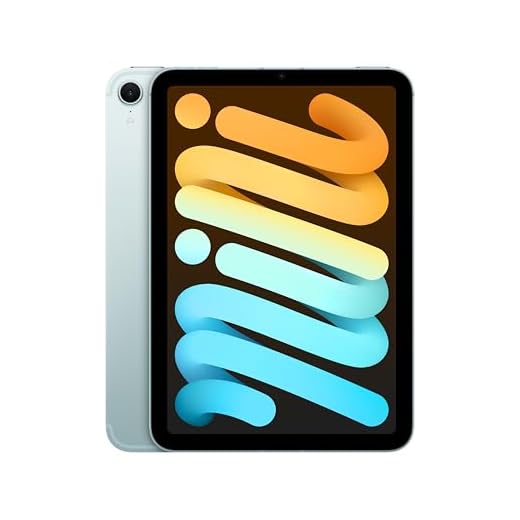


iPad Air 11-inch M3 (128GB)
A powerful, versatile tablet that handles creative apps, multitasking, and schoolwork with ease. It’s an investment that stays capable longer thanks to the M3 chip, excellent display, and a mature app ecosystem.
Pros
- M3 chip delivers class-leading performance for apps and multitasking
- Liquid Retina display with accurate colors and great brightness
- Strong app ecosystem (education, creativity, productivity)
- Touch ID and fast connectivity (Wi‑Fi 6E, USB-C)
Cons
- Higher price point than kid-focused tablets
- Accessories (keyboard, Pencil, case) add to overall cost
Overview — who should choose this
If you want a tablet that grows with your child from school projects to creative work, this model is a top pick. You’ll get a high-performance M3 chip that makes demanding apps, advanced note-taking, and split-screen workflows feel smooth and responsive.
Standout features
- Apple M3 chip for sustained high performance and efficiency
- 11-inch Liquid Retina display that’s color-accurate and bright enough for indoor and outdoor use
- 128GB base storage, Touch ID, and fast wireless connectivity
Practical use and tips
You’ll find the iPad Air excellent for art apps, video editing, coding, and multitasking between homework and research. For younger children, add a rugged case and configure Screen Time and parental controls to manage app access. Be prepared for additional spending on Apple Pencil and a keyboard if your child will use it for art or heavy note-taking.
Overall, you’ll get one of the most future-proof tablets for kids who will grow into advanced tasks, but expect the total cost to rise if you include accessories.
iPad mini (A17 Pro) 8.3-inch
An ultraportable powerhouse that’s perfect when you want a compact, durable device for reading, games, and school apps. It balances performance and portability so kids can easily hold it for long sessions and parents won’t worry about sluggish performance.
Pros
- Very portable 8.3-inch form factor that’s easy for small hands
- A17 Pro chip gives fast performance for apps and games
- Excellent build quality and great cameras for FaceTime
- Works with Apple Pencil for drawing and note-taking
Cons
- Small screen is less ideal for sharing or split-screen multitasking
- Higher price than many kid-focused tablets
Why choose the mini
If you want a compact tablet that feels more like a large phone, you’ll love the iPad mini. It’s ideal for kids who need something light to carry in a backpack or for parents who want a device that won’t be a chore to hold during reading time or travel.
Notable specs and real-world benefits
- 8.3-inch Liquid Retina display that’s bright and sharp despite the small size
- A17 Pro chip that keeps apps and games running smoothly
- Front and rear cameras with Center Stage for stable video calls
Practical considerations
You’ll find the smaller size great for single-hand use, bedtime reading, and trips. It’s also a premium device, so if your child is very young or likely to be rough with hardware, pair it with a kid-proof case. Because the screen is smaller, shared viewing (two kids watching together) won’t be as comfortable as on a 10–11" tablet, but for personal use it’s excellent.
Apple iPad 11-inch A16 (128GB)
A strong performer for schoolwork, media, and everyday family use thanks to the A16 chip and a high-quality display. It’s a sensible mid-tier Apple option that gives you speed and versatility without the highest-end price tag.
Pros
- A16 chip gives responsive performance across apps and games
- Large 11-inch Liquid Retina display and solid battery life
- Touch ID and broad app ecosystem for education and creativity
- Good balance of price and capability compared to higher-end iPad models
Cons
- Still pricier than basic kid tablets and Fire models
- Key accessories (case, Pencil, keyboard) increase total cost
Why pick this iPad for kids and families
This 11-inch A16 iPad is a practical middle ground: you get much of the smoothness and app support Apple is known for without paying flagship prices. It’s versatile enough for school assignments, creative apps, streaming, and video calls, so it functions well as a shared family device.
Important features and benefits
- A16 chip that handles multitasking and games with ease
- 11-inch Liquid Retina display with good color and brightness
- Touch ID, USB-C, and ample app choices for education and creativity
Real-world use and limitations
You’ll appreciate how fast apps open and how fluid the experience is when switching between homework and entertainment. For younger kids, invest in a protective case and set up Family Sharing and Screen Time to manage access. If you plan to use it heavily for drawing or extended typing, budget for Pencil and keyboard accessories to get the most out of the device.
Amazon Fire HD 10 Kids Pro
Designed around families, this tablet gives you robust parental controls, curated ad-free content, and a durable build aimed at kids. It’s an excellent practical choice when you want to limit screen time and manage the apps and content your child sees.
Pros
- Outstanding parental controls and remote management via app
- Durable design with kid-friendly case included
- Bright 10.1" screen and good battery life for long sessions
- Includes ad-free kids content and optional subscription bundles
Cons
- Amazon Appstore is more limited than Google Play or Apple App Store
- Advanced apps and heavy multitasking are less fluid than premium tablets
Family-focused design
This 10.1" Kids Pro model is built around parental peace of mind: strong controls, a kid-safe content environment, and a robust case. If you want a tablet you can hand to a child and trust them to use safely, this is a top practical option.
Key strengths
- 10.1" 1080p display with strengthened glass for everyday use
- Awarded parental control tools and easy remote management through an app
- Long battery life (around 13 hours) and a slim profile suitable for older kids
How it performs in real life
You’ll be able to set daily limits, approve downloads, and hand this to your child without constant supervision. It’s not the pick for intensive multitasking or high-end gaming, but most kids’ apps, streaming, and school tasks run well. Keep in mind you may hit limits if you want niche apps that aren’t in Amazon’s store, and paid content or in-app purchases still appear for some titles unless locked down.
Samsung Galaxy Tab A9+ 11-inch
A large, bright display and solid everyday performance make this a great family tablet without breaking the bank. It balances battery life, sound, and expandable storage in a package that’s comfortable for kids and adults alike.
Pros
- Bright 11-inch 90Hz display great for videos and apps
- Quad speakers deliver strong sound for media
- Expandable storage via microSD and solid battery life
- Durable, slim design that works well for family use
Cons
- Not a top-tier gaming device for demanding titles
- Streaming DRM levels may limit some high-res services
- Cameras and low-light performance are average
What you get and who it’s for
The Galaxy Tab A9+ gives you a family-sized 11" display, quad speakers, and a chipset tuned for smooth daily use. You’ll appreciate the 90Hz refresh rate for smoother animations and the option to expand storage with a microSD card, which is handy when you want to preload videos for long trips or keep downloaded school materials.
Key features and benefits
- Large 11" 1920 x 1200 screen with up to 90Hz refresh rate for fluid visuals
- Quad-speaker setup that makes movies and games feel immersive
- MicroSD expandable storage, decent battery life, and a slim, lightweight chassis
Practical insights and limitations
You’ll find this tablet performs well for streaming, kid-friendly games, and reading. If you want to hand it to multiple kids, the bigger screen is more shareable than smaller tablets. Keep in mind high-end gaming and some DRM-protected streaming in maximum quality may be limited; this is a midrange device that emphasizes good value over flagship performance.
For parents: enable kid-friendly profiles, use battery management if you keep it plugged in often, and consider a rugged case for everyday bumps.
Amazon Fire HD 8 Kids Tablet
A compact, affordable tablet that’s perfect for toddlers and early elementary kids thanks to a rugged case and solid parental controls. It gives you good battery life and kid-friendly content without a large upfront cost.
Pros
- Compact 8-inch size that’s easy for small hands to hold
- Durable kid-proof case and included subscription options
- Strong parental controls and time limits
- Good battery life for daily use
Cons
- Lower resolution and performance compared with larger tablets
- Amazon Appstore limits some apps and advanced educational software
Why this is great for the youngest kids
If you want a no-frills, durable tablet for a preschooler or early elementary child, this is a smart pick. The included kid-proof case, 2-year worry-free guarantee, and a simplified parental dashboard make it easy for you to let your child play while you stay in control.
What to expect day-to-day
- 8" HD screen suitable for games, videos, and educational apps
- Kid-focused content bundles often included and a simple parental controls suite
- 13-hour battery life typical for mixed usage and a rugged case for drops
Practical tips and caveats
You’ll save money and gain peace of mind, though you’ll sacrifice some performance and app selection compared to higher-end tablets. This tablet is ideal for supervised play, learning apps, and travel. If your child needs apps outside Amazon’s ecosystem or you want a shared family device as they grow, consider stepping up to a larger Fire model or an iPad.
Final Thoughts on the Best Kids Tablets
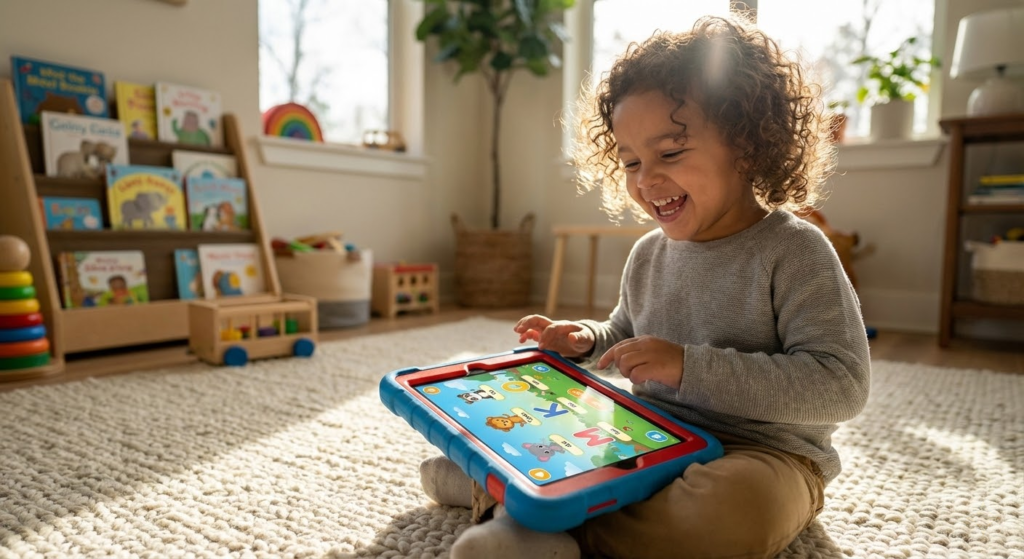
If your child is doing advanced schoolwork, creative projects, or you want a device that will stay capable for years, pick the iPad Air 11-inch M3 (128GB). It’s powerful, runs pro-grade apps, and is the best long-term investment for middle school and up.
If you need a family-first, kid-friendly tablet with ironclad parental controls, curated ad-free content, and a rugged design for younger children, go with the Amazon Fire HD 10 Kids Pro. It gives you simpler management, better durability, and a lower-stress ownership experience for early elementary kids.
How to Choose the Best Kids Tablets
Finding the right device for children can feel overwhelming, especially with so many options on the market. The best kids tablets combine durability, safety features, educational value, and age-appropriate performance. Instead of focusing only on price or screen size, it’s important to evaluate what really matters for a child’s daily use, learning, and entertainment.
Prioritize Parental Controls and Safety Features
One of the most important factors when choosing a tablet for kids is built-in parental control. These tools allow adults to manage screen time, block inappropriate content, approve apps, and monitor usage.
The best kids tablets offer easy-to-use dashboards where parents can set time limits, filter websites, and create separate child profiles. This ensures children can explore games, videos, and educational apps in a safe and controlled environment.
Choose a Durable Design Made for Kids
Kids tablets need to handle drops, bumps, and everyday accidents. That’s why durability should be a top priority. Many models designed for children come with reinforced frames, thick bezels, and shock-resistant materials.
A protective case is also a big advantage. Rubberized or foam cases with raised edges help protect the screen and make the tablet easier for small hands to grip. Water resistance is another bonus, especially for younger children.
Screen Size and Display Quality Matter More Than You Think
Screen size plays a big role in comfort and usability. Tablets between 7 and 10 inches are usually ideal for kids, offering a good balance between portability and visibility for reading, drawing, and watching videos.
Display resolution is equally important. A sharper screen reduces eye strain and makes text easier to read. While high-end displays aren’t necessary, HD resolution is recommended for a more comfortable viewing experience during longer sessions.
Performance Should Match the Child’s Age and Activities
Performance needs vary depending on how the tablet will be used. Younger kids who mainly watch videos, read digital books, or play simple games don’t need high-end hardware. Older kids may require more processing power for educational apps, multitasking, or creative tools.
Look for tablets with enough RAM to run apps smoothly and internal storage that can handle games, videos, and downloads. Some of the best kids tablets also support expandable storage, which is useful as content needs grow over time.
Educational Content and App Ecosystem Make a Difference
A strong app ecosystem can turn a tablet into a powerful learning tool. Many kids tablets include access to educational platforms, reading apps, math games, and creative tools designed for different age groups.
The availability of age-filtered app stores and curated content libraries helps ensure kids are engaging with material that supports learning, creativity, and problem-solving skills rather than just passive entertainment.
Battery Life Should Last a Full Day of Use
Battery life is another key consideration. A good kids tablet should last several hours on a single charge, allowing children to use it throughout the day without constant recharging.
Long battery life is especially important for travel, remote learning, or shared family use. Tablets that balance power efficiency with performance provide a better overall experience for both kids and parents.
Consider Audio Quality and Accessories
Speakers and headphone compatibility are often overlooked but can significantly impact usability. Clear audio is essential for educational videos, audiobooks, and interactive lessons.
Some tablets also support accessories like styluses or detachable keyboards, which can be helpful for drawing, handwriting practice, or early typing skills—especially for school-aged children.
Balance Price, Longevity, and Value
The best kids tablets don’t have to be expensive, but they should be reliable and able to grow with the child. A slightly higher upfront investment can offer better durability, longer software support, and more useful features over time.
By focusing on safety, durability, performance, and educational value, you can confidently choose one of the best kids tablets that supports learning, creativity, and fun—while giving parents peace of mind.
Check Out the Best Kids Tablets
Still not sure which one to choose? Click the link below to see the best-selling products.
Also Check Out Other Helpful Articles
Take a look at more useful articles that can help you make more informed decisions.
- Best Cost-Benefit Tablets in 2026 (Top 10: Xiaomi, Samsung and More)
- Best Tablets for Reading in 2026 (Top 6: Kindle, iPad and More)
- Best Tablets for Heavy Gaming in 2026 (Top 7: iPad Pro, ASUS ROG Flow and More)
Video About the Best Kids Tablets
We created a video on the topic. Just click to watch.
Related Articles


About the Author

Sara Taylor has always loved storytelling. With a natural curiosity, she brings fresh perspectives to every article she works on.