Best Kindles in 2026 (Top 7: Scribe Colorsoft, Paperwhite Signature and More)

Looking for the best kindles? Check out our comprehensive guide comparing screen quality, portability, and value to find your ideal e-reader companion today.
You don’t need another bookshelf.
Picture this: you, a quiet corner, and a device that holds a thousand books — plus your grocery list and sketches — without collapsing under the weight. Sounds nice, right?
Contents
- The Best Kindles
- Kindle Scribe Colorsoft 11-inch 64GB Fig
- Paperwhite Signature 7-inch 32GB Metallic
- Kindle Scribe 10.2-inch 64GB Metallic Jade
- Kindle Paperwhite 7-inch 16GB Black
- Kindle Colorsoft Signature 7-inch 32GB
- Kindle Kids 6-inch 16GB with Case Space Whale
- Kindle Colorsoft 7-inch 16GB No-Ads Black
- Final Thoughts on the Best Kindles
- How to Choose the Best Kindles for Your Reading Style
- Check Out the Best Kindles
- Also Check Out Other Helpful Articles
- Video About the Best Kindles
The Best Kindles
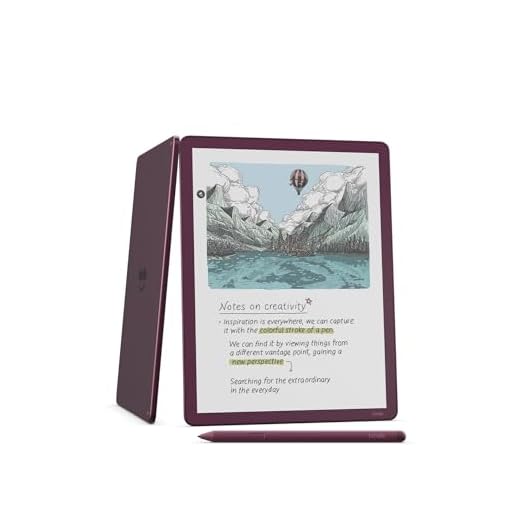
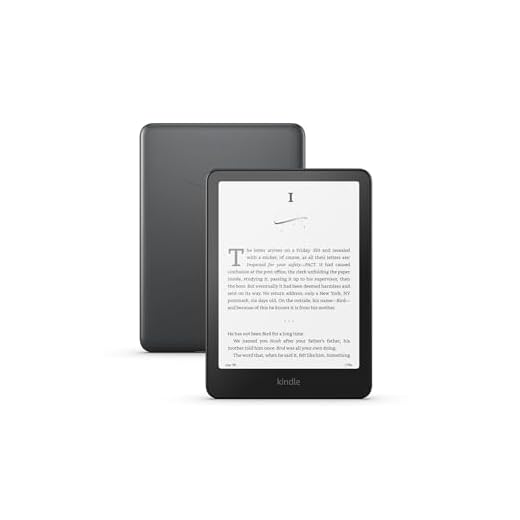
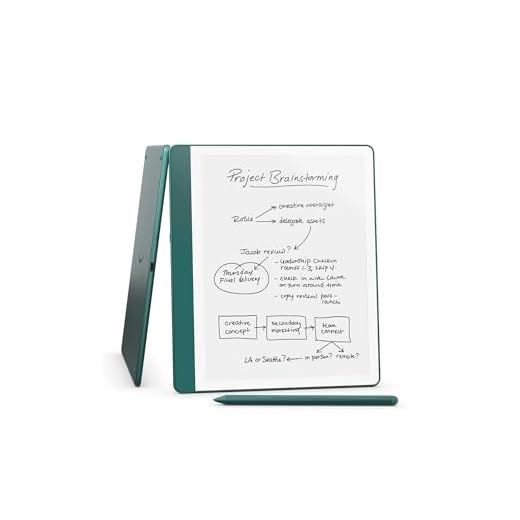

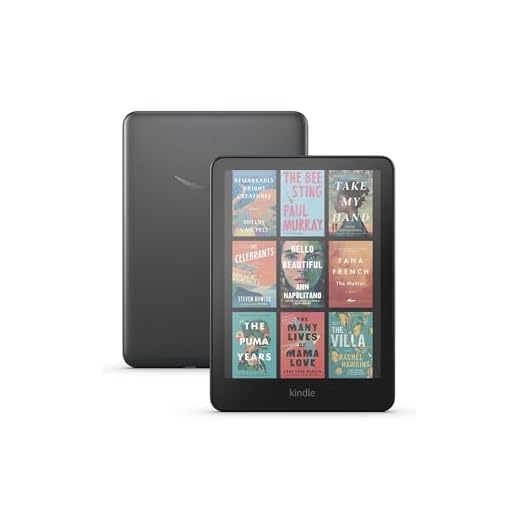
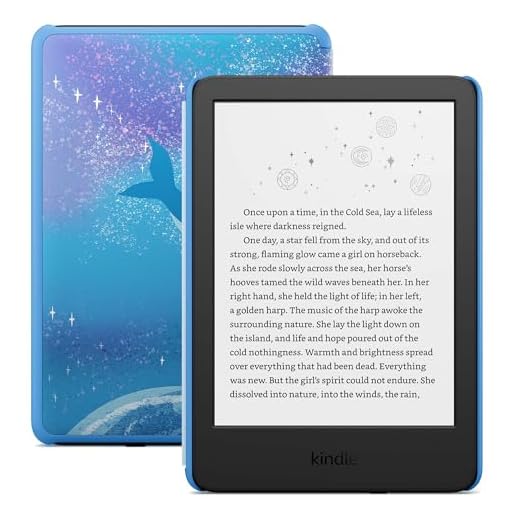
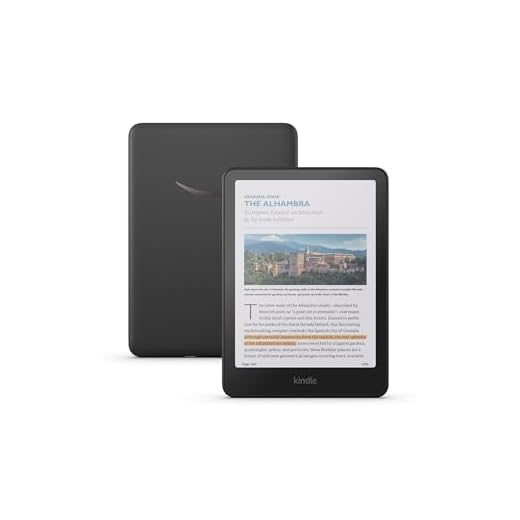
Kindle Scribe Colorsoft 11-inch 64GB Fig
You get a large, paper-like color canvas tailored for reading and note-taking, with a premium pen and expanded AI and cloud tools. If you write, annotate, or sketch regularly, this model turns your Kindle into a serious digital notebook and creative surface.
Pros
- 11" paper-like Colorsoft display ideal for notes and visuals
- 64GB storage for large libraries, documents, and media
- Premium pen included with natural-feeling writing experience
- Improved software tools: notebooks, AI summaries, and cloud integrations
Cons
- High price point compared with smaller Kindles
- Device is heavier and less comfortable for one-handed reading
Overview
You’ll find the Scribe Colorsoft is designed for readers who also write, sketch, or manage documents. The 11" color display gives you a roomy canvas that feels closer to paper, and the included premium pen makes handwriting, annotating, and light drawing intuitive.
Standout capabilities
- Large 11" Colorsoft screen with high-contrast color rendering for images, diagrams, and color-coded notes
- 64GB of storage suited for PDFs, illustrated books, and multi-file notebooks
- Premium pen (included) with low-latency, natural feedback and a range of pen/highlighter colors
These features make it effective for tasks like marking up textbooks, keeping meeting notes, and creating color-coded study materials. One reviewer noted being able to run meetings and project notes entirely from the Scribe, which speaks to its utility beyond leisure reading.
Practical limitations and workflow tips
Because it’s larger and heavier, you’ll typically use it on a desk or lap rather than holding it for many hours in one hand. Battery life is good but shorter than smaller Kindles when using color and frequent note-taking. If you plan to replace paper notebooks or work with visual materials daily, the Scribe Colorsoft offers a rare combination of large-format reading and expressive annotation that justifies the premium for many power users.
Paperwhite Signature 7-inch 32GB Metallic
You get the same refined Paperwhite reading experience with premium extras that matter: more storage, wireless charging, and an auto‑adjusting front light. The combination of speed, storage, and convenience makes it a top pick if you keep a large library or want a more polished device.
Pros
- 32GB storage for larger libraries and comics
- Auto-adjusting front light for consistent readability
- Wireless charging support for convenience
- Faster performance and responsive page turns
Cons
- Higher price compared with standard Paperwhite
- Plastic back can feel less premium without a case
Overview
You’ll notice the Signature Edition is aimed at readers who want more convenience and headroom for content. It pairs the fast, high-contrast 7" Paperwhite display with premium touches like wireless charging and an auto‑adjusting front light so you spend less time fiddling with settings and more time reading.
What sets it apart
- 32GB of internal storage so you can keep a much larger library locally
- Auto-adjusting front light that senses ambient conditions and adjusts warmth and brightness
- Wireless charging compatible with common Qi chargers for simple replenishing
Those additions are particularly useful if you juggle many audiobooks, graphic-rich content, or use Audible via Bluetooth. You’ll appreciate not needing to constantly offload files and the smoother day-to-day experience.
Practical tips and limitations
If you routinely read heavier formats or prefer maximum convenience, the Signature edition delivers measurable benefits. That said, it costs more than the standard Paperwhite; if you don’t need the extra storage or wireless charging, the base Paperwhite still offers excellent value. Also, while the device feels well-built, the back can have a slightly hollow plastic sensation — easy to solve with a case but worth noting if you prefer a very solid in-hand feel.
Kindle Scribe 10.2-inch 64GB Metallic Jade
You get a large, distraction-free writing surface with strong handwriting tools and AI-powered note features. It's ideal if you want to replace multiple paper notebooks with a single device built for reading and structured note-taking.
Pros
- 10.2" paper-like Paperwhite display great for long notes
- Built-in AI features for summaries and handwriting conversion
- 64GB storage and robust notebook/document organization
- Excellent pen feel and exportable notes
Cons
- Bulkier and less comfortable for one-handed reading
- Not as color-capable as Colorsoft Scribe models
Overview
You’ll appreciate the Kindle Scribe if you want a dedicated digital notebook that also reads books beautifully. The 10.2" Paperwhite display balances size and portability while delivering satisfying pen latency and a tactile writing feel that many users describe as close to paper.
Productivity features and benefits
- Integrated notebooks with templates, easy organization, and export options for your notes
- AI tools to summarize long notes and convert handwritten text into searchable text
- Large storage and durable battery life designed for days or weeks of typical mixed use
This device shines in structured workflows: take meeting notes, annotate PDFs, or keep a daily journal while retaining all reading functionality of a Kindle. Users migrating from paper often find the searchability and export features especially freeing.
Real-world trade-offs
The Scribe’s size and weight mean it’s best used on a desk, couch arm, or lap rather than for one-handed reading in bed. If you don’t need a large handwriting surface, a smaller Paperwhite or Scribe alternative might be more comfortable and less expensive. But for focused work and frequent note capture, the Scribe is a strong, well-rounded option.
Kindle Paperwhite 7-inch 16GB Black
You get a crisp 7-inch glare-free display with noticeably faster page turns and long battery life, making it ideal for everyday reading. The lightweight, travel-friendly design and solid feature set make it a dependable choice if you want a dedicated e-reader without extra bells and whistles.
Pros
- Sharp 7" glare-free 300 ppi display
- Improved page turn speed and contrast
- Weeks of battery life on a single charge
- Compact, lightweight and travel-ready
Cons
- Limited storage at 16GB for large libraries
- No wireless charging or auto-adjusting light
Overview
You’ll appreciate this Kindle if you want a focused, no-friction reading device that prioritizes text clarity and battery life. The newest 7" Paperwhite increases page-turn responsiveness and contrast versus previous models, making reading fast and pleasant whether you're commuting or relaxing at home.
Key features and benefits
- 7" glare-free Paperwhite display with 300 ppi for crisp text and comfortable long reads
- Faster page turns (about 20–25% improvement) and optimized fonts for a paper-like experience
- Weeks of battery life and a slim, travel-friendly chassis
These traits translate into fewer interruptions and more reading time. For example, if you read during short daily commutes, the faster page turns and quick wake-from-sleep make short sessions feel seamless.
Practical considerations and limitations
You’ll get a reliably good reading experience, but if you carry lots of comics, large PDFs, or an exceptionally large library, 16GB can fill up. Also, you won’t find premium extras like wireless charging, auto-adjusting ambient light, or a color display — features reserved for higher-tier models. If you want the simplest device that reads well and lasts long between charges, this Paperwhite is a smart, cost-conscious pick.
Kindle Colorsoft Signature 7-inch 32GB
You get an e-ink reader that brings covers, highlights, and graphic content to life with a soft, eye-friendly color layer. It's ideal if color adds tangible value to your reading — comics, textbooks, illustrated guides, and color-coded highlights.
Pros
- Paper-like color display that supports color highlights
- 32GB storage and fast performance
- Auto-adjusting front light and wireless charging
- Excellent for illustrated content and comics
Cons
- Higher price; value depends on need for color
- Color layer can slightly reduce black/white contrast
Overview
If color would improve your reading — think illustrated nonfiction, comics, children’s books, or color-coded highlighting — the Colorsoft Signature brings that capability to a familiar Paperwhite-style device. It uses a color filter over an e-ink panel to deliver gentle, paper-like color without resorting to an LCD.
Features you’ll notice
- 7" Colorsoft display with both black-and-white and soft color rendering for covers and graphics
- 32GB storage for comics and image-heavy files, plus fast page turns
- Auto-adjusting front light and wireless charging to reduce setup friction
Users report that the color is subtle and practical, not garish, which is exactly the point: color enhances specific content without turning the reader into a tablet. If you compare it side-by-side with a Paperwhite, you may spot a modest drop in contrast for pure text, but many buyers find that trade-off worthwhile.
Practical insights and limitations
You’ll pay a premium for color, and battery life and storage tend to be consumed faster when you use vivid content heavily. Some early units had minor uniformity issues (a faint band has been reported), though many buyers see no defects. If your library is mostly black-and-white novels, you’ll probably get more value from a standard Paperwhite — but for visual books, the Colorsoft is a compelling option.
Kindle Kids 6-inch 16GB with Case Space Whale
You get a kid-focused Kindle that ships with a protective cover, a kids+ trial, and a two-year worry-free guarantee — all designed to encourage reading without distractions. The compact size, durable case, and parental controls make it a great first e-reader for children.
Pros
- Includes kid-friendly case and 6-month Kids+ subscription
- Two-year worry-free guarantee for replacements
- Glare-free 6" display with adjustable light and fast page turns
- Simple parental controls and ad-free experience
Cons
- Black-and-white display only (no color)
- Some kids may outgrow the 6" size as they get older
Overview
You’ll find the Kindle Kids thoughtfully designed for young readers: it pairs a compact 6" e-ink screen with a colorful, protective cover and built-in parental controls. The package includes a free trial to Amazon Kids+ and a two-year replacement warranty, which reduces the stress of accidental damage.
What parents and kids will like
- Kid-focused content management and easy parental controls to set reading goals and limits
- Durable included cover and a 2-year replacement guarantee to keep the device in use even after mishaps
- Ad-free setup and a 6" 300 ppi glare-free display that’s comfortable for young eyes
Children find it easy to navigate, and parents appreciate the peace of mind from curated content and the extended warranty. Many families report kids redirecting screen time from tablets to this distraction-free reader with positive sleep and reading habits.
Practical considerations
The Kids model is monochrome — that’s fine for most early readers but limits comics and picture-heavy books. If your child needs color content, consider a Colorsoft model as they grow. Otherwise, for reading-first households, the combination of case, warranty, and curated content makes this a very practical, family-friendly device.
Kindle Colorsoft 7-inch 16GB No-Ads Black
You get a compact color e-reader experience without ads, making it a straightforward pick if you want color highlights and covers but don’t need the Signature extras. It’s a good middle ground between basic Paperwhite models and the pricier Colorsoft Signature.
Pros
- Colorsoft display brings images and highlights to life
- No Ads option creates a cleaner home screen
- Adjustable warm light for comfortable night reading
- Lightweight and comfortable for daily reading
Cons
- 16GB can fill quickly with image-heavy books
- Color display slightly less crisp for pure text than B&W models
Overview
You’ll like this model if you want access to soft color on a Kindle but prefer a simpler package without the Signature extras. It preserves the focused Kindle reading experience while adding color for covers, illustrations, and highlight organization.
What you get and how it helps
- 7" Colorsoft display that’s optimized for reading in color while remaining easy on the eyes
- Adjustable warm light to reduce glare and make night reading more pleasant
- No Ads configuration so your home screen stays uncluttered
This model is practical for readers who occasionally need color — such as parents who read picture books, students with color diagrams, or anyone who likes colored highlights — while keeping cost and complexity lower than the high-end variants.
Limitations and tips
Because it’s 16GB, you’ll need to manage storage if you download many comics or textbooks. Also, if your primary focus is text-only novels, you’ll see crisper contrast on a monochrome Paperwhite. Still, for a straightforward color reading experience with a clean interface, this is a sensible middle-ground option.
Final Thoughts on the Best Kindles
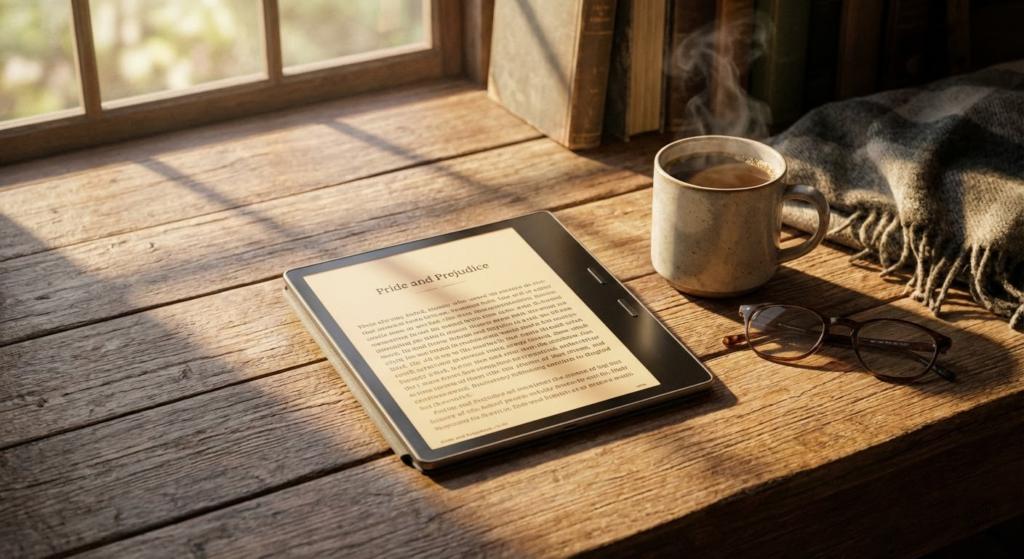
Pick the Kindle Scribe Colorsoft 11-inch 64GB (Fig) if you write, sketch, or annotate every day. It gives you a large, paper-like color canvas, a premium pen, and expanded AI and cloud tools — ideal for turning your Kindle into a serious digital notebook and creative surface.
Choose the Paperwhite Signature 7-inch 32GB (Metallic) if you mostly read and want a polished, fast, and hassle-free experience. It adds more storage, wireless charging, and an auto-adjusting front light, making it the top option for heavy readers who keep big libraries and want premium convenience.
How to Choose the Best Kindles for Your Reading Style
Choosing the right e-reader can completely change how you enjoy books. With lightweight designs, eye-friendly screens, and long battery life, the best Kindles are built for readers who want convenience without distractions. But not every model is ideal for every type of reader. Below, you’ll find the key points to consider before deciding which Kindle suits you best.
Screen Size and Display Technology Matter More Than You Think
One of the most important factors when comparing Kindles is the screen. Smaller screens are easier to carry and perfect for reading anywhere, while larger displays are more comfortable for long reading sessions and allow you to see more text at once.
Kindles use e-ink technology, which mimics the look of real paper and reduces eye strain. Higher-resolution screens deliver sharper text, making a noticeable difference if you read for long periods or enjoy adjusting font sizes.
Front Lighting vs. Adjustable Warm Light
Not all Kindle lighting systems are the same. Basic front lighting allows you to read in low-light environments, but more advanced models include adjustable warm light.
Warm light reduces blue light exposure and makes nighttime reading more comfortable, especially before bed. If you often read at night, this feature can be a major upgrade when looking for the best Kindles.
Storage Capacity: How Much Do You Really Need?
Most Kindles come with enough storage to hold thousands of eBooks, even at lower capacities. Text-based books take up very little space, so larger storage options are usually only necessary if you plan to store audiobooks, PDFs, or graphic-heavy content.
For most readers, standard storage is more than enough. However, power users may prefer higher capacity models for added flexibility.
Battery Life That Lasts for Weeks
One of the standout features of Kindles is battery life. Unlike tablets, e-readers can last weeks on a single charge, depending on usage and lighting settings.
If you travel frequently or dislike charging devices often, battery performance should be high on your checklist. The best Kindles are designed to stay powered for long stretches, making them reliable companions on trips or daily commutes.
Waterproofing for Reading Anywhere
Some Kindle models are water-resistant, which is a big advantage for readers who enjoy reading at the beach, by the pool, or in the bath.
Waterproofing adds peace of mind and durability, ensuring your device can handle accidental splashes without worry. If you read in varied environments, this feature can be a deciding factor.
Audiobook Support and Bluetooth Connectivity
Many modern Kindles support audiobooks through Bluetooth headphones or speakers. This is a great option if you like switching between reading and listening without changing devices.
If audiobooks are part of your routine, make sure the Kindle you choose supports audio playback and has enough storage to handle larger files.
Design, Weight, and Comfort for Long Reading Sessions
Comfort is key when choosing among the best Kindles. Lightweight designs reduce hand fatigue, while ergonomic builds make it easier to hold the device for extended periods.
Some models feature premium materials and flush screens, which not only look better but also feel more refined during everyday use.
Extra Features That Enhance the Reading Experience
Additional features such as adjustable fonts, custom margins, dark mode, and integration with reading apps can greatly enhance usability.
Some Kindles also offer note-taking tools and better PDF handling, which are especially useful for students or professional readers.
By focusing on how and where you read, you’ll be able to choose from the best Kindles with confidence. The ideal model is the one that fits your habits, keeps reading comfortable, and makes it easier to enjoy books anytime, anywhere.
Check Out the Best Kindles
Still not sure which one to choose? Click the link below to see the best-selling products.
Also Check Out Other Helpful Articles
Take a look at more useful articles that can help you make more informed decisions.
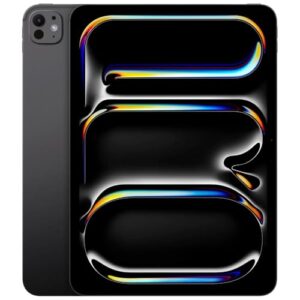
- Best Cost-Benefit Tablets in 2026 (Top 10: Xiaomi, Samsung and More)
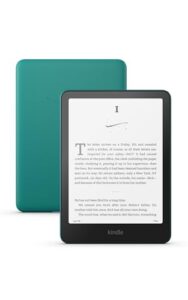
- Best Tablets for Reading in 2026 (Top 6: Kindle, iPad and More)
- Best Tablets for Heavy Gaming in 2026 (Top 7: iPad Pro, ASUS ROG Flow and More)
Video About the Best Kindles
We created a video on the topic. Just click to watch.
Related Articles

About the Author

Ashley Turner enjoys crafting content that is easy to read and meaningful. She believes good writing starts with understanding the reader.