Best Laptops for Heavy Games in 2026 (Top 10: Alienware, MSI Titan and More)

Last Updated on February 17, 2026
Looking for a new rig? Discover the best laptops for heavy games that offer maximum performance, cutting-edge graphics, and the speed you need to dominate any title.
You want POWER.Long sessions. Maxed settings. Zero compromises. You want a machine that turns every AAA title into buttery-smooth chaos.
Some rigs are desktop replacements. Some are portable powerhouses. Here you’ll find the laptops that do heavy gaming without blinking — with notes on who each one actually fits. No fluff. Just which ones win at performance and why.
Contents
- The Best Laptops for Heavy Games
- MSI Titan 18 HX Extreme Performance Beast
- Lenovo Legion Pro 7i Desktop Replacement
- ASUS ROG Strix Scar 18 High-Performance
- Razer Blade 14 Thin High-Performance Laptop
- Alienware Area-51 18-Inch Powerhouse
- Acer Predator Helios Neo 16 Slim Powerhouse
- Alienware 16 Aurora High-Refresh Gaming
- ASUS ROG Zephyrus G14 Compact OLED Gamer
- MSI Katana 15 HX Value-Oriented Gamer
- HP Omen Transcend 14 Portable QHD+ Gaming
- Final Thoughts on the Best Laptops for Heavy Games
- How to Choose the Best Laptops for Heavy Games
- Check Out the Best Laptops for Heavy Games
- Also Check Out Other Helpful Articles
- Video About the Best Laptops for Heavy Games
The Best Laptops for Heavy Games

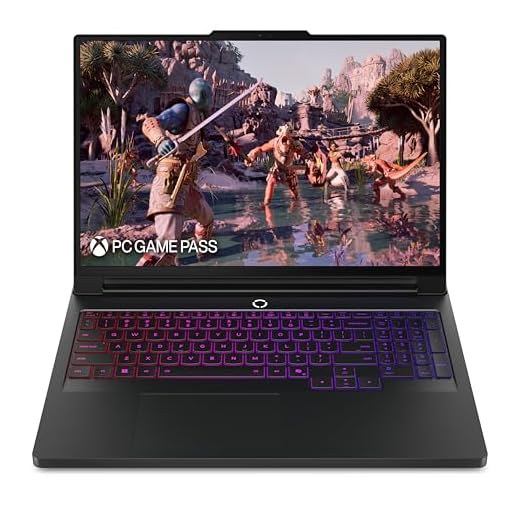

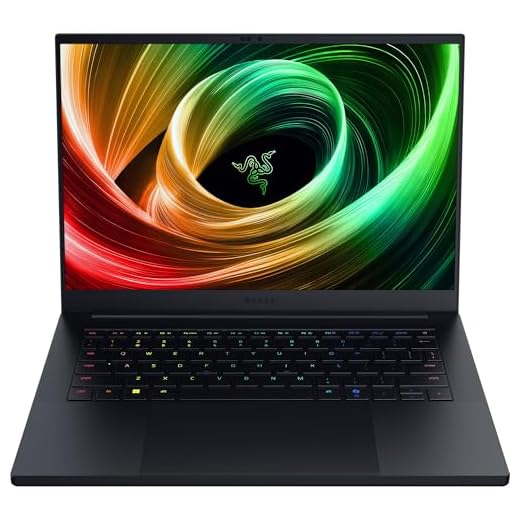


MSI Titan 18 HX Extreme Performance Beast
You’ll get top-of-market components — an ultra-class CPU, an RTX-class GPU, massive RAM, and multi-terabyte SSD storage — built to replace even high-end desktop rigs. It's overkill for casual gamers but ideal if you need uncompromising performance and large local storage.
Pros
- Extreme CPU and GPU performance for gaming and content creation
- Gargantuan 96GB DDR5 and 6TB NVMe for heavy workloads
- 18" MiniLED UHD+ display with high fidelity and color depth
- Thunderbolt 5 and Wi-Fi 7 for modern connectivity
Cons
- Very heavy and expensive — not for budget buyers
- Battery life and portability are secondary to raw power
Who should buy this
This is made for enthusiasts and professionals who demand the absolute best performance in a portable chassis — whether you’re rendering 3D scenes, streaming at ultra settings, or pushing extreme frame rates in the latest AAA releases. You get workstation-like specs in a laptop form factor.
Standout specifications and user benefits
- Intel Ultra 9-285HX CPU and NVIDIA RTX-class GPU deliver peak sustained performance
- 96GB DDR5 memory and 6TB NVMe SSD provide headroom for huge projects and game libraries
- 18" MiniLED UHD+ 120Hz panel for exceptional contrast and color accuracy
In practice you’ll experience near-desktop responsiveness for multitasking, content creation, and high-FPS gaming. The extensive memory and storage mean you can keep large assets and installs on-board without relying on external drives.
Limitations and practical notes
Expect a significant investment in both money and weight — this is not designed for commuters. Cooling, while advanced, will still produce noise under full load. If you prioritize absolute performance above all else, this is one of the most capable laptops you can buy.
Lenovo Legion Pro 7i Desktop Replacement
You get top-tier performance driven by Intel Core Ultra 9 and an RTX 5070 Ti, paired with aggressive cooling and a fast 2.5K OLED-like panel. It's optimized for sustained competitive frame rates and offers robust connectivity including Wi-Fi 7.
Pros
- Outstanding CPU/GPU combo for high FPS gaming
- 240Hz 2.5K display with excellent color and low latency
- Advanced vapor-chamber cooling and quiet operation under load
- Wi-Fi 7 and rich I/O for future-proof connectivity
Cons
- Relatively heavy for frequent travel
- Can be loud at maximum cooling profiles
Who this is aimed at
You should consider this model if you want a true desktop replacement that focuses on consistent high frame rates and thermal headroom. It's built for competitive and AAA play where long, sustained performance matters more than raw portability.
Notable hardware and software highlights
- Intel Core Ultra 9 275HX provides strong multithreaded and single-threaded performance
- NVIDIA GeForce RTX 5070 Ti with ample VRAM for high-res high-FPS gaming
- Legion Coldfront vapor chamber cooling plus Lenovo AI Engine+ for dynamic optimization
In real use you'll appreciate the tuned balance between power and quiet operation — the cooling system is engineered to keep the chassis comfortable while maintaining performance. Lenovo's software suite gives you quick access to tuning, profiles, and system monitoring so you can tweak performance for your favorite titles.
Practical tips and trade-offs
If you travel frequently you’ll notice the weight and footprint; this is intended to be a portable desktop rather than an ultralight machine. Expect occasional fan noise at peak loads, but overall thermal efficiency keeps hot spots away from your hands and keyboard.
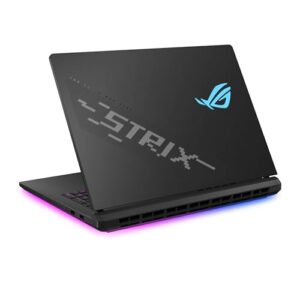
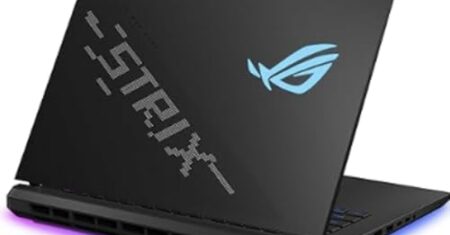
ASUS ROG Strix Scar 18 High-Performance
You get a large, color-accurate 2.5K 240Hz display and a refined cooling stack tailored to prolonged high-load gaming. The combination of Core Ultra CPU and RTX 5070 Ti GPU makes it a strong pick for serious players who want a large-screen experience.
Pros
- 240Hz 2.5K Nebula HDR display with excellent color accuracy
- Robust ROG cooling: vapor chamber, tri-fan design, liquid metal
- Tool-less upgrade access for storage and memory
- Windows 11 Pro with useful ROG performance utilities
Cons
- Some SKUs ship with GPUs that have limited VRAM for demanding settings
- Hefty chassis and higher power draw under load
Designed for extended competitive sessions
You’ll appreciate this laptop if you want a large-screen competitive edge combined with accurate color for content tasks. The 18" Nebula HDR panel and fast refresh rate deliver both immersive visuals and the clarity required for fast-paced gameplay.
Key engineering and usability points
- Intel Core Ultra 9 275HX paired with NVIDIA RTX 5070 Ti for consistent high frame rates
- Advanced cooling with vapor chamber, tri-fan design and liquid metal to reduce thermal throttling
- Tool-less internals for easy upgrades and maintenance
In day-to-day use, the system keeps performance high while allowing you to swap or add drives and memory without complex disassembly. The display shines for both gaming and creative tasks, though certain configurations with lower VRAM can limit ultra settings in future-heavy titles.
What to watch for
If you expect quiet operation at all times, some users report louder fan noise at the highest performance modes. Also check the exact GPU VRAM on the SKU you buy — 12GB+ is preferable for future-proofing high-resolution textures and mods.
Razer Blade 14 Thin High-Performance Laptop
You get a premium, thin-and-light chassis with a 3K 120Hz OLED and a potent Ryzen AI 9 CPU plus RTX 50-series GPU — great for both gaming and content creation on the go. The compact design maintains strong thermals for its size but can run fans frequently under load.
Pros
- Excellent build quality in a very thin 14" chassis
- 3K OLED 120Hz display with professional color profiles
- Strong CPU/GPU combo with long battery claims for the class
Cons
- Fans can ramp up frequently under moderate loads
- Razer software ecosystem is sometimes cluttered
Why choose this laptop
You should pick this if you want a premium, highly portable gaming laptop that doesn’t compromise on display quality or performance. The 3K OLED panel paired with AMD Ryzen AI and NVIDIA RTX hardware is ideal for creators who also play games on the side.
Standout features and daily experience
- Ultra-thin 0.62" CNC chassis delivers portability without sacrificing rigidity
- 3K 120Hz OLED with 0.2ms response and Calman-verified color for accurate editing and immersive gaming
- AMD Ryzen AI 9 and RTX 50-series GPU provide strong on-the-go compute and gaming power
In everyday use you’ll appreciate the balance of portability and performance — it handles photo and video edits well while remaining easy to carry. Battery claims are impressive for a gaming-capable thin chassis, though real-world runtime depends greatly on workload and settings.
Practical trade-offs
Expect occasional fan activity when you push the system; that’s common in thin designs trying to dissipate significant heat. Razer’s bundled software can add helpful features but can also feel like extra clutter; you may prefer third-party utilities for fine-grained control.
Alienware Area-51 18-Inch Powerhouse
You’ll find a machine focused on maximum performance with an RTX 5080 and high-end Core Ultra processor tuned for sustained heavy loads. It’s ideal if you want flagship-level gaming in a sizeable chassis and don’t mind the weight.
Pros
- RTX 5080-class graphics with 16GB VRAM for high-resolution settings
- Generous 2TB Gen4 NVMe storage and 32GB DDR5 RAM
- Improved thermals over prior generations for longer sessions
Cons
- Extremely heavy — best used stationary
- Screen uniformity and contrast may be weaker than OLED alternatives
Who benefits most
If you prioritize maximum in-game settings and high frame rates while keeping a relatively portable (by desktop standards) package, this 18" Area-51 design aims to deliver that. It favors raw power and airflow, making it a go-to for enthusiasts who game from a desk or travel occasionally with heavy gear.
Strengths and feature breakdown
- Intel Core Ultra HX platform allowing raised power limits for the CPU
- NVIDIA GeForce RTX 5080 Laptop GPU with ample VRAM for demanding textures and ray tracing
- 32GB DDR5 and 2TB NVMe provide immediate headroom for gaming and content libraries
In practical terms you’ll enjoy great performance in modern titles and fast load times thanks to the large NVMe cache. Thermals are improved compared to older Area-51 models, which reduces throttling during long sessions, but fans and surface temperatures still reflect the class of machine.
Trade-offs to consider
Weight and size make it less suitable for lap use or frequent travel. If display contrast and black uniformity are critical to you, consider an OLED-equipped alternative because some units ship with high-refresh LCDs that don’t match OLED blacks.
Acer Predator Helios Neo 16 Slim Powerhouse
You get an attractive combination of a high-refresh WQXGA OLED, RTX 5060 GPU, and Intel Ultra 9 processor in a slim package. It’s a good pick if you want modern features and solid performance without a massive chassis.
Pros
- 240Hz WQXGA OLED display with 100% DCI-P3 coverage
- Intel Core Ultra 9 275HX and RTX 5060 for smooth gameplay
- Slim 18.97mm profile with strong on-the-go performance
Cons
- Reported weight and dimension inconsistencies; check the exact SKU
- Thermals and fan noise can ramp under heavy workloads
Who this targets
This model is for you if you want a capable gaming laptop that’s still relatively sleek. The Helios Neo balances high refresh rates and color accuracy with an efficient chassis so you can game and create on the go.
Notable hardware and usability points
- Intel Core Ultra 9 275HX CPU with hybrid core architecture for modern workloads
- NVIDIA GeForce RTX 5060 Laptop GPU with AI acceleration and decent VRAM for competitive gaming
- 16" WQXGA OLED 240Hz panel offering fast refresh and vibrant colors
On the road you’ll appreciate the slim profile and vivid display — it’s great for both gaming and media consumption. The NPU and AI features can also boost background tasks like streaming encoding or real-time effects.
Caveats to keep in mind
Check the specific configuration when buying because regional SKUs can vary in weight and exact I/O. If you push maximum sustained settings often, you may hear fans cycle up — an external dock or cooler can help for extended sessions.
Alienware 16 Aurora High-Refresh Gaming
You get a sharp 16" WQXGA 120Hz panel and a modern RTX 50-series GPU that handle AAA titles smoothly. Thermals and build quality lean toward a premium desktop-replacement experience, though weight and size make it less portable.
Pros
- High-resolution 16" WQXGA 120Hz display
- NVIDIA GeForce RTX 5050 for modern gaming
- 1TB SSD and 16GB DDR5 provide snappy performance
- Solid thermal design and premium build materials
Cons
- Heavier and larger than ultraportable gaming laptops
- Battery life is typical for a desktop-class system
What this laptop is for
You should pick this if you want a near-desktop level gaming rig in a relatively compact 16" chassis: the focus is on sustained frame rates and a high-contrast WQXGA 120Hz experience. The configuration balances modern GPU power with a fast SSD and DDR5 RAM so you can play AAA titles and multitask without obvious slowdowns.
Key features and benefits
- Brilliant 16" WQXGA 120Hz 300-nit display ideal for high-FPS play and sharper visuals
- NVIDIA GeForce RTX 5050 Laptop GPU for current-gen ray tracing and AI enhancements
- 1TB NVMe SSD and 16GB DDR5 for fast load times and smooth background multitasking
You’ll notice the premium feel in the anodized aluminum lid and the thoughtful cooling that sustains high performance during long sessions. The laptop is tuned to prioritize framerates and responsiveness rather than ultra-light portability.
Practical considerations and limitations
The chassis and components add weight, so if you plan to carry the machine all day you’ll feel it. Expect typical desktop-replacement battery life — you’ll want the charger for long sessions. If you need more storage or want to upgrade RAM in the future, the platform is generally friendly to expansions, but plan for occasional fan noise under heavy loads.
ASUS ROG Zephyrus G14 Compact OLED Gamer
You get a crisp 2.8K OLED 120Hz panel and a modern RTX 5060 in a compact form that’s ideal for travel. Thermal management can be a concern in a small chassis, so consider a cooling pad for long sessions.
Pros
- 2.8K OLED 120Hz display with excellent color and contrast
- Strong combination of AMD Ryzen and RTX 5060 for compact performance
- Great for portability and creation as well as gaming
Cons
- Gets hot under extended loads; cooling pad recommended
- Some SKU specs and weights vary — verify the exact model
Ideal use cases
You should choose this if you want an ultraportable gaming laptop that still delivers a high-quality OLED panel and solid mid-to-high tier GPU performance. It’s a good fit for students, traveling pros, or anyone who values a balance of mobility and gaming capability.
Hardware and user-facing benefits
- 14" ROG Nebula OLED 2.8K 120Hz display provides outstanding color, deep blacks, and sharp text
- Ryzen 9 CPU and RTX 5060 GPU combination keeps modern games playable at high settings
- Slim chassis that’s easier to transport than larger desktop-replacement machines
In practice you'll love the screen for single-player experiences, creative work, and streaming content. If you game for long stretches, plan for active cooling support — a small stand or pad can drastically reduce surface temps and help maintain frame rates.
Buying notes
Confirm the exact SKU for weight and I/O variations before purchase. If you need prolonged maximum performance in a portable package, be prepared to accept some thermal trade-offs or step up to a larger 16–18" model with more robust cooling.
MSI Katana 15 HX Value-Oriented Gamer
You’ll find a strong Core i9 CPU and RTX 5070 GPU combination that delivers compelling performance for the price. The cooling and battery life are average — this is a solid choice if you want bang-for-buck gaming hardware.
Pros
- Powerful Core i9-14900HX and RTX 5070 pairing
- QHD 165Hz display for sharper, smoother visuals
- 1TB NVMe SSD and 32GB DDR5 offer a great baseline
Cons
- Fans can be loud during sustained gaming
- Battery life is short under heavy use
Who should consider this laptop
You should consider this if you want strong gaming performance without paying flagship premiums. The balance of a high-end CPU and a capable RTX GPU enables high FPS in many modern titles and supports content creation tasks when needed.
Strengths and everyday usage
- Intel Core i9-14900HX gives you excellent multi-core and single-core speed for games and productivity
- QHD 165Hz panel maintains clarity while supporting higher framerates for competitive play
- Cooler Boost 5 thermal design improves sustained performance during extended sessions
In daily gaming you’ll get fast load times and responsive gameplay; streaming and multitasking also feel satisfyingly quick. The RGB keyboard and I/O options make it easy to integrate into a home setup.
Limitations and practical advice
Expect noise under heavy loads — using a balanced power profile can reduce fan intensity at the cost of raw frames. If you prioritize long unplugged sessions, look at thinner GPUs or more efficient SKUs instead.
HP Omen Transcend 14 Portable QHD+ Gaming
You get a compact QHD+ 14" laptop with an RTX 4060 and Core Ultra 7 that suits gamers who value mobility. The smaller form factor limits thermals and upgradability compared with larger desktop-replacement models, but it's easier to carry.
Pros
- Compact 14" QHD+ display with good pixel density
- Core Ultra 7 CPU and RTX 4060 provide solid 1080p/1440p gaming
- 1TB SSD and 16GB RAM for a smooth experience
Cons
- Renewed unit — condition and warranty may vary
- Smaller chassis can run warmer and throttle under sustained loads
Who should consider this model
You should consider this if you want a genuinely portable gaming laptop that still offers respectable GPU performance for 1080p and some 1440p gaming. The 14" QHD+ panel is a plus for clarity and helps reduce power draw compared with larger high-refresh panels.
Practical hardware overview
- Intel Core Ultra 7-155H balances performance and efficiency in a thin chassis
- NVIDIA GeForce RTX 4060 handles competitive titles and many AAA games at medium-to-high settings
- 1TB SSD and 16GB RAM are sensible out-of-the-box choices for storage and multitasking
In daily use you’ll enjoy easy transport, good single-threaded performance, and a sharp screen. However, be prepared to manage thermal profiles — the smaller internals mean the system can get warm under long gaming sessions and may benefit from shorter burst-play or external cooling.
Important notes
Because many listings are renewed, verify warranty coverage and physical condition before you buy. If you need sustained maximum performance for prolonged sessions, a larger chassis with better cooling would be a more suitable alternative.
Final Thoughts on the Best Laptops for Heavy Games
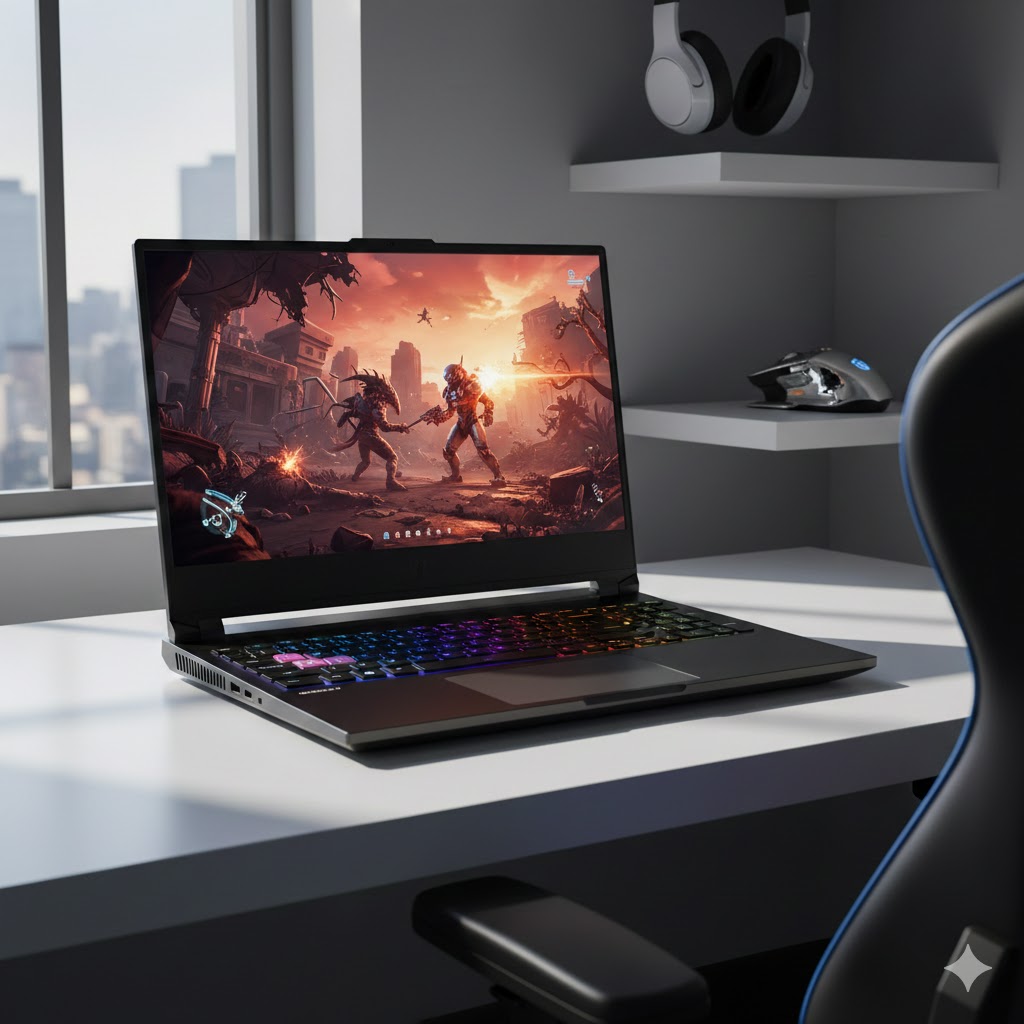
Choose the MSI Titan 18 HX Extreme Performance Beast if you want absolute, take-no-prisoners power. It packs ultra-class CPU performance, RTX-class GPU capability, massive RAM, and multi-terabyte SSD storage — enough to replace a high-end desktop. Pick this when you do long, intense sessions, stream or record at high bitrates, or need local storage and compute for both gaming and workstation tasks. Expect weight and size; this one lives on your desk.
Choose the Lenovo Legion Pro 7i Desktop Replacement if you want sustained high FPS in a more refined chassis. Its Intel Core Ultra 9 + RTX 5070 Ti combo, aggressive cooling, and fast 2.5K display are tuned for competitive play and long runs at peak performance. It’s the smarter pick for tournament-ready frame rates, solid thermals, and modern connectivity (including Wi‑Fi 7) without the extreme bulk of the biggest 18" beasts.
How to Choose the Best Laptops for Heavy Games
If you want smooth gameplay, fast loading times, and a system that won’t overheat during long sessions, choosing the best laptops for heavy games requires attention to several key components. High-performance gaming goes far beyond having a “good” laptop — you need hardware built specifically for demanding titles. Below is a complete guide to help you pick the ideal model.
Pick a High-End Processor for Maximum Performance
The processor (CPU) is responsible for running game logic, physics, AI, and multitasking. For heavy modern games, you should avoid entry-level chips and go straight to high-performance series.
Look for CPUs such as:
- Intel Core i7 or i9 (H-series)
- AMD Ryzen 7 or Ryzen 9 (6000+ and 7000+ series)
These processors offer higher clock speeds, more cores, and better thermal performance — all essential for stable framerates in demanding games.
Choose a Powerful GPU to Handle AAA Titles
The graphics card (GPU) has the biggest impact on gaming performance. If you're aiming to play heavy games on high or ultra settings, you’ll want a laptop equipped with a dedicated GPU, not an integrated one.
The best gaming laptops typically feature:
- NVIDIA GeForce RTX 3060, 3070, 3080, 4060, 4070 or higher
- AMD Radeon RX 6000M or 7000M series
Higher-tier GPUs allow for better lighting effects, ray tracing, and high frame rates, especially on 1440p or 4K screens.
Choose 16GB RAM or More for Smooth Gameplay
RAM affects how well your system handles multitasking and complex game data. While 8GB was once enough, modern AAA titles require far more.
For heavy gaming, look for:
- 16GB RAM as a minimum
- 32GB RAM for streaming, open-world games, or running multiple applications simultaneously
Always choose DDR5 when possible for better performance and efficiency.
Best Laptop With Dedicated Graphics Card
Prefer SSD Storage for Faster Loading Times
Storage significantly affects loading times and game responsiveness. Today, HDDs are outdated for gaming laptops.
The best setup includes:
- At least 512GB NVMe SSD
- 1TB NVMe SSD if you install many large games
- Optional: Hybrid setup (SSD + HDD) for mass storage
NVMe SSDs drastically reduce boot time and accelerate how quickly game assets load.
Look for a High Refresh Rate Screen (120Hz or More)
A quality display enhances your gaming experience just as much as strong internal hardware. For heavy games, especially shooters and action titles, refresh rate is essential.
Recommended specs include:
- 120Hz or 144Hz for smooth gameplay
- 240Hz or 360Hz for competitive players
- IPS or OLED panels for color accuracy and wide viewing angles
- 1080p or 1440p resolution for ideal performance-to-quality balance
4K displays look stunning but require extremely powerful GPUs to maintain high frame rates.
Check for Good Cooling and Ventilation
Heavy games generate a lot of heat, so the laptop must have an efficient cooling system.
Look for:
- Multiple heat pipes
- Dual-fan or tri-fan setups
- Large rear or side vents
- Software to control fan curves
A good cooling design keeps the laptop stable, silent, and fast even during long sessions.
Battery Life Matters — But Not for the Reason You Think
Gaming laptops are not known for long battery life, especially when running heavy games. In most cases, full performance is only available when plugged in.
However, check for:
- 60Wh – 99Wh batteries for longer everyday use
- Power-efficient CPUs if you plan on using the laptop for school or work too
Remember: heavy games drain battery quickly, so performance off-charge will always be limited.
Don’t Forget the Keyboard, Ports, and Build Quality
Comfort matters, especially during long gaming sessions.
Look for:
- Backlit or RGB keyboards
- Good travel distance and tactile feedback
- USB-C, HDMI, Ethernet, and multiple USB-A ports
- Strong chassis with good hinge durability
Extra features like customizable macros or anti-ghosting are a plus for gamers.
Check Out the Best Laptops for Heavy Games
Still not sure which one to choose? Click the link below to see the best-selling products.
Also Check Out Other Helpful Articles
Take a look at more useful articles that can help you make more informed decisions.
- Best Laptops that Runs GTA V in 2026 (Top 9: Acer Predator, Razer Blade 14 and More)
- Best Samsung Chromebooks in 2026 (Top 6: Galaxy Chromebook 2, Plus and More)
- Best Samsung Laptops for Students in 2026 (Top 8: Galaxy Book, Chromebook and More)
Video About the Best Laptops for Heavy Games
We created a video on the topic. Just click to watch.
Related Articles


About the Author

Lauren Baker finds joy in turning ideas into written content. She values clarity, relevance, and keeping readers engaged from start to finish.