Best Laptops that Runs Genshin Impact in 2026 (Top 10: Razor Blade, ASUS ROG and More)

Last Updated on February 9, 2026
Find the best laptops that runs genshin impact and enjoy seamless gameplay. Discover our top picks for powerful and portable machines to explore Teyvat!
You deserve TRULY beautiful visuals and smooth FPS while you explore Teyvat. You want bright colors, minimal stutter, and a machine that doesn’t sound like a jet during boss fights.
Whether you play on the couch, in a café, or while traveling, this roundup lines up laptops that balance GPU power, OLED screens, and battery life so your world looks as good as it plays.
Contents
- The Best Laptops that Runs Genshin Impact
- Razer Blade 14 — Thin, Powerful, Portable
- ASUS ROG Zephyrus G14 — Compact Powerhouse
- Lenovo Legion Pro 5i — OLED Powerhouse
- MSI Katana 15 HX — High-FPS QHD Laptop
- ASUS ROG Strix G16 — Competitive Powerhouse
- Alienware 16 Aurora — Big-Screen Performance
- Lenovo LOQ 15 — High RAM Gaming
- Acer Nitro V 15 – Balanced Performer
- HP Victus 15 — Budget Gaming Workhorse
- MSI Cyborg 15 — Affordable 144Hz Option
- Final Thoughts on the Best Laptops that Runs Genshin Impact
- How to Choose the Best Laptops That Run Genshin Impact
- Check Out the Best Laptops that Runs Genshin Impact
- Also Check Out Other Helpful Articles
- Video About the Best Laptops that Runs Genshin Impact
The Best Laptops that Runs Genshin Impact
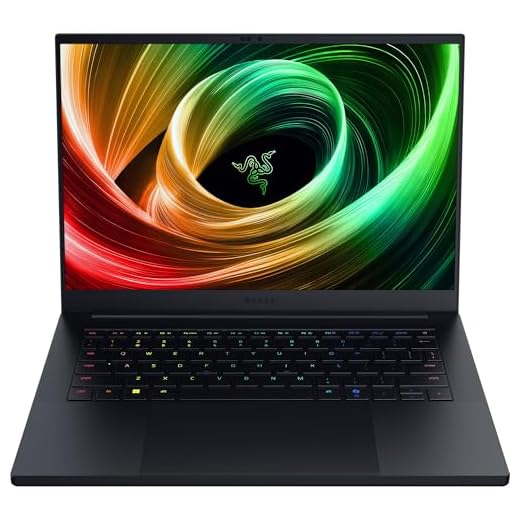



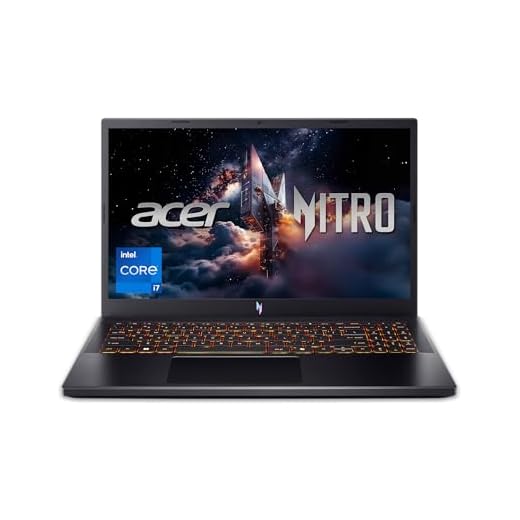


Razer Blade 14 — Thin, Powerful, Portable
You get a thin, high-end machine that mixes portability with strong GPU performance and a gorgeous 3K OLED display. It's ideal if you value build quality, color accuracy, and long battery life in a compact chassis.
Pros
- Excellent build quality and premium materials
- 3K 120Hz OLED display with professional color accuracy
- Compact and very portable with long battery life
- Strong CPU/GPU performance for its size
Cons
- Premium price for the thin-and-light class
- Vendor software can feel bloated and some features limited on battery
Overview
The Razer Blade 14 (2025) is engineered to deliver high performance in an exceptionally compact body. With an AMD Ryzen 9 AI 365 CPU and up to an RTX 5060-class GPU in a 14" 3K OLED 120Hz panel, it blends strong gaming chops with a premium display and chassis that feels at home on a desk or in a backpack.
Who should consider this laptop
If you travel or attend LANs and want near-desktop performance without lugging a bulky 17" machine, this model stands out. The display's color accuracy also makes it a great choice if you do photo or video editing alongside gaming.
- Ultra-thin 0.62 in. aluminum body
- 3K 120Hz OLED display, Ryzen 9 AI 365, RTX-series GPU
- 16GB LPDDR5X, 1TB SSD, fast charging
Practical insights and limitations
Thermals are impressively handled for such a thin chassis, but fans will spin up under long, heavy loads. Note that some power profiles are restricted on battery, so expect peak performance when plugged in. Razer's software suite can be useful, though it occasionally pushes extra apps—cleaning up preinstalled utilities improves the out-of-box experience for many users.
ASUS ROG Zephyrus G14 — Compact Powerhouse
You get one of the best blends of portability and performance: a 14" 2.8K OLED display and an RTX 5060 deliver stunning visuals and high FPS in a small footprint. It's ideal if you want a travel-friendly machine without compromising on capability.
Pros
- Compact 14" 2.8K OLED 120Hz panel with great colors
- Strong Ryzen 9 + RTX 5060 performance in a small chassis
- Excellent for portability and battery-conscience users
Cons
- Runs hot under heavy sustained loads
- Limited thermal headroom may throttle in extreme scenarios
Overview
The ASUS ROG Zephyrus G14 is famous for packing high-end components into a small and light chassis. With an AMD Ryzen 9-series CPU, RTX 5060 8GB graphics, and a 14" Nebula OLED 2.8K 120Hz display, it’s geared toward gamers who travel and creators who need color accuracy on the go.
Experience and real-world use
The OLED panel offers deep blacks and vivid colors which make Teyvat look beautiful; combined with high refresh and an RTX GPU, you get both fidelity and smoothness. The machine is easy to carry and remains capable for extended gaming sessions, although thermal limits will influence sustained peak performance.
- 14" 2880x1800 OLED 120Hz display
- Ryzen 9-series CPU, RTX 5060, 16GB LPDDR5X, 1TB SSD
Practical guidance
Because the chassis is compact, expect the system to run hotter than larger laptops—use a cooling pad for marathon sessions and monitor thermals if you push unlocked performance modes. For players who need the best portable experience without sacrificing too much power, this is a top-tier option.
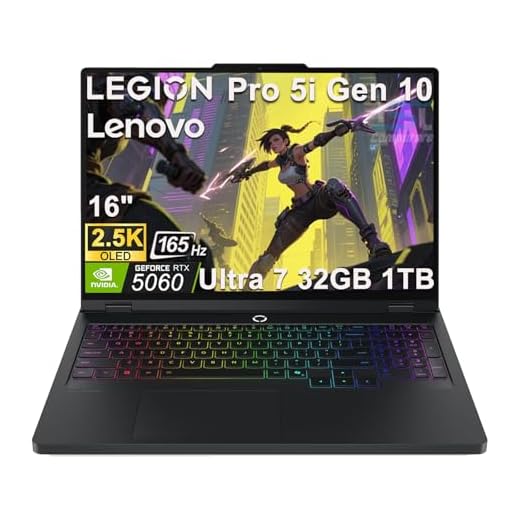
Lenovo Legion Pro 5i — OLED Powerhouse
You benefit from a 2.5K OLED G‑SYNC panel, robust RTX 5060 GPU, and 32GB of RAM that accelerate both AAA gaming and content creation tasks. The Legion AI optimizations help maintain high FPS while keeping thermals reasonable.
Pros
- 2.5K OLED 165Hz display with G-SYNC
- 32GB DDR5 is excellent for heavy multitasking
- Lenovo AI Engine+ optimizes performance intelligently
- Solid cooling and upgrade-friendly internals
Cons
- Premium hardware comes at a higher price
- Some users report occasional reliability/support issues
Overview
The Lenovo Legion Pro 5i is built around performance and a high-quality display. With an Intel Core Ultra 7 255HX, NVIDIA GeForce RTX 5060, and a 16" 2.5K OLED 165Hz panel, it targets people who want top-tier visuals and responsiveness for both gaming and creative tasks like video editing or streaming.
Performance and daily usage
The 32GB of RAM gives you lots of breathing room for browser tabs, streaming, and editing large files while keeping a game running at high FPS. Lenovo's thermal design and AI optimizations aim to keep performance high without excessive noise, which helps for long sessions in Genshin Impact or other open-world games.
- 16" 2560x1600 OLED 165Hz with G-SYNC
- RTX 5060 GPU, Intel Core Ultra 7 255HX, 32GB DDR5
- Legion Coldfront cooling and AI Engine+
Considerations
This laptop is a strong choice if you want a single machine for gaming and creator work, but note the price reflects those capabilities. A minority of buyers report sporadic support or shipping problems—verify seller reputation and warranty coverage when purchasing. For demanding, long gameplay sessions you’ll still want to play plugged in to sustain peak performance.
MSI Katana 15 HX — High-FPS QHD Laptop
You get an Intel Core i9-14900HX and a GeForce RTX 5070 with a QHD 165Hz panel that deliver very high FPS and excellent visual clarity for competitive and immersive play. It's a strong pick if you want maximum performance for Genshin Impact and other AAA titles.
Pros
- Core i9 HX CPU and RTX 5070 deliver elite performance
- QHD 165Hz panel combines sharpness and smooth motion
- 32GB DDR5 and 1TB NVMe SSD for heavy gaming libraries
Cons
- Battery life is short under demanding use
- Fans and surface temperatures can get loud/warm
Overview
The MSI Katana 15 HX is designed for players who demand high FPS and image clarity. With an Intel Core i9-14900HX and NVIDIA GeForce RTX 5070, plus a 15.6" QHD 165Hz display, it delivers strong performance at higher resolutions and smooth motion for fast camera or combat sequences.
What gaming feels like
In practice you'll see high frame rates and crisp detail on character models and environments, which makes traversal and combat in Genshin Impact more enjoyable and responsive. The 32GB of RAM and 1TB SSD mean you can keep a large library installed and run background tools like stream software or editors without swapping resources constantly.
- Intel Core i9-14900HX and RTX 5070
- 15.6" QHD 165Hz display, 32GB DDR5, 1TB NVMe SSD
Considerations and tips
This laptop prioritizes performance over battery longevity—expect to play plugged in for the best sustained results. Fan noise and chassis heat are normal under load; a cooling pad helps if you do many multi-hour sessions. If your priority is raw frame rates and visual fidelity, this Katana configuration is an excellent choice.
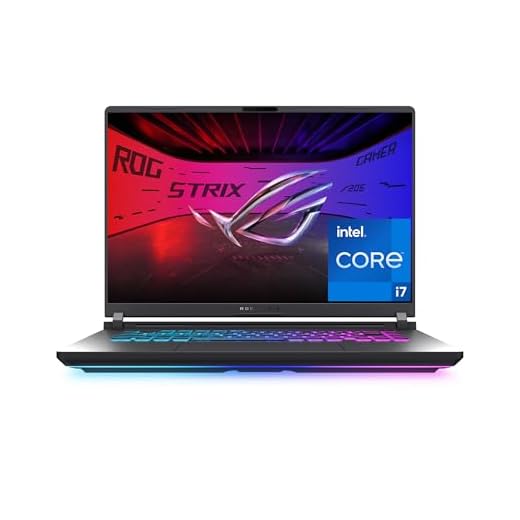
ASUS ROG Strix G16 — Competitive Powerhouse
You get an i7 HX-series processor paired with an RTX 5060 GPU and a 16" 165Hz panel that deliver high FPS and strong settings headroom for Genshin Impact and other AAA titles. The chassis balances thermals and performance well for extended sessions.
Pros
- Powerful Intel HX CPU with RTX 5060 GPU
- 165Hz 16:10 display boosts immersion and view area
- ROG Intelligent Cooling keeps thermals in check
- Good upgradeability and gamer-focused features
Cons
- Battery life is short under heavy loads
- Some preinstalled software may feel redundant
Overview
The ROG Strix G16 (2025) is aimed at players who want a high-refresh 16" experience with strong CPU and GPU pairing. With an Intel Core i7-14650HX and an NVIDIA GeForce RTX 5060, it handles modern titles at high settings and makes Genshin Impact feel very smooth at 1080p and ultrawide-like aspect ratios.
Why it matters for Genshin Impact
The elevated refresh rate and 16:10 screen provide extra vertical space for UI and exploration. The RTX 5060 supports NVIDIA's latest features for better frame pacing and image quality, and the HX-series CPU helps in CPU-bound scenarios such as large crowds or streaming while playing.
- 16" FHD+ 165Hz / 3ms display
- Intel Core i7-14650HX and RTX 5060 GPU
- 16GB DDR5 and 1TB Gen4 SSD; ROG cooling
Real-world use and limitations
You'll want to keep it plugged in for the best performance and consider using the ROG performance profiles for extended sessions. Speakers are fine but many gamers will prefer a headset for competitive play. If you need a laptop that doubles as a strong desktop replacement for gaming and content creation, this is a balanced choice.
Alienware 16 Aurora — Big-Screen Performance
You get a 16" WQXGA panel and an RTX 5050 GPU that provides a very immersive visual experience and solid frame rates at higher resolutions. The design and expandability make it a compelling desktop-replacement choice for Genshin players who want a larger canvas.
Pros
- 16" WQXGA 120Hz panel gives excellent detail
- RTX 5050 handles higher resolutions well
- Distinctive Alienware build and cooling
- Onsite service options available for convenience
Cons
- Heavier and less portable than 14–15" alternatives
- Premium styling can increase price-to-performance ratio
Overview
Alienware's 16 Aurora focuses on immersion: a 16" WQXGA (2560x1600) 120Hz display, anodized aluminum lid, and NVIDIA GeForce RTX 5050 laptop GPU. If you prefer a larger screen for exploring open worlds, cutscenes, and detail-rich environments in Genshin Impact, this model delivers a more cinematic experience than smaller laptops.
Day-to-day impressions
The larger display improves situational awareness and lets you enjoy the game's visuals with higher detail while the RTX 5050 helps maintain smooth frame rates at more demanding settings. Alienware's cooling and chassis do a good job managing heat when you're pushing the system for longer sessions.
- 16" 2560x1600 120Hz display
- Intel Core-series CPU and RTX 5050 GPU
- 16GB DDR5 and 1TB SSD with upgrade options
Practical considerations
This laptop is a good desktop-replacement but it's heavier than 14–15" machines, so factor that into portability needs. Alienware often includes premium extras and service options that some buyers value; others may prefer a simpler value proposition. For immersive Genshin sessions or streaming with overlays, this is a compelling choice.
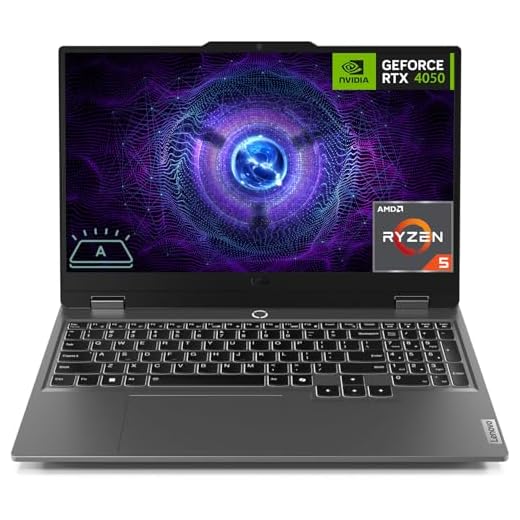
Lenovo LOQ 15 — High RAM Gaming
You benefit from a large 32GB DDR5 configuration that keeps background apps and streaming smooth while gaming. The Ryzen 5 + RTX 4050 combo delivers strong 1080p performance and good value for creative work and play.
Pros
- 32GB DDR5 ready for heavy multitasking
- RTX 4050 provides solid 1080p frame rates
- 144Hz display for fluid gameplay
- Comprehensive I/O including Ethernet and USB-C
Cons
- CPU is midrange compared to high-end H-series chips
- Build and thermals are adequate but not premium
Overview
The Lenovo LOQ balances components that matter to gamers who also multitask: an AMD Ryzen 5 7235HS processor, NVIDIA GeForce RTX 4050, a 15.6" 144Hz FHD display and a roomy 32GB of DDR5 RAM. That large RAM configuration is the standout—you'll rarely hit memory limits when streaming, running background tools, or keeping multiple browser tabs open while you explore Teyvat.
Key features and benefits
The 144Hz panel keeps movement and combat feeling responsive, and the RTX 4050 handles medium-to-high settings in modern titles. The LOQ includes Ethernet and multiple USB ports for a compact LAN-ready setup, while the 1TB SSD provides quick load times for games and assets.
- AMD Ryzen 5 7235HS CPU and RTX 4050 GPU
- 32GB DDR5 and 1TB SSD
- 144Hz FHD IPS display and Wi‑Fi 6
Limitations and practical advice
The Ryzen 5 chip is efficient but not as raw-powerful as higher-end H-series or HX processors—expect excellent 1080p gaming, but less headroom for very heavy CPU-bound tasks like large video exports. Thermals are decent, but if you plan long sessions, consider using performance mode while plugged in and make sure vents are unobstructed. Overall, this LOQ is a smart pick if you prioritize memory and connectivity for modern gaming workflows.
Acer Nitro V 15 – Balanced Performer
You get a capable 15.6" 165Hz panel, a modern 13th-gen Intel H-series CPU, and an RTX 4050 GPU that handles Genshin Impact at high settings with consistent frame rates. It's a sensible pick if you want strong performance without breaking the bank.
Pros
- Good CPU/GPU balance for 1080p high-settings
- 165Hz IPS display smooths gameplay
- Large 1TB Gen4 SSD and 16GB DDR5
- Backlit keyboard and Wi‑Fi 6 included
Cons
- Battery life is limited under load
- Cooling can get loud during extended sessions
Overview
Acer's Nitro V 15 positions itself as a pragmatic gaming laptop: it pairs an Intel Core i7-13620H with an NVIDIA GeForce RTX 4050 and a 15.6" FHD 165Hz display. If your priority is stable 1080p performance in Genshin Impact, multiplayer titles, or streaming while gaming, this configuration gives you headroom to run high settings without a major investment.
What you'll notice in daily use
The 165Hz refresh rate offers noticeably smoother motion compared with 60Hz panels, which helps with fast camera pans and animations in open-world titles. The laptop's 16GB DDR5 and 1TB Gen4 SSD mean quick load times and comfortable multitasking when you have background apps like Discord, a browser, and streaming software.
- 15.6" FHD 165Hz IPS display
- Intel Core i7-13620H and RTX 4050 GPU
- 16GB DDR5 and 1TB Gen4 SSD
Practical trade-offs and tips
Thermals are adequate for this price segment, but you will hear the fans when you push sustained high FPS. Battery life drops quickly while gaming, so plan on playing plugged in for consistent performance. If you want extra longevity, use a cooling pad and keep drivers updated. For the cost, you'll get a very playable Genshin experience and a laptop that handles a range of other tasks well.
HP Victus 15 — Budget Gaming Workhorse
You get a capable system for casual or budget-conscious players: smooth 144Hz visuals and a Ryzen 5 CPU at an accessible price point. It handles Genshin Impact well at medium-to-high settings but has trade-offs in battery life and fan noise under load.
Pros
- Affordable price for gaming-capable hardware
- 144Hz screen improves perceived smoothness
- Fast boot and load times with PCIe SSD
- Comfortable keyboard and decent speakers
Cons
- Older RTX 2050 GPU limits max settings
- Battery life is short during gaming sessions
- Fans can get loud when stressed
Overview
The HP Victus 15 is targeted at gamers who want decent performance without a premium price tag. With an AMD Ryzen 5 7535HS, 16GB DDR5, a 512GB PCIe SSD and an NVIDIA GeForce RTX 2050, it provides adequate horsepower for Genshin Impact at 1080p and a responsive 144Hz display for smoother motion.
Everyday experience
You'll enjoy fast app launches and quick in-game loading thanks to the M.2 SSD. The 144Hz panel noticeably improves responsiveness in combat and exploration. For the price, the Victus is comfortable to use for long sessions, though you should expect to keep it plugged in for demanding gameplay.
- 15.6" FHD 144Hz display
- Ryzen 5 7535HS and RTX 2050 GPU
- 16GB DDR5 and 512GB PCIe SSD
Practical considerations
If you want higher FPS at ultra settings or plan to future-proof, the RTX 2050 will bottleneck newer AAA titles sooner than newer RTX 40/50-series GPUs. Also, fan noise and thermal throttling under heavy load are common in this class—use the built-in performance options and consider a cooling pad to maintain peak frame rates.
MSI Cyborg 15 — Affordable 144Hz Option
You get a 144Hz panel and RTX 2050-level performance at a low price, making it suitable for casual gamers and students. Expect decent everyday performance but lower headroom for future AAA titles compared with newer GPUs.
Pros
- Very affordable for a gaming-branded laptop
- 144Hz panel improves feel and responsiveness
- 16GB DDR5 and NVMe SSD for smooth everyday use
Cons
- RTX 2050 is dated for long-term high settings
- Reported inconsistencies in used/fulfilled units
Overview
The MSI Cyborg 15 is an entry-level gaming laptop that keeps costs down while offering some gaming-focused features like a 144Hz 15.6" display and Cooler Boost 5. For players who want an affordable way to enjoy Genshin Impact and esports titles at decent frame rates, this is a reasonable option.
Real-world performance
In 1080p you will get playable frame rates on medium settings for many titles; the 144Hz screen helps keep motion feeling smooth even if raw FPS isn't ultra-high. MSI's Cooler Boost system helps during longer sessions, but thermals and fan noise are typical for the price segment.
- Intel Core i5-12450H and NVIDIA RTX 2050
- 15.6" FHD 144Hz display, 16GB DDR5, 512GB NVMe SSD
Practical tips
Because the GPU is entry-level, you should tune settings to balance visuals and FPS. Check the seller condition carefully—some buyers reported receiving used units or needing resets. If you want long-term future-proofing, stepping up to a laptop with a newer RTX 40/50-series GPU is recommended.
Final Thoughts on the Best Laptops that Runs Genshin Impact
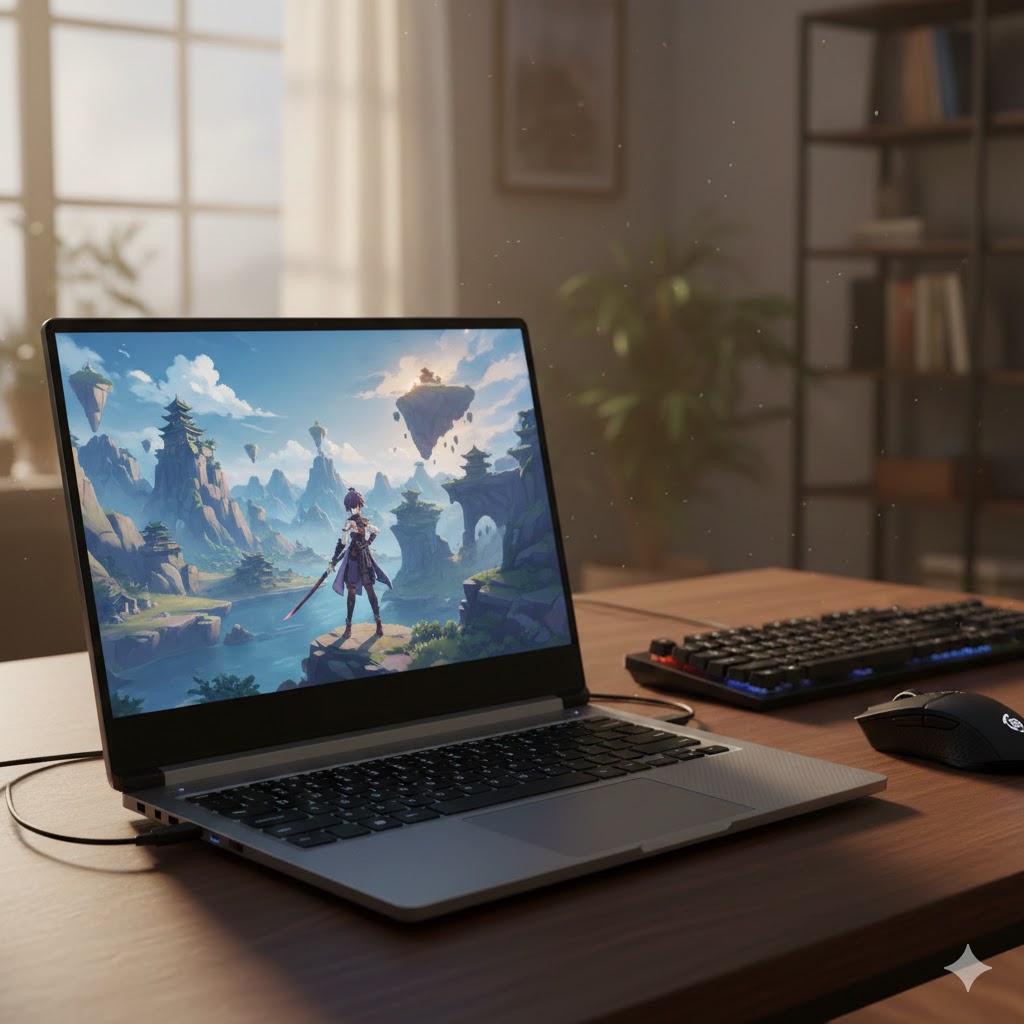
Pick the Razer Blade 14 if you want a premium, portable experience: its thin chassis, strong GPU performance, and gorgeous 3K OLED make Genshin Impact look phenomenal and run smoothly at high settings. This is the best pick if you value build quality, color accuracy, and battery life for long play or content creation.
Choose the ASUS ROG Zephyrus G14 if you want the best blend of travel-friendly size and raw gaming capability. The 14" 2.8K OLED and RTX 5060 deliver high FPS and excellent visuals in a very compact package. This is the top choice if you move around often and want desktop-class performance without carrying a brick.
If you instead need absolute high-FPS QHD performance for competitive play, consider the MSI Katana 15 HX as an alternate — it pushes higher frame rates with an i9 and RTX 5070, but at the cost of weight and battery life.
How to Choose the Best Laptops That Run Genshin Impact
Finding the best laptops that run Genshin Impact smoothly can feel overwhelming, especially with so many models and specs available today. Since this action-RPG is visually rich and performance-heavy, choosing the right machine can significantly improve your gameplay experience. Below, you’ll find a clear and original guide to help you pick the perfect laptop for stable performance, responsive controls, and stunning visuals.
Check the Processor Requirements First
Genshin Impact relies heavily on CPU performance, especially during combat, open-world exploration, and high-density environments. A strong processor keeps your frames stable and reduces stutter during intense scenes.
For casual players, a laptop with an Intel Core i5 or AMD Ryzen 5 already delivers excellent results. If you want ultra-smooth gameplay, multitasking, or streaming, aim for an Intel Core i7, Ryzen 7, or higher. Laptops with newer-generation CPUs (12th gen Intel or Ryzen 6000+) tend to offer even better efficiency and performance.
Choose a Dedicated GPU for the Best Visual Quality
To enjoy high settings and rich graphics, a dedicated graphics card is essential. Genshin Impact runs on many systems, but a strong GPU ensures smoother combat animations, faster texture rendering, and more immersive environments.
For solid performance at 1080p, look for laptops with:
- NVIDIA GTX 1650 or GTX 1660 Ti
- NVIDIA RTX 2050 or RTX 3050
For players who prefer high frame rates or future-proofing, go for:
- NVIDIA RTX 3060, 4060, or higher
AMD players can choose laptops with Radeon RX 6000 or 7000 series GPUs for excellent performance and efficiency.
Ensure at Least 16GB of RAM for Smooth Gameplay
While Genshin Impact can run on 8GB of RAM, laptops with 16GB or more provide noticeably smoother loading, better world transitions, and stability when multitasking. This is especially helpful if you keep browser tabs open, use Discord while gaming, or run recording software.
If you want maximum performance and long-term reliability, consider a model with upgradeable RAM slots.
Opt for an SSD with Fast Read Speeds
Storage type affects loading time during fast travel, domain entry, and asset streaming. Always choose a laptop with a solid-state drive (SSD) — ideally NVMe, which offers the fastest speeds.
For most players, a 512GB SSD is the ideal balance, allowing space for the game, system files, and extra applications. If you store many titles or large files, a 1TB SSD offers excellent headroom.
Choose the Right Display for Better Immersion
Genshin Impact is known for its vivid colors, fluid animations, and anime-inspired style. A good display enhances all of that.
Look for:
- 1080p resolution (minimum)
- IPS panel for accurate colors and viewing angles
- 144Hz refresh rate or higher for smoother motion
- Brightness of at least 250–300 nits for outdoor or bright-room gaming
Players who enjoy maximum quality can consider QHD (1440p) displays, which show more detail without overloading mid-range GPUs.
Battery Life Matters if You Play on the Go
Though gaming drains batteries quickly, choosing a laptop with good battery efficiency makes travel-friendly gaming more practical. Models with newer processors and GPUs tend to consume less power, extending your playtime.
For light gaming or exploration sessions away from an outlet, aim for laptops with 50Wh–70Wh batteries, or more if possible.
Cooling Systems Make a Big Difference
Genshin Impact can heat laptops rapidly during long sessions, so a strong cooling system is essential. Look for laptops equipped with:
- Dual-fan cooling setups
- Large air vents
- Heat pipes or vapor chambers
- Performance modes that balance noise and thermals
Good cooling prevents thermal throttling and helps your laptop maintain stable FPS.
Want Dual Usage? Prioritize Build Quality and Versatility
If your laptop will serve for school, work, and entertainment—beyond just gaming—seek features like:
- Lightweight build
- Backlit or ergonomic keyboard
- Good stereo speakers
- USB-C charging
- HDMI output for external monitors
This makes the laptop more functional while still running Genshin Impact beautifully.
Check Out the Best Laptops that Runs Genshin Impact
Still not sure which one to choose? Click the link below to see the best-selling products.
Also Check Out Other Helpful Articles
Take a look at more useful articles that can help you make more informed decisions.
- Best Laptops that Runs GTA V in 2026 (Top 9: Acer Predator, Razer Blade 14 and More)
- Best Samsung Chromebooks in 2026 (Top 6: Galaxy Chromebook 2, Plus and More)
- Best Samsung Laptops for Students in 2026 (Top 8: Galaxy Book, Chromebook and More)
Video About the Best Laptops that Runs Genshin Impact
We created a video on the topic. Just click to watch.
Related Articles


About the Author

Lauren Baker finds joy in turning ideas into written content. She values clarity, relevance, and keeping readers engaged from start to finish.