Best Laptops to Play The Sims in 2026 (Top 9: MSI Katana, HP Victus and More)

Last Updated on January 22, 2026
Looking for the perfect machine to run your Sims game smoothly? Find the best laptops to play The Sims, considering performance, specs, and price range.
YOU’RE BUILDING A MEGAMANSION. You need a laptop that doesn’t choke when the neighborhood gets crowded. No crashes. No endless loading.
These picks cover everything: raw power for huge mod collections, a crisp 2K screen for prettier builds, and wallet-friendly options that still run the game well. Read quick, then get back to decorating.
Contents
- The Best Laptops to Play The Sims
- MSI Katana 15 HX — RTX 5070 Powerhouse
- Lenovo Legion 5i — RTX 5050, 2K Display
- ASUS ROG Strix G16 — RTX 5060 Gaming
- Lenovo IdeaPad Gaming 3 — 15.6" 120Hz
- Acer Nitro V — RTX 4050 165Hz Gaming
- HP Victus 15 — Ryzen 5, RTX 2050
- ASUS Vivobook S15 — 3K 120Hz OLED
- Dell 15 — 15.6" FHD 120Hz Everyday
- Acer Aspire 16 AI — 16" Touch 120Hz
- Final Thoughts on the Best Laptops to Play The Sims
- How to Choose the Best Laptops to Play The Sims
- Check Out the Best Laptops to Play The Sims
- Also Check Out Other Helpful Articles
- Video About the Best Laptops to Play The Sims
The Best Laptops to Play The Sims

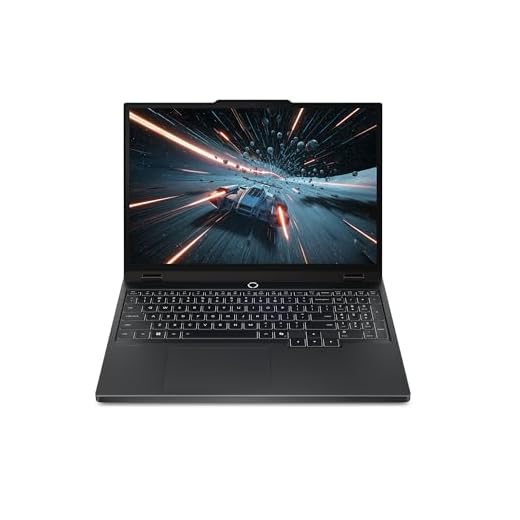




MSI Katana 15 HX — RTX 5070 Powerhouse
You get class-leading CPU and GPU performance that steamrolls through the Sims with high settings, large neighborhoods, and heavy mod collections. It’s ideal if you plan to stream, record, or run multiple background apps while playing.
Pros
- Top-tier Intel Core i9 and RTX 5070 for max settings
- QHD 165Hz display for crisp, smooth visuals
- Robust cooling keeps sustained performance high
Cons
- Heavier and louder than ultraportables during intense loads
- Battery life is short under gaming loads
The MSI Katana 15 HX is built for players who demand uncompromised performance. With an Intel Core i9-14900HX and an NVIDIA RTX 5070, you’ll be able to run The Sims at very high detail, enable advanced graphical features, and keep smooth framerates even with lots of background apps, streaming software, or large mod libraries. The QHD 165Hz panel provides a clear, fast visual experience that makes building and playing feel responsive.
Why this is a top pick for serious Sims players
- High single-core and multi-core CPU power speeds up simulation ticks, load times, and export operations for recorded content—useful when you have many Sims or lots active.
- The RTX 5070 gives headroom for texture packs, lighting enhancements, and future-proofing for upcoming expansions.
Key features and practical benefits
- Cooler Boost 5 thermal design maintains high sustained clocks during long gameplay or streaming sessions.
- Plenty of fast storage and memory support means you can keep multiple large households, lots, and mod collections installed without swapping drives.
Limitations and tips
- Expect louder fans and reduced portability compared with slim laptops; if you move around a lot, plan for a padded bag and use headphones. Also plug in while gaming to get the best performance and avoid aggressive power‑saving throttles.
Lenovo Legion 5i — RTX 5050, 2K Display
You’ll benefit from a 2K display and strong CPU/GPU pair that deliver excellent visuals and smooth simulation speeds. It’s a well-rounded machine for players who want a premium experience without stepping up to the largest desktop-replacement models.
Pros
- 2K WUXGA display provides sharper visuals for design work
- Intel i7 and RTX 5050 strike a great balance
- Quiet cooling and good battery life for its class
Cons
- Only 16GB RAM in base configurations for the price
- Slightly heavier than ultraportables
The Legion 5i is a near-ideal laptop for players who want a premium Sims experience without sacrificing portability. The 2K WUXGA panel boosts clarity for building and detail-oriented tasks while the Intel Core i7 and RTX 5050 offer plenty of performance for high settings, texture packs, and running multiple background apps while playing.
Why it’s great for Sims players
- The sharper display helps you spot fine details when designing rooms or editing Sims' appearance, and the CPU power improves simulation tick rates and load times for larger households.
- Solid thermal design keeps the system quieter under load, which is helpful during long creative sessions.
Key features and practical benefits
- Strong IO and expansion options allow you to grow storage and memory as your mod library expands.
- Good battery life for a gaming-capable machine means you can get a class or two of work done away from the plug before gaming again.
Limitations and tips
- Consider upgrading to 32GB RAM if you run especially large mod collections or do intensive multitasking (streaming + recording + gaming). If you value absolute ultralight portability over raw power, a thinner machine may be preferable, but you’ll trade off performance.
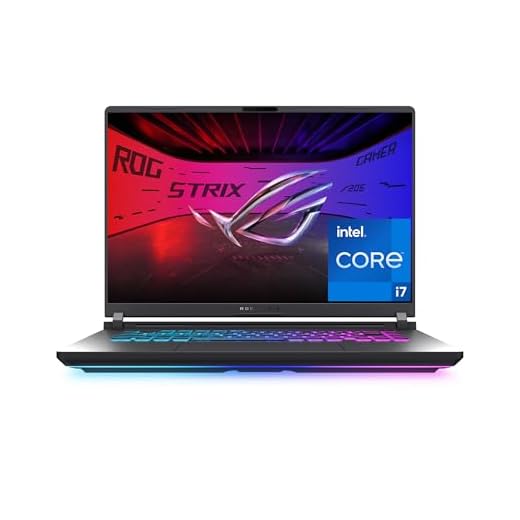
ASUS ROG Strix G16 — RTX 5060 Gaming
You’ll enjoy high framerates and sharp visuals with a CPU/GPU combo that handles the Sims and multitasking smoothly. It’s a great all-rounder for players who want strong gaming performance and useful features like easy upgrades.
Pros
- RTX 5060 and i7 14650HX for reliable high settings
- 165Hz display keeps gameplay fluid and responsive
- Tool-free access for RAM and SSD upgrades
Cons
- Speakers and battery life are mediocre
- Slightly heavier with a bulky power adapter
The ROG Strix G16 is designed with gamers in mind but also friendly to creators and modders. With the RTX 5060 and a high-performance i7, it hits strong framerates at 1080p and can comfortably run large neighborhoods and many active Sims. The 165Hz display means camera pans and UI interactions feel snappy — a real plus when editing Sims or building complex lots.
Why it’s a great pick for Sims players
- The performance balance supports both gameplay and background tasks like streaming, recording, or running a browser with guides and custom content sites open.
- Upgradable RAM and storage let you start with a solid base and expand later as your mod library grows.
Key features and practical benefits
- ROG Intelligent Cooling keeps the system running efficiently under load, reducing thermal throttling during extended play sessions.
- Extras like Dolby Atmos and RGB lighting enhance the immersive feel and personalization of your gaming setup.
Limitations and tips
- If you need long unplugged play sessions, this laptop won’t match ultraportables—plug in for the best performance. Consider upgrading to 32GB RAM if you run many mods or multitask heavily.
Lenovo IdeaPad Gaming 3 — 15.6" 120Hz
You get a strong balance of CPU and GPU performance for The Sims at a very attractive price. It handles base game play, expansions, and moderate mod packs well once you add extra RAM and storage.
Pros
- Good GPU (RTX 3050) for smooth 1080p gameplay
- 120Hz IPS display keeps animations fluid
- Affordable, easy to upgrade RAM and SSD
Cons
- Comes with only 8GB RAM and 256GB SSD
- Screen brightness and color may be underwhelming for daylight
The IdeaPad Gaming 3 gives you a practical way to play The Sims without spending top-tier money. Its AMD Ryzen 6000-series CPU plus an NVIDIA GeForce RTX 3050 GPU are capable of running the base game and many expansion packs at high settings in 1080p. For mod-heavy households or those running multiple packs, you'll notice the difference after upgrading RAM and storage.
Why it’s a solid pick for Sims
- Balanced CPU and GPU that favor gaming at 1080p with good framerates.
- 120Hz FHD IPS panel for smoother UI and camera movement in-game.
- Easy internal access makes adding a second RAM stick or larger NVMe SSD straightforward.
Key features and practical benefits
- Real-world benefit: upgrading to 16GB DDR5 and a 1TB NVMe SSD turns this into a very capable Sims machine—for example, loading neighborhoods and lots becomes noticeably faster and you can keep more mods installed.
- Nahimic audio and decent thermals mean long play sessions won’t throttle as quickly as cheaper alternatives.
- Rear I/O layout helps keep cables out of the way when you connect an external monitor or peripherals.
Limitations and tips
- The default 256GB SSD fills up fast with expansions and mods; plan a storage upgrade early. Also consider adding an extra 8GB DDR5 stick to unlock dual-channel memory and a 25–35% uplift in gaming performance for CPU-bound scenes.
- If you use the laptop in very bright rooms, the display can seem dim—an external monitor or a brighter panel is a simple fix if color accuracy matters to you.
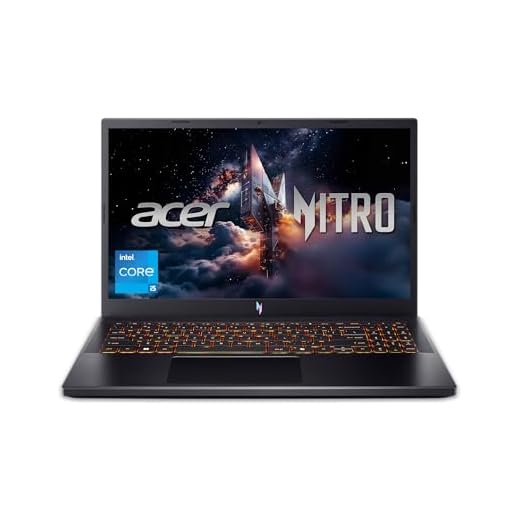
Acer Nitro V — RTX 4050 165Hz Gaming
You’ll get strong 1080p performance and a high refresh display at a wallet-friendly price. It’s a great starting point if you plan to upgrade RAM for the best experience with mods and expansions.
Pros
- RTX 4050 delivers solid 1080p performance
- 165Hz panel improves smoothness and responsiveness
- Easy to upgrade RAM and storage
Cons
- Factory RAM often needs an upgrade for heavy mods
- Fans can get loud under load
The Acer Nitro V is a practical choice for players who want respectable gaming performance without a premium price tag. The combination of an Intel Core i5-13420H and RTX 4050 lets you run The Sims at high settings with good frame rates, and the 165Hz display keeps interactions and camera movements smooth while building and playing.
Why it’s great for Sims players on a budget
- The GPU provides enough headroom for many common Sims mods and texture packs at 1080p.
- The chassis supports easy upgrades: add another 8–16GB of RAM to move to dual-channel and significantly improve simulation-heavy scenes.
Key features and practical benefits
- Good port selection and Wi-Fi 6 keep downloads and online features snappy.
- The laptop’s price-to-performance ratio is attractive for gamers who want a capable machine now and can upgrade later.
Limitations and tips
- If you buy the base configuration, plan on upgrading RAM immediately to avoid memory bottlenecks. Also use a cooling pad if you expect marathon building sessions—fans can become noticeable during heavy use.
HP Victus 15 — Ryzen 5, RTX 2050
You’ll get dependable in-game performance for the base game and many expansions at medium-to-high settings. It’s a value-oriented machine with good thermals but shorter battery life while gaming.
Pros
- Ryzen 5 7535HS with RTX 2050 offers balanced performance
- 144Hz display suitable for fluid gameplay
- Good value for entry-level gaming
Cons
- Battery drains quickly when gaming unplugged
- Fans can be loud under heavier loads
The HP Victus 15 offers a compelling entry-level gaming platform that’s friendly to players on a budget. With the Ryzen 5 7535HS and an RTX 2050, you can expect solid performance at 1080p for The Sims, and the 144Hz display helps present the simulation smoothly during builds and camera pans.
Why this is useful for Sims players
- Good option if you want dedicated graphics without spending too much — it supports many common mods and medium-high graphical settings.
- The laptop’s keyboard and speakers are comfortable for long sessions, and the preinstalled gaming utilities let you tune performance quickly.
Key features and practical benefits
- Fast boot and load times thanks to the PCIe SSD, which helps when loading neighborhoods and large save files.
- Backlit keyboard and decent thermals make it practical for extended evening play.
Limitations and tips
- If you want to play unplugged for long stretches, battery life will be a constraint; keep the charger handy for gaming sessions. Consider adding more storage if you plan to keep many expansions or mods installed.
ASUS Vivobook S15 — 3K 120Hz OLED
You get an exceptional OLED display and excellent battery life for productivity and casual gaming. Expect good day-to-day performance but modest raw gaming power compared with discrete-GPU laptops.
Pros
- Sharp 3K 120Hz OLED for crisp visuals
- Very long battery life for non-plugged play
- Thin, lightweight all-metal chassis
Cons
- Integrated Snapdragon GPU limits high-end graphics performance
- Some software/hardware quirks reported (sleep/charging edge cases)
The Vivobook S15 targets users who want superb image quality and long unplugged sessions. The 3K 120Hz OLED display makes Sims worlds, lighting and textures look vibrant and detailed — ideal if you care about cosmetic mods, design, and decoration. However, Qualcomm Snapdragon X Elite with integrated GPU is efficient rather than gaming-first; it handles lighter Sims play well but will struggle with high-resolution ray-traced effects or very heavy mod collections.
Why this matters for Sims players
- The OLED panel elevates building and decorating sessions where color, contrast and fine detail matter. If you spend time designing rooms or creating Sims, the screen will make that work more enjoyable.
- Good battery life means you can play or plan builds on the go without hunting for an outlet.
Key features and practical benefits
- Thin-and-light chassis makes it easy to bring to classes or cafes where you might play or work between sessions.
- Dedicated Copilot and ASUS software features can speed up content creation and streaming workflows.
Limitations and tips
- For heavy Sims users who install many expansions, lots, and mods, consider an external GPU setup or choose a model with a discrete GPU. Keep Windows and firmware updated to avoid some reported sleep/charging issues, and use an external SSD if you need more storage quickly.
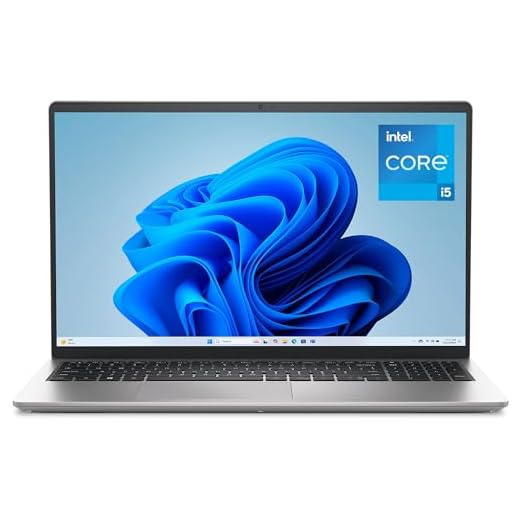
Dell 15 — 15.6" FHD 120Hz Everyday
You’ll find this a sensible choice if you play The Sims casually and prioritize portability and price. It handles the base game and small mod sets fine but struggles with high settings and heavy multitasking.
Pros
- Affordable and easy to use for everyday tasks
- 120Hz FHD display provides smoother visuals than standard panels
- Lightweight and comfortable keyboard for long sessions
Cons
- Integrated Intel UHD Graphics limits graphical headroom
- Battery life can be short under sustained use
The Dell 15 is aimed at users who need a reliable laptop for work, school, and light gaming. With an Intel Core i5 and integrated graphics, it will run The Sims' base game smoothly at modest settings, and the 120Hz panel makes the interface feel responsive. For students or casual players who want a single machine for classes and play, it’s a pragmatic choice.
Why it fits casual Sims players
- Good for players who mostly build, roleplay, and play without massive mod libraries or 4K texture packs.
- Portable and straightforward — a good machine to take to classes or cafes between sessions.
Key features and practical benefits
- Comfortable keyboard and FHD camera for streaming or online building sessions with friends.
- Express Charge and energy-efficient components keep the laptop usable through a day of mixed tasks.
Limitations and tips
- If you plan to heavily mod the game or use high graphics presets, you’ll want a dedicated-GPU laptop. Consider adding more RAM if you notice swapping or slowdowns, and keep expectations modest for framerate-sensitive gameplay.
Acer Aspire 16 AI — 16" Touch 120Hz
You get a modern convertible with AI features and a large 16" screen that’s pleasant for building and managing households. Expect mid-range gaming performance — fine for casual Sims sessions but not for high-mod setups at high framerates.
Pros
- Large 16" WUXGA display great for building and multitasking
- AI Copilot features for productivity and organization
- Good battery life for mixed-use days
Cons
- Integrated Snapdragon GPU limits demanding gaming
- Relatively new platform with limited gaming optimization
The Acer Aspire 16 AI is tuned toward productivity and smart features more than pure gaming. Its 16" WUXGA 120Hz multi-touch panel gives you a roomy canvas for building lots, editing Sims appearances, and running companion apps. The Snapdragon X platform delivers efficient performance and strong on-device AI capabilities, but you’ll hit limits with heavy graphical loads and large mod collections.
Why it can work for Sims players
- The extra screen area helps when you have multiple Sims windows, build menus, or tutorials open side‑by‑side. The touch display is handy while designing lots or pinching/zooming plans.
- Long battery life means you can work on builds during travel or classes without being tethered.
Key features and practical benefits
- The NPU and AI features can accelerate some creative workflows and system responsiveness, which is nice when juggling multiple apps while you play.
- Solid port selection and longer battery life make this a good laptop for someone who wants to mix light gaming with heavy productivity.
Limitations and tips
- If you plan to run large mod packs, high-res texture packs, or livestream while gaming, this unit will feel constrained. For the best Sims experience, keep graphics settings conservative or pair the laptop with an external GPU when possible.
Final Thoughts on the Best Laptops to Play The Sims
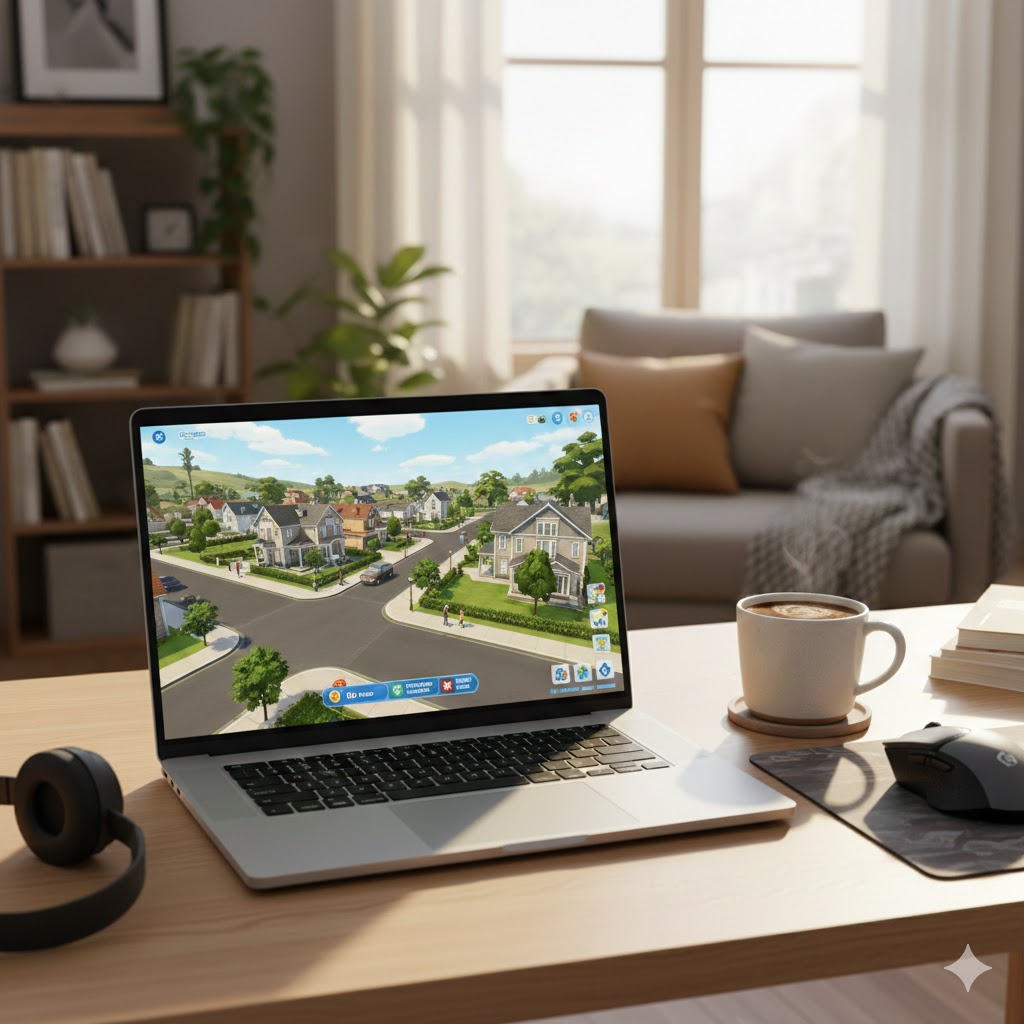
If you want the absolute power to run The Sims with heavy mods, stream, and keep background apps open, buy the MSI Katana 15 HX — RTX 5070 Powerhouse. It delivers class-leading CPU and GPU performance so you can play at high settings, manage large neighborhoods, and record or stream without drops.
If you prefer a premium, polished experience with great visuals and strong all-around performance, pick the Lenovo Legion 5i — RTX 5050, 2K Display. The 2K panel and balanced CPU/GPU combo give sharp visuals and smooth simulation speeds, making it the best choice for players who want high fidelity without going full desktop-replacement.
How to Choose the Best Laptops to Play The Sims
Finding the best laptops to play The Sims doesn’t have to be complicated, but it helps to understand which specs actually impact performance. Whether you enjoy building detailed houses, using dozens of mods, or playing with large families, the right laptop ensures smooth gameplay and fast loading times. Below are the essential features to look for before buying.
Pick the Right Processor for Smooth Simulation Gameplay
Simulation games rely heavily on the CPU, and The Sims is no exception. A stronger processor means fewer slowdowns when running large households or expanding your mod collection.
For a stable and fluid experience, choose at least an Intel Core i5 or AMD Ryzen 5. If you frequently use custom content, heavy expansions, or multitask while playing, upgrading to an Intel Core i7 or Ryzen 7 provides even better performance.
Look for Dedicated Graphics for Better Visual Quality
While The Sims isn’t the most graphically demanding game, a dedicated GPU allows for higher settings, smoother animations, and improved lighting effects.
Laptops equipped with NVIDIA GeForce GTX or RTX cards, or AMD Radeon equivalents, handle the game effortlessly. Even entry-level dedicated GPUs elevate gameplay compared to integrated graphics.
Aim for 8GB of RAM or More for Faster Loading
Memory matters, especially if you use multiple expansions or play with lots of custom content. 8GB of RAM is the minimum for comfortable gameplay, but 16GB ensures faster loading and a smoother experience when switching between build mode, live mode, and CAS.
Choose SSD Storage for Quick Game Boot-Up
Storage type affects how quickly the game launches and how fast lots, worlds, and textures load. An SSD (Solid-State Drive) dramatically reduces waiting times compared to traditional hard drives.
A 256GB SSD is sufficient, but if your laptop will hold additional games or large CC folders, consider 512GB or more.
Select a Display That Enhances Creativity
Building homes and designing characters is more enjoyable on a sharp, vibrant screen. A Full HD (1080p) display is the ideal balance between clarity and affordability.
If you want extra workspace for building or multitasking, look for a 15.6-inch or 17-inch screen. For portability, a 14-inch laptop works well too, as long as it maintains a good resolution.
Best Laptop For Music Production
Check Battery Life if You Play Away from the Outlet
If you enjoy gaming outside the house or move around frequently, battery life becomes important. Aim for laptops that offer at least 6–8 hours of general use. Keep in mind that gaming always drains the battery faster, so plug-in play is ideal for the best performance.
Consider Upgrade Options for Long-Term Use
Some laptops allow you to upgrade RAM or storage in the future. This is especially helpful if you love using expansions, mods, and CC — all of which grow over time. A model with accessible upgrade slots offers better value and longevity.
Check Out the Best Laptops to Play The Sims
Still not sure which one to choose? Click the link below to see the best-selling products.
Also Check Out Other Helpful Articles
Take a look at more useful articles that can help you make more informed decisions.
- Best Laptops that Runs GTA V in 2026 (Top 9: Acer Predator, Razer Blade 14 and More)
- Best Samsung Chromebooks in 2026 (Top 6: Galaxy Chromebook 2, Plus and More)
- Best Samsung Laptops for Students in 2026 (Top 8: Galaxy Book, Chromebook and More)
Video About the Best Laptops to Play The Sims
We created a video on the topic. Just click to watch.
https://youtu.be/nxpPC2FD9O8
Related Articles



About the Author

Lauren Baker finds joy in turning ideas into written content. She values clarity, relevance, and keeping readers engaged from start to finish.