Best Laptops with 12GB RAM in 2026 (Top 10: ASUS Vivobook, Lenovo LOQ and More)

Last Updated on February 12, 2026
Looking for a smooth multitasking experience? Discover the best laptops with 12GB RAM for every budget and need. Find powerful models for work, study, and entertainment.
12GB of RAM is the sweet spot between “good enough” and “overkill.” You get smoother multitasking and fewer annoying slowdowns when you switch between apps.
Whether you’re juggling browser tabs, Zoom calls, or a light creative project, 12GB keeps things responsive without breaking the bank. It’s practical, often paired with SSD speed or a discrete GPU, and a smart upgrade over cramped 8GB machines.
Contents
- The Best Laptops with 12GB RAM
- Lenovo LOQ 15 144Hz RTX 3050 Gaming Laptop
- ASUS Vivobook 14 FHD i5 Laptop
- HP 15.6" Business Laptop i3-1315U
- Lenovo IdeaPad 1 Student 15.6" Laptop
- Lenovo IdeaPad 1 Home 15.6" Laptop
- Lenovo IdeaPad 15.6" 12GB 1.1TB Laptop
- ITAMRYO 15.6" N95 DDR5 12GB Laptop
- jumper 15.6" 12GB RAM Budget Laptop
- Lenovo Premium Series 15.6" 12GB Laptop
- Coolby 15.6" N95 12GB RAM Laptop
- Final Thoughts on the Best Laptops with 12GB RAM
- How to Choose the Best Laptops With 12GB RAM
- Check Out the Best Laptops with 12GB RAM
- Also Check Out Other Helpful Articles
- Video About the Best Laptops with 12GB RAM
The Best Laptops with 12GB RAM




Lenovo LOQ 15 144Hz RTX 3050 Gaming Laptop
You get a proper gaming-capable laptop with a discrete RTX 3050, an i5 HX-class CPU, DDR5 memory and a 144Hz 1080p panel that together deliver smooth gameplay and responsive multitasking. Battery life will be modest during gaming but plug-in performance is strong.
Pros
- Dedicated NVIDIA GeForce RTX 3050 GPU for gaming
- 144Hz 1080p display for smoother gameplay
- 12GB DDR5 RAM and 512GB SSD for responsive performance
- Good thermals and upgrade potential
Cons
- Relatively heavy (~5.3 lbs) and short battery life when gaming
- 12GB RAM may require upgrade for some heavy multitasking
Who this laptop serves best
You should pick the Lenovo LOQ 15 if you want a portable but capable gaming laptop that doubles as a strong student/workstation machine. The RTX 3050 and i5-12450HX let you play modern titles at medium-to-high settings at 1080p while staying competitive for coursework and creative projects.
Performance and display
The 144Hz Full HD panel provides a noticeably smoother experience in shooters and fast-paced titles compared with 60Hz screens. The RTX 3050 delivers hardware-accelerated ray tracing and DLSS support where available, improving frame rates without sacrificing visual quality.
- Intel Core i5-12450HX paired with NVIDIA GeForce RTX 3050
- 12GB DDR5 RAM and 512GB NVMe SSD for fast loading and responsiveness
- 15.6" 1080p display at 144Hz for competitive play
Practical considerations
You should expect reduced battery life while gaming—typical unplugged sessions for heavy use are short—so keep the charger handy for long sessions. If you plan to multitask heavily (streaming while gaming or running VMs), consider upgrading to 24GB or 32GB of RAM. For most students and entry-level gamers, the LOQ offers one of the best value propositions in its segment.
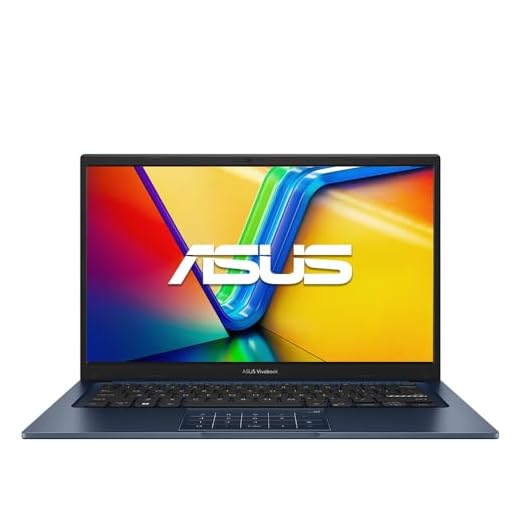
ASUS Vivobook 14 FHD i5 Laptop
You get a 10-core 13th/14th-gen Intel i5-class performer paired with 12GB RAM that handles everyday productivity and light creative work smoothly. The Vivobook balances ports, battery life and a compact 14" footprint for on-the-go use.
Pros
- 10-core Intel i5 with good single-core boost
- 12GB DDR4 RAM for multitasking
- Lightweight 14" chassis with full complement of ports
- Fast NVMe SSD storage and USB-C with DisplayPort
Cons
- Integrated Iris Xe limits heavy GPU work
- Battery life around 5–6 hours under mixed use
Who this is for
You should consider this Vivobook if you want an affordable, portable laptop that feels more capable than basic entry-level machines. It targets students, remote workers, and anyone who runs multiple browser tabs, Office apps, and occasional photo edits without needing a discrete GPU.
Key features and what they mean for you
The Vivobook pairs a recent 10-core Intel Core i5 with 12GB of DDR4 RAM and a 256GB NVMe SSD, so everyday tasks feel snappy and boot times are fast. The 14" 1080p display gives you clear text and video, while the USB-C + DP support lets you hook up an external monitor without adapters.
- 10-core Intel Core i5 (up to 4.6 GHz) for strong single-threaded performance
- 12GB DDR4 RAM for comfortable multitasking
- 256GB NVMe SSD for quick boot and app load times
Practical pros and limitations
You can open many tabs, run video calls, and edit documents without frequent slowdowns. However, the integrated Iris Xe is not aimed at sustained gaming or heavy GPU-accelerated rendering, and you should expect moderate battery life (roughly 5–6 hours in mixed use). If you need long unplugged sessions or heavy video work, plan to carry the charger or look at a larger model.
Real-world tips
If you primarily use web apps, Office suites, and light photo editing, you’ll find the Vivobook a good daily driver. For the best price/performance, enable Windows power profiles when you need battery life and switch to performance mode when plugged in and running heavier tasks.
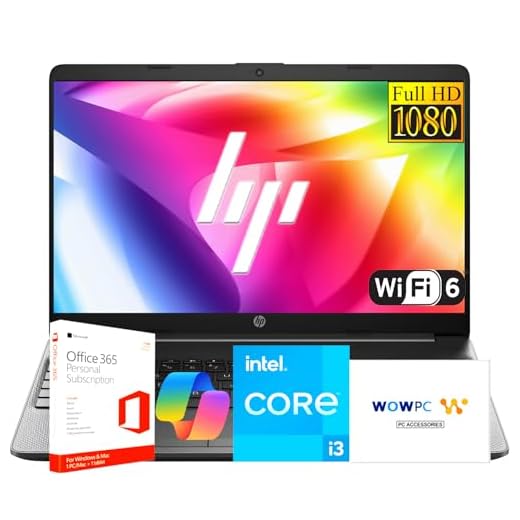
HP 15.6" Business Laptop i3-1315U
You benefit from Windows 11 Pro, a 13th-gen Intel i3 with efficiency and performance cores, and business-focused I/O like Ethernet and SD card support. It's a practical pick for office work, light multitasking, and meetings, though it isn't built for heavy creative workloads.
Pros
- Windows 11 Pro and office-focused features
- Good port selection including Ethernet and SD card
- Upgradable memory and storage potential
- Eco-conscious packaging and materials
Cons
- Reported issues with Wi-Fi stability in some units
- Non-backlit keyboard on some configurations
Target user and purpose
This HP 15.6" model is aimed at professionals and small-business users who need reliable day-to-day performance, secure software (Windows 11 Pro), and a practical port layout. You’ll appreciate Ethernet, SD card, and multiple USB ports for peripherals and networking.
Key hardware highlights
The Intel Core i3-1315U provides a balanced mix of performance and power efficiency with 6 cores (2P + 4E). Paired with 12GB RAM and a 512GB NVMe SSD, boot time and app responsiveness are strong for administrative tasks and multitasking.
- Intel Core i3-1315U with Turbo Boost up to 4.5 GHz
- 12GB DDR4 RAM and 512GB PCIe NVMe storage
- 15.6" Full HD display with 720p webcam and dual mics
Practical advice and caveats
You should expect dependable performance for spreadsheets, meetings, and web-based tools, but this is not a workstation replacement for heavy video editing or advanced 3D work. Some users have reported Wi‑Fi drops; confirm firmware updates and run a network diagnostic if you see instability. If you prioritize longevity and manageability in a business fleet, this HP is a sensible choice.
Lenovo IdeaPad 1 Student 15.6" Laptop
You benefit from 12GB RAM plus a 512GB SSD and an additional 128GB eMMC for fast boot and practical storage segmentation. It’s lightweight with decent battery life, making it a solid pick for classes, note-taking, and light media work.
Pros
- 12GB RAM with dual storage (512GB SSD + 128GB eMMC)
- Lightweight design and long-ish battery life (~9 hrs)
- Wi‑Fi 6 support and 1 year Office 365 included
- Appropriate price for students and basic productivity
Cons
- Celeron N4500 limits heavy workloads
- Lower graphics performance for gaming or rendering
Who should buy this
If you’re a student or need a highly portable machine for note-taking, email, and cloud apps, this Lenovo IdeaPad strikes a strong value balance. The extra eMMC plus SSD configuration gives you flexible storage for apps and media.
Practical hardware and daily use
The 12GB of RAM ensures comfortable multitasking between browser tabs, document editors, and communication apps. The Celeron platform keeps power draw low, which contributes to the near‑full‑day battery in light use scenarios.
- 12GB DDR4 RAM for smooth multitasking
- 512GB NVMe SSD + 128GB eMMC for balanced storage
- 15.6" FHD display and Wi‑Fi 6 connectivity
Limitations and real-world tips
You should not expect the speed of a Core i5/i7 laptop for compiling code or editing high-resolution video. For typical school work, remote learning, and streaming, it’s more than adequate. Keep the software updated to maintain stability and consider external storage if you work with large video or dataset files.
Lenovo IdeaPad 1 Home 15.6" Laptop
You’ll get dependable day-to-day responsiveness driven by 12GB RAM and a split storage setup (256GB NVMe + 128GB eMMC). It’s a sensible home laptop for browsing, streaming, and light creative apps without high-end performance expectations.
Pros
- 12GB RAM reduces tab-swapping and slowdowns
- Fast 256GB NVMe SSD + 128GB eMMC hybrid storage
- Wi‑Fi 6 and lightweight design
- Good price for mainstream daily use
Cons
- Celeron N4500 CPU can feel limited under heavier loads
- Speakers and display are functional but not premium
Ideal use cases
This IdeaPad 1 Home edition suits families and remote workers who need a reliable, low-cost laptop for everyday tasks like browsing, streaming, light photo edits, and schoolwork. The storage split helps keep the OS and apps fast while giving extra room for files.
Design and performance rundown
The combination of 12GB RAM and a PCIe NVMe SSD results in noticeably snappier app switching and faster boot times than many budget competitors. The 15.6" FHD screen is adequate for long sessions, though color accuracy and brightness are typical for the price tier.
- 12GB DDR4 RAM for responsive multitasking
- 256GB NVMe SSD + 128GB eMMC for balanced storage speed and space
- Wi‑Fi 6 for more reliable home network performance
Limitations and user tips
You should plan on this as a general-purpose machine rather than a content-creation workstation. If you occasionally use Photoshop or light video editing, expect longer export times. Update drivers after first boot and consider a cooling pad during heavier multi-hour loads to maintain sustained performance.
Lenovo IdeaPad 15.6" 12GB 1.1TB Laptop
You’ll appreciate the 1.1TB total storage when you keep large media libraries or many offline documents, and 12GB RAM helps keep multitasking fluid. The CPU is entry-level, so this configuration is best when storage matters more than raw compute speed.
Pros
- Huge combined storage (1.1TB) for local media and projects
- 12GB RAM for smoother multitasking than typical budget models
- 15.6" FHD display and Office 365 included
Cons
- Processor not suited for heavy compute tasks
- Mixed storage tiers may complicate file placement for non-technical users
Purpose and target user
This IdeaPad configuration targets users who want local storage above all else—photographers on a budget, students with large course material sets, or anyone who dislikes relying solely on cloud drives. The 12GB RAM reduces slowdowns that often plague storage-heavy machines in this price band.
Storage and performance profile
By combining internal SSD/eMMC and an included external drive, you get immediate space for applications and files. Boot and app responsiveness depend on which drive the OS sits on (prefer the SSD for Windows and apps), while the extra portable storage is great for backups and media.
- 12GB RAM for improved multitasking
- 1.1TB total storage mix for local file capacity
- 15.6" 1080p display suitable for streaming and productivity
Tips and caveats
You should organize files to keep frequently used software and working projects on the NVMe/SSD for speed while archiving older content on the external/secondary storage. Don’t expect this to replace a performance workstation; if you need CPU-heavy workloads, choose a model with a Core-series CPU instead.
ITAMRYO 15.6" N95 DDR5 12GB Laptop
You get DDR5 memory and a 15.6" 1080p panel at a very low price, which helps overall responsiveness for browser-heavy workflows. The N95-class CPU keeps power draw low but limits prosecution of CPU-intense tasks.
Pros
- 12GB DDR5 RAM for improved memory bandwidth
- 512GB SSD offers ample space and fast boot
- Fingerprint support and full-size keyboard
- Good battery life relative to peers
Cons
- N95 CPU underperforms vs. mainstream Core/U-series chips
- Basic display quality compared with premium IPS panels
Where it fits
This ITAMRYO model aims to squeeze modern memory tech (DDR5) and SSD storage into an inexpensive 15.6" notebook. You should expect especially good results if your workload is web-based, involves streaming, or primarily uses office productivity suites.
Main features in practice
DDR5 RAM gives you a small but meaningful step up in memory bandwidth compared with DDR4 configurations at the same price point, which helps browser-heavy workflows. The 512GB SSD reduces waiting when opening large files and booting the system.
- 12GB DDR5 RAM for smoother tab-heavy browsing
- 512GB SSD for fast system responsiveness
- 15.6" 1080p display with Wi‑Fi 5 and Bluetooth
Limitations and tips
You should avoid expecting desktop-replacement speeds; the N95 CPU is tailored for efficiency rather than peak throughput. For prolonged productivity without throttling, keep the laptop on a stable desk surface and consider light cooling if you frequently push CPU limits. Overall, it's a very cost-effective daily driver.
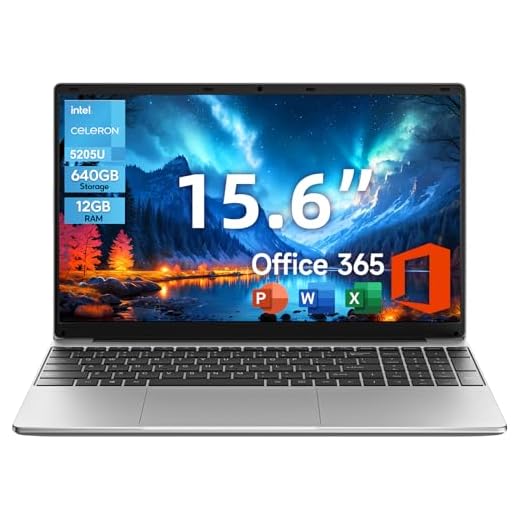
jumper 15.6" 12GB RAM Budget Laptop
You get a very affordable laptop with a lot of onboard storage and 12GB of RAM, which smooths multitasking for basic workflows. Performance is modest—it's best for web browsing, office work, and media rather than heavy processing tasks.
Pros
- Generous 12GB RAM for the price
- Large 640GB combined storage (128GB eMMC + 512GB SSD)
- Full-size keyboard with numeric keypad
- Lightweight and portable at ~3.6 lbs
Cons
- Low-power 5205U CPU limits heavy multitasking and creative work
- Smaller battery (38Wh) yields short run times under load
- Build quality and screen brightness are basic
What you'll get
This Jumper model focuses on maximizing usable storage and RAM at a very low price point. You’ll find an FHD 15.6" display, 12GB of RAM, and a 640GB combined storage solution that’s convenient if you keep a lot of files locally.
Key benefits and intended use
The large local storage and 12GB RAM let you store documents, photos and media without relying on external drives, and most everyday apps will feel responsive. It’s a sensible choice if you need a secondary machine for study, light work, or home use.
- 12GB RAM to handle multiple apps and browser tabs
- 640GB combined storage for local file hoarding
- 15.6" FHD IPS screen suitable for video and documents
Practical considerations and limitations
You should not expect fast video editing, heavy compiling, or modern gaming performance—the 5205U processor is an entry-level chip. Battery life and display brightness are typical of budget machines, so plan to use it near a power source for long sessions. If you value portability and storage over raw speed, this model is a defensible economical pick.
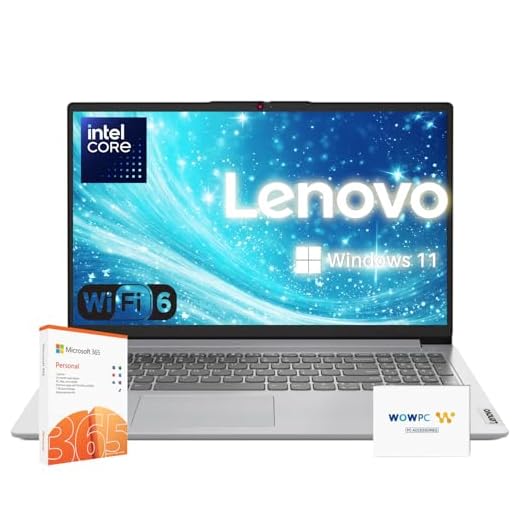
Lenovo Premium Series 15.6" 12GB Laptop
You’ll get a conventional, cloud-friendly laptop with Wi‑Fi 6, numeric keypad and a year of Office 365 that covers most home and small-office needs. The Celeron-class CPU limits heavy workloads but the 12GB RAM makes multitasking better than entry-level configurations.
Pros
- 12GB RAM for better multitasking than typical budget models
- Includes 1 year Office 365 and 1TB cloud storage
- Wi‑Fi 6 and full-size keyboard with numeric pad
Cons
- Processor is an entry-level Celeron, limiting performance
- Some specs (display resolution) are lower than competitors
Who should consider it
You should choose this Premium Series IdeaPad if you want a no-frills laptop that improves day-to-day responsiveness through extra RAM and includes Office 365 for productivity. It’s targeted at remote workers, students, and home users who mostly use web apps and Office tools.
Practical features and benefits
The inclusion of a numeric keypad and Wi‑Fi 6 makes this model convenient for spreadsheet work and better network responsiveness in crowded environments. The 1 year of Office 365 and cloud storage is useful if you value an integrated productivity setup out of the box.
- 12GB RAM for smoother multitasking compared with typical budget devices
- 256GB SSD for basic fast storage and 1TB cloud backup option
- Wi‑Fi 6 and a full-size keyboard with numeric keypad
Limitations and usage advice
You should be realistic about CPU limits: the Celeron N4500 will feel sluggish under CPU-heavy tasks like encoding or large dataset manipulation. For everyday browsing, video calls, and Office workflows, it will serve well; if you plan to do heavier work, opt for a Core-series machine instead.
Coolby 15.6" N95 12GB RAM Laptop
You’ll find this Coolby configuration capable for web browsing, video calls, and document work thanks to 12GB RAM and an N95-class processor. It’s tuned for basic productivity rather than demanding applications or gaming.
Pros
- 12GB RAM helps with multitasking
- 1080p IPS display improves viewing angles
- Fingerprint support adds convenient security
- Affordable price point
Cons
- N95 processor is limited for CPU-heavy workloads
- Storage options may be limited compared with mainstream brands
Who should consider this laptop
You should look at this Coolby model if your daily routine consists of browsing, online classes, streaming, and Office work. The N95 (N5095) is an energy-efficient chip aimed at light productivity, and the 12GB memory gives you breathing room for multitasking.
Notable features and benefits
The laptop combines a 15.6" 1080p IPS panel with fingerprint support and Wi‑Fi 5 connectivity, so logging in is quick and video calls are clear. The emphasis is on delivering usable performance at a low cost.
- 12GB RAM for smoother multitasking
- 1920x1080 IPS panel for better color and viewing angles
- Fingerprint reader for faster sign-in
Limitations and real-world advice
You should not expect fast compilation times, advanced photo retouching, or modern AAA gaming at playable framerates. If you mainly handle documents, spreadsheets, and video streaming, this unit is a pragmatic economical option. Consider adding an external SSD if you need more fast storage in the long term.
Final Thoughts on the Best Laptops with 12GB RAM
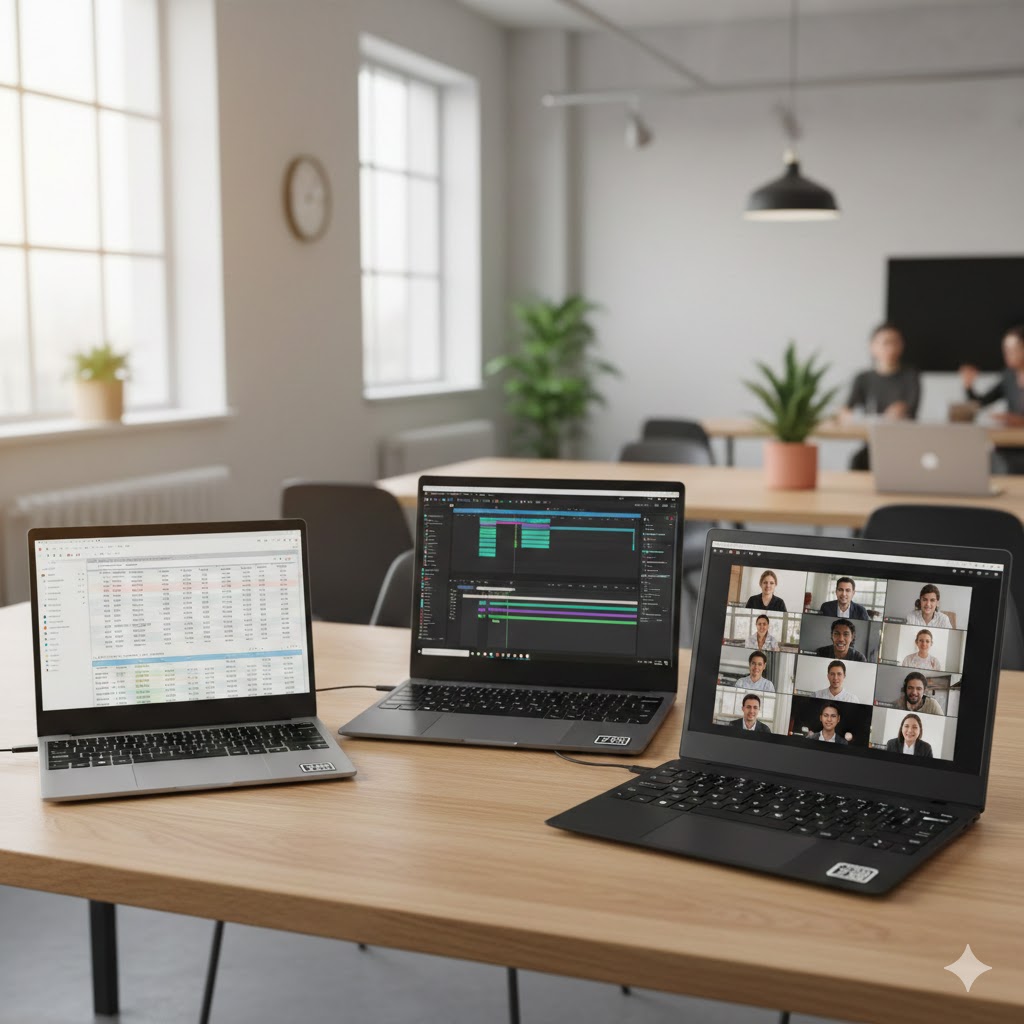
Pick the Lenovo LOQ 15 144Hz RTX 3050 if you want gaming-capable performance and a true student/workstation hybrid. Its RTX 3050 GPU, i5 HX-class CPU, DDR5 memory and 144Hz 1080p screen deliver smooth gameplay and snappy multitasking — ideal if you play, edit video occasionally, or run heavier apps.
Choose the ASUS Vivobook 14 FHD i5 if you need a highly portable, all-around performer. The 10‑core Intel i5, 12GB RAM and compact 14" footprint give you solid everyday speed, good battery life, and the ports you need for on-the-go productivity.
How to Choose the Best Laptops With 12GB RAM
A laptop with 12GB of RAM hits a sweet spot between affordability and performance. It’s powerful enough for multitasking, productivity, streaming, and even light gaming—without the price tag of high-end machines. But RAM isn’t the only factor to look at. Below, you’ll find a complete guide to choosing the best laptops with 12GB RAM based on your needs.
Understand the Benefits of 12GB RAM
Before comparing models, it helps to know what 12GB of RAM can do for you. This level of memory is ideal for:
- Running multiple browsers and apps simultaneously
- Video calls while using productivity tools
- Editing photos or working with light creative software
- Casual gaming and entertainment
- Students and remote workers who need smooth performance
If you frequently switch between apps or open large documents, 12GB RAM keeps your system responsive without slowdowns.
Choose the Right Processor for Your Workload
A laptop’s processor directly affects speed, power, and how well it handles demanding tasks. Pair your 12GB RAM with a capable CPU for the best performance.
- Intel Core i3/i5 (11th gen or newer): Great for school, office work, and everyday use.
- Intel Core i7: Better for users who need extra power for editing or multitasking.
- AMD Ryzen 5: Strong performance per dollar, excellent for productivity.
- AMD Ryzen 7: Ideal for heavier creative workloads and more intense applications.
If you plan to keep your laptop for several years, choosing a recent-generation processor gives you more longevity.
Consider SSD Storage for Speed and Efficiency
RAM helps with multitasking, but storage impacts how fast your laptop boots up, loads apps, and transfers files. For the best laptops with 12GB RAM, prioritize:
- SSD (Solid-State Drive): Much faster and more reliable than HDDs.
- 256GB SSD or higher: Recommended so you don’t run out of space quickly.
- Hybrid SSD + HDD: Good if you want speed plus extra storage for large files.
SSD-only laptops offer the fastest performance and a quieter experience.
Pay Attention to the Display Quality
Whether you’re studying, streaming, or working, the screen plays a huge role in comfort and clarity. Look for:
- Full HD (1080p): Best balance of sharpness and price
- IPS panel: Better viewing angles and color accuracy
- Touchscreen options: Helpful for note-taking or design tasks
If portability is your priority, 13-14 inches is perfect. If you want a large workspace, 15.6 inches or more delivers a more comfortable viewing area.
Check the Battery Life According to Your Usage
Battery performance varies widely across laptops, so choose based on your lifestyle:
- 8+ hours: Ideal for students and travelers
- 6 hours: Fine for work-from-home setups
- Fast charging: Useful if you're always on the go
A laptop may have great specs, but poor battery life can limit productivity if you’re mobile.
Look at Graphics Options if You Play Games or Edit Media
Not all 12GB RAM laptops come with dedicated graphics. Decide based on your needs:
- Integrated graphics (Intel Iris Xe, AMD Radeon): Good for everyday use, streaming, and light creative tasks
- Dedicated GPU (NVIDIA GeForce series): Better for gaming, video editing, and 3D work
You don’t need a powerful GPU for normal tasks, but creatives and gamers will benefit from one.
Choose a Build That Suits Your Lifestyle
Durability, portability, and comfort matter just as much as performance. Features to consider include:
- Weight under 4 lbs: Best for students or frequent commuters
- Backlit keyboard: Great for low-light environments
- Aluminum or reinforced build: Adds durability
- Good port selection: USB-C, HDMI, and SD card slots improve convenience
A laptop should feel comfortable to carry and use daily.
Decide Whether You Need an Upgrade-Friendly Design
Some laptops allow you to upgrade the storage or RAM later. If you want your device to last longer, look for:
- Accessible RAM slots
- Replaceable SSD or HDD
- Extra empty slots for future upgrades
This gives you flexibility as your needs evolve.
Check Out the Best Laptops with 12GB RAM
Still not sure which one to choose? Click the link below to see the best-selling products.
Also Check Out Other Helpful Articles
Take a look at more useful articles that can help you make more informed decisions.
- Best Laptops that Runs GTA V in 2026 (Top 9: Acer Predator, Razer Blade 14 and More)
- Best Samsung Chromebooks in 2026 (Top 6: Galaxy Chromebook 2, Plus and More)
- Best Samsung Laptops for Students in 2026 (Top 8: Galaxy Book, Chromebook and More)
Video About the Best Laptops with 12GB RAM
We created a video on the topic. Just click to watch.
Related Articles


About the Author

Lauren Baker finds joy in turning ideas into written content. She values clarity, relevance, and keeping readers engaged from start to finish.