Best Laptops with 16GB RAM in 2026 (Top 10: Acer Aspire, HP OmniBook and More)

Last Updated on January 20, 2026
Looking for a performance upgrade? Discover the best laptops with 16GB RAM for multitasking, gaming, and professional work that deliver speed and efficiency.
16GB is the new minimum for serious multitasking. You can keep dozens of tabs open, edit photos, and stream without the system stalling.
You want smooth performance without overpaying. Here are laptops that pair 16GB with the right balance of portability, power, and battery life so you can work (and play) with fewer compromises.
Contents
- The Best Laptops with 16GB RAM
- Apple MacBook Air 13" M4
- ASUS TUF F16 Powerful Gaming Workhorse
- Acer Nitro V 15.6" RTX 4050 Gaming
- Acer Aspire 16 AI Copilot+ PC
- NIMO 15.6" Ryzen 7 Performance Laptop
- Lenovo IdeaPad 15.6" Ryzen Business
- Dell 15" FHD Intel Everyday Laptop
- HP 255 G10 15.6" Ryzen Workhorse
- HP 17.3" Large-Screen i5 Laptop
- HP OmniBook 16" Snapdragon 2K Touch
- Final Thoughts on the Best Laptops with 16GB RAM
- How to Choose the Best Laptops with 16GB RAM
- Check Out the Best Laptops with 16GB RAM
- Also Check Out Other Helpful Articles
- Video About the Best Laptops with 16GB RAM
The Best Laptops with 16GB RAM




Apple MacBook Air 13" M4
You get class‑leading efficiency and near‑silent operation courtesy of the M4 chip and Apple’s power management. The lightweight chassis and outstanding battery life make it a top pick for mobile professionals and students.
Pros
- M4 chip delivers snappy, energy‑efficient performance
- Excellent battery life for all‑day use
- Premium build quality and Liquid Retina display
- Silent operation and good media/creative support
Cons
- Limited ports without adapters
- Higher price per dollar compared to many Windows laptops
Who should buy this
If you want an ultraportable laptop that performs smoothly for productivity, media work, and everyday multitasking, this MacBook Air is one of the best options. You should especially value the combination of low weight, long battery life, and system responsiveness.
Performance and system benefits
Apple’s M4 silicon provides high single‑ and multi‑threaded performance while keeping power consumption low. The unified memory architecture (16GB in this configuration) gives you excellent app switching and multitasking performance, and the SSD is very fast for file transfers and app launching.
- 13.6" Liquid Retina display provides sharp text and vivid color for photo editing and video playback
- Touch ID and macOS integration streamline security and continuity with other Apple devices
Limitations and practical notes
The model keeps a minimal port selection, so you’ll likely use USB‑C hubs for legacy peripherals and multiple external displays in some setups. Gaming on macOS is limited compared to Windows machines with discrete GPUs.
Final recommendation
If portability, battery life, and a premium user experience are priorities, this MacBook Air should be near the top of your list. It's especially well suited if you already use the Apple ecosystem or rely on creative and productivity apps that benefit from Apple silicon.
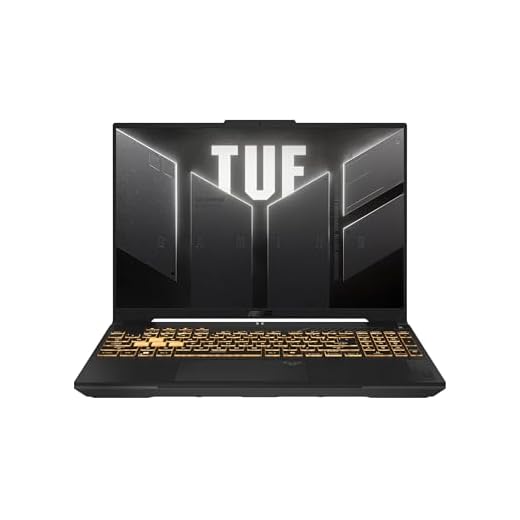
ASUS TUF F16 Powerful Gaming Workhorse
You get a potent combination of a 13th‑gen Intel H‑series CPU and an RTX 4050 GPU that handles modern games and content creation tasks well. Robust cooling and a 144Hz display help sustain high frame rates and responsive gameplay.
Pros
- RTX 4050 GPU with strong midrange gaming performance
- 13th Gen Intel H-series CPU for heavy multitasking
- 144Hz 16:10 display with 100% sRGB coverage
- Durable build with advanced cooling and good thermals
Cons
- Bulky and heavier than ultraportables
- Battery life limited under gaming loads
Ideal user profile
This TUF Gaming F16 is aimed at gamers and power users who want a robust laptop that can both play modern titles and manage demanding multitasking workflows. If you stream, edit video, or run development environments, you'll appreciate the extra cores and GPU horsepower.
Performance and thermal design
The laptop pairs an Intel Core 5 210H processor with an NVIDIA GeForce RTX 4050 and DDR5 memory. That combination lets you run AAA titles at respectable settings and handle heavier applications like video export and compiling tasks without major slowdowns.
- 144Hz FHD+ 16:10 panel improves perceived responsiveness in games and productivity work
- Military-grade durability and advanced cooling (Arc Flow Fans, multiple heat pipes) keep thermals under control
Practical considerations
Expect good performance at the cost of increased size and weight; this is a portable battlestation rather than a light commuter. Fan noise under sustained loads can be noticeable, and battery life is shorter when gaming.
Bottom line
If you want strong gaming performance paired with robust multitasking, this ASUS TUF model delivers excellent value in the midrange gaming segment. If you prioritize ultra‑light portability or absolute silence, consider thinner alternatives with lower TDP components.
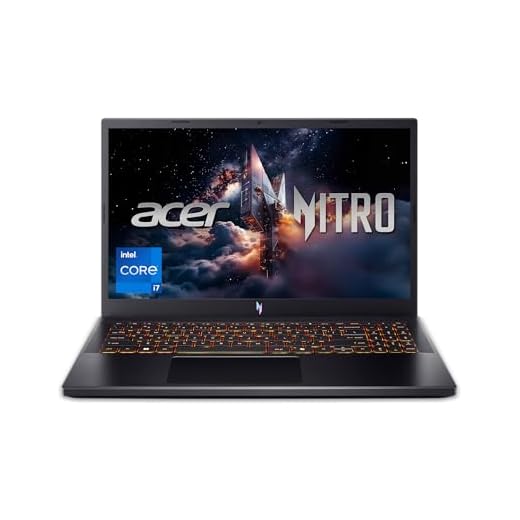
Acer Nitro V 15.6" RTX 4050 Gaming
You’ll enjoy gaming at high frame rates on the 165Hz panel with an i7‑13620H and RTX 4050 combo. It also doubles as a capable workhorse for content editing and streaming, though thermals and charger wattage can limit peak sustained performance.
Pros
- RTX 4050 provides strong midrange gaming performance
- High‑refresh 165Hz FHD display for responsive gameplay
- 1TB Gen4 SSD and 16GB DDR5 for fast load times
- Good balance of CPU and GPU for streaming and editing
Cons
- Charger wattage may restrict maximum sustained GPU performance
- Battery life reduces significantly under gaming load
Who it's best for
This Nitro V is for gamers who want a capable midrange machine that also handles content creation and streaming. You’ll appreciate the responsive 165Hz display and the headroom the i7 and RTX 4050 provide for modern titles.
Performance profile and daily use
The combination of an Intel Core i7‑13620H, RTX 4050, 16GB DDR5, and a 1TB Gen4 SSD gives you smooth load times, quick level loading, and good frame rates at 1080p. For streamers or multitaskers, the CPU and memory configuration supports recording while playing.
- 165Hz IPS panel improves clarity during fast motion and competitive play
- Solid thermal design keeps clocks reasonable during medium‑length sessions
Limitations and setup tips
The included charger may be undersized for sustaining maximum GPU TGP; if you push settings and play long sessions while plugged in, thermals and power budget can cap peak performance. Consider tuning power profiles for quieter operation or investing in a higher‑wattage adapter if you plan continuous heavy loads (verify compatibility first).
Practical conclusion
If you want a well‑rounded gaming laptop that also doubles as a capable productivity machine, this Nitro V model is a smart choice. It delivers strong 1080p gaming performance and sensible everyday usability, provided you accept typical gaming laptop tradeoffs in battery life and portability.
Acer Aspire 16 AI Copilot+ PC
You benefit from Qualcomm’s efficiency and dedicated NPU for AI features, paired with a smooth 120Hz touchscreen. It’s a compelling option if you want long runtimes and modern AI-assisted workflows out of the box.
Pros
- Snapdragon X platform with strong NPU for AI tasks
- 120Hz 16" WUXGA touchscreen enhances responsiveness
- LPDDR5X memory and PCIe Gen4 SSD for snappy performance
- Long quoted battery life and lightweight chassis
Cons
- Some Windows apps may not be optimized for the SoC
- Integrated GPU limits heavy gaming and rendering
What sets it apart
This Aspire 16 focuses on AI experiences and efficiency, leveraging a Snapdragon X platform with a powerful NPU and an integrated Adreno GPU. You’ll notice excellent battery life and a responsive touchscreen for everyday AI‑assisted tasks.
Performance and display
The 16" WUXGA 120Hz panel gives you a smooth visual experience for scrolling, touch interactions, and media playback. The LPDDR5X memory and PCIe Gen4 SSD help apps open quickly and keep multitasking snappy.
- Built for on‑the‑go productivity with long battery life and thin design
- Copilot+ features aim to simplify tasks like recall, summarization, and context-aware actions
Practical limits
Because it’s an ARM‑derived platform, some legacy Windows software might not run natively or may experience reduced performance. Additionally, the integrated GPU is fine for casual gaming but not for high‑detail AAA titles or heavy GPU compute.
Recommendation
If you want modern AI features, a large responsive touchscreen, and long battery life in a light chassis, this is a strong choice. If you need full desktop app compatibility or serious GPU power, evaluate x86 laptops with discrete GPUs instead.
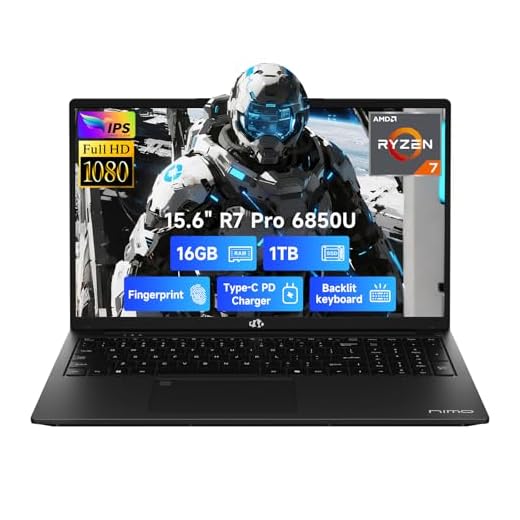
NIMO 15.6" Ryzen 7 Performance Laptop
You get an AMD Ryzen 7 CPU and 16GB LPDDR5 memory that deliver speedy everyday performance and snappy responsiveness. The laptop offers a strong value proposition, though brand familiarity and minor keyboard/layout quirks may matter to some buyers.
Pros
- Ryzen 7 performance with competitive integrated GPU
- High-speed DDR5 memory and 1TB SSD included
- Backlit keyboard and fingerprint reader for convenience
- 2-year warranty and U.S. quality assurance
Cons
- Keyboard layout and pointing sensitivity may feel unusual
- Brand is less known, support and parts availability vary
Who should consider this model
This laptop is aimed at buyers who want strong AMD CPU performance and fast memory at a reasonable price. You’ll find it suitable for office work, web browsing, media consumption, and light creative tasks.
Hardware highlights and experience
Equipped with an 8‑core Ryzen 7, 16GB LPDDR5 RAM, and a 1TB SSD, the system feels brisk during everyday use and handles heavier browser sessions and multitasking without major slowdowns. The integrated Radeon graphics also provide respectable performance for light gaming.
- Features like a backlit keyboard and fingerprint reader enhance usability
- A 2‑year warranty and local quality checks add reassurance for buyers of lesser-known brands
Practical notes and limitations
Some users report nonstandard keyboard layouts and cursor sensitivity that may require adjustment. While the internal components are competitive, long‑term support and repair experience can differ from major brand laptops.
Final verdict
If you prioritize raw value and component specs, this model is an attractive option. Test the keyboard and trackpad responsiveness if those aspects are critical to your workflow, and consider adding an external mouse if you find the built‑in cursor behavior awkward.
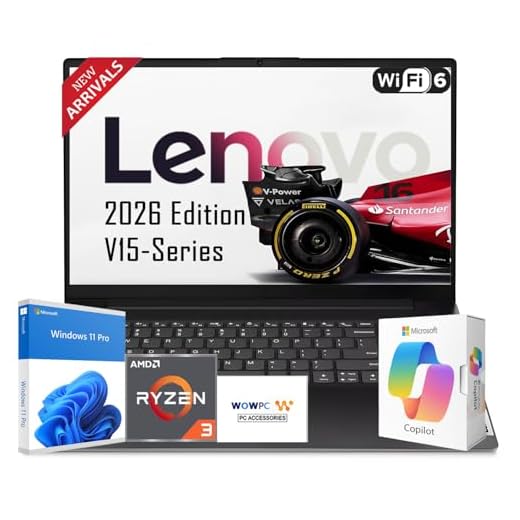
Lenovo IdeaPad 15.6" Ryzen Business
You get solid multi‑core performance and a roomy 1TB SSD for documents and media. It balances ergonomics and connectivity for typical office and student workflows without unnecessary frills.
Pros
- Strong multicore Ryzen 5 performance for productivity
- 1TB SSD and 16GB RAM for smooth multitasking
- Full HD display with anti-glare finish
- Backlit keyboard and FHD webcam with shutter
Cons
- TN panel brightness and color are modest
- Build and weight are bulkier than ultraportables
Who this is for
If you need a practical 15.6‑inch laptop for work, school, or everyday multitasking, this model offers a compelling balance of price and capability. You can expect responsive office applications, browser tabs, and light content editing thanks to the six‑core Ryzen 5 processor and 16GB of RAM.
Performance and storage highlights
The configuration emphasizes usable storage and memory for typical users:
- 16GB DDR4 memory for fluid multitasking and switching between apps
- 1TB PCIe NVMe SSD for fast boot times and ample local storage
- Integrated AMD Radeon graphics suited for media playback and light editing
These components mean you'll rarely feel bottlenecked during general productivity tasks and media consumption.
Practical features and limitations
The laptop includes a backlit full keyboard and a 1080p webcam with a privacy shutter — useful if you frequently join meetings or classes. However, the display is a TN panel with average brightness and color accuracy, so you should not expect the same visual fidelity as higher‑end IPS or OLED screens.
- Ports include USB-C with Power Delivery and DisplayPort, multiple USB-A ports, HDMI and an SD card reader, giving you flexible connectivity for external monitors and accessories.
Final thoughts
If you want a reliable, budget‑minded machine that covers everyday tasks and offers good storage and RAM for the price, this is a practical choice. If you prioritize color‑accurate displays, very light weight, or gaming performance, you may want to consider other models.
Dell 15" FHD Intel Everyday Laptop
You’ll find a comfortable keyboard, full HD display, and reliable Core i5 performance for office apps and browsing. Battery life is average, so plan for daily charging if you’re away from a power source for long periods.
Pros
- Solid Core i5 performance for common workloads
- Lightweight for its size and comfortable keyboard
- Good connectivity with USB and HDMI ports
- FHD display and built‑in webcam for meetings
Cons
- Battery life can be shorter under moderate use
- Integrated graphics not suited for gaming
Intended use
This Dell 15 model targets users who want a dependable, no‑nonsense laptop for day‑to‑day productivity. You should expect consistent performance for document editing, web browsing, and video conferencing.
Key specifications and user impact
The Intel Core i5 processor with 16GB DDR4 and a 512GB SSD provides a responsive computing experience. The 120Hz FHD option improves smoothness for scrolling and some media, though it’s primarily a productivity device rather than a gaming rig.
- Express Charge and energy‑efficient battery options help extend usable time between charges
- Onsite service options add peace of mind for business users
Considerations
If you require long unplugged use or heavy GPU workloads, consider a model with a larger battery or discrete graphics. For standard office tasks, this laptop offers balanced performance at a reasonable price.
Practical takeaway
Choose this if you want a straightforward, serviceable laptop with a familiar Dell build quality and service options. It’s a reliable everyday machine rather than a high‑performance or gaming laptop.
HP 255 G10 15.6" Ryzen Workhorse
You get a compact, budget‑friendly laptop that covers common office tasks, video calls, and web browsing well. It's an economical option when you need 16GB RAM without spending on advanced graphics or premium materials.
Pros
- Strong price-to-performance for everyday tasks
- 16GB RAM improves multitasking responsiveness
- Full HD display and HDMI output
- USB-C connectivity and a familiar Windows 11 experience
Cons
- Processor is entry-to-mid level compared to high-end chips
- Build materials and speakers are basic
Who should consider this laptop
You should consider this model if your main priorities are affordability and solid everyday performance. It targets students, home users, and small business owners who run office suites, web apps, and casual media playback.
Key hardware and usability
The system combines a Ryzen 3 processor with 16GB of RAM and a 512GB SSD, which gives you a snappy Windows experience for app switching and file access. Battery life and thermals are tuned toward balanced, all‑day use rather than sustained heavy workloads.
- The 15.6" Full HD panel is suitable for text, spreadsheets, and streaming video
- Ports include USB-C, HDMI, and multiple USB-A ports for typical peripherals
Tradeoffs to expect
You should not expect high refresh rates, advanced gaming, or professional content creation performance. Materials and speakers are tuned for cost efficiency, and you may notice modest fan noise under load.
Practical recommendations
If you need a straightforward laptop with enough RAM for browser-heavy sessions and document work, this is a sensible pick. If you plan to do video editing, 3D work, or gaming, consider models with stronger CPUs/GPUs and higher-quality displays.
HP 17.3" Large-Screen i5 Laptop
You get a comfortable large viewing area ideal for spreadsheets, side‑by‑side windows, and media playback. Expect capable everyday performance but not the high-end thermals or graphics for demanding creative workloads.
Pros
- Generous 17.3" FHD IPS display for multitasking
- 13th-gen Intel Core i5 for solid productivity
- 16GB RAM and 512GB SSD for smooth workflows
- Comfortable keyboard and wide viewing angles
Cons
- Large chassis reduces portability
- Speakers and webcam are adequate but not premium
Who benefits most
If you want screen real estate to handle multiple documents, spreadsheets, or timelines, this 17.3‑inch model gives you a desktop‑style workspace in a laptop form factor. It's a clear fit for users who prioritize comfort over extreme portability.
Hardware and everyday performance
The Intel Core i5‑1334U combined with 16GB RAM and a 512GB SSD delivers consistent performance for office suites, web browsing, video streaming, and light photo editing. The IPS display provides wide viewing angles and good color consistency for general use.
- Large display is a boon for multitasking, presentations, and watching videos
- Typical connectivity options make it easy to attach external storage or displays
Drawbacks and realistic expectations
A larger machine typically means more weight and shorter battery life than smaller laptops. If you move around frequently, consider how often you’ll carry it versus leaving it on a desk.
Final advice
Choose this laptop if you value a roomy screen for productivity and comfort. If you need something for creative work with color‑critical editing or intensive GPU tasks, look to models with dedicated GPUs and higher color gamut displays.
HP OmniBook 16" Snapdragon 2K Touch
You benefit from excellent battery life and an immersive touchscreen design that’s great for content consumption and light productivity. Keep in mind some traditional Win32 apps may run under compatibility layers rather than natively, affecting certain workflows.
Pros
- High-resolution 2K touchscreen with vivid colors
- Long battery life from Snapdragon platform
- Lightweight design with modern Copilot+ features
- Good mobile connectivity and quiet operation
Cons
- Some desktop apps may have compatibility or performance limits
- Integrated GPU not suited for heavy gaming or rendering
Who it's designed for
This 16‑inch ARM‑based laptop is geared toward users who prioritize battery life, a sharp touchscreen, and a thin‑and‑light chassis. It's well suited for travelers, students, and anyone who frequently consumes media or uses web‑centric apps.
Notable features and real-world behavior
Under the hood you’ll find a Snapdragon X Plus platform paired with 16GB RAM and a 512GB SSD. That combination yields very efficient power usage and quiet operation, which translates into long battery life and comfortable daily use.
- 2K OLED (or high‑quality) touchscreen with fast response is excellent for note taking and media
- Copilot+ integration brings AI-enhanced features that can accelerate common tasks
Practical caveats
Because this is an ARM architecture device, certain legacy Windows applications will run under emulation or require Arm‑native builds. You should test mission‑critical apps before committing to this platform.
Verdict and use tips
If you value portability, battery life, and a great display for reading and streaming, this is a strong pick. If your work depends on specific legacy Windows software or heavy GPU compute, consider an x86 alternative for compatibility and raw performance.
Final Thoughts on the Best Laptops with 16GB RAM
Pick the Apple MacBook Air 13" M4 if you prioritize battery life, silence, and portability. You get class-leading efficiency from the M4 chip, a featherlight chassis, and long runtimes—perfect if you travel, study, or work in cafes and want buttery-smooth multitasking with macOS.
Choose the ASUS TUF F16 Powerful Gaming Workhorse if you need raw performance and a capable GPU. Its 13th‑gen Intel H-series CPU, RTX 4050, robust cooling, and 144Hz display make it the better pick for gaming, livestreaming, and heavier content creation while keeping 16GB of RAM busy but comfortable.
How to Choose the Best Laptops with 16GB RAM
Looking for the best laptops with 16GB RAM? Great choice. This amount of memory hits the perfect sweet spot between performance and affordability, making it ideal for multitasking, productivity, creative work, and even gaming. But RAM is only one piece of the puzzle — several other features determine how powerful and future-proof your laptop really is.
Below is a complete guide to help you make the smartest purchase.
Pick the Right Processor for Your Daily Tasks
A fast processor ensures smooth performance whether you're editing photos, managing spreadsheets, or running demanding software. Most laptops with 16GB RAM come with mid-to-high-end CPUs, but it’s still worth paying attention to the chip generation and core count.
- For everyday use: Intel Core i5 or AMD Ryzen 5
- For creative work and multitasking: Intel Core i7 or AMD Ryzen 7
- For professional workloads (3D, video editing, AI tools): Intel Core i9 or Ryzen 9
Newer generations are always more efficient and provide better battery life, so opt for the latest version available in your budget.
Choose SSD Storage for Faster Performance
While RAM keeps your apps running smoothly, your storage drive determines how fast your laptop boots and loads files. For the best experience, choose a laptop with an SSD (Solid State Drive) instead of a traditional hard drive.
Here’s what to consider:
- 256GB SSD: Fine for light use and cloud-based workflows
- 512GB SSD: Great for work, school, and storing media
- 1TB SSD or more: Ideal for large projects, games, or creative files
Some laptops offer dual-drive setups or upgradeable storage, giving you room to expand later.
Pay Attention to the Graphics Card
If you’re buying a laptop for content creation, gaming, or 3D software, the GPU matters just as much as RAM.
- Integrated graphics (Intel Iris Xe, AMD Radeon): Perfect for everyday tasks and casual use
- Dedicated GPUs (NVIDIA GeForce or AMD Radeon RX): Necessary for video editing, design tools, and modern games
A dedicated GPU helps unlock the full potential of a laptop with 16GB RAM, especially under heavy workloads.
Consider the Display Size, Resolution, and Panel Type
For a comfortable and productive experience, your display needs to match your usage style.
- 13–14 inches: Lightweight, ultra-portable, ideal for students and travelers
- 15–16 inches: Balanced size with more screen space
- 17 inches: Great for gaming or professional creative work
Resolution and panel technology matter too:
- Full HD (1080p): Best balance of clarity and battery life
- 2K or 4K: Sharper visuals, recommended for designers and editors
- IPS or OLED: IPS offers accurate colors, while OLED delivers deeper contrast and vibrant visuals
Check Battery Capacity and Charging Features
To avoid constantly searching for an outlet, look for laptops known for strong battery performance. Ultra-thin models often prioritize efficiency, while high-performance machines may drain faster due to their powerful components.
Key factors include:
- Battery capacity (Wh) — Higher typically means longer runtime
- Fast charging — Useful for on-the-go users
- Energy-efficient processors — Better endurance overall
Look for Ports and Connectivity Options
A versatile laptop should support all your accessories without needing multiple adapters. Consider models that include:
- USB-A and USB-C ports
- HDMI or DisplayPort for external monitors
- Headphone jack
- SD or microSD card slot if you work with cameras
- Wi-Fi 6 or Wi-Fi 7 for faster, more stable connections
The more ports you have, the easier it is to set up a complete workstation.
Keyboard, Trackpad, and Build Quality Also Matter
Comfort can dramatically impact your productivity. Choose a laptop with:
- A responsive, backlit keyboard
- A precision trackpad
- Sturdy build materials like aluminum or reinforced plastic
These details make everyday use more enjoyable and help your laptop last longer.
Decide Whether You Need Upgradeability
Some laptops allow you to upgrade RAM or storage later, while others are sealed and non-upgradeable. If you want a machine that grows with your needs, look for models featuring:
- Easy-access SSD slots
- RAM expansion up to 32GB or 64GB
This adds long-term value and flexibility.
Check Out the Best Laptops with 16GB RAM
Still not sure which one to choose? Click the link below to see the best-selling products.
Also Check Out Other Helpful Articles
Take a look at more useful articles that can help you make more informed decisions.
- Best Laptops that Runs GTA V in 2026 (Top 9: Acer Predator, Razer Blade 14 and More)
- Best Samsung Chromebooks in 2026 (Top 6: Galaxy Chromebook 2, Plus and More)
- Best Samsung Laptops for Students in 2026 (Top 8: Galaxy Book, Chromebook and More)
Video About the Best Laptops with 16GB RAM
We created a video on the topic. Just click to watch.
https://youtu.be/rnZdB6-kjpg
Related Articles


About the Author

Lauren Baker finds joy in turning ideas into written content. She values clarity, relevance, and keeping readers engaged from start to finish.