Best Laptops with 8GB RAM in 2026 (Top 9: Acer Nitro, Lenovo V15 and More)

Last Updated on January 24, 2026
Looking for the ideal machine? Discover the best laptops with 8gb ram for work, study, and everyday use that offer great value and reliable performance.
8GB RAM can still get you a lot done. It’s the baseline for many new laptops and, with the right CPU and SSD, you’ll be surprised how smooth everyday work and light gaming feel.
You’ll find machines here from budget workhorses to entry-level gaming rigs. Pick a model with upgradeable memory if you want headroom — or grab one that already pairs that 8GB with a strong CPU/GPU for instant value.
Contents
- The Best Laptops with 8GB RAM
- ASUS TUF Gaming F16 (2024)
- Acer Nitro V 15 Gaming Laptop
- Lenovo LOQ Essential Student Gamer
- Lenovo 14 G4 Business Laptop
- HP 15.6" Ryzen 5 Productivity Laptop
- HP 15.6" Ryzen 3 Touch Laptop
- Dell 15 DC15250 Everyday Laptop
- Acer Aspire Go 15 Budget Laptop
- Lenovo V15 2025 Affordable Laptop
- Final Thoughts on the Best Laptops with 8GB RAM
- How to Choose the Best Laptops With 8GB RAM
- Check Out the Best Laptops with 8GB RAM
- Also Check Out Other Helpful Articles
- Video About the Best Laptops with 8GB RAM
The Best Laptops with 8GB RAM
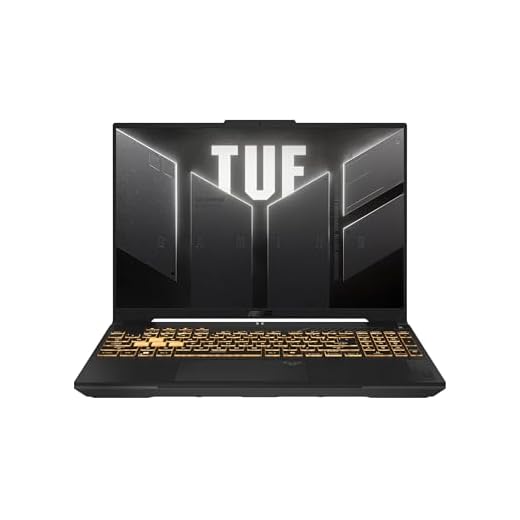



ASUS TUF Gaming F16 (2024)
A robust gaming platform that balances thermals, performance and a high-refresh 16:10 panel for immersive play. It’s designed to handle demanding games and creative workloads, though the 8GB base RAM is a limiting starting point.
Pros
- High TGP RTX 4050 for strong 1080p gaming
- 16:10 144Hz FHD+ display improves vertical workspace
- Sturdy TUF chassis built for durability
- PCIe Gen4 SSD and DDR5 provide modern speed
Cons
- 8GB DDR5 is tight — upgrade recommended
- Gaming laptops typically have shorter battery life
Who this is for
If you want a durable gaming laptop that doesn’t compromise on raw performance, this ASUS TUF F16 is aimed at gamers and creators who value a solid thermals-to-power ratio and a taller display for productivity.
Key specs and their benefits
- Intel Core i5 210H, NVIDIA GeForce RTX 4050 (up to 115W Max TGP with Advanced Optimus), 16:10 FHD+ 144Hz panel, 8GB DDR5, 512GB PCIe Gen4 SSD, Wi‑Fi 6
The higher-power RTX 4050 and efficient cooling let you play modern titles at high settings in 1080p. The 16:10 panel gives extra vertical space for streaming chats, browser tabs or code windows without increasing footprint.
Real-world trade-offs and advice
You’ll notice excellent frame rates and consistent clocks during extended sessions thanks to robust cooling, but the base RAM should be one of the first upgrades you perform for smooth multitasking. Battery life follows typical gaming-laptop norms — excellent performance when plugged in, limited endurance on battery.
- Practical tip: Add a second SODIMM to enable dual-channel memory and improve both gaming FPS and general responsiveness.
Practical insight
For enthusiasts on a moderate budget who want a laptop that will stay relevant for a few years, this model offers a strong combination of GPU power and a productivity-friendly display. Pair it with a RAM upgrade for the best experience.
Acer Nitro V 15 Gaming Laptop
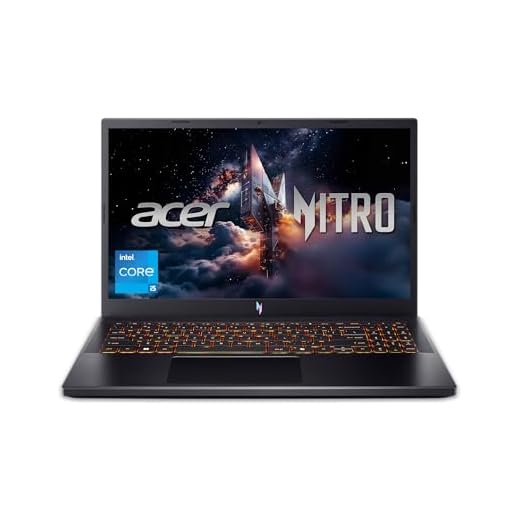
A strong entry-level gaming machine that delivers good 1080p performance and a high refresh-rate display. You’ll want to add more RAM to unlock its full potential for multitasking and future-proofing.
Pros
- RTX 4050 GPU delivers solid 1080p gaming
- 165Hz IPS display for smooth visuals
- Fast Gen4 512GB SSD with easy upgrades
- Modern DDR5 platform and Wi‑Fi 6
Cons
- 8GB RAM is limiting out of the box
- Fans can be noisy under load
Who this is for
If you want a cost-effective gaming laptop that can run modern titles at 1080p and high refresh rates, this is a strong candidate. You’ll appreciate the balance of GPU power and a fast display, but plan on upgrading memory soon to avoid bottlenecks when multitasking or streaming.
Key features and what they mean for you
- Intel Core i5-13420H CPU paired with an NVIDIA GeForce RTX 4050 GPU, 15.6" FHD 165Hz IPS panel, 8GB DDR5 (user-upgradeable), 512GB Gen4 SSD, Wi‑Fi 6
These components let you play many modern games smoothly at 1080p while offering a snappy, responsive system for everyday tasks. The 165Hz panel makes fast-paced games feel much smoother than a standard 60Hz display.
Benefits, limitations, and real-world tips
You’ll get excellent value for competitive and casual gaming sessions, plus a roomy SSD to start installing titles. However, reviewers repeatedly note RAM consumption as the main limitation — the OS and a couple of background apps can push 8GB close to full, which hurts multitasking and modern game load times. A simple RAM upgrade to 16GB significantly improves the experience.
- Example: a reviewer said they could run Fortnite and Genshin Impact smoothly but recommended adding at least 8GB more RAM.
Practical insight
If you're buying this as a base for future upgrades you’ll be satisfied: the Nitro V’s internals are upgrade-friendly, and the price-to-performance ratio is one of the standout aspects. If you need an out-of-the-box multitasking laptop without tinkering, consider a configuration with more RAM or a different model.
Lenovo LOQ Essential Student Gamer
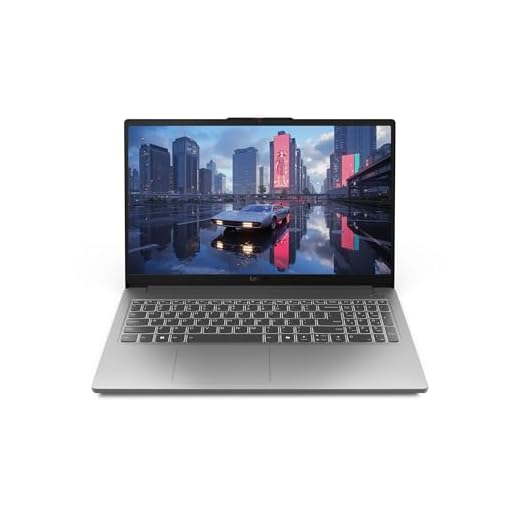
A focused student-gaming laptop with an HX-series CPU and RTX 4050 that handles both games and content creation comfortably. Battery life is typical for gaming laptops, so expect shorter unplugged sessions during heavy workloads.
Pros
- Powerful i5 HX-series CPU with RTX 4050 GPU
- 144Hz FHD display provides smooth in-game motion
- 512GB SSD and modern connectivity for students/gamers
- Good balance between gaming performance and portability
Cons
- Battery life is limited under heavy load
- Comes with only 8GB RAM in many SKUs — upgrade advisable
Who this is for
This LOQ Essential is aimed squarely at students who want a laptop that can double as a gaming rig and a productivity machine. If you juggle classes, content creation and gaming, it provides a strong middle ground.
Highlights and specifications
- Intel Core i5-12450HX, NVIDIA GeForce RTX 4050, 15.6" FHD 144Hz IPS, 8GB DDR5, 512GB SSD, Wi‑Fi 6
The HX-series CPU is a higher-performance mobile chip that pairs well with the RTX 4050 for gaming at high settings and for CPU-heavy tasks like editing or running multiple services. The 144Hz panel is great for competitive gaming and makes desktop work feel snappier.
Benefits, limits and user tips
You’ll see strong frame rates in many modern titles and have enough storage to start building a game library and coursework files. The recurring caveat is the 8GB base RAM: add another 8GB for smooth multitasking and better gaming performance. Battery life conforms to gaming-laptop norms — expect a few hours of light work and much less during gaming.
- User quote example: a reviewer said it handled content creation and many open tabs easily once they added more storage and tuned settings.
Practical insight
This is one of the better choices if you want a single machine for study and high-refresh gaming without stepping up to much heavier (and more expensive) gaming rigs. Plan for a RAM upgrade and use the laptop mostly plugged in for long gaming sessions.
Lenovo 14 G4 Business Laptop
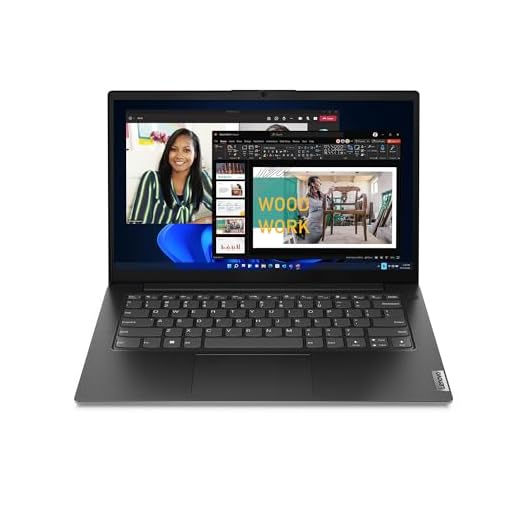
A compact, lightweight machine with a surprisingly capable i7 CPU that suits office workloads, conferencing and light creative tasks. You’ll likely want to upgrade memory if you run many browser tabs or virtual meetings concurrently.
Pros
- Powerful Core i7-13620H in a thin and light chassis
- Good port selection including RJ45 and USB-C
- Business features: privacy shutter and noise cancellation
- Upgradeable RAM and storage for longevity
Cons
- 8GB base RAM can limit heavy multitasking
- Screen and battery are competent but not class-leading
Who this is for
This Lenovo is tuned for professionals and students who need portability without sacrificing CPU performance. If you travel frequently or join frequent video calls, its small footprint and conferencing features are useful.
Important hardware details
- Intel Core i7-13620H, 14" FHD display, 8GB DDR4 (upgradable), 256GB SSD (upgradable), Windows 11 Home, Ethernet port and multiple USB options
The i7 offers notable single- and multi-core performance in a compact body, making tasks like compiling code, heavy spreadsheets and running local VMs more feasible than typical ultrabooks in this price bracket. The combination of Ethernet and Wi‑Fi 6 gives you flexibility in office settings.
Benefits, limitations, and recommendations
The laptop is a good workhorse for business users, but reviewers recommend upgrading to 16GB when you rely on many tabs, meetings and productivity apps at once. The display and battery are good for the class but not exceptional, so plan accordingly if you need all-day away-from-outlet endurance.
- Practical tip: If you buy the 8GB SKU, budget for an early RAM upgrade to get the most out of the i7 in professional workflows.
Practical insight
If your workflow centers on office productivity, remote work, and occasional heavier tasks, this offers a lot of performance per dollar in a portable package. The ability to expand memory and storage helps future-proof the investment.
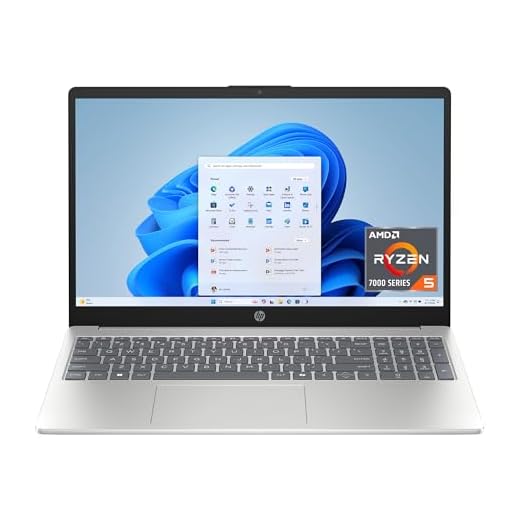
HP 15.6" Ryzen 5 Productivity Laptop
A sensible step up for users who want snappier multitasking and more local storage. You’ll get a responsive system for spreadsheets, light editing and day-to-day creative tasks without a big price jump.
Pros
- Stronger Ryzen 5 CPU for improved multitasking
- 512GB SSD offers ample storage out of the box
- Touchscreen and HP Fast Charge add convenience
- Good balance of performance and price
Cons
- Screen remains 1366 x 768, limiting workspace
- Not intended for heavy gaming or professional editing
Who this is for
Choose this if you need more storage and a bit more CPU muscle than entry-level models provide — ideal for students, office users and light creators who want a durable, everyday laptop.
What you get
- AMD Ryzen 5 7520U, 15.6" HD touchscreen, 8GB RAM, 512GB PCIe NVMe SSD, Windows 11 Home, HP Fast Charge
The Ryzen 5 chip noticeably smooths out multitasking and heavier web workloads, while the 512GB SSD eliminates immediate storage concerns for many users. The touchscreen and fast-charge capability improve usability during study or short commutes.
Benefits and trade-offs
This delivers a practical, balanced experience: more storage and a beefier CPU than typical budget laptops. The main trade-off is the lower display resolution; the HD panel is fine for video and basic productivity but won’t match FHD options for screen real estate or clarity.
- Practical tip: If your work includes extensive side-by-side documents or detailed image work, look at FHD displays; this model is optimized for balanced day-to-day use.
Practical insight
If you want a dependable laptop that won’t push into gaming territory but is noticeably quicker for multitasking and file storage, this is a reliable pick in the value segment.
HP 15.6" Ryzen 3 Touch Laptop
A straightforward touchscreen laptop that excels at schoolwork, media playback and light productivity. Battery life and portability make it a convenient daily driver, though the HD resolution limits workspace for multitasking.
Pros
- Responsive Ryzen 3 CPU for everyday tasks
- Touchscreen adds natural input for notes and navigation
- Lightweight and long battery life with fast charging
- Good value for students and casual users
Cons
- 1366 x 768 resolution is limiting compared to FHD
- 128GB SSD may require storage upgrades
Who this is for
This HP model is aimed at students and anyone who wants a friendly touchscreen experience for note-taking, browsing and streaming. If you want a simple, reliable Windows laptop that’s easy to carry, this is a competitive option.
Main features and experience
- AMD Ryzen 3 7320U, 15.6" HD touchscreen, 8GB RAM, 128GB SSD, Windows 11 Home in S Mode, HP Fast Charge
The touchscreen is surprisingly useful for quick edits and navigation, and the Ryzen 3 CPU handles typical productivity tasks with little fuss. Fast charge helps you get back to work quickly if the battery runs low.
Benefits and limitations
You’ll like how responsive the system feels for school apps, video calls and media. The trade-offs are the HD display and smaller SSD — HD is fine for many users, but if you regularly use split-screen apps or manage lots of browser tabs, the lower pixel count reduces usable screen real estate.
- Example: reviewers who used this for homeschooling and schoolwork report smooth performance and easy setup, but note the screen isn’t as sharp as FHD panels.
Practical insight
If you prioritize touch input and portability for study or basic productivity, the model is hard to beat at this price. Consider upgrading storage or using external/cloud storage if you keep many files locally.
Dell 15 DC15250 Everyday Laptop
A reliable everyday Windows laptop with a comfortable keyboard and a 15.6" FHD display. Battery life is middling under heavy use, but it’s an approachable option for non-technical users who want straightforward performance.
Pros
- FHD display at an affordable price
- Comfortable keyboard and easy setup
- 512GB SSD provides solid storage
- Onsite service option for peace of mind
Cons
- Reported battery life can be short under active use
- Older platform compared with newest CPUs
Who this is for
This is a no-nonsense laptop for users who need a practical machine for email, web browsing, document work and video calls. If you value simplicity and a familiar Windows experience, this model works well.
Features and practical impact
- Intel Core 3 class processor, 15.6" FHD (1920 x 1080), 8GB DDR4, 512GB SSD, Windows 11 Home
The FHD resolution is a welcome inclusion at this price point and the SSD keeps everyday tasks responsive. Dell’s build quality and keyboard design make typing comfortable for long sessions.
Benefits and limitations
You’ll get reliable performance for standard tasks and the convenience of a full-size display and solid-state responsiveness. The main drawback is battery life: casual browsing might be fine, but heavier workloads will force more frequent charging.
- Example: reviewers found setup easy and the device suitable for non-technical family members, but some noted only around 4 hours of active battery life in light use.
Practical insight
If your primary concern is affordability and a dependable basic laptop, this is a sensible pick. Consider a spare charger for day trips or light travel if you expect to be away from power for extended periods.
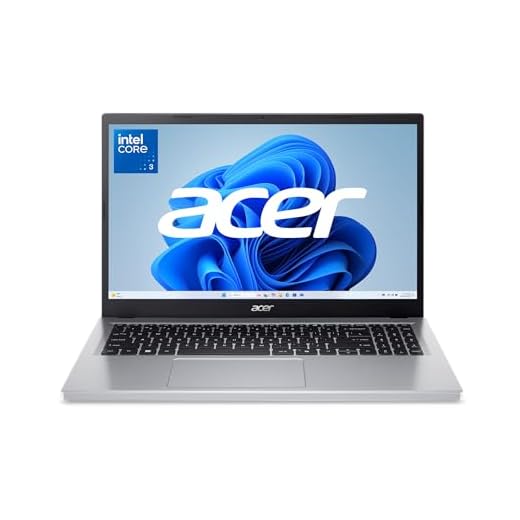
Acer Aspire Go 15 Budget Laptop
A compact, affordable machine meant for web browsing, streaming and schoolwork with surprisingly upgrade-friendly internals. It isn’t for heavy content creation or gaming, but it gives a reliable day-to-day experience for basic use.
Pros
- Very low price for a 15.6" FHD laptop
- 8GB DDR5 and Wi‑Fi 6 for smooth basic performance
- Upgradeable memory and storage on many units
- Good battery life for all-day light use
Cons
- 128GB UFS storage fills up quickly
- No backlit keyboard and basic speakers
Who this is for
You should consider this laptop if your primary needs are web browsing, streaming, online classes, and document work on a tight budget. It’s aimed at students, secondary devices, or anyone who needs a low-cost Windows 11 machine.
What it offers
- 15.6" Full HD IPS screen, Intel Core 3 N355, 8GB DDR5, 128GB UFS storage, Windows 11 Home in S Mode, Wi‑Fi 6
This configuration provides responsive everyday performance thanks to modern low-power silicon and DDR5 memory. The FHD IPS display gives you decent viewing angles for video calls and media compared with older TN panels.
Benefits and realistic expectations
You get a surprisingly solid set of basic features for the price, including a full-size keyboard and a metal back on some revisions. The main trade-off is storage: 128GB fills quickly, so either rely on cloud storage or plan to add an SSD. If you occasionally need more power, the fact that many units allow RAM and SSD upgrades is a major plus.
- Tip: If you plan to keep many files and apps locally, budget for a 512GB or 1TB SSD upgrade soon after purchase.
Practical insight
If you value low cost and upgradeability over raw performance, this is a smart buy. You won’t be running serious creative workloads or modern AAA games smoothly, but for study, office work and streaming it offers excellent value.
Lenovo V15 2025 Affordable Laptop
An inexpensive 15.6" laptop targeted at students and entry-level users who value upgradability. It provides a decent FHD panel and a wide range of ports, but the base CPU and battery life are modest.
Pros
- FHD display and full-size keyboard for productivity
- 1x SO-DIMM for RAM upgrades and M.2 SSD slot
- Reasonable port selection including HDMI and Ethernet
- Windows 11 Pro available on some SKUs
Cons
- Entry-level Celeron CPU limits heavy workloads
- Some reported models have inconsistent build options
Who this is for
If you need a low-cost 15.6" laptop that can be upgraded over time, this Lenovo V15 targets students and small-business users who want a flexible baseline machine to improve later.
What it provides
- Intel Celeron N4500 (configurations vary), 15.6" FHD TN 250 nits, 8GB DDR4, 256GB SSD, multiple ports including USB-C, HDMI and RJ45, Windows 11 Pro on some SKUs
The FHD panel and upgrade slots are nice to see in a budget laptop: you can add more RAM and a larger SSD when you need it. For basic office apps, email and light browsing it performs acceptably.
Benefits and practical considerations
It’s a solid buy if you plan to expand RAM and storage later, but don’t expect fast performance from the stock Celeron CPU when you push the system with many browser tabs or heavier media tasks. Battery life and thermal performance are adequate for light workloads but will degrade under sustained load.
- Example: users who upgraded RAM and SSD report smoothness for virtual machines and development tasks that the base unit cannot handle.
Practical insight
Buy this if you want the cheapest way to get a full-size laptop that you can customize later. If you need immediate heavy performance, consider stepping up to a model with a stronger CPU.
Final Thoughts on the Best Laptops with 8GB RAM
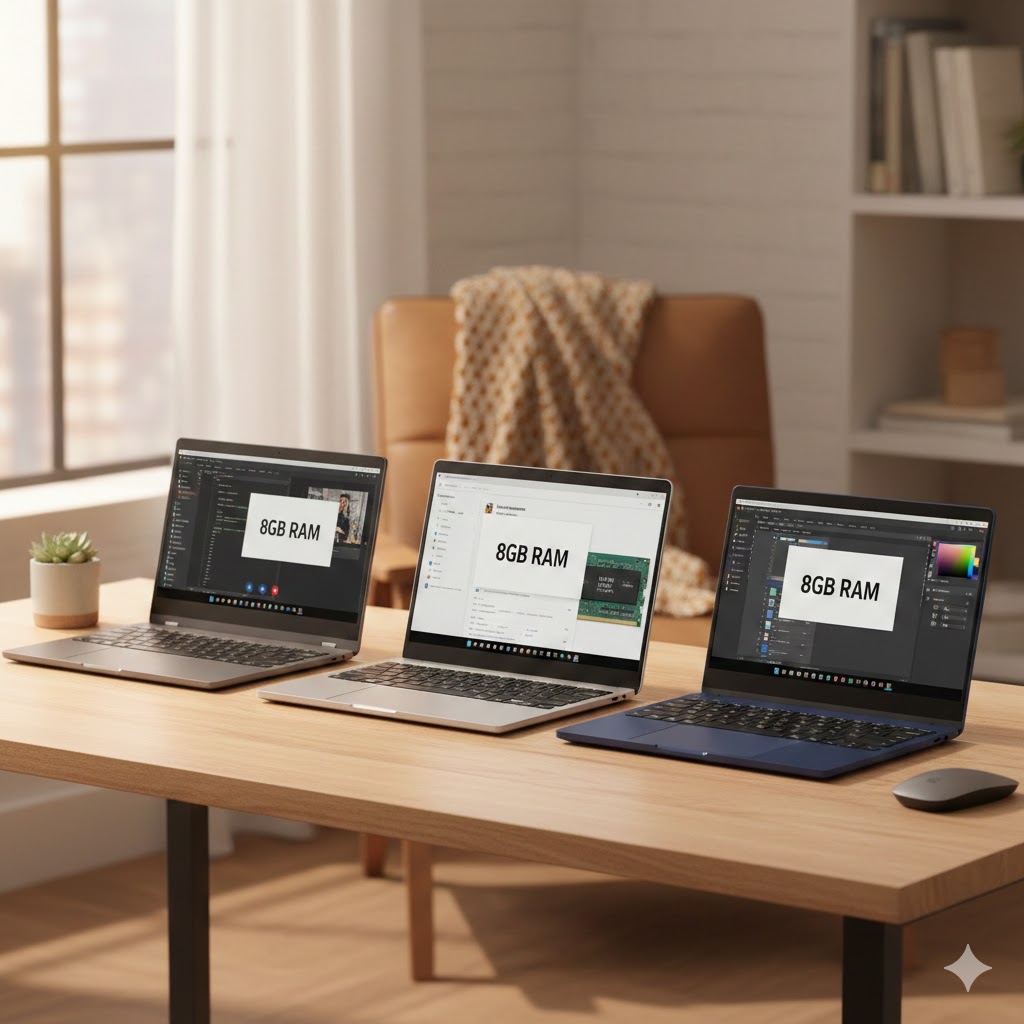
If you want the best performance right now and can accept upgrading RAM soon, choose the ASUS TUF Gaming F16 (2024). Strengths: strong thermals, a high-refresh 16:10 display and a gaming-grade platform that handles modern titles and creative tasks. Ideal use case: you’re into serious gaming or content work and want a durable, high-performance laptop — add another 8GB quickly to unlock its full potential.
If you want a student-friendly gaming crossover that balances price and capability, pick the Lenovo LOQ Essential Student Gamer. Strengths: HX-series CPU and an RTX 4050 deliver solid gaming and light content-creation performance out of the box. Ideal use case: you need a laptop for classes, streaming, and gaming on the side — it’s the most balanced pick for students who want power without going full desktop-replacement. Upgrade to 16GB when you start juggling heavy multitasking or video projects.
How to Choose the Best Laptops With 8GB RAM
Looking for a device that balances performance, portability, and price? Laptops with 8GB RAM are some of the most popular options on the market because they offer enough memory for everyday tasks without breaking your budget. To help you make the smartest choice, here’s a complete guide on how to pick the best laptops with 8GB RAM for your lifestyle or work needs.
Understand What 8GB RAM Can Handle
Before choosing a laptop, it’s important to know what 8GB RAM can realistically support. For everyday users, this configuration delivers a smooth experience for tasks like browsing, office work, attending classes, and streaming content.
It also handles light gaming and creative work reasonably well. However, if you frequently edit large videos, run heavy software, or multitask intensively, you may want to look for an upgrade path — such as models that allow RAM expansion.
Pick the Right Processor for Your Workload
The processor and RAM work together to define your laptop’s speed, responsiveness, and overall capability. While 8GB of memory is solid, pairing it with a strong CPU ensures better performance.
For effortless browsing and day-to-day computing, processors like modern Intel Core i3 or AMD Ryzen 3 are more than enough. If you plan on running multiple apps, editing photos, or handling more demanding tasks, aim for Intel Core i5 or AMD Ryzen 5. These chips deliver more power while staying efficient and budget-friendly.
Storage Options: SSD for Speed, HDD for Space
Storage type can drastically change how fast your laptop feels. Even with 8GB RAM, a slow hard drive can bottleneck performance.
- SSD (Solid State Drive): Offers quick boot times, faster app loading, and a more responsive system overall. Perfect for most users.
- HDD (Hard Disk Drive): Provides more space at a lower price but performs slower.
- Hybrid options: Some laptops combine an SSD for the system and an HDD for large files, giving you speed and capacity.
For the best experience, prioritize a laptop with at least a 256GB SSD.
Pay Attention to Display Quality and Size
Your screen influences comfort, productivity, and how enjoyable your laptop is to use. When choosing the best laptops with 8GB RAM, consider your daily activities.
- 13–14 inches: Ideal for students or anyone who needs a lightweight device for commuting.
- 15–16 inches: Better for multitasking, watching content, or working with side-by-side windows.
- 1080p (Full HD): The sweet spot for sharp and clear visuals.
- IPS panels: Great color accuracy and wide viewing angles.
A quality display makes a big difference — especially for long work or study sessions.
Battery Life: Aim for At Least 7–8 Hours
Whether you work remotely or enjoy using your laptop on the go, battery life is a major deciding factor. Many 8GB RAM laptops are designed for everyday portability, so their battery performance varies widely.
To avoid constant charging, look for laptops that advertise 7 hours or more of real-world usage. If mobility is your top priority, ultrabooks often offer the best endurance.
Graphics: Integrated vs. Dedicated
For most users, integrated graphics (Intel UHD, Iris Xe, or AMD Radeon integrated GPUs) are enough for streaming, productivity, and casual gaming.
If you plan on playing modern games, editing videos, or working with design software, you might want a laptop with a dedicated GPU. While less common in 8GB RAM configurations, they exist — and they greatly improve performance in graphics-heavy tasks.
Consider Build Quality and Portability
If you move around often, the laptop’s weight, durability, and materials matter just as much as the internal specs.
- Metal builds usually feel sturdier and premium.
- Plastic builds are lighter and more affordable.
- 1.2–1.6 kg (2.6–3.5 lbs) is ideal for frequent travel.
Also, check the keyboard comfort, trackpad quality, and hinge sturdiness — small details that impact daily use.
Make Sure It Has the Ports You Need
Not all laptops offer the same connectivity options, so choose one that matches your accessories and workflow. Helpful ports include:
- USB-A for common peripherals
- USB-C for charging and fast data transfer
- HDMI for connecting to a monitor
- SD or microSD slots for quick file access
If you often connect multiple devices, consider models with extra ports or plan to use a USB-C hub.
Check Out the Best Laptops with 8GB RAM
Still not sure which one to choose? Click the link below to see the best-selling products.
Also Check Out Other Helpful Articles
Take a look at more useful articles that can help you make more informed decisions.
- Best Laptops that Runs GTA V in 2026 (Top 9: Acer Predator, Razer Blade 14 and More)
- Best Samsung Chromebooks in 2026 (Top 6: Galaxy Chromebook 2, Plus and More)
- Best Samsung Laptops for Students in 2026 (Top 8: Galaxy Book, Chromebook and More)
Video About the Best Laptops with 8GB RAM
We created a video on the topic. Just click to watch.
https://youtu.be/NtGYyMUBIdI
Related Articles
About the Author

Lauren Baker finds joy in turning ideas into written content. She values clarity, relevance, and keeping readers engaged from start to finish.