Best LED TVs in 2026 (Top 10: Hisense, Toshiba and More)

Last Updated on February 26, 2026
Find the best led tvs for every budget and need. Discover which models offer the best picture quality, smart features, and value.
STOP squinting at tiny subtitles. You deserve a picture that POPS and a smart platform that doesn’t make you hunt for apps.
Imagine cheering on a last-minute goal or spotting a tiny alien in a sci-fi flick. You want deep contrast, vivid color, and smooth motion — without a headache trying to use the TV. Keep it simple. Get great picture and easy-to-use features.
Contents
- The Best LED TVs
- Hisense 55" U6 Mini‑LED 4K TV
- Samsung 65" Q7F QLED 4K TV
- Roku 50" Select Series 4K HDR TV
- Toshiba 50" C350 4K Fire TV
- Insignia 75" QF Series QLED 4K TV
- Insignia 65" F50 4K Smart Fire TV
- Samsung 40" F6000 Full HD Smart TV
- Insignia 50" F50 4K Fire TV
- Insignia 40" F40 Full HD Fire TV
- Insignia 32" FE Series Full HD TV
- Final Thoughts on the Best LED TVs
- How to Choose the Best LED TVs
- Check Out the Best LED TVs
- Also Check Out Other Helpful Articles
- Video About the Best LED TVs
The Best LED TVs


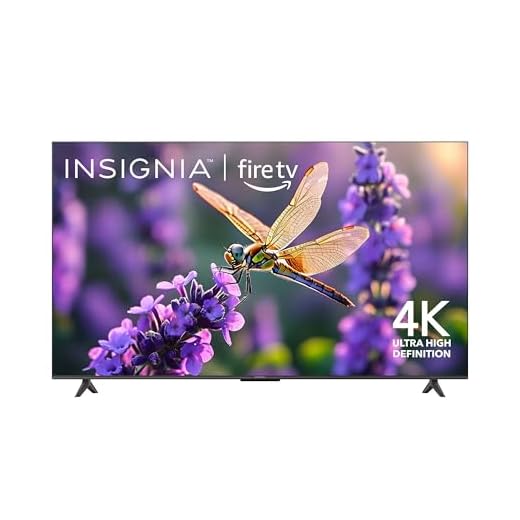


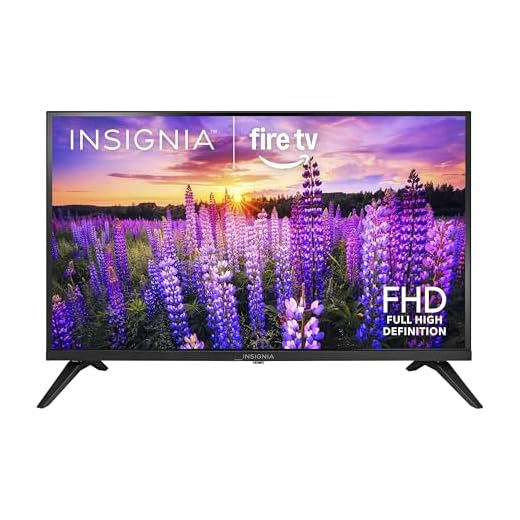

Hisense 55" U6 Mini‑LED 4K TV
You get exceptional brightness, deep contrast and a very responsive panel that benefits fast action and gaming. The TV balances picture performance and smart features without forcing you to spend at the very top of the market.
Pros
- Mini‑LED with many local dimming zones for excellent contrast
- High peak brightness (up to 1000 nits) and Dolby Vision IQ support
- Native 144Hz panel with Game Mode Pro, VRR and ALLM
- Surprisingly robust built‑in audio including subwoofer
- Fire TV smart platform with Alexa built in
Cons
- Fire TV can include intrusive ads and bloatware
- Out‑of‑the‑box picture presets may require tuning
What you can expect
This model puts mini‑LED contrast and a high‑refresh panel into a compelling mid‑range package. You'll notice punchy highlights and deep blacks from the dense local dimming array, which helps bring sports, movies and HDR content to life. The 144Hz native panel and Game Mode Pro make this a strong choice if you want low latency for consoles and PC gaming.
Key features and benefits
- Mini‑LED with up to 600 local dimming zones and ~1000 nits peak brightness
- Native 144Hz panel, VRR and ALLM for smoother gaming
- HDR10+, Dolby Vision IQ and Dolby Atmos support
- Built‑in subwoofer and stronger-than-average TV speakers
- Fire TV OS with Alexa integration for voice control
Practical insights and limitations
You should be prepared to tweak the default picture settings: aggressive AI and motion smoothing modes are enabled by default and can reduce accuracy. If you prefer accurate color, switch to Filmmaker or Cinema mode. The Fire TV experience is convenient but includes promotional content; disconnecting the network or cleaning up apps can make the UI less noisy. Overall, if you want near‑flagship picture hardware and smooth gaming without flagship pricing, this set delivers.
Samsung 65" Q7F QLED 4K TV
You’ll notice excellent color accuracy, strong upscaling and smooth motion handling backed by AI processing. The set is a compelling mid‑to‑upper range option for mixed use — streaming, TV and gaming — with a polished ecosystem.
Pros
- QLED color and AI‑driven picture optimization
- Object Tracking Sound Lite and good audio processing
- Q4 AI Gen1 processor for strong upscaling and responsiveness
- Comprehensive smart features and built‑in Alexa
Cons
- Speakers can feel thin for large rooms — soundbar recommended
- Some users report UI lag or small remote limitations
Performance summary
This Samsung QLED blends bright, vibrant color with smart AI features that help upscale lower resolution sources and optimize picture and audio by content type. It’s well suited for living rooms where you mix movies, sports and console gaming.
Highlighted features
- QLED panel for elevated color volume and brightness
- Q4 AI Gen1 processor for upscaling and scene analysis
- Object Tracking Sound Lite for enhanced on‑screen audio positioning
Tips for getting the most out of it
You’ll get the best picture by experimenting with picture modes — Adaptive or Filmmaker modes depending on content. For cinematic viewing, add a dedicated sound system; the built‑in audio is serviceable but benefits greatly from external speakers. If you rely heavily on fast menu navigation, keep the firmware updated to minimize UI lag.
Roku 50" Select Series 4K HDR TV
You’ll enjoy Roku’s clean, app‑first interface and a broad selection of free and paid channels that make discovery simple. The TV balances good image quality with a fast, familiar smart platform that’s easy for all household members to use.
Pros
- Roku OS with massive app selection and easy navigation
- Enhanced voice remote and lost‑remote finder
- Good 4K HDR picture processing for the price
- Automatic software updates and strong ecosystem support
Cons
- Audio performance is average — consider external speakers
- Some picture modes can be conservative in color out of the box
Why pick a Roku TV
If your priority is streaming simplicity and app support, this 50" Select Series is hard to beat. Roku’s interface is straightforward, fast and familiar to many users, and the enhanced voice remote makes searching and shortcuts painless for everyone in the household.
Key benefits and features
- 4K HDR support with Roku Smart Picture enhancements
- Enhanced voice remote with shortcuts and remote finder
- Seamless Apple AirPlay, voice assistant compatibility and frequent updates
Real‑world notes
Roku TVs tend to prioritize usability over flashy image modes, so colors are typically balanced out of the box — you can tune picture modes if you want a punchier look. The platform’s simplicity is especially valuable if you share the TV with non‑technical family members or want a no‑nonsense streaming hub.
Toshiba 50" C350 4K Fire TV
You’ll get solid 4K picture quality, smooth Fire TV navigation and dependable sound for everyday viewing. The combination of a capable image engine and straightforward smart features makes this a well‑rounded choice for most buyers.
Pros
- REGZA engine yields clear, natural 4K images
- Built‑in Fire TV with a familiar streaming experience
- Good out‑of‑the‑box picture and sound for price
- Easy setup and lightweight design
Cons
- Not as feature‑rich as premium models (no mini‑LED/OLED)
- HDR performance limited by panel brightness
Practical overview
This 50" Toshiba is aimed at buyers who want a dependable 4K TV with a straightforward smart platform. The REGZA Engine ZR helps extract detail and color from a variety of sources, and the Fire TV integration gives you quick access to the apps you use most.
Notable features
- REGZA Engine ZR processing for improved clarity and color
- 4K UHD resolution with HDR and integrated Fire TV
- Lightweight construction suitable for wall or stand placement
Usage considerations
In average living rooms you’ll find the picture pleasing for streaming, sports and casual gaming. For very bright rooms or for users focused on top HDR highlights, consider a set with higher peak brightness or local dimming. Overall, it’s a dependable mid‑range pick that’s easy to live with and simple to operate.
Insignia 75" QF Series QLED 4K TV
You’ll appreciate bold colors and a very large screen area thanks to QLED quantum dot tech. It’s an economical way to get a 75" display that stands out in bright living spaces and group viewing scenarios.
Pros
- 75" QLED panel for vivid color and brightness
- 4K resolution for large‑screen detail
- Direct LED backlight for even lighting
- Fire TV smart ecosystem with quick access to apps
Cons
- Not as precise in contrast as mini‑LED or OLED
- Large footprint requires space and a sturdy mount
What this large QLED offers
This 75" QLED model brings quantum‑dot color volume to a budget conscious price point. You’ll notice saturated, lively colors and better brightness than a standard LED, which helps in well‑lit rooms and during daytime viewing.
Important specs and benefits
- QLED panel with quantum dot enhancement for richer color
- 4K Ultra HD resolution across a very large screen area
- Direct LED backlight for consistent illumination
Considerations for buyers
If you watch a lot of dark‑scene cinema or want the deepest possible blacks, higher‑end displays with local dimming arrays will perform better. Also plan for audio: a 75" screen pairs well with a mid‑range soundbar to avoid underwhelming built‑in speakers. If your priority is size and color punch for sports and parties, this is a compelling option.
Insignia 65" F50 4K Smart Fire TV
You’ll get a very large 65" image with respectable 4K clarity at a fraction of premium prices. It’s a smart, budget‑friendly option if you want screen size over high‑end display features.
Pros
- Large 65" screen at an accessible price
- 4K resolution with HDR support
- Reliable Fire TV platform and Alexa voice remote
- Good value for family rooms and casual viewing
Cons
- Contrast and black levels lag behind premium panels
- Moderate speaker performance for big rooms
Who should consider it
If you prioritize screen size on a tight budget, this 65" delivers maximum viewing real estate without a big hit to your wallet. It’s ideal for shared living rooms where seating distance keeps the lack of advanced contrast less noticeable.
Strengths and features
- 4K Ultra HD resolution and HDR compatibility
- Direct LED backlight for uniform brightness across the panel
- Fire TV OS with built‑in streaming apps and voice control
Practical advice
Mount the TV at the correct height and keep ambient light in check to get the best perceived contrast. Pairing with a soundbar will markedly improve movie watching in a larger room. For users seeking deep blacks or advanced gaming features, a higher‑tier model will be more satisfying, but this unit gives you size and smart features for the price.
Samsung 40" F6000 Full HD Smart TV
You’ll find dependable Samsung build quality, solid picture performance and easy integration into a Samsung‑centric smart home. It’s a no‑surprises compact TV that’s great for bedrooms, kitchens or secondary rooms.
Pros
- Good Full HD picture quality for a 40" panel
- One UI Tizen platform with Knox security
- Object Tracking Sound Lite improves perceived audio
- Lightweight and easy to install
Cons
- Speakers are modest — may need external audio for movies
- Not 4K — limited detail compared with modern 4K sets
Who should buy this TV
This 40" Samsung is a sensible pick if you want a compact set with polished software, security features, and familiar UI behavior. It’s engineered to integrate cleanly with smart devices and to provide straightforward, reliable performance in smaller spaces.
Key strengths
- Full HD resolution with HDR support for improved contrast
- Object Tracking Sound Lite for a more immersive soundstage than many small TVs
- One UI Tizen smart platform with Knox security and app support
Practical notes and limitations
If you primarily stream 4K content or sit close to the screen, the lack of 4K resolution may be noticeable. However, for secondary rooms or users invested in Samsung’s ecosystem, it’s a convenient and well‑built option. Consider a compact soundbar for movie nights to round out the experience.
Insignia 50" F50 4K Fire TV
You get reliable 4K HDR performance and a full Fire TV smart experience at a very low price. It’s a solid choice for bedrooms, kitchens or anyone replacing a smaller TV on a budget.
Pros
- Affordable 4K HDR performance for the price
- Integrated Fire TV with Alexa voice remote
- Upscales HD content and handles streaming apps well
- Lightweight and easy to mount or move
Cons
- Limited peak brightness compared with premium sets
- Speakers are average — may benefit from a soundbar
Who this is for
If you want a simple, full‑featured 50" 4K TV without spending much, this model delivers. It’s especially useful in medium rooms where you want an easy streaming setup and a crisp 4K picture for everyday viewing.
Standout specs and everyday benefits
- 4K Ultra HD (2160p) resolution with HDR10 support
- Built‑in Fire TV OS and Alexa voice remote for hands‑free search
- Lightweight design for easy wall‑mounting or placement
Tips and practical notes
Expect good color and clarity for streaming and broadcast TV, but don’t expect extreme brightness or deep local dimming. If you watch in a very bright room or want cinematic HDR highlights, consider a higher‑end panel. For better sound, add an entry‑level soundbar — the TV pairs easily via HDMI ARC or optical audio.
Insignia 40" F40 Full HD Fire TV
You’ll get crisp 1080p image quality and an intuitive smart platform at an extremely low price. It’s a practical choice for bedrooms, dorms or kitchens where space and budget are the priority.
Pros
- Excellent price-to-performance for a 40" Full HD TV
- Built‑in Fire TV and Alexa voice remote
- Easy setup and lightweight design
- Good connectivity for external devices
Cons
- Not 4K — limited detail compared with 4K sets
- Speakers are basic and may need a soundbar for movies
Why choose this model
This 40" Full HD Fire TV is aimed at buyers who want a dependable smart TV without paying for 4K. It’s simple to install, fast to set up and covers the essentials for streaming, casual gaming and TV viewing.
What it does well
- 1080p Full HD resolution for clear everyday viewing
- Alexa voice remote for hands‑free control and search
- Compact, lightweight construction ideal for smaller spaces
Limitations and real‑world use
You won’t see the extra detail of 4K content, so if you watch a lot of ultra‑high‑definition streaming or sit very close to the screen, consider upgrading to a 4K model. For living rooms where movies are frequent, you may want an external audio solution to improve bass and immersion.
Insignia 32" FE Series Full HD TV
You’ll find this 32" Full HD TV well suited to small spaces like kitchens, dorms or RVs where countertop or wall space is limited. It hits the core features you need while keeping price and footprint minimal.
Pros
- Compact size perfect for small rooms and tight spaces
- 1080p Full HD resolution delivers sharp images at 32"
- Easy setup and built‑in Fire TV features
- Low weight and simple mounting options
Cons
- Smaller screen lacks cinematic immersion for living rooms
- Speakers and HDR performance are basic
Ideal usage scenarios
This 32" set is designed for small‑space utility: kitchens, bedrooms, dorm rooms and travel trailers. You get a Full HD panel with the convenience of integrated streaming, all in a lightweight housing that’s simple to position or wall mount.
Practical feature set
- 1080p Full HD picture for everyday content
- LED backlight and efficient power draw for compact setups
- Fire TV smart features and voice remote for streaming ease
Tips and limitations
If you sit relatively close, the 1080p resolution looks crisp, but if you plan to use this as a primary living‑room TV, you may miss larger‑screen immersion. For casual viewing and second‑room use, it’s an economical, low‑fuss choice — add a compact soundbar if you want fuller audio for movies.
Final Thoughts on the Best LED TVs
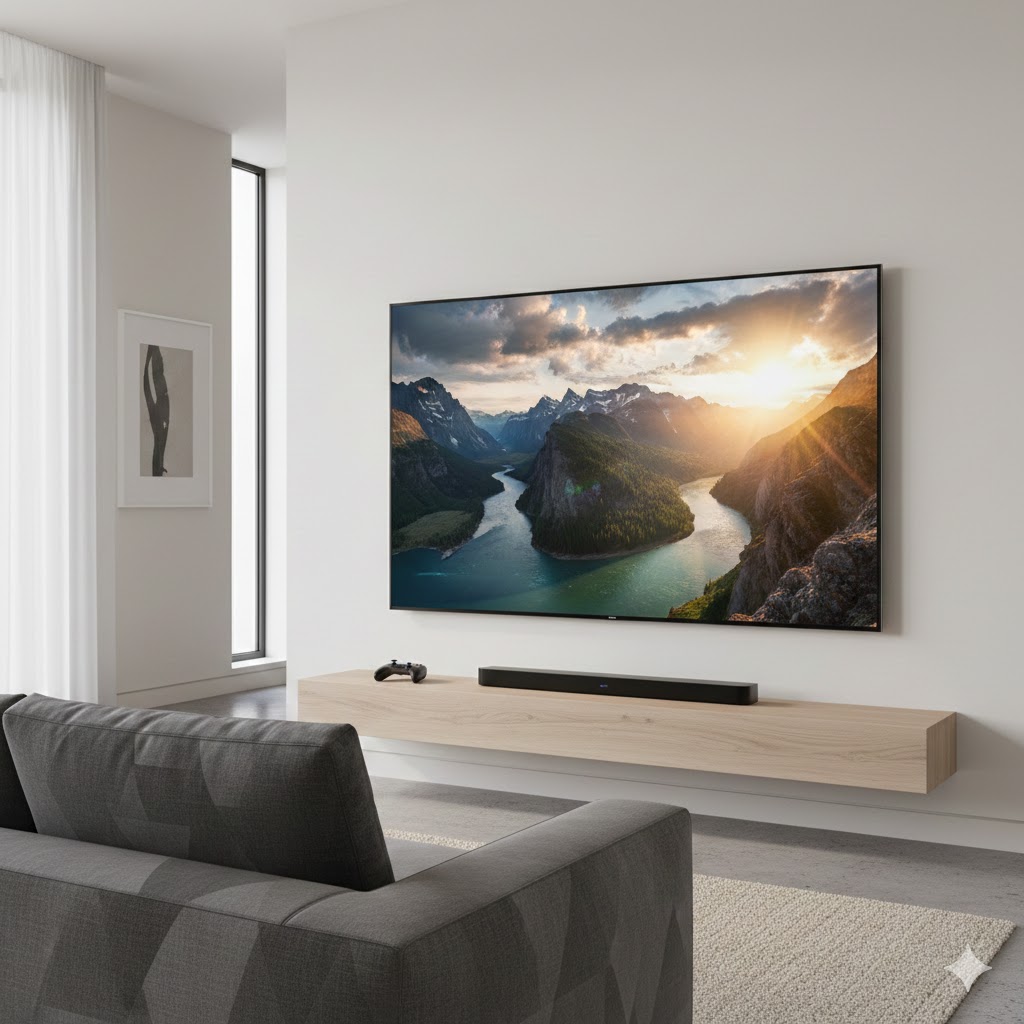
Go with the Hisense 55" U6 Mini-LED 4K TV if you want raw picture performance for SPORTS and GAMING. Its exceptional brightness, deep contrast and responsive panel make fast action look sharp and vivid — ideal if you sit fairly close or watch HDR-heavy content and competitive games.
Choose the Samsung 65" Q7F QLED 4K TV if you want the best all-around color and a polished smart experience for a living room centerpiece. It delivers excellent color accuracy, strong upscaling and smooth motion, so it’s perfect for mixed use: streaming, TV shows, and movies on a larger 65" canvas.
How to Choose the Best LED TVs
Shopping for a new TV can feel overwhelming with so many features, sizes, and technologies to compare. If you want a screen that balances quality, durability, and affordability, LED TVs remain one of the smartest choices. Below, you'll find a clear and practical guide to help you choose the best LED TVs for your home, whether you're upgrading your living room or setting up a gaming or movie space.
Pick the Right Screen Size for Your Room
The first step in choosing an LED TV is selecting the ideal size for your viewing distance. Bigger isn’t always better — it should match your space.
- 32" to 43": Ideal for bedrooms, kitchens, or smaller living rooms.
- 50" to 55": Great for medium-sized living rooms or home offices.
- 65" and above: Best for large rooms and cinematic experiences.
As a rule of thumb, the farther you sit, the larger the screen should be.
Look for Full HD or 4K Resolution for Better Clarity
Resolution affects how sharp and detailed the image looks. LED TVs come in different resolutions, but two stand out:
- Full HD (1080p): Clear, affordable, and great for everyday use.
- 4K (Ultra HD): Four times more detailed than 1080p, ideal for streaming, gaming, and large screens.
If you're choosing a TV above 43", it’s highly recommended to go with 4K for the best visual experience.
Understand LED Panel Types for the Best Picture Quality
Not all LED panels are the same. The panel type influences brightness, color accuracy, and contrast.
- Direct LED: LEDs placed behind the entire panel for better contrast and uniform lighting.
- Edge LED: LEDs positioned along the edges, allowing for slimmer designs with good brightness.
- Full-Array LED: Similar to Direct LED but with more precise zones for superior contrast — excellent for movie lovers.
For deeper blacks and improved contrast, Full-Array LED models typically deliver the best picture quality.
Check the Refresh Rate for Smooth Motion
If you love action movies, sports, or gaming, the refresh rate is crucial. It indicates how many times the image refreshes per second.
- 60Hz: Standard and suitable for everyday viewing.
- 120Hz or higher: Ideal for fast-paced content, reducing blur and making motion look smoother.
Gamers especially benefit from higher refresh rates to minimize lag and enhance responsiveness.
Consider HDR Support for Enhanced Colors and Brightness
HDR (High Dynamic Range) technology boosts brightness, contrast, and color depth. TVs with HDR can show more vibrant and realistic images, especially in dark scenes.
Look for TVs labeled with:
- HDR10
- HDR10+
- Dolby Vision (high-end option)
These formats help you take full advantage of modern movies and streaming platforms.
Smart TV Features Make a Big Difference
Most best LED TVs today are “smart,” meaning they connect to Wi-Fi and support streaming apps. However, operating systems vary:
- Android TV/Google TV: Large app library and easy voice control.
- webOS: Smooth interface and great customization options.
- Tizen: Fast performance and widely used on many mid- to high-end TVs.
Choose an interface that feels intuitive and supports the apps you use daily.
Look for Good Audio Features or Plan for External Speakers
LED TVs are slim, which means internal speakers are often limited. Check these audio features:
- Dolby Audio or DTS support
- Stereo speakers with balanced tuning
- Optional soundbar compatibility (recommended for movie lovers)
Even the best LED TVs can benefit from a soundbar to elevate the experience.
Don’t Forget the Connectivity Options
A good TV should support all your devices — gaming consoles, sound systems, streaming sticks, and more. Make sure it includes:
- Multiple HDMI ports (preferably HDMI 2.0 or 2.1 for gaming)
- USB ports for media playback
- Optical or AUX output for audio systems
- Wi-Fi and Bluetooth for wireless accessories
More ports mean more flexibility, especially if you use several devices at once.
Energy Efficiency Matters Too
LED TVs are already known for being energy-efficient, but look for models with an energy-saving mode or certifications to reduce electricity consumption. This is especially important for larger screens or TVs used for long hours.
Check Out the Best LED TVs
Still not sure which one to choose? Click the link below to see the best-selling products.
Also Check Out Other Helpful Articles
Take a look at more useful articles that can help you make more informed decisions.
- Best 8K TVs in 2026 (Top 6: Sony, Samsung and More)
- Best 75-Inch TVs in 2026 (Top 10: Roku, Panasonic and More)
- Best TVs for PS5 in 2026 (Top 7: Sony, LG and More)
Video About the Best LED TVs
We created a video on the topic. Just click to watch.
Related Articles


About the Author

Matthew King has a keen interest in digital media and content writing. He approaches each project with attention to detail and a goal to make content accessible.