Best Light Pads for Drawing in 2026 (Top 9: Huion, LitEnergy and More)

Discover the best light pads for drawing to enhance your artwork. We compare high-quality options perfect for tracing, sketching, and animation projects.
Stop squinting and taping paper to lamps—there’s a better way. You want crisp tracing, less eye strain, and a surface that behaves when you press down. Short sessions or long, a good light pad changes how you work.
You might be doodling, animating, sewing patterns, or finishing a diamond-painting marathon. The right pad gives even light, handy controls, and a size that fits your projects. No fluff—just brighter, easier tracing.
Contents
- The Best Light Pads for Drawing
- Artograph LightPad 930 LX Dimmable
- HSK A3 Lock-Button Dimmer Light Pad
- ARTDOT A1 Large LED Light Pad
- HUION L4S A4 Ultra-Thin Light Pad
- GAOMON GB4 B4 Ultrathin LED Light Pad
- AGPTEK Magnetic A4 LED Light Pad
- LitEnergy A4 USB Adjustable Light Pad
- ME456 Ultra-Thin A4 LED Light Pad
- Crayola Light-Up Tracing Pad Kit
- Final Thoughts on the Best Light Pads for Drawing
- How to Choose the Best Light Pads for Drawing
- Check Out the Best Light Pads for Drawing
- Also Check Out Other Helpful Articles
- Video About the Best Light Pads for Drawing
The Best Light Pads for Drawing

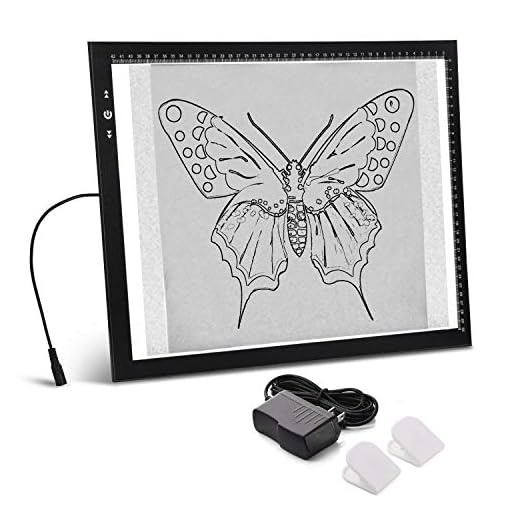
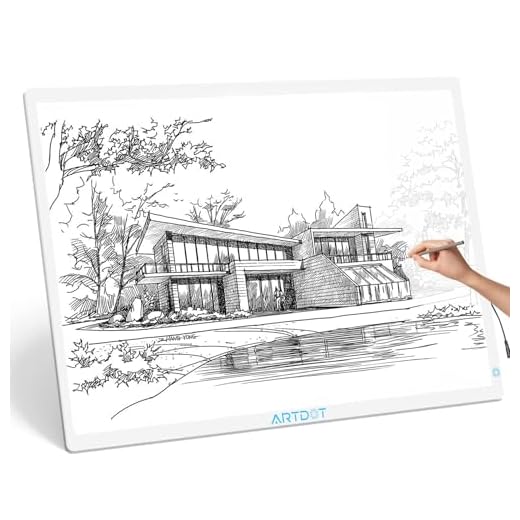


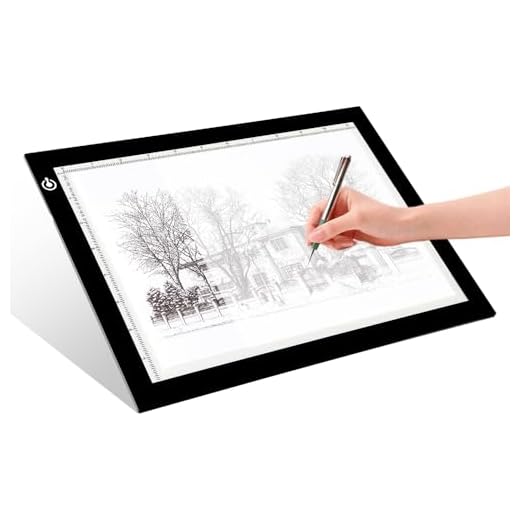


Artograph LightPad 930 LX Dimmable
You get a premium, well-built light pad with wide brightness range (500–5,000 lux) and a spacious 12×9 work surface that suits demanding tracing, drafting, and sewing tasks. It’s a pricier purchase, but the consistent illumination and build quality justify it for serious use.
Pros
- High adjustable brightness range for varied media
- Solid, well-built construction and generous work area
- Designed for professional tracing, drafting, and sewing
Cons
- Higher price point compared with basic pads
- Larger footprint than ultra-portable models
Who should buy this
If you want reliable, consistent illumination with pro-level brightness range and a comfortable work area, this LightPad is a standout option. It’s built with quality components to accommodate long hours of tracing, pattern-making, and fine-detail work.
Performance and usability
- Adjustable brightness from 500 to 5,000 lux means you can work on everything from thin tracing paper to heavier watercolor or bristol stock.
- The 12×9 surface gives you ample room for moderate-sized drawings or layouts without being as bulky as full-size light tables.
Practical considerations
You’ll pay more upfront, but frequent use and the improved ergonomics and lighting will be evident, especially if you work professionally or long-term on complex projects. If mobility is a priority, combine this pad with a dedicated carry tote; otherwise, it makes an excellent centerpiece for a studio desk.
HSK A3 Lock-Button Dimmer Light Pad
You get a generous A3 surface with very high brightness and a useful lock button to prevent accidental changes while you work. The included adapter and carry bag add value, although it’s a bit heavier than smaller pads.
Pros
- Large A3 work area ideal for bigger projects
- High max brightness (6000 lux) with multiple intensity levels
- Lock button prevents accidental control changes
- Comes with adapter, clips, and carry bag
Cons
- Requires DC adapter — not battery-powered
- Heavier and less travel-friendly than A4 pads
Who should consider this
Choose this pad if you regularly work on larger tracing jobs, diamond painting, animation cells, or sewing patterns that benefit from an A3 workspace. You’ll appreciate the extra room and bright illumination when aligning multiple-sheet layouts.
Key selling points
- Lock button prevents inadvertent brightness changes while you’re drawing or placing gems — a real convenience for multi-hour sessions.
- 6000 lux peak brightness gives you excellent visibility through thicker media and layered sheets.
- Includes practical extras like a 12V adapter, white clips, and a carry bag for storage and transport.
Practical usage notes
You’ll benefit from the size and illumination when laying out large patterns or tracing complex reference images. Because it needs a DC adapter, make sure you have a nearby outlet or a compatible power solution if you plan to use it away from a desk. The pad’s weight and dimensions make it better suited for a dedicated workspace than frequent mobile use.
ARTDOT A1 Large LED Light Pad
You get a genuinely large illuminated surface that makes working on big diamond-painting canvases and posters far easier. Bright, uniform illumination reduces eye strain for long sessions, though portability is limited because it requires AC power.
Pros
- Very large workspace (A1-sized)
- High brightness (1500 lux) for detailed work
- Thin profile despite large surface
- Sturdy build suitable for heavy-duty use
Cons
- Requires AC power — not battery operated
- Heavier and less portable than smaller pads
Who this is for
If you regularly work on large diamond-painting canvases, poster-sized tracing, or multi-panel layouts, this pad gives you the surface and brightness you need. You’ll notice detail and symbols light up more clearly, which helps reduce mistakes and improves efficiency on long projects.
Key features and what they mean for your workflow
- 1500 lux brightness across an A1-sized illuminated surface makes it easy to see tiny symbols and trace through multiple layers of paper.
- Ultra-thin acrylic construction keeps the pad slimmer than older light tables while still feeling solid under your hands.
- AC-powered design gives consistent illumination without battery drain, but it does tie you to a power outlet.
Practical insights and limitations
You’ll appreciate the uniform brightness for precision tasks like 5D diamond painting, large tracing jobs, or photographic film viewing. Because the pad is large and heavier, plan a dedicated space for it rather than carrying it frequently. If you need mobility or battery-powered convenience, a smaller USB-powered pad may be a better match. Treat the surface with care to avoid scratches if you use sharp tools on or near the pad.
HUION L4S A4 Ultra-Thin Light Pad
You’ll appreciate the stepless brightness adjustment and eyesight-protecting features on a very slim surface that performs well for illustration, hand-lettering, and tracing through thick papers. The touch control can be sensitive, so you may change settings accidentally at first.
Pros
- Very thin (5.1mm) with ergonomic working surface
- Stepless adjustable brightness for precise control
- Good illumination (around 1100 lux) and build quality
Cons
- Touch control is overly sensitive for some users
- Must remain plugged in — no battery option
Why it stands out
The L4S combines Huion’s trusted build with a focus on eye comfort and fine brightness control. If you do hand-lettering, inking, or need to trace through heavier watercolor or bristol paper, the stepless dimming helps you find the sweet spot.
Useful features
- Protective polyacrylic surface and eye-care LED layout reduce glare and harsh hotspots.
- Memory of last brightness setting makes repeated sessions faster because you don’t need to re-dial the level every time.
Tips and limitations
The pad performs very well across a wide range of hobby and semi-professional uses, but the touch area can be overly sensitive when your hand rests near the corner. Use a small piece of tape or a light guard if you find accidental changes distracting. For purely mobile workflows, pair it with a small power bank that supplies a steady USB output.
GAOMON GB4 B4 Ultrathin LED Light Pad
You’ll get a large B4 work area with an ultra-slim profile that’s well suited to tattoo artists, animators, and fabric designers. Brightness and rigidity balance well for mid-sized tasks, though it’s not the brightest in the professional tier.
Pros
- Large B4 illuminated area for mid-sized work
- Very slim (5mm) profile for comfort and portability
- Good value for design, quilting, and tracing tasks
Cons
- Not as bright as some high-lux professional models
- May require backing for heavy pressure work
Ideal uses
This GB4 model is targeted at creatives who need a larger-than-A4 workspace without moving up to an A3 or A1 table. You’ll find it useful for fabric pattern tracing, scanning negatives, or handling larger illustrations and anime cells.
Notable design points
- The 5mm thickness gives you the feeling of working on a near-flat surface, which is comfortable for long tracing sessions.
- Compatibility with standard USB power makes it easy to pair with existing chargers or laptop ports.
Real-world tips
Use a backing board when you need a firmer surface for cutting or heavier pressure. For film or negative scanning, the larger surface is an advantage. If you need extremely high lux values for heavy media, consider a higher-lumen alternative.
AGPTEK Magnetic A4 LED Light Pad
You get a well-lit, portable A4 tracing surface with useful magnets and physical buttons that avoid accidental changes. The unit is bright and durable for the price, though the middle can bow slightly if you press hard while drawing.
Pros
- Magnetic surface and included magnets hold paper securely
- Physical buttons reduce accidental touch changes
- Very affordable and USB powered
- Even edge-to-edge illumination for tracing and viewing
Cons
- Can bow under heavy pressure in the center
- Some users report limited long-term LED lifespan if left on continuously
Overview
This A4 magnetic tracing pad is a compact, practical option when you want good illumination without spending much. It’s ideal for sketching, tattoo transfer tracing, animation layouts, and viewing slides or negatives.
Features that matter
- Physical power and brightness buttons make it easier to lock a setting while you work and avoid accidental touch interface changes.
- USB power supply with included cable and wall adapter options gives flexible powering choices.
- Magnets (included) allow you to clip and secure templates or tracing sheets to the surface.
Practical tips and limitations
You’ll find it bright enough to trace through multiple sheets of paper and handle small prints or negatives. Keep in mind it’s not rigid enough to withstand heavy downward pressure without some bowing; add a backing board if you need more firmness. To maximize LED life, avoid leaving it on continuously at highest brightness.
LitEnergy A4 USB Adjustable Light Pad
You get a dependable, lightweight A4 pad with multiple brightness settings and ruler markings that make alignment tasks easier. It’s a straightforward, affordable choice for hobbyists and film/negative viewers, but it’s made of lighter plastic that needs careful handling.
Pros
- Thin and lightweight — easy to carry
- Adjustable brightness and metric rulers for convenience
- Very affordable and USB-powered
Cons
- Constructed from light plastic — needs protection in transit
- Limited to USB power; no battery option
Who will like this
This is a solid choice if you want a no-frills, portable A4 tracing board that does exactly what you need: illuminate sketches, transfer designs, and view negatives or film strips. The metric ruler is a small but appreciated detail for measurement-sensitive tasks.
Practical features
- Several brightness levels let you reduce eye strain during extended sessions and adjust for different paper weights.
- Very light construction makes it easy to slip into a laptop sleeve or art portfolio for field work.
Usage and care notes
You’ll want to keep it inside a protective sleeve or cardboard backing if you carry it in a bag — the light plastic can flex or scratch more easily than heavier acrylic or glass. The pad is ideal for casual hobbyists, film viewers, and students who need a compact, inexpensive solution for tracing and transfer work.
ME456 Ultra-Thin A4 LED Light Pad
You get a super-thin, very portable A4 pad that’s bright enough for most tracing and craft tasks at a very low price. The touch control can be a bit finicky, and the cord is short, but overall it’s an excellent entry-level choice.
Pros
- Extremely thin and lightweight for portability
- Continuous brightness adjustment for fine control
- Excellent value at a low price point
Cons
- Touch control can be finicky at times
- Short power cord may limit placement without an extension
What it does best
This ultra-thin A4 light pad is built for portability and simplicity. You’ll find it especially useful for quick tracing, transferring designs to thicker paper, or taking to a class or café because it’s light and compact.
Notable features
- Stepless brightness control means you can dial in just the right amount of backlight for the paper thickness you’re using.
- Thin acrylic surface makes it comfortable to rest your hand on while you trace and easy to slip into a portfolio or bag.
Real-world considerations
Expect great performance for casual artists and hobbyists; however, if you need premium durability or professional-level brightness for very thick materials, you may want a larger, more powerful model. Consider a longer USB cable or a small power bank if you work away from outlets.
Crayola Light-Up Tracing Pad Kit
You get a fun, kid-friendly kit that introduces tracing and basic drawing with included sheets and colored pencils. The build and safety certification are aimed at children, but it lacks the higher brightness and precision of professional pads.
Pros
- Complete kit with pencils, tracing sheets, and blanks
- Lightweight, safe, and kid-friendly design
- Great gift option with immediate out-of-the-box use
Cons
- Requires AA batteries — ongoing cost
- Not bright or durable enough for professional tracing tasks
What this kit offers
This Crayola tracing pad is designed as a children’s art starter set: it’s easy to use, portable, and comes with supplies to begin tracing right away. It’s a great way to encourage creativity and teach outline and proportion basics.
Kit highlights
- Includes tracing pad, colored pencils, graphite pencil, tracing sheets, and blank sheets so you can start projects immediately.
- Lightweight, non-slip frame and ACMI certification ensure it’s suitable for the 6+ age range and safe for repeated use by kids.
Practical advice for parents and guardians
This is an excellent gift for young beginners and travel-friendly creativity. For older teens or professionals, expect limited brightness and build quality compared with dedicated professional light pads. Keep spare AA batteries on hand if your child uses it for long sessions.
Final Thoughts on the Best Light Pads for Drawing
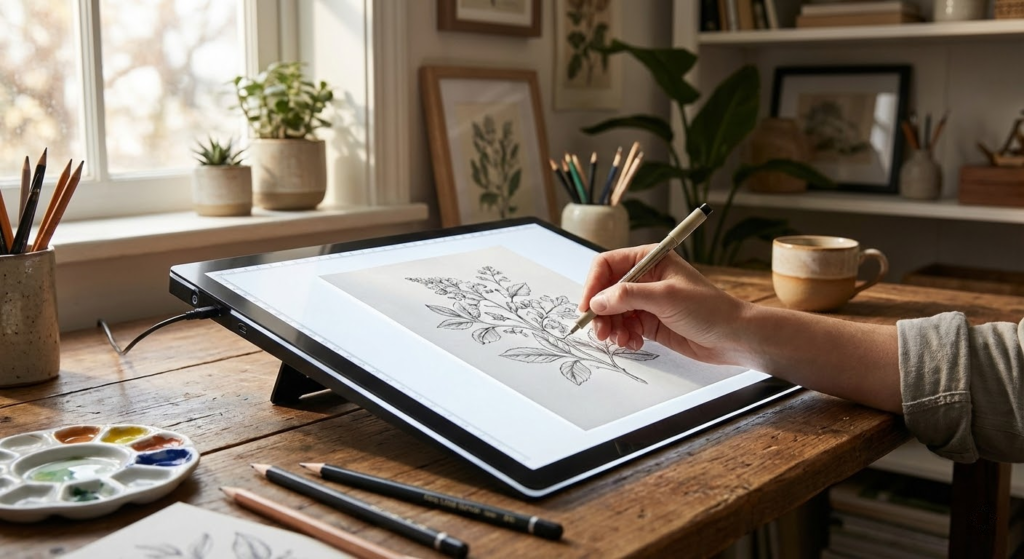
Choose the Artograph LightPad 930 LX Dimmable as your go-to if you work professionally or often tackle large, detailed projects. Its wide 12x9 surface, robust build, and huge brightness range (500–5,000 lux) give consistent, flicker-free illumination for tracing, drafting, sewing patterns, and long studio sessions.
If you want a slim, portable option for illustration, hand-lettering, and everyday tracing, pick the HUION L4S A4 Ultra-Thin Light Pad. It gives stepless dimming, eye-protecting features, and excellent performance through thicker paper—ideal when you need a compact pad that still feels professional.
How to Choose the Best Light Pads for Drawing
A good light pad can completely change your drawing workflow. It makes tracing easier, improves precision, and reduces eye strain during long creative sessions. With so many options available, choosing the best light pads for drawing means understanding a few key features that directly impact comfort, performance, and results.
Brightness Levels and Light Uniformity Matter
One of the most important aspects of a light pad is brightness. Adjustable brightness levels allow you to work comfortably with different paper thicknesses, from thin sketch paper to heavier cardstock.
Uniform lighting is just as important as brightness. High-quality light pads distribute light evenly across the surface, avoiding dark spots or shadows that can interfere with clean lines and accurate tracing.
Choose the Right Size for Your Drawing Style
Light pads come in various sizes, commonly ranging from A4 to A3. Smaller sizes are ideal for portability and quick sketches, while larger pads offer more space for detailed illustrations, technical drawings, or animation frames.
The best choice depends on how you draw and where you work. If you often move between locations, a compact and lightweight pad is more practical. For studio use, a larger surface provides greater freedom and flexibility.
Consider Thickness and Portability
Modern light pads are designed to be slim and lightweight, which makes them easy to carry and store. Ultra-thin models can slide into a backpack or drawer without taking up much space.
If you plan to draw on the go or work in different environments, portability becomes a major advantage. Thinner pads are also more comfortable to use on desks or laps for extended periods.
Power Source and Controls Make a Difference
Most light pads are powered via USB, which allows them to connect to laptops, power banks, or wall adapters. This versatility is especially useful for artists who work in multiple locations.
Touch controls or side buttons are common features that let you adjust brightness quickly. Responsive controls help you fine-tune lighting without interrupting your creative flow.
Surface Texture and Eye Comfort
The drawing surface should feel smooth but not slippery. Some light pads are designed with a slightly textured surface to provide better control when using pencils, pens, or markers.
Eye comfort is another critical factor. Flicker-free lighting and color-balanced LEDs help reduce eye fatigue, especially during long drawing sessions. This is essential for artists who spend hours tracing or refining details.
Durability and Build Quality
A well-built light pad should feel sturdy without being heavy. Reinforced corners and solid materials help protect the device from everyday wear and accidental drops.
Durability is especially important if you frequently transport your light pad or use it in shared workspaces. A reliable build ensures consistent performance over time.
Extra Features That Add Value
Some of the best light pads for drawing include helpful extras such as measurement grids, angle markers, or memory functions that remember your preferred brightness setting. These features may seem small, but they can significantly improve workflow and efficiency.
When all these elements come together—brightness control, size, portability, comfort, and durability—you end up with a tool that supports creativity instead of getting in the way. Choosing the best light pads for drawing is about finding the right balance between functionality and how you personally like to create.
Check Out the Best Light Pads for Drawing
Still not sure which one to choose? Click the link below to see the best-selling products.
Also Check Out Other Helpful Articles
Take a look at more useful articles that can help you make more informed decisions.
- Best Cost-Benefit Tablets in 2026 (Top 10: Xiaomi, Samsung and More)
- Best Tablets for Reading in 2026 (Top 6: Kindle, iPad and More)
- Best Tablets for Heavy Gaming in 2026 (Top 7: iPad Pro, ASUS ROG Flow and More)
Video About the Best Light Pads for Drawing
We created a video on the topic. Just click to watch.
Related Articles

About the Author

Joshua Brown brings his creativity and focus to each writing task. He believes content should be useful, engaging, and well-structured.