Best Mid-Range Laptops in 2026 (Top 9: Dell, Acer and More)

Last Updated on January 20, 2026
Discover the best mid-range laptops for work, gaming, and everyday use without breaking the bank. Find powerful, feature-rich machines that offer incredible value.
Don’t sleep on mid-range laptops. You can get great speed, long battery life, and solid build without smashing your budget.
You want something reliable for work, study, and a bit of creativity. These picks give you that balance—no fluff, just useful power you can carry.
Contents
- The Best Mid-Range Laptops
- Apple MacBook Air 13" with M4
- Lenovo Yoga 7 14" OLED 2-in-1
- Microsoft Surface Laptop 13.8" Copilot+
- ASUS Zenbook A14 Ultrathin Copilot+
- Acer Aspire 5 15.6" i7 Slim Laptop
- HP OmniBook 5 14" Next Gen AI PC
- Dell Inspiron 14 Copilot+ Snapdragon
- Acer Aspire 16 AI 16" Snapdragon
- Lenovo IdeaPad Slim 3 15.6" Ryzen
- Final Thoughts on the Best Mid-Range Laptops
- How to Choose the Best Mid-Range Laptops
- Check Out the Best Mid-Range Laptops
- Also Check Out Other Helpful Articles
- Video About the Best Mid-Range Laptops
The Best Mid-Range Laptops





Apple MacBook Air 13" with M4
A remarkably light and efficient laptop that balances performance, battery life, and build quality. It’s an excellent choice if you live in Apple’s ecosystem and want a no-fuss machine for work, study, and creative tasks.
Pros
- Apple M4 chip: excellent single- and multi-core performance
- Long battery life and fanless, quiet design
- High-resolution 13.6" Liquid Retina display
- Solid build quality and seamless macOS integration
Cons
- Limited to two Thunderbolt/USB-C ports without legacy I/O
- Not the best choice for dedicated gaming
What you get out of it
You get a slim, highly portable laptop optimized for macOS workflows: fast app launches, consistent battery life, and excellent thermals. The M4 delivers snappy performance for productivity, photo/video editing at modest timelines, and music production tasks.
Standout hardware and software advantages
- 13.6" Liquid Retina display with crisp resolution and accurate colors
- M4 chip with unified memory (16GB) for smooth multitasking
- 512GB SSD offers a roomy, fast storage experience
Because memory and storage are unified and tightly integrated with the chip, everyday tasks feel instantaneous. You’ll notice quick wake-from-sleep, reliable battery longevity, and great compatibility with Apple services and accessories.
Practical tips and limitations
You’ll benefit most from this machine if you’re embedded in Apple’s ecosystem — iPhone/iPad handoff, iCloud, and optimized apps all make life easier. If you rely on specialized Windows-only software or high-end GPU rendering, you’ll want to confirm compatibility or consider an alternative with discrete graphics. For most users, though, this is a nearly seamless, long-lived pick.
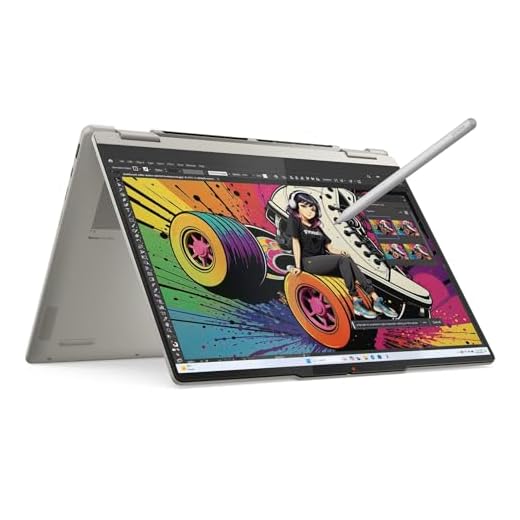
Lenovo Yoga 7 14" OLED 2-in-1
A premium 2-in-1 that blends a bright OLED touchscreen with strong Ryzen AI performance and generous storage. It’s ideal if you want a versatile laptop for creative work, presentations, and everyday productivity.
Pros
- Vibrant 14" OLED with wide color gamut (100% DCI-P3)
- Powerful AMD Ryzen AI 7 350 with integrated Radeon 860M
- Large 1TB PCIe Gen4 SSD and 16GB LPDDR5X memory
- Wi‑Fi 7 and a strong port selection including HDMI 2.1
- Convertible design with included Yoga Pen and long battery
Cons
- RAM is soldered — not upgradable beyond 16GB
- Some reported Wi‑Fi reliability issues in reviews
What this laptop is for
If you need a flexible machine that doubles as a tablet and a full Windows workstation, this Yoga 2-in-1 targets creators, road warriors, and power users who value color-accurate displays and pen input. You’ll get a solid mix of performance, display quality, and portability for photo editing, note-taking, and multimedia consumption.
Key features and benefits
- 14" OLED HDR 500 True Black, 100% DCI-P3, touch-enabled, great for color work
- AMD Ryzen AI 7 350 delivering responsive day-to-day multitasking and AI-boosted tasks
- 16GB LPDDR5X-7500MT/s and 1TB PCIe Gen4 SSD for smooth workflows
These specs mean you can keep dozens of browser tabs open, edit photos, and spin up demanding apps without long waits. The included Yoga Pen and 360° hinge make annotating files or sketching quick and natural.
Practical insights and limitations
You’ll appreciate the fast charging and long battery in mixed use, plus the modern connectivity — two USB‑C ports with DisplayPort, HDMI 2.1, and Wi‑Fi 7. That said, the RAM is soldered, so plan for 16GB to meet your needs long-term rather than relying on future upgrades. A few users reported intermittent Wi‑Fi drops; most buyers won’t see this, but it’s worth testing on arrival.
Who should buy this
Choose this Yoga if you prioritize an excellent OLED display, pen support, and a convertible design without sacrificing performance. If you require upgradable RAM or absolute rock-solid networking in all environments, consider alternatives with modular memory or widely vetted Wi‑Fi subsystems.
Microsoft Surface Laptop 13.8" Copilot+
A refined, well-built machine that excels at battery life, display quality, and a premium feel. It’s ideal if you want a polished Windows laptop with strong efficiency and long uptime between charges.
Pros
- Premium build with recycled aluminum and great keyboard
- Efficient Snapdragon X Plus yields exceptional battery life
- 13.8" high-resolution touchscreen with a 3:2-like aspect ratio
- Excellent speakers, camera, and overall out-of-the-box experience
Cons
- ARM-based architecture can cause compatibility issues with legacy apps
- Limited high-performance headroom for heavy desktop workloads
Where this shines
You’ll appreciate this Surface Laptop if you want a high-quality, beautifully designed device for daily productivity, web work, and long stretches away from an outlet. It’s focused on user comfort, battery life, and a premium finish.
Design and everyday features
- 13.8" touchscreen with tall aspect ratio that’s great for reading and documents
- Snapdragon X Plus CPU that favors battery life while remaining responsive for typical workflows
- Lightweight yet sturdy construction with attention to materials and finish
In practice, the laptop wakes quickly, stays cool, and feels satisfying to type on for long sessions. Battery life is a standout — you can often use it for a full day or more depending on tasks.
Important caveats
Some niche or older Windows applications may not run natively on the ARM platform, though compatibility is improving. If you depend on a specific professional app, check compatibility or test it before committing.
ASUS Zenbook A14 Ultrathin Copilot+
An ultralight 14" laptop that prioritizes weight savings and multi-day battery life without sacrificing mainstream performance. It’s a strong option if you travel a lot and want long runtimes in a classy chassis.
Pros
- Extremely light (~980g) and compact for travel
- Long battery life — multi-day in light use
- 14" OLED WUXGA display and premium Ceraluminum finish
- Snapdragon X platform tuned for Copilot+ AI features
Cons
- Arm/Qualcomm-based platform may face occasional app compatibility issues
- Not the fastest for heavy CPU/GPU rendering workloads
Why choose the Zenbook A14
You’ll choose this Zenbook when absolute portability and battery life are your top priorities. Weighing under a kilogram, it’s designed to disappear into your bag while offering a bright 14" OLED and durable, scratch-resistant Ceraluminum surfaces.
Features that impact daily use
- Snapdragon X processor tuned for Copilot+ experiences and efficiency
- 16GB memory and 512GB SSD balance snappy multitasking with adequate storage
- Up to very long battery life — ideal for long flights or days out of the office
When you need a machine for writing, browsing, streaming, and light creative tasks, this laptop will keep pace while barely weighing you down. The OLED screen gives you richer blacks and better color than typical IPS panels, enhancing media and photo review.
Realistic expectations
If you rely on legacy x86 apps or do repeated heavy media exporting, you may notice slower times versus a mainstream Intel/AMD laptop. That said, for productivity, note taking, and AI-augmented workflows, the Zenbook A14 is a savvy pick for commuters and frequent travelers.
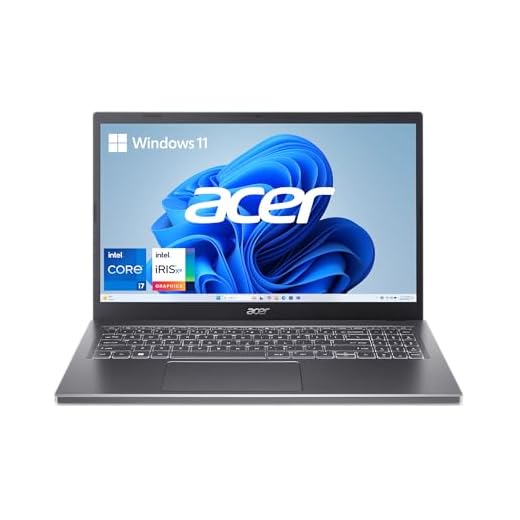
Acer Aspire 5 15.6" i7 Slim Laptop
A balanced 15.6" laptop with a 12th/13th-gen Intel i7, good RAM, and a fast Gen4 SSD that delivers solid speed for office work and light creative projects. It’s a practical all-rounder at a reasonable price.
Pros
- Intel Core i7-1355U with Intel Iris Xe for responsive performance
- 16GB LPDDR5 and 512GB Gen4 SSD for fast multitasking and storage
- 15.6" FHD touchscreen and a slim profile
- Wi‑Fi 6E and backlit keyboard
Cons
- Heavier than ultraportables at nearly 4 lbs
- Integrated graphics limit heavy gaming or 3D work
Who benefits most
Pick this Aspire 5 if you want a capable productivity laptop that still fits into a backpack and won’t break the bank. It’s well matched to students, office workers, and creators who do light photo/video editing.
Hardware highlights and real-world benefits
- Core i7-1355U and Intel Iris Xe provide snappy app performance and decent integrated graphics
- 16GB LPDDR5 and a 512GB Gen4 SSD cut down load times and keep multitasking smooth
- 15.6" FHD touchscreen is handy for navigation and casual creative edits
Users report excellent everyday performance — booting quickly, handling many browser tabs, and running productivity suites without hiccups. The touchscreen adds a layer of convenience for note-taking or quick edits.
Limitations you should know
If you need a truly light travel machine, consider thinner ultrabooks; this is slim but not the lightest. And if you’re into heavy gaming or GPU-heavy rendering, a system with discrete graphics will serve you better.
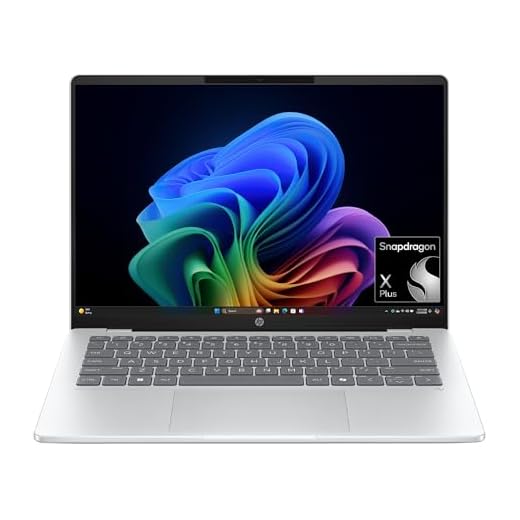
HP OmniBook 5 14" Next Gen AI PC
A solid 14" Copilot+ laptop that combines a vivid OLED screen with long battery life and fast Snapdragon X Plus performance. It’s an attractive option if you want a premium display without paying flagship prices.
Pros
- 2K OLED display with vivid colors and deep contrast
- Long battery life and HP Fast Charge support
- 1TB SSD and 16GB LPDDR5x for roomy, responsive storage and multitasking
- Sustainability credentials (EPEAT Gold, recycled materials)
Cons
- No touchscreen on some configurations despite OLED (varies by SKU)
- Fewer ports — you may need a hub for multiple peripherals
The main appeal
You’ll notice the OLED right away: deep blacks and punchy colors make photo and video viewing enjoyable. Combined with the Snapdragon X Plus and a 1TB SSD, the OmniBook 5 is built to deliver long days of productivity and solid responsiveness.
Day-to-day strengths
- 14" 2K OLED panel for exceptional media and photo clarity
- Snapdragon X Plus processor with dedicated AI engine and LPDDR5x memory
- HP Fast Charge (0–50% in ~30 minutes) and claimed multi-day battery figures
These features make it a great companion for travel, content review, and extended video calls. The 1080p IR webcam and decent speakers further improve your remote meeting experience.
Considerations before you buy
Some buyers reported that certain SKUs lack a touchscreen; confirm the exact configuration if touch is important to you. Also, the attractive OLED brightness can reduce battery life at high settings — dialing brightness down a bit yields much better endurance. If you depend on many USB-A or legacy ports, plan to use a small USB-C hub.
Dell Inspiron 14 Copilot+ Snapdragon
A compact and efficient 14" laptop that focuses on mobility and battery life while delivering reasonable performance for productivity. It’s a sensible pick if you want a light workhorse with Copilot+ features.
Pros
- Thin, light design with long battery life
- 16GB LPDDR5X and 1TB SSD offers roomy, responsive storage
- Snapdragon X Plus platform optimized for on-device AI
- Onsite service option included (varies by region)
Cons
- ARM-based platform may have occasional software compatibility gaps
- Not designed for heavy content creation or gaming
The use case
This Inspiron 14 targets users who prioritize mobility and fuss-free productivity — students, remote workers, and professionals who travel light. You’ll get good battery life, fast storage, and a 14" FHD+ display that’s comfortable for extended work sessions.
Notable hardware and day-to-day benefits
- 14" FHD+ (1920x1200) display with balanced aspect for productivity
- Snapdragon X Plus CPU with on-device AI acceleration for Copilot+ features
- 16GB LPDDR5X RAM and 1TB SSD for multitasking and file storage
You’ll find that basic office workflows, web conferencing, and media playback are smooth. The large SSD means fewer compromises on file storage or local media libraries.
Practical considerations
Be mindful of occasional app compatibility issues with the ARM architecture; most mainstream apps are supported or have working alternatives. If you require specialized Windows desktop software that hasn’t been updated for ARM, validate support before you buy.
Acer Aspire 16 AI 16" Snapdragon
A large 16" laptop that brings Copilot+ features and an aggressive price point, making it appealing for students and budget-minded professionals. It offers solid battery life and a responsive Snapdragon X configuration for everyday tasks.
Pros
- 16" 120Hz multi-touch display for smoother UI and streaming
- Large screen real estate at a very accessible price
- NPU and GPU specs tuned for efficient AI and media tasks
- Wi‑Fi 7 and generous port count
Cons
- Qualcomm platform may limit compatibility with some legacy Windows apps
- Plastic chassis and mid-range build compared to premium rivals
Who this is aimed at
If you want a big display for spreadsheets, media, or split-screen workflows without paying premium prices, the Aspire 16 is a strong candidate. It pairs a roomy 16" 120Hz touchscreen with Copilot+ AI features so you can experiment with on-device AI functionality.
What you’ll notice day-to-day
- Snapdragon X processor with NPU delivering efficient AI-assisted tasks
- 16GB LPDDR5X and 512GB PCIe Gen4 SSD for everyday multitasking
- 120Hz WUXGA touchscreen improves scrolling and video fluidity
For streaming, web work, and light creative tasks, you’ll appreciate the vibrant screen and battery life. Portability is reasonable for a 16" machine, and the overall value proposition is compelling at its price.
Limitations to consider
Expect less raw compute compared with higher-end Intel/AMD CPUs and discrete GPUs; heavy video rendering and advanced 3D work will be slower. If you need full Windows app compatibility and maximum performance for content creation, consider alternatives with Intel/AMD processors and discrete graphics.
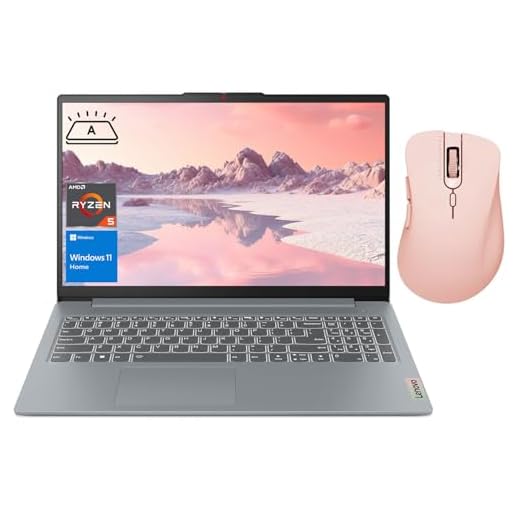
Lenovo IdeaPad Slim 3 15.6" Ryzen
A cost-effective 15.6" machine that covers everyday needs — web browsing, office apps, light gaming, and media. It gives you solid specs for the price but lacks premium build and cutting-edge features.
Pros
- Strong value with 16GB RAM and 512GB SSD
- Good keyboard and surprisingly capable speakers
- Solid performance for everyday apps and light gaming
Cons
- Older-gen Ryzen 5 limits heavy-content creation performance
- Build quality and weight are average compared to premium ultrabooks
What it's designed for
If your priority is getting the most performance per dollar for schoolwork, light creative tasks, and general multitasking, this IdeaPad Slim 3 is a practical pick. It focuses on the essentials: memory, storage, and a large screen.
Practical specs and how they help you
- AMD Ryzen 5 5625U with 16GB RAM and 512GB SSD handles multi-tab browsing and office applications with ease
- 15.6" FHD display and backlit keyboard make extended sessions comfortable
You'll find it straightforward to set up and use. The bundled wireless mouse is a handy add-on if you’re replacing a desktop setup or need a quick portable kit.
Trade-offs to expect
Don’t expect exceptional battery life or the lightest chassis — this is a budget-oriented laptop. If you plan on consistent heavy video editing or modern AAA gaming, consider a machine with a more powerful CPU/GPU or a gaming-oriented design.
Final Thoughts on the Best Mid-Range Laptops
Pick the Apple MacBook Air 13" with M4 if you want the best ultraportable experience. It’s the lightest, runs cool, and delivers excellent battery life and sustained performance for everyday work, web-heavy days, and light creative tasks. Choose this if you’re already in Apple’s ecosystem or you value long runtimes and a seamless, no-fuss setup.
Choose the Lenovo Yoga 7 14" OLED 2-in-1 if you need a versatile, creative-friendly machine. Its bright OLED touchscreen, convertible hinge, and strong Ryzen AI performance make it ideal for sketching, presenting, and content creation on the go. Pick this if you want touchscreen flexibility and a richer display without stepping up to a high-end price tag.
How to Choose the Best Mid-Range Laptops
Looking for solid performance without spending a fortune? Mid-range laptops are the sweet spot between power, portability, and price — ideal for students, professionals, and everyday users. To help you pick the best mid-range laptops, here’s a complete guide to the features that truly matter.
Understand Your Operating System Options
The first decision is choosing the operating system. Windows laptops offer the widest selection of models, price points, and software compatibility. They’re great for productivity, entertainment, school work, and even light gaming.
ChromeOS laptops focus on speed and simplicity, relying heavily on cloud-based apps. They’re a fantastic choice for browsing, streaming, and basic tasks, while usually being more affordable.
macOS is available only on MacBooks. These laptops typically cost more than standard mid-range Windows models, but sometimes older or refurbished units fall into the mid-range price bracket. They offer a smooth, optimized experience for creative and productivity tasks.
Check the Processor: Aim for Modern Mid-Tier Performance
The processor dictates how fast your laptop can handle apps, multitasking, and everyday workloads. For the best mid-range laptops, prioritize CPUs such as:
- Intel Core i5 (11th gen or newer)
- Intel Core i7 (older generations can still be mid-range)
- AMD Ryzen 5
- AMD Ryzen 7 (previous generations often fit the mid-range budget)
Generally, newer generations run faster and more efficiently. If you use your laptop for editing photos, light video work, or running multiple apps at once, a more recent CPU will make a noticeable difference.
Choose RAM Based on How You Use Your Laptop
RAM determines how smoothly your laptop runs when switching between tasks. Mid-range models often come with:
- 8GB RAM – great for everyday users, students, or office tasks
- 16GB RAM – ideal for multitaskers, light creative work, or users who keep many tabs open
If you plan to keep your laptop for several years, choosing 16GB offers better long-term performance.
Storage: Go for SSD for Speed and Reliability
Storage type is just as important as storage size. In 2025, the best mid-range laptops typically offer SSD storage, which drastically improves boot time, file transfer speeds, and overall responsiveness.
Recommended configurations:
- 256GB SSD – suitable for casual use
- 512GB SSD – better for storing apps, documents, and media
- Hybrid storage (SSD + HDD) – less common but still found in some models
If you store large files, choose 512GB or ensure the laptop supports expandable storage.
Display Quality: Not All Screens Are Equal
A good screen elevates your entire experience — especially if you watch videos, work with documents, or create content. For mid-range laptops, look for:
- Full HD (1080p) resolution for crisp visuals
- IPS panels for better color accuracy and wide viewing angles
- 300+ nits brightness for comfortable use outdoors or in bright spaces
Some models even offer higher refresh rates (120Hz or more), which make scrolling and animations noticeably smoother.
Best Laptop That Runs Minecraft
Battery Life: Aim for a Full Day Use
Mid-range laptops vary widely in battery performance. If you move between classes, offices, or coffee shops, battery life is key. Look for:
- At least 8 hours of real-world usage
- Fast charging support when possible
- Energy-efficient processors, which help extend battery life
Always check user feedback or manufacturer estimates to ensure the battery can handle your daily routine.
Build Quality and Portability
Mid-range does not have to mean cheap build. Many laptops in this category come with aluminum or reinforced plastic bodies, offering durability without adding too much weight. Consider:
- Weight under 1.6 kg for frequent travel
- Slim profiles for better portability
- Backlit keyboards, which are extremely useful in low-light environments
A sturdy hinge and comfortable keyboard also make a big difference if you work long hours.
Connectivity and Ports
An often-overlooked detail, ports determine how easily you can connect accessories such as external monitors, storage devices, and peripherals. The best mid-range laptops commonly include:
- USB-A ports
- USB-C (preferably with charging capability)
- HDMI output
- A headphone jack
- A microSD or SD card slot on some models
If you plan to use multiple external displays or high-speed storage, make sure the laptop supports the connections you need.
Graphics: Integrated or Dedicated?
Most mid-range laptops rely on integrated graphics, which are great for:
- streaming
- light gaming
- productivity
- photo editing
If you want better gaming or creative performance, look for models with entry-level dedicated GPUs, which occasionally fall into the mid-range price bracket.
Check Out the Best Mid-Range Laptops
Still not sure which one to choose? Click the link below to see the best-selling products.
Also Check Out Other Helpful Articles
Take a look at more useful articles that can help you make more informed decisions.
- Best Laptops that Runs GTA V in 2026 (Top 9: Acer Predator, Razer Blade 14 and More)
- Best Samsung Chromebooks in 2026 (Top 6: Galaxy Chromebook 2, Plus and More)
- Best Samsung Laptops for Students in 2026 (Top 8: Galaxy Book, Chromebook and More)
Video About the Best Mid-Range Laptops
We created a video on the topic. Just click to watch.
https://youtu.be/pOxs6DhNnI4
Related Articles




About the Author

Lauren Baker finds joy in turning ideas into written content. She values clarity, relevance, and keeping readers engaged from start to finish.