Best QLED TVs in 2026 (Top 10: TCL, Insignia and More)

Last Updated on March 6, 2026
Discover the best QLED TVs for stunning picture quality and vibrant colors. Find the perfect Quantum Dot display for your home theater setup and gaming needs.
STOP watching everything in meh. You deserve punchy colors, bright HDR highlights, and smooth motion.
Whether you mainly stream, game, or host movie nights, the right QLED can change how you watch. Pick one that fits your room, your habits, and how loud you like your snacks.
Contents
- The Best QLED TVs
- Roku Pro Series 75-inch QLED TV
- Samsung 65-inch Q7F Vision AI QLED
- TCL QM6K Mini LED QLED 55-inch TV
- iFFALCON 65-inch U85 Mini LED QLED TV
- Samsung 55-inch Q7F Vision AI QLED
- TCL 75-inch Q65 QLED 4K Fire TV
- Hisense 65-inch E6 Cinema QLED TV
- Hisense 55-inch E6 Cinema QLED TV
- Insignia 75-inch QF Series QLED TV
- Toshiba 55-inch M550 QLED Fire TV
- Final Thoughts on the Best QLED TVs
- How to Choose the Best QLED TVs
- Check Out the Best QLED TVs
- Also Check Out Other Helpful Articles
- Video About the Best QLED TVs
The Best QLED TVs


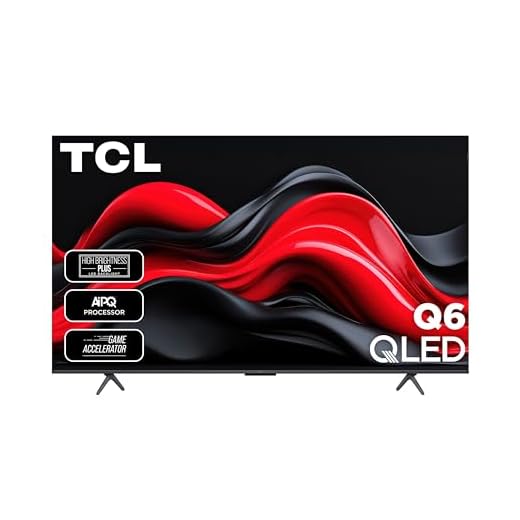


Roku Pro Series 75-inch QLED TV
You get a large, bright QLED panel combined with Roku's clean, easy-to-use platform and thoughtful remote. The set balances gaming, movies, and day-to-day streaming without fuss.
Pros
- Very bright QLED panel with deep blacks
- Roku OS is simple and fast
- Backlit Pro remote and premium design
- Good connectivity and audio pairing
Cons
- Large and heavy — installation may require two people
- Not as flexible as high-end Mini LED/OLED for perfect black levels
You’re looking at a 75-inch centerpiece built for people who want a big-screen experience without wrestling with complexity. This Roku Pro Series model pairs a vibrant QLED display with Roku’s streamlined smart platform, making setup and daily use straightforward even if you’re not tech-savvy.
Key strengths and what you’ll notice
- Bright, colorful QLED picture driven by Dolby Vision IQ
- Smooth 120Hz refresh rate suited for gaming and sports
- Backlit Roku Voice Remote Pro for easy navigation and voice control
The TV is designed to be both a visual statement and a practical daily driver. You’ll appreciate the large canvas for movies and sports, plus features such as local dimming and Dolby Vision that make HDR content pop. Roku’s app ecosystem means you’ll find every major streaming service and the interface remains one of the clearest and least cluttered.
Practical considerations and usage tips
- If you position it across from windows, the brightness helps combat glare, but heavy ambient light can still affect contrast.
- Pairing with a soundbar or Roku’s 5.1 system quickly improves the cinematic feel for movies and games.
Limitations are limited but real: the set is big and heavy, so plan mounting and cable management in advance. If you want absolute reference-level blacks for a dedicated home theater, OLED or high-end Mini LED will still outperform QLED in that narrow area. For most living rooms and gamers who want a large, bright screen with an idiot-proof smart experience, this set hits a sweet spot.
Samsung 65-inch Q7F Vision AI QLED
You’ll enjoy enhanced upscaling, strong color rendering, and gaming-friendly features in a 65-inch form factor. It’s a safe pick if you want a dependable big-screen Samsung experience.
Pros
- Excellent upscaling and color processing
- Large, immersive 65-inch screen
- Strong gaming feature set and low input lag
- Clean design and wide app support
Cons
- Speakers underdeliver for large rooms
- UI speed can lag under heavy multitasking
Scaling up to 65 inches, this Samsung Q7F keeps the strengths of its 55-inch sibling while giving you more immersion for movies and sports. The Vision AI approach tailors color and audio processing to the content, improving perceived clarity and presence without needing perfect source material.
Benefits for everyday viewing and gaming
- Larger screen amplifies cinematic feel for HDR and 4K content
- Q4 AI processing improves upscaling of older HD sources
- Built-in gaming features and apps support modern consoles
In practical use you’ll find this model delivers pleasing picture quality for a wide range of content types. While the built-in audio lacks the power needed for big rooms, the TV pairs well with external sound systems and soundbars. The overall experience is consistent and polished, which explains why it’s a popular choice.
Notes on limitations
- For demanding HDR enthusiasts, Mini LED or OLED alternatives still deliver superior local contrast
- If snappier menu performance is critical, budget extra time for firmware updates and app management
This 65-inch Samsung model is a well-rounded choice for viewers who want a reputable brand, robust smart features, and a large canvas for entertainment without stepping up to ultra-premium pricing.
TCL QM6K Mini LED QLED 55-inch TV
You’ll get Mini LED contrast control, a high native refresh rate, and impressive motion handling geared toward gamers and sports fans. The integrated Onkyo audio and Dolby Atmos improve the out-of-box experience.
Pros
- QD-Mini LED delivers superior contrast and brightness
- High refresh rates (120–144Hz) for smooth motion
- ONKYO audio with built-in subwoofer
- Strong gaming features and low latency
Cons
- Factory picture presets often need manual tweaking
- Mini LED blooming can appear on certain scenes
The TCL QM6K is aimed at buyers who want near-premium performance without flagship pricing. Mini LED backlighting combined with quantum dot enhancement yields bright highlights, strong color saturation, and improved local dimming compared with standard QLED panels. The high native refresh rate and game-focused features make it a top pick for competitive and casual gamers alike.
Standout hardware and benefits
- QD-Mini LED with many dimming zones for better contrast
- 144Hz panel and advanced motion processing for fast action
- Dolby Atmos and Onkyo audio system with built-in subwoofer
In real-world use the QM6K shines on sports, HDR movies, and fast-paced gaming. Motion stays clean at high frame rates, and the enhanced processing reduces judder without introducing excessive artifacts when you tune settings carefully. The built-in audio does more than most TVs in this class, so you may not need an immediate soundbar for casual viewers.
Limitations and calibration notes
- Out-of-the-box settings can be aggressive; spend 10–20 minutes in picture menus to optimize HDR and local dimming for your room
- Very bright scenes with small bright objects near dark backgrounds can show haloing (bloom) around highlights
If you want a high-performing, feature-rich TV that balances gaming and cinematic viewing, this TCL hits key marks. It’s best suited for mixed-use living rooms where you value motion clarity and strong HDR highlights.
iFFALCON 65-inch U85 Mini LED QLED TV
You’ll appreciate the Mini LED local dimming zones and high 1000-nit peak brightness for HDR highlights. The set balances gaming refresh rates and modern HDR tools to deliver punchy, bright images at a competitive price.
Pros
- Mini LED with many dimming zones for improved contrast
- High peak brightness for vivid HDR highlights
- 144Hz game mode and advanced motion handling
- Dolby Vision IQ and Dolby Atmos support
Cons
- Local dimming can cause haloing on high-contrast scenes
- Software polish and long-term support vary by brand
The iFFALCON U85 leverages QD-Mini LED backlighting to offer high brightness and better zonal control, making it a strong performer in well-lit rooms and delivering striking HDR highlights. With Dolby Vision IQ, the TV adapts HDR mapping to ambient light, which helps preserve detail in both bright and dark scenes.
What makes it practical for everyday use
- 224 local dimming zones and 1000-nit peak brightness for punchy HDR
- 144Hz native refresh with 288Hz DLG for smoother gameplay and motion
- Slim unibody design that fits modern interiors
In real-world viewing you’ll see specular highlights (sun glints, reflections) pop in HDR content, and motion-intensive content generally looks cleaner thanks to high refresh support. The combination of Dolby Vision IQ and adaptive dimming works well when you have mixed lighting conditions across the day.
Trade-offs and setup tips
- Some viewers notice blooming around bright objects on dark backgrounds—tweak local dimming and contrast settings to minimize it
- Check firmware updates and the app ecosystem after setup to ensure a stable smart-TV experience
If you prioritize high-brightness HDR performance and fast gaming features at a competitive price, the iFFALCON U85 is a strong contender. Just be prepared to spend a little time calibrating or adjusting settings to find the balance between peak brightness and halo control that suits your room and viewing habits.
Samsung 55-inch Q7F Vision AI QLED
You’ll get Samsung’s refined processing, AI upscaling, and attractive color performance in a 55-inch package. It’s a dependable choice for everyday viewers who want smart features and solid picture quality.
Pros
- Excellent color and upscaling with AI processor
- Sleek design and reliable software
- Strong HDR and gaming support
- Wide app ecosystem and smooth smart features
Cons
- Built-in speakers are weak — plan for external audio
- Interface responsiveness can be slow at times
Samsung’s Q7F brings many of the company’s signature picture-processing tricks into a mid-sized, user-friendly chassis. The Q4 AI Gen1 processor helps upscale lower-resolution sources, and Object Tracking Sound Lite provides better spatialization than typical built-in speakers, although you’ll still want a soundbar for movie nights.
Where it stands out
- AI-optimized color and contrast that adapt to content type
- Reliable 4K upscaling for streaming and broadcast sources
- Gaming Hub and low-latency modes for consoles
In day-to-day use this set will suit anyone who wants a dependable Samsung experience: polished menus, a robust app selection, and picture tuning presets that work well for different content. The aesthetic is slim and modern, making it a neat fit in smaller living rooms or bedrooms.
Practical trade-offs
- The speaker system is functional but lacks depth for cinematic audio; adding a soundbar is recommended
- If you want absolute top-tier HDR highlights or the deepest contrast, higher-tier Samsung models or other premium brands will perform better
For buyers seeking a compact Samsung QLED that balances smart features and visual quality, the 55Q7F is a solid, broadly appealing option.
TCL 75-inch Q65 QLED 4K Fire TV
You get a 75-inch QLED panel paired with Dolby Vision and Dolby Atmos, delivering an approachable home-theater feel. The Fire TV integration and motion enhancement features make it a versatile living-room choice.
Pros
- Big 75-inch QLED panel for immersive viewing
- Dolby Vision and HDR PRO+ support
- Low input lag and game modes
- Built-in Fire TV with Alexa
Cons
- Brightness resets when switching inputs occasionally
- Backlight uniformity can vary across the panel
This TCL Q65 75-inch model is built for viewers who want a large, cinematic display without stepping up to ultra-premium pricing. You’ll benefit from quantum dot color, HDR PRO+ processing, and Dolby Vision support to get more out of streaming services and compatible Blu-rays.
What you’ll notice day-to-day
- Deep, vibrant colors and strong HDR performance on compatible content
- Motion Rate 240 with frame insertion that smooths fast action
- Fire TV platform with native Alexa voice control
The set performs well for a range of content: sports look vivid, movies feel immersive, and casual gaming is responsive thanks to Auto Game Mode and low latency. The large screen naturally draws you into films and series, making it a strong pick for families or shared living spaces.
Caveats and real-world tips
- Some users report the TV resetting brightness when changing inputs — you may need to re-adjust settings occasionally
- For critical viewing, minor backlight uniformity issues are possible; calibrate settings if you’re sensitive to banding
Overall this model is a sensible way to get a very large QLED experience with modern smart features. If you prize size and value above absolute best-in-class blacks, it’s a compelling option.
Hisense 65-inch E6 Cinema QLED TV
You’ll benefit from large-screen QLED color, Dolby Vision HDR, and solid gaming modes that make this a flexible family TV. It’s a sensible upgrade if you want scale without a premium price tag.
Pros
- Larger 65-inch canvas with strong color
- Dolby Vision and Dolby Atmos for immersive content
- Good balance of price and features
- Simple setup and updates via Fire TV
Cons
- Fire OS may feel clunky to some users
- Speakers are average—upgrade for better home theater audio
This 65-inch Hisense E6 brings the benefits of the E6 platform to a larger screen, offering compelling color reproduction and HDR support that enhances most streaming and broadcast content. The size is ideal for family rooms that need a clear, punchy image for sports and movies.
Features that matter in daily use
- QLED color and HDR 10+/Dolby Vision compatibility
- Motion Rate 120 plus AI smoothing for action scenes
- Fire TV for apps, voice control, and easy device integration
The TV is straightforward to live with: setup is quick, app performance is satisfactory for streaming, and the picture holds up in a range of lighting conditions. You’ll likely want to tweak picture settings to your tastes, but that investment of time is standard for most TVs at this price.
Considerations before buying
- If you rely heavily on non-Amazon ecosystems, consider compatibility nuances with AirPlay/HomeKit features
- Adding a soundbar substantially improves movie and music playback
For families who want scale, modern smart features, and good value, this model checks the right boxes without requiring a premium budget.
Hisense 55-inch E6 Cinema QLED TV
You’ll get solid picture quality and smart features at a very affordable price, making it a versatile second-room TV. The Fire TV interface is convenient if you already use Amazon’s ecosystem.
Pros
- Great picture and color for the price
- Dolby Vision and Dolby Atmos support
- Lightweight and easy to set up
- Good gaming performance with Game Mode Plus
Cons
- Fire OS and remote feel less refined than competitors
- Some users report occasional sluggishness in the UI
The Hisense E6 55-inch model targets buyers who want a cinematic-feeling set for bedrooms, den spaces, or smaller living rooms without breaking the bank. It offers QLED color, adaptive HDR support, and motion enhancements that smooth out action sequences for a pleasing viewing experience.
Practical benefits
- QLED yields richer color and HDR10+/Dolby Vision compatibility
- AI light sensors adjust picture settings to room conditions
- Fire TV built-in for simple access to streaming apps and Alexa
You’ll appreciate how quickly it sets up and connects to existing Amazon accounts and devices. Sound and picture both outperform many entry-level screens, and gaming performance is respectable for its class thanks to reduced input lag modes.
Where it falls short
- The Fire OS experience isn’t as polished as some proprietary smart platforms, and the bundled remote is utilitarian
- If you expect reference-grade audio or the deepest blacks, add a soundbar or step up to a Mini LED/OLED option
For second rooms or budget-conscious buyers who want modern smart features and a pleasing image, the Hisense 55E6 is a balanced, pragmatic pick.
Insignia 75-inch QF Series QLED TV
You get a very large 75-inch display with QLED color that’s excellent for movies and sports at an affordable price. The Fire TV platform keeps navigation familiar if you’re already in that ecosystem.
Pros
- Huge 75-inch screen delivers immersive viewing
- Strong color and brightness for the price
- Simple Fire TV interface with Alexa
- Easy setup and good value
Cons
- Panel and processing fall short of premium rivals
- Sound quality benefits from external speakers
If your priority is screen size and value, this Insignia 75-inch QF Series is a compelling option. It combines QLED quantum dot color reproduction with a 4K panel to give you a cinematic canvas suitable for sports, streaming, and family movie nights.
Key features to expect
- 4K UHD resolution with QLED color enhancement
- Direct LED backlight for more uniform brightness
- Fire TV with Alexa voice remote
In practice you’ll enjoy bold colors and a large field of view that transforms a living room into a quasi-theater. The TV’s interface is straightforward and friendly for households already using Amazon services, and the size delivers immediate impact when watching live sports or action films.
Practical advice
- You’ll want a wide stand or wall mount rated for the weight; measure before buying furniture.
- For better audio and deeper bass, pair the set with a soundbar or external speakers.
This model isn’t intended to chase reference picture quality; it’s about delivering maximum screen real estate at a low price. If you want cutting-edge contrast, motion processing, or smart features found in higher-tier models, you’ll pay more — but for many buyers the Insignia strikes a useful balance of price and performance.
Toshiba 55-inch M550 QLED Fire TV
You get excellent picture quality for a low price, backed by Amazon's Fire TV ecosystem. It’s a smart, no-frills option that’s well suited to everyday viewing in living rooms or dens.
Pros
- Excellent price-to-performance ratio
- Quantum dot color for vivid hues
- Full array local dimming improves contrast
- Integrated Fire TV with Alexa support
Cons
- Sound quality is only average — consider a soundbar
- Occasional delivery or support issues reported by buyers
This Toshiba M550 is aimed squarely at buyers who want QLED color and a modern smart TV interface without paying premium prices. The 55-inch model uses quantum dot technology to widen the color gamut and includes full-array local dimming to help deepen blacks compared with edge-lit sets.
What you’ll like about it
- Vivid, lifelike colors from quantum dot QLED tech
- Easy access to Fire TV apps and Alexa voice control
- Compact footprint that fits most rooms
In day-to-day use you’ll notice lively colors on streaming services and crisp clarity for HD and 4K content. Fire TV makes it simple to jump between apps, ask Alexa for content, and integrate with other Amazon devices. It’s also lightweight enough to be mounted or placed on a media console with minimal fuss.
When this model makes sense
- You want QLED picture on a strict budget
- You use Amazon services or want deep Alexa integration
Keep in mind the built-in speakers are not the strongest point; upgrading to a soundbar will be the fastest way to improve the overall experience. Delivery and service experiences can vary, so factor that into your purchase plans if professional setup matters to you.
Final Thoughts on the Best QLED TVs
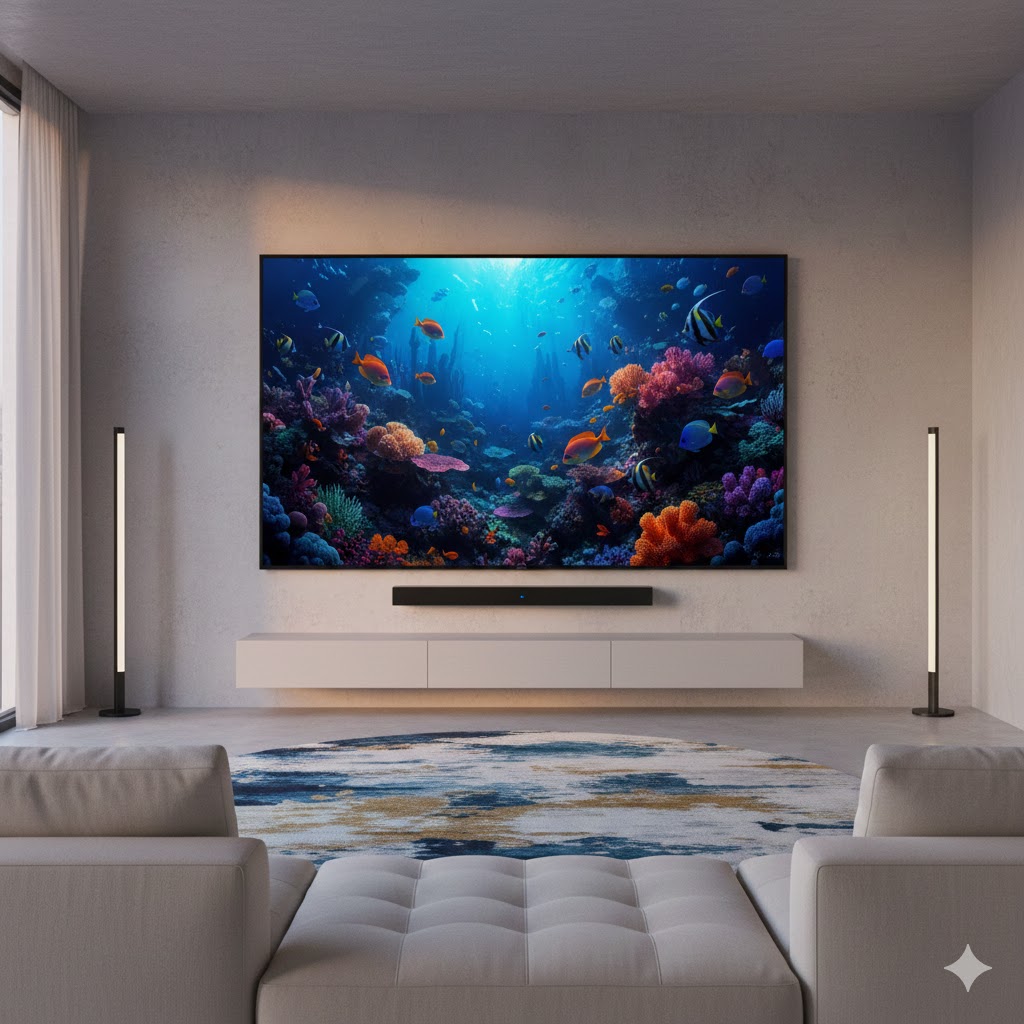
Top pick — Roku Pro Series 75-inch QLED TV (9.2 out of 10): Choose this if you want the simplest path to a BIG, bright picture and a fuss-free smart platform. It pairs a roomy 75-inch QLED panel with Roku’s clean interface and a thoughtful remote, making it the best one-step upgrade for movie nights, streaming marathons, and casual gaming in a large living room.
Best for gamers and bright rooms — TCL QM6K Mini LED QLED 55-inch TV (9 out of 10): Choose this if you care about contrast control, fast motion, and HDR pop. The Mini LED local dimming and high refresh rate make it ideal for fast-paced games, sports, and sunlit rooms where brightness and motion handling matter.
Best Phones With 6 Inch Screens
How to Choose the Best QLED TVs
Thinking about upgrading your home entertainment setup? QLED TVs are among the best options available today, offering vibrant colors, excellent brightness, and impressive durability. But with so many models on the market, choosing the best QLED TVs can feel overwhelming. Here’s a clear and original guide to help you make the right choice.
Understand What Makes QLED Technology Stand Out
QLED (Quantum Dot LED) technology enhances color accuracy and brightness by using a layer of quantum dots illuminated by an LED backlight. This creates stunning picture quality, especially in rooms with natural or bright lighting.
Unlike OLED panels, which produce perfect blacks through self-lit pixels, QLED screens excel in brightness, longevity, and resistance to screen burn-in, making them ideal for long viewing sessions, gaming, and well-lit environments.
Check the Panel Brightness for a Better Viewing Experience
Brightness is one of the biggest advantages of QLED TVs. If you often watch content during the day or in bright rooms, look for models with high peak brightness, typically measured in nits.
- 400–600 nits: Good for everyday viewing
- 700–1000 nits: Better for HDR content
- 1000+ nits: Excellent for premium HDR and bright spaces
Higher brightness also improves contrast and visibility of details.
Look for a Strong HDR Performance
To make the most out of movies, sports, and games, make sure the TV supports advanced HDR formats. Many of the best QLED TVs include:
- HDR10 (standard)
- HDR10+ (dynamic brightness adjustments)
- Dolby Vision (premium dynamic HDR)
While not all QLED models support every format, choosing one with HDR10+ or Dolby Vision will deliver richer contrast and more accurate scene-by-scene tuning.
Choose the Ideal Screen Size for Your Space
QLED TVs are available in a wide range of sizes, from 43" to over 85". Pick the size that matches your room layout and the distance between you and the TV:
- 43"–55": Great for smaller rooms or apartments
- 55"–65": Ideal for most living rooms
- 75"+: Best for home theaters or large spaces
A larger screen can dramatically enhance immersion, especially for movies and gaming.
Refresh Rate Matters for Gaming and Fast Action
If you enjoy gaming or fast-paced sports, refresh rate is extremely important. It determines how smooth motion appears on screen.
- 60Hz: Standard for most users
- 120Hz: Recommended for gaming, action movies, and sports
- Variable Refresh Rate (VRR): Prevents screen tearing during gameplay
Gamers should also check for features like ALLM (Auto Low Latency Mode) and HDMI 2.1 ports for next-gen console compatibility.
Check the Smart TV Platform and App Selection
QLED models come with different smart operating systems depending on the brand. Features to look for include:
- Fast navigation
- A wide selection of streaming apps
- Voice assistant integration
- Regular software updates
Popular systems include Google TV, Tizen, and webOS — all offering smooth performance and plenty of apps.
Audio Quality: Don’t Forget the Sound
Even though QLED TVs focus heavily on visuals, sound still matters. Look for features like:
- Dolby Atmos support
- Built-in subwoofers
- Adaptive sound modes
If you want more immersive audio, pairing the TV with a soundbar is an excellent upgrade.
Look for a Sleek Design and Good Connectivity Options
Modern QLED TVs often include slim bezels and sleek stands that look great in any room. Practical factors to consider include:
- Number of HDMI ports
- Bluetooth and Wi-Fi compatibility
- Support for eARC (for high-quality soundbar connections)
- Cable management features
These small details can make a big difference in everyday use.
Check Out the Best QLED TVs
Still not sure which one to choose? Click the link below to see the best-selling products.
Also Check Out Other Helpful Articles
Take a look at more useful articles that can help you make more informed decisions.
- Best 8K TVs in 2026 (Top 6: Sony, Samsung and More)
- Best 75-Inch TVs in 2026 (Top 10: Roku, Panasonic and More)
- Best TVs for PS5 in 2026 (Top 7: Sony, LG and More)
Video About the Best QLED TVs
We created a video on the topic. Just click to watch.
Related Articles

About the Author

Matthew King has a keen interest in digital media and content writing. He approaches each project with attention to detail and a goal to make content accessible.