Best Ryzen 3 Laptops in 2026 (Top 6: Lenovo Ideapad, Acer Aspire and More)

Last Updated on January 24, 2026
Discover the best ryzen 3 laptops for amazing performance and value. Find budget-friendly notebooks perfect for everyday tasks and light work. Compare our top picks now!
Small CPU, big surprises. Ryzen 3 machines today punch well above their price, handling spreadsheets, streaming, and even light gaming without drama.
You want a laptop that lasts a workday, doesn’t feel sluggish, and won’t make you cry when you drop it on your dorm-room carpet. These picks focus on practical value — not hype.
Contents
- The Best Ryzen 3 Laptops
- Acer Aspire Premium Slim 15.6-inch Laptop
- HP 255 G10 15.6-inch Work and Home Laptop
- ASUS Vivobook Go 15.6-inch Slim Laptop
- Acer Aspire 3 A315 15.6-inch Slim Laptop
- Lenovo IdeaPad 1 15.6-inch Everyday Laptop (Renewed)
- HP 15.6-inch Touchscreen Everyday Laptop
- Final Thoughts on the Best Ryzen 3 Laptops
- How to Choose the Best Ryzen 3 Laptops
- Check Out the Best Ryzen 3 Laptops
- Also Check Out Other Helpful Articles
- Video About the Best Ryzen 3 Laptops
The Best Ryzen 3 Laptops
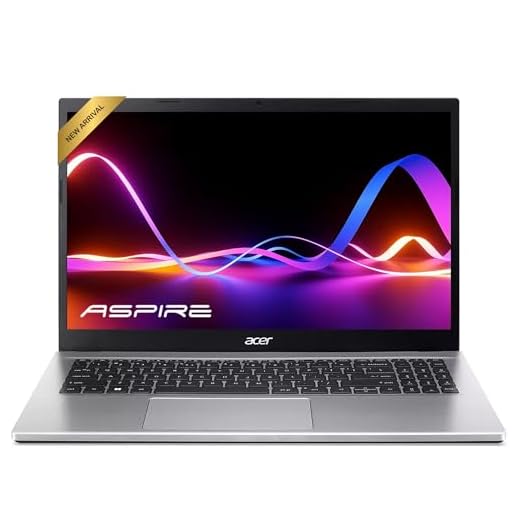



Acer Aspire Premium Slim 15.6-inch Laptop
You get a roomy 15.6" Full HD IPS display, solid everyday performance, and a configuration that won't feel cramped for multitasking. It's an excellent choice if you want a full-featured laptop that handles productivity, media, and light creative work without breaking the bank.
Pros
- Large 15.6" Full HD IPS display with thin bezels
- 16GB RAM configuration suitable for multitasking
- Ryzen 3 7330U offers efficient, everyday performance
- Good battery life for typical use and Wi‑Fi 6 support
Cons
- Touchpad can be overly sensitive for some users
- No backlit keyboard in the listed configuration
What this laptop is for
You should consider this model if you want a straightforward, family-friendly laptop that comfortably handles browsing, video calls, office work, and light photo editing. It pairs a 15.6" Full HD IPS panel with a Ryzen 3 7330U and 16GB of RAM, which makes daily multitasking smooth and responsive.
Key strengths and real-world benefits
- 15.6" Full HD IPS display that gives you sharper visuals and wider viewing angles for streaming, document work, and photo previews
- 16GB RAM and a 256GB NVMe SSD to reduce bottlenecks during everyday multitasking and speed up app launches and system boot
- Wi‑Fi 6 and webcam included for reliable connectivity and remote work
Practical limitations and what to expect
You will appreciate its value, but you should not expect high-end gaming or heavy content creation performance from a Ryzen 3 chip and integrated graphics. The keyboard in this configuration is not backlit, and the touchpad sensitivity may require an adjustment period.
Usage tips and final takeaways
If you plan to use it as your main home laptop for school, light productivity, or streaming, you’ll find it well balanced. For example, opening multiple browser tabs, a document, and a video call at once should be smooth. If you need more advanced graphics performance or professional editing, consider a higher-tier CPU/GPU, but for most everyday users this hits a great price-to-performance point.
HP 255 G10 15.6-inch Work and Home Laptop
You’ll benefit from the stronger Ryzen 3 7330U, generous 16GB RAM, and 512GB SSD that make multitasking, large spreadsheets, and heavier web workloads feel smooth. It’s one of the more capable budget laptops for work and productivity without stepping into premium price tiers.
Pros
- Powerful configuration with 16GB RAM and 512GB SSD
- Robust connectivity including HDMI and USB‑C
- Full HD 15.6" display with solid brightness and clarity
Cons
- Reportedly louder fan under sustained load
- Battery life can be shorter under heavy use
Performance and who it's for
You should consider this laptop if you need a machine that can handle heavier productivity workloads—think large spreadsheets, multiple virtual desktops, and many browser tabs. The Ryzen 3 7330U paired with 16GB of RAM and a roomy 512GB SSD gives you a noticeably more capable experience than typical entry-level models.
Notable specs and everyday benefits
- 16GB RAM provides comfortable multitasking headroom for business apps, browser tabs, and light virtualization
- 512GB NVMe SSD reduces load times and gives you plenty of local storage for documents and media
- Full HD 15.6" display and a selection of ports (HDMI, USB‑C) allow you to connect to external monitors or peripherals easily
Practical limitations and considerations
Under sustained workloads the cooling fan can become audible and battery life will shorten compared with lighter use. The chassis is designed for practicality more than premium aesthetics, so expect a business-like build rather than flashy design cues.
Final advice
If you need a reliable laptop for remote work, school, or a small-business setup and you value performance per dollar, this model is hard to beat in the Ryzen 3 segment. Consider a cooling pad in heavy-use scenarios and keep the charger handy for long on-the-go working days.
ASUS Vivobook Go 15.6-inch Slim Laptop
You get a well-balanced ultraportable with a 180° hinge, military-grade durability claims, and a bright 15.6" display that works well for both productivity and streaming. It’s a good all-rounder if you prioritize mobility and sensible feature set over raw power.
Pros
- Thin-and-light design with a 180° lay-flat hinge
- Fast-charging and good battery life for mobile use
- Military-grade durability and webcam shutter for peace of mind
Cons
- Limited port selection compared with bigger laptops
- 128GB SSD may fill up quickly for media heavy users
Design and portability
You’ll immediately notice the Vivobook Go’s slim profile and light weight, which make it easy to slip into a backpack for classes or commuting. The 180° lay-flat hinge is handy when sharing the screen or using it on uneven surfaces, and the included webcam shield gives you a simple privacy safeguard.
Performance and everyday use
- Ryzen 3 7320U paired with 8GB LPDDR5 RAM delivers snappy web browsing, document editing, and media playback
- Fast charging means less downtime between sessions, and the battery typically lasts through a solid work or school day
Limitations and realistic expectations
The 128GB SSD is an economical compromise that keeps the price down, but you may want extra storage if you keep large media libraries or many games. Port selection is adequate for casual use but can feel limited if you need multiple wired peripherals simultaneously.
Practical advice for buyers
If you value portability and a reliable daily experience, this model is a strong contender. To extend utility, consider adding a USB hub or an external SSD for extra ports and storage; otherwise it performs very well for standard productivity and streaming scenarios.
Acer Aspire 3 A315 15.6-inch Slim Laptop
You get a compact, affordable 15.6" laptop that handles web browsing, streaming, documents, and even light gaming better than many entry-level machines. It's a solid pick when price and portability matter most, though storage and RAM limits of some SKUs can be a constraint.
Pros
- Slim and lightweight design for portability
- Full HD 15.6" display with thin bezels
- Runs casual games and everyday apps well
- Wi‑Fi 6 support for better connectivity
Cons
- Some configurations ship with only 128GB storage
- 8GB RAM may limit heavier multitasking
Who this laptop suits
This model is aimed at students, casual users, and anyone who needs a dependable device for everyday tasks without spending much. The Ryzen 3 7320U paired with an integrated Radeon GPU offers noticeably better responsiveness than older low-end Intel chips in the same price band.
Notable features and practical benefits
- 15.6" Full HD IPS screen that improves your viewing experience compared with HD-only rivals
- Slim chassis and light weight make it easy to carry between classes or to work
- Decent battery life for a day of light use and Wi‑Fi 6 for stable internet
Limitations to be aware of
With 128GB of NVMe storage in many SKUs, you will likely need external storage or use cloud services if you store lots of photos, videos, or large projects. The standard 8GB of LPDDR5 is fine for typical school or office workflows but can limit heavier multitasking or browser-tab-heavy sessions.
Practical tips
If you plan to keep many apps or media locally, budget for an external SSD or seek a configuration with larger storage. For light gaming or streaming from other devices, this laptop punches above its weight and delivers strong everyday value.
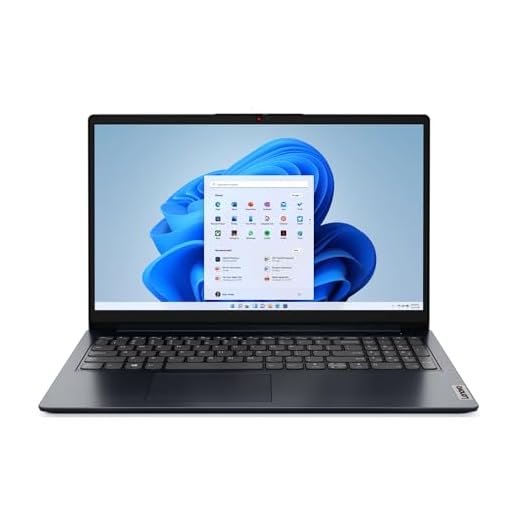
Lenovo IdeaPad 1 15.6-inch Everyday Laptop (Renewed)
You can expect a clean, affordable machine that covers browsing, office apps, streaming, and light multitasking without fuss. As a renewed unit it's a good value, provided you accept the trade-offs of a refurbished product and modest storage and memory compared to new models.
Pros
- Renewed price point lowers entry cost significantly
- Reliable Ryzen 3 7320U for everyday tasks
- Fingerprint reader adds a convenience and security boost
Cons
- Renewed condition may vary between units
- 8GB RAM and base SSD limit heavy workloads
Overview and intended use
This renewed IdeaPad 1 is designed for users who need a budget-friendly laptop for standard productivity, web browsing, and media. The Ryzen 3 7320U provides adequate performance for classes, light office work, and casual media consumption, and the renewed status makes a lower upfront cost possible.
Key specs and benefits
- 15.6" Full HD display that keeps text and videos crisp for everyday use
- 8GB RAM and 256GB NVMe SSD for responsive boot times and reasonable app performance
- Integrated AMD Radeon 610M handles casual gaming and video playback without fuss
Trade-offs and practical considerations
Because it’s renewed, cosmetic wear or minor differences in battery life can occur between units; check seller details and return policy. The base memory and storage are fine for light to moderate use, but you should plan upgrades if you expect sustained heavy multitasking or large local media libraries.
Bottom line and buying tip
If you want to save money and don't need brand-new packaging, this is a pragmatic pick. Inspect the renewed warranty and seller feedback, and consider picking up an external SSD or cloud backup plan if you anticipate storage pressure.
HP 15.6-inch Touchscreen Everyday Laptop
You get a touchscreen-equipped 15.6" laptop that makes note-taking and navigation more intuitive for students and casual users. It’s an inexpensive, energy-conscious option with decent battery life and fast charging, but the lower HD resolution may disappoint visual purists.
Pros
- Touchscreen makes navigation and note-taking easier
- HP Fast Charge and solid battery life
- Lightweight and portable, good for students
Cons
- Screen is HD (1366 x 768), not Full HD
- Windows ecosystem and subscription prompts can be inconvenient
Who should buy this
If you’re a student or a casual user who values touchscreen input and portability at a low price, this HP offers a strong value proposition. It’s tuned for day-to-day productivity, classwork, and media streaming with reasonable battery life and HP-specific convenience features.
Features that matter day-to-day
- 15.6" HD touchscreen that simplifies annotations, swiping, and touch-based interactions for classroom use
- HP Fast Charge gets you back to productive time quickly, and the laptop is built with recycled materials and energy certifications
- Built-in noise reduction and a decent camera for video calls and remote learning
Drawbacks and expectations
The HD (1366 x 768) resolution is lower than Full HD alternatives, so text and fine details won’t be as crisp. You’ll also encounter Microsoft’s subscription prompts for some Office services, which can be annoying if you don’t plan to pay for those extras.
Practical tips
For school use, pair this with cloud storage to avoid local storage limitations and consider a durable protective sleeve for daily transport. If sharper visuals are important, look for a Full HD model, but for many students this is a cost-effective, feature-rich option.
Final Thoughts on the Best Ryzen 3 Laptops
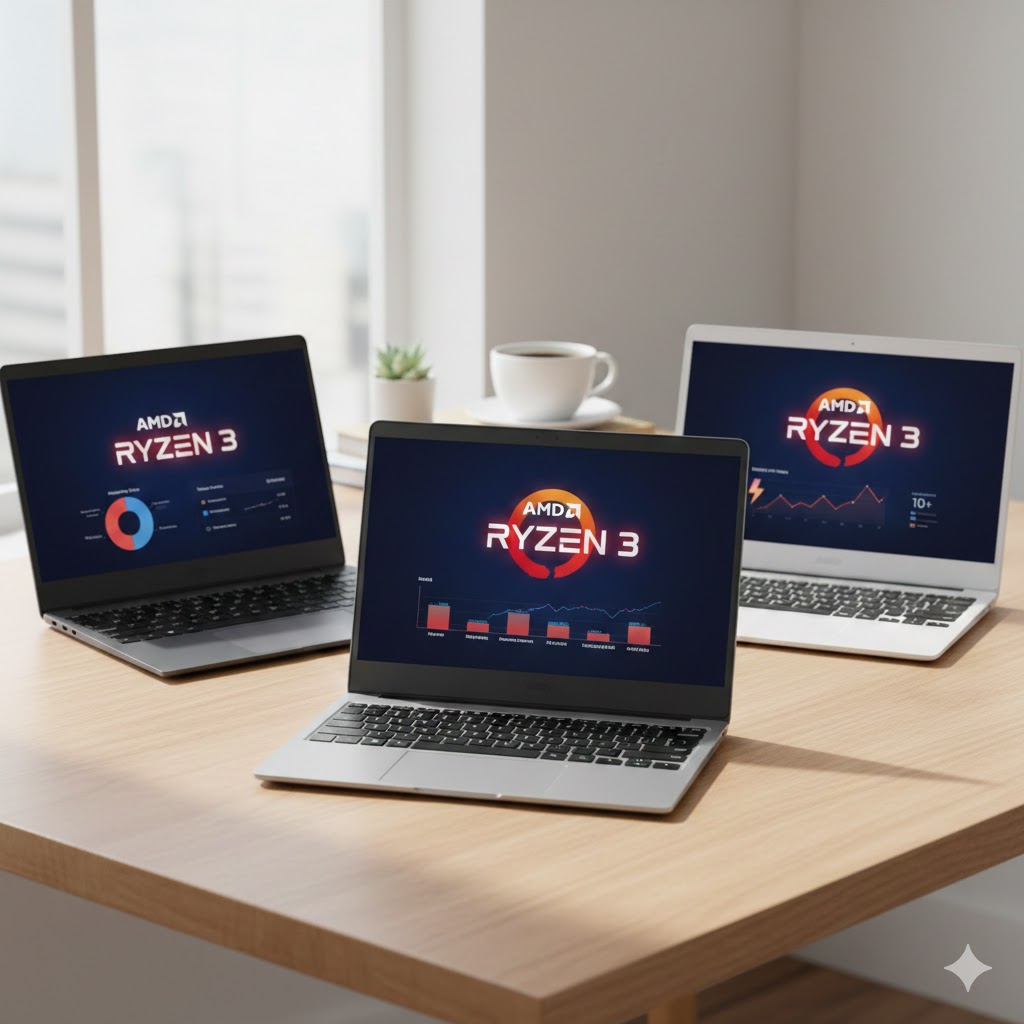
For the best overall balance, pick the Acer Aspire Premium Slim 15.6-inch Laptop. It combines a roomy Full HD IPS screen, comfortable performance for everyday multitasking, and a well-rounded feature set — ideal if you want a reliable all-purpose machine for productivity, media, and light creative work.
If your priority is raw value for work-heavy tasks, choose the HP 255 G10 15.6-inch Work and Home Laptop. With the stronger Ryzen 3 7330U, 16GB RAM, and a 512GB SSD, it's the better pick for power users on a budget who run large spreadsheets, multiple browser tabs, or virtual meeting-heavy workflows.
How to Choose the Best Ryzen 3 Laptops
If you’re looking for a laptop that offers great value, snappy performance for everyday tasks, and solid efficiency, Ryzen 3 laptops are some of the most reliable options on the market. With the right combination of processing power, memory, display quality, and battery life, you can find a device that fits your study, work, or entertainment needs without stretching your budget. Below is a complete guide to help you choose the best Ryzen 3 laptops for your use.
Understand What Ryzen 3 Processors Are Good For
Ryzen 3 chips are known for providing smooth performance in entry-level and mid-range laptops. They’re ideal for browsing, document editing, video chatting, streaming, and running everyday applications.
Most Ryzen 3 models come with 4 cores, ensuring responsive multitasking for typical workloads. They also feature efficient integrated graphics, which help with light creative tasks and casual gaming. If you need a balance between affordability and reliable performance, a Ryzen 3 processor is a strong starting point.
Prioritize RAM: Go for 8GB or More
To keep your laptop responsive when multitasking, RAM is crucial—especially in systems paired with entry-level CPUs. For most users, 8GB RAM offers the best balance for smooth performance in browsers, productivity apps, and cloud tools.
If you expect to work with heavier spreadsheets, basic photo editing, or multiple tabs at the same time, choosing a laptop that supports upgradability can make a big difference. Look for machines with an extra RAM slot if you plan to expand later.
SSD Storage Makes a Huge Difference
Storage type impacts speed more than you might expect. A laptop with a solid-state drive (SSD) will boot faster, open apps instantly, and feel more fluid overall.
For most people, 256GB SSD is the sweet spot, offering enough room for apps, documents, and personal files. If you store large videos or install many programs, consider 512GB or a model with SSD + HDD expandability.
Display Quality: Choose Full HD for Better Clarity
A comfortable viewing experience is essential, whether you’re studying, watching videos, or working for several hours straight. When shopping for the best Ryzen 3 laptops, prefer:
- Full HD (1920×1080) resolution for sharper text and visuals
- IPS panels for better color accuracy and wide viewing angles
- Anti-glare coating if you use your laptop outdoors or under bright lighting
Even budget Ryzen 3 laptops can offer excellent displays, so this is a feature worth comparing.
Check the Battery Life for Real-World Usage
Battery performance varies widely across models, even with the same processor. A good Ryzen 3 laptop should last at least 6 to 8 hours under normal use, such as browsing and streaming.
If portability is a priority, consider models known for efficiency or those with fast charging support, which can be useful when you’re on the go.
Evaluate Build Quality and Keyboard Comfort
Even entry-level laptops can offer premium-feeling construction. Pay attention to:
- Sturdy hinges and a firm keyboard deck
- A comfortable key layout with good travel
- A smooth and precise touchpad
- Weight under 1.7 kg for easier transport
These small details greatly influence your everyday experience.
Consider Connectivity and Ports
A versatile laptop should include the ports you use most often. Look for:
- USB-A and USB-C ports for accessories and data
- HDMI for external monitors
- Wi-Fi 6 for faster wireless speeds
- SD or microSD slots if you handle photos and videos
More connectivity means more flexibility, especially if you plan to use your laptop for work or school.
Integrated Graphics: Good Enough for Light Gaming
Ryzen 3 processors usually come with Radeon integrated graphics, capable of handling light games and simple creative work. While they won’t power high-end gaming, they perform surprisingly well for titles like indie games, casual online games, and older AAA releases at reduced settings.
If gaming is only an occasional hobby, this level of performance is more than enough.
Final Tip: Compare Models Within Your Budget
The best Ryzen 3 laptops offer an excellent balance of speed, efficiency, and affordability. By comparing processor versions, RAM options, battery ratings, and build quality, you can confidently choose a model that supports your daily routine without compromise.
Check Out the Best Ryzen 3 Laptops
Still not sure which one to choose? Click the link below to see the best-selling products.
Also Check Out Other Helpful Articles
Take a look at more useful articles that can help you make more informed decisions.
- Best Laptops that Runs GTA V in 2026 (Top 9: Acer Predator, Razer Blade 14 and More)
- Best Samsung Chromebooks in 2026 (Top 6: Galaxy Chromebook 2, Plus and More)
- Best Samsung Laptops for Students in 2026 (Top 8: Galaxy Book, Chromebook and More)
Video About the Best Ryzen 3 Laptops
We created a video on the topic. Just click to watch.
https://youtu.be/p7CCHVz_yzg
Related Articles


About the Author

Lauren Baker finds joy in turning ideas into written content. She values clarity, relevance, and keeping readers engaged from start to finish.