Best Ryzen 7 Laptops in 2026 (Top 9: Aspire, Slim and More)

Last Updated on February 17, 2026
Find the best ryzen 7 laptops for power users, professionals, and gamers. Discover models with great performance, battery life, and value today!
More cores, less waiting. You want a laptop that keeps up — whether its spreadsheets, video edits, or juggling a dozen browser tabs. Short waits. Fewer interruptions. More DOing.
Ryzen 7 machines shine at multitasking and snappy everyday work. They give you solid battery life and real-world speed without flashy extras. Pick one that matches how you work, not just the biggest number on the spec sheet.
Contents
- The Best Ryzen 7 Laptops
- 15.6" Business Laptop with 32GB
- 16" 16:10 Ryzen 7 Performance Laptop
- Lenovo V15 Business Laptop, 16GB
- 15.6" Aspire Go -- AI Ready
- Slim 15.6" IdeaPad with Office
- 16" Business Laptop with Office Bundle
- 15.6" Everyday Ryzen 7 Laptop
- Affordable 15.6" Ryzen 7 Laptop
- Budget 15.6" Ryzen 7 Entry Laptop
- Final Thoughts on the Best Ryzen 7 Laptops
- How to Choose the Best Ryzen 7 Laptops
- Check Out the Best Ryzen 7 Laptops
- Also Check Out Other Helpful Articles
- Video About the Best Ryzen 7 Laptops
The Best Ryzen 7 Laptops


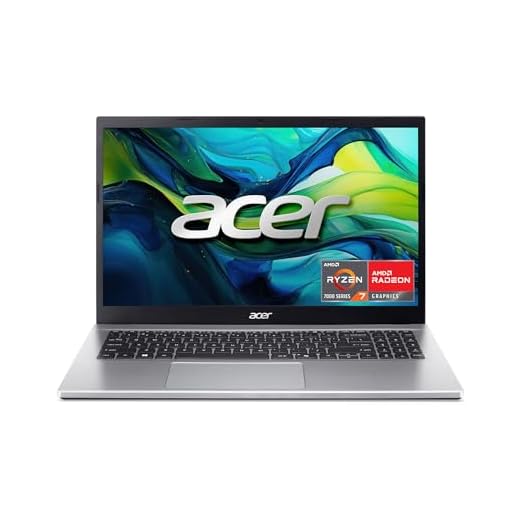
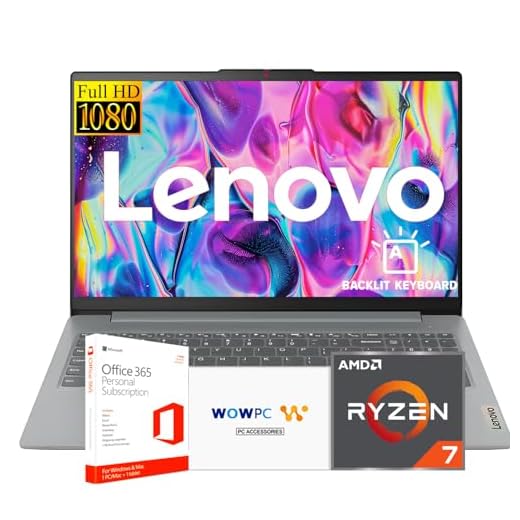


15.6" Business Laptop with 32GB
You get a snappy, business-oriented machine that easily handles multitasking and large files. Battery life and the basic build are pragmatic rather than flashy, making it a solid everyday workhorse.
Pros
- Large 32GB RAM and 1TB PCIe SSD for multitasking
- Ryzen 7 7730U delivers strong everyday and productivity performance
- Windows 11 Pro and hardware ports tailored for business use
Cons
- Plastic chassis feels less premium than metal alternatives
- Screen brightness and color gamut are modest (250 nits, 45% NTSC)
Who this laptop is for
You should consider this model if your day-to-day work involves many browser tabs, virtual meetings, and document editing where responsiveness matters. It targets office users, teachers, and small-business owners who want Windows 11 Pro and the headroom to run multiple demanding apps at once.
Key features and what they mean for you
The hardware combination is focused on productivity and value: the Ryzen 7 7730U CPU, 32GB of RAM, and a 1TB PCIe SSD provide a fluid experience for multitasking and large file operations.
- 8-core/16-thread Ryzen 7 7730U with up to 4.5GHz boost
- 32GB DDR4 RAM and 1TB PCIe M.2 SSD for fast workloads
- 15.6" FHD anti-glare IPS display, Wi‑Fi 6, webcam, and numeric keypad
These specs translate into quick boot times, near-instant app switching, and comfortable spreadsheet or audio editing sessions. One user noted it "boots and handles audio editing with zero lag," which reflects the real-world responsiveness you can expect.
Benefits, limitations and practical insights
You benefit from strong out-of-the-box productivity: file transfers, virtualization of light workloads, and large spreadsheets will feel responsive. The integrated Radeon graphics are fine for content playback and light photo editing but won't replace a discrete GPU for gaming or heavy video rendering.
- Benefit: Excellent multitasking thanks to high RAM and fast storage
- Limitation: Display color range and brightness are conservative for color-critical work
- Practical tip: If you need better color accuracy for photo/video work, plan to pair this with an external calibrated monitor
Overall, the laptop is a practical, cost-effective choice when you prioritize memory and storage for business tasks over premium materials or high-end display color accuracy.
16" 16:10 Ryzen 7 Performance Laptop
You get a larger 16" 16:10 display that’s great for productivity and media. The Ryzen 7 7730U and 1TB SSD keep workflows snappy, though the base 8GB RAM may be tight for intense multitasking without an upgrade.
Pros
- Large 16" 16:10 WUXGA display with slim bezels
- 1TB SSD provides generous storage and fast load times
- Fingerprint sensor and modern design with good build
Cons
- 8GB RAM is modest for power users
- Battery life is average on a larger panel
Why the screen matters
You’ll appreciate the 16" WUXGA (1920 x 1200) 16:10 panel when you work with documents, spreadsheets, or multiple windows — the extra vertical space reduces scrolling and improves productivity. The NanoEdge bezels make the viewing experience more immersive without making the laptop much larger.
Performance and daily use
Under the hood is a Ryzen 7 7730U processor paired with a 1TB NVMe SSD. This combination gives you responsive app launches, quick file transfers, and snappy general performance. The integrated Radeon GPU handles video playback and light creative tasks comfortably.
- 8-core/16-thread Ryzen 7 7730U for efficient multitasking
- 1TB NVMe SSD for fast storage operations
- Fingerprint sensor for quick, secure logins
For heavier multitasking or multiple virtual machines, you’ll want more than the stock 8GB RAM. Several reviewers successfully installed Linux and reported excellent GPU support, so the machine is flexible if you prefer non-Windows workflows.
Practical considerations
The chassis and features make this a great choice for students and professionals who value screen real estate and storage. If you need longer unplugged usage, consider an external monitor for your desk setup or check power settings to extend battery life.
- Benefit: Great for multitasking and productivity on a large display
- Limitation: Consider upgrading RAM for demanding workloads
- Tip: Use the taller 16:10 ratio to reduce scrolling in documents and web pages for a more efficient workflow.
Lenovo V15 Business Laptop, 16GB
You’ll find it reliable for office work, remote meetings, and general business tasks thanks to 16GB RAM and a fast SSD. The design favors portability and practical ports over premium materials, making it comfortable for daily travel.
Pros
- 16GB RAM and 512GB SSD for smooth business workflows
- Numeric keypad, RJ45 and HDMI ports for office connectivity
- Windows 11 Pro and quick boot times
Cons
- Viewing angles and display color may be average
- One USB-C port used by some adapters can reduce flexibility
Why this is a business-focused choice
You should choose this if your priority is a reliable corporate laptop with the right mix of ports (HDMI, RJ45), 16GB of RAM, and a mid-sized 15.6" screen. It’s built to fit into typical office workflows and docking environments.
Real-world performance and connectivity
With a Ryzen 7 7730U, 16GB RAM, and a 512GB SSD, the laptop boots fast and handles multi-app work without noticeable slowdowns. The inclusion of an Ethernet port and HDMI means you can tether easily in conference rooms and hotel setups.
- 16GB DDR4 RAM for heavy browser/office workloads
- 512GB PCIe NVMe SSD and Ryzen 7 CPU for responsive performance
- Business ports including RJ45, HDMI, and multiple USBs
Users report fast boot times and good day-to-day reliability; one reviewer noted it "boots in less than 10 seconds" and handles several memory-hungry apps without lag. The keyboard is comfortable for extended typing, though the display is not targeted at creatives.
Limitations and practical advice
If your work involves photo/video editing or color-critical design, the display may disappoint. For general office use, pair it with an external monitor for longer sessions.
- Benefit: Excellent for office productivity and remote meetings
- Limitation: Not ideal for color-critical creative work
- Tip: Keep a small USB hub handy if you need simultaneous USB-C power and peripherals.
15.6" Aspire Go -- AI Ready
You’ll find the Ryzen 7 5825U and 16GB RAM deliver excellent responsiveness for general productivity, light content creation, and casual gaming. The laptop is a solid all-rounder with good battery life at its price point.
Pros
- 16GB RAM and PCIe Gen4 SSD for responsive performance
- Good value for gaming-light users and content creators
- Ample USB ports and Wi‑Fi 6 connectivity
Cons
- Display and chassis are functional but not premium
- Speakers and webcam are average for collaboration
Who benefits from this model
If you want a capable, affordable machine that handles productivity and some light gaming or content work, this is a strong pick. It’s well-suited to creators on a budget, students who multitask, and casual gamers who don’t need a discrete GPU.
Performance highlights
The AMD Ryzen 7 5825U and 16GB DDR4 result in a fluid user experience for day-to-day tasks. The 512GB PCIe Gen4 SSD reduces load times, and the FHD IPS panel provides satisfactory clarity for streaming and editing.
- Ryzen 7 5825U with efficient multi-core performance
- 16GB memory and 512GB Gen4 SSD for fast workflows
- FHD IPS display, Wi‑Fi 6, and multiple USB ports
Reviewers often praise the price-to-performance and note that, for the money, it feels like a much more capable device than basic budget laptops. If you’re doing long editing sessions, expect the integrated GPU to limit export speeds compared with discrete GPU systems.
Limitations and practical tips
You’ll get strong everyday performance but not premium materials or the best speakers. Plan for an external monitor or headphones if you work on color-critical projects or need better audio fidelity.
- Benefit: Strong everyday and light-creative performance for the price
- Limitation: Not intended for high-end gaming or professional video renders
- Tip: Use an external SSD or cloud storage if you need more scratch disk for editing projects.
Slim 15.6" IdeaPad with Office
You’ll get a capable all-around machine for classwork, presentations, and media with a bundled Office offering. The Ryzen 7 5825U and 1TB SSD provide plenty of responsiveness for study workflows, though the display is not the brightest on the market.
Pros
- Bundled Microsoft Office and recovery USB for easy setup
- 1TB SSD and 16GB RAM options for smooth multitasking
- Backlit keyboard and FHD webcam with privacy shutter
Cons
- Some units have TN panels (limited viewing angles)
- Spec listings and weights vary across sellers
Best use cases
You should consider this IdeaPad if you’re a student or professional who values a strong software bundle and roomy local storage. The backlit keyboard and FHD webcam make it a practical choice for online classes and video calls.
Hardware and everyday performance
The Ryzen 7 5825U provides robust processing for office apps, web research, and light creative tasks. With a 1TB SSD and up to 16GB RAM, you’re well-equipped to store course files and run multiple applications without constant swapping.
- Ryzen 7 5825U for reliable multi-core performance
- 1TB SSD and options for generous RAM
- Backlit keyboard, FHD webcam, and Wi‑Fi 6 connectivity
User feedback often highlights the convenience of the Office bundle: "Wonderful laptop, super easy to setup and use," which reflects the immediate productivity you’ll experience. If you need wide viewing angles, check seller panel specifications; some units use TN rather than IPS panels.
Limitations and tips
The laptop is a solid day-to-day performer but check the display type and seller specs if viewing angles and color are important. Also confirm included Office licensing to ensure you receive the expected bundle.
- Benefit: Great for students and office users with Office included
- Limitation: Panel type may vary; check before buying
- Tip: Use the large SSD for local backups and enable OneDrive for continuous protection.
16" Business Laptop with Office Bundle
You get a complete out-of-the-box experience with bundled Office and a Ryzen 7 5825U that handles standard business tasks. Be cautious about advertised extras and check actual included software keys before purchase.
Pros
- Includes Microsoft Office and recovery USB for convenience
- Comfortable keyboard and FHD webcam with privacy shutter
- Decent battery life and quiet design for office use
Cons
- Some listings have inconsistent specs or missing advertised items
- Build quality and marketing claims vary by seller
Who should consider this package
If you want a laptop ready for business right away and appreciate having Microsoft Office preinstalled, this model is attractive. It’s suited to clerical work, presentations, and everyday office productivity where bundled software adds immediate value.
Features and practical advantages
The Ryzen 7 5825U provides reliable CPU horsepower for multi-tab workflows, and the inclusion of Office 2021 or a subscription can save you setup time. The FHD webcam with a privacy shutter and a backlit keyboard improve the remote-work experience.
- Ryzen 7 5825U CPU suitable for business multitasking
- Microsoft Office included and a WOWPC recovery USB
- FHD webcam with privacy shutter and Dolby-optimized speakers
However, some buyers noted that the advertised Microsoft Office activation or specific accessories arrived late or were inconsistent between sellers. Always verify the exact bundle contents before completing the purchase.
Limitations and buyer tips
Expect a solid office laptop rather than a premium workstation. Verify seller listings and included license keys, and be prepared to request missing items if they weren’t supplied.
- Benefit: Ready-to-use office experience with software included
- Limitation: Inconsistent bundle delivery across sellers
- Tip: Confirm the Office license and check return policies to avoid surprises.
15.6" Everyday Ryzen 7 Laptop
You get a dependable, affordable laptop that handles coursework, streaming, and basic creative tasks with ease. Expect solid battery life and a serviceable webcam for remote classes, though heavy multitasking will push the 8GB RAM limits.
Pros
- Good price-to-performance with Ryzen 7 5825U
- FHD anti-glare display and fast SSD
- Fast-charge support and long battery life
Cons
- Only 8GB RAM in base configuration limits heavy multitasking
- Not designed for intensive gaming or high-end content creation
Who should pick this laptop
You should pick this laptop if you need a capable, affordable machine for school, remote work, or media consumption. It’s aimed at students and home users who want a quality display and dependable everyday performance without a high price tag.
What to expect from the hardware
This model pairs a Ryzen 7 5825U with an FHD micro-edge anti-glare display and a 512GB SSD. The combination delivers smooth web browsing, video playback, and productivity. The included fast-charge adapter can get you to 50% in about 45 minutes, which is useful for on-the-go days.
- FHD anti-glare micro-edge display for clear visuals
- Ryzen 7 CPU and integrated Radeon graphics for responsive apps
- 512GB SSD and Wi‑Fi 6 connectivity
If you routinely keep dozens of browser tabs and many background apps open, you’ll notice the 8GB RAM sooner than on 16GB systems. Many users find it fine for school tasks and streaming, but power users should consider upgrading RAM where possible.
Practical notes and limitations
You’ll like the sturdy battery life and the simple setup experience, but don’t expect pro-level editing or gaming performance. Also be aware that some buyers report friction with bundled software ecosystems (e.g., Office or subscription services).
- Benefit: Excellent value and portability for students
- Limitation: Memory can bottleneck heavy multitasking
- Tip: If you plan to keep this for several years, consider a model with 16GB RAM or ensure the unit supports a RAM upgrade.
Affordable 15.6" Ryzen 7 Laptop
You get Ryzen 7 CPU power at a low price, making it a tempting option for everyday tasks and light productivity. Expect modest storage and RAM in the base configuration, so be ready to upgrade for heavier workloads.
Pros
- Very competitive price for Ryzen 7 performance
- Backlit keyboard and full-size layout for comfortable typing
- 15.6" FHD display suitable for everyday use
Cons
- Base 8GB RAM and 256GB SSD may quickly fill up
- Build quality and longevity may lag behind premium models
Who should consider this option
This laptop is for budget-conscious buyers who want Ryzen 7 CPU responsiveness without paying for premium materials. It works well for students, basic office users, and anyone who needs strong single/multi-core CPU performance on a tight budget.
What you get and what to watch
The 7730U CPU offers capable multitasking, but the standard 8GB RAM and 256GB SSD are the compromises that keep the price down. If you plan to hold many tabs or edit sizable media files, consider upgrading the RAM and storage where possible.
- AMD Ryzen 7 7730U (8 cores/16 threads)
- 15.6" FHD ComfyView display and backlit keyboard
- 256GB SSD (upgrade recommended) and Wi‑Fi 6
Several buyers reported improving performance by upgrading to 16GB RAM, which transforms the day-to-day experience. For basic browsing, streaming, and document work, the laptop is adequate out of the box.
Practical tips and limitations
You’ll save money but trade off expandability and premium feel. The laptop is best used as a reliable secondary machine or a primary device for light workloads.
- Benefit: Exceptional price-to-performance for simple tasks
- Limitation: May need upgrades for sustained multitasking or storage-heavy workflows
- Tip: Budget for an extra RAM stick and a larger SSD if you plan long-term use.
Budget 15.6" Ryzen 7 Entry Laptop
You can expect an inexpensive machine that covers browsing, video streaming, and basic productivity fairly well. Don’t expect gaming-level graphics or premium build quality — it’s best as a secondary or entry-level daily driver.
Pros
- Very low price for a Ryzen 7-equipped laptop
- Good RAM and storage for everyday tasks
- Fingerprint reader and decent build feel for the segment
Cons
- Older Ryzen 7 4700U limits peak single-threaded performance
- Display, battery life, and port selection are modest
Who this suits
You should buy this model if you want maximum CPU bang for a very low budget and primarily need a device for web, office apps, and streaming. It’s best as a backup laptop, for students on a strict budget, or for light business use.
What the hardware offers and where it falls short
The Ryzen 7 4700U is an older but capable 8-core chip that handles multitasking reasonably well. The 16GB RAM and 512GB SSD configuration are generous at this price point, but the integrated GPU and overall build are tailored to light workloads rather than heavy creative or gaming needs.
- Ryzen 7 4700U (8-core) suitable for everyday multitasking
- 16GB RAM and 512GB SSD for responsive everyday operations
- Fingerprint reader and acceptable chassis quality for the price
Reviewers say it’s "beautiful" and "easy to set up," which reflects the straightforward user experience you’ll get. However, expect shorter battery life and a less-refined display than mainstream branded laptops.
Practical considerations
This is a strong option if budget constraints are primary; otherwise, larger brands offer more polished displays, better warranties, and more consistent support. If you need wired networking, note that an Ethernet port is often absent.
- Benefit: Outstanding value for core computing tasks
- Limitation: Not suited for graphics-heavy workflows or demanding games
- Tip: Consider this as a starter laptop and complement it with cloud storage for backups and extra ports via a USB hub if needed.
Final Thoughts on the Best Ryzen 7 Laptops
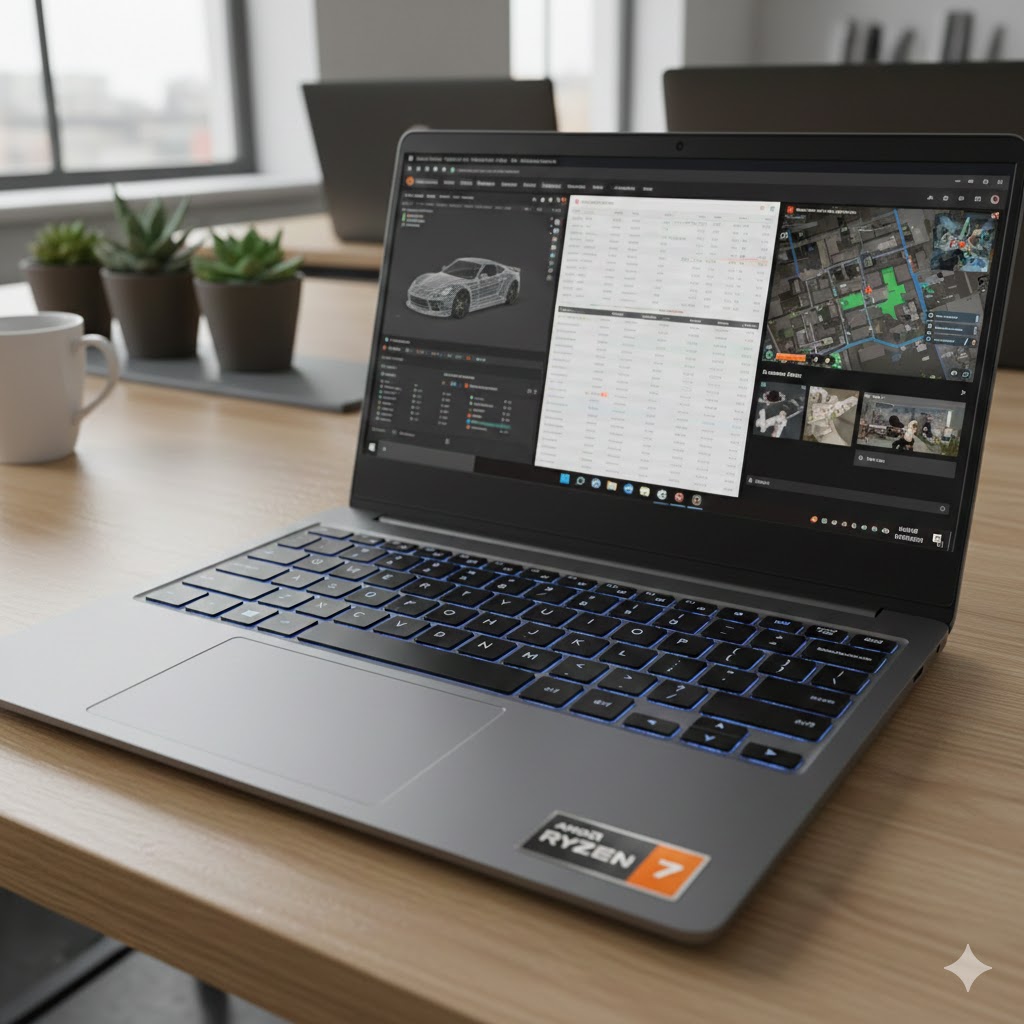
Pick the 15.6" Business Laptop with 32GB if you want a no-nonsense workhorse. With 32GB of RAM it eats heavy multitasking, large spreadsheets, and VM work for breakfast. Its the best choice if you regularly run memory-hungry apps, keep dozens of tabs open, or handle large files on the go.
Choose the 16" 16:10 Ryzen 7 Performance Laptop if your priority is a roomy screen and balanced power for productivity and media. The 16:10 display and 1TB SSD make it great for long documents, multitasking with split screens, and storing big projects. Note: upgrade the base 8GB RAM to at least 16GB for smooth heavy use.
If you need a single pick: go with the 15.6" Business Laptop with 32GB for raw multitasking headroom. If you value screen space and storage for creative or productivity work, the 16" 16:10 Ryzen 7 Performance Laptop is your best alternative.
How to Choose the Best Ryzen 7 Laptops
If you’re looking for a device that delivers power, speed, and great multitasking performance, Ryzen 7 laptops are some of the best options on the market. They balance efficiency and strong processing capabilities, making them ideal for work, gaming, creative projects, and everything in between. Below, you’ll find a clear, helpful guide to choosing the best Ryzen 7 laptops based on the features that matter most.
Understand the Differences Between Ryzen 7 Generations
Before choosing a laptop, check which Ryzen 7 generation it uses. Newer generations bring better performance, improved power efficiency, and enhanced graphics.
- Ryzen 7 3000 series: Good for light productivity and everyday tasks.
- Ryzen 7 4000 and 5000 series: Great balance of performance and battery life.
- Ryzen 7 6000 and 7000 series: Excellent for gaming, video editing, and demanding workloads.
As a rule of thumb, the higher the series number, the more advanced the processor.
Look for Strong Multicore Performance
Ryzen 7 processors typically come with 8 cores and 16 threads, making them strong performers in multitasking scenarios. If you frequently switch between heavy software — like spreadsheets, editing tools, or multiple browser tabs — this is a major advantage.
For users working with large files or heavy applications such as 3D modeling, coding environments, or virtualization, choosing a model with a higher boost clock speed will help ensure smooth performance.
Choose at Least 16GB of RAM for Smooth Workflow
To take full advantage of a Ryzen 7 processor, the laptop should have enough RAM.
- 8GB RAM: Works for basic tasks but limits more advanced use.
- 16GB RAM: Ideal for most professionals, students, and multitaskers.
- 32GB or more: Recommended for video editors, engineers, and advanced creative work.
If you want flexibility, consider laptops that allow RAM upgrades.
Prioritize SSD Storage for Faster System Performance
Storage affects how quickly your laptop loads apps, boots up, and handles large files. For the best experience:
- Choose a model with at least 512GB SSD for good performance.
- Opt for 1TB SSD if you work with many files, games, or large media assets.
- NVMe SSDs are faster than SATA versions and are preferred for high-performance Ryzen 7 laptops.
Decide What Type of Graphics Performance You Need
Ryzen 7 laptops come with either integrated graphics or dedicated GPUs:
- Integrated Radeon Graphics: Good for productivity, streaming, and light gaming.
- Dedicated GPUs (NVIDIA or AMD): Recommended for gaming, video editing, 3D modeling, and creative work.
If gaming or creative performance is important, look for models with GPUs like the NVIDIA RTX 3050, 3060, or higher.
Battery Life Matters, Especially for Portable Use
Ryzen processors are known for efficient power usage, but battery life still varies by laptop design.
- For travel or all-day work, aim for 8 hours or more of battery life.
- For gaming laptops, 5–6 hours is typical due to higher hardware power.
If portability is important, consider ultrabooks or slim laptops with Ryzen 7 chips.
Compare Display Quality Based on Your Usage
A laptop’s screen makes a huge difference, whether you’re gaming, editing photos, or just browsing. Consider:
- Resolution: Full HD (1080p) is standard; 1440p or 4K is better for creators.
- Refresh Rate:
- 60Hz is enough for work.
- 120Hz, 144Hz, or 165Hz is ideal for gaming or smooth visuals.
- Panel Type:
- IPS panels offer accurate colors and wide viewing angles.
- OLED displays provide deeper blacks and vibrant contrast, great for media and editing.
Cooling System and Build Quality Are Essential
A powerful processor like the Ryzen 7 generates heat, so a good cooling system is crucial for consistent performance. Look for laptops with:
- Multiple heat pipes
- Dual-fan systems
- Ventilation on sides or rear
In terms of build quality, metal designs offer more durability, while plastic builds can be lighter and more affordable.
Connectivity and Ports Could Be a Dealbreaker
Make sure the laptop has the ports you need, especially for work or content creation. Useful features include:
- USB-C or USB-C with charging
- HDMI for external monitors
- SD card readers for creators
- Wi-Fi 6 for better wireless speed
- Bluetooth 5.0 or newer
Check Out the Best Ryzen 7 Laptops
Still not sure which one to choose? Click the link below to see the best-selling products.
Also Check Out Other Helpful Articles
Take a look at more useful articles that can help you make more informed decisions.
- Best Laptops that Runs GTA V in 2026 (Top 9: Acer Predator, Razer Blade 14 and More)
- Best Samsung Chromebooks in 2026 (Top 6: Galaxy Chromebook 2, Plus and More)
- Best Samsung Laptops for Students in 2026 (Top 8: Galaxy Book, Chromebook and More)
Video About the Best Ryzen 7 Laptops
We created a video on the topic. Just click to watch.
Related Articles
About the Author

Lauren Baker finds joy in turning ideas into written content. She values clarity, relevance, and keeping readers engaged from start to finish.