Best Samsung Laptops for Students in 2026 (Top 8: Galaxy Book, Chromebook and More)

Last Updated on February 18, 2026
Find the best Samsung laptops for students. Discover the top-rated Galaxy Book models, balancing performance, battery life, and price for college and university.
You don’t have to pick between POWER and portability.
Walk into a lecture with a laptop that actually fits your backpack and still lets you finish a marathon of notes, research, and a few rushed design projects. Short battery anxiety. Less wrist strain. More done.
Contents
- The Best Samsung Laptops for Students
- 16-inch Galaxy Book5 Pro 360 Convertible
- 15.6-inch Galaxy Book4 360 Convertible
- 15.6-inch Galaxy Book4 Edge Snapdragon
- Galaxy Book3 15.6-inch Business Laptop
- 15.6-inch Galaxy Book4 Business Laptop
- 13.3-inch Galaxy Book2 Pro Ultraportable
- 15.5-inch i7 FHD Lightweight Laptop
- 14-inch Galaxy Book Go 5G Laptop
- Final Thoughts on the Best Samsung Laptops for Students
- How to Choose the Best Samsung Laptops for Students
- Check Out the Best Samsung Laptops for Students
- Also Check Out Other Helpful Articles
- Video About the Best Samsung Laptops for Students
The Best Samsung Laptops for Students




16-inch Galaxy Book5 Pro 360 Convertible
A top‑tier 2‑in‑1 that balances a gorgeous 3K AMOLED touchscreen with powerful Intel Ultra-series performance and robust AI features. You’ll get excellent portability and creative flexibility for design, note‑taking, and multi‑app workflows, though it comes at a premium price.
Pros
- Stunning 3K AMOLED touchscreen with 120Hz for clarity and color
- Powerful Intel Core Ultra 7 CPU with improved integrated GPU and NPU
- Flexible 360° hinge with pen support for tablet use
- Solid build quality, great speakers and good thermals
Cons
- Premium price — higher than mainstream student laptops
- No discrete GPU for heavy professional rendering workloads
- Battery life improves with settings; heavy use reduces runtime
The Galaxy Book5 Pro 360 is aimed at students who want a premium convertible that can double as a creative tablet. You’ll notice the 3K AMOLED display immediately — color, contrast and brightness make reading, annotating PDFs and media consumption a pleasure. The 120Hz refresh rate and pen support are useful for note‑taking and light drawing tasks.
Performance and AI features
- Intel Core Ultra 7 (with NPU delivering Copilot+ AI features)
- Intel ARC‑class integrated graphics
- Up to 32GB RAM and fast NVMe storage options
That modern CPU and on‑board NPU accelerate AI‑enhanced workflows, background processing and intelligent features that speed up routine tasks. In practical terms, you’ll open dozens of tabs, edit slides, and run virtual meetings with minimal slowdown. The convertible form factor is especially helpful if you take handwritten notes in class or sketch diagrams.
Limitations and buying advice
- Expect to pay a premium for the display and build. If most of your work is text and spreadsheets, a lower‑cost model may be more economical.
- Battery life can vary with brightness and AI workloads; bring a charger for long lab days.
If you want a stylish, powerful machine that leans into tablet workflows and creative tasks, this is one of the best convertible choices for students who value display quality and modern CPU features.
15.6-inch Galaxy Book4 360 Convertible
A flexible 2‑in‑1 that combines a bright FHD AMOLED display, pen support and solid Intel performance — well suited for design students and creators who need tablet functionality. You’ll get strong everyday performance, though battery life may decrease under heavy workloads.
Pros
- Convertible 360° hinge with pen support for note taking and sketching
- 15.6" FHD AMOLED gives vivid color and wide viewing angles
- 16GB DDR5 memory and 512GB SSD for responsive performance
- Lightweight for a 15.6" convertible and built with creators in mind
Cons
- Real‑world battery life can be lower than Samsung's headline figures
- Some users report webcam/microphone reliability issues over time
- Integrated graphics limit heavy 3D rendering or long GPU tasks
The Galaxy Book4 360 brings laptop and tablet workflows together in a 15.6‑inch package that’s attractive to design and multimedia students. You’ll use the pen and touchscreen for handwritten notes, annotation and quick sketches, then flip to laptop mode for typing and long work sessions. The AMOLED panel makes color‑sensitive tasks easier and more enjoyable.
Core advantages for creators
- Intel Core i7 (improved over previous generations)
- 16GB DDR5 RAM and 512GB NVMe SSD
- 15.6" FHD AMOLED touchscreen with pen support
This combination offers responsive multitasking and convenient local storage, so you can work on large image files and multi‑layer designs without constant cloud round trips. The lightweight design and thin profile make it surprisingly portable for a 15.6" convertible.
Real‑world notes and recommendations
- Battery life varies widely with screen brightness and creative workloads; bring a charger for long editing sessions.
- If you rely on sustained GPU compute for rendering, a machine with a discrete GPU will be faster.
For students who want a single device that covers note taking, presentations and creative projects, the Book4 360 hits a great balance of flexibility and performance.
15.6-inch Galaxy Book4 Edge Snapdragon
A strong Windows‑on‑ARM contender that blends long battery life, integrated AI capability and solid port selection into a slim chassis. It’s well suited for creators who prioritize mobility and connectivity, but some desktop app compatibility caveats remain with ARM builds.
Pros
- Qualcomm Snapdragon X Plus offers efficient performance and long battery life
- Anti‑glare 15.6" FHD panel suited to long work sessions
- Good I/O including USB‑C 4.0 and HDMI 2.1
- Dolby Atmos and dual cameras enhance media and video calls
Cons
- ARM platform can have compatibility gaps with legacy desktop apps
- Performance for heavy rendering is limited compared to discrete GPU laptops
- Availability and driver maturity can vary on new ARM Windows models
The Galaxy Book4 Edge brings a Snapdragon X Plus ARM platform to a 15.6‑inch Windows laptop aimed at creators and professionals on the move. You’ll get an efficient processor that pushes battery life while delivering consistent daily performance for web apps, Office suites and light creative work. The anti‑glare screen makes long editing or reading sessions more comfortable in varied lighting.
Built for mobility and ports
- Qualcomm Snapdragon X Plus 8‑core processor
- 16GB RAM and 512GB SSD
- USB‑C 4.0 ports, HDMI 2.1, MicroSD reader
The I/O selection means you can plug into external monitors, storage and cameras without carrying a separate dock — useful when you’re switching between dorm, classroom and studio. Dolby Atmos audio and improved microphones are practical for group projects and online presentations.
Caveats for power users
- ARM‑based Windows is improving but still encounters compatibility limitations with some pro tools and drivers; check the apps you rely on.
- For sustained heavy rendering or gaming, a discrete‑GPU Intel/AMD machine remains the better option.
If your workflow is cloud‑centric and you value battery life, connectivity and a modern thin design, the Book4 Edge is an attractive choice among Windows ARM laptops.
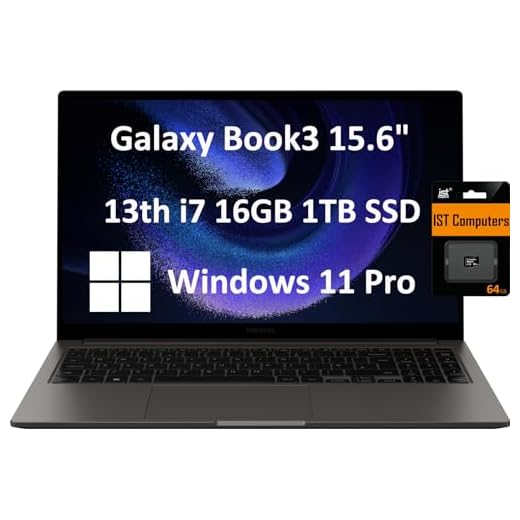
Galaxy Book3 15.6-inch Business Laptop
A solidly built business laptop that translates well to student use with a strong i7 CPU, roomy 1TB SSD and a dependable battery life. You’ll get a straightforward Windows Pro experience that’s tuned for productivity and everyday multitasking.
Pros
- 13th‑gen Intel i7 delivers strong day‑to‑day performance
- 1TB PCIe SSD offers abundant fast storage
- Comfortable build and good port selection (HDMI, USB‑C)
- Long battery life suited to long library or lecture days
Cons
- Not a touchscreen — less flexible for tablet-style note taking
- Backlit keyboard missing on some SKUs or regions
- Two USB‑C ports may still require a hub for many peripherals
The Galaxy Book3 15.6" is a pragmatic pick for students who need sustained productivity and large local storage. The 13th‑generation Intel Core i7 balances performance and efficiency, and the 1TB SSD eliminates the need to constantly shuffle files off device. You’ll be comfortable running multiple productivity apps, virtual meetings and cloud services throughout the day.
Student-focused strengths
- 15.6" FHD display for comfortable multitasking
- 16GB RAM and 1TB PCIe NVMe storage
- Windows 11 Pro features for security and business workflow
Reviewers commonly note reliable battery life and good overall performance for daily work, making it a practical machine for research, writing, coding and remote classes. The non‑touch FHD panel is bright and readable for long sessions, and the webcam and mic handle typical video calls adequately.
Practical considerations
- If you prefer handwriting notes or tablet flexibility, this model lacks a touch display and convertible hinge.
- Consider carrying a compact hub if you need more ports for external drives and displays.
Overall, if you prioritize a traditional laptop experience with plenty of storage and solid CPU power, this model is a dependable student workstation.
15.6-inch Galaxy Book4 Business Laptop
A reliable mid‑range laptop that delivers a strong combination of Intel Core performance, ample RAM and roomy storage — good for most student workloads. It’s a practical choice if you want a straightforward Windows machine that handles research, spreadsheets and media without fuss.
Pros
- Capable 10‑core Intel processor for multi‑tasking
- 16GB RAM and 512GB SSD for responsive everyday use
- Full‑sized 15.6" FHD display for productivity
- Business features such as fingerprint reader and durable build
Cons
- Not as thin or light as some ultraportables
- Integrated graphics limit heavy creative workloads
- Battery life will vary depending on workload
This Galaxy Book4 configuration targets students who want a no‑nonsense laptop for study, remote classes and productivity. The Intel 10‑core CPU provides enough headroom for multi‑tab browsing, virtual meetings and heavier coursework like basic data analysis. The 16GB RAM and 512GB SSD give you smooth app switching and fast boot times.
What you get for school
- 10‑core Intel Core 7 150U processor
- 16GB LPDDR4 RAM, 512GB NVMe SSD
- 15.6" FHD IPS display and backlit keyboard
Those specs are well suited to running multiple productivity apps at once, and the fingerprint reader simplifies secure logins. For students who occasionally work with large files or media, the storage and RAM help reduce wait times compared with entry‑level laptops.
Limitations and recommendations
- If portability is your top priority, consider a 13–14" model — this 15.6" machine trades some portability for screen real estate.
- For heavy video editing or 3D work you’ll want a model with a discrete GPU.
For a mainstream student who needs dependable performance and good value, this Book4 is a balanced, practical option.
13.3-inch Galaxy Book2 Pro Ultraportable
An exceptionally thin and light laptop that keeps you mobile without sacrificing core performance for typical student tasks. You’ll enjoy the AMOLED screen and long‑range connectivity, although RAM and storage are modest for heavier workloads.
Pros
- Extremely thin and light — easy to carry all day
- AMOLED screen gives vivid colors for media and notes
- Evo‑certified Intel CPU provides solid performance for typical tasks
- Good Galaxy ecosystem integration and security features
Cons
- 8GB RAM and 256GB storage are tight for power users
- Some units have reported hardware issues in rare cases
- Older generation CPU compared to newest releases
The Galaxy Book2 Pro 13.3" is tailored for students who value mobility and a premium screen. You’ll notice how light it is when you commute between classes, and the AMOLED panel makes reading slides and watching lectures pleasant. The Evo‑certified Intel Core performs well for web research, documents and streaming.
What this laptop does best
- Ultra‑portable form factor with a sturdy, premium feel
- Bright AMOLED display for clear text and vibrant media
- Good battery life for a day of classes and light work
Because it’s designed for portability, the configuration (8GB RAM, 256GB SSD) is best for users who lean on cloud storage and web apps. If you often run large datasets, virtual machines or heavier creative tools, you’ll feel the limits of the smaller memory and storage.
Tips for students
- Use cloud storage or an external SSD if you need more local space.
- Check refurbished unit condition and seller support if buying used; some reviewers noted occasional failures.
If you want a premium, ultraportable laptop that’s easy to carry and has a standout screen, this model is one of the best value options for on‑the‑go students.
15.5-inch i7 FHD Lightweight Laptop
A capable, larger-screen laptop that balances performance and price for students who need real multi‑tasking power without spending flagship money. You get a solid Core i7 CPU, 16GB RAM and a 512GB SSD in a lightweight chassis, though renewal condition and some hardware quirks can show up.
Pros
- Strong Intel i7 performance for everyday multitasking
- Large 15.5" FHD IPS display for reading and note-taking
- 16GB RAM and 512GB SSD give smooth responsiveness
- Lightweight design makes it easy to carry between classes
Cons
- Refurbished unit may have inconsistent condition (camera/mic reported issues)
- Battery life and support can vary on renewed units
- Not a premium build compared with high-end models
This renewed 15.5‑inch model targets students who need real processing headroom without a premium price. You’ll benefit from an Intel i7‑1355U that handles browser tabs, Office work, light video playback and occasional editing, while 16GB of RAM and a 512GB SSD keep day‑to‑day tasks snappy. The 15.5" FHD IPS screen gives you more workspace than typical 13–14" machines, which helps when you study from PDFs, code or have multiple windows open.
Key features and practical benefits
- Intel i7‑1355U 10‑core processor
- 16GB LPDDR4X RAM and 512GB SSD
- 15.5" FHD IPS display and Intel Iris Xe graphics
- Backlit keyboard, Wi‑Fi 6, HDMI and multiple USB ports
Those specs translate to a laptop that feels fast for lecture notes, research, and light media tasks. You’ll appreciate the backlit keyboard for late‑night study sessions and the expanded screen for split‑window multitasking. If you often run heavier tools, the integrated Iris Xe will handle casual photo editing and light video work but won’t match a discrete GPU.
What to watch for
- Being a renewed unit, cosmetic wear or inconsistent components (some reviewers reported webcam/microphone problems) can occur. You should check the seller’s return and warranty policy before purchase.
- Battery longevity for renewed models varies; consider carrying a charger for long study days.
Overall, if your priority is a larger, capable laptop that won’t break the bank and you’re comfortable buying renewed with the right seller protections, this is a sensible student pick that emphasizes performance per dollar.
14-inch Galaxy Book Go 5G Laptop
An ultra‑portable, fanless laptop designed around always‑on connectivity and long battery life — ideal if you need 5G access on the go. Performance is efficient rather than powerful, so it’s best for web work, streaming and note‑taking rather than heavy computing tasks.
Pros
- 5G support lets you connect without Wi‑Fi
- Fanless Snapdragon design is quiet and efficient
- Up to ~18 hours battery life in light use
- Very portable and shock‑resistant chassis with 180° hinge
Cons
- ARM/Qualcomm platform limits compatibility with some x86 apps
- Not suitable for demanding productivity or creative apps
- Renewed condition can vary across units
This Galaxy Book Go 5G focuses on mobility and battery life. If your day is mostly email, cloud docs, streaming lectures and browser‑based apps, the Snapdragon platform delivers excellent battery endurance and instant‑on convenience. The built‑in 5G cellular means you can work from transit, cafes or parks without tethering to a phone.
Who should consider this laptop
- Students who are frequently away from reliable Wi‑Fi and value cellular connectivity
- Users who prioritize light, quiet design and long standby times
Core hardware is optimized for efficiency: 8GB RAM, 256GB storage and an Adreno GPU. That combination keeps the system light and silent, but you should expect slower performance on heavy Windows desktop apps or virtualization. Also, some legacy x86 applications and heavy Adobe workflows may not run natively or with the same speed as Intel/AMD machines.
Practical tips
- Verify the refurbished seller’s return window and whether the unit includes a SIM unlock / carrier setup if you need 5G immediately.
- For campus work reliant on specific Windows desktop tools, test those apps beforehand to ensure compatibility.
If you value connectivity and battery life more than raw benchmark speed, this model is an excellent travel companion for students who work in the cloud.
Final Thoughts on the Best Samsung Laptops for Students
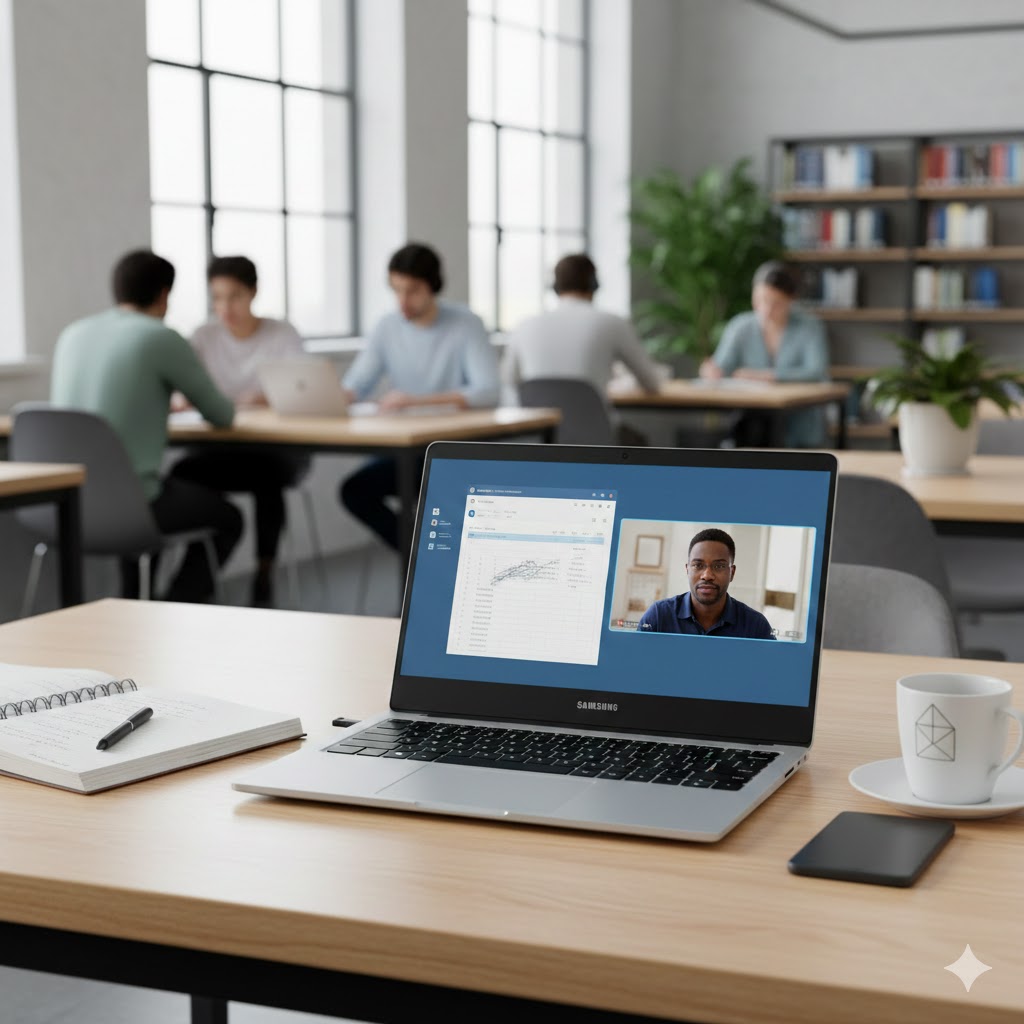
Pick the 16-inch Galaxy Book5 Pro 360 Convertible if you’re a design or media student who needs a creative studio that doubles as a laptop. Its gorgeous 3K AMOLED touchscreen, pen support and Intel Ultra-series power make it ideal for sketching, video edits, multitasking and in-class presentations. It’s the best premium 2-in-1 for creators — expect excellent performance and flexibility, and be ready to pay a bit more for it.
Choose the 13.3-inch Galaxy Book2 Pro Ultraportable if you want the lightest, easiest laptop to carry between classes. It gives you an AMOLED screen, strong everyday performance and long-range connectivity in an ultra-thin package. It’s perfect for note-taking, web research, streaming and long library sessions — a great pick if mobility and battery life matter most.
How to Choose the Best Samsung Laptops for Students
When it comes to balancing performance, portability, and value, Samsung offers several laptops that fit perfectly into a student’s daily routine. Whether the goal is taking notes, editing videos, managing research projects, or joining online classes, knowing which features matter most will help you choose the best Samsung laptops for students.
Pick the Right Operating System and Ecosystem Integration
Samsung laptops typically run Windows, which provides access to a large ecosystem of learning apps and productivity tools. What sets Samsung apart is how easily its laptops integrate with Galaxy smartphones and tablets. Features like device syncing, shared notes, and quick file transfers help students streamline their workflow across multiple devices.
If you already use a Samsung phone, this ecosystem compatibility can be a major advantage — perfect for multitasking and quick collaboration.
Choose a Processor That Matches Your Study Needs
The processor determines how well a laptop handles everyday tasks. Samsung’s lineup includes Intel and AMD options, each catering to different usage levels:
- For basic tasks (writing, browsing, video classes): Intel Core i3 or AMD Ryzen 3
- For heavier workloads (coding, multitasking, light editing): Intel Core i5 or AMD Ryzen 5
- For demanding projects (design, rendering, data analysis): Intel Core i7 or AMD Ryzen 7
Choosing the right processor ensures smooth performance throughout the school year.
Aim for at Least 8GB of RAM for Better Multitasking
Students often switch between multiple apps — browsers, document editors, video platforms, and project tools. This makes RAM an essential performance factor.
- 8GB RAM: Great for most students and everyday productivity
- 16GB RAM: Ideal for multitasking, creative work, or technical studies
Investing in more RAM improves responsiveness and extends the laptop’s usable lifespan.
Check Storage Type and Capacity
Samsung laptops usually offer fast SSD storage, which significantly speeds up boot times and file loading.
For most students:
- 256GB SSD provides enough room for documents, software, and schoolwork
- 512GB SSD or higher is better for storing large media files, design projects, or offline content
SSDs keep the overall experience quick and frustration-free.
Look for High-Quality Displays for Reading and Content Creation
Students spend hours reading, writing, and participating in online classes, so a high-quality screen is a must. Samsung is known for its vibrant AMOLED and LCD displays with excellent clarity and low power consumption.
Consider:
- Full HD (1080p) for crisp visuals and comfortable viewing
- AMOLED if you want deeper colors, better contrast, and eye-friendly brightness levels
A great display improves both productivity and comfort during long study sessions.
Portability and Battery Life Are Essential for School
Students who move between classrooms or study on the go need a lightweight laptop with reliable battery life. Samsung offers several ultra-thin models with long-lasting performance.
Look for:
- Weight under 3 lbs for easy carrying
- Battery life of 8+ hours to last through a full day of classes
This ensures flexibility without constantly searching for outlets.
Consider Extra Features Students Love
Modern Samsung laptops include useful features that can boost your daily efficiency:
- Fast charging for powering up quickly between classes
- Backlit keyboards for late-night studying
- Fingerprint readers for secure and fast sign-ins
- Solid build quality to withstand everyday wear and tear
These small details can make a big difference in long-term usability.
Don’t Forget Connectivity and Ports
Whether attending online classes, submitting projects, or joining group meetings, connectivity matters.
Look for:
- USB-C for fast data and charging
- USB-A for traditional accessories
- HDMI for presentations
- Wi-Fi 6 for stable, fast internet
Good port variety prevents the need for multiple adapters and simplifies your workflow.
Check Out the Best Samsung Laptops for Students
Still not sure which one to choose? Click the link below to see the best-selling products.
Also Check Out Other Helpful Articles
Take a look at more useful articles that can help you make more informed decisions.
- Best Laptops that Runs GTA V in 2026 (Top 9: Acer Predator, Razer Blade 14 and More)
- Best Samsung Chromebooks in 2026 (Top 6: Galaxy Chromebook 2, Plus and More)
- Best Samsung Laptops for Students in 2026 (Top 8: Galaxy Book, Chromebook and More)
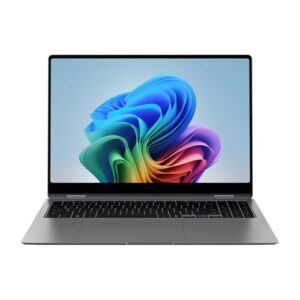
Video About the Best Samsung Laptops for Students
We created a video on the topic. Just click to watch.
Related Articles


About the Author

Lauren Baker finds joy in turning ideas into written content. She values clarity, relevance, and keeping readers engaged from start to finish.