Best Tablets for Heavy Gaming in 2026 (Top 7: iPad Pro, ASUS ROG Flow and More)

Looking for the ultimate performance? Discover the best tablets for heavy gaming capable of running demanding titles with high frame rates and stunning graphics.
Desktop-level performance in something you can hold with one hand. Tablets now pack chips and screens that would have been laptops a few years ago. Gaming on the couch just got serious.
You want high FPS, big visuals, and low lag without hauling a backpack. These picks balance raw power, display quality, and portability — with a few curveballs so you can game your way.
Contents
- The Best Tablets for Heavy Gaming
- iPad Pro 13" (M4) — Ultimate Gaming Tablet
- iPad Air 13" (M3) — Large, Lightweight Power
- ASUS ROG Flow Z13 — Convertible 2‑in‑1 Gaming PC
- OnePlus Pad 2 — 12.1" Snapdragon 8 Gen 3
- Samsung Galaxy Tab S9 Ultra — 512GB Renewed
- Xiaomi Pad 7 Pro — 11.2" 144Hz Tablet
- iPad mini (A17 Pro) — Ultra Portable Power
- Final Thoughts on the Best Tablets for Heavy Gaming
- How to Choose the Best Tablets for Heavy Gaming
- Check Out the Best Tablets for Heavy Gaming
- Also Check Out Other Helpful Articles
- Video About the Best Tablets for Heavy Gaming
The Best Tablets for Heavy Gaming
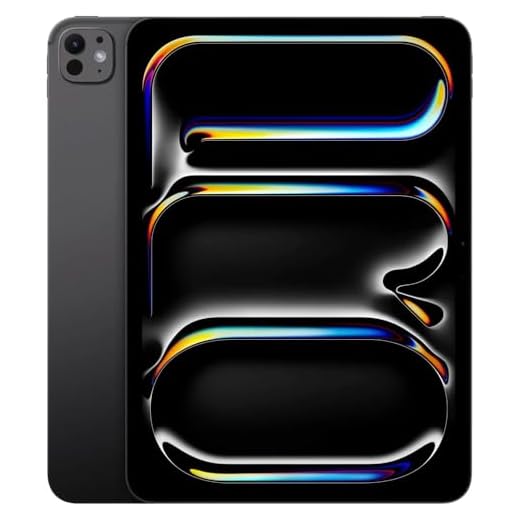



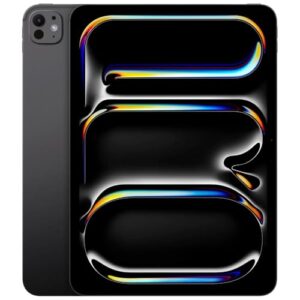
iPad Pro 13" (M4) — Ultimate Gaming Tablet
Top-tier M4 silicon paired with a 13-inch Tandem OLED display makes this the most capable tablet for demanding games and creative workflows. If you want the closest experience to a laptop while retaining tablet portability, this delivers unmatched performance and display quality.
Pros
- M4 chip delivers class-leading CPU and GPU performance
- Tandem OLED Ultra Retina XDR with high peak brightness
- Excellent battery life for mixed use and sustained productivity
- Full iPadOS ecosystem with superb game optimization and accessories
Cons
- Premium price even for renewed listings
- Larger model is heavier than smaller iPads for handheld play
Performance at the top
This is the strongest tablet in the lineup for heavy gaming. The M4 SoC provides desktop-like compute and GPU acceleration for mobile and professional workloads, while iPadOS benefits from wide developer optimization. If you want the smoothest frame rates and longest future support, this is the benchmark.
Display and immersion
The 13‑inch Tandem OLED Ultra Retina XDR display offers incredible contrast, deep blacks, and high peak brightness for HDR content. That combination makes games look spectacular and lets you read subtle details in competitive titles.
- Display advantages: OLED contrast, 120Hz adaptive refresh, HDR support
- System advantages: fast storage, efficient thermal design, accessory compatibility
Real-world considerations
This model is excellent when used with a controller or the Magic Keyboard for extended sessions; its performance can replace a laptop in many workflows. The trade-off is cost and slightly higher weight in handheld mode — if you plan long handheld-only sessions, consider a stand or a smaller iPad, but for raw performance and display quality, this remains unmatched.
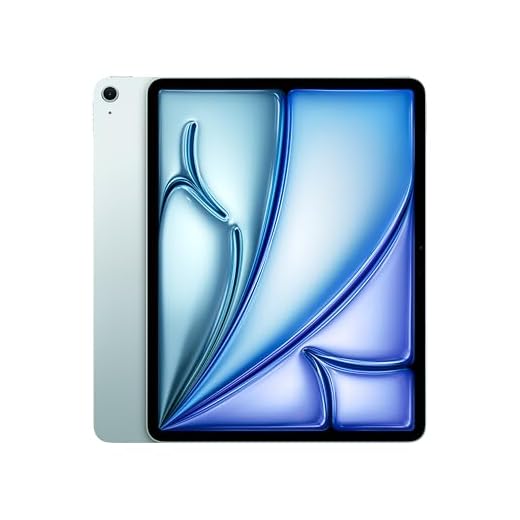
iPad Air 13" (M3) — Large, Lightweight Power
The M3 chip brings near-desktop performance into a thin, lightweight tablet with a large 13-inch display. If you want a device that serves both as a productivity machine and a great gaming tablet, this is a compelling middle ground.
Pros
- M3 silicon delivers strong CPU and GPU performance
- Large 13-inch Liquid Retina display for immersive visuals
- Excellent multitasking and accessory support
- Lightweight for its size and easy to carry
Cons
- Not as powerful as the M4 Pro/Max iPad Pro variants
- Higher price than smaller iPad alternatives
A productive gaming tablet
If you want a device that doubles as a workhorse and a gaming tablet, the larger Air hits the sweet spot: a big display for split-screen apps and a chipset capable of handling mobile games with high graphical settings.
Performance, display, and ecosystem benefits
The M3 chip is efficient and fast, giving you smoother gameplay and future-proofing for upcoming titles. The 13‑inch Liquid Retina display improves immersion, and iPadOS offers excellent controller and accessory support so you can use gamepads, keyboards, and external displays.
- Strengths: strong silicon, large screen, good battery life
- Use cases: split-screen productivity during breaks, full-screen gaming sessions, streaming and emulation
Practical notes
You’ll benefit most if you pair it with a controller for extended sessions; touchscreen-only play on a 13‑inch device can be less comfortable for some titles. Thermal performance is good for extended moderate gaming, but pushing maximum sustained GPU loads will warm the chassis—using a stand helps keep your hands comfortable.
ASUS ROG Flow Z13 — Convertible 2‑in‑1 Gaming PC
This 2‑in‑1 blurs the line between tablet and gaming laptop, offering desktop-class Ryzen AI MAX+ performance in a detachable-style chassis. If you need Windows gaming compatibility and full PC titles on a device you can also use as a tablet, it’s one of the best convertible options.
Pros
- Desktop-class AMD Ryzen AI MAX+ performance
- 2.5K 180Hz ROG Nebula display — great for fast-paced games
- Convertible form factor with adjustable kickstand
- High RAM and fast SSD configurations available
Cons
- Windows thermal and power demands can limit battery life
- Occasional firmware/software stability issues reported
A true gaming convertible
This device is built around the idea of giving you a real PC gaming experience in a tablet-like form. You get a powerful multi-core CPU, high-refresh ROG Nebula panel, and accessories that turn it from a tablet into a productivity and gaming workstation.
Why it matters for heavy gaming
Unlike ARM-based tablets, this device runs full Windows and can play PC exclusives, run emulators, and support native ports with full control schemes. The 180Hz panel reduces input lag in competitive titles, and the chassis includes ports useful for docks and external GPUs if you need more power.
- Key specs: AMD Ryzen AI MAX+ 395, 32GB LPDDR5X, 1TB SSD
- Display: 13.4" 2.5K Nebula, 180Hz refresh, 100% DCI‑P3
Real-world trade-offs
You should expect shorter battery life under heavy loads compared with ARM tablets, and some users report intermittent stability issues tied to drivers and firmware—keep software up to date. If you accept desktop-level power consumption for PC gaming portability, this is one of the most flexible options available.
OnePlus Pad 2 — 12.1" Snapdragon 8 Gen 3
A powerful Snapdragon 8 Gen 3 and 12GB RAM combination gives you consistent, high-frame-rate performance in demanding titles. The larger display and fast charging make it a balanced option for both play and media consumption.
Pros
- Snapdragon 8 Gen 3 for top-tier GPU performance
- 12.1" high-resolution screen for immersive gameplay
- 67W fast charging significantly reduces downtime
- Good memory and storage for large game libraries
Cons
- Android game optimization still inconsistent across titles
- Heavier than compact tablets for extended handheld use
Balanced power and practicality
This tablet aims squarely at gamers who want flagship silicon without resorting to an iPad. You’ll find a roomy 12.1‑inch display and a Snapdragon 8 Gen 3 inside, which together handle graphically intensive titles and complex shaders smoothly.
What you’ll notice in play
Frame rates are stable across many modern mobile titles, and the Adreno GPU improvements give better long-term performance under load. Fast 67W charging is a notable benefit — you can top up quickly between sessions rather than waiting for hours.
- CPU/GPU: Snapdragon 8 Gen 3 for improved graphics performance
- Battery & charging: long endurance plus fast 67W charging
Real-use advice
For best results, make sure to keep the OS and game apps updated—OnePlus’s OxygenOS variants frequently include performance and thermal tweaks. If you frequently stream or use cloud-gaming services, the large screen plus responsive hardware makes this a very capable portable rig.
Samsung Galaxy Tab S9 Ultra — 512GB Renewed
A big OLED-like experience and a Snapdragon flagship chipset make this tablet great for graphically intensive mobile games and streaming. Buying renewed can save money, but be mindful of warranty and battery health when purchasing refurbished units.
Pros
- Top-tier Snapdragon performance for Android gaming
- Very large display for immersive visuals
- Ample storage (512GB) for large game libraries
Cons
- Renewed condition — check seller warranty and battery health
- Heavy for handheld long sessions
Large-scale Android gaming
This tablet is aimed at users who want a very large, high-quality display combined with flagship Snapdragon performance. For games that support tablets and for cloud-streaming services, the bigger screen and powerful SoC deliver an excellent experience.
Performance and storage advantages
The Snapdragon 8 Gen 2 inside this model runs demanding games smoothly, and 512GB of storage gives you room for large installs and multimedia libraries. Renewed units can be an excellent value, but you should verify return policies and battery condition before committing.
- What stands out: large screen, flagship chip, lots of storage
- Recommended uses: couch gaming, cloud gaming, split-screen productivity
Practical buying tips
When buying a renewed unit, inspect for battery cycles, cosmetic wear, and seller-provided warranty. If you plan extended handheld sessions, consider using a stand or controller to offset the device’s weight and keep your hands comfortable.
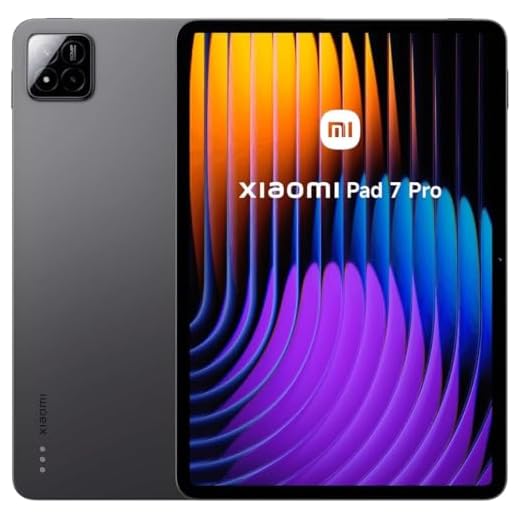
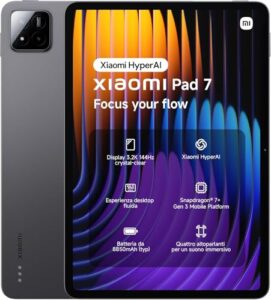
Xiaomi Pad 7 Pro — 11.2" 144Hz Tablet
A large, high-refresh display and big battery make this an attractive choice if you want long gaming sessions without spending flagship prices. You get strong specs for graphics-heavy titles, though the Wi‑Fi-only configuration limits mobile connectivity options.
Pros
- 3.2K 144Hz display with high peak brightness
- 12GB RAM and 512GB storage for multitasking and installs
- Large 8850mAh battery for extended playtime
- Quad speakers deliver immersive game audio
Cons
- Wi‑Fi only — no SIM/voice/text or expandable storage
- Android tablet optimizations vary by game
Who this is for
If you want a fast, value-focused Android tablet that handles demanding mobile games and long sessions, this model is a strong contender. You’ll appreciate the high refresh rate for competitive titles and the large battery for marathon play.
Performance and display
The tablet pairs a high-refresh 11.2‑inch 3.2K panel with up to 144Hz, which produces very smooth animations and reduced input latency in supported games. The combination of 12GB RAM and a modern Snapdragon-class CPU means you can run large titles and keep background apps without immediate slowdowns.
- Display: 3200 x 2136, up to 144Hz, 800 nits peak brightness
- Memory & storage: 12GB RAM, 512GB internal
- Audio: Four speakers for wider sound stage
Battery life, practicality and limitations
You’ll get long battery life from the 8850mAh pack and decent charging behavior; that’s ideal if you play on the couch or on flights. The big caveat is this listing is the Wi‑Fi version only — there’s no SIM slot or SD expansion, so you should plan storage and connectivity accordingly. Also, some Android ports vary in optimization compared with iPadOS or high-end Windows devices.
Real-world tips
If you plan to use it for heavy gaming, pair it with a low-latency controller and a cooling case if you push sustained frame rates. For streaming and cloud gaming, prioritize a strong Wi‑Fi 6 router to keep latency low.
iPad mini (A17 Pro) — Ultra Portable Power
The compact size and A17 Pro chip give you impressive performance in a truly pocketable form factor. If you value portability and low latency for touch-based and controller-supported games, this is an excellent pick, though the small screen limits immersion for some titles.
Pros
- A17 Pro chipset delivers fast, efficient performance
- Very portable and lightweight — easy to hold
- Excellent app and game optimization on iPadOS
Cons
- 8.3-inch screen feels small for long sessions
- Less multitasking screen real estate compared with larger tablets
Why choose this size
If you play while commuting, travel a lot, or want a lightweight second screen for gaming, this compact iPad is tailored to you. You get near-flagship silicon in a size that fits in a jacket pocket or small bag.
Performance and gaming experience
The A17 Pro chip brings very low frame-time variability and strong GPU throughput for iPadOS games and emulators. Controls are responsive whether you use touch, Bluetooth controllers, or the Apple ecosystem of accessories. The device shines in titles optimized for iPadOS and in cloud gaming scenarios.
- Display: 8.3-inch Liquid Retina (bright, color-accurate)
- Connectivity: Wi‑Fi 6E and USB‑C for accessories
Practical considerations
Because the screen is small, longer sessions can feel cramped; you may prefer a Bluetooth controller to reduce hand fatigue. Battery life is solid for day-to-day use but won’t match the larger tablets for marathon gaming. If portability and responsiveness are your top priorities, this is a great compromise.
Final Thoughts on the Best Tablets for Heavy Gaming
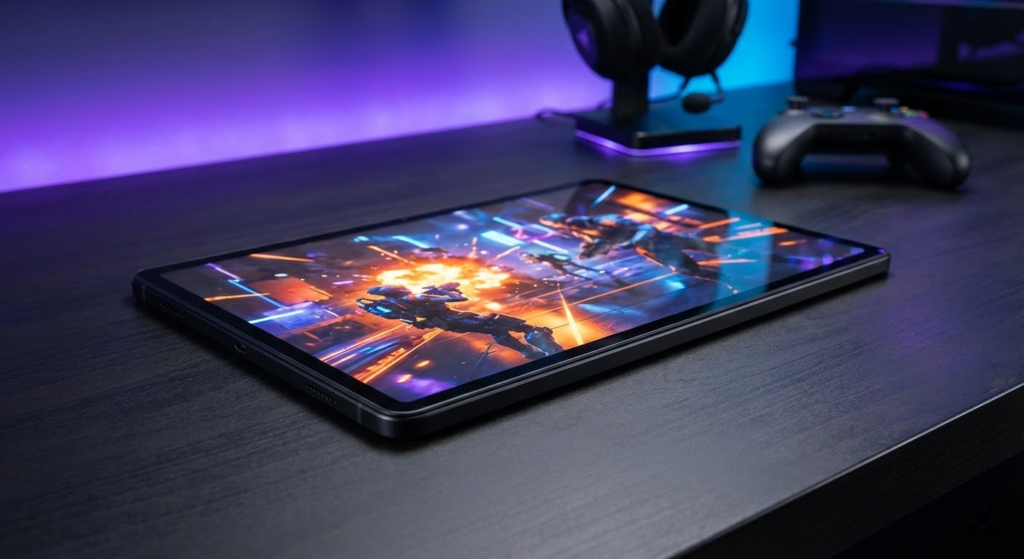
Pick the iPad Pro 13" (M4) as your primary heavy-gaming tablet. Its M4 silicon plus the 13" Tandem OLED gives you the best mix of raw performance, thermal efficiency, and a jaw-dropping display. Choose this if you want the smoothest frame rates, best visuals for AAA mobile and cloud-streamed titles, and a device that doubles as a creative powerhouse.
If you need true Windows PC gaming (full Steam/PC titles) in a tablet form factor, get the ASUS ROG Flow Z13. It’s the most powerful convertible here and runs desktop-grade games that iPadOS and Android can’t. Pick the ROG Flow Z13 when native PC game compatibility and desktop GPU performance matter more than absolute tablet slimness.
How to Choose the Best Tablets for Heavy Gaming
If mobile gaming is more than a casual hobby for you, choosing the right tablet can make a massive difference. The best tablets for heavy gaming combine raw performance, advanced cooling, high-quality displays, and long battery life to handle demanding titles without lag, overheating, or frame drops. Below are the key factors you should focus on before making your decision.
High-Performance Processor and GPU Are Non-Negotiable
For heavy gaming, the processor and graphics unit are the most critical components. Games with complex graphics, open-world environments, and online multiplayer modes demand powerful chipsets that can sustain performance over long sessions.
Look for tablets equipped with high-end processors designed for performance rather than basic productivity. A strong GPU is just as important, as it directly affects frame rates, visual quality, and overall smoothness. The better the processor-GPU combination, the more stable your gameplay will be—even with graphics settings maxed out.
Plenty of RAM Ensures Stable and Lag-Free Gameplay
RAM plays a major role in how well a tablet handles intensive games and multitasking. Modern games often run alongside background processes such as voice chat, screen recording, or game launchers.
For heavy gaming, tablets with at least 8GB of RAM are recommended. Higher RAM capacity helps prevent stuttering, reduces loading times, and allows you to switch between apps without crashes or forced reloads.
Best Gaming Chairs For Heavy Gamers
High Refresh Rate Displays Improve Competitive Performance
The screen is where gaming truly comes to life. While resolution matters, refresh rate is especially important for fast-paced games like shooters, racing titles, and action RPGs.
A display with a refresh rate of 120Hz or higher delivers smoother animations and more responsive gameplay compared to standard 60Hz screens. Combined with low touch latency, this gives you a competitive edge and a more immersive gaming experience.
Effective Cooling Keeps Performance Consistent
One of the biggest challenges in heavy gaming is heat management. When a tablet overheats, it may throttle performance to cool down, causing sudden drops in frame rates.
The best tablets for heavy gaming feature advanced cooling systems designed to dissipate heat efficiently. Good thermal control allows the device to maintain high performance for longer gaming sessions without discomfort or performance loss.
Large Battery Capacity for Extended Gaming Sessions
Gaming is one of the most power-hungry tasks for any mobile device. A tablet with a small battery may deliver great performance but won’t last long unplugged.
For uninterrupted play, look for tablets with large battery capacities and optimized power management. Fast charging support is also a big advantage, allowing you to get back into the game quickly after a short charging break.
Immersive Audio Enhances the Gaming Experience
Audio is often overlooked, but it plays a huge role in immersion—especially in competitive or story-driven games. Stereo speakers with good volume and clarity help you detect in-game cues like footsteps, explosions, and environmental effects.
Support for spatial audio or high-quality headphones can further elevate the experience, making gameplay more engaging and responsive.
Storage Space Matters for Modern Games
Modern games can take up a significant amount of storage, especially when updates and downloadable content are included. Choosing a tablet with ample internal storage ensures you won’t need to constantly delete games to make room for new ones.
If expandable storage is supported, it can be a useful bonus—but fast internal storage is still essential for quick load times and smooth performance.
Build Quality and Ergonomics for Long Play Sessions
Heavy gaming often means holding the tablet for extended periods. A well-balanced design, comfortable grip, and durable materials can make a noticeable difference in comfort and control.
Tablets with slim bezels, solid construction, and optimized weight distribution are easier to handle and feel more natural during long gaming sessions.
By focusing on performance, display quality, cooling, and battery life, you’ll be able to confidently choose among the best tablets for heavy gaming—and enjoy powerful, immersive gameplay wherever you are.
Check Out the Best Tablets for Heavy Gaming
Still not sure which one to choose? Click the link below to see the best-selling products.
Also Check Out Other Helpful Articles
Take a look at more useful articles that can help you make more informed decisions.
- Best Tablets for Heavy Gaming in 2026 (Top 7: iPad Pro, ASUS ROG Flow and More)
- Best Budget Tablets for Heavy Gaming in 2026 (Top 8: Xiaomi Pad, Lenovo Idea Tab Pro and More)
- Best Tablets for Work in 2026 (Top 9: iPad Air, OnePlus Pad and More)
Video About the Best Tablets for Heavy Gaming
We created a video on the topic. Just click to watch.
Related Articles

About the Author

Emily Clark is passionate about writing and enjoys exploring different topics through content creation. She believes in the power of words to connect and inform people.