Best Tablets for Reading in 2026 (Top 6: Kindle, iPad and More)

Looking for the perfect device to enjoy your favorite ebooks? Discover the best tablets for reading that offer sharp displays and long battery life for book lovers.
Want to read for hours without eye strain? E-ink mimics paper and LCDs do everything else. Short sessions feel different from marathon reads.
Contents
- The Best Tablets for Reading
- Kindle Paperwhite — Premium 7" E-Reader
- BOOX Note Air 4C — Color E Ink Notebook
- iPad mini — Compact Powerhouse for Reading
- Fire Max 11 (Refurbished) — Large Display Tablet
- Fire HD 8 Kids — Durable Kids Tablet
- Fire 7 (Refurbished) — Budget Reading Tablet
- Final Thoughts on the Best Tablets for Reading
- How to Choose the Best Tablets for Reading
- Check Out the Best Tablets for Reading
- Also Check Out Other Helpful Articles
- Video About the Best Tablets for Reading
The Best Tablets for Reading
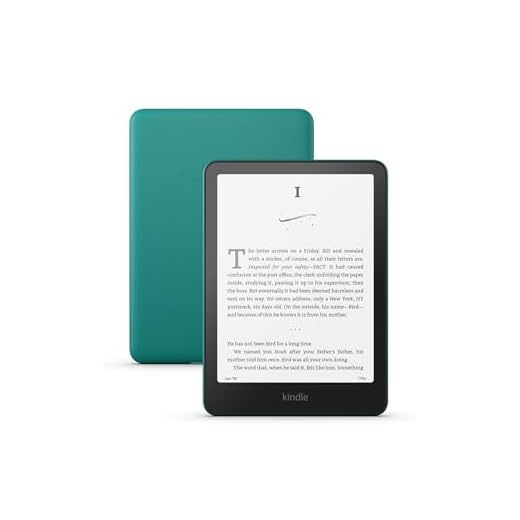


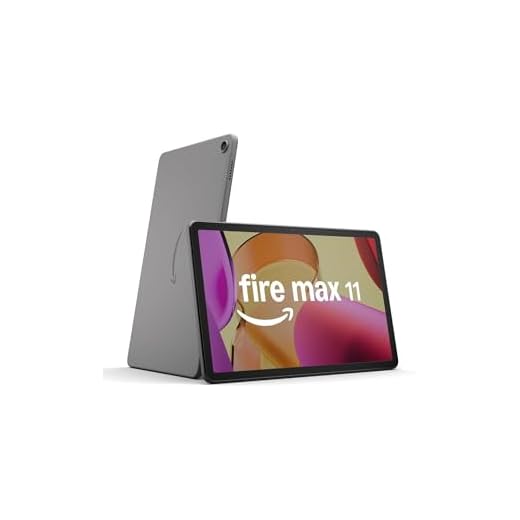
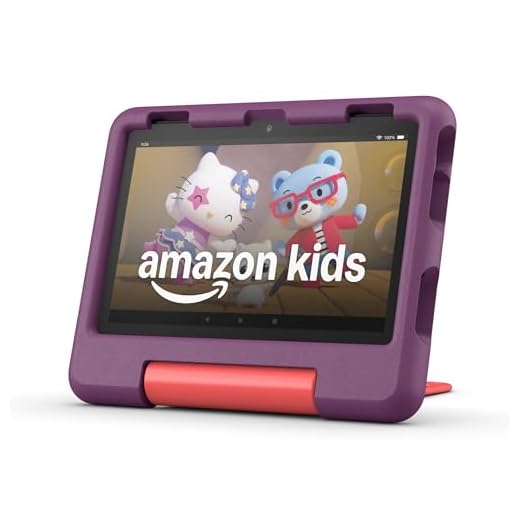

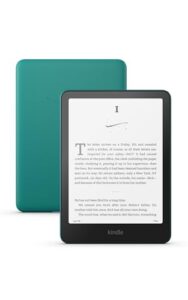
Kindle Paperwhite — Premium 7" E-Reader
You’ll enjoy a crisp, glare-free e-ink display that reads like paper and lasts for weeks on a single charge. It’s a focused, distraction-free reading tool with waterproofing and responsive page turns ideal for serious readers.
Pros
- High-resolution 300 ppi Paperwhite display
- Weeks of battery life and fast page turns
- Water-resistant design for beach or bath reading
- Optimized typography and adjustable built-in light
Cons
- Not suitable for color content or magazines
- Limited app ecosystem compared with tablets
- More expensive than basic e-readers
Why choose a dedicated e-reader
If you primarily read books, a dedicated e-reader provides the most comfortable and distraction-free experience. The Paperwhite’s e-ink screen is purpose-built to mimic paper, reduce eye strain, and remain readable in bright sunlight—benefits you won’t get from LCD tablets.
Key reading-focused features
This model emphasizes the essentials every serious reader will value:
- 7" glare-free display with 300 ppi for crisp text
- Adjustable warm light and faster page turns
- Long-lasting battery measured in weeks, not hours
Those features translate to effortless long sessions: you can read on a plane, at the beach, or in bed without worrying about constant charging or glare. The waterproofing also adds confidence for near-water use.
Limitations and practical notes
Because it’s purpose-built, it doesn’t attempt to be a multimedia tablet. If you need color content, frequent web browsing, or app flexibility, you’ll find it limiting. For reading-focused tasks, however, the streamlined interface and format support (including PDFs and audiobooks via Bluetooth) make it one of the best-readers-for-readers choices.
Tips for getting the most out of it
To optimize your experience, use adjustable font sizes and the built-in lighting to match your environment, and take advantage of cloud storage and library lending where available. If you want the purest reading experience with minimal distractions and maximum battery life, this is an excellent pick.
BOOX Note Air 4C — Color E Ink Notebook
You’ll find a near-paper writing feel combined with color e-ink that makes manuals, comics, and annotated PDFs far more usable. The Android-based platform gives you flexibility to install apps while keeping long battery life for mostly static reading and notes.
Pros
- Color Kaleido e-ink display for richer documents
- Excellent stylus input with natural writing feel
- Runs Android — install many reading and productivity apps
- Strong PDF and note organization features
Cons
- Color is limited compared with LCD/AMOLED
- Battery life drops with frequent refresh-heavy apps
- Higher price than monochrome e-readers
What it is and who should consider it
You should consider this device if you read a lot of PDFs, take handwritten notes, annotate textbooks, or want a paper-like reading surface that can also display color content. It sits between dedicated e-readers and full tablets by focusing on e-ink ergonomics with a flexible Android backbone.
Standout features and benefits
The Note Air 4C is built for reading and writing in a way conventional tablets don’t match. Highlights include:
- 10.3" Kaleido 3 color e-paper (4,096 colors) with high-resolution B/W mode
- Pressure-sensitive stylus with smooth, low-lag handwriting
- Android environment that lets you install apps like Kindle, KOReader, or note apps
That combination means you can read dense technical documents comfortably, mark them up by hand, and keep a searchable archive of your notes. The color layer is especially useful for textbooks, comics, or any document where color conveys meaning.
Drawbacks and realistic expectations
Color e-ink technology remains less vibrant than tablet displays, so images can appear muted. If you frequently watch video or need vivid color for illustrations, you’ll prefer an LCD. Also, heavy app usage and frequent screen-refreshing tasks will shorten battery life compared with simpler e-ink readers.
Practical tips for getting the most from it
To stretch battery life and improve readability try these approaches:
- Configure app-specific refresh behavior so static reading uses fewer refreshes
- Use warmer front light settings for evening reading
- Rely on native e-reader apps (KOReader/Kindle) for the longest runtime
If you want a powerful, flexible reading and note-taking platform with the comfort of e-ink, this is one of the best options available.
iPad mini — Compact Powerhouse for Reading
You’ll get a fast, color-accurate Liquid Retina display and enough power to run any reading app, productivity tools, and multitasking workflows. It’s excellent for readers who also want multimedia, note-taking with Apple Pencil, and a compact form factor.
Pros
- Excellent screen quality and color accuracy
- Powerful A17 Pro performance for smooth apps
- Apple Pencil support for note-taking and annotation
- Compact and lightweight for one-handed reading
Cons
- Higher cost compared with dedicated e-readers
- Notifications and apps can be distracting
- No e-ink benefits for extended eye comfort
Who should get this tablet
If you want a single device that handles high-quality reading, multimedia, and productivity, this compact iPad is a top choice. You’ll appreciate the balance of portability and power whether you read long-form books, annotate PDFs, or watch videos between chapters.
Strengths and practical reading benefits
The iPad mini brings a premium display and responsive performance to your reading habit. Benefits include:
- 8.3" Liquid Retina display with high color fidelity
- A17 Pro chip for fast page rendering and multitasking
- Support for Apple Pencil for precise annotations and handwritten notes
Because the device runs the full iPadOS app ecosystem, you can install any reading app (Kindle, Apple Books, PDF readers) and tune the environment with reader modes, Night Shift, and accessibility options. The result is a versatile device that adapts to many reading styles.
Trade-offs to consider
You trade the paper-like comfort and battery longevity of e-ink for color and speed. If your primary need is eyestrain-minimizing long sessions, an e-reader may be better. Also, the device’s power and connectivity increase the chance of distraction from notifications unless you deliberately configure focus modes.
Tips to optimize for reading
To make the mini more reading-friendly, enable Reader View in browsers, use Do Not Disturb or Focus modes, and adjust Night Shift or True Tone for evening reading. If you annotate a lot, pair it with an Apple Pencil and a good note workflow to get the most from the device.
Fire Max 11 (Refurbished) — Large Display Tablet
You’ll benefit from an expansive 11" 2K display that makes reading magazines, comics, and PDFs much more comfortable than smaller tablets. It balances strong value, long battery life, and ample storage, making it a great all-in-one device for reading and streaming.
Pros
- Vivid 11" 2K display ideal for long-form and visual content
- Long battery life for day-long use
- Large storage options for books, comics, and media
- Refurbished pricing offers strong value
Cons
- Fire OS is more locked to Amazon’s ecosystem
- Heavier and bulkier than small tablets for one-handed reading
- Cameras are average compared with modern tablets
Why it stands out
You get a larger canvas for reading and multimedia that’s close to tablet-class performance without a flagship price. The 11" display reproduces text and images crisply, which is especially useful for PDFs, comics, and illustrated magazines where layout and detail matter.
Features and how they help you read
The Fire Max 11 focuses on providing a comfortable, multimedia-ready reading surface and practical battery life. Notable points include:
- 11" 2000 x 1200 (2K) display with low blue-light certification
- Upgraded internals for smoother app performance and multitasking
- Large internal storage (128 GB options) and long battery life
Those specs make it easy to carry whole comic runs, large PDF manuals, and offline video libraries. You’ll appreciate the screen size when you want to lay out two-page spreads or zoom into diagrams without losing legibility.
Considerations and realistic expectations
The trade-off for the larger screen is weight and a more tablet-like footprint — it’s less suited for one-handed bedtime reading compared with smaller e-readers or mini tablets. Additionally, Fire OS is centered on Amazon services, so if you rely on Google Play apps you might hit limits unless you sideload.
Practical tips for use
To get the best reading experience, disable unnecessary notifications, use reading or dark modes where supported, and consider a stand or folio for extended sessions. If you want a large-screen reading device that also handles streaming and light gaming, this refurbished option gives you a lot of capability for the price.
Fire HD 8 Kids — Durable Kids Tablet
You get a sturdy, kid-focused tablet built around parental controls, curated content, and a rugged case. It emphasizes safety and age-appropriate reading while offering respectable battery life for long car rides and quiet afternoons.
Pros
- Kid-proof case and 2-year worry-free guarantee
- Robust parental controls and curated content
- Long battery life suitable for extended use
- Affordable bundle with kid-friendly apps
Cons
- Limited performance for advanced apps
- Smaller screen and lower resolution than premium tablets
- Tied closely to Amazon ecosystem
Purpose and who it's for
You’re looking at a tablet that’s built primarily for young readers and parents who want an easy, safe way to hand a device to a child. The emphasis is on durability, simple reading and learning experiences, and controls that let you manage what your child sees and does.
Key features and daily benefits
This package prioritizes child-focused features and peace of mind. Key strengths include:
- Kid-proof case for drops and rough handling
- Built-in parental controls and time limits
- Includes access to age-appropriate content and a long battery life
Those features mean you can hand the device to your child on a car trip or before bedtime without constant supervision. You’ll appreciate the durable build and easy-to-configure controls when you want screens to be safe and educational rather than purely entertaining.
Limitations and practical considerations
While the tablet is great for reading kids’ books, streaming children’s shows, and playing lightweight educational apps, it’s not designed to replace a family tablet or a high-end e-reader you might use as an adult. Expect limitations in processing power and color fidelity compared with premium tablets. If you want an open Android experience or use non-Amazon app stores frequently, you’ll find the ecosystem somewhat constrained.
Tips and real-world use
If your priority is a child-safe reading device, this is a strong, cost-effective option. Consider these practical tips:
- Use the parental controls to set reading time windows and lock purchases
- Keep the included heavy-duty case on for the best protection
- Combine with library or Kids+ subscriptions for a steady stream of age-appropriate books
In short, you get a durable, thoughtfully packaged tablet made to keep young readers engaged and parents relaxed about screen time and content.
Fire 7 (Refurbished) — Budget Reading Tablet
You’ll get a compact, highly affordable tablet good for light reading, browsing, and video. It’s a practical second device or starter tablet, but its low-resolution screen and modest performance limit prolonged heavy use.
Pros
- Extremely affordable price point
- Lightweight and pocketable 7-inch form factor
- Simple interface that’s easy to use
- Refurbished units often look and work like new
Cons
- Lower resolution and smaller display for extensive reading
- Limited storage unless expanded with microSD
- Ads may appear on home screen for lower-cost models
Who this suits
If you just want a cheap, reliable device for occasional reading, streaming, or catching up on news, this is a no-frills option that makes sense. It’s a good buy for kids, travelers who want a lightweight backup, or anyone who wants a low-cost entry into tablet reading.
Core strengths and typical usage
What stands out is the value proposition: you get a color display, access to apps and e-books, and portability at a fraction of the price of premium tablets. Typical use cases include light Kindle reading, browsing, and streaming short videos.
- 7" touchscreen that’s easy to hold for short sessions
- Decent battery life for day-to-day casual use
- Refurbished units are tested and often come with the same limited warranty
Given its modest specs, you should set expectations accordingly: reading long PDFs or multitasking across demanding apps will be sluggish. However, for reading novels, articles, or watching occasional videos, it’s serviceable.
Practical tips and trade-offs
To make the most of the device, consider adding a compatible microSD card for extra storage and disable background apps to keep it responsive. If you primarily want a distraction-free, long-battery reading experience, a dedicated e-ink reader may suit you better. But if you want color and apps on a tiny budget, this is a reasonable compromise.
Final Thoughts on the Best Tablets for Reading
Get the Kindle Paperwhite if you LIVE for books. It’s the best dedicated e-reader here: crisp, glare-free e-ink, weeks of battery, waterproofing, and fast page turns. It’s ideal if you want a lightweight, distraction-free device that feels like a real book and performs flawlessly for novels and long-form reading.
Pick the BOOX Note Air 4C if you annotate, juggle PDFs, or crave color on an e-ink screen. It gives you near-paper handwriting, color e-ink for comics and manuals, and Android flexibility to run reading apps. It’s the top choice for heavy readers who also take notes and need more file-format and app versatility.
How to Choose the Best Tablets for Reading
If you love reading digitally, choosing the right device can completely change your experience. The best tablets for reading combine comfort, display quality, long battery life, and enough performance to handle books, PDFs, and even audiobooks without distractions. Below are the key factors to consider before picking the ideal tablet for your reading habits.
Display Quality Is the Most Important Factor
When it comes to reading, the screen matters more than almost any other feature. A high-quality display reduces eye strain and makes long reading sessions more comfortable.
Look for tablets with sharp resolution, ideally Full HD or higher, so text appears crisp and well-defined. Displays with good brightness levels and adjustable color temperature are also important, especially if you read both indoors and outdoors. Some tablets offer reading modes that reduce blue light, which can be helpful for nighttime reading.
Screen Size Should Match Your Reading Style
Screen size directly affects comfort and portability. Smaller tablets, around 7 to 8 inches, are lighter and easier to hold for long periods, making them great for casual reading or travel. Larger tablets, typically 10 inches or more, are better suited for textbooks, magazines, comics, and PDFs where layout and visuals matter.
The best tablets for reading strike a balance between being easy to carry and large enough to display text without constant zooming or scrolling.
Battery Life Makes a Big Difference
Few things are more frustrating than a tablet running out of power mid-chapter. Since reading doesn’t require heavy processing, a good tablet should last many hours—or even days—on a single charge.
When comparing options, prioritize models known for long battery life during light tasks. Tablets optimized for efficiency allow you to read for extended periods without constantly reaching for the charger.
Weight and Ergonomics Affect Long Reading Sessions
A tablet might look great on paper, but if it’s too heavy, it can quickly become uncomfortable. Lightweight designs are especially important if you enjoy reading in bed, on the couch, or during commutes.
Thin bezels, rounded edges, and a balanced design all contribute to a better grip. These small details can make a big difference during long reading sessions.
Storage Space for Books, PDFs, and Audiobooks
While eBooks don’t take up much space individually, collections can grow quickly—especially if you store PDFs, graphic novels, or audiobooks. Tablets with higher internal storage give you the freedom to keep your entire library offline.
Expandable storage can also be useful if you plan to download large files or keep multiple formats on the device.
Performance Should Be Smooth, Not Overkill
Reading apps don’t demand extreme performance, but a responsive tablet still matters. Smooth page turns, fast library loading, and seamless multitasking between reading and note-taking apps all improve the experience.
The best tablets for reading offer enough power to feel fluid without sacrificing battery life. This balance ensures reliable performance without unnecessary hardware that drives up cost.
Operating System and App Availability
The operating system determines which reading apps you can use and how customizable your experience will be. A good tablet should support popular eBook formats and provide access to multiple reading platforms, including apps for books, PDFs, and audiobooks.
Customization features like font adjustments, margin control, and background color options are also essential for tailoring the reading experience to your preferences.
Extra Features That Enhance Reading
Some additional features can elevate a tablet from good to great for readers. Support for stylus input is helpful for highlighting passages or taking notes. Built-in speakers or Bluetooth support improve audiobook listening, while waterproof designs add peace of mind for reading at the beach or by the pool.
While not mandatory, these extras can make the best tablets for reading even more versatile and enjoyable.
By focusing on display quality, comfort, battery life, and software support, you’ll be able to choose a tablet that feels like it was made for reading. The right device doesn’t just store books—it makes every page more enjoyable.
Check Out the Best Tablets for Reading
Still not sure which one to choose? Click the link below to see the best-selling products.
Also Check Out Other Helpful Articles
Take a look at more useful articles that can help you make more informed decisions.
- Best Tablets for Reading in 2026 (Top 6: Kindle, iPad and More)
- Best Tablets for Heavy Gaming in 2026 (Top 7: iPad Pro, ASUS ROG Flow and More)
- Best Budget Tablets for Heavy Gaming in 2026 (Top 8: Xiaomi Pad, Lenovo Idea Tab Pro and More)
Video About the Best Tablets for Reading
We created a video on the topic. Just click to watch.
Related Articles
About the Author

Emily Clark is passionate about writing and enjoys exploring different topics through content creation. She believes in the power of words to connect and inform people.