Best Tablets for Samsung Users in 2026 (Top 7: Galaxy Tab A11+, S9 FE+ and More)

Looking for the perfect device to complete your ecosystem? Discover the best tablets for samsung users that offer seamless connectivity and powerful performance.
You don’t need a laptop to get serious work done.
You want great screen real estate, a responsive S Pen, and battery that lasts through meetings or long flights. Keep it slim. Keep it powerful. Keep it simple.
Pick a tablet that fits how you actually use tech — sketching on the couch, editing photos at a café, or juggling tabs on the go. No, it won’t make coffee, but it will make your day a lot smoother.
Contents
- The Best Tablets for Samsung Users
- Galaxy Tab S11 High-Performance 512GB
- Galaxy Tab S9 FE+ 12.4-inch Powerhouse
- Galaxy Tab S10 Lite with S Pen
- Galaxy Tab A11+ Performance-Focused Tablet
- Galaxy Tab A9+ 11-inch Family Tablet
- Galaxy Tab S6 Lite — S Pen Companion
- Galaxy Tab A9 8.7-inch LTE Compact Tablet
- Final Thoughts on the Best Tablets for Samsung Users
- How to Choose the Best Tablets for Samsung Users
- Check Out the Best Tablets for Samsung Users
- Also Check Out Other Helpful Articles
- Video About the Best Tablets for Samsung Users
The Best Tablets for Samsung Users



Galaxy Tab S11 High-Performance 512GB
You get top-tier performance in an ultra-slim design with generous storage and advanced productivity features. It’s ideal if you need flagship-level speed, display quality and S Pen workflows for professional or creative use.
Pros
- High-performance hardware in an ultra-thin chassis
- Large storage option (512GB) for media and projects
- Excellent S Pen integration for creatives and pros
- Premium display and long battery life
Cons
- Premium price may be out of reach for casual users
- Accessories (keyboard, case) add to total cost
The Galaxy Tab S11 is Samsung’s premium tablet offering, focused on power users who want the best combination of portability, performance and creative tools. You’ll benefit from a very thin profile without sacrificing processing power or storage, which makes it suitable for heavy multitasking and professional workflows.
Why choose the S11 for serious work
The powerful internals and high-capacity storage make the S11 a go-to for photo and video editors, designers and executives who need a single device for creation and presentation. The S Pen support and AI assist features enable fast note capture and creative iterations.
- Ultra-thin design (approx. 5.5mm) for easy portability
- Large onboard storage (512GB) and high-performance chipset for demanding apps
- S Pen for precise input, plus productivity features like multi-window and AI assists
In real-world use you’ll notice faster load times, smoother multitasking and a more responsive pen experience than mid-range tablets. If you often work on large files or run multiple professional apps, the S11 reduces friction in your workflow and lets you stay productive on the move.
Considerations before buying
The premium hardware and feature set come with a premium price, and you may want to budget for accessories like a keyboard cover or protective case. If you mainly need a tablet for streaming and light browsing, a less expensive model will serve you well; the S11 shines when you need high performance and advanced pen-driven productivity.
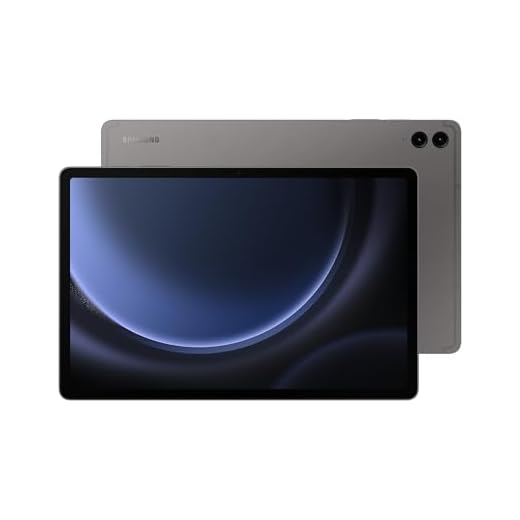
Galaxy Tab S9 FE+ 12.4-inch Powerhouse
You’ll get a large 12.4" canvas, S Pen inclusion and IP68 durability, which makes this a versatile tablet for productivity, media and outdoor use. Performance and battery life suit heavy day-to-day multitasking and long sessions away from a charger.
Pros
- Large 12.4" screen and included S Pen
- IP68 water and dust resistance
- Ample 8GB RAM for multitasking
- Good battery capacity for longer sessions
Cons
- International versions may lack local warranty coverage
- Larger size adds some weight for handheld use
If you want a spacious display, precise pen handling and ruggedness in a single package, the Galaxy Tab S9 FE+ fits the bill. You can split the screen across multiple apps, take handwritten notes, and use it for long stretches thanks to its big battery and efficient chipset.
Built for productivity and outdoor use
An IP68 rating is rare in tablets and means you can confidently use the device near water or dusty environments. The S Pen being included makes it ready for note-taking, signing documents, and sketching the moment an idea appears.
- 12.4" 2304 x 1440 display with 90Hz refresh for smoother interactions
- S Pen included for note-taking, sketching and precision control
- 8GB RAM and 128GB base storage with microSD expansion
You’ll notice the advantage when you run multiple productivity apps or have several browser tabs open. If you travel frequently or work in environments where durability matters, the water resistance is a meaningful benefit. Many users moving from smaller tablets comment on how much more comfortable reading and multitasking becomes on the larger screen.
What to be aware of
Buying an international model can save money but may affect warranty coverage and LTE band compatibility if you buy a cellular variant. The device’s larger footprint is great for productivity, but it’s heavier to hold for long reading sessions compared with smaller tablets.
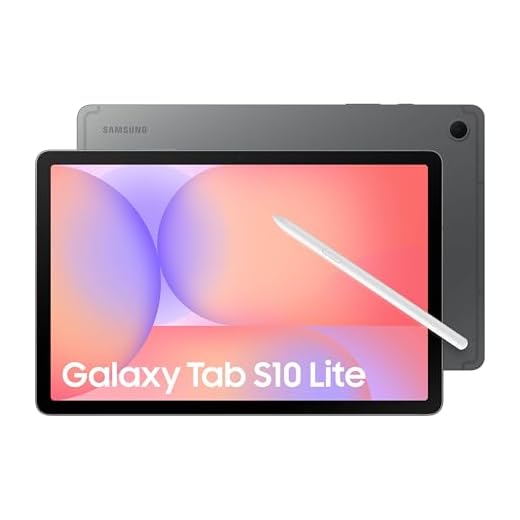
Galaxy Tab S10 Lite with S Pen
You get a responsive S Pen experience, a bright 10.9" display and good all-day battery life at a reasonable price. Performance is solid for browsing, media and light productivity, though it's not a flagship gaming powerhouse.
Pros
- S Pen included and accurate for notes and sketches
- Good balance of performance and battery life
- Expandable storage via microSD
- Vibrant 10.9" display with Vision Booster
Cons
- Not as powerful as flagship S-series tablets
- Limited RAM option for heavy multitasking
The Galaxy Tab S10 Lite targets users who want a true S Pen experience without paying flagship prices. You can use it for note-taking in meetings, reading on the couch, or light photo and video editing. The tablet hits a sweet spot if you want Samsung features like Circle to Search and S Pen integration without an S-series price tag.
What you'll notice first
The 10.9" LCD is bright and benefits from Samsung's Vision Booster, making content look punchy in different lighting conditions. The included S Pen attaches and works without charging, so you can jump into notes or sketches right away.
- S Pen for handwriting and drawing with low latency and no separate charging requirements
- 6GB RAM and Exynos 1380 for smooth everyday performance
- 128GB onboard storage with support for microSD expansion up to 2TB
The battery life is long enough for a day of combined browsing and media, and the tablet is light enough to carry through travel or daily commutes. You’ll find it useful as a lightweight laptop replacement when paired with a compact keyboard case; reviewers have noted it performs well in airplane or train scenarios for streaming and document editing.
Limitations and practical tips
If you push graphics-heavy games or need pro-level editing speed, you’ll see the limits of the mid-range chipset and RAM configuration. Also, if you keep dozens of apps active, expect occasional background refresh behavior as the system manages memory. For best results, close unused apps and consider the 128GB + microSD route if you store lots of offline media.
Galaxy Tab A11+ Performance-Focused Tablet
You get a roomy 11" display, 8GB RAM and generous storage that make multitasking and media playback snappier than typical budget tablets. It's a sensible option if you want performance-focused features without flagship pricing.
Pros
- 8GB RAM and 256GB base storage option
- Expandable storage and Dolby Atmos speakers
- Good battery life and responsive performance
- Slim, light design for portability
Cons
- Software includes preinstalled apps you may not use
- Display quality lags behind premium models
The Galaxy Tab A11+ aims to raise the bar for mid-range tablets by offering strong memory and storage options alongside a large display. You should consider this if you multitask with many tabs or apps and want more storage for media and downloads.
Why the A11+ stands out
An 11" screen with a capable chipset and the option for higher RAM lets you switch between video calls, streaming and document work with fewer slowdowns. Dolby Atmos speakers help when you’re watching movies or sharing content with friends or family.
- 11" 1920 x 1200 display suitable for video and reading
- 8GB RAM and up to 256GB internal storage, plus microSD expandability
- Dolby Atmos audio for a richer media experience
In everyday use you’ll notice fewer app reloads compared with lower-RAM models, and the storage options let you keep more media offline. Users who travel or work remotely will appreciate the balance between portability and usable performance.
Limitations to keep in mind
The display isn’t at flagship-level color fidelity and Samsung’s preinstalled apps can be intrusive; many can only be disabled rather than removed. If you rely on absolute top-tier display or GPU performance, consider an S-series tablet instead.
Galaxy Tab A9+ 11-inch Family Tablet
You get an 11" screen that’s great for shared viewing, learning apps, and casual gaming at a low price. The quad speakers and smooth 90Hz refresh improve video and UI feel, making it an excellent household tablet.
Pros
- Large 11" screen with up to 90Hz refresh
- Quad speakers deliver good stereo sound
- Affordable price with expandable storage
- Kid-friendly and family features
Cons
- Mid-range chipset limits heavy gaming performance
- Lower-tier display quality versus premium tablets
The Galaxy Tab A9+ is designed as a family-facing tablet that prioritizes screen size, sound, and value. If you want a device for streaming, video calls, web browsing and kids' educational apps, this model gives you those essentials without breaking the bank.
Key features that matter at home
The 11" WUXGA+ screen paired with quad speakers makes watching shows and group video calls more enjoyable. A 90Hz refresh option smooths animations and scrolling, which is noticeable during navigation and lighter gaming.
- 11" display with 1920 x 1200 resolution and up to 90Hz refresh for smoother motion
- Quad speakers tuned for clearer sound across the room
- Expandable storage via microSD and multiple RAM configurations for varied budgets
For everyday family use you’ll appreciate how it handles multiple profiles, parental controls, and simple multitasking. It’s not meant to replace a work-focused tablet, but it will comfortably run school apps, streaming services and social media. One practical tip: choose the higher RAM configuration if you switch between many apps or want fewer background reloads.
Drawbacks to consider
If you’re after color-critical editing, high-end gaming or pro-level multitasking, this model will show its mid-range roots. Also expect some preinstalled apps that you may want to disable. For most families, though, the balance of screen size, sound and price makes it a compelling pick.
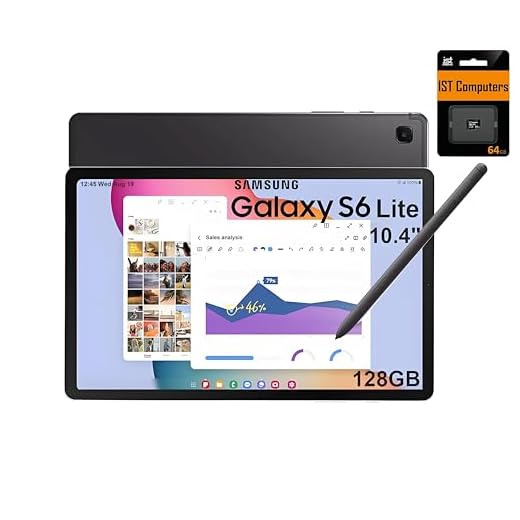
Galaxy Tab S6 Lite — S Pen Companion
You’ll appreciate the comfortable size, included S Pen and long battery life for notes, sketching and everyday tasks. It’s a reliable, lightweight choice if mobility and pen input matter more than top-tier specs.
Pros
- S Pen included for writing and drawing
- Lightweight and highly portable
- Good battery life for full-day use
- Decent screen for reading and media
Cons
- Only 4GB RAM in many configurations
- Older chipset limits performance for heavy apps
The Galaxy Tab S6 Lite has long been a go-to for students and creatives who want a simple, effective stylus experience without a steep price. You can use it for handwritten notes, quick sketches, reading and casual media consumption.
Designed for portability and pen use
The included S Pen is built into the user experience — you don’t need to charge it, and it’s accurate enough for note-taking and light illustration. The tablet is thin and light, making it easy to carry throughout the day.
- 10.4" 2K touchscreen suitable for notes and media
- S Pen included with low-latency input for handwriting and drawing
- Long battery life (advertised ~14 hours) for extended sessions
If you primarily take notes in meetings, annotate PDFs for study, or casually draw, you’ll find the S6 Lite straightforward and comfortable. It also supports Samsung DeX for basic desktop-style workflows, which can help if you pair it with a keyboard for light productivity.
Practical trade-offs
The main compromises are the modest RAM configurations and an older processor, which make the device less suitable for heavy multitasking or graphics-intensive apps. Also, some listings bundle SD cards that cannot be used to install apps, so factor that into storage expectations.
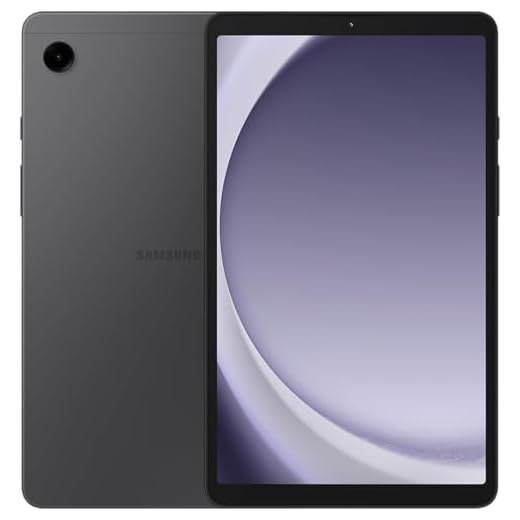
Galaxy Tab A9 8.7-inch LTE Compact Tablet
You’ll get a compact 8.7" screen with LTE connectivity and basic performance for everyday tasks at a very accessible price. It’s a good choice if you want a small, portable tablet that can run offline with a cellular plan.
Pros
- Affordable price with LTE connectivity
- Lightweight and pocketable 8.7" form factor
- Expandable storage via microSD
- Solid battery life for casual use
Cons
- Lower-resolution screen (1340 x 800)
- Potential regional compatibility and warranty limitations
The Galaxy Tab A9 is aimed at buyers who want a small, serviceable tablet that can stay connected without relying on Wi‑Fi. It’s a good companion for field work, travel or as a secondary device for messaging, streaming and note-taking.
Connectivity and portability first
An LTE-capable compact tablet is handy when you need quick access to maps, email or cloud files away from Wi‑Fi. The 8.7" size strikes a balance between readability and portability: you can tuck it into a small bag and still have a useful screen for on-the-go tasks.
- 8.7" display with 1340 x 800 resolution for everyday media and reading
- 4GB RAM and 64GB onboard storage, with microSD expansion up to 1TB
- LTE cellular support for data on the go (verify carrier compatibility)
You should verify carrier compatibility if you plan to add the tablet to a U.S. mobile plan, because some international IMEIs and bands may not be supported by all providers. If you primarily need a compact device for reading, messaging and light streaming, this model gives you a lot of utility for the price.
Practical caveats
The screen resolution and GPU are modest, so this isn’t the right pick for power gaming or pro-level photo work. Also, some units are sold as international models without a domestic warranty, so consider purchasing extended coverage if that matters to you.
Final Thoughts on the Best Tablets for Samsung Users
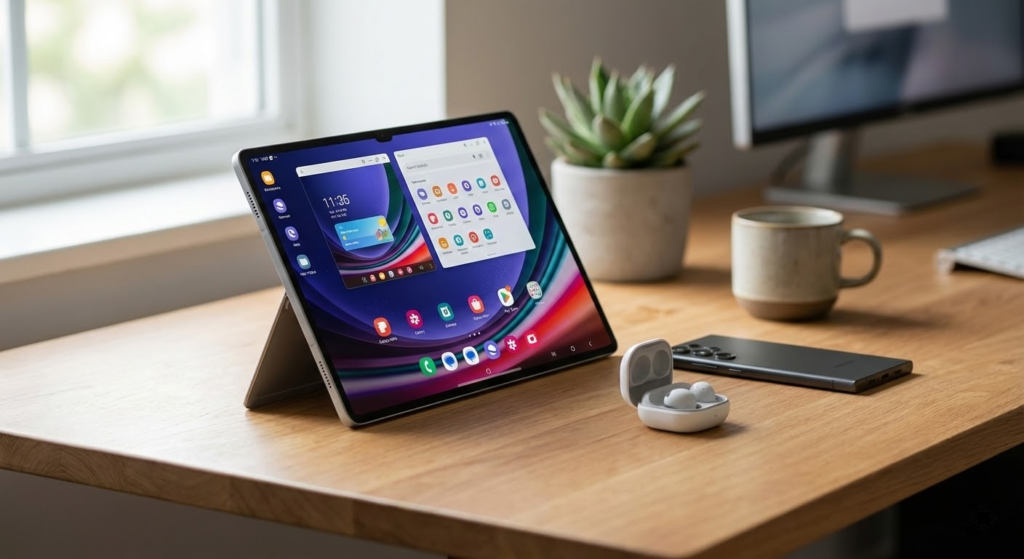
Galaxy Tab S11 High-Performance 512GB — Best choice if you want flagship power. You get top-tier speed, an ultra-slim build, and a huge 512GB of storage. Choose this if you edit photos or video, use intensive multitasking, or rely on pro-level S Pen workflows. It’s the tablet that can genuinely replace a laptop for creative and professional work.
Galaxy Tab S9 FE+ 12.4-inch Powerhouse — Best large-screen pick for productivity and durability. You get a roomy 12.4" canvas, included S Pen, long battery life and IP68 water resistance. Pick this if you want a comfortable, long-lasting tablet for heavy day-to-day multitasking, media, and outdoor or travel use.
How to Choose the Best Tablets for Samsung Users
If you already use Samsung devices, choosing a tablet that fits seamlessly into your ecosystem can make a big difference. From productivity to entertainment, the best tablets for Samsung users are designed to work smoothly with Galaxy smartphones, wearables, and services. Below are the key points to consider before picking the ideal model.
Best Brewer’s Yeast Supplements
Seamless Integration With the Samsung Ecosystem
One of the biggest advantages of Samsung tablets is how well they connect with other Galaxy devices. Features like shared clipboards, quick file transfer, synchronized notifications, and second-screen functionality can significantly improve daily use.
If you already own a Galaxy phone or smartwatch, choosing a Samsung-compatible tablet ensures smoother syncing, easier multitasking, and a more unified experience across devices.
Performance Matters: Pick the Right Processor and RAM
Performance is essential when choosing among the best tablets for Samsung users. The processor determines how well the tablet handles multitasking, apps, and demanding tasks like gaming or creative work.
For basic activities such as browsing, streaming, and note-taking, mid-range processors paired with 4GB to 6GB of RAM are usually sufficient. For power users who work with multiple apps, edit media, or play graphics-intensive games, opting for higher-end processors and at least 8GB of RAM will deliver a noticeably smoother experience.
Best CLA Supplements from Safflower Oil
Display Quality Makes All the Difference
Samsung tablets are known for their high-quality displays, making screen technology a key factor in your decision. If you watch a lot of videos, read, or draw, a sharp and vibrant screen will greatly enhance your experience.
Look for tablets with Full HD resolution or higher for clear text and detailed images. AMOLED displays stand out for their deep blacks, vivid colors, and excellent contrast, making them ideal for entertainment and creative tasks. Larger screens are great for multitasking, while more compact tablets offer better portability.
Storage Options and Expandability
Storage capacity is another important consideration. Tablets used for streaming and casual browsing may not need much internal storage, but if you download apps, games, documents, or media files, more space becomes essential.
Many Samsung tablets support expandable storage via microSD cards, which is a major advantage. This flexibility allows you to start with a smaller internal storage option and expand later as your needs grow.
Battery Life for All-Day Use
A good tablet should last through long work sessions or extended entertainment without constantly needing a charger. Battery capacity and software optimization both play a role in real-world usage.
For the best experience, choose a tablet that can comfortably handle a full day of moderate use. Fast charging support is also a valuable feature, especially for users who rely on their tablets while traveling or working remotely.
Productivity Features for Work and Study
Samsung tablets shine when it comes to productivity. Many models support stylus input, making them ideal for note-taking, drawing, and document annotation. Keyboard compatibility can also turn a tablet into a lightweight laptop alternative.
If you plan to use your tablet for work or school, look for features like split-screen multitasking, desktop-style modes, and strong compatibility with productivity apps. These tools can greatly improve efficiency and comfort during longer sessions.
Connectivity and Software Experience
Connectivity options such as Wi-Fi standards, Bluetooth versions, and optional cellular support are worth checking. If you’re often on the move, a tablet with mobile data support can keep you connected anywhere.
On the software side, Samsung’s interface offers customization options, multitasking tools, and regular feature updates. This adds long-term value and helps keep the tablet feeling modern over time.
Finding the Right Balance Between Price and Features
The best tablets for Samsung users come in a wide range of prices. Entry-level models are great for casual use, while premium tablets deliver top-tier performance, displays, and build quality.
The key is identifying how you plan to use your tablet and choosing a model that offers the features you’ll actually benefit from. By balancing performance, display quality, battery life, and ecosystem integration, you can confidently choose a Samsung tablet that fits your lifestyle perfectly.
Check Out the Best Tablets for Samsung Users
Still not sure which one to choose? Click the link below to see the best-selling products.
Also Check Out Other Helpful Articles
Take a look at more useful articles that can help you make more informed decisions.
- Best Tablets for Samsung Users in 2026 (Top 7: Galaxy Tab A11+, S9 FE+ and More)
- Best Kids Tablets in 2026 (Top 6: Fire HD, iPad and More)
- Best Tablets For Gaming in 2026 (Top 6: iPad Pro, Galaxy Tab S11 Ultra and More)
Video About the Best Tablets for Samsung Users
We created a video on the topic. Just click to watch.
Related Articles

About the Author

Ashley Turner enjoys crafting content that is easy to read and meaningful. She believes good writing starts with understanding the reader.