Best Tablets For Studying in 2026 (Top 7: Surface Pro 9, Lenovo Tab and More)

Looking for the perfect digital companion for your classes? Discover the best tablets for studying that offer seamless note-taking, long battery life, and portability.
STUDY SMARTER, NOT HEAVIER. You don’t need to lug a laptop, a stack of notebooks, and three chargers across campus. A single tablet can handle reading, note-taking, and quick project work — and still fit in your bag.
Picture a late-night cram session: you, cheap coffee, and a bright screen that won’t die. The right tablet makes note-taking smooth, PDFs readable, and lectures replayable. You get portability without giving up power.
Contents
- The Best Tablets For Studying
- iPad Air 5th Gen 10.9-inch
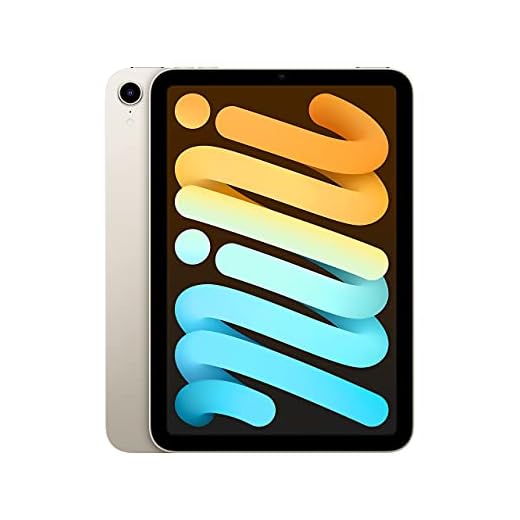
- iPad Mini 6 Small Powerful Tablet
- Surface Pro 9 13-inch 2-in-1
- Lenovo Tab Plus 11.5-inch 2K Tablet
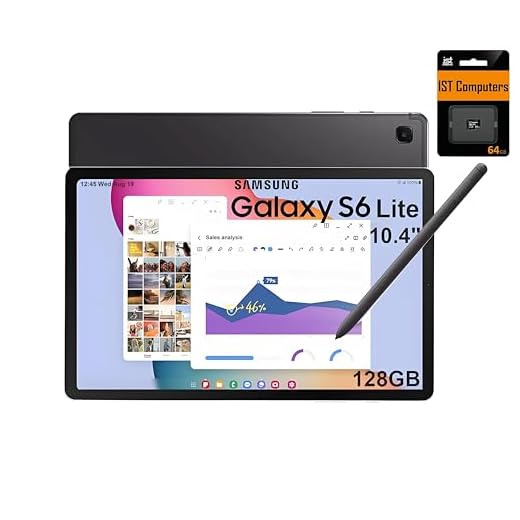
- Galaxy Tab S6 Lite with S Pen
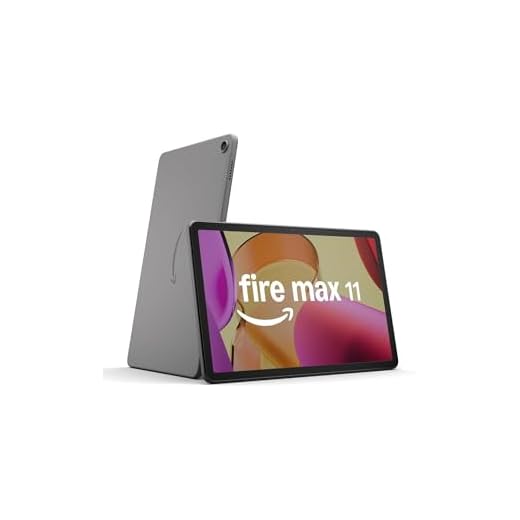
- Fire Max 11 Refurbished 11-inch Tablet
- Fire HD 8 Plus Compact 8-inch Tablet
- Final Thoughts on the Best Tablets For Studying
- How to Choose the Best Tablets for Studying
- Check Out the Best Tablets For Studying
- Also Check Out Other Helpful Articles
- Video About the Best Tablets For Studying
The Best Tablets For Studying




iPad Air 5th Gen 10.9-inch
You’ll benefit from a blend of power, portability, and a great display that suits note-taking, research, and content creation. It’s versatile enough to replace a laptop for many study tasks when paired with a keyboard and Apple Pencil.
Pros
- M1 chip delivers laptop-class performance for apps and multitasking
- 10.9" Liquid Retina display with True Tone and P3 color
- Great compatibility with Apple Pencil and Magic Keyboard accessories
- Excellent battery life and strong build quality
Cons
- Accessories like Pencil and keyboard are additional costs
- 64 GB base storage can fill up quickly if you store lots of media
A near-laptop experience in a lightweight tablet
You’ll find this model hits a sweet spot between performance and portability. The M1 chip brings robust performance for document editing, cloud-based development environments, and creative apps, while the 10.9" display provides ample real estate for study materials.
Why it’s a strong choice for students
- M1 performance that can handle demanding productivity and creative workflows
- 10.9" Liquid Retina display that makes long reading and detailed note-taking comfortable
- Compatibility with Apple Pencil and Magic Keyboard to create a full study setup
Typical workflows and benefits
Pairing the tablet with a keyboard gives you near-laptop typing productivity for essays and reports, while the Apple Pencil is ideal for handwritten notes, math work, and annotating research PDFs. You can also use it for video calls, scanning documents, and lightweight photo editing for presentations.
Practical trade-offs
Plan for the extra budget for accessories if you want a full laptop replacement. Also, consider backing up media to the cloud or external storage if you choose a lower-capacity model to avoid storage constraints during a busy semester.
iPad Mini 6 Small Powerful Tablet
You’ll get a compact but very capable device with excellent performance and a high-quality display that’s perfect for reading, note-taking, and running demanding apps. Its size makes it ideal when you need maximum portability without sacrificing speed.
Pros
- A15 Bionic performance for smooth multitasking and apps
- Sharp 8.3" Liquid Retina display ideal for reading and PDFs
- Apple Pencil 2 support for precise note-taking and markup
- Solid build and long-term software updates from Apple
Cons
- Smaller screen may feel cramped for heavy multi-window productivity
- Renewed units vary in condition; check seller warranty
A compact powerhouse for focused study and reading
If you want maximum portability without sacrificing responsiveness, this small iPad is a top choice. The A15 chip makes sure apps, note-taking, and PDF markup feel instant and fluid, and the Apple Pencil 2 (sold separately) turns it into a superb digital notebook.
Performance and features you’ll notice
- 8.3" Liquid Retina display with True Tone for comfortable reading in different lighting
- A15 Bionic chip that handles multitasking and demanding apps with ease
- USB-C for faster transfers and modern accessory compatibility
Everyday uses and strengths
You can slip it into a bag and use it for reading research papers, jotting ideas, or annotating slides during class. Its compact size makes it comfortable to hold for hours when reading or marking up documents.
Considerations and practical advice
If you do a lot of split-screen work or lay out textbooks side-by-side, the screen may feel tight compared with larger tablets. For heavy document editing, pair it with cloud storage and, if needed, a larger tablet or laptop for extended sessions.
Surface Pro 9 13-inch 2-in-1
You’ll get a true laptop-class experience in a tablet form factor, ideal if you need full Windows apps for study and research. It’s light and versatile, though accessories like a keyboard or pen are often sold separately.
Pros
- Full Windows 11 experience for desktop-class apps and multitasking
- 13" high-resolution touchscreen suitable for large documents and split-screen workflows
- Strong performance with 12th Gen Intel processors and long battery life
- Detachable design gives laptop and tablet flexibility
Cons
- Keyboard and stylus typically sold separately, adding to total cost
- Renewed units vary in condition; check seller return policy
- Higher price than typical Android/iPad study tablets
A laptop-class tablet when you need desktop apps
If your coursework requires full desktop software — think programming environments, statistical packages, or legacy Windows apps — this 2-in-1 gives you that capability without forcing you to carry a separate laptop. The 13" display makes multitasking and side-by-side document work comfortable.
Key features that matter for students
- Full Windows 11 so you can run Office, MATLAB, SPSS, IDEs, and other desktop tools
- 13" 2880 x 1920 touchscreen for detailed diagrams and large spreadsheets
- Intel 12th Gen performance that handles demanding study workflows
How you’ll use it in real life
You can use it with a Type Cover and Surface Pen to take handwritten notes, annotate PDFs, and run research software in class or at the library. The tablet mode is perfect for quick reading and presentations, while the laptop mode is there for heavier typing and multitasking.
Considerations before buying
Accessories significantly affect the final cost and daily experience. If you plan to do heavy note-taking, budget for a keyboard and stylus. Also, renewed units can be an excellent value, but confirm the warranty and seller ratings to ensure the condition matches your expectations.
Lenovo Tab Plus 11.5-inch 2K Tablet
You’ll enjoy a premium-feeling build, an excellent 2K display, and outstanding multi-speaker audio that make long study sessions and media breaks more pleasant. It balances strong specs with a midrange price, though a few preinstalled apps can be annoying.
Pros
- 11.5" 2K 90Hz display for crisp text and smooth scrolling
- Eight JBL speakers with Dolby Atmos for excellent audio clarity
- 8 GB RAM and Helio G99 deliver smooth everyday performance
- Includes folio case and 45W charger out of the box
Cons
- Some preinstalled apps and bloatware that you may want to remove
- Display could be brighter under direct sunlight compared with premium tablets
A midrange tablet that punches above its price class
You’ll notice premium fit and finish as soon as you hold it — the chassis doesn’t feel disposable. The 11.5" 2K display with a 90Hz refresh rate and eight JBL speakers make it a joy for watching lectures, listening to recorded classes, and multimedia study breaks.
Notable features for studying and entertainment
- 11.5" 2000 x 1200 IPS display at 90Hz for sharp text and smooth navigation
- Eight JBL speakers with Dolby Atmos for rich, room-filling audio when watching videos or joining group study calls
- 8 GB RAM and MediaTek Helio G99 provide snappy everyday performance
Daily use scenarios and strengths
You can use this as a primary study tablet: stream lecture videos, run note-taking apps, and play back recorded sessions with superior audio. The included folio case and charger reduce the need for immediate accessory purchases, and the kickstand-style ergonomics help for desk or bedside use.
Limits and useful tips
Some units include preinstalled apps you might want to uninstall for a cleaner experience. If you often study outdoors, consider that peak brightness is good but not class-leading; a shade or higher brightness setting will help under bright conditions.
Galaxy Tab S6 Lite with S Pen
You’ll find a great balance of portability, a responsive stylus, and a comfortable screen size for handwriting and sketching. It’s a solid choice for students who prioritize note-taking and light productivity on the go.
Pros
- Included S Pen is excellent for handwriting and markup
- 10.4" 2K screen balances reading area and portability
- Good battery life for a full day of classes
- Slim, lightweight design that’s easy to carry around campus
Cons
- 4 GB RAM may be limiting for heavy multitasking
- Storage configuration may rely on SD card — apps typically must stay on internal storage
A dependable note-taking tablet with an included stylus
If you take lots of handwritten notes, sketch diagrams, or annotate PDFs, you’ll appreciate the included S Pen and comfortable 10.4" screen. The pen doesn’t need charging and feels natural for lectures, math work, and quick sketches.
Features that support study workflows
- 10.4" 2000 x 1200 display that makes reading and annotating clear and comfortable
- S Pen included for handwriting, marking up documents, and drawing
- Up to ~14 hours battery life to get you through long days
How students typically use it
You can keep lecture slides and readings open while taking notes in a split-screen arrangement. The lightweight chassis makes it a practical secondary device for classes, library work, and on-the-go review sessions.
What to be mindful of
The tablet is optimized for lightweight productivity rather than desktop-class multitasking. If you plan to run many browser tabs, large PDFs, or multiple apps simultaneously, consider a model with more RAM or a full-size iPad/Windows device.
Fire Max 11 Refurbished 11-inch Tablet
You get a surprisingly large, vivid screen and long battery life at a low price thanks to the refurbished certification. The tablet is ideal for streaming, reading, and casual study sessions but isn’t a powerhouse for heavy multitasking or pro apps.
Pros
- Large, bright 11" 2000 x 1200 display great for reading and videos
- Long battery life (advertised ~14 hours) for all-day use
- Generous 128 GB storage for notes, textbooks, and media
- Certified refurbished — lower cost with warranty protection
Cons
- Amazon Fire OS has a more limited app ecosystem unless you sideload Google Play
- Not as powerful as premium tablets for demanding productivity apps
- Some refurbished units may show minor cosmetic signs
A large-screen, budget-friendly tablet for study sessions
You’ll appreciate the big 11" display when reading PDFs, annotating textbooks, or watching recorded lectures. The panel is high-resolution and TÜV Rheinland certified for low blue light, which helps when you study for extended periods.
Key features and what they mean for you
- 11" vivid 2000 x 1200 display that makes text and diagrams easy to read
- 128 GB storage so you can keep multiple textbooks, lecture videos, and apps locally
- Up to ~14 hours battery life for long stretches away from power
How you might use it day-to-day
You can set the tablet up as a dedicated media and study device: install a note-taking app, download course readings, and stream lectures. The large display makes split-screen reading and note-taking comfortable, and the battery life means fewer interruptions between classes and library sessions.
Limitations and practical tips
The Fire OS is tuned to Amazon’s ecosystem, which means you may need to sideload the Google Play Store if you rely on specific Android apps. Performance is fine for browsing, reading, and streaming, but don’t expect laptop-level multitasking. If you plan to run heavy software or use sophisticated desktop-class apps, pair this with a more powerful machine.
Fire HD 8 Plus Compact 8-inch Tablet
You get a light, pocketable tablet that’s great for reading, casual browsing, and light gaming. It’s affordable and performs well for everyday tasks, though it’s not designed for intense productivity or heavy multitasking.
Pros
- Compact, lightweight design that’s easy to hold for long reading sessions
- Wireless charging and decent battery life for daily use
- Good value for money with solid media playback and basic apps
- Strengthened display glass and updated design
Cons
- Limited out-of-box Google Play access without sideloading
- Performance can struggle with demanding games or heavy multitasking
A small, carry-friendly tablet for studying on the go
If you prefer something compact and easy to hold while taking notes or reading, this 8" tablet is a smart pick. It’s light, portable, and comfortable to use for long reading sessions or lectures viewed on the commute.
Key features and practical benefits
- 8" HD (1280 x 800) IPS display for clear text and media
- 3 GB RAM and a 30% faster processor vs. earlier models for smoother everyday use
- Wireless charging for easy top-up between classes
Typical study uses
You can run note-taking apps, stream lectures, and keep reference documents handy. The form factor suits long reading sessions (e-books, PDFs) and lightweight productivity tasks like email, web research, and cloud document editing.
Drawbacks and what to manage
The Amazon Fire software prioritizes Amazon services; some apps you use on other Android devices may need extra setup. For heavy multitasking, complex PDFs, or advanced annotation workflows, a larger or more powerful tablet will feel more comfortable.
Final Thoughts on the Best Tablets For Studying

Pick the iPad Air (5th Gen 10.9-inch) as your main study tool if you want the best mix of power, portability, and app support. Strengths: a bright, color-accurate display for reading and diagrams, strong performance for multitasking and light media editing, and excellent stylus and keyboard accessory support (Apple Pencil + Magic Keyboard). Ideal if you take lots of handwritten notes, annotate PDFs, and want a device that can often replace a laptop.
If your coursework requires full desktop software (engineering apps, data analysis tools, specialized Windows programs), choose the Surface Pro 9 (13-inch 2-in-1). Strengths: full Windows experience, runs desktop apps, and functions as a true laptop when paired with a Type Cover and Surface Pen. Ideal for engineering, computer science, and anyone who needs heavy-duty productivity software.
How to Choose the Best Tablets for Studying
Studying with the right device can make a huge difference in focus, organization, and productivity. Tablets have become powerful tools for students, combining portability with performance for note-taking, reading, research, and online classes. To find the best tablets for studying, it’s important to evaluate features that truly support learning rather than just entertainment.
Operating System: Which Platform Fits Your Study Routine?
The operating system shapes how you interact with your tablet and which apps you can use for studying. Some systems focus on simplicity and stability, while others prioritize flexibility and customization.
When choosing a tablet for studying, consider compatibility with note-taking apps, cloud storage services, and productivity tools. A smooth interface, frequent updates, and access to educational apps are key factors that can directly impact your daily study experience.
Performance Matters: Processor and Responsiveness
A tablet doesn’t need to be extremely powerful to be useful for studying, but it must be responsive. The processor determines how well the device handles tasks like opening PDFs, switching between apps, attending video classes, and running educational software.
For basic study activities, a mid-range processor is usually enough. However, if you plan to multitask heavily—such as using split-screen features, editing documents, or working with heavier apps—a more capable processor will provide smoother performance and reduce slowdowns.
Best Propolis Extract Supplements
RAM and Storage: Smooth Multitasking and File Management
RAM plays an important role in keeping apps running smoothly. Tablets with at least 4GB of RAM can handle reading, note-taking, and browsing without issues. For more intensive use, such as running multiple apps at once or keeping long study sessions active, 6GB or more offers better stability.
Storage is equally important. Study materials like PDFs, presentations, recorded lectures, and apps can quickly add up. Choosing a tablet with ample internal storage—or support for cloud services—helps keep all your academic content accessible without constant file management.
Display Quality: Comfort for Long Study Sessions
The screen is one of the most critical features when selecting among the best tablets for studying. A clear, sharp display reduces eye strain and makes reading textbooks, articles, and notes much more comfortable.
Look for a tablet with a well-balanced screen size—large enough to read and write comfortably, but still portable. Higher resolution displays provide crisper text and better image clarity, which is especially helpful for long reading sessions or detailed diagrams.
Best Micronized Creatine Supplements
Battery Life That Keeps Up with Your Schedule
A good study tablet should last through classes, library sessions, and study breaks without needing constant charging. Battery capacity and system efficiency both affect how long the device can stay powered.
Tablets designed for productivity often offer all-day battery life under moderate use. If you rely on your tablet for online classes, video playback, or extended note-taking, prioritize models known for consistent battery performance.
Note-Taking and Accessories: Pens and Keyboards Make a Difference
One of the biggest advantages of tablets for studying is their compatibility with accessories. Stylus support allows for handwritten notes, annotations, and drawing diagrams, closely mimicking the feel of pen and paper.
Keyboard compatibility is another plus, especially for writing essays, taking structured notes, or working on group projects. Tablets that support both a stylus and a keyboard provide greater flexibility for different study styles.
Connectivity and Portability for Everyday Use
Reliable connectivity is essential for research, cloud syncing, and online learning platforms. A strong Wi-Fi connection ensures smooth access to digital resources, while optional mobile data support can be helpful for studying on the go.
Portability also matters. Lightweight tablets with slim designs are easier to carry between classes or study locations, making them ideal companions for busy academic routines.
Finding the Right Balance for Your Needs
The best tablets for studying are those that balance performance, comfort, and practicality. By focusing on factors like display quality, battery life, multitasking ability, and accessory support, you can choose a tablet that truly enhances your learning experience and adapts to your study habits.
Check Out the Best Tablets For Studying
Still not sure which one to choose? Click the link below to see the best-selling products.
Also Check Out Other Helpful Articles
Take a look at more useful articles that can help you make more informed decisions.
- Best Tablets For Studying in 2026 (Top 7: Surface Pro 9, Lenovo Tab and More)
- Best Tablets for Drawing in 2026 (Top 6: iPad Pro, Wacom Cintiq and More)
- Best Tablets for Architects in 2026 (Top 6: Galaxy Tab, iPad Pro and More)
Video About the Best Tablets For Studying
We created a video on the topic. Just click to watch.
Related Articles

About the Author

Sara Taylor has always loved storytelling. With a natural curiosity, she brings fresh perspectives to every article she works on.