Best Tablets for Work in 2026 (Top 9: iPad Air, OnePlus Pad and More)

Discover the best tablets for work designed to boost your productivity. We analyzed high-performance models perfect for multitasking, business, and professional needs.
Work, meet portability. You want performance, a great screen, and a device that travels without drama. Short battery anxiety, please.
Whether you sketch, edit video, take meeting notes, or juggle tabs, the right tablet makes your day easier. Think less lugging, more doing — with a little flair.
Contents
- The Best Tablets for Work
- Apple iPad Pro 13-inch M4 Ultimate Tablet
- Apple iPad Air 13-inch M2 Renewed
- Samsung Galaxy Tab S10 Ultra 14.6-inch AMOLED
- Microsoft Surface Pro 12-inch Copilot+ PC
- OnePlus Pad 2 12.1-inch Performance Tablet
- Google Pixel Tablet 11-inch with Tensor G2
- Samsung Galaxy Tab S9 FE+ with S Pen
- Microsoft Surface Go 4 Compact Windows Tablet
- Lenovo Chromebook Duet 10.95-inch Convertible
- Final Thoughts on the Best Tablets for Work
- How to Choose the Best Tablets for Work
- Check Out the Best Tablets for Work
- Also Check Out Other Helpful Articles
- Video About the Best Tablets for Work
The Best Tablets for Work
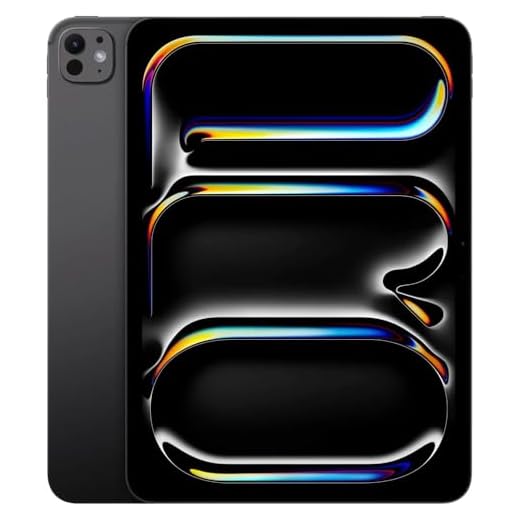





Apple iPad Pro 13-inch M4 Ultimate Tablet
You’ll get the fastest tablet performance currently available, a top-tier Tandem OLED display, and broad accessory support that makes it a genuine laptop replacement for many professionals. The platform excels at demanding creative, editing, and multitasking workloads, though it’s the most expensive option on the list.
Pros
- M4 chip delivering desktop-class performance and AI tasks
- 13" Tandem OLED Ultra Retina XDR with ProMotion and HDR
- Excellent accessory support (Apple Pencil Pro, Magic Keyboard)
- Cellular option for reliable on-the-go connectivity
Cons
- Very expensive, especially with accessories
- Renewed units require careful inspection for condition and warranty
- Overkill for casual users who don’t need pro-level performance
The iPad Pro 13" with the M4 chip is the gold standard if you want a tablet that can genuinely substitute for a laptop in demanding workflows. You’ll notice exceptional responsiveness while editing 4K video, running multiple professional apps, or using compute-heavy creative tools. The Tandem OLED Ultra Retina XDR display offers color accuracy, deep blacks, and high peak brightness for HDR work — a meaningful advantage when color and detail matter.
Why professionals choose this model
- M4 chipset with multi-core CPU/GPU and a 16-core Neural Engine for AI-assisted tasks
- 13" OLED with ProMotion (high refresh) and extreme dynamic range for accurate editing
- Strong accessory ecosystem: Apple Pencil Pro, Magic Keyboard and broad pro apps
If you frequently transfer large files, edit video on the go, or need reliable cellular connectivity, the iPad Pro is built to handle those demands while remaining portable. The platform’s app quality — especially for creative and productivity apps — is a major practical advantage, save for the cost of professional accessories.
Buying tips and real-world trade-offs
- Expect to spend extra on the Magic Keyboard and Apple Pencil Pro if you want a full laptop-replacement setup.
- When buying renewed, verify battery health, return policy, and seller ratings to avoid surprises.
- If your workflow is email, documents, and occasional media, a lower-tier iPad or iPad Air may be more cost-effective.
For creators, editors, and power users who demand the absolute best tablet performance and display quality, the iPad Pro 13" M4 is the top pick — it’s a powerful, portable studio in a single device.
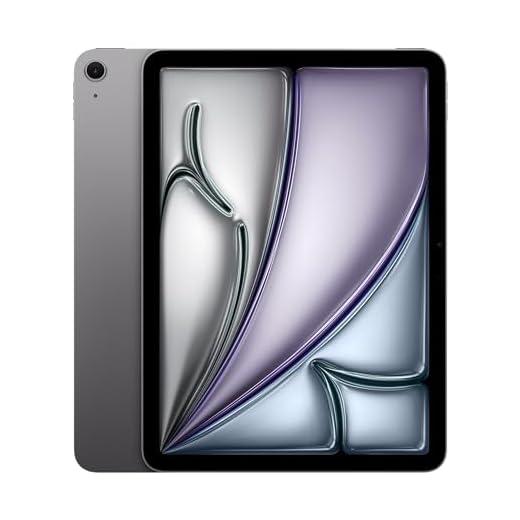
Apple iPad Air 13-inch M2 Renewed
You’ll experience strong M2-class performance, a large Liquid Retina display, and smooth iPadOS multitasking that makes the device feel capable of replacing many laptops. Renewed units can offer excellent value, but inspect condition and seller warranty before buying.
Pros
- M2 chip delivers excellent app and multitask performance
- 13" Liquid Retina display with great color accuracy
- Strong accessory support and iPadOS productivity features
- Wi‑Fi 6E connectivity and long battery life
Cons
- Renewed condition varies; inspect seller ratings and warranty
- Premium accessories (Magic Keyboard, Pencil) add cost
- Limited ports (single USB-C) for some workflows
The 13-inch iPad Air with the M2 chip is a productivity and creative workhorse that pairs a large, high-quality display with Apple’s mature iPadOS ecosystem. You’ll get fast app performance, smooth multitasking with Stage Manager, and excellent support for the Apple Pencil and keyboard accessories. If your work includes photo editing, note-taking, video calls, or document creation, the combination of display size and processing headroom makes the device extremely capable.
Why it works for professional workflows
- M2 processor with powerful GPU for editing, multitasking, and demanding apps
- 13" Liquid Retina display with P3 color and True Tone for accurate visuals
- iPadOS features like Stage Manager, Scribble, and optimized professional apps
Buying renewed can save money while still giving you near-new performance, but you should check seller grading, battery health, and warranty details. For field professionals, the iPad Air also offers great portability and long battery life, which is especially valuable when you’re moving between client sites.
Practical advice and limitations
- Factor in accessory costs if you need a keyboard or Apple Pencil; they significantly improve productivity.
- If you need many ports or specialized dongles, plan for a USB‑C hub.
- For the best renewed experience, confirm battery cycle counts and return policy with the seller.
If you want a near-laptop experience in a slim, touch-first package and value app quality and accessories, the iPad Air 13" M2 is a top-tier choice.
Samsung Galaxy Tab S10 Ultra 14.6-inch AMOLED
You’ll appreciate a massive AMOLED canvas and S Pen support that make drawing, photo editing, and multitasking a joy. It’s a premium, productivity-oriented tablet, but its size can be unwieldy and prices are typically at the high end.
Pros
- Huge 14.6" Dynamic AMOLED 2X display for editing and presentations
- S Pen included with low-latency input for precise work
- 12GB RAM and 256GB storage with microSD expansion
- Strong audio and long battery life for content creation
Cons
- Large and less portable than smaller tablets
- Higher price point (renewed units vary in condition)
- May be overkill for simple note-taking or casual media use
The Galaxy Tab S10 Ultra is aimed squarely at creators and professionals who want a very large, color-accurate canvas in a tablet form factor. You’ll get an expansive Dynamic AMOLED display that’s excellent for photo and video editing, and the included S Pen makes sketching and precision annotation feel natural. Hardware specs like 12GB RAM and expandable storage mean you can carry large project files and run demanding apps.
Features that matter for creative and professional use
- 14.6" AMOLED WQXGA+ display with high refresh rate and deep color
- 12GB RAM, 256GB onboard storage, and microSD expansion up to 1.5TB
- S Pen with low latency and strong software support for sketching and notes
This tablet shines when you’re editing images, annotating PDFs, or sketching concepts in meetings. If your typical day involves large spreadsheets, multi-app windows, and media review, the extra screen space accelerates your workflow. The tweak: its size can make it cumbersome for long single-handed reading sessions or tight travel scenarios.
Practical considerations
- Check renewed condition carefully (screen and S Pen condition are key).
- Pair with a large folio or keyboard case if you intend to use it as a laptop replacement.
- If you rarely need the extra screen, a smaller Tab S model will be easier to carry and just as capable for many tasks.
For people who treat a tablet as a primary creative workspace, the Tab S10 Ultra is a standout choice that brings desktop-style screen real estate into a portable device.
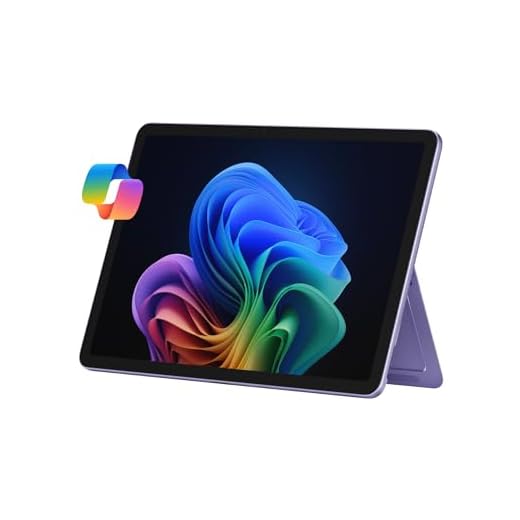
Microsoft Surface Pro 12-inch Copilot+ PC
You’ll benefit from a flexible 2-in-1 form factor, Copilot+ AI features, and solid performance for office and creative tasks. The detachable keyboard and pen (often sold separately) make it a versatile daily driver, though total cost rises with accessories.
Pros
- Copilot+ AI and Windows 11 for advanced productivity
- 12" touchscreen with precise pen support
- Strong battery life and efficient Snapdragon X Plus
- Lightweight and highly portable 2-in-1 design
Cons
- Keyboard and stylus typically sold separately
- Premium price once accessories are added
- Some users may prefer larger screens for intensive tasks
The Surface Pro 12" Copilot+ PC is a modern, flexible device that aims to merge laptop power with tablet portability. You’ll be able to run full Windows applications while also taking advantage of built-in AI tools for drafting, summarizing, and streamlining daily tasks. The Snapdragon-based configuration offers efficient performance and long battery life, which helps you stay productive throughout the workday.
Productivity and AI-enhanced workflow
- 12" 2196 x 1464 touchscreen with pen support for notes and annotations
- Snapdragon X Plus chipset, 16GB RAM, and 512GB storage for multitasking
- Copilot+ integration for AI-assisted writing and summarization in Windows
In day-to-day use, the Surface Pro flexes between a thin tablet for reading or presentations and a capable laptop replacement once you attach a keyboard. For people who travel frequently or work in meetings, the quick resume and long battery life are especially convenient.
Tips and trade-offs
- Factor in the cost of the keyboard and Slim Pen when budgeting; they significantly impact the overall value.
- If you do sustained heavy compute or content creation, consider larger Surface or laptop alternatives with more thermal headroom.
- Test keyboard and pen compatibility in person if possible to ensure it meets your ergonomic needs.
If you want a highly portable Windows machine with up-to-date AI features and true desktop app compatibility, the Surface Pro 12" is among the best 2-in-1 choices available.
OnePlus Pad 2 12.1-inch Performance Tablet
You’ll get flagship-class Snapdragon 8 Gen 3 performance, plenty of RAM and storage, and very fast charging — all of which make it excellent for multitasking, creative work, and gaming. The large display and OxygenOS polish make it a top Android pick, though it’s heavier than smaller tablets.
Pros
- Top-tier Snapdragon 8 Gen 3 performance
- 12.1" high-resolution display for multitasking and media
- 12GB RAM and 256GB storage for heavy use
- Very fast 67W charging and long battery life
Cons
- Heavier and larger to carry than compact tablets
- Software update cadence varies by region/vendor
- No universal keyboard ecosystem as extensive as iPad
The OnePlus Pad 2 is built to satisfy power users who want an Android tablet that keeps up with heavy multitasking and creative workloads. With the Snapdragon 8 Gen 3 chip, 12GB of RAM, and 256GB of storage, you’ll be able to run multiple apps, edit photos or video clips, and play intensive games without obvious slowdowns. OxygenOS on tablets brings familiar Android flexibility with performance-tuned features.
What stands out for work and creativity
- 12.1" high-resolution display optimized for media and split-screen multitasking
- Snapdragon 8 Gen 3 SoC plus 12GB RAM for responsive app performance
- 67W fast charging reduces downtime and a large battery supports long sessions
In practical use, the tablet handles heavy browser workloads, multiple Slack or chat windows, and office apps with ease. Creatives will appreciate responsiveness for sketching, photo editing, and even light video editing. If you travel often, the very fast charging and solid battery life mean you’ll get through long travel days without needing to hunt for outlets.
Considerations and real-world tips
- The larger 12.1" footprint means it’s less pocketable — factor case and carry preferences into your purchase.
- If you rely on long-term OS updates, confirm the update policy for your region and model.
- For a full laptop replacement feel, test compatible keyboard accessories and styluses for latency and comfort.
For Android users who want near-flagship tablet hardware and fast charging in one package, the OnePlus Pad 2 is a compelling, high-performance choice.
Google Pixel Tablet 11-inch with Tensor G2
You’ll appreciate the bright 11-inch display, long battery life, and tight integration with Google services and AI tools. It’s an excellent general-purpose tablet for productivity and media, though it lacks expandable storage and some users find Android tablet workflows less intuitive than iPadOS.
Pros
- Sharp 11" display with adaptive brightness
- Tensor G2 delivers smooth performance for apps
- Long battery life suitable for all-day use
- Strong integration with Google AI and services
Cons
- No microSD slot for expanded storage
- Cameras are average and fixed-focus for some tasks
- Some users find Android tablet UI less intuitive
The Google Pixel Tablet aims to be both a capable work device and a strong media hub. You’ll find its 11-inch screen comfortable for documents, video calls, and light photo/video editing, while the Tensor G2 chip helps keep apps responsive and transitions smooth. Google’s AI features (Help me write, etc.) can speed up everyday writing and note-taking, especially if you’re already invested in Google Workspace.
Productivity and ecosystem benefits
- 11" 2560 x 1600 display with vivid color and adaptive brightness
- 8GB RAM and 128GB storage (no card slot) for app multitasking and media storage
- Deep integration with Google services and AI-assisted writing tools
For users who prioritize Android and Google services, the Pixel Tablet is one of the most polished options. You’ll get seamless syncing with Pixel phones and reliable performance for messaging, email, and cloud apps. If you rely on local storage for large media collections, you’ll need to plan for external drives or cloud solutions.
Practical limitations and tips
- If you need lots of local storage, choose a higher-capacity SKU or use cloud storage.
- Camera quality is fine for video calls but not ideal for high-quality document scans.
- Bluetooth keyboards and accessories work well, but check latency if you need near-zero input lag for typing-heavy workflows.
In short, this tablet is an excellent choice if you want Android flexibility, strong Google integration, and a bright, portable screen for both work and entertainment.
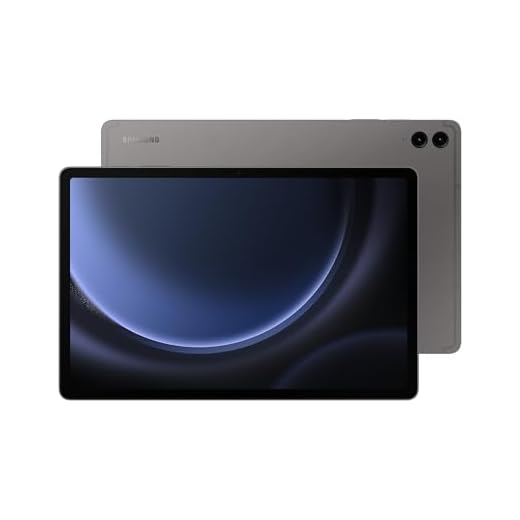
Samsung Galaxy Tab S9 FE+ with S Pen
You’ll get a large 12.4" screen with included S Pen and IP68 resilience, making it great for note-taking, presentations, and media. It offers strong everyday performance, but be mindful of international version differences and software generation on the listed model.
Pros
- S Pen included for note-taking and markup
- Large 12.4" display with good color and multitasking
- IP68 water and dust resistance for durability
- Expandable storage via microSD (where supported)
Cons
- International versions may differ in bands and warranty
- Android 13 on board (may require updates)
- Heavier than smaller tablet alternatives
The Galaxy Tab S9 FE+ is positioned as a productivity-first large-screen tablet that also survives everyday spills and outdoor use thanks to an IP68 rating. You’ll appreciate the included S Pen for jotting meeting notes, marking up PDFs, or quick sketches. Samsung’s multitasking features allow you to run multiple apps side-by-side, which makes this model useful as a lightweight workstation or collaboration device.
Work-friendly feature highlights
- 12.4" 2304 x 1440 display, 90Hz panel for smoother scrolling
- 8GB RAM, 128GB storage with microSD expandable storage option
- S Pen in-box and Samsung features like Quick Share and multi-window
For many users the S9 FE+ strikes a good balance between screen real estate and price. If you frequently switch between apps (video conference, notes, and a browser), you’ll find the display and S Pen workflow natural and efficient. The device’s durability is also a welcome feature for field work or daily commuting.
Practical notes and limitations
- If buying an international variant, verify network compatibility and warranty coverage in your country.
- Expect mid-to-upper range performance rather than flagship-level speeds for some intensive tasks.
- Consider a keyboard case if you plan to type extensively; the S Pen is best for quick notes and sketches.
Overall, the Tab S9 FE+ is a well-rounded large tablet for students, professionals, and anyone who wants a pen-capable device with long-lasting battery and ruggedness.
Microsoft Surface Go 4 Compact Windows Tablet
You get a true Windows experience in a compact tablet, letting you run desktop apps that mobile OS alternatives can’t. It’s ideal for lightweight Windows workflows, but real performance and accessory costs (keyboard, charger) are important considerations.
Pros
- Runs full Windows 11 Pro for desktop apps
- Compact and lightweight for portability
- Built-in kickstand and solid build quality
- Good choice for users needing Windows-only software
Cons
- Performance is limited compared to larger laptops
- Keyboard and accessories are sold separately
- Some charge/port quirks reported (proprietary charger issues)
The Surface Go 4 brings Windows 11 Pro into a 10.5-inch tablet, letting you run genuine desktop applications on a small, portable device. If your workflow depends on Windows-only programs (legacy desktop apps, some line-of-business tools, or full Office desktop apps), this is one of the most convenient tablet form-factors to choose. The magnesium alloy body and kickstand make it easy to set up anywhere.
Why it works for certain workflows
- 10.5" 1920 x 1280 display suitable for reading, editing, and conferencing
- 8GB RAM and 128GB storage for light productivity and app use
- Windows 11 Pro offers full application compatibility and enterprise features
That said, you should temper expectations about raw speed and battery life when compared to full-size ultrabooks. The Go series prioritizes portability, so complex multitasking and heavy editing will feel constrained. Many buyers pair it with a type cover and the Surface Pen (both sold separately) to maximize productivity in meetings or on the go.
Practical tips and limitations
- Buy the keyboard if you plan on extended typing sessions; the tablet alone is best for short tasks and reading.
- Check charging behavior and port compatibility if you prefer to standardize on USB-C chargers; some units may rely on Microsoft’s proprietary charging in certain SKUs.
- Expect a better experience with light-to-moderate workloads rather than intensive video editing or large data processing.
For users who need real Windows compatibility in a highly portable device, the Surface Go 4 is a sensible compromise between mobility and desktop capability.
Lenovo Chromebook Duet 10.95-inch Convertible
You get an ultra-portable ChromeOS device that boots quickly and feels surprisingly durable for its size. It’s excellent for web-based work, note-taking, and media, but it’s not meant to replace a full laptop for heavy multitasking or demanding desktop apps.
Pros
- Very lightweight and highly portable
- Durable metal chassis with kickstand
- Fast ChromeOS boot and smooth web tasks
- Affordable price for a convertible tablet
Cons
- Limited internal storage (64GB)
- Modest CPU for heavy multitasking or native apps
- Type cover has minor layout quirks (no dedicated Caps Lock/Delete)
The Lenovo Chromebook Duet is designed around portability and simplicity so you can carry it every day without feeling weighed down. You’ll find it ideal for web-based productivity, email, video calls, and streaming; its MediaTek Kompanio chip provides on-device AI for certain tasks while ChromeOS keeps things fast and secure. The full-metal build is impressively tough for the price and the magnetic kickstand plus folio keyboard make the Duet flexible in laptop, tablet, or presentation modes.
Key features for working on the move
- 10.95" WUXGA IPS touch display with narrow bezels
- MediaTek Kompanio 838 processor and 4GB RAM for efficient ChromeOS use
- 64GB onboard storage, long battery life, and fast ChromeOS boot
You should expect very good web-based performance and excellent battery life for basic to moderate work. If your workflow depends on browser apps, Google Workspace, or Android apps from the Play Store, you’ll be comfortable using this device. Practical users report the keyboard and touchpad need a learning curve compared with full laptops, but the folio cover detaches quickly when you want pure tablet mode.
Limitations and practical tips
- Storage is limited: consider cloud storage or using USB-C drives for larger files.
- Not suited for heavy native desktop software or intensive multitasking; stay within browser/Android app workloads.
- If you plan to use a stylus, verify USI stylus compatibility and buy separately as it’s not included.
Overall, if you want a low-cost, rugged, and highly portable Chromebook that doubles as a tablet for everyday productivity, the Duet is a strong pick. It’s best when your work is cloud-first and you value mobility over raw power.
Final Thoughts on the Best Tablets for Work
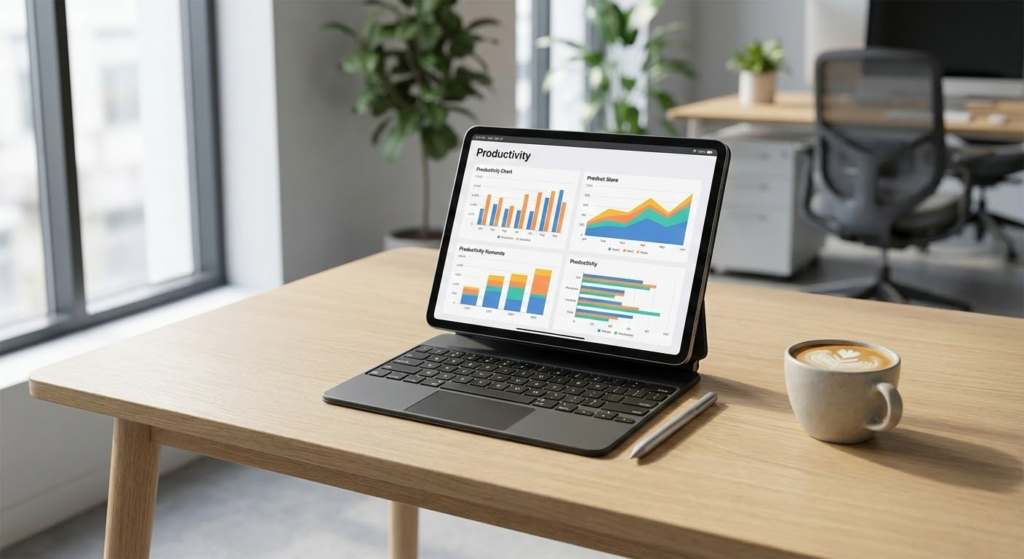
Pick the Apple iPad Pro 13-inch M4 if you need the absolute best for creative, multitasking, and editing work. You get the fastest tablet performance, a top-tier Tandem OLED display, and wide accessory support that can truly replace a laptop for photo and video professionals, illustrators, and power users who want buttery-smooth apps and color-accurate screens. Expect top performance and a premium price.
Choose the Microsoft Surface Pro 12-inch Copilot+ PC if your work relies on full Windows apps, legacy desktop software, or you want a true 2-in-1 laptop/tablet for document-heavy productivity. Its detachable keyboard, pen support, and Copilot+ AI features make it ideal for office workflows, spreadsheets, and anything that needs the real Windows experience—just budget for the keyboard and pen as extras.
How to Choose the Best Tablets for Work
Tablets have evolved far beyond entertainment devices. Today, the best tablets for work can easily handle emails, video calls, document editing, design tasks, and even multitasking that once required a laptop. To make the right choice, it’s important to focus on productivity-oriented features such as performance, display quality, accessories, and battery life.
Best Phones for Playing Free Fire
Operating System: Choose the Right Platform for Productivity
The operating system directly impacts how well a tablet fits into your work routine. Some systems prioritize simplicity and app optimization, while others focus on flexibility and multitasking.
Certain platforms excel at creative work and offer highly optimized apps, while others stand out for file management, customization, and compatibility with external devices. When choosing among the best tablets for work, consider which ecosystem already matches the tools and software you use daily.
Performance Matters: Processor and RAM for Smooth Workflow
A tablet used for work needs enough power to run multiple apps at the same time without slowing down. The processor determines how fast tasks are executed, while RAM affects multitasking performance.
For basic productivity such as note-taking, emails, and browsing, mid-range processors perform well. However, for heavier workloads like spreadsheets, video editing, or design apps, higher-end processors combined with at least 8GB of RAM deliver a noticeably smoother experience.
Storage Capacity: Enough Space for Files and Apps
Work tablets often store documents, presentations, media files, and apps that require offline access. While cloud storage helps, having sufficient internal storage is still essential.
For most professionals, 128GB is a solid starting point. If you work with large files or prefer keeping everything locally, higher storage options or tablets that support external storage can be a major advantage.
Display Quality: Comfort and Precision for Long Work Sessions
Since you’ll likely spend hours looking at the screen, display quality is critical. Larger screens improve multitasking and split-screen use, while smaller ones offer portability.
High-resolution displays provide sharper text and reduce eye strain. Technologies that improve brightness, contrast, and color accuracy are especially useful for tasks like reading, editing documents, or working with visuals. Some of the best tablets for work also support high refresh rates, making scrolling and interactions feel more fluid.
Keyboard and Stylus Support Boost Productivity
Accessories can transform a tablet into a powerful work tool. Detachable keyboards make typing faster and more comfortable, while stylus support is ideal for note-taking, sketching, and annotating documents.
If your work involves frequent writing or creative tasks, choosing a tablet with strong accessory support can significantly improve efficiency and overall workflow.
Battery Life That Keeps Up with Your Workday
A reliable work tablet should last through meetings, travel, and long work sessions without constant recharging. Battery capacity and power optimization both play a role in real-world performance.
Look for tablets that offer all-day battery life under mixed usage. Fast charging is another valuable feature, especially for professionals who are often on the move.
Connectivity Options for Remote and Hybrid Work
Modern work environments demand strong connectivity. Wi-Fi performance is essential, but tablets with optional cellular connectivity allow you to work from virtually anywhere.
Additional features such as Bluetooth support for peripherals and USB-C ports for external displays or storage devices further expand how the tablet can be used in a professional setup.
Build Quality and Portability for Daily Use
Work tablets should be durable enough to handle daily transport while remaining lightweight and comfortable to use. Slim designs are easier to carry, but solid construction ensures longevity.
Balancing portability with screen size and performance is key when selecting among the best tablets for work, especially if you commute frequently or travel for business.
By evaluating performance, display quality, accessories, battery life, and connectivity, you can confidently choose one of the best tablets for work that supports your productivity and adapts to your professional needs.
Check Out the Best Tablets for Work
Still not sure which one to choose? Click the link below to see the best-selling products.
Also Check Out Other Helpful Articles
Take a look at more useful articles that can help you make more informed decisions.
- Best Tablets for Work in 2026 (Top 9: iPad Air, OnePlus Pad and More)
- Best Tablets to Play Free Fire in 2026 (Top 7: iPad, Samsung and More)
- Best E-Readers in 2026 (Top 9: Kindle, Kobo and More)
Video About the Best Tablets for Work
We created a video on the topic. Just click to watch.
Related Articles


About the Author

Emily Clark is passionate about writing and enjoys exploring different topics through content creation. She believes in the power of words to connect and inform people.