Best Tablets with 256GB Storage in 2026 (Top 6: Galaxy Tab, TCL and More)

Looking for high-capacity devices? Check out our guide to the best tablets with 256gb storage to handle your massive app library, photos, and professional workflow.
You don’t have to be a hoarder to appreciate 256GB. Running out of space is annoying. These tablets wipe that stress away and let you keep apps, media, and big projects without constant cleanup.
Whether you’re juggling lecture PDFs, giant art files, or a family’s streaming binge, storage is freedom. Expect less syncing, fewer “storage full” alerts, and more time actually using your tablet.
Contents
- The Best Tablets with 256GB Storage
- Galaxy Tab S9 FE+ — 12.4-inch
- Galaxy Tab S10 Lite — S Pen Included
- TCL NXTPAPER 14 — Large Paper-like Tablet
- TCL NXTPAPER 11 Plus — Paper-like Display
- Galaxy Tab A11+ — 8GB/256GB
- Lenovo Idea Tab — 11-inch Study Tablet
- Final Thoughts on the Best Tablets with 256GB Storage
- How to Choose the Best Tablets with 256GB Storage
- Check Out the Best Tablets with 256GB Storage
- Also Check Out Other Helpful Articles
- Video About the Best Tablets with 256GB Storage
The Best Tablets with 256GB Storage



Galaxy Tab S9 FE+ — 12.4-inch
You get a roomy 12.4" display, IP68 durability, and a responsive S Pen that together make this a great tablet for productivity, note-taking, and multimedia. It balances premium feel and practical features without the full flagship price tag.
Pros
- Large 12.4" high-resolution display great for multitasking
- IP68 water and dust resistance adds durability
- S Pen included — excellent for notes and sketches
- Long battery life with fast charging support
- Good multitasking with One UI and DeX support
Cons
- Not as fast as flagship SoCs for heavy rendering or gaming
- Slightly larger and heavier to carry all day
Overview
The Galaxy Tab S9 FE+ sits between mainstream and flagship tablets by offering a large, high-quality display, IP68 durability, and the S Pen experience that many creatives and students value. You’ll appreciate the premium aluminum build and the comfort of a big screen for split-screen apps, spreadsheets, and long reading sessions.
Notable features and how they help you
- The 12.4-inch panel gives you real estate for productivity: you can comfortably run two apps side-by-side, edit documents, or annotate PDFs without feeling cramped.
- IP68 rating means you don’t have to worry about light splashes or dust during travel or in casual outdoor use.
Practical strengths and trade-offs
- The included S Pen is low-latency and accurate, making it suitable for students, note-takers, and light illustrators. Paired with DeX you can get a desktop-like workflow for document editing and multitasking.
- The chipset delivers strong everyday performance, though it won’t match the raw GPU power of top-tier flagship tablets in sustained heavy workloads.
Who should buy this
Choose this tablet if you want a large-screen device that’s comfortable for productivity and media, with extra durability and pen input. It’s especially good for students, professionals who edit documents on the go, and users who value a bigger display without paying flagship prices.
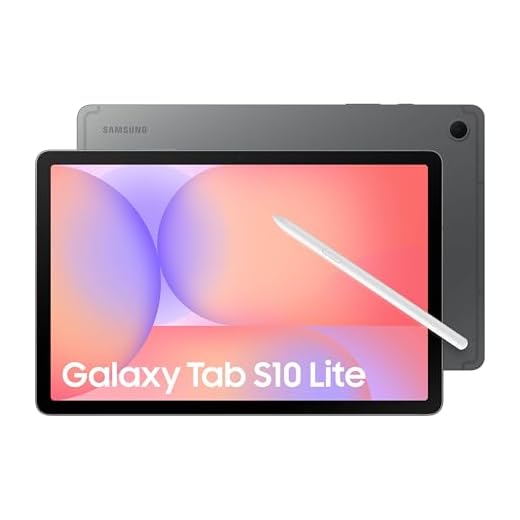
Galaxy Tab S10 Lite — S Pen Included
You get a nicely balanced 10.9" tablet that pairs a sharp, responsive display with a bundled S Pen for note-taking and light creative work. It’s a versatile everyday device that fits well into travel and productivity workflows.
Pros
- Included S Pen for notes and sketches
- 10.9" LCD with Vision Booster delivers vibrant visuals
- Expandable storage up to 2TB via microSD
- Solid battery life for all-day use
- Lightweight and portable for travel
Cons
- Not a full flagship in raw CPU/GPU performance
- Speakers and camera are competent but not class-leading
Overview
The Galaxy Tab S10 Lite is designed for users who want a compact, travel-friendly tablet with pen input built in. You’ll find the 10.9-inch panel comfortable for reading, streaming, and light productivity, while the included S Pen makes quick notes and sketches feel natural without needing to buy extras.
What stands out
- The bundled S Pen is a major convenience if you take notes, annotate PDFs, or sketch; there’s no charging required and latency feels low for casual creative work.
- Expandable storage (reported up to 2TB) gives you much more flexibility than fixed-storage competitors if you store large media libraries or offline content.
Practical usage and limitations
- In day-to-day use you’ll notice responsive performance for browsing, streaming, and document editing. For sustained heavy gaming or professional graphics work you’ll see limitations versus flagship-class chips.
- The tablet’s form factor makes it ideal for commuters and frequent travelers — it’s light enough to carry and useful as a compact media device or secondary laptop when paired with a small keyboard.
Who this is for
If you want a portable tablet with pen support for note-taking, light design work, and solid multimedia performance, this model offers excellent value. Power users who need top-tier processing or studio-level creative tools should look higher in Samsung’s range.
TCL NXTPAPER 14 — Large Paper-like Tablet
You’ll benefit from a spacious 14.3" paper-like display that’s excellent for sheet music, long-form reading, and large canvas sketching. The big battery and included stylus make it a practical portable studio and reading device.
Pros
- Huge 14.3" matte NXTPAPER display ideal for reading and sheet music
- 4096-level stylus with precise input for drawing and annotations
- Large 10000mAh battery for extended sessions
- Great for multi-window workflows and document-heavy tasks
- Included flip case and stylus increase out-of-box utility
Cons
- Heavier and less pocketable than smaller tablets
- Charging can be slow unless you use a high-wattage charger
- Speakers are adequate but not premium; no microSD slot on some SKUs
Overview
The NXTPAPER 14 is aimed at users who want a large, paper-like canvas for reading, score-following, or creative work. With a 14.3" 2.4K matte display and a high-precision stylus, you can comfortably view full-size documents or sketch across a generous workspace.
What makes it useful for creatives and readers
- The large matte screen reduces glare and mimics paper texture, which helps during long reading sessions (ebooks, PDFs) and when annotating or sketching with the included stylus.
- A 4096-level pressure stylus gives you fine control for line weight and shading in drawing apps, and the expansive screen makes multi-window workflows far more practical than on smaller tablets.
Practical trade-offs and considerations
- The tablet’s size and weight make it less convenient to carry everywhere; it’s best when you plan to use it as a dedicated tool (practice sessions, studio work, long reads) rather than as a daily commuter device.
- You may need to invest in a higher-wattage charger to get faster top-ups — the large 10000mAh battery is excellent for endurance, but charging speed depends on the charger you use.
Who should buy this
If you read long-form content, follow sheet music, or do serious sketching and want a large, paper-like surface without moving to an expensive pro tablet, this is a compelling and more affordable option. It’s especially attractive for musicians, illustrators who prefer a large canvas, and anyone who values a comfortable reading surface.
TCL NXTPAPER 11 Plus — Paper-like Display
You’ll appreciate the paper-like NXTPAPER display and included stylus for long sketching or reading sessions that strain your eyes less. It’s a flexible device that works as a tablet, drawing pad, and digital notebook.
Pros
- NXTPAPER 4.0 display feels like paper — easy on the eyes
- 11.5" 120Hz 2.2K screen for smooth visuals and drawing
- Stylus and flip case included for note-taking and sketching
- Good multitasking with ample RAM and 256GB storage
- All-day 8000mAh battery and fast charging
Cons
- Speakers are serviceable but not outstanding
- Midrange chipset can show limits with very heavy workloads
- Cameras are adequate for video calls but not flagship quality
Overview
The NXTPAPER 11 Plus blends a paper-like reading and writing experience with the flexibility of an Android tablet. You’ll notice reduced eye strain during long reading or note-taking sessions thanks to the textured NXTPAPER surface while still having access to a full-color display for media when you want it.
Key features and the user impact
- The 11.5" 2.2K 120Hz display supports both fluid animation and a comfortable ink-like feel when you write or sketch with the included stylus.
- The tablet ships with a flip case and stylus, allowing you to treat it as a digital notebook out of the box.
Practical strengths and trade-offs
- For students, creatives, and professionals who take a lot of notes or annotate documents, the paper-like mode is a real productivity win — you can switch between Regular, Ink Paper, and Color Paper modes depending on the task.
- The chipset and speakers are solid for the price, but if you need pro-level creative performance or top-tier audio, higher-end models will still outperform it.
Who should consider this device
Choose this if you prioritize a comfortable reading/writing surface and want a single device that doubles as a drawing pad and media tablet. It’s particularly appealing for note-heavy workflows, digital journaling, and casual sketching.
Galaxy Tab A11+ — 8GB/256GB
You get a balanced mix of performance, battery life, and multimedia features that make this a strong choice for households. It handles streaming, light multitasking, and casual gaming well while offering roomy storage and expandable options.
Pros
- Large 11" 90Hz display for smooth media and browsing
- Quad speakers with Dolby Atmos provide immersive audio
- 8GB RAM and 256GB storage (expandable) for multitasking
- Long battery life with fast charging
- Slim, lightweight design and 2-year warranty
Cons
- Midrange chipset not ideal for heavy gaming or pro work
- Only a basic 5 MP front camera for video calls
Overview
The Galaxy Tab A11+ targets families and general users who want a dependable all-around tablet without breaking the bank. You’ll appreciate a bright 11-inch screen with a 90Hz refresh rate that keeps animations and scrolling feeling fluid, plus quad speakers tuned with Dolby Atmos for better-than-average sound when streaming shows or video-calling relatives.
Key features and what they mean for you
- 8GB RAM and 256GB onboard storage, with expandable storage options, let you store lots of media and run several apps in split-screen without constant slowdowns.
- Long-lasting battery life paired with fast charging means you can go a full day of mixed use and quickly top up before heading out.
- Multimedia-focused features — the large display and Dolby Atmos quad speakers — make the device a good family entertainment hub.
Practical benefits and limitations
- You’ll find the tablet excellent for watching movies, doing light productivity, and handling schoolwork or browsing. The chipset is responsive for everyday tasks but can struggle with sustained heavy gaming or professional creative tasks (video editing, high-res rendering).
- The camera setup is serviceable for video calls, but don’t expect flagship-level photography from the front 5 MP camera.
Who should consider this tablet
If you want a reliable, reasonably priced tablet for family use, media consumption, and everyday multitasking, this is a solid pick. If your work involves demanding creative apps or high-frame-rate gaming, you’ll want to consider a higher-end model instead.
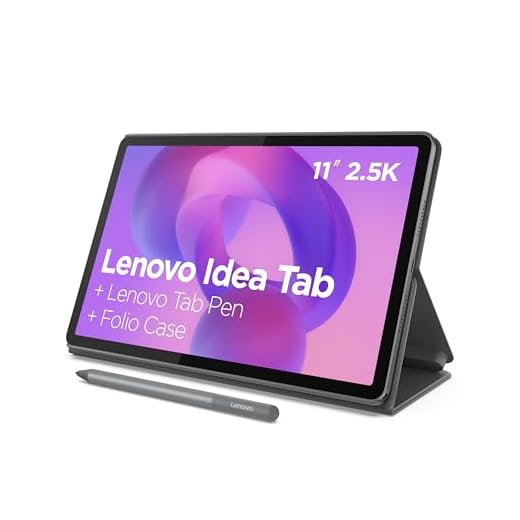
Lenovo Idea Tab — 11-inch Study Tablet
You’ll find an economical tablet that covers daily study, streaming, and note-taking needs while including a pen and folio case. It’s a smart budget choice when you need reliable performance without premium cost.
Pros
- Excellent price-to-performance for students
- Sharp 11" 2.5K 90Hz display for reading and classes
- Includes Lenovo Tab Pen and folio case
- AI-powered study features and all-day battery life
- Solid multitasking with MediaTek Dimensity 6300
Cons
- Included folio case feels somewhat flimsy
- Charger not always included (varies by region)
- Not designed for heavy gaming or pro creative apps
Overview
The Lenovo Idea Tab targets students and budget-conscious users who want a capable device for study and entertainment. With an 11-inch 2.5K display and a 90Hz refresh rate, you’ll get crisp text and smooth scrolling — useful for lectures, e-textbooks, and note-taking.
What you’ll like about it
- Lenovo bundles a Tab Pen and folio case, which means you can start taking notes, sketching, and propping the tablet up for video lectures immediately without buying extras.
- AI-assisted features such as quick summarization and on-screen search help you study more efficiently and reduce app-switching.
Practical considerations
- The MediaTek Dimensity 6300 gives you snappy day-to-day performance: browsing, streaming, and running productivity apps feel smooth, but you should not expect flagship-level graphics performance for high-end games.
- Battery life is tuned for all-day classroom and study sessions, though build accessories like the included folio may not be as durable long-term.
Who will benefit most
If you need an affordable, well-rounded tablet for classes, note-taking, and media consumption, this is a strong pick. Power users and those who demand pro-level creative or gaming performance will want to look at higher-tier options.
Final Thoughts on the Best Tablets with 256GB Storage
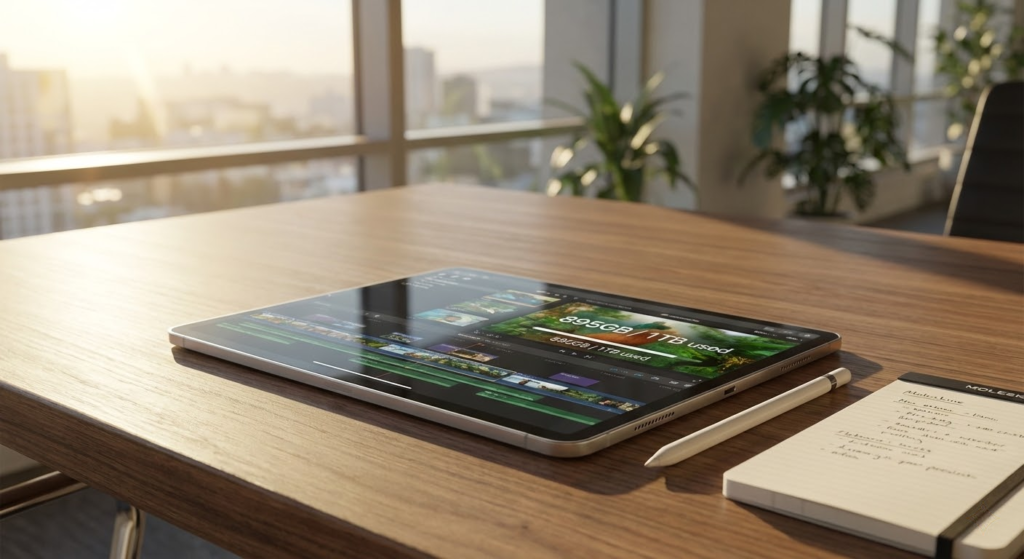
If you want one tablet that does most things very well, pick the Galaxy Tab S9 FE+ — 12.4" screen, IP68 durability, and a responsive S Pen make it the best pick for productivity, note-taking, and multimedia. It’s your go-to if you work across apps, sketch occasionally, and like a device that feels premium without flagship price surgery.
If your priority is drawing, long-form reading, or a large portable canvas, grab the TCL NXTPAPER 14. Its 14.3" paper-like display and included stylus are made for creatives and sheet-music or book lovers who want a big, eye-friendly workspace and long battery life.
How to Choose the Best Tablets with 256GB Storage
Running out of space on a tablet can be frustrating—especially if you use it for work, study, or entertainment. That’s why choosing one of the best tablets with 256GB storage is a smart move. With plenty of internal space, you can install large apps, download movies, save documents, and keep high-resolution photos without constantly managing files. Below are the key factors to consider to make the right choice.
Operating System: iPadOS, Android, or Windows?
The operating system directly impacts how you’ll use your tablet. It defines the interface, compatible apps, multitasking features, and overall user experience.
iPadOS is known for its smooth performance and strong optimization for large screens, especially for productivity and creative tasks. Android tablets offer flexibility, customization, and access to a wide variety of apps at different price points. Windows-based tablets work more like laptops, making them ideal for users who need desktop-style software and multitasking.
Choosing the right system depends on whether you prioritize entertainment, creativity, or professional use.
Processor Performance Matters More Than You Think
Storage alone doesn’t define performance. The processor determines how fast your tablet runs apps, handles multitasking, and performs demanding tasks.
For casual use like browsing, streaming, and reading, mid-range processors are usually enough. However, if you plan to edit videos, use design apps, or play advanced games, look for tablets with more powerful chipsets and higher clock speeds. A strong processor ensures that your 256GB tablet feels fast and responsive for years.
Best Type 2 Collagen Supplements
RAM Capacity Is Key for Multitasking
When comparing the best tablets with 256GB storage, don’t overlook RAM. It plays a major role in how smoothly your tablet runs multiple apps at once.
Tablets with 4GB of RAM can handle basic tasks, but for heavy multitasking, split-screen use, or professional apps, 6GB or 8GB of RAM is a much better choice. More RAM means fewer slowdowns and faster switching between apps.
Display Size and Quality Make a Big Difference
The screen is one of the most important features of a tablet. Larger displays—around 10 inches or more—are great for watching videos, drawing, reading, and working with documents. Smaller tablets offer better portability and are easier to hold for long periods.
Resolution and panel technology also matter. Full HD or higher resolutions provide sharper text and images, while AMOLED or OLED displays deliver richer colors and deeper contrast. If you spend hours looking at the screen, display quality should be a top priority.
Best Hydrolyzed Collagen Supplements
Battery Life Should Match Your Daily Routine
A tablet with powerful hardware and large storage won’t be very useful if it runs out of battery too quickly. Battery capacity, usually measured in mAh, gives a general idea of how long the device can last.
For daily use, look for tablets that comfortably last a full day on a single charge. If you travel frequently or use your tablet for long sessions, models with larger batteries and efficient processors will offer better endurance.
Camera and Multimedia Features Add Extra Value
While tablets aren’t primarily designed for photography, camera quality still matters for video calls, online classes, and document scanning.
Front cameras with good resolution and image processing improve video conferencing, while capable rear cameras can be useful for quick photos or augmented reality apps. Strong speakers and support for high-quality audio formats are also important if you use your tablet for streaming or gaming.
Connectivity and Accessories Expand What You Can Do
To get the most out of your 256GB tablet, check its connectivity options. Wi-Fi-only models are fine for home use, but cellular versions allow internet access anywhere. Support for Bluetooth accessories, external keyboards, and stylus pens can significantly boost productivity and creativity.
If you plan to use your tablet as a laptop replacement, accessory compatibility becomes even more important.
Build Quality and Design Shouldn’t Be Ignored
A well-built tablet feels better to use and lasts longer. Slim designs, durable materials, and good weight balance improve comfort, especially during extended use.
Premium build quality is often found in higher-end models, but many mid-range tablets also offer solid construction without a high price tag.
By evaluating performance, display, battery life, and usability together, you’ll be able to confidently choose one of the best tablets with 256GB storage that fits your needs—whether for work, study, or entertainment.
Check Out the Best Tablets with 256GB Storage
Still not sure which one to choose? Click the link below to see the best-selling products.
Also Check Out Other Helpful Articles
Take a look at more useful articles that can help you make more informed decisions.
- Best Cost-Benefit Tablets in 2026 (Top 10: Xiaomi, Samsung and More)
- Best Tablets for Reading in 2026 (Top 6: Kindle, iPad and More)
- Best Tablets for Heavy Gaming in 2026 (Top 7: iPad Pro, ASUS ROG Flow and More)
Video About the Best Tablets with 256GB Storage
We created a video on the topic. Just click to watch.
Related Articles

About the Author

Sara Taylor has always loved storytelling. With a natural curiosity, she brings fresh perspectives to every article she works on.