Best Tablets With Good Cameras in 2026 (Top 7: iPad Pro, Galaxy Tab S10 Ultra and More)

Discover the best tablets with good cameras suitable for photography and high-quality video calls. Explore our selection to find the perfect device for your needs.
Tablets are quietly stealing the spotlight from cameras. They now pack sensors, pro-level displays, and editing power in a single thin slab. Short learning curve. Big payoff.
You’re traveling light and want great shots plus instant edits. Picture-perfect color, fast performance, and solid video calls — all without lugging a DSLR. It’s handy, and a little bit magical.
Contents
- The Best Tablets With Good Cameras
- Apple iPad Pro 11-inch (M4)
- Samsung Galaxy Tab S10 Ultra Tablet
- Microsoft Surface Pro 9 13-inch 2-in-1
- OnePlus Pad 3 13.2-inch Tablet
- Apple iPad 10th Gen 10.9-inch
- Refurbished Fire Max 11 11-inch Tablet
- Portable 12.2-inch Magic Drawing Pad
- Final Thoughts on the Best Tablets With Good Cameras
- How to Choose the Best Tablets with Good Cameras
- Check Out the Best Tablets With Good Cameras
- Also Check Out Other Helpful Articles
- Video About the Best Tablets With Good Cameras
The Best Tablets With Good Cameras


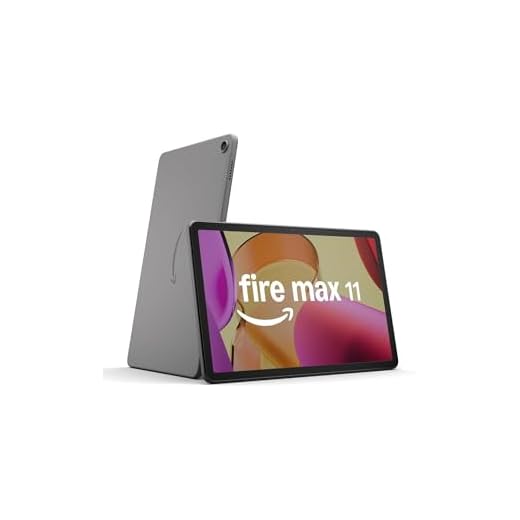

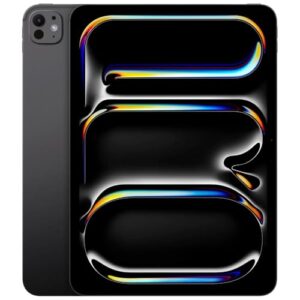
Apple iPad Pro 11-inch (M4)
You get class-leading performance from the M4 chip, an Ultra Retina XDR display for precise color work, and a versatile 12MP camera system with LiDAR for depth-aware capture and AR. It’s the most capable tablet if you prioritize imaging, creative workflows, and future-proof performance.
Pros
- M4 chip delivers top-tier performance for editing and rendering on-device
- Ultra Retina XDR display with Nano-Texture option for accurate color and contrast
- 12MP front and back cameras plus LiDAR enable creative imaging and AR
- Extensive pro app ecosystem (Procreate, LumaFusion, Photoshop) optimized for iPadOS
Cons
- Premium price that increases with storage and cellular options
- Accessories (Apple Pencil Pro, Magic Keyboard) are additional costs
- Heavier than smaller iPad models when carrying long distances
Why it stands out
If you want the best tablet experience for photography and creative production, this model is the benchmark. The M4 processor and the Ultra Retina XDR display give you the horsepower and visual fidelity to edit high-resolution photos and 4K video directly on the device.
Imaging and creative feature set
- 12MP rear and front cameras with advanced image processing
- LiDAR Scanner for depth mapping, better autofocus in low light, and enhanced AR capabilities
- Compatibility with pro-grade apps that take advantage of the processor and display
These capabilities translate to faster render times, smoother timeline scrubbing, and more accurate color work when you’re retouching photos or grading video. The LiDAR sensor improves portrait and AR workflows, letting you capture precise depth data for many creative tasks.
Limitations and practical advice
You’ll pay a premium for the best hardware, and accessories that unlock the full pro workflow are additional investments. However, if you regularly edit RAW files, produce video, or use advanced creative apps, the time savings and on-device capabilities often justify the cost.
How to get the most from it
- Pair with Apple Pencil Pro for precision retouching and with a quality color-managed workflow for critical edits.
- Use onboard apps like Final Cut Rush or LumaFusion for quick edits and move to desktop for heavy timelines if needed.
- Invest in higher storage tiers if you shoot lots of RAW photos or 4K video to avoid frequent offloading.
Samsung Galaxy Tab S10 Ultra Tablet
You’ll enjoy a massive Dynamic AMOLED display and a flexible camera setup that handles wide shots and high-quality video calls. It’s built for creators and entertainment lovers who want a tablet that can also be used for photography and content editing on the go.
Pros
- 14.6-inch Dynamic AMOLED 2X display with HDR10+ for superb visuals
- Dual high-quality front cameras (12MP) and versatile rear cameras for creative framing
- S Pen included for drawing and precise edits
- Powerful chipset and expandable storage options for large media projects
Cons
- Large size can feel cumbersome for single-handed use
- Premium price point relative to smaller tablets
- Some pro camera features rely on software optimization which may vary by update
Who this excels for
This tablet is ideal if you’re a creative professional or serious hobbyist who wants a large, color-accurate canvas for editing photos and videos and a camera system that supports flexible capture options. It’s also great for immersive media consumption and split-screen productivity.
Camera and display strengths
- Dual 12MP front cameras for flexible framing and excellent video call quality
- Rear camera array (including wide/ultrawide elements) for landscape and group shots
- AMOLED display with high refresh rate and HDR support for precise color grading and previewing
The combination of a large, true-to-color display and competent camera hardware means you’ll see accurate previews of your shots and edit on a tablet that can approach desktop-level comfort for many tasks. The included S Pen makes retouching and annotation natural and precise.
Limitations and practical considerations
While the tablet is excellent for many creative uses, the sheer size can make handheld shooting awkward and it’s less pocketable than smaller devices. Additionally, some advanced camera features depend on software tuning and updates, so experience can vary slightly over time.
How to use it effectively
- Use the S Pen for precise masking and retouching when editing photos on-device.
- Leverage multi-window and DeX-like workflows (if supported) for full editing suites.
- For on-the-go photography, pair the tablet with a lightweight tripod or stand to stabilize larger-format shots.
Microsoft Surface Pro 9 13-inch 2-in-1
You get a full Windows experience in a thin tablet chassis with a 10MP rear camera and a higher-resolution front camera for video conferencing and document capture. It’s best when you need a device that doubles as a laptop and tablet with a dependable imaging system for work use.
Pros
- Full Windows 11 experience for desktop-class apps
- High-resolution 10MP rear webcam for clear document photos and video
- 13-inch high-res touchscreen suitable for content creation and productivity
- Long battery life and a lightweight, portable design
Cons
- Keyboard and pen sold separately, increasing total cost
- Camera system is good for work but not primed for pro photography
- Renewed units may vary in condition and warranty length
Who should pick this device
If you need a tablet that behaves like a full laptop — letting you run desktop apps, connect standard Windows software, and comfortably handle video conferencing — this is an excellent choice. You’ll also appreciate the higher-resolution rear camera for scanning documents and producing sharper meeting images.
Imaging and everyday use
- 10MP rear camera suited to document capture, snapshots, and occasional video
- Front-facing camera optimized for conferencing and remote collaboration
The camera hardware is oriented toward productivity: clear, high-resolution captures of pages, whiteboards, and face-forward video calls. If you do light content creation and editing, the Surface’s large screen and Windows apps give you flexibility to process photos and videos natively.
Strengths and practical limitations
You’ll get the benefit of a familiar Windows environment, which is a major advantage for people who rely on desktop-grade software. On the flip side, this device is not aimed at mobile-first photographers who want the latest smartphone-level camera processing or image stacks.
Tips for using the Surface Pro 9
- Add the official keyboard and Surface Pen for a full laptop-and-tablet hybrid workflow.
- Use Windows photo utilities or third-party software for more advanced editing workflows.
- When buying renewed, verify warranty terms and inspect return options.
OnePlus Pad 3 13.2-inch Tablet
You get a fast Snapdragon 8 Elite platform paired with a vivid 3.4K 144Hz display and a giant battery with rapid 80W charging. Camera hardware is competent for everyday photos and video calls but isn’t the flagship camera highlight here.
Pros
- Sharp 3.4K LCD with 144Hz refresh for smooth motion
- Powerful Snapdragon 8 Elite chipset and ample RAM
- Large 12,140 mAh battery with 80W fast charging
- Quad or multi-speaker audio tuned for immersive media
Cons
- Camera setup is serviceable but not best-in-class
- Android tablet app ecosystem still catching up to iPadOS
- Aluminum slim body can feel slippery without a case
Purpose and audience
This tablet targets power users who want a fast multitasking device with an outstanding display and long battery life. If your priority is editing photos and long video sessions, the screen and performance are excellent, but if you’re hunting for best-in-class mobile camera hardware, there are better options.
Notable features
- Snapdragon 8 Elite chipset with up to 12GB RAM for responsive multitasking and gaming
- 13.2-inch 3.4K LCD at 144Hz for detailed, smooth visuals
- Massive 12,140 mAh battery with 80W charging that brings quick top-ups
The display and battery make this a strong media and productivity tablet: you’ll stream, edit, and multitask with minimal slowdowns. The fast refresh rate is especially helpful for scrolling, animation work, and gaming.
Camera and everyday use
The built-in cameras are adequate for video calls, scanning documents, and casual snapshots — good enough for social sharing and conferencing, but they won’t replace a dedicated camera or a flagship phone for low-light or highly detailed photography. Expect accurate color in well-lit scenes and reasonable stabilization for handheld video.
Practical insights
- Use the tablet as a mobile editing surface for photos you shoot on a phone; the display helps you judge color and detail better than most midrange tablets.
- Pair with accessories (keyboard, stand) to turn it into a productivity hub during travel.
- If photography is your top priority, consider comparing imaging specs and sample images against camera-focused tablets such as the iPad Pro or Galaxy Tab series.
Apple iPad 10th Gen 10.9-inch
You’ll appreciate a fast A14 Bionic chip, a bright Liquid Retina display, and a pair of 12MP cameras that handle selfies and landscape shots reliably. It’s a great all-around tablet for students and casual creators, though it lacks the pro-level imaging and accessory ecosystem of the Pro line.
Pros
- A14 Bionic delivers snappy app performance and smooth multitasking
- 10.9-inch Liquid Retina display with good color and brightness
- 12MP front and back cameras suitable for high-quality video calls and snapshots
- All-day battery life and solid iPad ecosystem with tons of apps
Cons
- Not as camera-focused as the iPad Pro lineup
- Limited to older Apple Pencil generations via adapters (accessory caveats)
- Some users may want more base storage for media-heavy use
What it’s designed for
This iPad is aimed at users who want a dependable, responsive tablet for school, work, and media consumption. If you need a daily driver that balances performance, battery life, and a capable camera for video calls and casual photos, this model fits well.
Camera and imaging
- 12MP rear camera for snapshots, document scanning, and video capture
- 12MP front camera that supports high-quality video calls and Center Stage (depending on software support)
The cameras are well suited for remote learning, meetings, and quick social content. While they won’t replace a dedicated camera or the advanced imaging of pro-class tablets, they are more than adequate for most everyday scenarios.
Everyday benefits and limitations
You’ll enjoy a mature app ecosystem (iPadOS), consistent software updates, and strong performance for editing light photos or videos on the go. On the downside, if you’re a power photographer or need the absolute best low-light imaging, the Pro models (or certain Android flagships) will outperform this model.
Practical advice
- If you plan to shoot a lot of photos or store many media files locally, invest in the higher storage tier.
- Pair the iPad with a keyboard case for writing and productivity tasks.
- Use Cloud services to offload large media libraries and keep local storage free.
Refurbished Fire Max 11 11-inch Tablet
You get a vivid 2K-ish display, long battery life, and a family-friendly streaming experience at a very competitive price. The camera is useful for quick snaps and video calls but is not positioned as a photography centerpiece.
Pros
- Vivid 11-inch display suitable for streaming and reading
- Long battery life (advertised ~14 hours) for all-day use
- Refurbished pricing gives strong value for everyday tasks
- Optional keyboard and stylus accessories increase versatility
Cons
- Fire OS limits you to the Amazon app ecosystem and sideloading for other stores
- Camera performance is basic — fine for video calls, not for advanced photography
- Refurbished units may have variable accessory or packaging conditions
Who should consider this tablet
If you want a compact, budget-friendly tablet primarily for streaming, reading, browsing, and light gaming, this model is a solid pick. It’s especially attractive when you want a reputable name at a lower price point.
Key strengths
- Bright 11-inch display tuned for content consumption
- Reliable battery life that easily lasts a full day of mixed use
- Refurbished certification offers savings without sacrificing basic reliability
These strengths make it a comfortable secondary device for travel, kids, or secondary household use. The optional keyboard and stylus expand how you use it, turning it into a light productivity device or a note-taking tool.
Camera and practical limitations
The camera is serviceable for video calls, quick document scans, and social media snaps. However, do not expect the same dynamic range, low-light performance, or detail you get from premium tablets and phones. If you primarily want a tablet for photography or pro-level content creation, you should look to higher-end options.
Tips for buyers
- Choose a higher storage option or add a microSD (if supported) if you plan to download media for offline use.
- Consider removing lock screen ads if offered for a slightly more premium experience.
- Use the device with a lightweight case or stand for comfortable long-form viewing and video calls.
Portable 12.2-inch Magic Drawing Pad
You get a dedicated drawing surface with a textured screen and a highly sensitive stylus that mimics pen-on-paper. It’s designed for creators more than photographers, so camera capability is not the focus here.
Pros
- Matte, paper-like display that feels natural to draw on
- Industry-first 16K pressure-level X3 Pro stylus that doesn’t need charging
- Standalone Android OS with generous 8GB + 256GB storage
- Includes protective case and extra drawing accessories
Cons
- Not designed as a camera-first tablet — limited photography features
- Tilt support is reportedly inconsistent for some users
- Preinstalled creative apps may not match professional workflows
Who this is for
If you’re focused on drawing, sketching, and note-taking, you’ll appreciate how this device prioritizes pen performance and a tactile matte screen over photography. You should view it as a dedicated creative canvas rather than as a camera-centric tablet.
Key features and what they mean for you
- 16K pressure-sensitive X3 Pro slim stylus with no charging or pairing required
- 12.2-inch textured display that replicates paper friction
- 8GB + 256GB on-device storage with Android OS and bundled creative apps
These features mean you can draw for long sessions with low friction and minimal setup. The pen’s high pressure resolution gives you extremely fine line control for shading and inking, while the matte display reduces glare and stylus slip.
Practical benefits and limitations
You’ll enjoy a natural sketching experience, portability, and the convenience of a standalone device for on-the-go art. However, if you expect strong camera performance, you’ll be disappointed — the product is optimized around input and display, not imaging systems. Expect limited built-in camera functions and fewer photography-focused apps compared with mainstream tablets.
Real-world usage tips
- Use the included protective sleeve to carry it safely when traveling to sketches sessions.
- Try alternative drawing apps from the Play/Android store if the preinstalled options don’t suit your workflow: some users prefer Infinite Painter or Clip Studio (if available).
- If tilt works inconsistently, disable it and rely on pressure for shading until firmware or app updates improve behavior.
Final Thoughts on the Best Tablets With Good Cameras
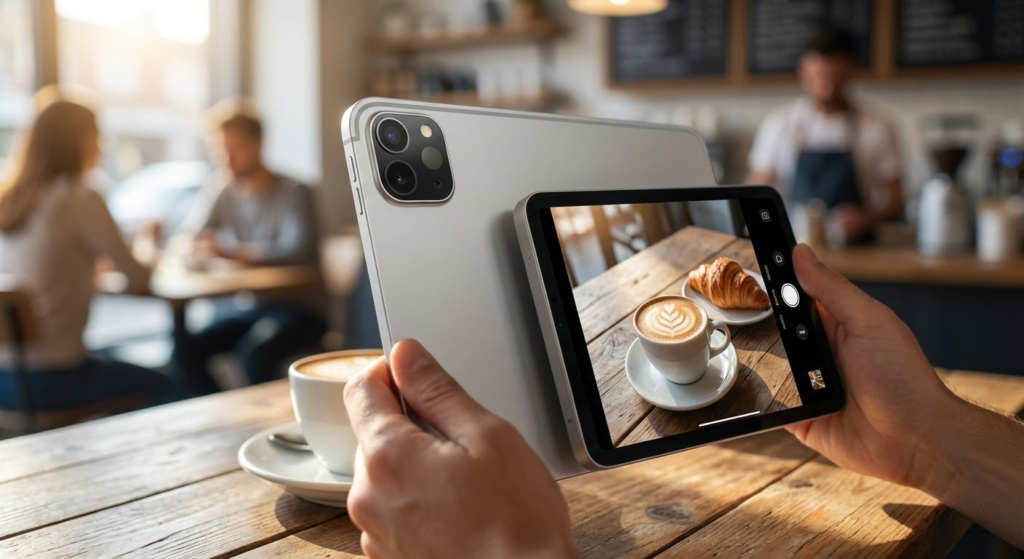
Pick the Apple iPad Pro 11-inch (M4) as your top choice if you want the most capable imaging setup. You get class-leading M4 performance, an Ultra Retina XDR display for precise color work, a versatile 12MP camera system and LiDAR for depth-aware capture and AR. In short: choose the iPad Pro when you’re a creator or pro photographer who needs accurate editing on-device and future-proof power.
Choose the Samsung Galaxy Tab S10 Ultra if you prefer a larger canvas and excellent media handling. Its massive Dynamic AMOLED screen and flexible camera array make it ideal for wide shots, video calls, and editing on a roomy display. Pick the Tab S10 Ultra when you prioritize screen real estate and a great all-around tablet for content creation and entertainment.
How to Choose the Best Tablets with Good Cameras
Tablets are no longer just for watching videos or browsing the web. Today, many models deliver impressive camera quality, making them great tools for video calls, content creation, scanning documents, and even photography. If you’re looking for the best tablets with good cameras, it’s important to evaluate more than just megapixels. Below are the key factors that really make a difference.
Best Vitamins for Female Hair Loss
Operating System Matters for Camera Features and Apps
The operating system directly affects camera performance, available apps, and editing tools. Tablets typically run on iPadOS or Android, and each platform offers different advantages.
Some systems focus heavily on camera optimization, image processing, and seamless integration with editing apps. Others stand out for flexibility, customization, and compatibility with a wide range of third-party camera and video apps. Choosing the right operating system can enhance both photo quality and your overall workflow.
Processor and Image Processing Make a Big Difference
A good camera isn’t just about the lens—it’s also about what happens after the photo is taken. The processor plays a major role in image processing, handling tasks like noise reduction, HDR, and video stabilization.
Tablets with more powerful processors can capture photos faster, process images more accurately, and record higher-quality video without lag. This is especially important if you plan to edit photos or record videos directly on the device.
Look for Tablets with at Least 8MP Rear and Front Cameras
When comparing the best tablets with good cameras, resolution is a good starting point. For decent photo quality, the rear camera should offer at least 8 megapixels. For video calls, online classes, and meetings, a front camera with 8MP or more provides sharper and more professional-looking results.
Higher megapixel counts can capture more detail, but they work best when combined with good sensors and software optimization.
Aperture and Sensor Size Improve Low-Light Photos
Camera aperture is another essential detail. A wider aperture allows more light to reach the sensor, which improves photo clarity, especially in low-light environments. Since aperture values are measured as fractions, a lower number means a wider opening.
Sensor size also matters. Larger sensors generally capture better detail, offer improved dynamic range, and reduce noise. Together, aperture and sensor quality have a bigger impact on real-world results than megapixels alone.
Video Recording Quality Is Essential for Calls and Content
If you plan to record videos or rely heavily on video calls, pay close attention to video specifications. Many modern tablets support Full HD (1080p) recording, which is more than enough for daily use.
For content creators, tablets that support 4K video recording deliver sharper footage and more flexibility in editing. Frame rate is also important—60 FPS provides smoother motion and better results for fast-moving scenes compared to 30 FPS.
Display Quality Helps You See What You Capture
A high-quality display makes a big difference when framing shots, reviewing photos, or editing videos. Tablets with higher resolution screens allow you to see more detail and accurate colors.
Display technologies like IPS offer consistent image quality from different angles, while AMOLED screens deliver deeper blacks and more vibrant colors. A good screen helps ensure that what you see while shooting matches the final result.
Storage Space Is Important for Photos and Videos
High-quality photos and videos take up space quickly. Choosing a tablet with generous internal storage—or support for cloud storage—prevents constant file management.
If you plan to record videos in high resolution or store large photo libraries, prioritize models with ample storage options so performance and usability don’t suffer over time.
Battery Life Supports Longer Camera Use
Using the camera, especially for video recording or video calls, consumes a lot of battery. Tablets with larger batteries allow longer shooting sessions without interruption.
A good balance between battery capacity and processor efficiency ensures you can capture photos, record videos, and edit content without constantly reaching for the charger.
By focusing on camera hardware, software optimization, display quality, and performance, you’ll be able to confidently choose among the best tablets with good cameras that fit both your creative needs and everyday use.
Check Out the Best Tablets With Good Cameras
Still not sure which one to choose? Click the link below to see the best-selling products.
Also Check Out Other Helpful Articles
Take a look at more useful articles that can help you make more informed decisions.
- Best Cost-Benefit Tablets in 2026 (Top 10: Xiaomi, Samsung and More)
- Best Tablets for Reading in 2026 (Top 6: Kindle, iPad and More)
- Best Tablets for Heavy Gaming in 2026 (Top 7: iPad Pro, ASUS ROG Flow and More)
Video About the Best Tablets With Good Cameras
We created a video on the topic. Just click to watch.
Related Articles

About the Author

Ashley Turner enjoys crafting content that is easy to read and meaningful. She believes good writing starts with understanding the reader.