Best Tablets With Large Screens in 2026 (Top 6: Galaxy Tab S11 Ultra, iPad Pro and More)

Upgrade your visual experience. Discover the best tablets with large screens designed for immersive entertainment and professional productivity. See our top picks.
Big tablets are quietly stealing laptop jobs. You get more screen, less bulk, and a touchscreen that actually makes sense for sketching, editing, and binging. Short commute. Fewer cords. Fewer excuses.
Imagine sketching, video-editing, or watching a movie on a 14-inch slab that feels like a mini-studio. These tablets give you POWER and PORTABILITY — without the keyboard wrestling. Pick one that fits how you work and play.
Contents
- The Best Tablets With Large Screens
- Apple iPad Pro 13-inch (M5)
- Samsung Galaxy Tab S11 Ultra 14.6-inch
- Apple iPad Air 13-inch (M3)
- Microsoft Surface Pro 13-inch 2-in-1
- TCL NXTPAPER 14.3-inch Paper-Like Tablet
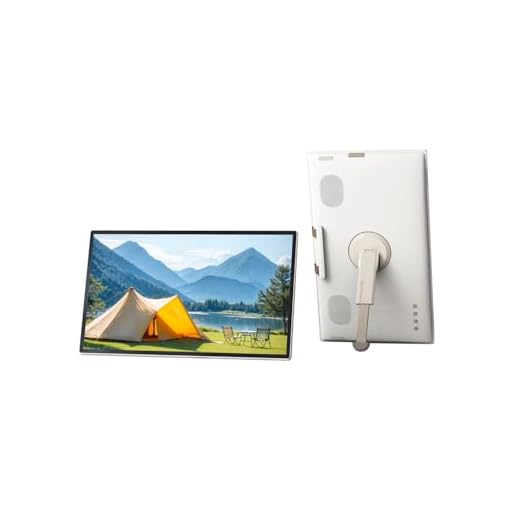
- KTC 25-inch Portable Smart Touch TV
- Final Thoughts on the Best Tablets With Large Screens
- How to Choose the Best Tablets with Large Screens
- Check Out the Best Tablets With Large Screens
- Also Check Out Other Helpful Articles
- Video About the Best Tablets With Large Screens
The Best Tablets With Large Screens


Apple iPad Pro 13-inch (M5)
You’ll get class-leading performance, a gorgeous Ultra Retina XDR display, and advanced features like LiDAR and Neural Accelerators that unlock pro workflows and AI tasks. It’s the go-to device if you need the absolute best tablet experience for creative work and intense multitasking.
Pros
- M5 chip provides exceptional speed and AI acceleration
- Ultra Retina XDR display with superb brightness and color
- Wi‑Fi 7 and fast connectivity
- LiDAR scanner and advanced cameras for pro users
- Lightweight for its screen size and extremely responsive
Cons
- High price, especially once accessories are added
- Large size can cause hand fatigue when held single-handed
- Accessories like keyboard and case add significant additional cost
Who this iPad Pro is for
If you need a tablet that can handle demanding creative apps, video editing, 3D workflows, and advanced multitasking, this is tailored for you. Professionals and power users will appreciate the raw performance and the feature set that blurs the line between tablet and workstation.
Key capabilities
- Apple M5 chip with Neural Accelerators — extreme performance and on-device AI tasks
- 13" Ultra Retina XDR display — wide color gamut, high brightness and contrast for HDR work
- LiDAR, advanced front/back cameras and Face ID — powerful tools for AR and pro photography
Benefits and realistic expectations
In real-world usage you’ll see lightning-fast rendering, near-instant app switching, and a display that’s excellent for color-critical tasks. Battery life remains strong considering the power on tap, but the price can be steep once you include accessories like the Magic Keyboard and Apple Pencil. Holding the device for extended one-handed use can be tiring because of the larger size, so a stand or folio is advisable for prolonged reading or sketching.
Practical tips
Pair the iPad Pro with a well-matched keyboard and the Apple Pencil to turn it into a very capable mobile workstation. For creatives, use the LiDAR and powerful camera+apps to prototype AR, capture reference imagery, or scan environments quickly. If you store large media libraries locally, opt for higher storage configurations to avoid juggling external drives.
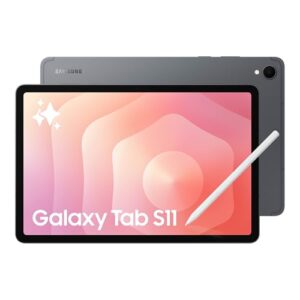
Samsung Galaxy Tab S11 Ultra 14.6-inch
You get a near-laptop experience with a massive, bright Dynamic AMOLED display and long battery life that keeps you productive and entertained all day. The S Pen and multitasking features let you sketch, take notes, and run multiple apps with ease.
Pros
- Huge 14.6" Dynamic AMOLED 2X display with 120Hz
- Powerful MediaTek Dimensity 9400+ performance for multitasking
- Generous 11600 mAh battery for long sessions
- Integrated S Pen with improved shape and drawing tools
- Water and dust resistant construction
Cons
- Latin America Wi‑Fi model only — no cellular/SIM support
- No official US warranty for region-locked units
- Heavier than most tablets at ~2.2 pounds
What this tablet is for
You’ll appreciate this tablet if you want a large, color-accurate screen for media, multitasking and creative work without carrying a laptop. It’s aimed at power users who value a big canvas for sketching, presentations, watching movies, and running multiple apps side by side.
Key features and how they help you
- 14.6" Dynamic AMOLED 2X, 120Hz — bright, high-contrast display that makes text and video pop
- MediaTek Dimensity 9400+ chipset — smooth app switching and complex multitasking
- 11600 mAh battery — long studio- or travel-friendly runtime
- S Pen with new hexagonal design — more precise drawing and handwriting
Practical benefits and limitations
You’ll get laptop-like productivity from a tablet-sized device: split-screen apps, a large canvas for sketching, and fast media playback. The included S Pen and Galaxy AI features (Note Assist, Drawing Assist) streamline note-taking and creative workflows. However, this specific model is a Latin America Wi‑Fi-only SKU — you cannot add a cellular plan or SIM, and it may not include US warranty coverage, which is an important consideration if you travel or need carrier connectivity.
Real-world use tips
If you plan to use it as a daily driver, pair it with a keyboard folio to reduce hand fatigue during typing-heavy sessions, and use a fast USB‑C PD charger if you want quicker top-ups. For creatives, enable Drawing Assist and try the AI-assisted summary tools for meeting notes — they can save you time when organizing long lecture or meeting captures.
Apple iPad Air 13-inch (M3)
You get a balance of lightness and strong performance thanks to the M3 chip, a crisp Liquid Retina display and long battery life that fits most everyday workflows. It’s a great all-around tablet for students, creative casuals, and anyone who wants Apple performance without the Pro price tag.
Pros
- M3 chip delivers fast, efficient performance
- Liquid Retina display with accurate colors
- Lightweight and portable for daily carry
- Touch ID and robust ecosystem of apps
- Wi‑Fi 6E support for faster wireless speeds
Cons
- Base 128GB storage may feel limited for heavy users
- Fewer pro-level features than iPad Pro (no ProMotion XDR)
- Accessories such as keyboard and pencil sold separately
Who should consider this iPad Air
If you want near-Pro performance without stepping up to the iPad Pro, this model is designed for you. It targets users who need a fast, portable device for web browsing, video calls, light creative work, and productivity apps.
Standout features
- M3 chip built for Apple Intelligence — faster app loading and better multitasking
- 13" Liquid Retina display — big, crisp canvas for reading and media
- Touch ID, Wi‑Fi 6E — secure and speedy connectivity
Benefits and real-world use
You’ll notice snappy responsiveness in everyday apps, and the larger 13" screen makes split-screen multitasking and video watching more comfortable. Battery life is tuned for all-day use, so you can work through lectures, meetings, or flights with confidence. Keep in mind that pro-level features like the highest-end XDR display and some advanced cameras remain exclusive to the iPad Pro line.
Practical tips
Use the Smart Folio or a keyboard case if you plan to type a lot, and consider upgrading storage if you keep large media libraries locally. The iPad Air fits most workflows well — pair it with the Apple Pencil for note-taking or sketching to get the most from the screen real estate.
Microsoft Surface Pro 13-inch 2-in-1
You’ll get a flexible 2-in-1 that behaves like both a tablet and a lightweight laptop, with long battery life and quiet cooling thanks to the Snapdragon X Plus. It’s ideal if you need full Windows apps in a highly portable package but are comfortable with occasional ARM compatibility caveats.
Pros
- Copilot+ PC integration and Windows 11 benefits
- Excellent battery life and low heat under load
- Lightweight 13" form factor with responsive touchscreen
- Good performance for daily productivity and media
- Flexible kickstand design and optional pen/keyboard support
Cons
- ARM-based Snapdragon chip can cause compatibility hiccups with some legacy apps
- Keyboard and pen sold separately, adding to total cost
- USB-C charging limitations on some workflows
Who this is best for
You should pick this if you want a laptop replacement that converts to a tablet when needed. It’s tailored to people who run Windows workflows, prefer desktop-grade apps, and need a portable device that can last through long meetings or travel days.
Core strengths
- Snapdragon X Plus chipset — optimized for efficiency and long battery life
- 13" touchscreen with Windows 11 Copilot+ PC features — productivity and AI assistance built in
- Thin, light chassis with an integrated kickstand — versatile for presentation and tablet modes
Practical considerations
In daily use you’ll notice strong battery life and very quiet operation, making it excellent for lecture halls or long editing sessions. But because it uses an ARM processor, some legacy Windows applications don’t run natively; you may need to check specific app compatibility if you depend on specialized software. Also budget for the Type Cover keyboard and Slim Pen 2 if you want a full laptop-style setup.
Tips for getting the most from it
Use the kickstand and keyboard for desk work, then detach for reading or drawing with the pen. Keep an extra USB-C adapter handy for peripherals that still expect traditional ports, and check for Windows updates that improve Copilot+ PC features over time.
TCL NXTPAPER 14.3-inch Paper-Like Tablet
You’ll get a large matte, paper-like display that’s excellent for reading ebooks, sheet music, and long-form documents while remaining far more affordable than top-tier competitors. The included stylus and decent battery life make it a practical choice for students and musicians.
Pros
- 14.3" paper-like 2.4K display reduces glare for long reading sessions
- Includes a 4096-level stylus and flip case
- Good battery capacity (10000 mAh) for extended use
- Competitive price for large-screen tablet functionality
Cons
- Speakers and audio quality are average
- Charging can be slow unless you use a high-watt charger
- No microSD slot or headphone jack on some models
Who should consider the TCL NXTPAPER 14
If you read a lot — ebooks, PDFs, or sheet music — or want a large, low-glare canvas for note-taking and light sketching without the iPad price, this model fits perfectly. It’s especially appealing to musicians and readers who value a near-paper feel.
Notable features
- 14.3" 2.4K matte "paper-like" display — reduces glare and eye strain for extended reading
- 4096-level stylus included — responsive for handwriting and annotation
- 10000 mAh battery and multi-window Android 14 experience — long sessions and multitasking
How it performs in real life
You’ll find the screen size and matte finish excellent for sheet music apps and long documents, and the included pen is useful right out of the box. Audio and speakers are serviceable but not standout — pair good Bluetooth headphones for practice or media. Charging can be slow with standard chargers, so using a higher-watt USB-C PD charger improves turnaround times.
Practical tips
If you intend to use it for extended rehearsals or long reading sessions, bring a fast charger and consider a Bluetooth page-turn pedal for music apps. The device’s Android openness means you can install specialized apps like MobileSheets for musicians, giving you a budget-friendly alternative to pricier tablets.
KTC 25-inch Portable Smart Touch TV
You’ll get a large, portable Android touchscreen that’s handy for movie nights, kitchen use, or outdoor setups where a regular TV isn’t convenient. It’s not a tablet replacement, but its battery and Google Play access make it a flexible entertainment device.
Pros
- Large 24.5" 1080p touchscreen that’s easy to move
- Android 14 with Google Play for apps and streaming
- Built-in battery makes it usable away from outlets
- Touchscreen + 8MP camera adds interactive possibilities
Cons
- Very heavy for a portable device (~13.7 pounds)
- Battery life and port selection are modest compared to dedicated tablets/monitors
- Not optimized as a primary tablet or laptop replacement
Who might buy this
This device is for you if you want a large, moveable smart screen for specific scenarios — think camping movie nights, an extra screen in a kitchen, or a bathroom TV. It’s a niche, handy tool rather than a direct competitor to tablets or laptops.
What it offers
- 24.5" 1080p touchscreen with Android 14 — runs apps from Google Play for streaming and simple productivity
- Qualcomm-powered hardware with 8GB RAM + 128GB storage — enough for apps and media
- Built-in battery and 8MP camera — makes it usable in places without easy power or for video calls
Practical strengths and limits
In practice you’ll find the screen useful for media playback and casual browsing, and the touchscreen makes navigation easier than a conventional portable monitor. However, the unit’s weight makes it less convenient to carry compared with small tablets, and it won’t replace a compact tablet for on-the-go note-taking or drawing. Also, if you need many ports for peripherals, the limited USB selection can be a constraint.
Usage tips
Mount it on a stable surface for kitchen use or set it on a stand for outdoor movie nights. Bring a higher-capacity power bank or wall adapter for extended sessions, and use Bluetooth accessories for audio if speaker performance is a priority.
Final Thoughts on the Best Tablets With Large Screens
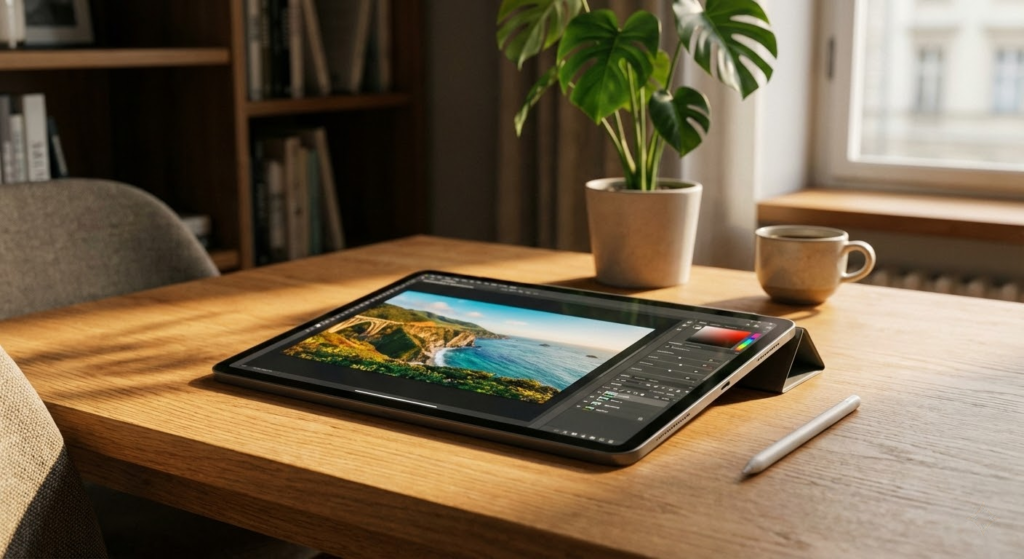
Pick the Apple iPad Pro 13-inch (M5) if you want the absolute best tablet for creative work and heavy multitasking. Its Ultra Retina XDR display, class-leading M5 performance, and pro features like LiDAR and Neural Accelerators make it ideal if you edit photos and video, run demanding creative apps (Procreate, Final Cut, Adobe suites), or need the smoothest pencil-to-screen experience.
Choose the Samsung Galaxy Tab S11 Ultra 14.6-inch if you want the biggest bright screen and a near-laptop Android experience. The Dynamic AMOLED panel, long battery life, and S Pen multitasking make it perfect for media, multitasking, note-taking, and anyone who prefers Android’s flexibility and multi-window workflows.
How to Choose the Best Tablets with Large Screens
A big screen can completely change how you use a tablet. Whether it’s for watching movies, studying, drawing, gaming, or working, larger displays offer more comfort and immersion. To find the best tablets with large screens, it’s important to look beyond size alone and consider performance, display quality, battery life, and usability.
Decide Which Operating System Fits Your Usage
The operating system shapes the entire tablet experience, from multitasking features to available apps and interface design.
Some systems focus on simplicity and optimization, making them ideal for users who want smooth performance and long-term updates. Others offer more customization and flexibility, with a wide range of devices and price points. When choosing among the best tablets with large screens, consider which ecosystem better supports the apps and tools you plan to use daily.
Processor Performance Matters on Large Displays
Large screens demand more processing power, especially when multitasking or running high-resolution content. The processor determines how well the tablet handles apps, games, video editing, and productivity tools.
For basic activities like browsing, reading, and streaming, mid-range processors are usually sufficient. However, if you plan to use split-screen features, graphic design apps, or advanced games, choosing a tablet with a high-performance processor will ensure smoother performance and faster response times.
Best Magnesium Malate Supplements
More RAM Means Better Multitasking
Tablets with large screens are often used for multitasking, such as running two apps side by side or switching frequently between tasks. That’s where RAM becomes essential.
Models with 4GB of RAM can handle everyday use, but for productivity, creative work, or heavy multitasking, 6GB or more is highly recommended. Extra RAM helps prevent slowdowns and keeps apps running smoothly in the background.
Screen Size and Resolution Make a Big Difference
When looking for the best tablets with large screens, display size is a key factor. Screens above 10 inches are ideal for media consumption and productivity, while models in the 12-inch range or larger provide a laptop-like experience.
Resolution is just as important as size. Full HD displays offer sharp images and good color reproduction, while higher resolutions deliver even more detail and clarity—especially noticeable on larger panels. A higher resolution reduces eye strain and improves the experience when reading or editing content.
Display Technology Impacts Visual Quality
Not all large screens are created equal. Display technology affects brightness, contrast, and color accuracy.
IPS displays offer consistent image quality and good viewing angles, making them a solid all-around choice. AMOLED and OLED panels stand out with deeper blacks, vibrant colors, and higher contrast, which is ideal for watching movies, editing photos, or drawing. These technologies are often found in premium tablets with large displays.
Battery Capacity Should Match the Screen Size
Larger screens consume more power, so battery capacity is crucial. A tablet may look impressive, but without a strong battery, it won’t last long away from the charger.
For large-screen tablets, batteries above 7,000 mAh are generally recommended for all-day use. If you plan to stream videos, attend online classes, or work for long hours, opting for an even higher capacity can make a noticeable difference in daily convenience.
Best Isolated Whey Protein Powders
Storage Space Is Still Important
Even with a large screen, storage plays a key role in usability. Apps, games, videos, documents, and creative files can quickly take up space.
Choosing a tablet with at least 128GB of storage is ideal for long-term use, especially if you download movies, store offline content, or work with large files. Expandable storage can also be a useful feature, depending on your needs.
Consider Accessories and Productivity Features
Many large-screen tablets support accessories that enhance productivity, such as keyboards and stylus pens. These features can turn a tablet into a powerful tool for note-taking, drawing, or even replacing a laptop for certain tasks.
If you plan to use your tablet for work or study, check for compatibility with external accessories, multitasking modes, and desktop-style interfaces.
By evaluating display quality, performance, battery life, and overall usability, you’ll be able to confidently choose one of the best tablets with large screens that fits your lifestyle and maximizes your daily experience.
Check Out the Best Tablets With Large Screens
Still not sure which one to choose? Click the link below to see the best-selling products.
Also Check Out Other Helpful Articles
Take a look at more useful articles that can help you make more informed decisions.
- Best Tablets With Large Screens in 2026 (Top 6: Galaxy Tab S11 Ultra, iPad Pro and More)
- Best Tablets With Good Cameras in 2026 (Top 7: iPad Pro, Galaxy Tab S10 Ultra and More)
- Best Tablets for Samsung Users in 2026 (Top 7: Galaxy Tab A11+, S9 FE+ and More)
Video About the Best Tablets With Large Screens
We created a video on the topic. Just click to watch.
Related Articles

About the Author

Ashley Turner enjoys crafting content that is easy to read and meaningful. She believes good writing starts with understanding the reader.