Best TCL TVs in 2026 (Top 10: Dolby Atmos, QLED and More)

Last Updated on February 25, 2026
Find the best TCL TVs of the year! See which models offer the best picture quality, smart features, and value for money for your home viewing experience.
Mini‑LED is rewriting the rules of TV brightness. You’ll see HDR highlights that pop and deep blacks without the risk of OLED burn‑in.
TCL covers sizes from compact 40″ bedroom sets to full 75″ home theaters. Pick the size and smart platform you want, and you’ll get strong color, bright HDR, and solid gaming features.
Contents
- The Best TCL TVs
- 65-inch QM7K QD-Mini LED 4K TV
- 65-inch QM6K Mini LED QLED TV
- 55-inch QM6K Mini LED QLED TV
- 75-inch QM6K Mini LED QLED TV
- 75-inch Q65 QLED 4K Fire TV
- 65-inch T7 QLED 4K Google TV
- 55-inch 4K Fire TV with Dolby
- 50-inch 4K Fire TV with Dolby
- 65-inch 4K Fire TV with Dolby
- 40-inch 1080p Roku Smart TV
- Final Thoughts on the Best TCL TVs
- How to Choose the Best TCL TVs
- Check Out the Best TCL TVs
- Also Check Out Other Helpful Articles
- Video About the Best TCL TVs
The Best TCL TVs


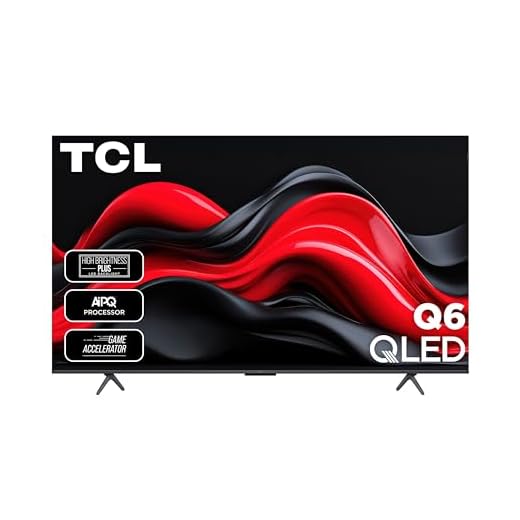


65-inch QM7K QD-Mini LED 4K TV
This QM7K pushes brightness and dimming precision toward flagship territory, making HDR spectacular in bright and dark rooms alike. If you want a premium LCD alternative to OLED with excellent gaming and audio features, this is a top pick.
Pros
- Very high peak brightness (HDR 3000 nits on supported sizes)
- LD2500 precise dimming and best-in-class contrast for LCD
- 144Hz native panel and low input lag for gaming
- Bang & Olufsen tuned audio option and AIPQ PRO processor
Cons
- Premium price compared with basic LED/QLED models
- Not as perfect off-axis as OLED for wide seating
Where the QM7K excels
You’ll notice an immediate difference in HDR highlights and localized dimming control compared with standard LED TVs. The QM7K’s combination of QD‑Mini LED hardware, AIPQ PRO processing and high peak brightness gives you exceptional cinematic contrast and color volume.
- QD‑Mini LED with LD2500 precise dimming
- HDR 3000 peak brightness (on supported sizes)
- 144Hz refresh and Game Accelerator 288
How it performs in everyday viewing
Movies, HDR streaming, and bright-room viewing all benefit — highlights remain dramatic without washing out colors, and motion stays smooth during fast action. Gamers will appreciate the low latency and advanced variable refresh support for current consoles and PC gaming.
Trade-offs and realistic expectations
This level of performance comes with a higher price than entry or mid-tier models; you’re paying for closer-to-flagship brightness and dimming. If your seating spans wide off-axis angles, OLED still has an edge for perfect color at extreme angles, though the QM7K is excellent for typical living-room seating.
Installation and tuning tips
When you first set it up, choose the picture mode that matches your room (e.g., cinema for dark rooms, vivid for bright rooms) and fine‑tune local dimming and contrast. The TV’s anti-reflective options help maintain visible HDR in sunlit rooms.
65-inch QM6K Mini LED QLED TV
You get the same high-contrast QD‑Mini LED performance scaled to a 65-inch panel, plus richer built-in audio from the Onkyo system. It’s an excellent choice if you want big-screen HDR without a premium OLED price tag.
Pros
- Excellent HDR punch on a large 65" screen
- Strong built-in Onkyo audio with subwoofer
- High refresh rate and gaming-oriented features
- Good value versus comparable premium options
Cons
- May need picture adjustments to optimize HDR
- Heavier and takes more wall/stand support
Who should pick the 65QM6K
If you want a cinema‑style living-room TV with bright HDR and strong motion handling, this size is a sweet spot. You’ll get impactful visuals for sports, streaming and next‑gen gaming while retaining good out-of-the-box audio.
- 65-inch QD‑Mini LED panel with LD500 dimming
- 144Hz native panel (Motion Rate 480) and Game Accelerator
- Onkyo audio system with built-in subwoofer
Performance highlights
On HDR content, highlights are brighter and colors more saturated versus plain LED sets, giving you noticeable HDR pop on streaming and UHD discs. The integrated Onkyo speakers reduce the immediate need for a separate sound system and deliver clearer dialogue.
Practical limitations and setup notes
Expect to spend a few minutes calibrating picture modes for movies vs. gaming; factory presets prioritize punch over fidelity. The TV is larger and heavier — confirm your stand or wall mount supports the weight and dimensions.
Best-use scenarios
Mount it in a dedicated media wall or place it on a sturdy low console to create a home theater feel. For console gaming, enable the Game Mode and VRR settings to minimize input lag and get the smoothest experience.
55-inch QM6K Mini LED QLED TV
This QM6K delivers higher contrast and better local dimming than regular LED sets thanks to QD‑Mini LED tech. If you prioritize bright HDR highlights, low motion blur, and improved audio, this is a compelling mid‑premium choice.
Pros
- QD‑Mini LED with precise dimming and high brightness
- 144Hz native refresh and strong motion handling
- Onkyo built-in audio with subwoofer for better sound
- Google TV platform and advanced gaming features
Cons
- Factory picture presets may require manual tuning
- Larger sizes increase price significantly
What makes the QM6K stand out
You’ll see a measurable step up from traditional LED TVs because QD‑Mini LED backlighting and TCL’s Halo Control System reduce haloing and lift contrast. This is especially noticeable in HDR scenes where highlights pop and blacks are punchier.
- QD‑Mini LED technology with LD500 precise dimming
- 144Hz native refresh, Motion Rate 480
- Onkyo audio system with built-in subwoofer
Real-world benefits
You’ll enjoy smoother motion during sports and action thanks to the high refresh rate and Motion Rate enhancements, while the Onkyo speakers provide a fuller soundstage for movies without an immediate need for a soundbar. Competitive and console gamers will benefit from Auto Game Mode and low input lag.
Things to consider before buying
To extract the best picture, spend a short amount of time adjusting the factory settings (contrast, local dimming and color profiles). In very dark rooms you’ll still notice differences versus perfect OLED-wide viewing angles, but overall contrast is excellent for the price.
Practical usage tips
If you place the TV in a bright living area, the high peak brightness is a major advantage. For movies, switch to a calibrated cinema or movie mode and reduce unnecessary processing for the most natural image.
75-inch QM6K Mini LED QLED TV
This 75-inch Mini‑LED set gives you huge HDR impact with improved local dimming and vivid colors, ideal for large living rooms or media spaces. It scales the QM6K performance to a truly immersive size for shared viewing.
Pros
- Large 75" screen with Mini‑LED HDR performance
- Excellent brightness and motion clarity for sports
- Onkyo audio system improves built-in sound
- Great value compared with ultra-premium 75" TVs
Cons
- Large footprint requires careful placement
- Higher power draw and weight compared to smaller models
Why this size matters
If you want the theater feel at home, a 75‑inch QM6K brings the visual scale and Mini‑LED highlights to life. You’ll see greater immersion in movies and better stadium-style presence for live sports.
- QD‑Mini LED with LD500 dimming scaled to 75"
- 144Hz native refresh for smooth action
- Onkyo audio with built-in subwoofer for fuller sound
Everyday performance and benefits
You’ll appreciate strong HDR highlights even in bright rooms, and motion handling keeps sports and action sequences crisp. The built-in audio system helps fill larger rooms without requiring immediate external speakers.
Practical considerations
Ensure your room layout supports the size — seating distance and viewing angle matter more at 75 inches. Wall mounting or a robust low-profile stand is recommended, and you should confirm doorways and delivery logistics before purchase.
Tips for the best experience
Optimize picture modes for your content type, and give the TV a short calibration session for film content. If you use it for gaming, enable the TV’s VRR/Game Accelerator features for the smoothest console performance.
75-inch Q65 QLED 4K Fire TV
You get a 75-inch QLED panel that delivers vivid HDR with Dolby Vision support and a snappy Fire TV experience. It’s a compelling big-screen option for streaming, movies, and casual gaming at this price tier.
Pros
- Large 75" QLED panel with vibrant color
- Dolby Vision and HDR PRO+ support
- Fire TV interface with Alexa voice control
- Good value for a 75-inch smart TV
Cons
- Some users report brightness resets on input switch
- May need a soundbar for immersive audio
What you’ll like about this Q65
This model brings QLED color volume to a very large screen, giving you punchy highlights and saturated hues for movies and streaming. The integration of Dolby Vision and HDR PRO+ helps ensure varied HDR content looks its best.
- 75-inch QLED 4K with HDR PRO+ and Dolby Vision
- Direct LED backlight and Motion Rate 240 improvements
- Fire TV with Alexa built-in for voice control
Day-to-day usage
You’ll enjoy an expansive picture that makes streaming and sports feel cinematic. Fire TV provides easy access to apps and voice controls, while motion handling keeps action scenes clear for most viewers.
Limitations and fixes
Some owners report quirks like brightness resetting after input changes — a minor annoyance you can often mitigate with manual brightness presets or checking for firmware updates. The built-in audio is serviceable, but a soundbar will significantly boost immersion for movie nights.
Practical setup tips
Confirm seating distance to ensure comfortable viewing for 75 inches (generally 8–12 feet depending on preference), and consider wall‑mounting for best placement. If you want better sound, add a soundbar with ARC/eARC to leverage the TV’s Dolby Atmos output.
65-inch T7 QLED 4K Google TV
You’ll find strong color volume and bright HDR performance thanks to QLED Quantum Dot technology and a Google TV interface that’s flexible and familiar. It’s well suited for living rooms where color accuracy and smart features matter.
Pros
- Quantum Dot QLED for vivid, saturated colors
- Google TV platform with expansive app support
- 120–144Hz panel options for smoother motion
- Good balance of price versus image quality
Cons
- Black levels won’t match OLED in dark rooms
- High refresh modes can introduce soap‑opera effect
Where the T7 shines
This 65-inch QLED model focuses on color and brightness: you’ll get punchy images with broad DCI‑P3 coverage that make streaming content and HDR material pop. Google TV adds a convenient and personalized smart experience.
- 4K UltraHD with QLED (Quantum Dot) color
- High refresh support for gaming and motion
- Google TV with Alexa and voice remote
Practical viewing performance
For bright rooms and colorful content (animation, sports, nature documentaries), you’ll notice an appealing vibrancy. The panel supports higher refresh rates for smoother action, though you may need to tweak motion settings to avoid over‑smoothing.
Notes on limitations
If you watch a lot of dark-room cinema, QLED delivers excellent color but won’t offer the infinite black levels of OLED. Also, some viewers perceive motion interpolation or soap-opera effects at higher processing levels, so adjust frame smoothing to taste.
User tips
Use a movie or cinema mode when watching films to reduce processing, and switch to a higher refresh/game mode for console play. If color grading matters to you, consider a quick calibration or use the TV’s natural picture setting as a start.
55-inch 4K Fire TV with Dolby
You get a well-rounded 55-inch panel with Dolby Vision, Dolby Atmos, and gaming features at a reasonable price. It’s a dependable living-room TV if you want large-screen streaming without premium pricing.
Pros
- Wide HDR format support (Dolby Vision, HDR10+)
- Good out-of-the-box brightness and color
- Built-in Dolby Atmos and DTS Virtual:X
- Solid size for living-room viewing
Cons
- Interface can feel cluttered with ads
- Sound is adequate but not immersive
Overview
This 55-inch model is aimed at mainstream buyers who want a large-screen 4K experience without breaking the bank. It combines multi-format HDR support with a capable backlight and practical smart features driven by Fire TV.
- 4K UHD with HDR PRO+ and Dolby Vision
- Motion Rate 240 and Game Accelerator 120
- Dolby Atmos and DTS Virtual:X audio
Picture and sound in real use
You’ll notice vibrant colors and good peak brightness on HDR content, which makes daytime viewing in bright rooms more enjoyable. The TV’s motion handling is tuned for sports and action, and game-related features reduce perceived lag for consoles.
Drawbacks you’ll encounter
The Fire TV homescreen is promotional and you may find some UI tasks slower than premium models. Built-in speakers will be fine for casual viewing but are unlikely to satisfy home-theater enthusiasts who prefer a dedicated sound system.
Setup advice
Rename your HDMI inputs to keep consoles and streamers organized, and enable the TV’s enhanced dialogue mode if speech is hard to follow on specific apps. Use a soundbar to take full advantage of Dolby Atmos content.
50-inch 4K Fire TV with Dolby
This set brings Dolby Vision and Atmos plus Motion Rate enhancements at an attractive price point. It’s a strong option if you want bright HDR, basic gaming features, and the Fire TV ecosystem built in.
Pros
- Dolby Vision and HDR PRO+ support
- High Brightness LED backlight for vivid HDR
- Fire TV integration with Alexa voice
- Game-friendly features like VRR and Motion Rate
Cons
- Some users report occasional UI slowness
- Ads and promoted content in the home UI
Why consider this model
You’ll get a 4K HDR experience that handles movies, streaming and light gaming well. The HDR PRO+ pipeline and Dolby Vision support bring punchy highlights and richer color than basic LED sets.
- 4K Ultra HD resolution with HDR PRO+
- High Brightness LED backlight
- Dolby Vision, Dolby Atmos, and VRR support
Performance and day-to-day use
Expect strong daylight performance thanks to the high‑brightness backlight, and improved motion clarity for sports and action with Motion Rate 240 and MEMC frame insertion. Fire TV’s app catalog and Alexa integration make navigation and voice control convenient for most households.
What to watch for
Some owners note occasional slowdowns or glitches in the interface, and the Fire TV home screen leans toward promoted content. If you rely on niche apps, verify compatibility before buying. For critical home‑theater use, you might pair it with a soundbar to improve dialogue clarity.
Practical tips
If you want smoother app switching and gaming, keep firmware up to date and enable game modes when connecting consoles. Adjust the factory picture settings to your room lighting—boost brightness for sunny rooms, or choose standard/movie modes for evening viewing.
65-inch 4K Fire TV with Dolby
You get a big-screen 4K panel with Dolby Vision and Atmos for a reasonable price, making it a solid choice for families and streaming-heavy households. Expect bright images and a familiar Fire TV experience, with occasional system quirks.
Pros
- 65-inch screen offers immersive viewing
- Dolby Vision and Dolby Atmos support
- Good HDR brightness for the price
- Game Accelerator and motion improvements
Cons
- Fire TV homescreen can be ad-heavy
- Occasional UI sluggishness reported by users
Why choose the 65S551F
If you want a large television that supports current HDR formats without spending a premium, this model is a practical choice. It balances panel performance with mainstream smart TV convenience so you can stream and game on a big screen.
- 4K UHD with HDR PRO+ and Dolby Vision
- Dolby Atmos support and Motion Rate 240
- Game Accelerator 120 and enhanced dialogue mode
What to expect in daily use
You’ll enjoy vivid HDR streaming and good motion clarity for sports and action, while the built-in audio handles everyday viewing. The Fire TV interface offers tight Alexa integration and easy access to Amazon apps, which is convenient if you’re already in that ecosystem.
Limitations to consider
Some users experience slowdowns in app switching or occasional glitches; firmware updates occasionally improve these areas. Also, if you expect top-tier audio or professional-grade calibration out of the box, you’ll likely want a soundbar or further picture tuning.
Setup recommendations
Use the TV’s enhanced dialogue mode for clearer speech in shows and enable Game Mode for consoles. If you prefer a cleaner UI, keep the home screen organized and remove or hide unused app tiles where possible.
40-inch 1080p Roku Smart TV
You get a sharp 1080p picture, a compact bezel‑less design, and the familiar Roku smart platform at a very low price. It’s ideal for bedrooms, kitchens, or a secondary PC-monitor setup where space and budget matter.
Pros
- Affordable price for 1080p smart TV
- Edge-to-edge FullView bezel-less design
- Roku platform with wide app support
- Good picture quality for the size
Cons
- VA panel limits viewing angles
- Basic built-in speakers for larger rooms
Who this TV is for
If you need a compact, affordable TV that doubles as a secondary screen or bedroom set, this model delivers a lot of practical value. You’ll appreciate the crisp 1080p resolution and the simple Roku interface when you want straightforward streaming without fuss.
- 1080p Full HD resolution
- Bezel-less FullView design
- Built-in Roku smart platform
Key features and everyday benefits
You’ll notice a clear image and responsive interface for standard streaming and casual gaming. The small footprint makes it easy to mount or place on a desk. The Roku OS gives you predictable app behavior and easy access to free and subscription streaming apps.
Limitations and practical considerations
Because this model uses a VA panel, viewing angles aren’t as wide as IPS or OLED; you’ll see the best picture when you sit near the center. Sound is serviceable for nearby viewing but you should plan for a soundbar if you want cinema-like audio in a living room.
Real-world usage tips
If you use it as a PC monitor, lower the brightness for long work sessions and use the remote or TV menu to rename HDMI inputs for quick switching. You can disable the standby LED in settings to reduce bedroom light, and a lightweight riser can help position the panel at eye level.
Final Thoughts on the Best TCL TVs
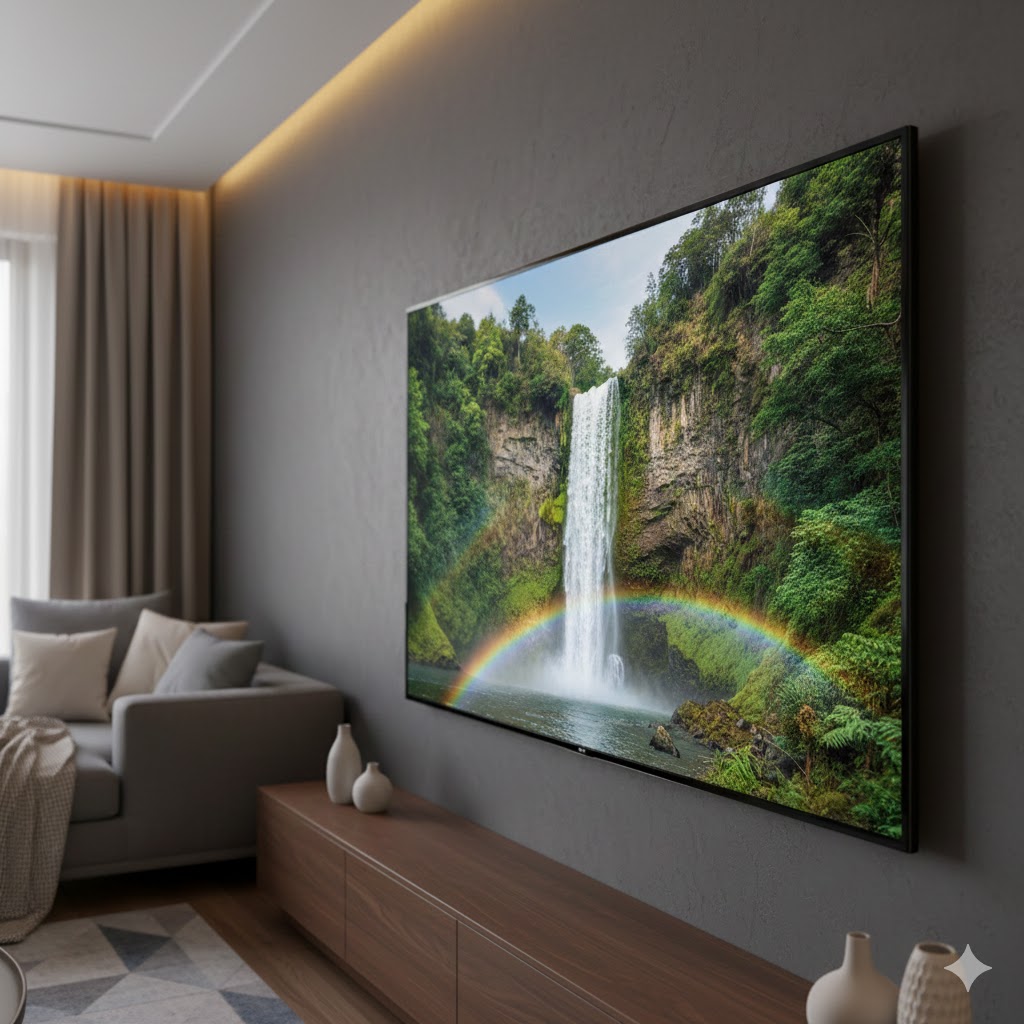
Best overall: 65-inch QM7K QD‑Mini LED 4K TV — Choose this if you want flagship-level HDR that works in both bright and dark rooms. Its extreme brightness and very precise dimming deliver spectacular HDR highlights and strong contrast. It’s also great for gaming (low motion blur, modern features) and for viewers who want an OLED-like experience without burn‑in concerns.
Best big-screen value with immersive audio: 65-inch QM6K Mini LED QLED TV — Pick this if you want a large, cinematic picture plus richer built‑in sound from the Onkyo system. It gives you Mini‑LED contrast and vivid colors at a lower price than premium OLEDs, making it ideal for movie nights, sports, and shared living‑room viewing.
How to Choose the Best TCL TVs
TCL has become one of the most popular brands for anyone searching for great picture quality at a fair price. But with so many models and features available, picking the best TCL TVs can feel overwhelming. To make your decision easier, here are the key factors that truly matter when comparing TCL televisions.
Choose the Right Operating System: Google TV or Roku TV
TCL stands out for offering different operating systems depending on the model and region. The two most common are Google TV and Roku TV.
Google TV delivers a more integrated smart experience, organizing movies, shows, and apps in a personalized interface. It’s ideal for users who rely heavily on Google services or enjoy voice control through Google Assistant.
Roku TV is known for being simple, fast, and extremely user-friendly. It offers an intuitive menu and quick access to major streaming apps, making it perfect for those who want a clean and effortless viewing experience.
Either system works well — your choice depends on whether you prefer a feature-rich interface or a more streamlined one.
Understand TCL’s Panel Technologies: LED, QLED, and Mini-LED
When comparing the best TCL TVs, display technology is one of the biggest differences between models. TCL offers three main panel types:
- LED: The most affordable option. Great for everyday viewing, casual streaming, and smaller budgets.
- QLED: Uses quantum dots for brighter colors and improved contrast. Ideal if you watch a lot of movies or vibrant content.
- Mini-LED: TCL’s premium technology. It uses thousands of tiny LEDs for deeper blacks, higher brightness, and stunning HDR performance — a fantastic choice for home theater setups.
Mini-LED models usually belong to TCL’s higher-end series and deliver the most impressive visual quality.
Look for 4K Resolution (or 8K for Enthusiasts)
Today, most TCL TVs come with 4K resolution, which is the sweet spot for sharp and detailed images. It works perfectly for movies, sports, gaming, and streaming.
If you want cutting-edge clarity—and don’t mind paying more—TCL also offers 8K models. These are best for very large screens or those who want to future-proof their setup.
For most households, a high-quality 4K TCL model offers the best balance of cost and performance.
Best Phones With 6 Inch Screens
Prioritize HDR Support for Better Contrast and Color
High Dynamic Range (HDR) significantly improves picture quality by enhancing contrast and color depth. TCL TVs often support formats such as:
- HDR10
- HDR10+
- Dolby Vision
For the best cinematic experience, choose a TCL TV with Dolby Vision, as it adjusts brightness and color scene by scene for more lifelike images. TCL’s QLED and Mini-LED lines usually deliver the strongest HDR performance.
Refresh Rate Matters: 60Hz vs. 120Hz
If you watch sports, action movies, or play console games, the refresh rate makes a big difference.
- 60Hz: Smooth enough for everyday use and streaming.
- 120Hz: Ideal for gaming and fast-moving scenes, providing more fluid motion.
Gamers should also check for features like ALLM (Auto Low Latency Mode) and VRR (Variable Refresh Rate), which many TCL models support.
Consider the Right TV Size for Your Room
TCL offers screens from compact 32-inch models to massive 85-inch displays. Choosing the right size depends on your space and seating distance:
- Small rooms: 43–50 inches
- Medium rooms: 55–65 inches
- Large rooms or home theaters: 75 inches or more
Bigger screens offer a more immersive experience, but make sure the TV fits comfortably into your living area.
Check Audio Capabilities and Sound Enhancements
While many people use external soundbars, TCL TVs still offer solid built-in audio. Look for:
- Dolby Audio
- Dolby Atmos support
- Upgraded speaker systems in higher-end models
If you want fuller sound without extra equipment, higher-tier TCL models tend to offer the richest audio experience.
Smart Connectivity and Ports
The best TCL TVs include useful modern connectivity options, such as:
- Multiple HDMI ports (prefer HDMI 2.1 for gaming)
- USB inputs
- Wi-Fi and Bluetooth
- Support for streaming apps
- Voice control compatibility
More ports and wireless features allow you to connect consoles, soundbars, media players, and other devices seamlessly.
Final Tips for Choosing the Best TCL TVs
To summarize, here’s what to look for when choosing a TCL TV:
- The operating system that fits your style (Google TV or Roku).
- A display type that matches your needs (LED, QLED, or Mini-LED).
- Strong HDR performance for better colors and contrast.
- A 120Hz refresh rate if you enjoy gaming or fast action.
- The right screen size for your space.
- Solid audio features and plenty of connectivity ports.
With the right combination of features, TCL delivers excellent value and performance, making it easy to find a model that fits your lifestyle.
Check Out the Best TCL TVs
Still not sure which one to choose? Click the link below to see the best-selling products.
Also Check Out Other Helpful Articles
Take a look at more useful articles that can help you make more informed decisions.
- Best 8K TVs in 2026 (Top 6: Sony, Samsung and More)
- Best 75-Inch TVs in 2026 (Top 10: Roku, Panasonic and More)
- Best TVs for PS5 in 2026 (Top 7: Sony, LG and More)
Video About the Best TCL TVs
We created a video on the topic. Just click to watch.
Related Articles

About the Author

Matthew King has a keen interest in digital media and content writing. He approaches each project with attention to detail and a goal to make content accessible.