Best TV Box Remotes in 2026 (Top 8: WeChip, iPazzPort and More)

Last Updated on February 25, 2026
Find the best TV box remotes that offer superior comfort, functionality, and compatibility for your streaming needs. Upgrade your viewing experience today!
Enough with juggling three remotes. You want to type, point, and search without launching a scavenger hunt under the cushions. Small remotes can do big jobs — if you pick the right one.
Imagine typing Netflix searches with real keys or waving a little air-mouse to skip ads. These controllers save time, reduce frustration, and even work in the dark. Let’s find the one that fits your setup and your couch habits.
Contents
- The Best TV Box Remotes
- Rii i8+ Mini Backlit Keyboard Touchpad
- WeChip W1 Air Mouse with Keyboard
- iPazzPort Backlit Bluetooth Mini Keyboard
- iPazzPort KP-810-19S Touchpad Keyboard Controller
- GREVA G20S Pro Plus Voice Remote Air Mouse
- MX3 Pro Backlit Mini Keyboard Fly Remote
- Rii MX3 Air Mouse Keyboard Remote
- Replacement Remote for MXQ Pro Android Boxes
- Final Thoughts on the Best TV Box Remotes
- How to Choose the Best TV Box Remotes
- Check Out the Best TV Box Remotes
- Also Check Out Other Helpful Articles
- Video About the Best TV Box Remotes
The Best TV Box Remotes


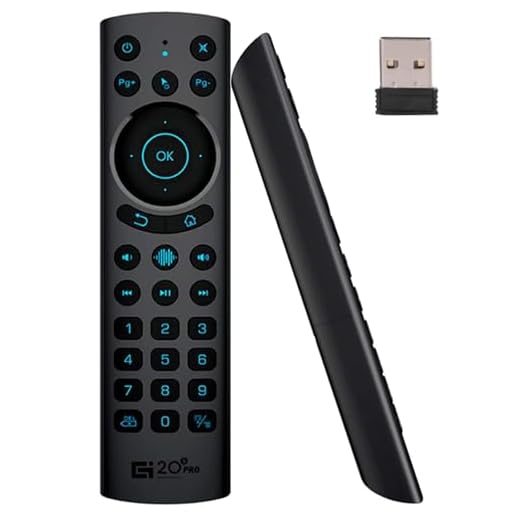
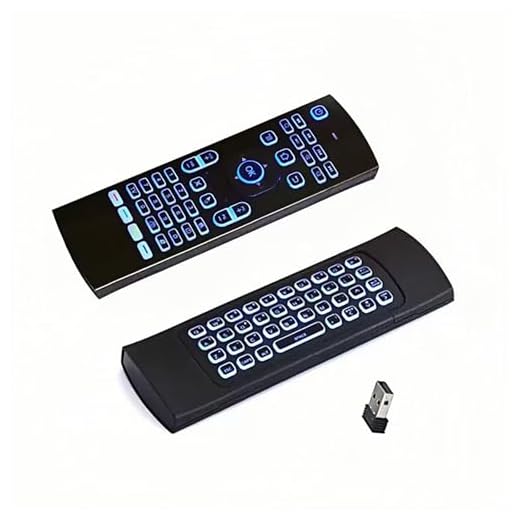
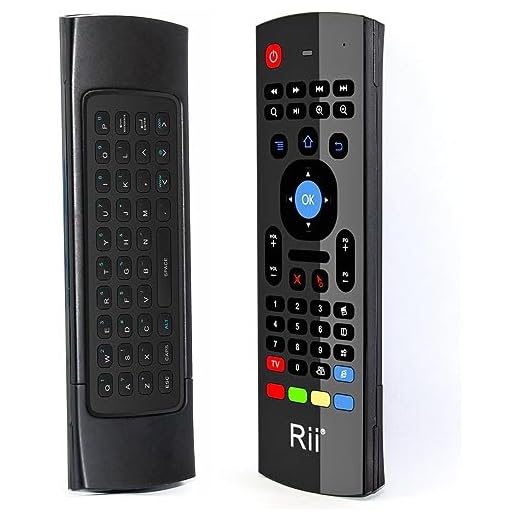

Rii i8+ Mini Backlit Keyboard Touchpad
A compact, rechargeable QWERTY keyboard with a built-in touchpad that makes typing and cursor control from the couch simple. It balances strong wireless range, useful backlighting, and palm-sized convenience without breaking the bank.
Pros
- Bright LED backlight for low-light use
- Integrated multi-finger touchpad with gesture support
- Good wireless range via 2.4GHz USB dongle
- Rechargeable battery with decent longevity
Cons
- Backlight uniformity is uneven across keys
- Not Bluetooth — uses a USB receiver which can be limiting
Overview
The i8+ is built for living-room computing: you get a QWERTY layout, a capacitive touchpad with multi-finger gestures, and LED backlighting in a compact handheld package. You’ll use it to type search queries, control a media PC or Android TV box, and navigate apps without crawling behind your media cabinet.
Key features and practical benefits
- Compact QWERTY keyboard with full thumb typing layout
- Integrated touchpad supporting single- and multi-finger gestures
- USB 2.4GHz dongle for plug-and-play connectivity
- Built-in rechargeable LiPo battery and LED backlight
Performance and real-world notes
In daily use you’ll notice the keys have a pleasant click and the touchpad handles basic navigation and scrolling reliably. The backlight makes night-time searching easy, though the LEDs aren’t perfectly even so some keys look dimmer than others. Range is strong in most home setups; you can place the USB receiver on an extension cable to avoid dropouts when devices are tucked inside cabinets.
Who it’s for and limitations
If you want a low-cost, compact remote keyboard with a usable touchpad for media centers or HTPCs, this is a smart pick. However, if you need Bluetooth support or extremely precise mouse control for desktop work, consider a different, more expensive peripheral.
WeChip W1 Air Mouse with Keyboard
You get a motion-controlled air mouse on one side and a compact keyboard on the other, all with easy plug-and-play 2.4GHz RF connectivity. The rechargeable battery life and simple setup make it a convenient all-in-one replacement for multiple remotes.
Pros
- Smooth air-mouse motion control for pointing from the couch
- Full QWERTY keyboard on the back for fast text entry
- Long battery life and rechargeable
- Plug-and-play USB RF dongle — no drivers required
Cons
- Learning curve for precise cursor targeting
- Not compatible as a direct TV replacement on some brands
Overview
The WeChip W1 pairs an air mouse with a miniature keyboard to let you flick a cursor around the screen and then flip the device to type. It’s designed for Android TV boxes, HTPCs, projectors and other media devices where pointing and text input are both common tasks.
What you’ll appreciate
- 2.4GHz RF plug-and-play dongle for reliable wireless range
- Motion-controlled mouse for comfortable remote pointing
- Full QWERTY keyboard on the reverse side for searches and passwords
- Rechargeable battery that typically lasts a long time between charges
Real-world performance
Once you get used to the gesture motion and sensitivity, you can browse menus and select items without aiming the remote at the screen. The keyboard makes searches and password entry far faster than using an on-screen virtual keyboard. There’s a learning curve for fine cursor work — tight icons and small UI elements require practice to select precisely.
Who should buy it
If you want a single device to replace both a pointer and a keyboard on a media device, this is one of the most flexible and affordable options. If you need rock-solid precision for desktop-style tasks, consider a dedicated trackpad or full-size keyboard instead.
iPazzPort Backlit Bluetooth Mini Keyboard
A backlit Bluetooth keyboard tailored to streaming sticks and Fire TV setups, combining IR learning and Bluetooth pairing in one compact controller. You’ll type searches quickly and consolidate multiple remotes into a single, illuminated unit.
Pros
- Backlit keyboard makes night-time typing easy
- Supports Bluetooth pairing and IR learning
- Pairs well with Fire TV and streaming sticks
- Includes rubber holder options for pairing with original remotes
Cons
- Stacked configuration with original remote can feel bulky
- Battery life good but depends on backlight usage
Overview
This iPazzPort model focuses on streaming-device convenience: a backlit QWERTY keyboard with Bluetooth connectivity and IR learning to replace multiple remotes. It’s aimed at users who despise the on-screen keyboard and want fast, accurate text input.
Key capabilities
- Illuminated QWERTY keyboard for dark-room searches
- Bluetooth pairing for Fire TV and other streaming devices
- IR learning feature to automate TV and AVR commands
- Compact design with rubber sleeves to stack original remotes if desired
Practical performance
You’ll notice faster search entry and fewer mis-typed queries compared with on-screen keyboards. Pairing is straightforward and the built-in IR learning lets you teach the remote TV/receiver commands so a single control can handle multiple devices. The stacked sleeve solution is handy when you still need the original remote functions.
Who benefits most
If you use a Fire TV, Android TV stick, or similar streaming device, this remote dramatically improves search and navigation speed, especially at night. If you want to streamline ergonomics on the coffee table and reduce reliance on voice-driven input, this is an excellent choice.
iPazzPort KP-810-19S Touchpad Keyboard Controller
Solid RF connection and a comfortable layout make it a dependable choice for media centers and Raspberry Pi projects. You’ll enjoy responsive keys and a touchpad that wakes instantly for quick interactions and media control.
Pros
- Stable 2.4GHz RF connection with good range
- Comfortable thumb-typing layout and responsive keys
- Works well with Raspberry Pi, Android boxes, and HTPCs
- Low power consumption and reliable wake behavior
Cons
- Touchpad sensitivity can be inconsistent on some units
- Plastic build feels inexpensive compared to premium remotes
Overview
The iPazzPort KP-810-19S is designed as a compact controller for media centers, offering a thumb-friendly keyboard and an integrated touchpad so you can browse, search and control your HTPC or streaming box from the sofa.
What you get
- 2.4GHz USB receiver with plug-and-play setup
- Compact QWERTY keyboard with dedicated media and function keys
- Touchpad area with selectable mouse mode for pointer control
- Battery-powered operation with quick wake from sleep
Real-world usage notes
The KP-810-19S is appreciated for its simple, reliable connectivity and comfortable key action. In practice you’ll find it handles common tasks — launching apps, navigating menus, and short-form typing — smoothly. Some users report touchpad quirks where the center area can be less responsive; toggling mouse mode typically resolves those small issues.
Best use cases and limitations
This model fits best when you need a basic, dependable controller for a Raspberry Pi, Android TV box or HTPC and prefer RF plug-and-play over Bluetooth. For heavy text input or precision cursor work you’ll still want a larger keyboard or dedicated trackpad.
GREVA G20S Pro Plus Voice Remote Air Mouse
A well-rounded remote with voice input, air-mouse navigation, backlit keys and IR learning that brings advanced control to Android boxes and projectors. You’ll get fast voice searches and comfortable pointing for everyday media use.
Pros
- Built-in voice microphone for quick voice search
- Responsive air-mouse cursor control
- Backlit keys and IR learning for universal control
- Comfortable, lightweight design
Cons
- Bluetooth voice support may vary by host device
- Limited user reviews mean fewer long-term data points
Overview
The GREVA G20S Pro Plus targets users who want voice search, air-mouse navigation, and IR learning in one remote. It’s aimed at Android TV boxes, mini PCs, and projectors where typing is a hassle and voice or pointer control speeds up interaction.
Standout features
- Integrated voice microphone for speech-to-text and voice searches
- Air-mouse functionality for intuitive cursor control from the couch
- Backlit buttons for low-light operation and IR learning to control TVs and AV equipment
- Bluetooth and USB wireless modes depending on your host
How it performs in practice
When it pairs cleanly with a compatible device, voice input dramatically reduces the time you spend typing search queries and passwords. The air-mouse is snappy for menu navigation and casual browsing. Because voice and Bluetooth behavior depends on device support, you may need to test it with your projector or mini PC to verify full feature compatibility.
Who should consider this remote
Choose the G20S Pro Plus if voice search and pointer control are priorities and you want a single remote to handle multiple devices. If you rely on less-common projectors or obscure firmware, check compatibility first — voice/Bluetooth features may vary across hosts.
MX3 Pro Backlit Mini Keyboard Fly Remote
Combines illuminated keys, IR learning and air-mouse motion in a compact package that plays well with Plex and many HTPC setups. You’ll enjoy quick setup and backlit controls for dark-room viewing experiences.
Pros
- 7-color backlighting for night-time use and style
- Good HTPC compatibility and Plex-friendly controls
- Auto-illumination on button press conserves battery
- IR learning and multi-mode operation
Cons
- Some front buttons do nothing by default on certain OS installs
- Requires AAA batteries (not included) and occasional remapping
Overview
The MX3 Pro blends an air-mouse, mini QWERTY, and IR learning remote with colorful backlighting, making it ideal for home theater PC users and streamers who want illuminated controls. It’s compact and tuned for couch-to-screen interaction.
Features you’ll use every day
- 7-color backlit keys that light only the active side when you press a button
- Fly-mouse (gyro) control for pointer navigation
- IR learning to replicate TV and AVR commands
- Compact keyboard for quick searches and inputs
Real-world impressions
You’ll find the remote pairs easily with its USB receiver and wakes quickly when you need it. The backlight behavior — lighting only when you press — conserves batteries while making nighttime navigation painless. On Linux and some custom HTPC distributions, a few front-facing buttons may need remapping, but common navigation and media keys work immediately.
Who should pick it
If you run Plex, Kodi, or a Windows/Linux HTPC and want a handy, illuminated controller that’s easy to hand to a guest, this is an excellent, budget-friendly choice. Power users who need fully-mapped keys out of the box might need to invest a little time in button remapping.
Rii MX3 Air Mouse Keyboard Remote
A low-cost hybrid that combines gyro/air mouse motion, basic QWERTY typing, and IR remote functions for simple media setups. It’s a strong value for casual media control but lacks the precision and build quality of pricier models.
Pros
- Very affordable with multiple control modes
- Includes gyro/6-axis motion for air-mouse operation
- IR remote functions plus keyboard and mouse
- Works out-of-the-box with many Android and Linux boxes
Cons
- Air-mouse can feel floaty and imprecise
- Keys and ergonomics are not ideal for long typing sessions
- Limited modifier keys and advanced shortcuts
Overview
The MX3 is aimed at users who want an inexpensive, multi-mode remote for basic HTPC and Android TV interactions. It combines a small keyboard, gyro-based air mouse, and traditional IR remote controls into one inexpensive package.
Features that matter
- 2.4GHz wireless keyboard and mouse capabilities
- 6-axis somatosensory (gyro) for motion-controlled cursor movement
- IR learning capability to control TVs and AV gear
- Compact, battery-powered form factor for handheld use
Practical performance and caveats
You’ll be able to perform common tasks — launching apps, navigating menus, and typing short searches — without reaching for a full keyboard. The gyro makes pointing fun but can be imprecise for pixel-perfect tasks like dragging small UI elements. The keyboard is fine for short entries but isn’t comfortable for extended typing.
Who this is right for
Choose this if you need a wallet-friendly, multi-functional remote for casual media consumption and occasional typing. If you require consistent precision or heavy typing, step up to a higher-end air mouse or a small touchpad keyboard.
Replacement Remote for MXQ Pro Android Boxes
A no-frills learning remote that replaces lost or broken remotes for a wide range of MXQ and similar Android set-top boxes. It does the job for basic navigation and power control, at a very low price.
Pros
- Very affordable replacement option
- Works with many MXQ and similar box models out of the box
- Lightweight and straightforward to operate
Cons
- Basic build quality and limited advanced features
- Requires manual battery replacements (uses AAA cells)
Overview
This replacement remote is aimed at restoring basic control to older MXQ family Android TV boxes and many clones. It focuses on essential remote functions — navigation, volume, input and power — without extras like air-mouse or keyboard.
What it offers
- Direct compatibility with many MXQ and M8/M9/T95 style boxes
- IR-based operation with learning capability for simple commands
- Standard button layout modeled on common Android box remotes
Practical considerations
You’ll appreciate how simple it is to get this remote working — put in batteries and it typically connects to the box without configuration. That said, the construction is basic and the feature set is minimal; you shouldn’t expect gyro control, a keyboard, or backlighting.
Best use cases
Pick this if you need an inexpensive, functional replacement for a lost or broken stock remote and don’t require any advanced features. It’s a pragmatic, low-cost way to restore remote control to legacy Android media players.
Final Thoughts on the Best TV Box Remotes
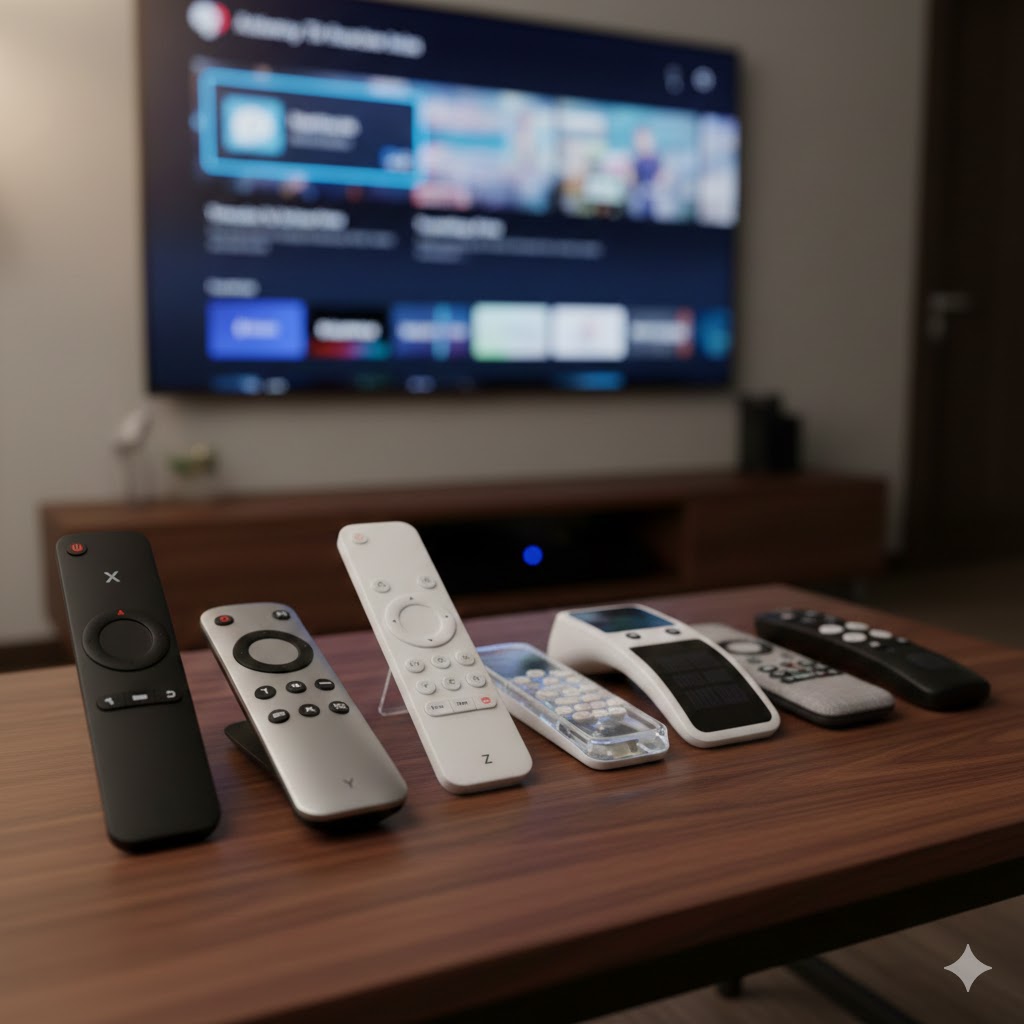
Pick the Rii i8+ Mini Backlit Keyboard Touchpad if you type a lot from the couch. It’s the best compact keyboard for TVs: backlit keys, a built-in touchpad, solid wireless range, and rechargeable battery. Ideal for streaming searches, smart TVs, HTPCs, and anyone who hates on-screen keyboards.
If you prefer motion control and plug-and-play simplicity, grab the WeChip W1 Air Mouse with Keyboard. It gives you a smooth air-mouse on one side and a compact keyboard on the other, with easy 2.4GHz RF setup. Great for casual media control, Android boxes, and people who like pointing more than typing.
Best Phones for Playing Free Fire
How to Choose the Best TV Box Remotes
A good remote can completely transform your streaming experience. Whether you use your TV box for movies, gaming, or everyday browsing, the right controller helps you navigate faster, control your apps more easily, and enjoy better comfort. Here’s a complete guide to help you pick the best TV box remotes for any setup.
Check Compatibility with Your TV Box Model
Before anything else, make sure the remote works with your device. Many TV boxes use Android TV, while others have their own systems. Some remotes are universal, while others are designed only for specific brands.
Look for:
- Android TV compatibility
- Infrared (IR) or Bluetooth support
- Universal pairing options for multiple devices
If you want the most flexible option, choose a remote with both IR and Bluetooth so you can connect to older and newer TV boxes without issues.
Choose Between Infrared and Bluetooth Connection
The connection type greatly affects everyday usability.
- Infrared (IR) requires direct line of sight. It’s simple and compatible with most devices.
- Bluetooth does not require pointing at the TV box and usually offers faster response time.
If you want freedom of movement and smoother navigation, Bluetooth remotes tend to deliver the best experience.
Look for Voice Control for Faster Navigation
Many modern remotes include a built-in microphone for voice search, which can save time when searching for apps, movies, or YouTube videos.
With voice control, you can:
- Launch apps instantly
- Search for content hands-free
- Adjust settings more quickly
If you use a streaming platform often, choosing a remote with voice commands can make the experience far more convenient.
Prefer Remotes with Backlit Buttons for Low-Light Use
If you frequently watch movies at night, backlit buttons make a big difference. They help you locate the right controls in the dark without turning on the lights or relying on your screen brightness.
Backlighting is especially helpful for remotes with lots of buttons or multifunction controls.
Decide Whether You Need Shortcut Keys
Shortcut keys are dedicated buttons that take you directly to apps like Netflix, Prime Video, YouTube, or others. They can save time and reduce the number of clicks needed to navigate.
If you often use the same apps, shortcuts are a great convenience. If you prefer a clean layout, choose a simpler remote without them.
Choose an Ergonomic Design for Comfort
Comfort matters — especially if you spend hours watching shows or gaming. Look for:
- Lightweight construction
- Buttons with good spacing
- Non-slip grip
- Rounded edges
An ergonomic remote reduces hand strain and makes navigation more natural.
Consider Extra Features Like Air Mouse and Touchpad
Some of the best TV box remotes include advanced controls that make navigation even easier:
- Air Mouse: Move the remote through the air to control an on-screen cursor
- Touchpad: Swipe and tap like on a laptop trackpad
- Rechargeable battery: Avoid replacing disposable batteries
- Programmable buttons: Customize functions for your needs
If you use apps that require cursor control, an air mouse or touchpad can be a major advantage.
If You Use Multiple Devices, Choose a Universal Remote
Many people use more than just a TV box — maybe a soundbar, TV, or home theater system. A universal remote can control all of them, reducing clutter and simplifying your entertainment setup.
Look for multi-device pairing and customizable buttons when selecting a universal option.
Check Out the Best TV Box Remotes
Still not sure which one to choose? Click the link below to see the best-selling products.
Also Check Out Other Helpful Articles
Take a look at more useful articles that can help you make more informed decisions.
- Best 8K TVs in 2026 (Top 6: Sony, Samsung and More)
- Best 75-Inch TVs in 2026 (Top 10: Roku, Panasonic and More)
- Best TVs for PS5 in 2026 (Top 7: Sony, LG and More)
Video About the Best TV Box Remotes
We created a video on the topic. Just click to watch.
Related Articles



About the Author

Matthew King has a keen interest in digital media and content writing. He approaches each project with attention to detail and a goal to make content accessible.