Best TVs Under 500 Dollars in 2026 (Top 8: TCL, Insignia and More)

Looking for an upgrade on a budget? Discover the best tvs under 500 that offer stunning picture quality and smart features for your home entertainment setup.
Great TVs don’t have to cost a fortune. You can get punchy color, 4K detail, and even gaming chops without selling a kidney.
Flip through this list and you’ll find big screens, smart platforms, and models tuned for games or movies — all with sensible price tags. Save money, not features.
Contents
- The Best TVs Under 500 Dollars
- TCL 55" QM6K Mini-LED QD TV
- TCL 75" QLED 4K Smart TV
- Samsung 55" QLED Q7F Vision AI TV
- Samsung 65" Crystal UHD 4K Smart TV
- Panasonic 70" W70 Series Fire TV
- Roku 65" Select Series 4K HDR TV
- INSIGNIA 75" QF Series QLED Fire TV
- INSIGNIA 70" F50 Series 4K Fire TV
- Final Thoughts on the Best TVs Under 500 Dollars
- How to Choose the Best TVs Under 500
- Check Out the Best TVs Under 500 Dollars
- Also Check Out Other Helpful Articles
- Video About the Best TVs Under 500 Dollars
The Best TVs Under 500 Dollars

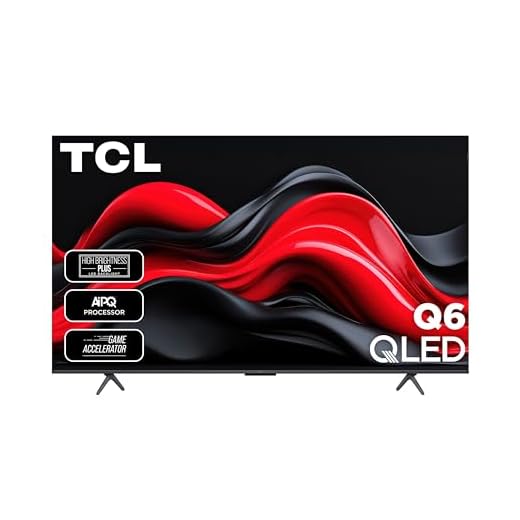


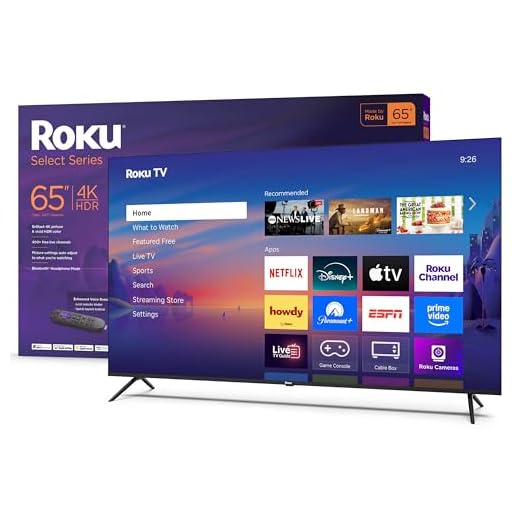


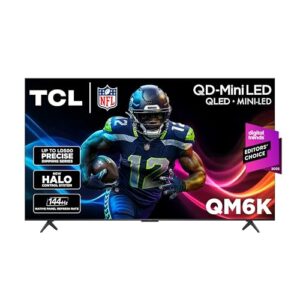
TCL 55" QM6K Mini-LED QD TV
You’ll find impressive contrast and color accuracy from the QD-Mini LED backlight and TCL’s AIPQ PRO processor. A very high refresh rate and robust game features make it an excellent pick for gamers and sports fans.
Pros
- Mini-LED with precise dimming for deep blacks
- High native refresh rate (120–144Hz) for smooth motion
- Onkyo audio with built-in subwoofer for better sound
- Strong gaming features (low latency, high refresh)
- Advanced scene optimization with AIPQ PRO processor
Cons
- Real-world benefit of 120–144Hz depends on source and devices
- Premium feature set can be overkill if you just stream typical 60Hz content
Why this model stands out
You’ll notice the QM6K when contrast and motion clarity matter. TCL’s QD-Mini LED panel, coupled with a precise dimming array, reduces haloing and produces deeper black levels than typical LED sets in this price band. The AIPQ PRO processor applies scene-by-scene optimization so HDR and SDR content both look polished.
What you’ll use most
- QD-Mini LED backlight with up to LD500 dimming capability
- 120–144Hz native panel for smoother motion and gaming
- Dolby Atmos and Onkyo-tuned speakers with a built-in subwoofer
- TCL Game Accelerator and Auto Game Mode
Those points translate into cleaner highlights, more consistent shadow detail, and responsive gameplay. If you play competitive titles or watch a lot of high-frame-rate sports, you’ll benefit from the faster panel and low-lag modes.
Practical notes and trade-offs
- Many streaming services and set-top devices still deliver most content at 24–60Hz; to exploit the 120–144Hz you’ll need compatible sources (modern consoles or PC gaming).
- On-board audio is better than average, but you may still prefer a separate soundbar for cinematic audio or larger rooms.
Overall, if you want a future-proofed 55" TV that leans toward premium picture quality and gaming performance, this model delivers strong real-world results for the price.
TCL 75" QLED 4K Smart TV
You get an immersive 75-inch QLED image with advanced HDR and solid motion handling at a very competitive price. The built-in Fire TV and Dolby Atmos support round out a complete living-room experience.
Pros
- Very large 75" screen for home-theater impact
- QLED quantum-dot color and HDR PRO+ with Dolby Vision
- Game-friendly features (Auto Game Mode, low latency)
- Built-in Fire TV with Alexa voice remote
- Strong brightness from Direct LED backlight
Cons
- Very large size may require larger room or stand
- Some reported customer-service/setup issues on a few units
Overview
You’ll appreciate the TCL 75" Q6-class if you want a true home-theater scale screen without paying premium TV prices. It combines QLED quantum-dot color, HDR PRO+ with Dolby Vision, and a bright Direct LED backlight to deliver punchy highlights, vivid color, and good contrast for a non-OLED panel. The included Fire TV platform gives you an accessible smart interface and hands-free Alexa control.
Key features and what they mean for you
- 4K resolution with QLED quantum-dot color
- HDR PRO+ including Dolby Vision for improved HDR tone mapping
- Motion Rate 240 with MEMC frame insertion for smoother action sequences
- Game Accelerator and Auto Game Mode for lower latency
- Dolby Atmos and DTS Virtual:X for improved on-board audio
These features mean movies and sports will look lively and games will feel responsive. The MEMC and high motion rate help reduce blur in fast scenes, and the Game Accelerator lowers input lag during competitive play.
Practical benefits and limitations
- You’ll get a cinematic feel for sports, films, and large-family viewing with this size and brightness.
- Built-in Fire TV simplifies streaming setup and works well with Alexa-enabled devices.
- Expect decent on-board audio for casual viewing, but serious audio enthusiasts will still want a soundbar for fuller bass and separation.
If you’re placing this in a smaller room, consider whether the 75" footprint is right for your seating distance and mounting options. Also be prepared for occasional outlier reports about setup or activation — those appear rare but worth checking with the seller/retailer policies.
Samsung 55" QLED Q7F Vision AI TV
You’ll enjoy an AI-optimized picture that enhances color and detail based on content type, plus improved object-tracking audio for a more immersive feel. It’s a well-rounded mid-size QLED with useful smart features and gaming support.
Pros
- QLED panel with AI-driven picture optimization
- Object Tracking Sound Lite improves on-screen audio placement
- Strong upscaling and gaming hub support
- Sleek design and reliable Samsung ecosystem
Cons
- Object Tracking Sound Lite is an entry-level audio enhancement
- Not as bright or contrast-rich as higher-end Samsung QLEDs
Balanced picture and smart features
You’ll notice the Q7F’s strength in producing lively colors and well-optimized tone mapping thanks to Samsung’s Vision AI and QLED technology. The set does a good job of making a wide range of content look punchier without oversaturation, and 4K upscaling helps older HD material look cleaner on a 55" screen.
Useful features you’ll use regularly
- QLED panel with Q4 AI Gen1 Processor for adaptive picture settings
- Object Tracking Sound Lite for enhanced spatial audio impression
- Gaming Hub and low-latency modes for consoles and cloud gaming
These elements make the TV versatile — good for streaming, daytime TV, and casual gaming — while keeping a polished user interface and easy connectivity in Samsung’s ecosystem.
Practical advice and trade-offs
- If you’re after the deepest blacks or the brightest HDR highlights, look at higher-tier QLEDs or Mini-LED sets; this model targets balance rather than absolute peak performance.
- The object-tracking audio helps immersion but won’t replace a dedicated sound system if you want high-fidelity sound.
For most viewers who want a dependable 55" QLED with smart features and gaming support, this model provides a balanced and satisfying viewing experience.
Samsung 65" Crystal UHD 4K Smart TV
You get clean 4K upscaling, dependable smart features, and a lightweight design that’s easy to install. It’s a solid all-rounder that performs well for movies, sports, and general streaming without extra complexity.
Pros
- Excellent 4K clarity and effective upscaling
- Lightweight design and easy to move/install
- Reliable Samsung smart platform and SmartThings integration
- Good value at its price point
Cons
- HDR impact is modest compared with higher-end QLED/OLED models
- Advanced gamers may find motion handling and input lag only average
Everyday performance with smart simplicity
You’ll find this Samsung Crystal UHD model is tuned for straightforward, reliable performance. The Crystal Processor 4K provides consistent upscaling for non-4K sources, and Samsung’s smart platform gives you access to major apps and free content without a steep learning curve. The metalstream design and light weight make it easier to set up than many other 65" TVs.
Features that matter in daily use
- Crystal Processor 4K for upscaling and color mapping
- Built-in Alexa and SmartThings compatibility
- Simple access to free content and commonly used streaming apps
This combination is convenient if you want a large screen that’s easy to live with — quick setup, familiar menus, and responsive remote control via the app when needed.
Limitations and who should consider alternatives
- HDR performance is limited compared with Mini-LED or QLED alternatives; you won’t get the same highlight pop or deep blacks.
- If you’re focused on competitive gaming or top-tier HDR cinema, consider higher-tier models with better motion handling and contrast.
If your priority is a big, dependable smart TV that won’t break the bank and performs well for general viewing, this Samsung offers strong real-world value.
Panasonic 70" W70 Series Fire TV
You’ll get reliable Fire TV setup, good picture quality, and thoughtful hardware like solid stands and Bluetooth support. Occasional firmware quirks (input defaulting) may require attention but overall the experience is smooth.
Pros
- Fire TV built-in with Alexa and Apple AirPlay support
- Good picture quality and solid chassis construction
- HDMI 2.1 and Bluetooth support for gamers and accessories
- Fast and painless initial setup via QR codes
Cons
- Some users report default input/software behavior on startup
- Not as feature-dense in picture processing as higher-end competitors
Clean Fire TV integration and practical hardware
You’ll like how quickly this Panasonic W70 series gets you streaming: the Fire TV onboarding via QR codes speeds up setup and restores prior viewing preferences if you choose. The 70" panel delivers pleasing 4K images and the chassis quality (including metal stands) feels sturdy compared with some budget competitors.
Features that affect daily use
- Fire TV with Alexa voice remote and Press & Ask functionality
- HDR10+ support, HDMI 2.1 inputs, and Bluetooth connectivity
- Apple AirPlay and common smart features for cross-ecosystem use
Those additions make it easy to pair consoles, stream from Apple devices, and control the TV with voice. HDMI 2.1 support is a bonus if you plan to use next-gen consoles for higher refresh gaming.
Practical cautions and workarounds
- A few users report the TV defaults to streaming/home screen input on startup rather than the last-used HDMI input; if you primarily use an external tuner or console, confirm whether firmware updates or input preferences resolve this in your unit.
- The set’s audio and picture are strong for the category, but true cinephiles or those wanting reference-level HDR should look to higher-tier panels with more advanced local-dimming or OLED technology.
If you want a large, well-built TV with dependable Fire TV features and modern connectivity, this Panasonic is a compelling, user-friendly option — just be mindful of occasional software defaults that may need a firmware patch or settings workaround.
Roku 65" Select Series 4K HDR TV
You’ll benefit from Roku’s straightforward, app-rich platform and clear 4K HDR visuals for a wide range of streaming needs. The remote and voice features are practical and make daily use easy for the whole family.
Pros
- Delightfully simple Roku smart platform with wide app support
- Good 4K HDR image quality for the price
- Responsive remote with voice control and remote finder
- Bluetooth headphone mode for private listening
Cons
- Bluetooth headphone pairing quirks reported with some devices
- Sound is adequate but may need a soundbar for home theater
The Roku experience made large
You’ll find this Roku Select Series TV aims to remove complexity. Roku’s interface is one of the most straightforward smart platforms, offering broad app support and fast access to free content. The 65" panel delivers solid 4K HDR images with easy tuning through pre-set picture modes.
Everyday features you’ll use
- Roku TV UI with thousands of apps and voice search
- Auto speech clarity and headphone mode via Bluetooth
- Game Mode and variable refresh rate support on compatible models
This makes the set great for families and users who want a consistent, easy-to-navigate experience. The remote finder and responsive controls are practical conveniences.
Real-world trade-offs
- Some users report Bluetooth headphone switching oddities that can route audio unexpectedly when interacting with other devices; testing your headphones with the TV before relying on Bluetooth in daily use is advisable.
- Built-in speakers are serviceable for typical TV watching, but pairing a soundbar will noticeably improve movie and music playback.
If you want a straightforward, reliable streaming-first TV at a competitive price, this Roku 65" is an excellent pick that balances simplicity with performance.
INSIGNIA 75" QF Series QLED Fire TV
You’ll get a huge 75" screen with QLED color and the convenience of Fire TV at a very affordable price. It’s ideal for oversized rooms and budget-conscious buyers who want visual scale over premium contrast.
Pros
- Very competitive price for a 75" QLED TV
- Fire TV built-in with Alexa voice remote
- Good color and brightness for casual viewing
- Lightweight and easy to set up for large sizes
Cons
- UI and app transitions can feel a bit laggy at times
- On-board audio is adequate but not cinematic
What you can expect
You’ll appreciate this Insignia 75" QF if you want maximum screen real estate without a premium budget. The QLED quantum-dot layer improves color richness, and Fire TV integration simplifies streaming and voice control through Alexa. For large living rooms and casual viewing, it delivers impressive scale for the price.
Key practical features
- 4K UHD resolution with QLED color enhancement
- Direct LED backlight for even screen brightness
- Fire TV platform with Alexa voice remote
For watching live sports, big-screen movies, or family streaming, the sheer size makes content feel cinematic. The Fire TV interface keeps things familiar if you already use Amazon services.
Considerations before you buy
- Performance is oriented toward value—expect solid color and brightness, but not the contrast depth of higher-end Mini-LED or OLEDs.
- If you care about high-end motion processing or immersive audio, plan a modest soundbar to pair with the set.
Overall, this model is a strong option when you prioritize screen size and smart TV convenience over cutting-edge image processing.
INSIGNIA 70" F50 Series 4K Fire TV
You’ll get a roomy 70" 4K display with Fire TV smarts at a low price, making it a solid choice for casual viewing and secondary rooms. It gives crisp resolution but lacks premium processing features.
Pros
- Great price-to-size ratio for a 70" 4K TV
- Fire TV built-in with Alexa voice remote
- Lightweight and easy DIY installation
- Crisp 4K resolution for large-format viewing
Cons
- Some app instability reported (e.g., Hulu disconnects)
- Lacks advanced HDR formats and premium motion features
Who this TV is for
If you want the largest picture for the least money, this Insignia 70" F50 series is aimed squarely at you. It provides 4K resolution and Fire TV functionality, so streaming and voice control are immediately available without extra devices. The trade-off is fewer high-end picture features and occasional app hiccups depending on specific apps.
Everyday usage highlights
- 4K UHD resolution with HDR10 support
- Fire TV OS and Alexa voice remote included
- Lightweight chassis that’s easy to mount or move
For casual viewers who primarily stream shows, watch sports, or want a big screen for family rooms, the set delivers a lot of value. You’ll appreciate the built-in Fire experience and the large screen for group viewing.
Practical limitations and tips
- Expect a basic HDR experience; serious HDR enthusiasts should consider higher-tier panels.
- If you rely on particular streaming apps (some reviewers reported periodic app crashes), verify compatibility and test return options.
This TV is a practical choice when budget and size are the main drivers, but you should temper expectations about premium picture processing and app stability.
Final Thoughts on the Best TVs Under 500 Dollars
Pick the TCL 55" QM6K Mini-LED QD TV if you want the most balanced picture and the best performance for fast action. Its QD‑Mini LED backlight and AIPQ PRO processing deliver deeper contrast and more accurate color than other sets in this price bracket, and the high refresh rate plus gaming features mean lower input lag and smoother motion for sports and consoles. Buy this one if you sit about 5–9 feet from the screen and prioritize contrast, color fidelity, and responsive gaming.
Choose the TCL 75" QLED 4K Smart TV when you want a true big‑screen experience without a luxury price. The 75" QLED panel, strong HDR handling, built‑in Fire TV, and Dolby Atmos support make it the best value for a living‑room home theater setup. Get this one if you want immersive scale for movies and TV and typically sit around 8–12 feet from the screen.
Both picks give clear strengths: the 55" QM6K for picture quality and gaming, the 75" QLED for size and cinematic impact. If you prioritize contrast and speed, go 55"; if you prioritize scale and a full living‑room experience, go 75".
How to Choose the Best TVs Under 500
Finding a great TV without spending a fortune is totally possible. Today’s market offers plenty of solid options that balance image quality, smart features, and size—all at an affordable price point. If you’re searching for the best TVs under 500, knowing what really matters will help you make a smarter choice and avoid paying for features you don’t need.
Pick the Right Screen Size for Your Space
Screen size should match both your room and how far you’ll sit from the TV. For smaller bedrooms or offices, models between 32 and 43 inches are usually ideal. Living rooms can comfortably handle 50 to 55-inch TVs, which are commonly available under the $500 mark.
A larger screen isn’t always better if the resolution or panel quality is lacking, so it’s important to balance size with overall image performance.
Resolution Matters: Full HD or 4K?
When comparing the best TVs under 500, resolution is one of the most important specs. Full HD (1080p) TVs are still suitable for smaller screens and casual viewing. However, 4K Ultra HD has become the standard, even in this price range.
A 4K TV offers sharper details, better clarity, and improved upscaling for lower-resolution content. If your budget allows, choosing 4K is usually the better long-term option.
Look for HDR Support for Better Contrast
High Dynamic Range (HDR) improves brightness, contrast, and color accuracy. Many affordable TVs support HDR formats, which can make movies and shows look more vibrant and realistic.
While budget TVs may not deliver the same peak brightness as premium models, HDR compatibility is still a worthwhile feature that enhances the overall viewing experience.
Smart TV Platforms Make a Big Difference
Most TVs under $500 come with built-in smart platforms, allowing you to stream content without extra devices. A good smart system should be fast, easy to navigate, and compatible with popular streaming apps.
Look for TVs that offer regular software updates and smooth menu performance. Voice control support and mobile app integration can also add convenience, especially if you already use smart home devices.
Panel Type and Image Quality
Panel technology affects color accuracy and viewing angles. LED TVs are the most common in this price range and can deliver excellent results when paired with good processing.
If you often watch TV from the side, look for models known for wider viewing angles. For darker rooms and movie nights, strong contrast and deeper blacks are especially important.
Refresh Rate and Motion Handling
Most affordable TVs come with a 60Hz refresh rate, which is perfectly fine for movies, TV shows, and casual gaming. Motion enhancement features can help reduce blur, but they vary in effectiveness across brands.
If you plan to watch sports or action-heavy content, check reviews to see how well the TV handles fast movement.
Connectivity: Don’t Ignore the Ports
Before buying, make sure the TV has enough HDMI ports for your devices, such as gaming consoles, soundbars, and streaming boxes. HDMI ARC or eARC is a useful feature if you plan to connect external audio equipment.
USB ports, Bluetooth, and Wi-Fi support are also helpful extras that improve versatility without increasing cost.
Sound Quality and Audio Options
Built-in speakers on budget TVs are usually average. While they’re fine for everyday viewing, they may lack depth and bass. If audio quality matters to you, consider a TV that supports external sound systems via HDMI ARC or optical output.
Even with a tight budget, pairing your TV with a basic soundbar can significantly improve the experience.
Energy Efficiency and Build Quality
Energy-efficient TVs help reduce electricity costs over time, which is a nice bonus when shopping on a budget. Build quality is another factor—thin bezels, sturdy stands, and good overall finish can make a TV feel more premium than its price suggests.
By focusing on these features, you can confidently narrow down the best TVs under 500 and find a model that delivers great value, solid performance, and a satisfying viewing experience without overspending.
Check Out the Best TVs Under 500 Dollars
Still not sure which one to choose? Click the link below to see the best-selling products.
Also Check Out Other Helpful Articles
Take a look at more useful articles that can help you make more informed decisions.
- Best TVs Under 500 Dollars in 2026 (Top 8: TCL, Insignia and More)
- Best TVs Under 800 Dollars in 2026 (Top 8: Samsung, Sony and More)
- Best TVs Under 1000 Dollars in 2026 (Top 8: TCL, Roku and More)
Video About the Best TVs Under 500 Dollars
We created a video on the topic. Just click to watch.
Related Articles

About the Author

Joshua Brown brings his creativity and focus to each writing task. He believes content should be useful, engaging, and well-structured.